Problems? See this thread at archive.org.
Measurement...
For a second revision, I have asked Cicichen to fix the MOSFET and chipset high to avoid using 3mm thermal pads.
-
-
What the thickness of that copper shime you usedon the pch.Last edited: Oct 12, 2019
-
Ya 3MM thermal pads dosent exist you have to use 2 x 1.5mm
-
1.0mm
-
What?
 This is one of many
https://gelidsolutions.com/thermal-solutions/accessories-gp-extreme/
Ashtrix, Dr. AMK and Striker1234 like this.
This is one of many
https://gelidsolutions.com/thermal-solutions/accessories-gp-extreme/
Ashtrix, Dr. AMK and Striker1234 like this. -
Yes!
-
lol never seen those before! always use artic or grizzly thermal pad
-
Gelid is the best you can get. And even cheaper than the overpriced Fujipoly.
-
Arctic, Thermal Grizzly, Alphacool... they all perform relatively equal. There is only a huge gap in price and description. Each manufacturer has the best and highest Wm/k-values, but which of these Wm/k-values has been proven?
Unfortunately it's not so easy to proof like thermal paste. For me it was a very important question and so i tested different thermal pads in different thickness. That's my result:


One thing for sure, thicker pads are worse in the cooling-performance. No matter which manufacturer or brand.
All details about the thermal-pad test here: ( AW-Community)
@Striker1234, i like your idea and the work with Cicichen, but i'm not sure if you reach a better cooling-performance with these heatsink. Alone more copper is not the solution. I often tested copper and aluminum heatsinks in different conditions and places and copper was always a bit worse than aluminum.
![[IMG]](images/storyImages/PCH-Mod-5.jpg)
![[IMG]](images/storyImages/HS-Mod-Ver3-02.jpg)
Other users (from the german aw-forum) made the same experience ( Link). Copper takes faster and more heat up than aluminum. For the heat-transport is that an advantage, but aluminum is better to dissipate heat as passive heatsink.Dr. AMK, Striker1234 and Rei Fukai like this. -
What is importent is the softness. Even the highest rated Wm/k-values doesn't matter it the pads is too stiff (not so compressible).
https://www.hardwareluxx.de/community/f136/alphacool-eisschich-co-waermeleitpad-test-1093326.html
Performance with CPU @ 2Ghz, 1V, Prime95 smallFFT
![[IMG]](images/storyImages/BICUwXC.png)
-
I know. This topic has been discussed here a few times. Shore scale. And that's why I don't like to take pads from TG or Alphacool. They are not so soft like pads from arctic.
In Striker1234's post you can see that the new heatsink is fastened with screws and springs and i'm pretty sure that the springs has a lower pressure on the DIE and whole VRM than the normal R5 heatsink.
You know my results and temps from the R5 heatsink. This is only possible by reduce the gap between DIE and heatspreader to a minimum. With soft pads is that easier then with hard one. -
so 1mm copper shim and 1.5mm of pads
Personally i think the contact with the CPU Die will be way better. One of the hole for the GPU can share pressure for both CPU and GPU. Also M.2 screws are very bad to make pressure can't tight them very well that why most of GPU use spring screws for the GPU die pressure.
Also you can take a look to the cpu copper plate there a little raise maybe around 1mm thick. Finally the contact will be more uniform and better.
By the end of the next week i will be fixed when mounted and tested!Rei Fukai likes this. -
But for overall-performance you need proper VRM cooling, too. Very easy to test with some benchmarks (and 800MHz drops).
I'm waiting for some HWinfo logs. If the results look promising, I maybe will order the heatsink, too. We will see. -
Hi buddy, could you walk me through how youd assess VRM cooling? A while back I got very repeatable crashes when exiting games and benchmarking applications, when the CPU and GPU were lowing their clock speeds. I figured that this might be due to insufficient VRM cooling but couldnt work out how to assess that. I redid all the pads anyway and it didnt fix it, but a reinstall of the OS did the trick so maybe it wasnt VRM. But id still like to test this.
-
I have my own tests for this, which I always use under always the same conditions after trying a new mod. For the testing i like to use the Final-Fantasy Benchmark (in maximum 1080p). This benchmark goes 7 minutes and creates load GPU und CPU, similar to a real game. Cinebench R15/20 is useless for that. It's simply too short and says nothing about your cooling- or overall system-performance. For the second test i always use FC5, a real-world test and log all values with Hwinfo and compare these with the old ones.
I've a good example. We had in the german forum a user with an R5, which is water-cooled. He did the same benchmark, but he only reached 16.627 points. I reached with my air-cooled R5 18.302 points. If you compare the hwinfo-logs, you know why. His VRM-cooling is too weak and the cpu-clock drops often on 800MHz. Typical sign that the VRM gets too hot and throttles. -Pic-, -Story-
Yes, his temps are slighty better, (maybe he also use a notebook-cooler additionally to the water-cooling, not sure), but the overall-performance is worse. Good temps on CPU and GPU alone aren't everything. Same for the full-copper heatsink here, you need good temps on CPU and GPU and a decent VRM cooling. Then you can run your CPU at these clock-speeds, even higher. My 8950HK I validated @ 52x on all core (signature) and max in idle @ 54x (possible but unstable). That's why VRM-Cooling are so important. With thermal pads, which are 3mm and more it will be very difficult. In my thermal pad layout i use (for the important components) only 0,5, 1,0 and 1,5mm soft arctic pads.
Rei Fukai, hans12321, alexnvidia and 1 other person like this. -
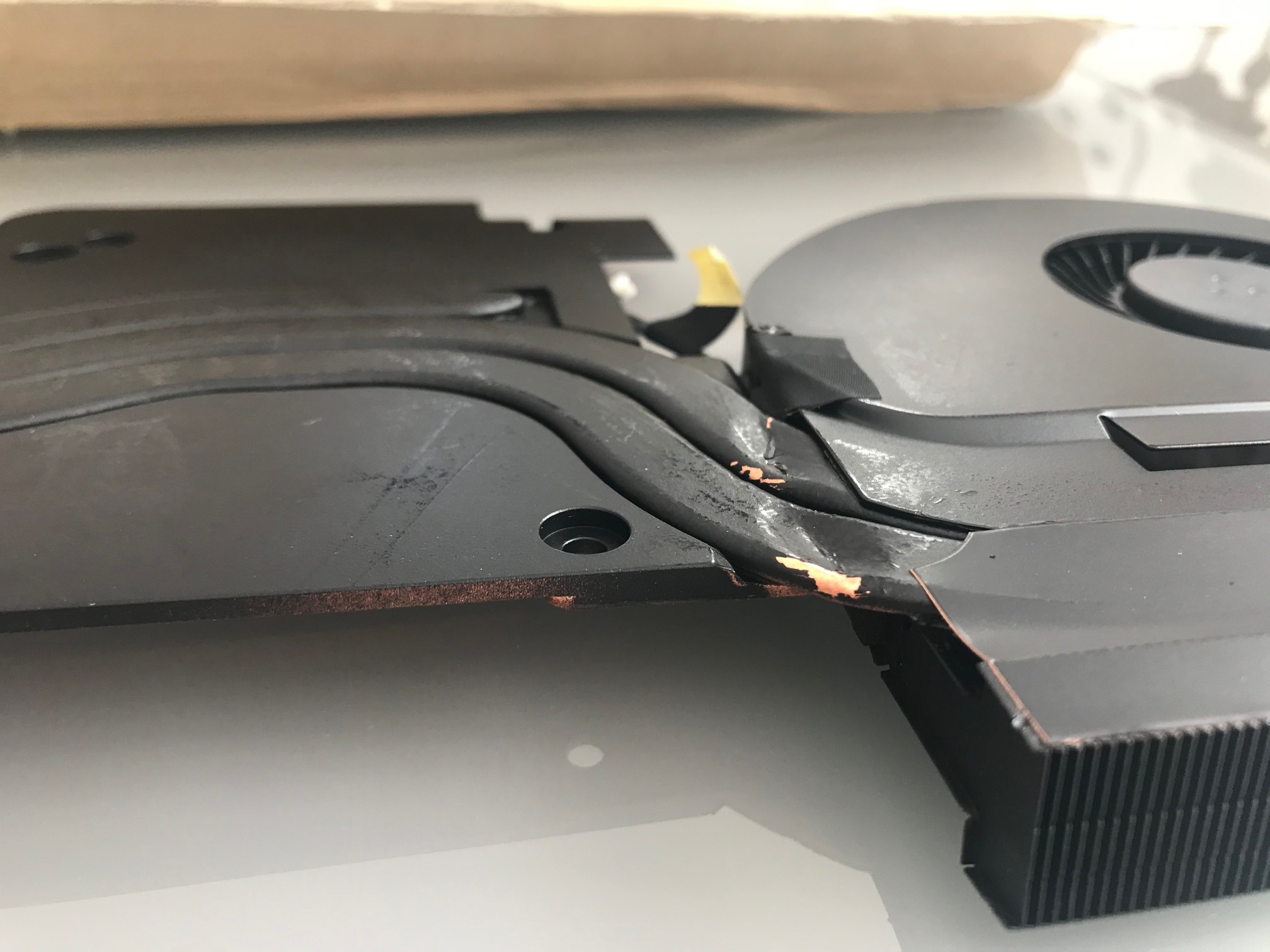
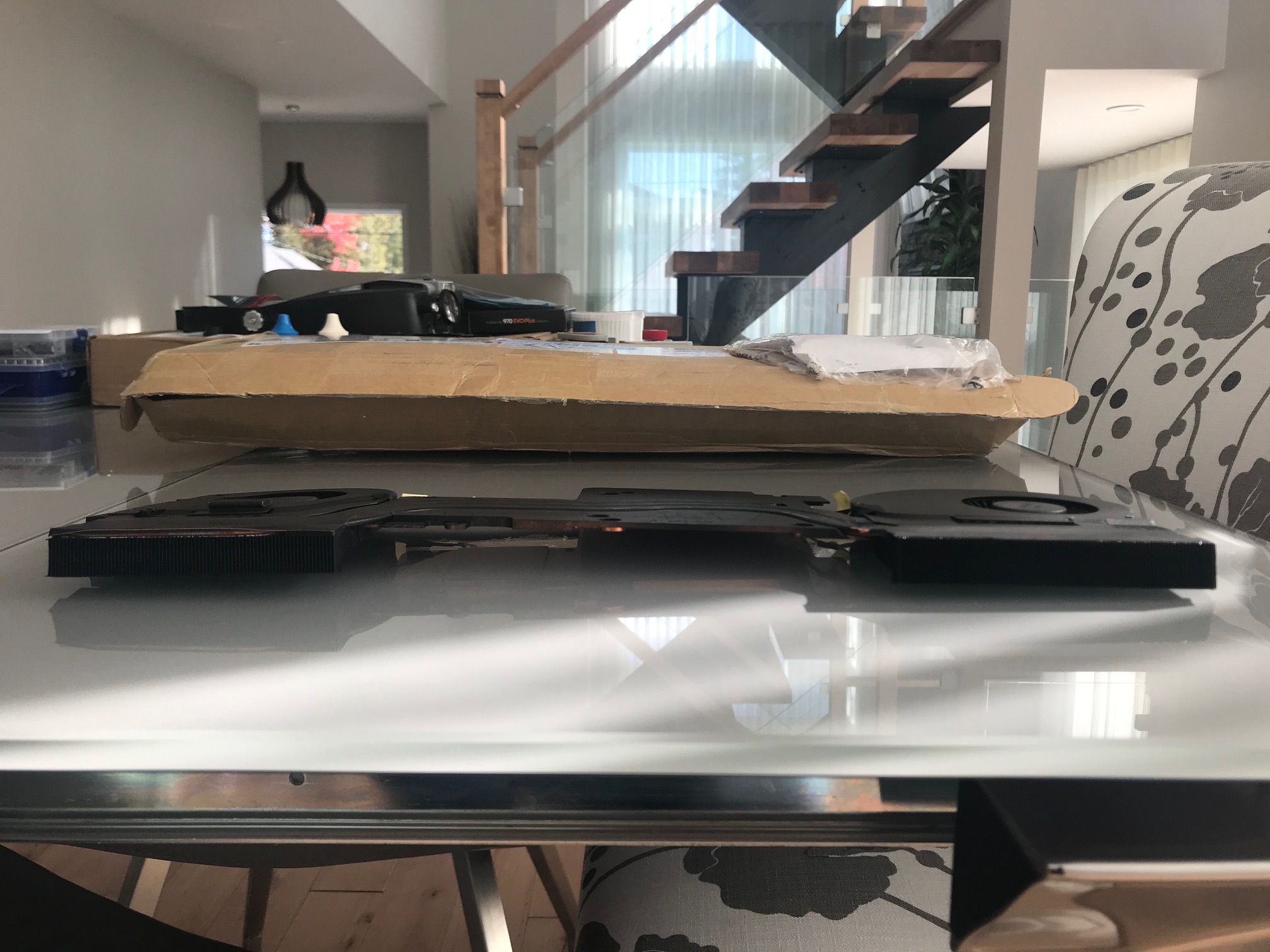
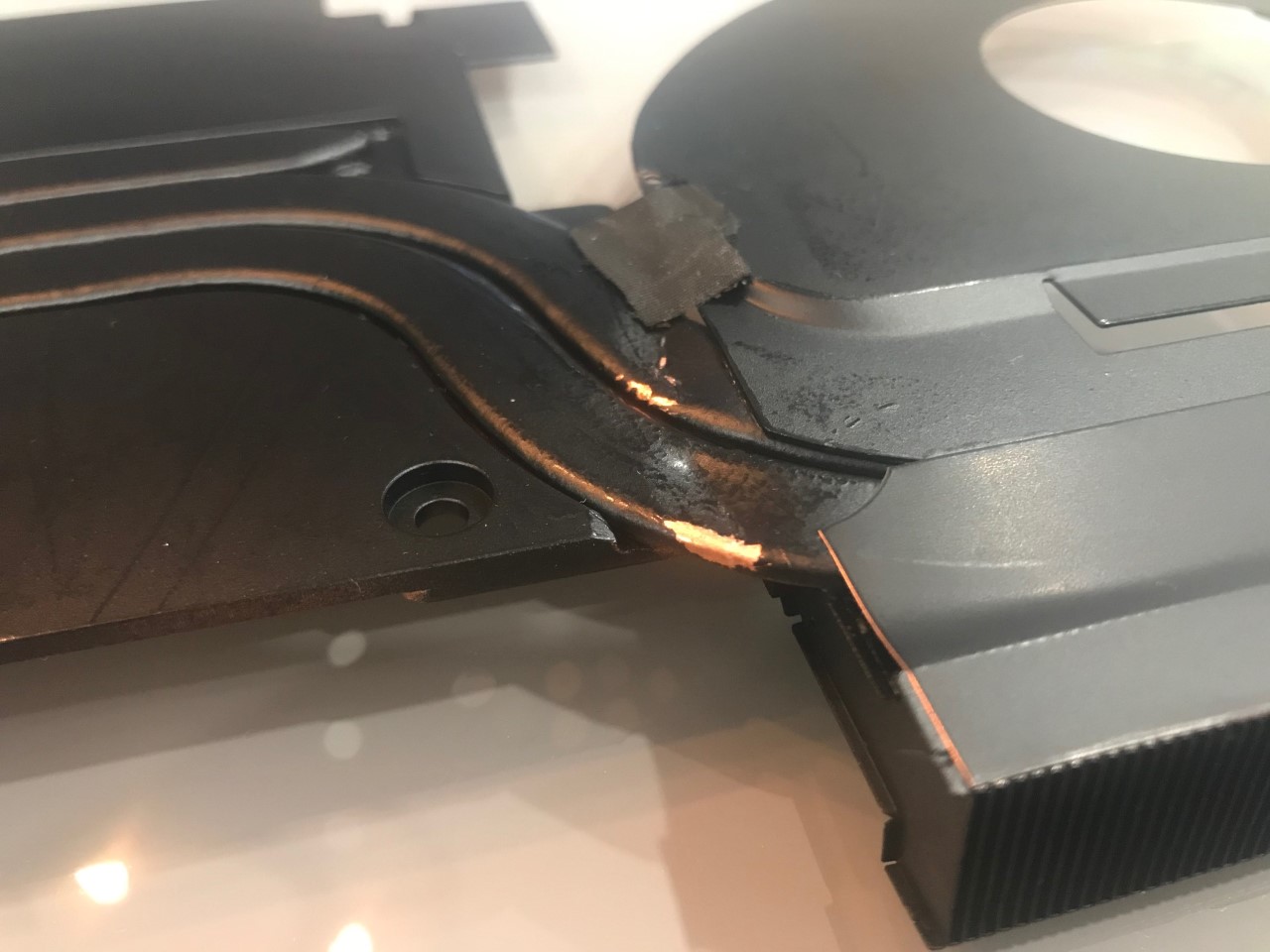
Received my heatsink today... Totally warper and 2 heatpipe totally bent....
Attached Files:
Rei Fukai likes this. -
-
This is wicked, thanks man! I have a 13 r3 but reckon I can work out whats what based on the 17 r5
-
Unfortunately, Striker's heatsink looks not so much better.
I guess it's common problem when you try to remove the aluminum part or the fan-cover from the heatpipes. I tried this on my old R4 heatsink once. It's extremely difficult to separate both parts from each other.
Same on the ebay-hs:
sure, best upgrade ever.....
I did the same experience back then on my R4 (i7-7820HK, GTX 1070). They (another chinese shop) sent me a bent heatsink. I sent the crap back, but the seller didn't refund my money. He said, he didn't receive the item, but 2 weeks later is my broken heatsink in the shop again. -Link-
No chance to get the money back.
Fortunately, at this time Dell helped me out and sent me new heatsink (guarantee). One of the main reasons why i buy my notebook by Dell, but this is a different story. After the bad experience with the aftermarket heatsink i decided to build/ improve my own heatsinks. -
Ya but the initial pic from ebay was that... Do you see a bent heatpipe on that? i dont....
Attached Files:
-
-
there a vapor chamber in those heat pipe... if you bent them i dont think the job will be well done no?
-
No, the R5 heatsink has normal heatpipes with copper powder inside. Nothing special, normal heatsink with normal heatpipes.
A vapor-camber heatsink looks completely different. for example like in the razer blade


How do you know that? Did you test that? The original HS has no bends.
The point is, you spend over $100 bucks to improve your cooling and received a heatsink, which may be worse than the original ones.
Yes, that's right, but why you and striker didn't receive a HS like on the photo?Dr. AMK, Rei Fukai, Striker1234 and 1 other person like this. -
Cicichen will send me a new one.
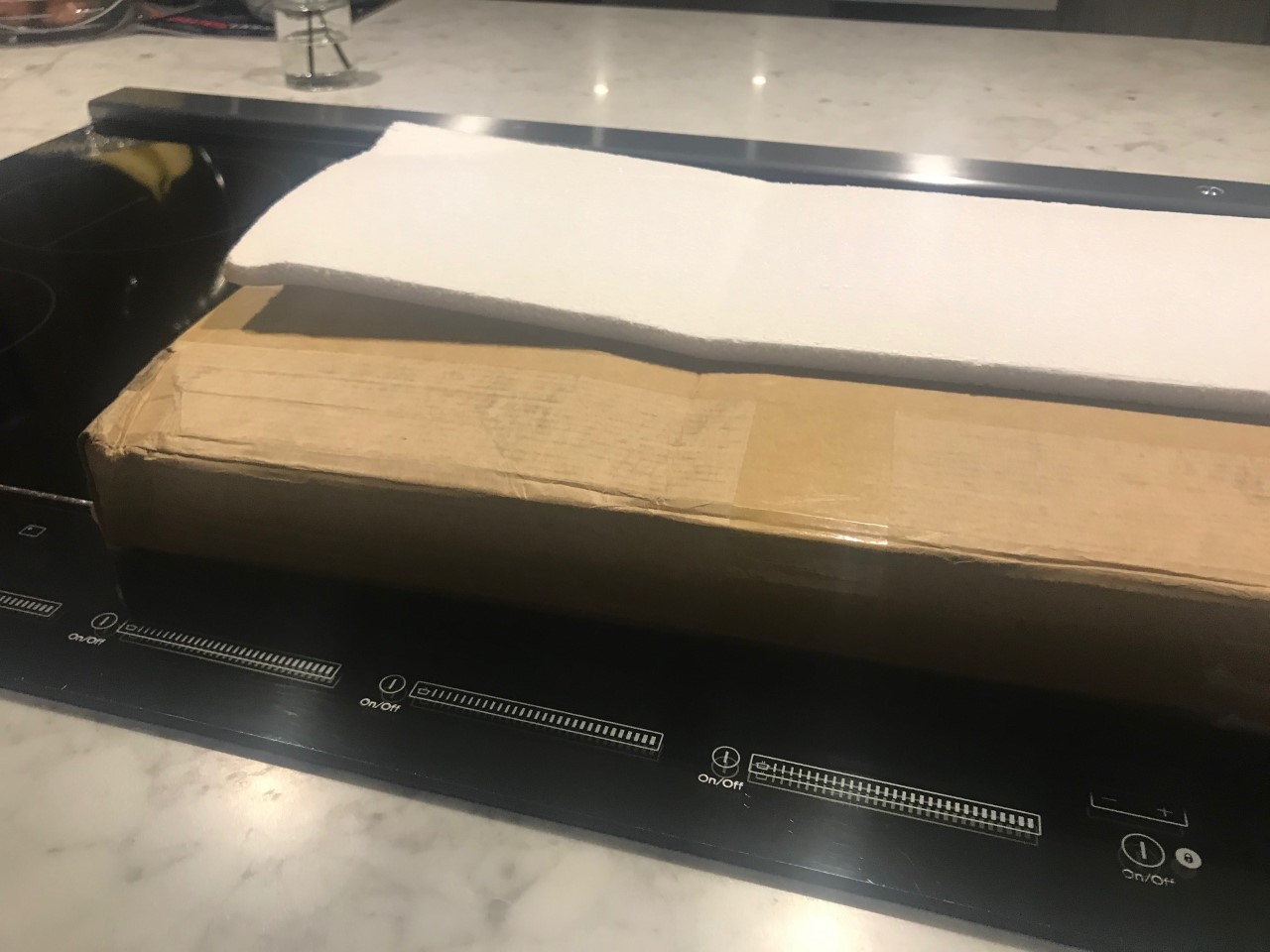
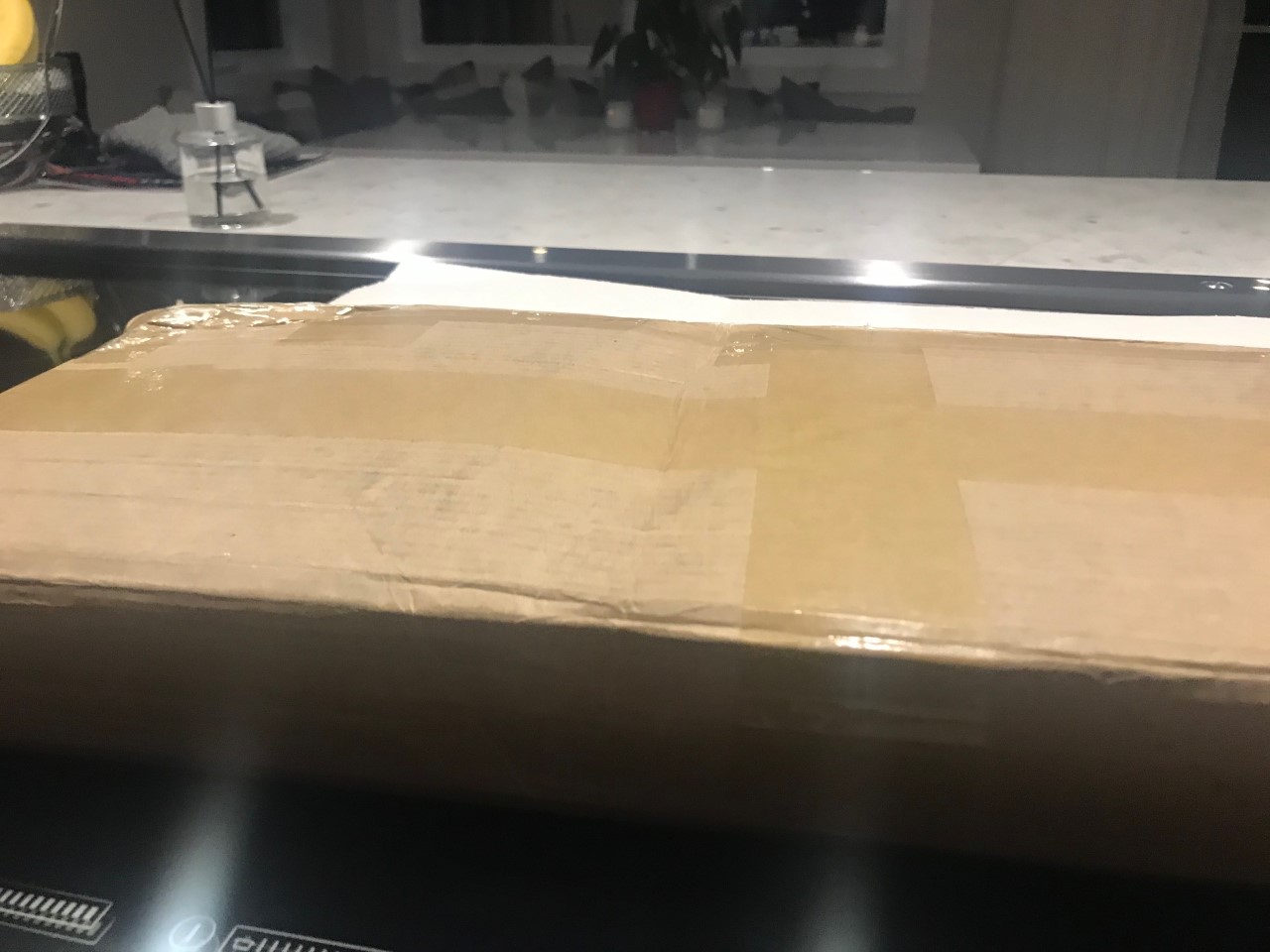
We determine the damage have been caused in the travel. The box have been totally crushed or get hit.. And according to the painting of the heatsink...
Look at the box and the foam.Attached Files:
-
-
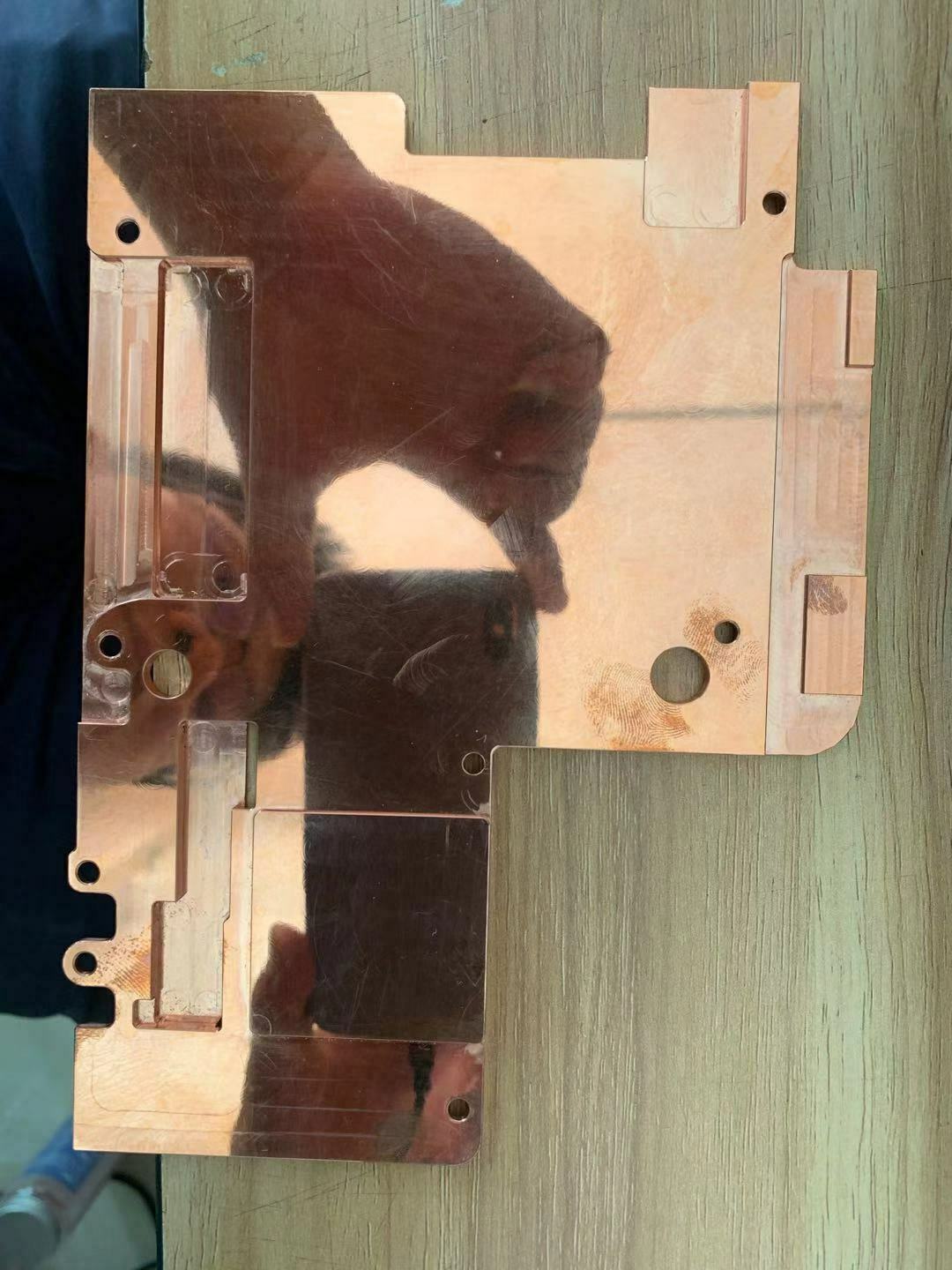
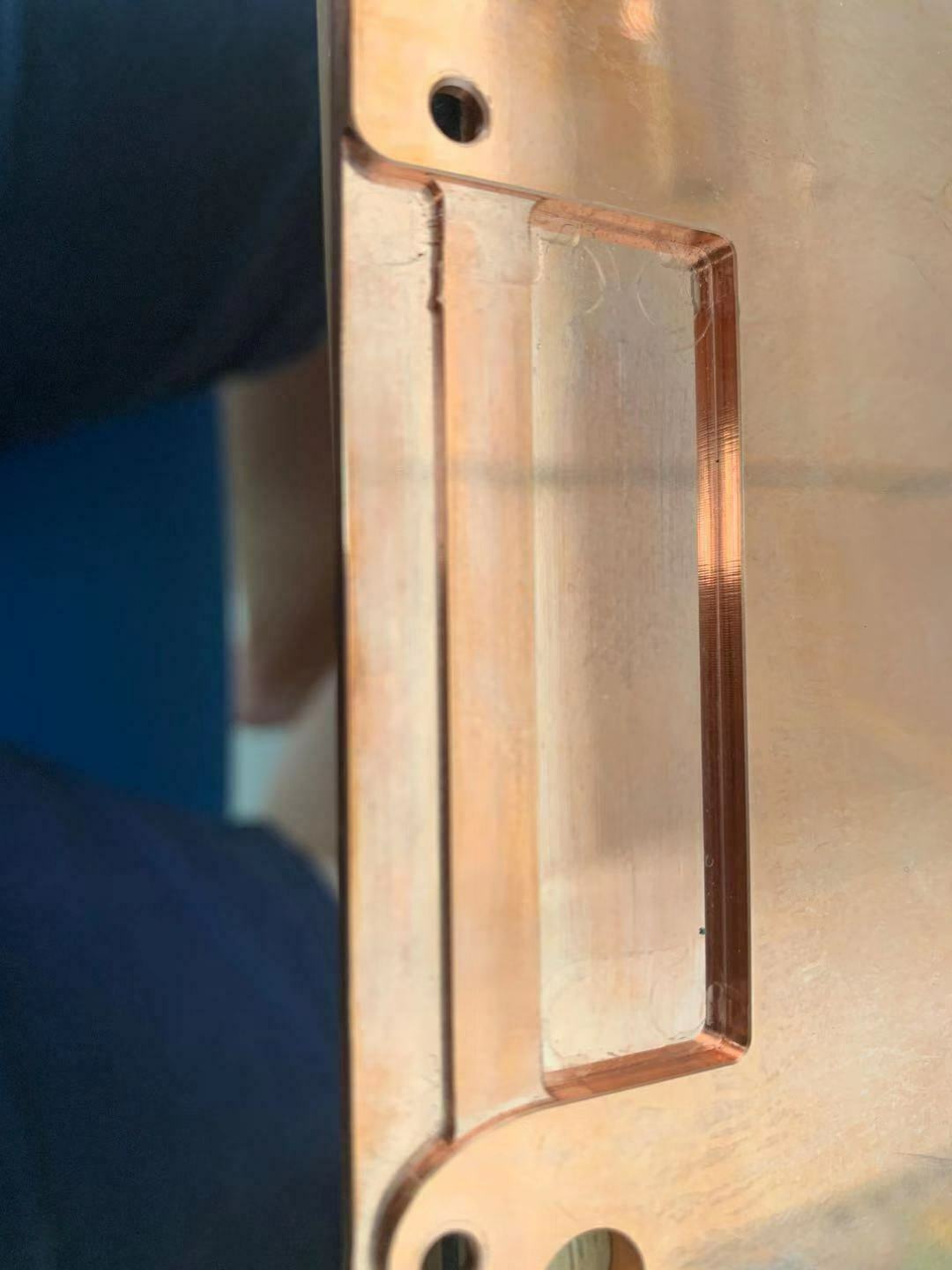
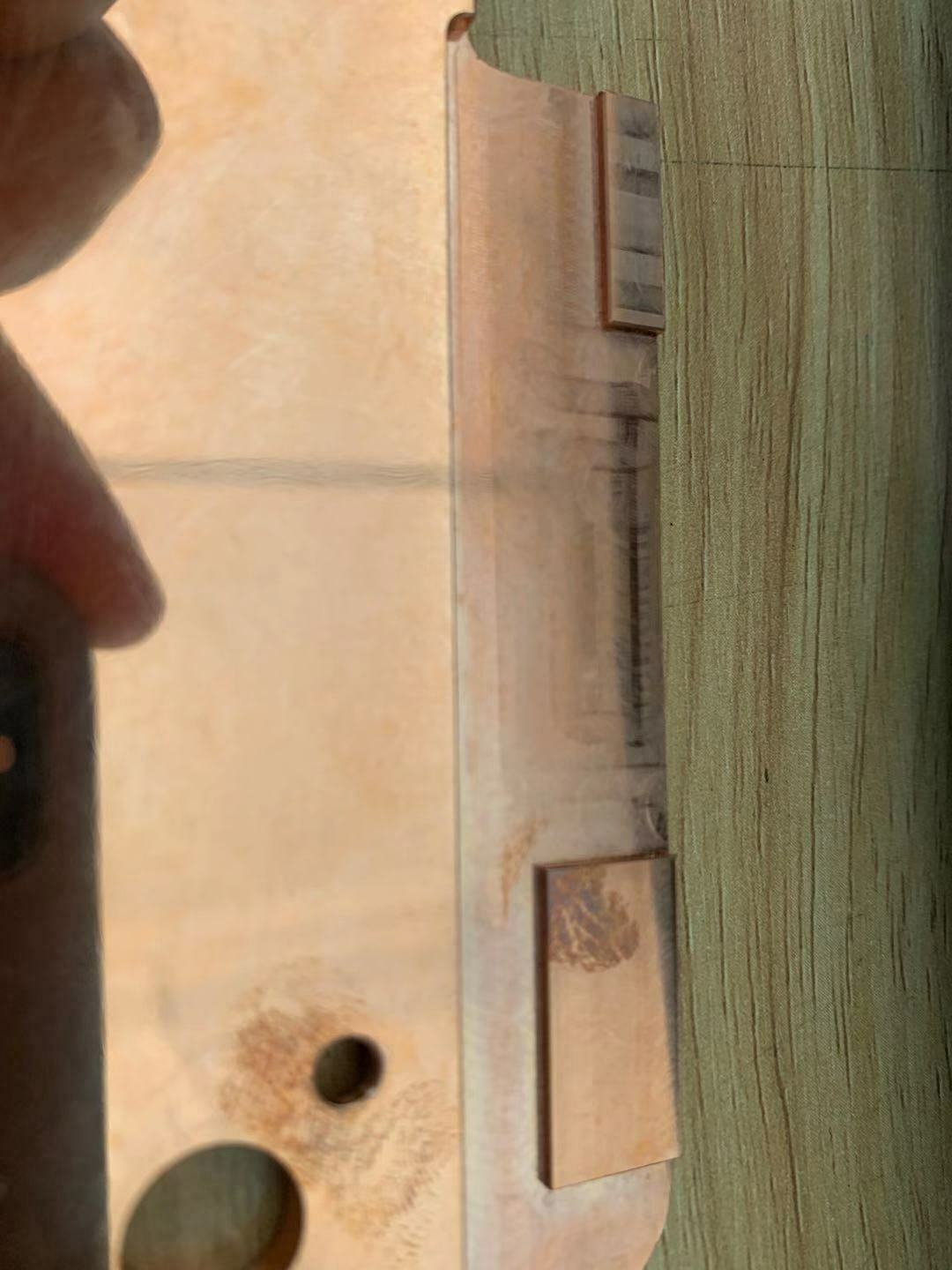
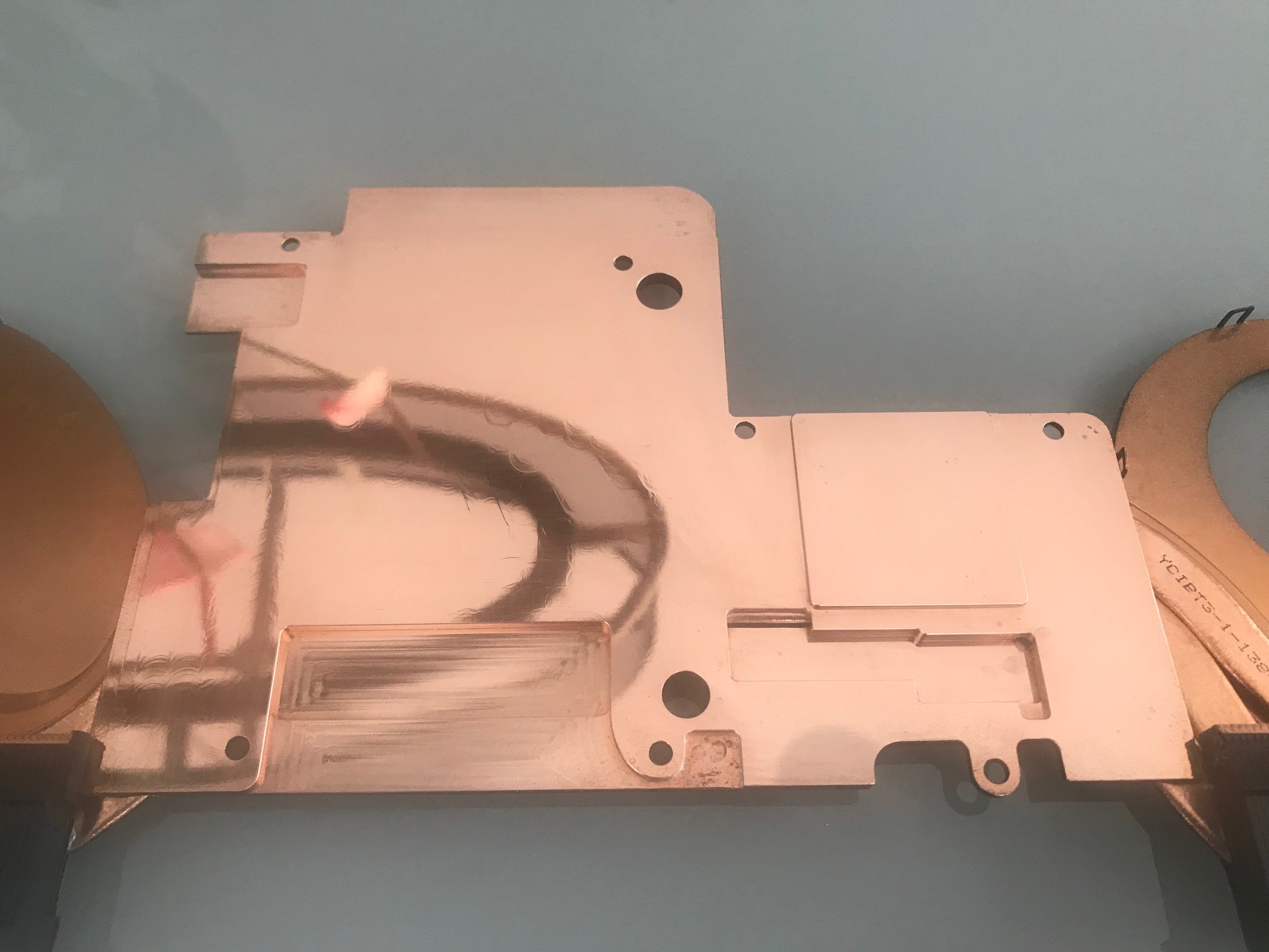
Look at this nice smooth mirror fenish i'm sure we will get nice result!
Didn't had to lap or polish the plate. Just use an automotive polishing paste.Attached Files:
c69k likes this. -
-
Is that yours?
Looks fantastic! -
I'm still waiting for some HWinfo logs.
Don't waste your time. A nice and smooth looking surface don't improve your cooling performance. I've already tested that few times with a copper and aluminum heatsink on the PCH.
-preview.jpg)
-preview.jpg)
-preview.jpg)
-preview.jpg)
It makes no differents in cooling performance.
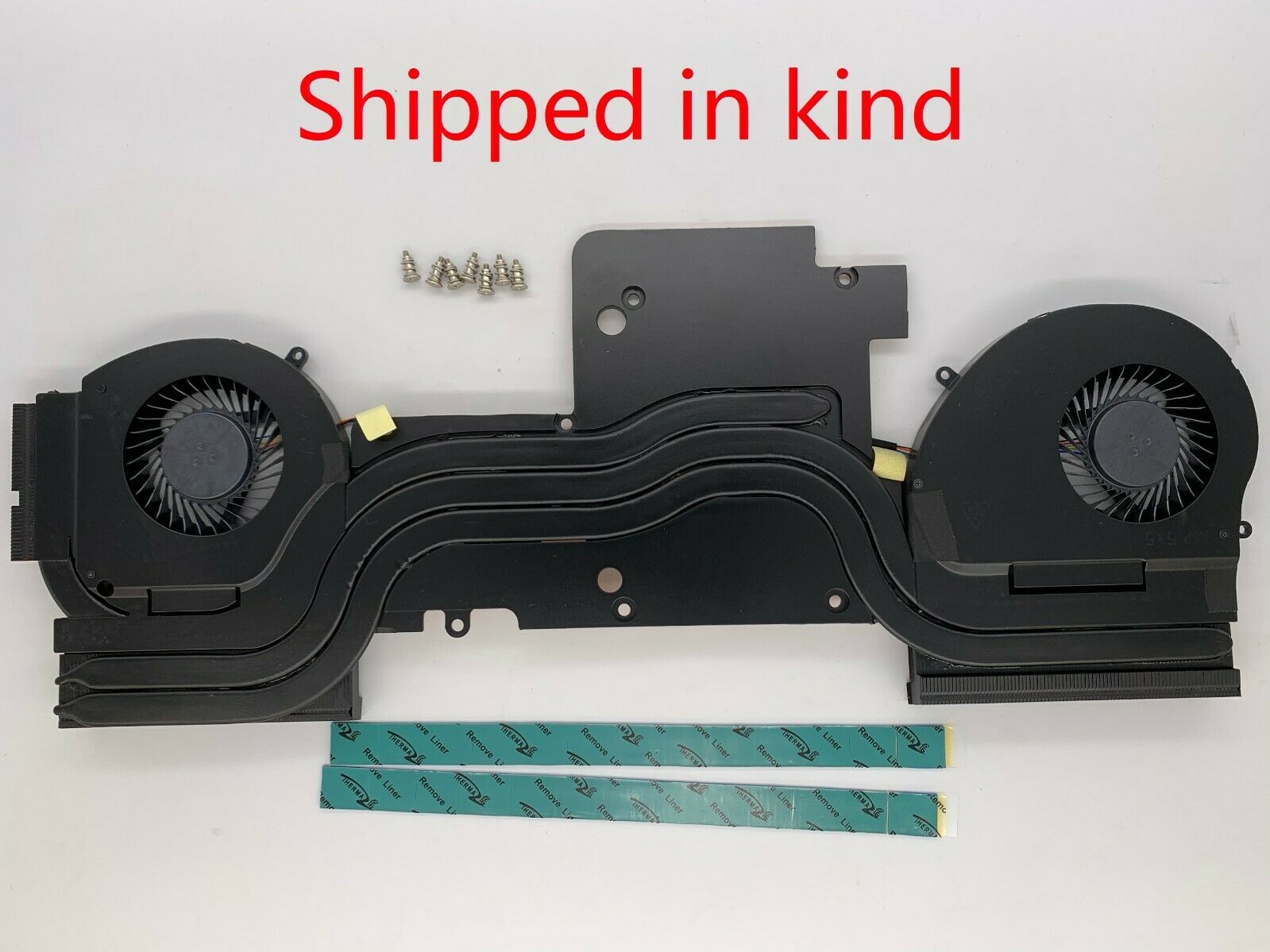
BTW: How Dell the heatsink shipped:
![[IMG]](images/storyImages/0cc23b-1571255179.jpg)
![[IMG]](images/storyImages/ab3f73-1571255183.jpg)
![[IMG]](images/storyImages/6778d4-1571255187.jpg)
![[IMG]](images/storyImages/abf909-1571255192.jpg)
-
We Will see!!! but i'm not going to wast 2 hours and more liquid metal to try this radiator with that kind of heat pipe. Ill wait for a new one.c69k likes this. -
Not sure why the for copper heatsinks is such a hype. It sucks if you dont not heat pipe it. If you have an Alu Copper you better off doing overkill with copper plating it. Then you have the best of both worlds. Pure copper is a no go. Not to mention all those poor and component looking the crap over the heat radiating from the copper. You know what I mean? Ali then copper plate it is the best. Hackaday has a tutorial on it.
Sent from my SAMSUNG-SM-G928A using Tapatalk -
There is a vapor chamber as a cold plate on some variants for the R5. Not a full spread vapor chamber though. What you are showing there is an r4 heatsink.
-
Is that important? R4 and R5 Heatsink (GTX 1080 Version) are to 98% identical. Same heatpipes, same layout, same fans with same specs.
The main differences is one of the tri-arm and the fan-covers are solderd on the heatpipe. That's it and they called this big improvement " Cyro-Tech V-50 Vapor-Chamber Bad-Ass-Cooling", but it's just marketing.
A sorlderd fan-cover on a heatpipe is technical not a vapor-camber heatsink and also not a half or quarter vc-heatsink, because it looks and work different from a normal heatsink with heatpipes.
Can you show me exactly where this structure on/ in the R5 heatsink is?
What does it mean "not full"? Either you have one or not.Last edited: Oct 17, 2019Dr. AMK likes this. -
He means full like the insane one that Clevo has for dual 1080 or dual 2080s can't remember.
Sent from my SAMSUNG-SM-G928A using Tapatalk -
Yeah I noticed the mounts are legit now. And i would hope is has a vapor chamber. It wouldn't make any sense not too. I am loving my area51m atm. I have a mere rtx 2060 in it but it runs everything I can though at it for a 1080 144hz gsync screen.
Sent from my SAMSUNG-SM-G928A using Tapatalk -
If you took the time to check out the 17 R5 heatsinks you wouldnt have wasted your time with trying to explain someone who actually owns a Blade 15 2019 what a vacuum chamber is......
Here a photo of the 17R5 heatisnk and as you can see they replaced the usual copper coldplate of the heatsink with a vapor chamber cold plate on the CPU side (also take a good look at the closed fill port which is slightly obscured by tape)
https://i.ebayimg.com/images/g/mm8AAOSwoZlb2DB3/s-l1600.jpg
What I ment with not full vapor chamber is that the radiator fins arent directly soldered onto the vapor chamber itself but the vapor chamber coldplate itself still depends on the heatpipes.
So no the heatsink isnt 98% identical. -
Already confirmed that the vapor chamber cold plate is fake. In same way as the glued on heatsink grills on the Aw15R3.
![[IMG]](images/storyImages/OdNQI6R.jpg)
-
Its real, i have verified it myself. It is hollow and you see the internal copper pillar imprints. And you can see the valve thats soldered shut.
That piece of extra heatsink is just to keep the aesthetics symmetric.Rei Fukai likes this. -
Ah, ok. Now i'm understanding the misunderstanding. I mean the original R5 heatsink, not a chinese copy, which is modified. The original R5-Heatsink has a normal 1mm copperplate for GPU and CPU. On the original R5 Heatsink you will not find any vapor-camber plates.
-preview.jpg)
-preview.jpg)
-preview.jpg)
-preview.jpg)
-
I am talking about the original R5 heatsink and the photo shown is of that model. They used versions with the vapor chamber for the higher end models (1080GTX, i9 CPU's).
-
So what is the conclusion guys, is this custom heatsink can solve the overheating problem or not, I'm still suffering. Buy or not to buy?!
-
I dont think you will solve you overheat issue.... But for sure you will get lower temp.
I will be able to post test by saturday i should received my new one friday by DHL.Dr. AMK likes this. -
I'm suggesting some modification to the first release.
The MOSFET area is critical and in the first revision you have to use 3mm thermal pads, with this new version you will only need 1mm.
Due this, the PROCHOT is affecting the benchmarks and stress tests.
He is still working on this mods, please refer the pictures below, I will be testing new new one and let you know when finish, maybe next month.
So far, the temperature of the CPU did not exceed 93 Celcius during FireStrike, with the Stock one reaches 100.Attached Files:
Dr. AMK likes this. -
-
Thank you guys for your kind support, I'll be waiting for the testing results. Really appreciate.Striker1234 likes this.
-
Curious question, what score do you get on firestrike extreme?
Sent from my Moto Z (2) using Tapatalk -
I don't own the full version.
I can get it next pay day! -
Asus realbench is the best software to stress test CPU and GPU togheter. -
I thought that was free? Oh well, thanks for all the info so far though!
Sent from my Moto Z (2) using Tapatalk -
Ok Guys good news:
Cicichen has finish with the HS for
Alienware 17 R4
Alienware 17 R5
Alienware 15 R3
Alienware 15 R4
Alienware Area 51M 2080
Links comming soon.
View attachment 179303 View attachment 179304Carillo Gallardo likes this. -
Why did the attachments disappear? Any plans for an m15 heatsink with heatpipes or vapor chamber?
Sent from my Moto Z (2) using Tapatalk -
I was requested from CICICHEN to remove the pictures since he is working on a confidential HS with Dell that was attached in the pictures...
Sorry about that. -
I'm guessing for a new model of Alienware? It was the black one wasn't it?
Sent from my Moto Z (2) using TapatalkStriker1234 likes this. -
Yes...
And has not been released by AW. -
I mean regardless it looks like any old area 51m heatsink. Nothing that looks close to an m15 or m17 refresh :/ makes me sad they soldered the ram on the new designs.
Sent from my Moto Z (2) using Tapatalk
Alienware 17 R5 (Heatsink)
Discussion in '2015+ Alienware 13 / 15 / 17' started by Striker1234, Sep 2, 2019.


![[IMG]](https://www.bilder-upload.eu/bild-0cc23b-1571255179.jpg.html)
![[IMG]](https://www.bilder-upload.eu/bild-ab3f73-1571255183.jpg.html)
![[IMG]](https://www.bilder-upload.eu/bild-6778d4-1571255187.jpg.html)
![[IMG]](https://www.bilder-upload.eu/bild-abf909-1571255192.jpg.html)