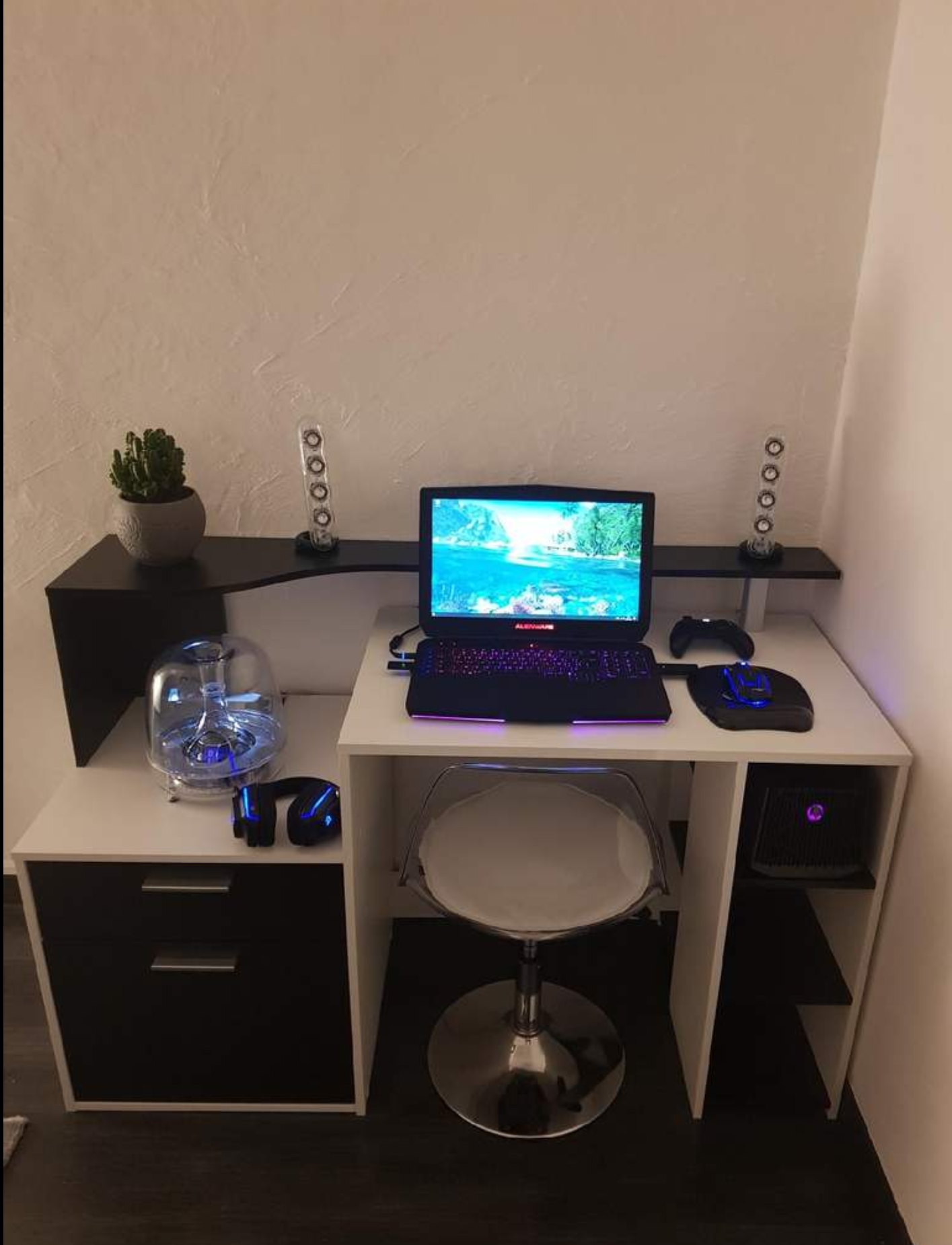
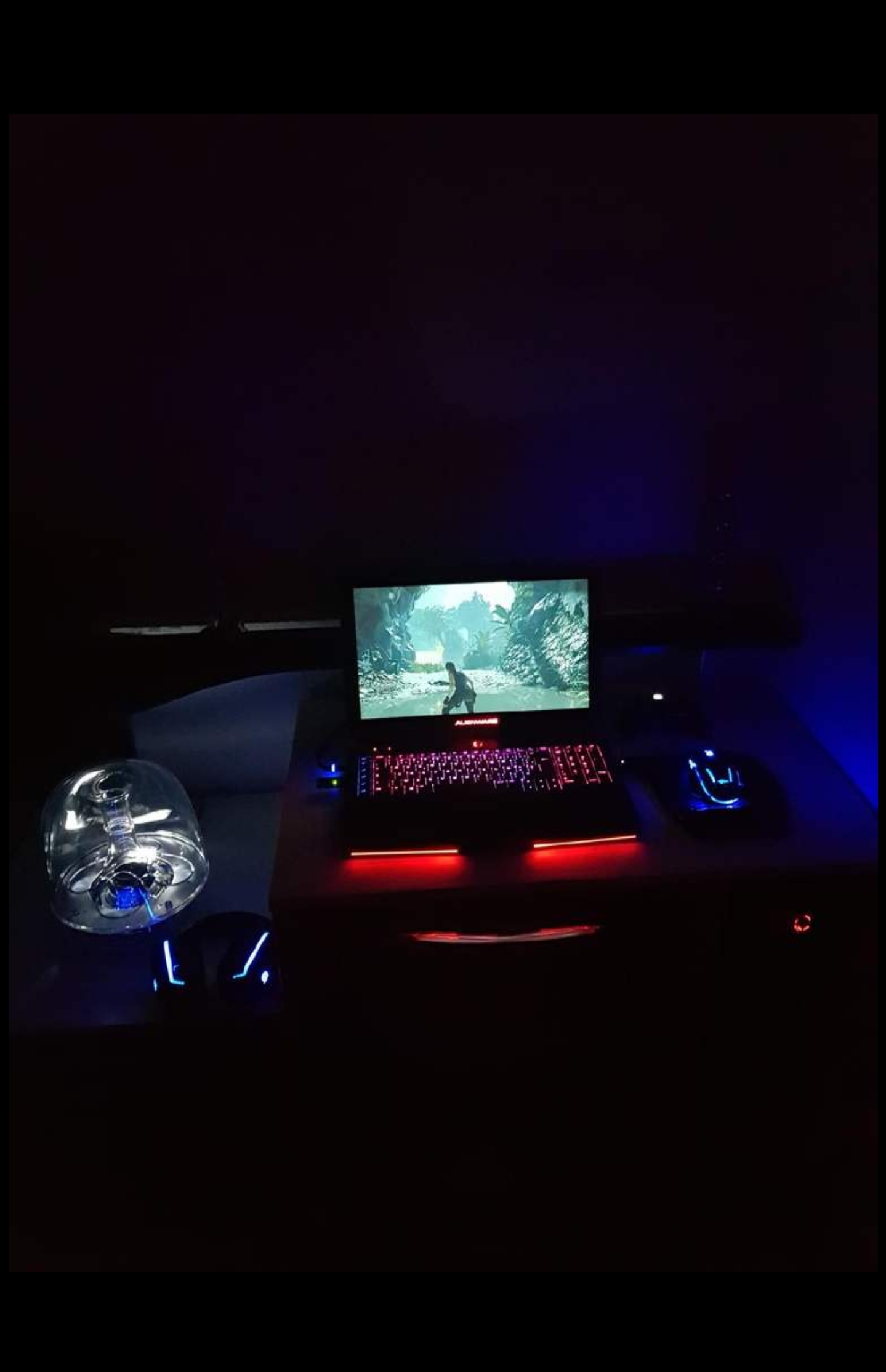
Problems? See this thread at archive.org.
BTW There is a better one: an 8 lane proprietary eGPU used in the new Asus Flow. Unfortunately the
3080 GPU is integrated with the enclosure... And of course 13 inch laptops are not for everyone.
-
-
I have heard of that. Haven’t had the chance to check it out yet. That’s honestly a solution I’d like to put through it’s paces though. My only worry is that’s an ASUS product. They seem to have awesome ideas that they only ever do for one year then drop it the next. Like I don’t see upgraded versions of the water cooled laptops, motherships, etc. So I could see that being the same thing here. But I’ll take a look. I feel solutions with an external gpu and a laptop are the way forward.
-
Agreed, but vendors might prefer selling laptops rather than eGPU enclosures...Last edited: Feb 9, 2021Papusan, Spartan@HIDevolution and Terreos like this.
-
I deleted numerous posts that were part of an argument/back and forth. Nobody is in trouble but we’ll just need to keep things lower key going forward.
Charles -
That's a $3K+ purchase, and unlike AW, you are forced to buy the whole thing upfront. Asus isn't offering it as two separate units, it's all or nothing. Further, while the Asus solution is better owing to it being 8x rather than 4x, the proprietary enclosure is a single-use affair; you can't swap in a different card and it appears to be very limited on I/O. Only one displayport and HDMI are at your disposal.
Dell is screwing up big time walking away from the AGA, it's still the best eGPU on the market. As a fair question to you all, will this really hurt Alienware in the long run? It seems that the product stack is all about looking a certain part but no longer really being able to perform it. I feel like the angle is to hook the whales with deep pockets rather than those that make deliberate decisions when making purchases like this. I don't have thousands sitting around to buy a new laptop every year. This is something I do every 5-7 years, and I don't think I'm alone on that. The AGA is why I can go that long between purchases and without it, I don't have a reason to stick with Dell. They must know that and don't care because whatever they're doing is working from a profitability standpoint.
Are we the fringe? -
Well, last time I priced a reasonable 3080 m15 R4 config wasn't cheap, so the $3k for the Asus solution looks like a good deal. Of course, the particular eGPU will particularly appeal to those wanting o travel with the eGPU (?). I hope Asus releases a bigger, proper enclosure model and adds the port to further laptops.Last edited: Feb 9, 2021Gumwars likes this.
-
Asus walks away from customers worse than Dell (and that's not something easily done!

But sure wish they'd consider updating/upgrading the AGA than dumping it. But that said in the years since it was released TB solutions have become much better. Not so much that I wouldn't prefer the AGA, but with the lanes of TB wired direct to the CPU, the change to a TB solution might be at least a possible way out of dumpville. For the moment since both next gen chips (Rocket Lake and Tiger Lake) as well as 3xxx GPU's are native pci-e 4.0 solutions, and in theory a 4 lane 4.0 would double the bandwidth we have now as well as handily match the ability of the Asus Flow custom solution, I think it's worth waiting to see if something is forthcoming. I'm not overly hopeful, but it's reasonable to think 4.0 forced something to get altered and thus the old became EOL rather than simply updated. -
Yeah. Sadly TB4 is still 40 Gbps. My guess is Dell won't pick up the ball and we will be stuck with "faster TB3" for a while, which should be good enough for many use cases, including 4K gaming. What's also annoying is that compelling AMD CPU options are cropping up, but one of them support TB. Perhaps USB4 will be the answer, as it basically incorporates TB3.FXi likes this.
-
Well I did check out the Asus x13 Flow. And I'm intrigued. Especially if the Graphics amp is going away. Seriously the only ones I can find are people trying to resell them at like $500. So something is up. My only concern is I'm getting the feeling the Flow is using the lower end 90w 3080. Unless someone can confirm otherwise?
TB4 does still seem to have some improvements. seems like the lows improved a good bit. So if you're sensitive to fps dips this is good news. Really makes you wonder if they made a proper TB4 egpu if that would help more. But we'll have to see.
etern4l likes this. -
Asus will sell the fab ROG Flow X13 without an eGPU after all
Proprietary design is still disgusting! On top forced to use castrated GeForce RTX Mobile cards is the last nail in the coffin. No thanks. -
It would be nice to see the industry leapfrog off of this idea and offer a standardized 8x PCIe port to capitalize on this segment. In the absence of that, proprietary is all we're ever going to see. Your link says you can get the Flow without the eGPU, but they only offer the 3080 in it. My issue with Ampere is the blatant disregard for the customer by obfuscating the TGP for the GPU packaged in the laptop. Nvidia eventually directed OEMs to label it, but only after the vast majority didn't.FXi, etern4l, Papusan and 1 other person like this.
-
-
That’s exactly what I was afraid of. The lack of specs and how small it was had me thinking it was too good to be true. It does say it’s the 150w version. So it should be in 2080S performance range. Which is what the laptops with this chip would get. Depending on performance lose through the egpu connection. Plus like I’ve said before Asus will likely only make these for one year and it will be dead. So it would be nice if someone make a universal standard for this kind of port.Last edited: Feb 8, 2021
-
There should be no perf loss given the 8x PCIe link, but agree with other points. A weird solution from Asus, they should have gone for a full fat desktop GPU or just an open enclosure - they would have a winner.
-
Yeah I have mixed thoughts on that. Being portable is nice. . .but then why not buy a machine that just has a 150w 3080 inside it? If Asus had a better track record of not dumping projects before they even get off the ground I could see this being decent. Like if they kept making these and when new GPU’s were made and you could easily buy and upgrade the eGPU. We’ll have to see if Gigabyte or Razer steps up to the plate and makes something similar but user upgradeable.
etern4l likes this. -
I expect Asus will most likely throw this awful idea down the drain as they did for the water docked Asus ROG GX700 with liquid cooling
![[IMG]](images/storyImages/csm_Asus_ROG_GX700_Watercooled_06_a6faada77b.jpg)
Stupidity have no limits, bro Terreos. eGPU for Mobile cards is a damn stupid idea! And should never have seen the light.
![[IMG]](images/storyImages/giphy.gif_cid=ecf05e47g5dp8ti4knw9goq7ouee1irfevfppyq56psz05sw&rid=giphy.gif) FXi, Gumwars, Terreos and 1 other person like this.
FXi, Gumwars, Terreos and 1 other person like this. -
Yeah I'm afraid I agree Buddy. If they did it right an made it an upgradeable egpu like the Graphics amp then that thing would sell like hot cakes.
They should hire me as an idea guy. I'll straight up tell them what's a good idea and what's stupid.
-
Good Day Good people of Alienware lounge, I need a bit of help with recently bought Alienware Amplifier and 2080 Super Founders Edition. I've got 13 R3 with 1060 onboard. Bought amplifier and 2080 Super FE. Alienware logo is lit up, cable LED is lit up. Geforce Experience won't download drivers saying "Unable to download recommended driver", so I've installed them manually (desktop variant) from nvidia website but I can't use 2080S. Everything runs on iGPU. Device manager sees 2080S, I can see the fans spinning, everything is lit up, Amplifier app on R13 can see the amplifier. I've used DDU to remove and re-install drivers in safe mode, but still the same thing. I've got no Nvidia Control Panel either, as when I fire it up I get "Nvidia Display settings are not available. You are not currently using a display attached to NVidia GPU". GPU-Z can see 2080S but says it has 0MB Memory. Unplugging Amplifier reverts everything back to normal, 1060 shows up, Geforce Experience works fine, Nvidia control panel works fine. The panel I've got is 1440p OLED 60Hz panel with no G-sync. What am I missing here please guys? I'm using internal laptop display
-
Fixed it by preventing windows from automatically downloading 2080 Super drivers which then GFE couldn't download it's own drivers for because it didn't know what gpu is in laptop
-
I have the same PC, Alienware 13 R3 OLED, for almost a year I had the 2080 Super with AGA, (Gigabyte OC Edition), and I never had any problem, I recommend you to reinstall the AGA driver, and not use the 461.33, 461.40, 461.51 drivers, they are broken, you can use the 461.09 down in its desktop version.
-
My experience with AGA on 3070
My Alienware is a 13 R3 OLED 1440p
32gb ddr4 2667mhz
2Tb SSD
Intel i7 7700HQ
Nvidia 1060 mobile
My first card connected to AGA was a 2080 SUPER Gigabyte OC Edition, I never had any problem.
Then I bought a Gigabyte 3070 OC Edition, but I could not get it to work in any way, I tried everything, even the multiple methods of plugging and unplugging, both power cable and data cable, nothing worked, the system recognizes it perfectly and the drivers are installed, but it just does not work ...
I sold it and bought a 2080 Ti Asus ROG Strix and it works perfectly.
If DELL fails to make the 3000 series work normally on the AGA, possibly in the future I will go for the TITAN RTX which the next gen games, gives 8-10% more FPS compared to the 3070.
I read right here that the TITAN RTX is fully AGA compatible, and technically the most powerful GPU that can run normally on AGA without any tricks.Last edited: Feb 12, 2021 -
Hello bro @illuMinniti, could you share some benchmarks of your 3090 + m15 R1 setup?
-
Be careful with the old configurations. Putting a big GPU in won't work for long. You will quickly be CPU limited. On openworld or with crowds (Cyberpunk), I am CPU limited with an i7-6820HK (AW 17 R3) and an RTX 2070 Super OC. I have 60 FPS/Ultra FHD 95% of the time except in cases where the CPU is very busy. i7-6820HK and i7-7700HQ = 1% difference. AGA is a backup solution to play comfortably before redoing a configuration. It will never perform like an 8C / 16T CPU 4.5 Ghz fixed solution with RTX 3090Last edited: Feb 12, 2021FXi likes this.
-
As I commented in the post above, I have the Alienware 13R3 i7 7700HQ with 2Tb SSD, 32gb DDR4 2667mhz, and AGA first with 2080 SUPER and currently with 2080 Ti, and I have never had a CPU bottleneck, I haven't tested Cyberpunk yet but I always set the settings to ultra at 1440p in all games and the GPU usually goes to 90% and the CPU always stays between 45 and 70% at most, but usually it's between 55 and 65%.
Obviously an 8C/16T CPU is ideal, but I think there won't be any bottleneck until the 3080, maybe you'll get about 10-12 more FPS out of it with a newer CPU, but I don't think there will be any bottleneck until at least the 3090. -
Start by installing MSI Afterburner with Rivatuner and launch 3DMark. Display FPS with Rivatuner.
You will see that your GPU score will be Top but the CPU part will be low.
My i7-6820HK being 1% more powerful than your i7-7700HQ ... I know what I'm talking about.
I am also Full SSD with 32GB of Ram and when a game requires a lot of the CPU I drop FPS.
My GPU is rarely at 100% except with raytracing and I run 60 FPS Ultra on all recent titles.
Except ... when the CPU is limited as on Cyberpunk or certain openworld passages on Star Wars Jedi Fallen Order or Shadow of the Tomb Raider for example.
The games are smooth but drop to 45/55 FPS and I see it on monitoring. The CPU is at 100% on some cores.
Maybe you do not realize or that you are not sensitive to small jerks or that you have not advanced in the big AAA games but I guarantee you that your configuration is CPU limited.
I myself am CPU limited with an i7-6820HK and an RTX 2070S OC.
Launch Rivatuner and display FPS. Launch Cyberpunk in Ultra, play a bit and once in town grab a car. Roll and watch your CPU and FPS. You will know what the CPU Limited is
It is not serious.
You just have to accept that the i7 laptop 4C / 8T is at the end of its life
https://pc-builds.com/calculator/Core_i7-7700HQ/GeForce_RTX_2080_Ti/0KS12nlv/Last edited: Feb 12, 2021 -
I think there are 2 years left to play decently with 4C/8T.
As I said in any game I have not used 100% of my CPU, partly because I play at 1440p, at higher resolutions less bottleneck for the CPU and more load for the GPU, especially in 4k. And my FPS never drop below 65FPS, even with Ray Tracing. I think Cyberpunk plays in the major leagues, I haven't tested it yet, but I know I won't be able to run 60FPS with everything in ultra at 1440p.
But I think 4C/8T still has no bottleneck problem with 3070 or less.
As long as you don't use 100% of the CPU there is no bottleneck, it is true that newer CPU's give more FPS, but this is not because of "bottleneck" it is simply because of more cores, more GHz, and new technologies.Last edited: Feb 12, 2021 -
I wonder (thinking on new connectors) if some maker might figure out how to chain two TB4 into a single 8x effective connection. Now that Maple Ridge is out, there are many designs with dual TB ports. Probably not technically easy, but once you've hit 8x in the current world anyway you've got very little bottlenecking left.
etern4l likes this. -
The new and shiny 4C/8T @ 5.0GHz is a bottleneck even for the castrated "RTX 3070 laptop GPU with 85 watts". And this 4C/8T have a lot higher IPC + clock speed than the old gen mobile chips with same amount cores/threads.
http://forum.notebookreview.com/thr...cale-on-laptops.834039/page-104#post-11077763
Tiger Lake-H35 is too weak for RTX 3070
Last edited: Feb 12, 2021 -
In the Benchmarks and synthetic test, on the practice (the games), you barely lose a few FPS, depending on the title, and resolution, etc etc, on average it is about 8-10fps, I have a 2080Ti and I have no bottleneck, in performance the 2080Ti and the 3070 are practically identical. ( I know I would gain more FPS with a 8c/16T CPU, but as I said, it is not because of "bottleneck" it is because newer I mean more cores, more GHz, better technology, etc...).Last edited: Feb 13, 2021etern4l likes this.
-
I think without judgment that it does not play AAA Ultra games such as Assassin's Creed Valhalla, Watch Dogs Legion, Cyberpunk etc which are CPU intensive ... I think if he tested these games in FHD or 4K he would understand that the physics of a game depends on the CPU! ... Even if he put an RTX 3090 on his i7 7700HQ laptop, he would have a big drop in fps when he arrived in an area with a lot of PNJ to manage. Same consequences when arriving in a medieval village with a lot of entertainment to deal with or driving in a crowded megalopolis processed by the CPU. Once again I know what I'm talking about. On my i7-6820HK OC 4Ghz ( ), when I am CPU limited in the cases listed above, whether I am in 720P or 4K, the game jerks (45 / 55fps). I have one or two cores at 100% so drop despite an RTX 2070S at 70/80%. 4C / 8T CPUs are no longer a viable long-term solution with a large GPU. There will always be drops in fps on open area or with a lot of physics on the screen. I really like my 17R3 combo with RTX2070S but I feel more and more the CPU limited in FHD or 4k on TV. I wanted to change this year but the prices are amazing because of the Covid. I hope that in 2022 we will have stock on Nvidia serie 4 ... and CPU 8C / 16T or 16C / 32T at 5Ghz in fixed configuration.
Attached Files:
Last edited: Feb 13, 2021 -
-
I know the 7700Hq is a bottleneck. Because the oc'd 4 core 3770K can't keep up with 2080Ti.
https://www.3dmark.com/fs/22427749
https://hwbot.org/submission/4365180_papusan_cinebench___r15_core_i7_3770k_922_cb
![[IMG]](images/storyImages/2313238.jpg)
https://hwbot.org/submission/4090770_krzyslaw_cinebench___r15_core_i7_7700hq_801_cb
![[IMG]](images/storyImages/2149340.jpg)
https://hwbot.org/benchmark/cineben...Id=processor_5361&cores=4#start=0#interval=20Last edited: Feb 13, 2021Normimb, Spartan@HIDevolution and SMGJohn like this. -
The performance loss in 1440p is 10% and in 4K is 5%, only in 1080p there can be a considerable loss...
FPS testing in games! Not in Benchmarks and synthetic tests.
Source:
https://www.techpowerup.com/review/intel-core-i9-10900k/21.html -
[QUOTE = "Juan Phoenix, post: 11078253, membre: 737230"] La perte de performance en 1440p est de 10% et en 4K est de 5%, seulement en 1080p il peut y avoir une perte considérable ...
Test FPS dans les jeux! Pas dans les benchmarks et les tests synthétiques.
La source:
https://www.techpowerup.com/review/intel-core-i9-10900k/21.html [/ QUOTE]
Be specific guys! ...
High resolution takes the strain off the processor, okay!
Why? Because the GPU works a lot to calculate THD (4K) textures.
But the game mechanics, physics (PNG, Visual depth, Shadows, Object movements, Anything that moves ...) uses the CPU!
In the long run, a "good" processor will provide 100% protection against a good GPU.
Otherwise it looks like DIY ...
Obviously, you will drops in fps on the big AAA Ultra games!
In short! Today for 60fps non / stop in FHD / 4K without drop, CPU 8C / 16T minimum
Tomorrow and for 3/5 years 16C / 32T with RTX 3090 or RTX 4 ...Last edited: Feb 13, 2021 -
Would it be fair to say many egpu users are using some form of higher res display? I'm thinking 3440 16:9 and higher.
etern4l likes this. -
LOOOL. Seems Dell-Chris now has become pretty annoyed by all the whining
 @Spartan@HIDevolution
@Mr. Fox You just can't beat upgradeability
@Spartan@HIDevolution
@Mr. Fox You just can't beat upgradeability

Re: Will the AGA work with the RTX 30 series? on AlienwareJustin Stuever, Clamibot, Normimb and 2 others like this. -
Great answer from Chris. Short and sweet, everything is crystal clear. They could have just changed the name of the device and its port to ALGAE (Alienware Legacy Graphics Amplifier EOL), to make it crystal clear to the customers and avoid all those stupid questions and unnecessary load on Community Managers.
But seriously, there are still some use cases of AGA: people could buy the lowest GPU variants and hook up a 2080Ti, or enjoy multiple GPUs for whatever reason - an Alienware laptop can have up to 3 discrete GPUs
A 2080Ti should dominate the latest Ampere mobile 3080 150W, given the TimeSpy score of over 14k, and FireStrike above 36k
Last edited: Feb 20, 2021Justin Stuever and FXi like this. -
This is true... unlike the 20X0 gen, the 30X0 gen, in particular the 3080 is PITIFUL in performance vs it’s desktop sibling. Thermal headroom has reached its limits on laptops. The 3080 is just too power hungry and hot.
The best gen for mobile was the 2080/2080S max-P like in the 51M... almost neck and neck with a vanilla desktop 2080/2080S.
If I were looking to buy right now, I’d seriously consider skipping this gen; 30X0 mobile are absolute garbage compared to their desktop counterparts. You’re not going to get your money’s worth. You’ll be better off building a miniATX portable build than going with a mobile 3080 in both performance and your wallet.etern4l likes this. -
Unfortunately this is what happens when people prioritize form over function, which is a really stupid mentality. This is what we get for asking for thinner laptops.
Gaming laptops need to get thicker again so they can handle higher power parts, or we need innovations in cooling that allow a slim form factor to keep up with a desktop's cooling prowress. -
Considering how power-hungry the desktop parts are these days, is that even possible? Nvidia has decided that the solution is to crank everything to 11 and make a card that draws so much juice the lights in your house dim when the thing goes to work. How would that ever work in a mobile solution? Yeah, we can get some big chonky Clevo based solution with vapor chambers all over, but in the end, it will still end up struggling because desktop cooling solutions are simply bigger and better.
AMD might have it sorted with the drop to 5nm, but that's still at least a year out. Either die size/efficiency and/or a new form of cooling will need to come along before we see parity between desktop and laptop systems. -
If they are able to improve the cooling they will just increase the sick race towards Apple design. Be you sure, you won't get better cooling. You willl only get skinny, thinner and even slimmer gamingbook models. Welcome to reality
![[IMG]](images/storyImages/giphy.gif_cid=ecf05e4752oapjialquh12qff1a1p0e2bsenfzhj8613mq4q&rid=giphy.gif)
Nope!Last edited: Feb 21, 2021Justin Stuever, Clamibot, Normimb and 1 other person like this. -
It will be interesting to see what the Tiger Lake models have. At that point they're dealing with pci-e 4.0 coming off the cpu. Signal integrity is bound to be a problem, or perhaps they just convert it to 3.0 and attach to the "legacy" AGA port. Maybe they skip it entirely and go with TB4 since that's coming off the CPU. Sad if they never continue because the AGA we have is doing wonderful duty on the older AW now, flawless through driver updates and so forth. /sigh
-
Could you expand on the "signal integrity issue"?
-
In short, cheaply made motherboards will struggle with signal noise. The cheaper, the worse. Already forgot why Dell crippled the Area-51m with lower ram specs than Intel data sheet for later gen processors? They was forced to due usual costs cutting.
-
So far no issues. I get about 11k in 3D Mark GPU score which is very close to standards 2080S FE 3D Mark score. It allows me.to play control with RT (but not Ultra) in 1440P@60 and the same applied to CP2077 (Ultra + Medium RT) and I couldn't be happier. Unfortunately in my case this has to suffice. I used to have MSI GE75-1066UK with 2080 Max-P but gaming on a lap (I can't play on desk, otherwise I would get a desktop) was unbearable. Using cooling pad helped but not with cooling down the internals, the hot bottom just didn't touch my legs but the whole thing became clunky and chunky which reminded me of my 4.5KG MSI GT73EVR with 1080 Max-P, which was great as long as you had a desk to place it on. 1060 is for the 5th year in a row most popular GPU on Steam Survey so I guess that 2080S will last me a while. Funnily enough on r/GamingLaptops people with 150W 3080 are getting similar 3D Mark score (for GPU). Can't complaint (for now), but I can see what you mean.
P.S. ~11k GPU score is on a loop R13<->AGA. I don't have external monitorLast edited: Feb 25, 2021 -
This is exactly right! I grabbed a used AGA and used 2080TI hybrid for a reasonable price and use it with my 34" UW AW screen. It helps to get a lot of the heat off the heatsink inside my 51m R2 10900k/2080S. Drops my CPU temps about 15C during heavy load vs using the internal 2080S.
The 30XX cards are not going to be much of an improvement in laptop form due to heat restrictions as stated. They will need better cooling and a step change in the 40XX cards, instead of just pouring the coals to them with watts.etern4l likes this. -
Not much will be changed. Going with etc 7nm or below means smaller chips (heat density will be even worse than todays re-fined 10nm). And Nvidia and AMD will continue with same TGP. How high will depends on the competitors.etern4l likes this.
-
Good News!!
There is a project called "open caldera" about AGA and Nvidia 3000 series, and according to the tests, the incompatibility problem is for the Nvidia Drivers, not for the AGA hardware, but it seems that AW and NVIDIA are already aware of the problem and NVIDIA will release a driver in the near future for the 3000 series to work properly on AGA.
AW posted this in a topic on Discord:
"If you see the Discord AMA, AW committed to working with Nvidia to get fixes out "soon."
Link on Reddit:
https://www.reddit.com/r/Alienware/...ource=amp&utm_medium=&utm_content=add_comment -
I have an Alienware 17R2 and AGA The laptop won't shut down. The monitor goes out, but the backlight stays on. Sometimes the fans come on and make noise. What is your advice?

-
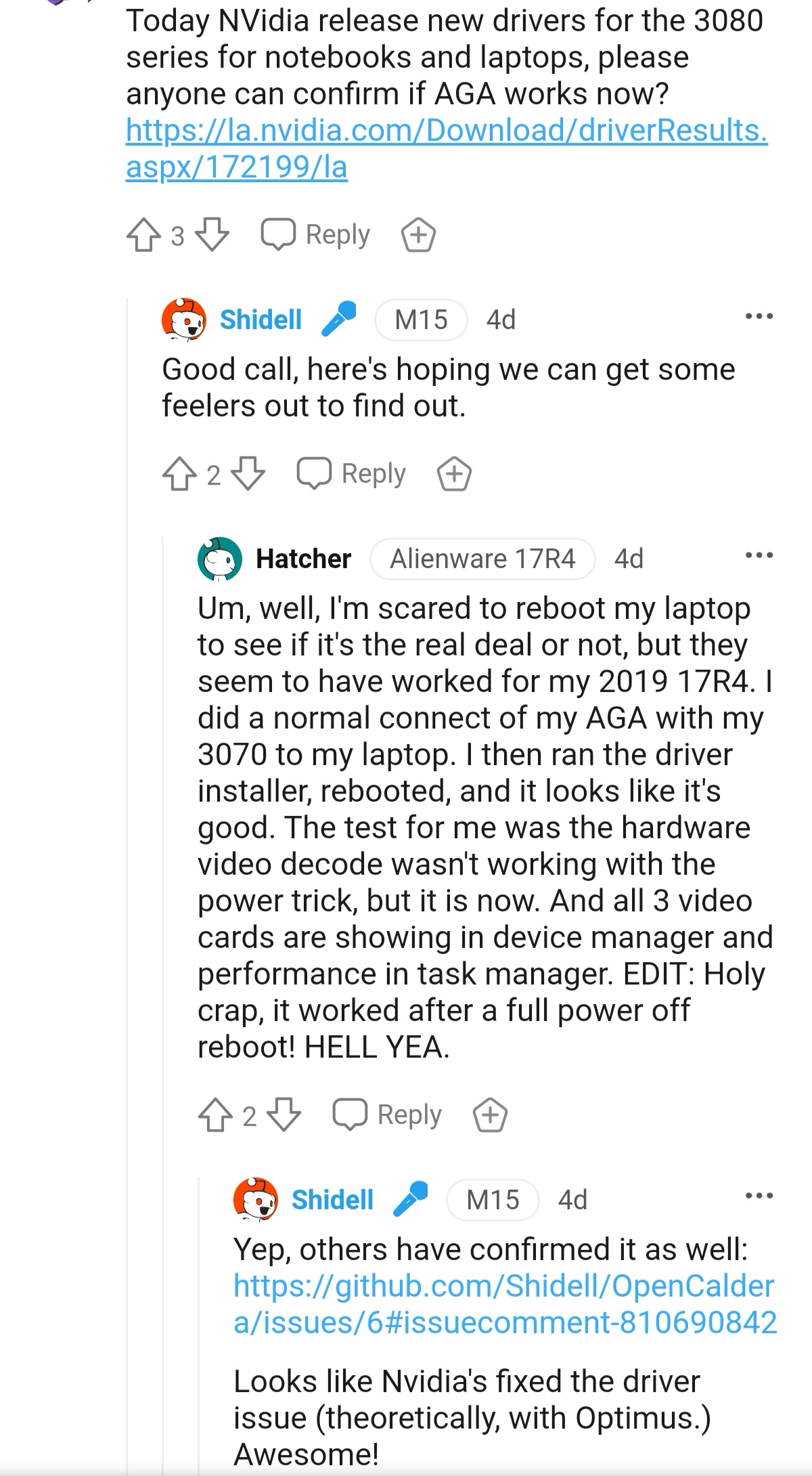
Finally it seems that the 3000 series works on AGA normally with the new Nvidia 465.89 driver.
This is confirmed by some users on reedit and github.
I sold my 3070 and can't confirm it myself, but if someone has his AGA and a 3000 series card, he can share his experience.
I leave an image that confirms what I say:Attached Files:
Gumwars and alaskajoel like this. -
*OFFICIAL* Alienware "Graphics Amplifier" Owner's Lounge and Benchmark Thread (All 13, 15 and 17)
Discussion in '2015+ Alienware 13 / 15 / 17' started by Mr. Fox, Dec 10, 2014.