Problems? See this thread at archive.org.
@rinneh : Is this result good for 980m http://www.3dmark.com/fs/12093225
-
-
It sslightly better than mine. so yeah i think it is.
http://www.3dmark.com/fs/10168866 -
Thanks. Your score is very good considering the fact you haven't OCed. I OC'ed with core 130 and memory 200.
-
So for those of you with the 1080 Ti and AGA, what's the verdict? Is the performance good enough to justify spending the extra $200 on a 1080 Ti? Isn't a 17,000 combined Firestrike score low for a 1080 Ti especially since similar builds with a 1080 are usually sitting at ~16,000? I plan on buying a 15 R3, AGA, and new GPU (currently have a 1070) and I'm trying to decide between the 1080 and 1080 Ti. So far, it looks like if I'm going to go the AGA route, the 1080 Ti doesn't seem worth it. What do you guys running the builds think?
-
Hi - well, I am running the AW 17 R3 with AGA and 1080ti at the moment. My combined score is even lower than 17,000 for whatever reason (not sure why).
I ran the 1080 before upgrading to the 1080ti. The 1080 was great, the 1080ti is better, it allows me to play the games I was playing before at better performance. That said...the performance increase is marginal and I would say that you would probably get as much enjoyment out of a 1080 without feeling the difference so much.
I use a notebook out of necessity at the moment - I work from China as well as the UK and travel around a load. The 1080ti is not so much a purchase for now - I will also be able to use it when I decide to get a desktop build...in which case the 1080ti is a much more justified purchase...if a new better GP~U is out at that time then I will sell the ti for more than I would sell the 1080.
I am glad I got it...but then I am a ***** for those extra few fps.
It is difficult for me to justify the purchase for anyone else as we are all motivated by different things. Some people would look at me and say I was crazy lol. -
Mine is also OC-ed. But there is some variation with 3Dmark versions. Have to check that.
-
They optimise it for newer gpu and leave the older to bite dust.
-
Keep in my there will be some % perf loss by virtue of connecting to an external dock like the AGA (read this could be upwards of 10% loss vs a desktop build). Plus there will be additional % perf loss by running the AGA back into the laptop monitor vs connecting an external monitor directly to the gpu in the AGA. I think I've read speculation this could be additional 5-10% loss in perf.
Bottom line is the 17,000 firestrike score is going to be "low" by desktop standards or if it was built directly into a laptop. However if you have the money and won't go hungry then why not the latest and greatest?
Sent from my iPhone using Tapatalk -
The aga doesnt have a 10% loss. More around 5%. Use it with an external monitor.
-
Hi! Will the graphics amplifier be compatible with Volta?
-
My current build at home is two 1080p monitors, the one I game on is 144Hz. If I can get a solid 100+ FPS on games with the settings maxed at 1080p, I'll be happy. For example, right now I'm playing Mass Effect: Andromeda and my 1070 is having trouble keeping the FPS above 70. I know that the 1080 Ti can do it in a desktop but if it can do it in the AGA, even if it was a 5% decrease in overall performance, I'll be happy. I wouldn't run the AGA off of the laptop's display, the 1060 and 120Hz monitor is more than enough to keep me happy on the go.
-
Ok - I think I figured it out...I suspect that running the 1080p firestrike on a 4k monitor was impacting the results.
I used an external 1080p monitor and here are the results. Granted using external over the internal monitor has helped as well, but it must be a combination of the 2....like I said, I am a huge noob Vasudev likes this.
 -
Its just the internal vs external monitor. The resolution doesnt matter since firestrike basic will always run on fhd.Vasudev likes this.
-
I just received a 15" Alienware with the 1070 and 120Hz Gsync 1080p screen. My graphics amplifier has a GTX1080 in it. Alien Adrelinine is showing both the 1070 and 1080 as being on. When I run games they will only use the 1070. I have tried it with both the stock shipped Nvidia drivers as well as the current drivers for laptops off Nvidia's site. Same issue. Any suggestions?
-
Does anyone have an i7 4710 or 4720 (like myself) which as far as I can tell are middle of road cpus mated to a higher end card (gtx 1070 or higher)???
With these cpus (I've got an A15R1 I believe) are people over clocking their cpu's to prevent bottle necking or just leaving at stock speeds? Just curious about getting more out of the cpus in turn to utilize more of the higher end gpu's potential. -
The 6700hq has almost the same performance and it runs higher end cpu's just fine. Still have to see my cpu usage go over 70% in any game. Running a heavy overclocked 1070 on 1440p.ERdiesel likes this.
-
Sorry if this has been asked like 1000 times but the thread is getting a bit long and hard to find answers. so I picked up a 28" 4k monitor for a super good deal and I was going to look for like a used 980TI on craigslist, looks like I can find one for around 250-300 bucks, I play AAA games. I really think a 1440p monitor would be ideal but the 4k monitor was 1/2 the price so... just curious what 4k is like on a 980ti? or do I just sell the monitor and look for something else. I would hate to sink 150 into a graphics amp and 250 on a gpu and not be happy, I used to have a 1080 34" ultrawide and played off of the 970m, it was nice but I needed more monitors at work so I brought it there.
-
Check some benchmarks online for the 980TI and you have your answer
-
Have the same CPU (AW15R1). I just leave it at factory settings with bios auto overclock for AGA. No issues so far. Running a GTX1080.
-
What do you mean bios auto overclock for AGA? Am i not using some feature?
-
So I have a Alienware 17 R3 with a 970m 3gb and a Intel(R) Core(TM) i7-6700HQ CPU @ 2.60 GHz in it. I was wondering what GPU I should get if I want to play say an unoptimized game like H1Z1:KOTK (Game I mostly play and would like to run the best) or the new release BattleGrounds as well as League of Legends and GTA V. I just want to make sure that I can run all my games on the highest settings possible and get over 144fps if possible (Thinking of buying a 144hz monitor later down the line to hook up to the AGA) if i drop $700 on the Amplifier + a mid-high range GPU. I would also like to know if my CPU would bottleneck if i were to use a GPU like this one: "EVGA - SuperClocked NVIDIA GeForce GTX 1070 8GB GDDR5 PCI Express 3.0 Graphics Card". I would greatly appreciate if i could get a response to all my questions.
Thanks! -
There is an overclock option in the bios for when an AGA is installed. It is on by default.
-
**50-60FPS on a 980 TI normal Witcher 3 no hairworks 1080P ultrawide?**
So I just got my 980 TI and Graphics amp setup and I am a bit underwhelmed. In all of the forums people say you should crush a 1080p ultrawide with a 980TI but I dont even get 60fps. I have the latest nvida driver loaded on the laptop (15R2 I7), is there something I may be missing, or is this normal FPS for a 980TI? it seems like GTA5 is about the same -
Make sure you have the latest bios and that it runs in PCI express 4x 3.0 mode instead of 1x.
-
I'm having a bunch of super fun bugs lately with my GA. I have a 2015 15, so I'm not really surprised.
Alienware CC no longer detects the GA as connected, ever. Still works, though.
The disconnect GA button on my keyboard no longer does anything.
I have to reinstall the drivers every time I switch between laptop and connected to the GA. This is new as of a couple weeks ago.
The computer won't shut down about 50% of the time. Just chill with the fans going full blast and the lights on, but everything else off. -
I was on 1.2.14, Just updated to 1.3.10, Hopefully there are some improvements in there. Thanks!
-
One last stupid question. Is it a good idea to uninstall and re install the nvidia driver after the amp is installed? I am using the same driver I have alwyas used for the 970m but as far as I know nvidia drivers are universal... it is fully updated.
-
THAT DID THE TRICK!!! I GET 70-90 FPS!!! LIKE A 40-50% BUMP THANK YOU!!! I WAS THINKING I WASTED MY MONEY NOW I AM HAPPY!!Vasudev likes this.
-
Q: will the ASUS ROG Strix GeForce GTX 1080 Ti 1594/1708 MHz 11GB OC VR fit inside the external GPU?
I am wondering if i should wait for EVGA FTW3 or just buy this -
both are too tall, you need to mod the AGA for it to work. check the measurements
-
Won't there be cooling issues with these as well? I haven't done much research but it sounds like founders edition blower style might be best for the small AGA.
Sent from my iPhone using Tapatalk -
Modify How? You can not just remove the top cover? I bought a Gigabyte 1080 ti Aorus Xtreme (is on the way) and I did not realize it was thicker than the 1080 G1 Gaming model. What is the best way to modify it to fit into the AGA?
Gigabyte AORUS Xtreme dim: 29.3 x 14.2 x 5.5 mm -
That one wont fit because its too thick. Cant modify it to make it it also. Some taller card cant fit if you use low profile cables and remove some plastic tabs on the inside. Thats what I did for the EVGA 1070GTX FTW card. But that is for a 2 slot card, the Aorus you talk about is a 3 slot card, doesnt fit in any external gpu dock.
-
For those of you with an Nvidia GPU and an external G-Sync monitor, how does the Nvidia Control Panel look like? Does it make any mention to G-Sync and does it work?
-
I assume a 1080 Ti founders edition fits ok into the AGA.
I know it's a 10.5" long card, but can't figure out if the 1080 TI's 4.376" height will be an issue. -
It should fit fine.
-
thanks! There's an EVA 1080Ti founders edition on sale this weekend for AU$999.... really cheap by our standard so far, but am debating if I order now vs. waiting 3 months.
-
it does when you look at the screendata that the screen is gsync capable. Have been using it for 8 months now.
-
It does fit. I have the EVGA FE GTX 1080ti. -
Thanks guys, and I know this has probably been asked many times before, but if I'm not planning to mod the AGA, are there any other 1080Ti cards which fit/are suitable? I'm inclined to think Founders Edition/blower style fans make the most sense given the case, but those third party cards with different looks/coolers/etc look so good and seem to have great results based on Youtube!
-
Then you have to measure each card for it to know.
With the FE you are for sure safe. Most third parties of the 1080TI do not fit without modding. -
Just got the aga and a 1080 ti. Having some weird issues, first thing I did was update drivers to newest 382.11 I believe. 3dmark 11 I only got 14800, my 980m I was at 12000 and change. The card seems extremely noisy not fan noise but more like a crackling sound. It's very strange, desktop performance is fine but as soon as I open chrome every page stutters badly and watching video is also extremely choppy. I tried playing GTA 5 and it was unplayable. Maybe 3 fps. Something is definitely off but I'm not sure where to start. Clean driver install? Bios update?
-
make sure first you have the latest bios, and what is extremely noisy? Coil noise or electrical noise if often common. The volume depends though.
-
Sounds electrical I'm not sure what coil noise sounds like. It's loud enough to hear over the fans
-
Now that more of you are starting to get your hands on 1080 Ti's I was hoping to get some feedback on a question.
I currently have a AW 15 R3 with a GTX 1060 and a desktop with a 4790k and a GTX 1070. I am currently using a 144Hz 1080p monitor on my desktop. I'm thinking about upgrading my monitor to a 144Hz 2560x1080 monitor and upgrading to a GTX 1080 Ti. I know that a normal GTX 1080 would be able to drive that resolution but I want to be able to get 100+ FPS on most titles. Ideally, I'm looking to purchase an AGA and part out my desktop and go to my 15 R3 + AGA for a single computer.
For those of you with the AGA and 1080 Ti's, do you find that the 6700HQ or 7700HQ bottleneck the 1080 Ti at all and/or do you find that the 4-lane bandwidth limit bottlenecks the 1080 Ti at all? I just don't want to purchase a $700 GPU and find that I'm stuck with a permanent 25% decrease in performance. I know CPU intensive games like GTA V will suffer because of the HQ CPU but I'm more looking at games like Overwatch, For Honor, etc. I find that the GTX 1060 in my 15 R3 does perfectly for 1080p games so I would only be using the AGA with an external monitor. But I was using a i5-4570 before upgrading to my i7-4790k and I noticed a HUGE bump in performance at 144Hz. In games I was struggling to keep over 70-80FPS, I suddenly averaged 100FPS (for example, ME: Andromeda--70FPS average on max at 1080p with the 4570, I now average 90-100FPS with the 4790k). So now that I'm hooked on the great 144Hz, I'm worried that the 7700HQ in my 15 R3 won't be able to sustain over 100FPS even with a 1080 Ti.
Am I just worrying for nothing? Or am I better off keeping two machines? I'm getting sick and tired of having to worry about what files I have on what computer and offline saves for games. I'm pretty sure my computer life in general would benefit greatly from being able to go down to one machine but I just don't want to sacrifice the ability for 144Hz gaming to do that....jace888au likes this. -
Also very interested in this too as I have the exact same laptop (AW15 R3, 7700HQ, GTX1060) and wondering if the 1080Ti will do the trick to push it to the next level.
-
I have a question about this card
Gigabyte GeForce GTX 1080 Ti GAMING OC 11GB
https://images-na.ssl-images-amazon.com/images/I/91KimR9L8pL._SL1500_.jpg
it will fit inside the Alienware Graphics Amplifier???? -
I believe the AGA supports card up to 4.9" in height so yes, that GPU should fit.
-
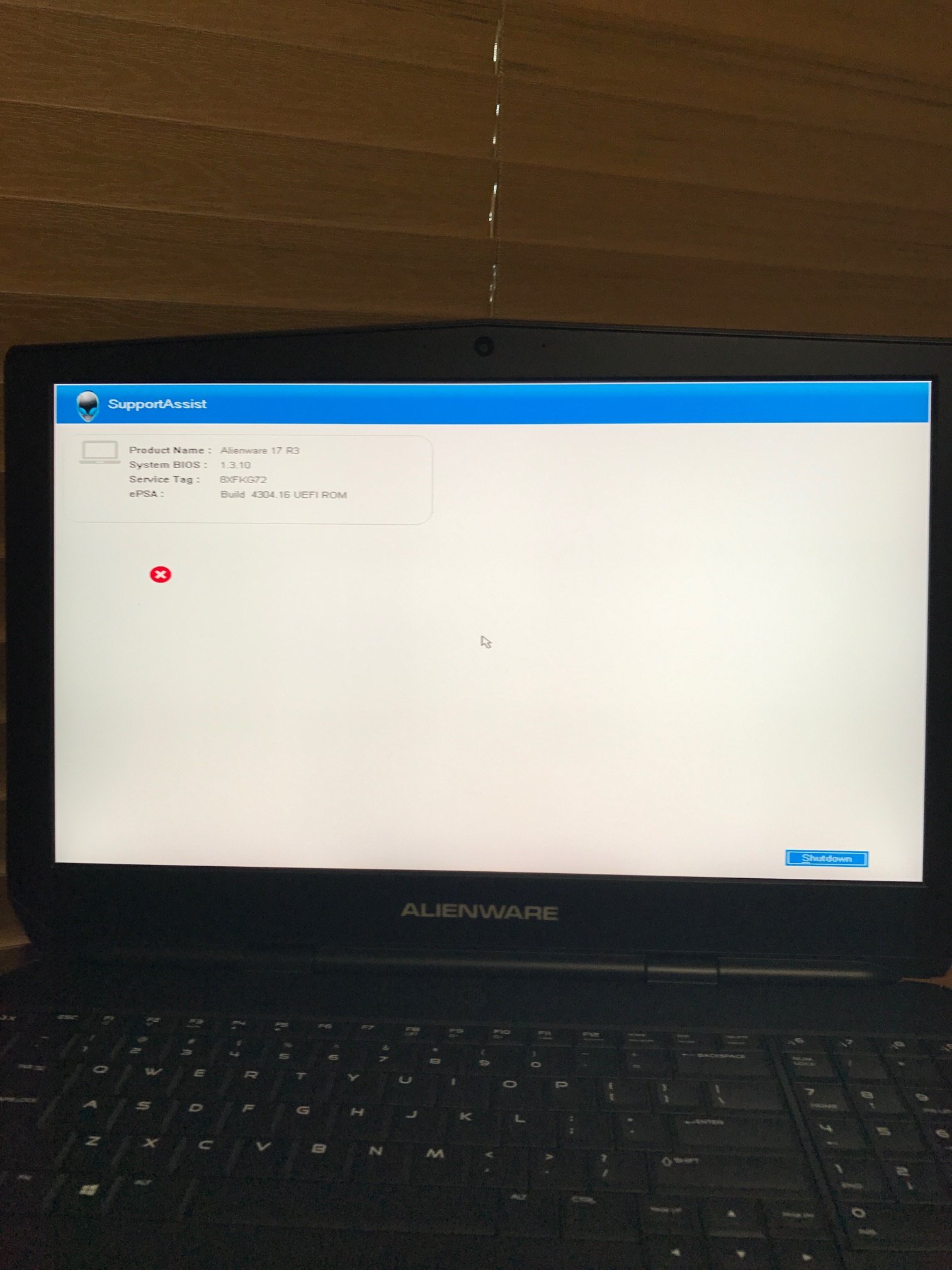
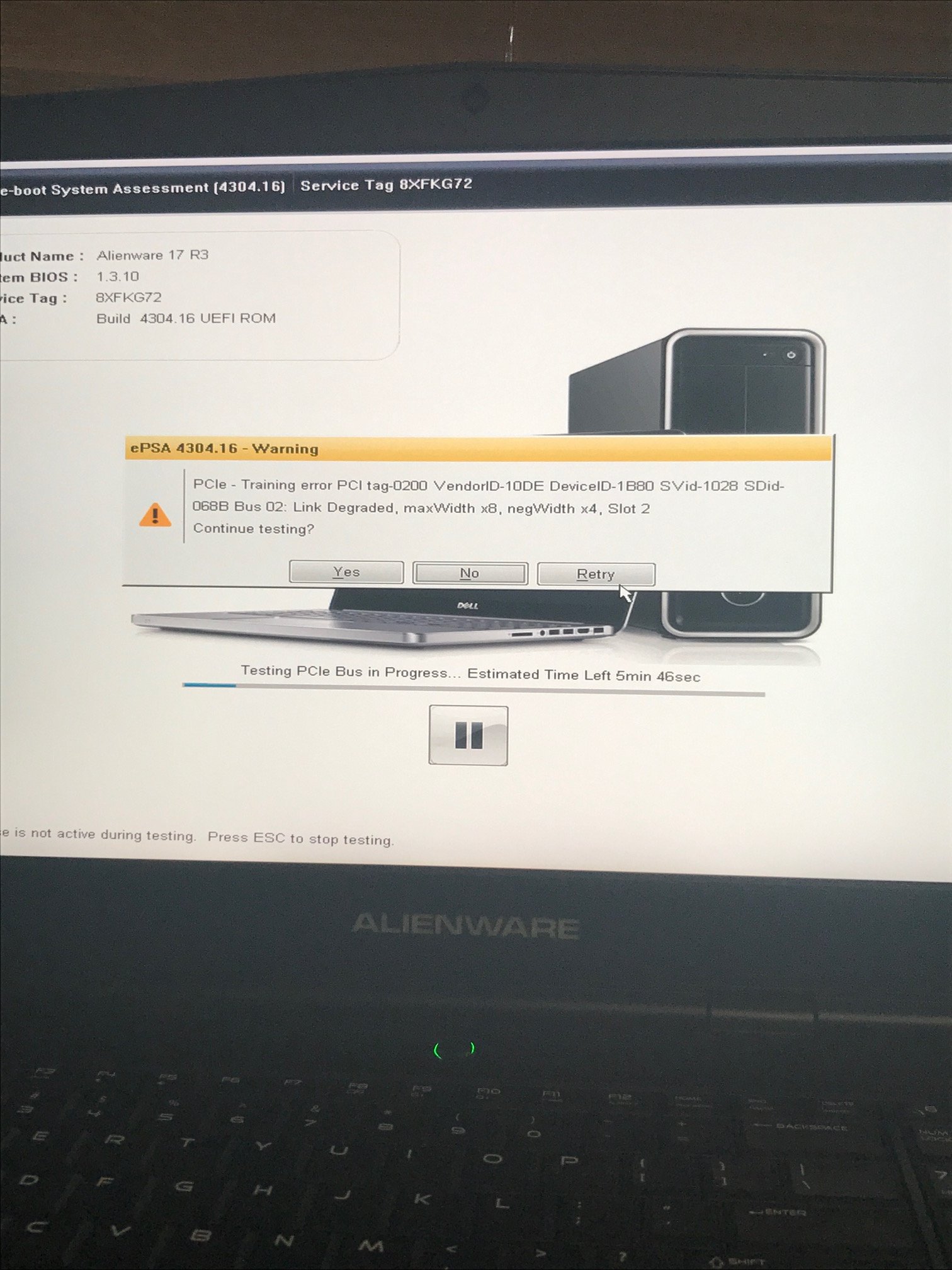
Anyone else experiencing bsod issues? I go to turn on my laptop connected to the amplifer and for the first time ever I'm having issues with it. It was working fine yesterday and now it's not. Any ideas on how to fix it?
Attached Files:
-
*OFFICIAL* Alienware "Graphics Amplifier" Owner's Lounge and Benchmark Thread (All 13, 15 and 17)
Discussion in '2015+ Alienware 13 / 15 / 17' started by Mr. Fox, Dec 10, 2014.