 Problems? See this thread at archive.org.
I updated the Bios and the alienware command center to the latest versions from the Dell product support page first, for my specific laptop. The command center also includes the graphics amplifier driver.
Then switched off the laptop, connected the amplifier with the card installed and booted up. Then checked the command center -> Alien Adrenaline ->Graphics amplifier if the card was detected. It would say External GPU ON - Internal GPU off - Integrated GPU ON. This would mean the amplifier works fine.
Device manager would show 2 unrecognised devices (with an exclamation mark), one was the gpu, the other i believe was the pcie interface it is connected to. Even though I was already using Geforce Experience and had the latest drivers, I downloaded and installed them again. I did a manual driver search on nvidia's website for Geforce RTX 20 series Notebook drivers, selected 2070 (even though i don't think it matters) and it was the DCH driver. There is a field you can select that. After you click on search it should be the first result "Geforce Game ready driver 431.36 (9th of July). This is the only driver available for now that supports this card. Downloaded and reinstalled on top of my existing version. After that I restarted and device manager would show the correct card.
I then tried to redeem the game codes through Geforce experience and it would say I am not eligible.... after spending some time with nvidia support on a road to nowhere, I shut down, disconnected the amplifier and booted up with the internal gpu. Then shut down again, reconnected the amplifier, opened geforce experience and then I could redeem the codes. After that i ran into the fan problem so watch out of that!
-
The USB part is separated in the cable, its not assurance it works. The only test is to try another GPU. THe cable is even so finicky, that a small piece of dust can force the card into 1x instead 4x mode.
-
Some benchmark results with the rtx 2070 super in the alienware amplifier and the 17r3.
There is a huge jump in performance compared to the 980m as expected, even though I am using the 4k laptop screen and not an external monitor.
Firestrike:
i7 6820HK Stock and 980m - Score 8027 ( http://www.3dmark.com/fs/19772640)
i7 6820HK Stock and 2070 Super - Score 13807 ( http://www.3dmark.com/fs/19816500)
i7 6820HK @3.8 and 2070 Super - Score 14764 ( http://www.3dmark.com/fs/19838689)
Timespy:
i7 6820HK Stock and 980m - Score 2943 ( http://www.3dmark.com/spy/7642093)
i7 6820HK Stock and 2070 Super - Score 7769 ( http://www.3dmark.com/spy/7734836)
i7 6820HK @3.8 and 2070 Super - Score 7986 ( http://www.3dmark.com/spy/7747186)
Port Royal
i7 6820HK Stock and 2070 Super - Score 5460 ( http://www.3dmark.com/pr/117603)
Timespy Extreme
i7 6820HK Stock and 2070 Super - Score 3697 ( http://www.3dmark.com/spy/7758965)
Firestrike Ultra
i7 6820HK Stock and 2070 Super - Score 5547 ( http://www.3dmark.com/fs/19848226)
In practical terms from the games I tried all with the laptop screen, the expectation is at resolution 2048x1152 most games should play at max settings.
Assassin's creed Odyssey at the same resolution and 100% resolution modifier mostly high settings to get 60fps average in the benchmark.
It is very evident that my cpu is the weak link here.
4k can be done on well optimised games like Diablo III and Starcraft II, I guess it all depends on what games you play.etern4l likes this. -
Good info on the cable and I was pretty well certain at this point that testing a new PSU would be pointless but hey, the TX750M arrived today so I gave it a whirl.
Long story short, it worked but with a bit of a twist. First off, I simply swapped the PSU's, booted it all up and immediately had output from the AGA (the part where I always stalled before). Notably, the behavior is identical in that the fans spin up to low RPM but the RGB lights never come on using either PSU. Next, installed the latest 431.36 drivers (no Geforce Experience required), all 3 GPU's now show as operational in device manager and I can play 3D games to my heart's content (looping the Atomic Heart RTX demo presently for a little burn-in).
The twist is that after everything was up and running, I powered it all down and put the OEM PSU back in and sure enough all continued to work perfectly so make of all this what you will. I will tell everyone this though, put a GPU in your amp OTHER than the Asus ROG-STRIX-RTX2070-A8G-GAMING...make sure you get a card that follows the Nvidia reference or FE design so you know it will work.DrewN likes this. -
All you do to get the AGA working is power everything off, connect up the special cable and power it all on. After that all you should have to do is install the latest drivers and done. So if you aren't even getting past that first step I'd say first of all uninstall and reinstall the AGA driver from Dell's website.
-
Good news!
I finally got it working, it was the "Microsoft ACPI Compliant Control Method Battery" driver. I simply disabled it, rebooted and now everything is working perfectly(Or at least I think so)
So yes, the Alienware 17 R2 works perfectly with the RTX 2070 Super
Just as everyone said here, download the Notebook drivers instead of the desktop ones. Update your system's BIOS and AGA driver.
If it's not working, try disabling said battery driver, in my case, it did the trick.
The thread where I saw said bug, was this one: https://forums.geforce.com/default/...mplifier-not-working-with-nvidia-gtx-1070-ti/
Okay, next step, redeeming the games. Wish me luck!rickdeckard and Zelb like this. -
Glad you sorted that out, interesting information.
I didn't encounter that issue, then again my command center and amplifier driver versions are different.
Let me know if you have the same fan problem with the card or if it's just me... -
That makes no sense. they arent using any separated notebook or desktop drivers anymore.
-
They are still separate. Just set up my dad's Area-51m and AGA and it was a PITA getting the drivers straight. Of all things...windows update ended up getting them working right

-
They have unified them since external GPU's became a thing. THe selection on the nvidia homepage is for delivery and data gathering reasonsrickdeckard likes this.
-
If they were unified, why did I have 2 different Nvidia driver versions installed and running and causing issues at the same time?
-
Because yiu can severely mess drivers up. A large part of the nvidia drivers live outside of the usual driver folders of windows. An installed driver is linked to a device id. It is possible to select 2 different drivers version for an internal and external nvidia gpu at the same time. But the driver parts living outside of the windows drivers folders cannot. Thus a weird form of hybrid drivers are being created unintentionally. A couple of reinstalls for both devices tend to fix it.
-
Ya it was weird. The windows assigned drivers did not match despite multiple attempts at uninstall and reinstall. Downloaded packages from Nvidia would complain saying they were not compatible with my version of Windows (was windows 10 pro 180x). After windows updated to the new 1903 build it was all happy. Was odd.
-
Oh yeah that too. Once windows update is messing with your drivers it will block all other drivers until yoi use DDU.
-
I'm running into a weird problem with the AGA. I installed a 2080ti into the AGA and it works fine until I enable Ray Tracking on games or demos that support that feature. The minute I do that the games or demos crash with (0x887A0006: DXGI_ERROR_DEVICE_HUNG) or (0x887A0005: DXGI_ERROR_DEVICE_REMOVED) messages. The card works 100% outside of the AGA (ray tracing and all). Any idea what's going on?
-
I know that it doesn't make sense, but.. that is simply the case, maybe my laptop has an outdated version of the ACPI battery driver, not sure. I tried to update it, but couldn't find any others.
But for sure is my workaround, as if I enable said driver and reboot, then the eGPU is not found.
No idea why that is the case, but it simply is, haha. -
Yep agreed they are unified, I always install the 'desktop' drivers regardless of whether I'm on the laptop GPU or the AGA, all feeds comin' from the same source.
-
Totally bizarre but you didn't provide much info, specs and so on including the exact GPU model.
-
My setup is a Alienware M15 r1 (2070 max Q model) with the AGA. The GPU is a Zotac Gaming Geforce RTX 2080 ti Twin Fan model. The 2080 ti replaced a Titan X Pascal. Like I mentioned before the Zotac card works perfectly in my test PC. I tried all the ray tracing demos on Nvidia's website and I also tested Shadow of the Tomb Raider (DLSS and RTX on). No issues. When I install the Zotac into my AGA it works fine as well until I enable ray tracing. Once I do that I get crashes. I'm using the 431.32 drivers. This issue has me stumped.
-
The card works perfectly fine in your PC so I think we can scratch that off the list straight away. If you've read the last couple pages you know I had a sorta similar problem just not related to RTX, rather my card simply wouldn't work at all in the AGA but was fine in my PC. Swapping in a new PSU got me 'over the hump' for lack of a better term then I just reverted back to the OEM PSU and have been fine since. Common sense tells me activating RTX utilizes a more intense scope of the card (RT cores and such) meaning more power needed and more heat generated. The OEM PSU is technically more than powerful enough to drive a 2080 Ti but as you know not all are created equal and can degrade over time. Do you have the luxury of trying a different PSU in your AGA as a test? Also there is a slightly newer driver, 431.36 if you want to try that first. Have you reseated the card real good as well as all the power leads into the AGA mainboard and Ti? Running any monitoring software of your choice, how's the thermals on your Ti while gaming in general? Might be valuable to monitor voltage and temp to see if you notice any anomaly when you try to enable RTX.DrewN likes this.
-
I haven't tried a different power supply in the AGA. I do have a spare so I'll try that. As per thermals they seem OK. Peek temps hover around 73c. I'll reply back once I test this out.
-
Just chiming in regarding the 0x887A0006: DXGI_ERROR_DEVICE_HUNG error you are experiencing. I found that error on my m15 (no AGA) and only in one game. Shadow of the Tomb Rider. Been searching up and down for a while in the internet and found that a lot of users are experiencing that error and from the information i've gathered so far it seems to point out to DX12 issue with the game. Make sure you are on the latest windows version (which i'm not, unable to download it until i'll be back home in a few days) and latest drivers.
Hope this helps -
So I connected a 1300 watt power supply to the AGA and ran the ray tracing tests again. I get the same result. It still crashes.
-
So based on your message I tested Shadow of the Tomb Raider without the AGA and it works fine. I can enable ray tracing and DLSS using the laptop GPU (RTX 2070 max Q) and the game plays perfectly. No crashes. The only way I get crashes is while using the AGA and having ray tracing enabled.
-
Wow that is just nuts...so the ONLY time it crashes is when the RTX cores kick in, you literally can't run any of the RTX demos off Nvidia's site or the 3DMark RTX test, no BFV, no Metro Exodus, just literally NOTHING that uses ray tracing whatsoever, they will all crash. Yet they all work fine when the card is in the PC...I'm beside myself. Since you always get the same exception error BSOD's 'DXGI_ERROR_DEVICE_HUNG' or 'DXGI_ERROR_DEVICE_REMOVED' this has to point to something really specific, not something more esoteric like flaky RAM or something. This might be one of those cases where you find one of those uber-tech forums where you post your crash report and they help diagnose it. If you're the really bare metal type you can mess with Wndbug and look for clues. I'll keep thinking about this one and if I can come up with anything else to try will post back.
-
How extensively have you tested it?
Benchmark is fine, no crash. Gameplay, it can be fine for 10/15 minutes, then eventually it will crash. -
I didn't sit there and play for a long time but it works. With the AGA attached the game crashes immediately.
-
This is a really strange issue. I can play all games with no problems at all until I tick that "ray tracking" box in the graphic options. The second I do that and try to play the game crashes. My gut tells me that it's something to do with the Nvidia drivers somehow since the hardware is fine. I'm probably going to put my Titan Xp back in the AGA and build a HTPC with the 2080 ti.
-
I think your instinct is right, this doesn't sound like a hardware problem with the card or the AGA. What about something as simple as using a utility like DDU or Revo to completely wipe your system of all Nvidia footprint then install the latest 431.36 clean?
-
I'll try that.
-
Anyone running a Radeon VII in the amp?
-
Or also anyone running the 5700 XT?
-
I hate to say this but I have now scaped my AGA and moved its gtx1080ti into a new custom made gaming desktop. The desktop is a lot more powerful than my 17r4 and runs VR apps much better. My new desktop has an i9 9900K (watercooled), 32gb 3000hz ram, 1tb ssd, 4tb hdd. I'll probably just keep my 17r4 as a backup unit. I never really needed the portability of a laptop so I probably should have gone with a proper desktop gaming desktop to begin with. Oh well, live and learn eh!
I hope all you AGA users out there continue to use it succesfully with your Alienware laptops. Over and out, cheers. -
Same sentiment here I did the same thing, upgraded to a 9700K/2080 Ti desktop with RAM and CPU nicely OC'd that eats games for lunch so I'm just tickled. My AW/AGA setup is now a LAN station for gaming with my son, pretty cool he absolutely loves it! The whole DTR thing just isn't quite there for me, I've monitored the A51m thread since inception and it's filled with all sorts of issues I just don't feel like dealing with anymore while my desktop is rock solid out of the box, something to be said for that.TomC69 likes this.
-
A lot of the reason the AGA fails is because of configuration options available for the Alienware laptops.
7700hq is too weak to make full use of the high end GPU's most people would look at, but with the 7820hk / 8950hk doesnt have 1050Ti options available. -
I think the bigger issue is configuration and drivers.
I had lots of issues with drivers and the AGA, however, once I fixed everything, performance was damn near desktop level.
My AW 13 R3 (7700HQ) & Titan X (Pascal) say hi : https://www.3dmark.com/fs/13653218
As long as you are using an external display with the GPU, performance is very good. I used that set-up for a good while.
No bottlenecks from what I've seen. A quad-core skylake CPU will not bottleneck a GPU easily. I think people just think it will and leave it at that.
I've seen some 1080Ti & 2080Ti results somewhere in here too that were really close to desktop performance.
Considering we're on a PCIe 3.0 x4 bus, results are quite good. AW did a good job with the AMP, if only they had it running at 3.0 x8 speeds instead it might be desktop level.
They said it's ready for future PCIe so if an AW comes out with PCIe 5.0, perhaps it'll catch up to desktops.
I want to source a Radeon VII and try it out with my Area-51m. -
Ya, with high demand VR flight and racing sims my 17r4 i7 7700hq worked it's little heart out (= always in turbo 3.4hz mode). Too bad Alienware does not have a CPU amplifier, lol!
The AGA took the load off the internal gtx1060 and I hardly ever heard the 17r4 fans kick in. I'm not really sure but I think that this lack of fans kicking in may have caused some problems with my 17r4. Over the past 1.5 years of AGA w/1080ti usage Dell has had to replace 3x motherboards (last one included replacing cpu and gpu fans). Dell support has been great in helping me out and even did the last repair (mailed into their service department) out of waranty for no charge.
Also, I found that using the AGA usb 3.0 ports were a bit hit and miss. If I used them with any high bandwidth demand devices (like Oculus Rift Sensors) I often got a lot of disconnect/reconnect pings. This was with all usb power savings disabled. On my new gaming desktop I have installed a starteck 4 port, 4 controller usb 3.0 board (optionally powered by my PC power supply) and this has worked much better.
I had been thinking about replacing my 17r4 with a new 51m laptop with better cpu, but lower spec gpu and then use my AGA to add a better gpu for more performance. I'm kinda glad I never went that way.
Funny thing too is that my current gaming desktop actually takes a little less room on my desk than my old 17r4 w/AGA and external gaming monitor. -
Hello can anybody can help me to make rtx 2060 super work on 13 r3 ? When I connect amp to laptop everything turning I got blue light card start running for while and after that switching off. Can this be a driver issue or maybe cable because they don't light up to white then there is not connection between gpu and laptop and I don't see card in device manager. Any help is appreciated this give me a headache don't know what to do thanks
-
I'm ordering VII and will see if it works.
-
Anybody are here who successfully installed rtx 2060 super on amp?
-
I just installed a RTX 2080 super on the amp and its working great. I had to reinstall geforce experience and drivers off the Nvidia website directly in order to get it to work. On the nvidia site I had to choose DCH under windows driver type and once downloaded did a custom install so that I could do a clean start.
-
I sorted my problems after 3 days of struggle to install rtx 2060 super. What I done I connected only 6pin and device manager recognized gpu from Aga. After that updated driver from device manager restart I received error code 43 . Unplug AGA from power source attached 2pin to make it 1x8 as required . Restart error code is gone and rtx 2060 super is visible. I run test on metro exodus with ray tracing and I'm happy .Anybody who struggle to install try this method maybe this help u out.
-
I feel I should add my experience with an Inno 3D RTX 2080 Super card in my AGA. I moved from a 1080 Founders edition to the 2080 Super.
First install the machine booted but it would not detect the 2080 Super card. It just kept appearing as a Microsoft Video Adaptor. Tried installing the Geforce Drivers via the awful Geforce Experience app and rebooted and had the same issue.
Went into device manager, selected the MS video adaptor and selected Check for updated Drivers. After about 10 minutes it installed the MS Nvidia card driver and the card was detected. From there I just reinstalled the Geforce Drivers in Geforce Experience and rebooted. It has been solid ever since. As always getting a new card to work in the AGA is a pain but once it is working it works reliably.
I went with the Inno3D card only because it looked exactly like a reference design and didn't have massive fans that no doubt would have prevented me from closing the AGA lid. In terms of performance I jumped a few 1000 points in Fire Strike but overall the performance is mostly apparent when running games in 4K which I can actually do now.
I also only ever use the AGA with an external 4k display. Pretty happy with the upgrade overall.sn00ka likes this. -
When I had my AMP + Titan X I had removed the top cover. Liked the look of the Titan X + red sleeved cables.
Plan to do the same with Radeon VII this weekend, although that's kinda required now since VII is a taller card I believe lol -
I'm expecting delivery of EVGA RTX2070 Super today. Had a MSI GTX1080 so performance bump will not be that much but I'm hoping I can have a cleaner setup ie. close the lid with the EVGA card. It's longer than recommended at 10.6" vs 10.5" but by the pictures it looks no taller than the metal bracket at the end of the card and thus it should fit and I don't think the 0.1" difference in length is a problem.
-
I can confirm that EVGA RTX2070 Super Black fits into the AGA and works in Windows 10.
Punisher5.0, rickdeckard and ssj92 like this. -
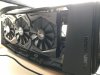
Hey mine fits too and I can still close the case....well sort of. =) -
Thanks for the info. I was looking at getting a 2070 Super as well. Good to hear no problems for you.
-
Radeon VII working in amplifier with Area-51m: https://www.3dmark.com/compare/fs/20052800/fs/19316750#
AMP > Area-51m
AMP (HDMI) > M18x (using as display lol)
![[IMG]](images/storyImages/qgzJGL6.jpg) alaskajoel likes this.
alaskajoel likes this. -
You can try some low profile pci express power cables. I used some and it enabled me to close the lid on top of an evga ftw board. Had to remove some plastic tabs located inside at the top of the lid.
*OFFICIAL* Alienware "Graphics Amplifier" Owner's Lounge and Benchmark Thread (All 13, 15 and 17)
Discussion in '2015+ Alienware 13 / 15 / 17' started by Mr. Fox, Dec 10, 2014.


