 Problems? See this thread at archive.org.
The power input plug won’t fit the opening of the AGA case
If you want to go to stock route, only the Corsair CX will fit
![[IMG]](images/storyImages/image104)
Your thermaltake one
![[IMG]](images/storyImages/71MqK5mMFtL._AC_SL1500_.jpg)
-
-
if all the performance you want is the 2080ti then get the 3070, same performance and a much smaller card.
-
Ah! Thanks for the explanation! Ok, let's see what Corsair I can find. I am seriously considering the series 3000 now. After all, who needs the lid, right? Lol
-
Yeah! I am seriously considering the series 3000! Cheaper for even more power. The size is the main issue. Though from what I hear, you really do not need the lid! Lol
Seriously though, I am really torn... -
There should be no reason to go for the 2080Ti as it is old technology, less power efficient, fewer cores etc, even if some benchmarks put it on a par with the 3070. I'd gladly pay 20% extra to get the 3070 over the 2080Ti "just because". Funny thing is the 2080Ti will still be selling at 50% over the 3070... Currently at over £1000, with MSI and ASUS at £1200.... Madness. This is almost 2.5x the announced price of the 3070. Let's wait and see what they finally sell the 3070 at.
-
Hello all I have a m15 r3 with 300hz display will it be possible to run 3080 to a valve index with the amp? I was not sure because the laptop display has gsync .
Sent from my iPhone using Tapatalk -
All of the benchmark test on the official Nividia site for the 3000 series were ran on PCIE3. Its fully backwards compatible so will not have to deal with bottleneck. PSU should be fine as well as the AGA supports cards up to 375w. Also many have claimed the 2000 series worked right out of the gate with the proper Nvidia drivers, downloaded and installed from the official Nvidia site (clean install). So we shall see...Biggest hurdle is size factor, you can forget about getting the 3090 to fit without modifications to the shell. 3070 and 3080 should fit just fine based on specs...normand668 and illuMinniti like this.
-
Still some people have had problems with their 2060, while some others have not. But the supported GPU leave out the 2060, which means there is some limit to compatibility. That PSU is so obnoxious and cheap looking + sounding, idek if I would even try a higher power GPU on it. Supposedly the new GPU are higher power, idk if its true.
-
I know alienware said that the the AWA only works on base, non-modified/custom cards ( such as founder ed, etc)...
Maybe that could be a potential reason...I know one user posted that the RTX 2060 Super works just fine for the AWA
However, this is a later edition of that card so maybe Nvidia changed the architecture of that particular card.
I am sure that there will be plenty of Ginny pigs ready and willing to take a chance on the card with the AWA once it is available
-
Def a possibility. And I am sure someone or Dell themselves will let us know. I actually am looking into selling my 2080, since I don't even really use it lately since Warzone became a thing. If I can make a decent amount off it I might get a 3070, if not, the 2080 will still be good enough for my use. Usually I game with shadows on medium-ish and render resolution 90-95% with DLSS. Its a easy 4K60. And with DLSS2.0 and 3.0 becoming better and better, theres no reason for devs to not want their game to look better for consumers..hopefully
-
I just want Cyperpunk 2077 to look its absolute best when gaming at 4k ultra with ray-tracing enabled...
This is a very exciting time to be a PC Gamer.normand668 likes this. -
I hear you brother! Btw just got the World of Cyberpunk guide, glad that still got published on time a while ago. Amazing and highly recommended read to better understand the lore prior.
-
Sweet! I thought about getting that as I do collect art-books for games and film. I may pick it up sometime this year.normand668 likes this.
-
Yikes! I just saw a few vids on the net about the RTX 3090 Founder's Edition. This is a big card! Even if you remove the AGA's lid, the RTX 3090 appears to be a three-slot card, so it might not fit at all!
Unless I go with one of the other companies, they are still bringing the cards out with two 8-pins connectors and might still be a two-slot card... That Aorus RTX 3090 card looks sweet.
Also, a buddy told me he is aiming for the EVGA RTX 3090 Kingpin! I hear that card is usually powerful both in TDP and price! Yikes x 2!!!normand668 likes this. -
Great showcase of the effect pcie 3 x4 is going to have on game performance. It’s definitely different game to game but there is a noticeable effect with the 3080. Until 3070 benchmarks are out won’t know for sure going 3080 is worth the $.
https://www.techpowerup.com/review/nvidia-geforce-rtx-3080-pci-express-scaling/Aivxtla and twin snakes like this. -
yeah so there will be a loss of average 10% when using 3080 with AGA, well that's something!
Hopefully when Intel release PCIE4.0 we will have the new AGA, albeit that it will still run at x4 speed, which equivalent to x16 2.0 from 13 years ago lol -
If the CPU has more available lanes there is no reason we can’t have 4.0 x8 which would be amazing.
-
Curious if anyone has tried with the Titan RTX... its not on the Supported list
I'm watching as prices on those drop like a rock.
-
LOL
I have a friend who splurged on a Titan 2 months ago. I remember telling him there were rumors of a new generation of cards coming out and rumors saying that the new gen was going to be monsters. He said it was unlikely because the last few gens have not been massive improvements. He was not wrong about that. So he decided not to wait. Now he walks around with a face that looked like someone gave him a lemon to suck on! lol
Seriously though, anyone here was able to get their mitts on a RTX 3080. All my friends who waited for the series 3000 could not find any at all, especially the Founder's Editionl. And eBayers are selling them at ridiculous prices! Some cards even go for 3 times the original price! lol -
I can only laugh at this! Some people...
https://www.ebay.com/itm/PRE-ORDER-...021492?hash=item1f16791a34:g:nzQAAOSwOAxfYinscruisin5268d likes this. -
simply impossible, all those bots and scalpers snatched eveyrthing lol
newvelaric likes this. -
The price on the 1080ti FE have come down so much... And with 11gb, which is what I care about more, would be an easy upgrade.
Last edited: Sep 19, 2020 -
Cards apparently sold out in 15 seconds
-
lol
Rumor from Reddit: a dude created a bot to try to screw over the scalpers. I believe the "try to screw over the scalpers" part. But my knowledge of bot is dismal so I can't say. Though, it is pretty hilarious if this was real. Because the prices for these cards on eBay is certainly not! -
A dual slot RTX 3090 to be released soon. Hopefully it can work in the AGA,
Aroc likes this. -
Not unless the aga gets a different psu.
But I suspect that there will be an adapter of some type to work with the 12pin affairLast edited: Sep 19, 2020 -
I just want to confirm that the CX450M does fit inside the same areas as the existing PSU in the AGA.
The CX450m is the "smallest" standard PSU that still has a dual 8-pin (6+2) PCIe cable for GPUs and still provides ~300 watts of power to handle power hungry cards.
It has just a "little" more headroom than the factory 460watt unit from Dell, but, the fan is completely silent as far as I can tell. I also swapped out the original case fan for an NF-B9 (mine is the "grey" colored housing and blades) ... dead quiet so far with my gigabyte G1 1070. -
For anyone interested, here are a few pictures of the modifications i made to the AGA to install the Corsair SF750 and to increase airflow for the RTX 2070 Super through the side vent and exhaust at the top.
Magnetic PVC mesh with attached with double-sided tape to the openings to prevent dust and my cats poking in there.
The SF750 was attached to the ATX bracket that came with the psu and then attached to the AGA. Only 3 screws can be used, it is secure enough.
Temps previously exceeded 80C (around 83/84).
After modifications max temp after 20mins full load 78C and 2050 RPM for the fans
Open air max temp after 20mins full load : 68C
I expected a bit better temps but at least it does not reach 80C.
The RTX 2070 super is at stock speeds and stock fan curve.
The noctua fan at the front is intake, with low noise adaptor, spinning at 1250rpm
![[IMG]](images/storyImages/KkVR75G.jpg)
![[IMG]](images/storyImages/vHSnrgX.jpg)
![[IMG]](images/storyImages/lECqclr.jpg)
![[IMG]](images/storyImages/X0vTF1W.jpg)
![[IMG]](images/storyImages/q7QuQtv.jpg)
![[IMG]](images/storyImages/Q7jV2Qa.jpg) normand668, Aroc and illuMinniti like this.
normand668, Aroc and illuMinniti like this. -
NOICE!!!!!!!
I think I have no choice. I will remove the motherboard form the AGA case and install it on an open-case and see where we go from here. -
That's a good idea with the mesh and double sided tape. You probably could have bought some cheap magnets and glued them to the AGA for a easier removal of the mesh, I know those Velcro tapes can be such a pain to removenormand668 and Zelb like this.
-
Yes that would make a more elegant solution. The 3m double sided tape i used should not be that hard to remove, but i will leave it as is for now. I will probably glue some magnets on and remove the tape when I need to clean the filters.
-
Guys, I have a question: Can you add an AMD graphic card to the AGA even though my Alienware M17 had an NVIDIA card inside?
-
Doesnt matter whats on the laptop its disabled when using the AGA.
-
-
Not directly related to the AGA but very relevant.
I am building a PC and have a Gigabyte RTX 2070 Super Gaming OC 3X and a PowerColor AMD Radeon RX 5700 XT Red Devil. I will keep one of the two and return the other. Which one would you suggest I keep and why? -
Pretty sure the 2070 Super is a lot better than any 5700XT. There may be a few random games that AMD GPU do better at, but the 2070 Super should do better in mostly all
-
Well as it turned out, the 2070 S was clearly opened and used so I did not even open it, I am just returning it. Because God knows who had it before, what they run through the card, overclocked it or whatever they tried on it. So we are stuck with the Red Devil 5700 XT.
-
I mean with 3070 and 3060Ti coming out so soon, I wouldn't keep either of them but they are good GPU for their prices.
-
Since no news is to be found, some food for thought. 3080/3090 cards certainly give a nice performance boost even at pci-e 3.0 x4. The amplifier has not yet seen a redesign to match the new Alienware design style. Monitors, keyboards have all been updated to the new design language. Pci-e 4.0 is coming with Tiger Lake H. Maybe a redesign is in the works. Maybe.
Given that the 3xxx series is backwards compatible with 3.0, it's not like such a design would not work across the current line as well. And certainly a small pip up to the PSU to something a bit more potent and somewhat better sound signature wouldn't break the bank (although this is Dell I'm saying this about so God knows). Cable length might have to be shorter with 4.0 integrity.
Just thinking the timing could be right. I sure hope if they do that they come in black and not just white... -
For those that care, I just upgraded to Ubuntu 20.04.1 LTS and after updating my AW17R3 bios (1.8.0) and getting dual boot working, my 2nd hand 1070 (8GB) is recognized on boot up.
There were issues a while back about getting the AGA working without a connected display with Linux in the past. Those issues appear to have been resolved.
No external display and both the "about" in the desktop settings as well as a quick "smoke-test" with Tensorflow shows that is working perfectly.
I did use the latest 450 drivers, so no other changes or testing appear to be required. -
Hope some one can help I have a Alienware m15 r3 with and amp I wanted to test the amp out with the 5700xt but I’m getting an error in device manager is had a yellow mark and says pci express upstream switch port the gpu I’m not showing up . But then I put my super old 6950 in it works up and I can use the external monitor . And help would be great .
Sent from my iPhone using Tapatalk -
Hi everyone.
My AGA has stopped working - sort of. Windows won't use the external GPU...
AW Command Centre recognises that the AGA is connected, showing the integrated GPU and external GPU (EVGA GTX 980 Ti ACX 2.0) are active, whilst the internal GPU (GTX 980M) is not - this is good. All USB devices connected to the AGA work - this is also good.
However, the external GPU does not appear in Windows 10 Device Manager under Display Adapters, only the integrated GPU does (Intel HD Graphics 530). All apps and games use this. When I try to install Nvidia's graphics drivers or run GeForce Experience, the external GPU is not 'seen' and the drivers fail to install (stating the it is not compatible with this version of Windows - I have a legal, fully updated copy!). All of this is bad.
HWINFO64 shows the external GPU seen as GPU#1 but only registering 1GB of memory (it has 6GB). This is downright confusing.
All of the lights in the AGA are working, as is the fan. When booting up, the fans on the GPU spin up, then stop when the Windows 10 welcome screen appears.
This seemed to start happening when I updated the BIOS on my Alienware 15 R2 to the latest version (1.8.0), though that may be coincidence.
Any help is appreciated.
Spec:
Alienware 15 R2 i7-6820HK, 32GB DDR4, 1TB M.2 SSD, 512GB M.2 SSD, 1TB SATA SSD
Nvidia GTX 980M (internal)
EVGA GTX 980 Ti ACX 2.0 (external) -
This is late, but if you haven't tried it I would just try reinstalling the drivers altogether. What has worked best for me and many others, is simply installing the Desktop GPU drivers, in your case the 980 Ti.
Download latest GPU drivers for 980 Ti Desktop.
Connect AGA (if not already connected) and use safe mode + DDU to uninstall GPU drivers.
Windows will restart, then install the new 980TI drivers with the AGA still connected.
Reboot again if necessary.
You might need to install Alienware command center again, you could try uninstalling that as well and do a complete reinstall of that bs. The AW Command center is needed for the AGA as you know, and just reinstalling the latest driver for both could just rule out any problems with them. -
I just found a 2080 Ti at an unbelievable price. Only to get it home and realize it's a 2.7 slot card that's 12" xD. It's massive. I may post it up and either sell it or trade it for a smaller card. Should have done my homework first.
-
I guess an alternative could be some kinda like AIO mounted cooler for it. Idk if they are still available nowadays but I know on my GTX 970 I had a NZXT GPU bracket thing to mount a AIO easy. I've seen people using a 92mm radiator in here I am pretty sure.
I got 600 for my 2080 the other day (the person was actually aware of the 3000 series), so whenever I can get a EVGA 3080 I'll be seeing how that works out in the AGA. -
From a friend:
TLDR: The RTX 30XX Series is NOT compatible with the Alienware Graphics Amplifier
etern4l and illuMinniti like this. -
And you're sure he is on latest and greatest bios update (the ones who play with th internal Nvidia graphics thermal limits to stop the burning up graphics). The newer firmware is meant to enhanced the compatibility of the Alienware Graphics Amplifier for new generation graphics card.
But as always a proprietary design is awful. Maybe he should buy some of the AW Gaming accessories and make some Voodoo Magic to make it work? Yeah, maybe the Hoodie, some woodoo Magic and latest bios may help. If not send a nice message to Umar, Ernie or Eddy. Tvitter and FB is the proper place.
![[IMG]](images/storyImages/A9743018.jpg)
https://www.dell.com/gaming-gaming-accessoriesetern4l and Spartan@HIDevolution like this. -
The AGA is almost 6 years old though and has served its purpose very well. Only due to it being proprietary could it perform so well (above all) but also cheap. It's possible the AWCC needs an update or I guess its possible Nvidia just never provided them the info needed? Though Nvidia seems to be on top of RTX and the game companies are the ones taking months/years to release RTX (ex. SquareEnix)
-
Users from China have tried everything possible. Here is the best result)

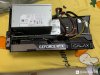 twin snakes and illuMinniti like this.
 -
Old computers work with the new cards. Exactly the same should it be for the GA. It's up to Dell release bios updates together with updates for their software.
But you all will have to upgrade your firmware when and if Dell find out that they can't screw the Area-51M owners a second time.
And if they offer support for Ampere in GA for the Area-51m, they also have to do the same for their other models with same GA port.
Which GPUs are qualified and which graphics cards are compatible?
We provide deeper backwards compatibility for available GPUs compared to TBT3 options and offer support for a single full-length, dual-wide, PCI-Express x16 graphics card. This system can support graphic cards of up to 375W and NVIDIA® GeForce® RTX 2080 Ti as well as AMD Radeon RX series and newer. This means it can power a 3090 Founders Edition... https://www.dell.com/en-us/shop/accessories/apd/452-BCFELast edited: Oct 6, 2020illuMinniti likes this.
*OFFICIAL* Alienware "Graphics Amplifier" Owner's Lounge and Benchmark Thread (All 13, 15 and 17)
Discussion in '2015+ Alienware 13 / 15 / 17' started by Mr. Fox, Dec 10, 2014.


