Problems? See this thread at archive.org.
Did you weigh this yourself ? I ask because I know that the official weight that dell states it 3.2kg but like i said there seem to be people who are saying their unit weight is 3.0 and even 2.7kg.
-
Although I hoped that would be true, I don't think that is accurate. I stated the 3.2 and 3.4 from the tech manual. However, I just did weight my uhd 15 on a kitchen weight and can confirm that it's just a bit below 3.4(oldskool analogue weight so not that precise). The same goes for the power brick.
-
One thing I'm not so happy about is that the keyboard is British instead of US.
-
No offense! But this is not a laptop issue. He did something wrong! It is very easy to fixe but he doesn't know how to fixe it!
-
There is no ways to take that panel off. When I got my Alienware 13 and I saw this control panel new features, I was very disappointed!
-
Damn, I am so jealous. I wish mine would ship out already. And yeah you guys got a point, but I am still worried about the ghosting thing. Just saw another forum goer say he returned it because of the ghosting.
-
Alright guys, I'm back with a verdict on my experience. All of my issues are due to the graphics amp, which I discerned with no help from tech support (dialog tree responses). Whenever I attached the external amp and AMD Sapphire 290x card, and subsequently rebooted, it was eliminating my intel and nvidia control panels. This rendered my gtx 980m discreet card as "unattached to display." The only way to rectify this was to complete a full Alien Respawn (factory settings/programs). This created a scenario where I would have to choose whether I wanted an internal discreet gpu or external gpu as my only game worthy processor (unless respawned). As the notebook review thread title already stated, "the alienware graphics amp is not ready for primetime." Additionally, the Sapphire AMD 290x only provided around 5 -8 fps advantage over the gtx 980m, when playing Dying Light (around 50 fps, on average). It also seemed to have greater fps dips than the internal 980m. I had max performance and other AMD catalyst setting, as they should be for this test. This may be of use for those debating the merits of the amp and the currently available desktop gpus. I was really excited to breakthrough to desktop gaming, as the amp was suppose to be a "beginner's guide," of sorts.......
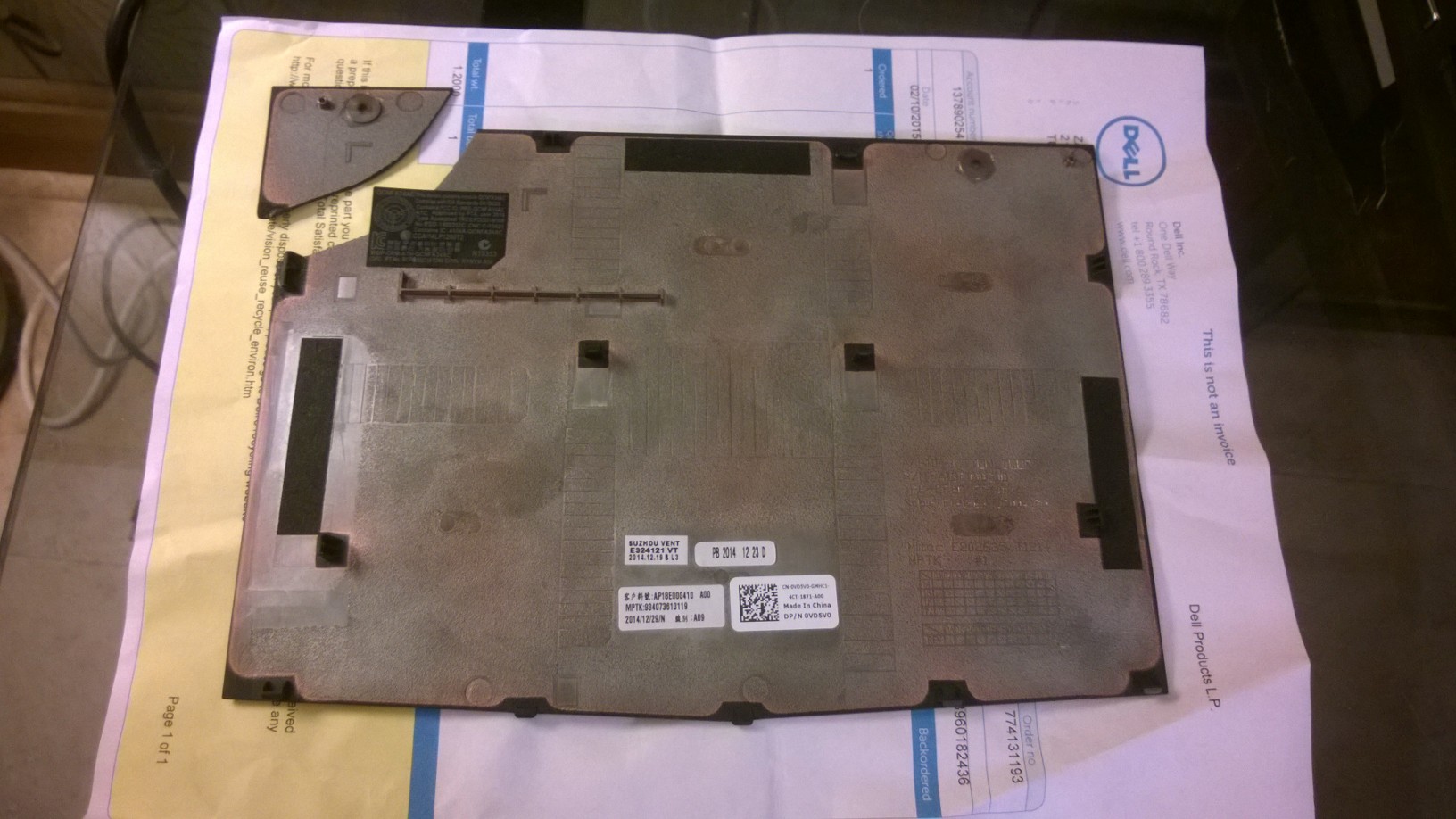
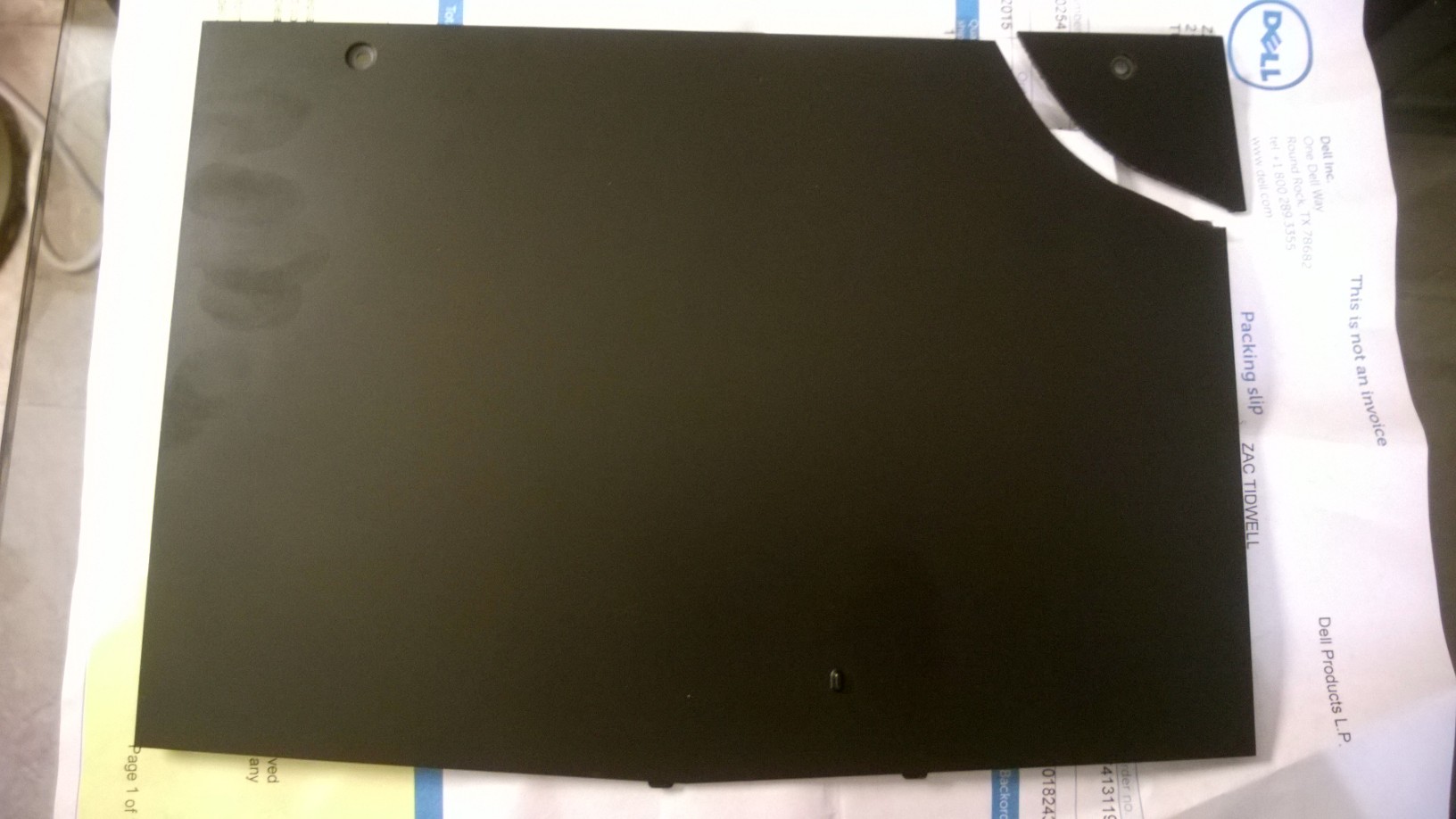
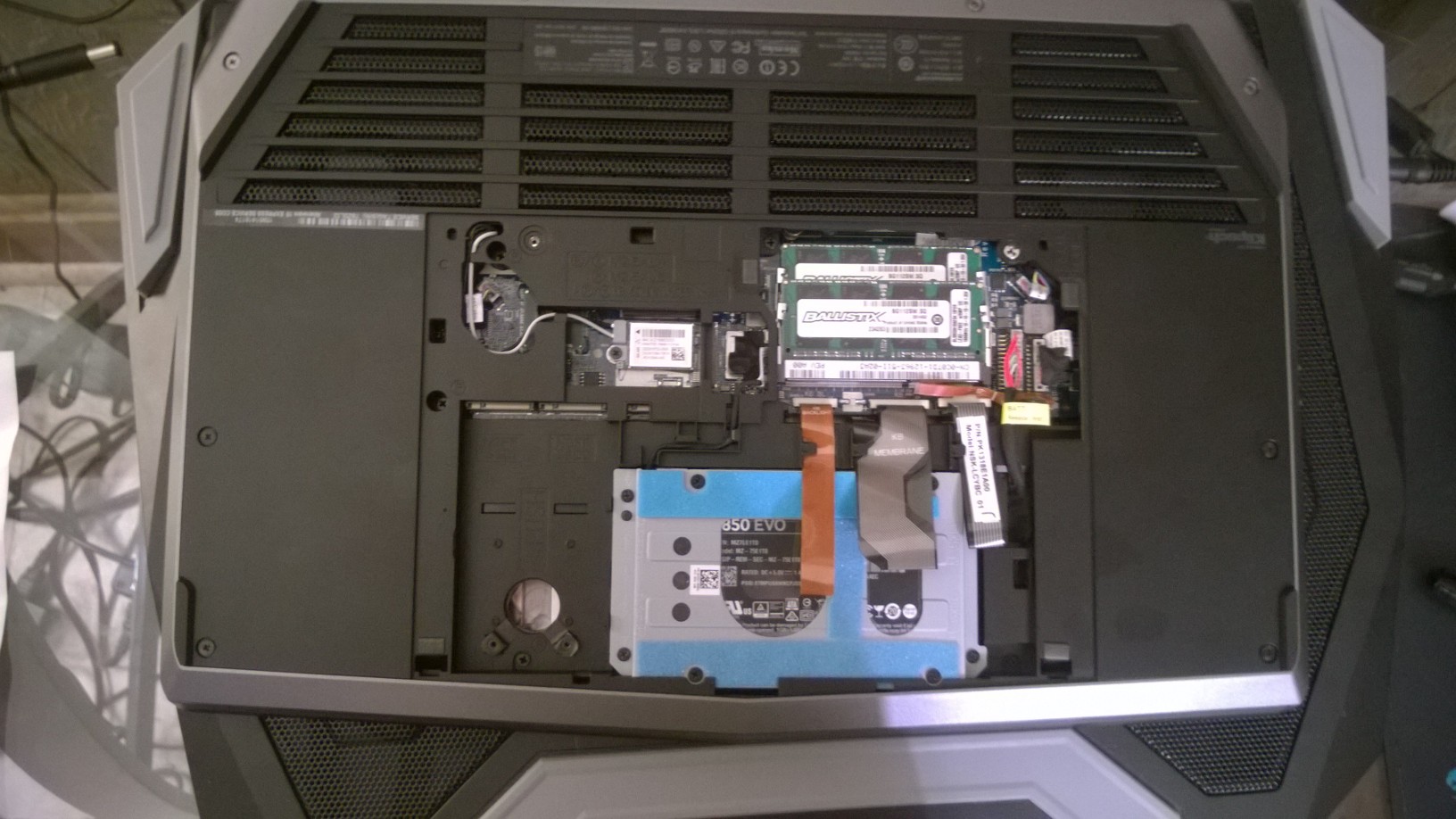
The frustrating service door, which broke during this debacle, could not be currently replaced. I was tasked with sending the attached photos to a rep in India, which was able to locate the parts number. Unfortunately, his system has the part as unavailable/not in stock and had no future restock date. I asked him if the Costa Rica tech dept or some warehouse in the US might have better access, to which he noted that all departments come to him for part allocation. I now have to get back with him, in two or three weeks, to see if one becomes available. He didn't even have the ability to preorder one. I suggested that he send a new laptop, and I would return the old one upon its arrival (ala Amazon's great service). He said that I would have to pay up front, and even a 1000 dollar credit card hold wouldn't work. I would send it back, as he suggested, but I have been in search for a laptop since the end of December (bought a clevo 650se which was uber cheap/plastic then the A15). There must have been a ton of folks that have already ordered replacement service doors, thus the unavailability. In the case of other's that experience this horrible scenario, the service bay door's part number is VD5V0. I would love any input from other members and especially the resident Dell reps (Porras I believe is his name). Should I just play the waiting game or send the laptop back. Wouldn't that method take around 3 weeks in turnaround time? Good luck to the other 15 owners. Be uber careful with that door. I wish it had been designed with a spring mechanism to aid with removal. I guess, ultimately, the old guard such as Mr. Fox, was correct in their assessment of these new models. Alienware doesn't want us to access the internals, any longer. sad...................
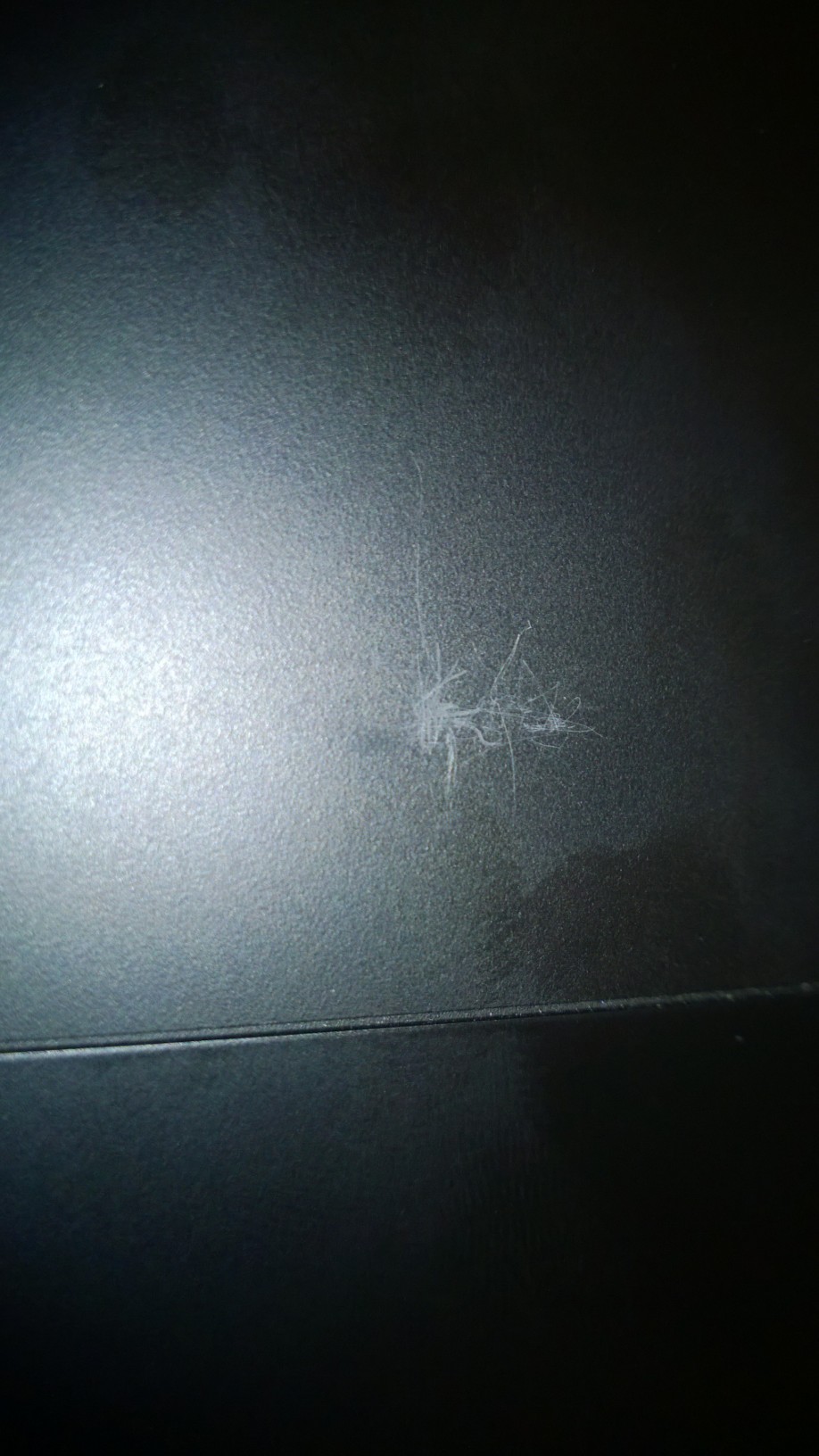
The last pic below was a scratch that occurred, in shipment, due to the laptop not being firmly secured in the StyrofoamAttached Files:
Last edited: Feb 13, 2015 -
-
Also of note: I'm positive that the silver laptop lid is no longer anodized aluminum, like the Alienware 14, 17, and 18 was. It looks similar, but is a hard plastic.
-
The GA information might have been helpful when describing your 4 problems. So it would make sense as to why the Intel and Nvidia Control Panel were inaccessible (this reminds me of how my X51 is set up. I can't use the Intel Control Panel if my HDMI cable is plugged into the GTX 660 and not the top HDMI port). Was the 980m accessible after unplugging the GA? Because if it wasn't, then there's a problem.
And since the GTX 980m is almost on par with the GTX 970, it isn't too much of a surprise that the FPS boost with the R9 290x isn't that much.
I'm not trying to be rude, but I'm just pointing out some things for future thinking.Last edited: Feb 13, 2015zachary77 likes this. -
Yea, upon unplugging/rebooting, I would get the "no nvidia gpu is attached to display." The intel nor nvidia control panels were accessible (completely intel completely missing/nvidia with the error message), and games would only play with the integrated intel card (1 fps LOL). I had to do a complete respawn to gain access again.....
Should I bite the bullet and return it and grab the new 970m Razer Blade, now that they have upped the ram to 16gb. Of course all the scaling issues, gaming on UHD/downscaling, and glossy display would be involved with that product...... -
By the way, the cloned 850 evo couldn't do a respawn. That is why I had to take that horrible service door off on several attempts. The 5400 hdd was able to respawn, which led to my graphic amp conclusion. The Costa Rican techs had no clue on this issue. I spent roughly 12 hours on this, between waiting on hold, alien contact attempts, respawns, and return of the amp. Great way to start the weekend...........
-
Given the user-induced damage, I'm not sure if you are able to return it. BUt that's just my limited knowledge of returns.
When you ran the R9 290x, did you get the Omega driver made for the GA? -
I guess you didn't bother reading my post. I most certainly was given the option to return it or wait till the part is available. I'm suppose to get some form of small credit, on Monday, for this hassle. A service door which cannot be opened, is not bloody user error friend (should have a proper spring mechanism or simply used the awesome service bay of the 14, 17, and 18). You don't happen to be a lawyer, by trade, using that mindset and all?
-
I did read your post. I wouldn't have responded if I didn't.
Though rereading the post, I know see what you mean. -
I used sapphire's AMD driver from the included disk. The laptop already had a graphics amp driver, preinstalled.
-
Well that could have been part of the problem. You shouldn't use that AMD driver but the Omega driver.
http://support.amd.com/en-us/kb-articles/Pages/GPU-5003.aspx
See if this would make a difference. -
Crucial M550 M.2 256GB seems to idle around 61degC and gets as high as 77degC just running Crystalmark in the AW15
-
The amp worked fine when it was plugged in. It was just the issues upon disconnect. There was a preloaded "Alienware graphics amp driver" and it did an automated connectivity sequence upon first hook up. What your saying is that I should not only spent 2500 dollars on a product, but also hold Alienware's d**k for them. I would be happy to test this Omega driver, but both the AMD card and amp have been handed over to UPS....... Can you imagine how complex that amp will be for Alienware's new mainstream target demo (now sold in Wal-Mart, for example). If a lot of us with some technical background are running into brick walls, imagine the new initiated consumer.
-
Woah now, don't put words in my mouth or interpret things differently from what I said. I'm just trying to help with what I know, that's all. But if you want to have an attitude, then I don't know how I can assist.
-
zachary77. you also need to update the Graphic Amplifier Software.
http://www.dell.com/support/home/us...de=alienware-15&languageCode=EN&categoryId=AP -
One other issue some of the vets might be able to answer is, how do you access the full nvidia control panel? My Alienware 14 and 18 have like 15 -20 settings, while the 15 only has 3. The two adjustable clocks and profile settings are completely missing...........
-
Already returned, I don't have time to do Alienware's job for them. This external option was advertised as a "gamechanger," so one should expect a plug and play situation. For 300 dollars plus 400 for the card, one should expect ease of operation. Do you think Apple and Nintendo peripherals task their consumers with hunting down mystery drivers?bumbo2 likes this.
-
Sorry friend, that was directed at Dell and not you personally. I'm just completely spent over these "adventures in electronics." God (or your deity of choice) bless those that do this line of work, on a daily basis.

-
For example, the included "quick start guide" only mentioned basic tasks like put in card, plug in cord, turn on laptop. There was nothing said about bloody Omega drivers or any other operations that are required. Now how is the mainstream audience going to figure these things out, without access to message boards and user aid as your's?
bumbo2 and Pyae Soan Win Naing like this. -
Well that eases me a bit.
For your Nvidia Control Panel limited accessibility, that is due to Optimus and something else (something about MUX and whatnot), If you want to make changes to your screen, you'll have to do it through Intel Control Panel. Some of the things you were able to do in your previous laptops carry over in the ICP but not everything.
As for the GA thing, it is understandable that you would expect the start guide to explain more than the plug and turn on. I actually haven't looked at it since I already planned ahead.zachary77 likes this. -
I could swear that on another laptop, I was able to download the advanced nvidia control panel (with those missing options). I know there is also the nvidia inspector, but it is a little to confusing for the newly initiated. I was surprised by the ease of use that AMD's catalyst presented. You always hear bad word of mouth concerning their driver support, but I found their software to be no problem.
-
Is anyone having issues with video playback on their 15?
Itunes, when playing a HD video from the hard drive to a Dell U2715H @ 2560x1440 I get video stuttering and audio drags so that it will end up not matching the video...
do I need to disable the Intel 4600 display card to remedy this?
Edit:
i7
1k 5400rpm hd
gtx 970M -
Just ordered my AW 15 with configuration
17 4710q
GTX 980M 4GB
UHD Screen
1tb HDD
2 Year Enhanced service
USB Recovery Disk
Total :22xx.x$
Total was 2469.99 ( 50$ President day sale instant discount, 2% EPP Member Discount, 10% Advanced Member Discount, and additional 100$ discount altogether 17.5% Market Value) There is a Dell Venue 7 offer going on right now. But did not ask yet.. Will start calling again tomorrow for that.
Can any one please say.. did I get an ok deal or else I got fooled
Last edited: Feb 15, 2015 -
What config of the aw15 did you get? Why bother with the Graphics amp now when the 980m is a 75% gtx 980?
-
The 980m with my own evo 850 and crucial ram. I got the amp out of curiosity and the desire to run 1080p games at 60fps (high/ultra). I would wait til connectivity issues are cured, as well as another gen or two of desktop cards is released.
-
Alright gents, I have a new issue which needs some assistance. When two finger scrolling, a "box" appears on the screen during each intial input operation. It reminds me of that mini-scroll bar icon that was used on older laptops. Is there a way to turn this off and still retain two finger scrolling?
-
I wasn't able to find 2 drivers for the alienware 15
The on screen display driver
And the webcam driver.
Will those be added to the page?
And that tactx keyboard and mouse driver is not for laptop users right? Since I didn't buy any periferals. -
Does the AW15 have an optical out? My old Lenovo had a dual port analog/digital 3.5 out which I connect to my receiver (no HDMI)
-
no it doesn't
-
Any suggestion for a USB sound card that supports DTS Connect?
-
This is for the 13, so I don't know if it is okay to install. http://www.dell.com/support/home/us...tails?productCode=alienware-13&driverId=DGGXD
And I think the new laptops use generic webcam software.
Also found the wallpapers, in case anybody wanted them. http://www.dell.com/support/home/us...tails?productCode=alienware-13&driverId=TTC8N -
Guys please lend a hand concerning the origin, steam and utorrent bottlenecks. When downloading from steam and origin, my system is so bogged down that I basically can't use the computer till the download is over. For example, the mouse cursor stutters and skips across the desktop when moving. When typing, my responses are also stuttered or take like 5 seconds to input one key press. When using utorrent, my download speeds are roughly 75kb down and 3kb up and that is with an approximate 3.200 seeds/peers. I have the killer ac wireless card inside and a netgear nighthawk ac router. I have experienced none of these issues in an HP pavilion, spectre xt, xps 13 (with u processer), alienware 14 and 18. I marked these programs as "high priority" in the killer management app, as well. Please throw any possible solutions against the wall, as it is beyond frustrating (as if all the other issues weren't enough).
-
You are an absolute rockstar!!! Now why in God's name would that feature be enabled as a factory default? I imagine others will have this same issue in the future. The poor Alienware tech had no solution other than running the pc doctor hard drive and memory tests. He was literally about to give up, when I noticed your response. I had actually, previously, walked him through the killer app to make sure everything looked alright. Is there any 3rd party companies, made up of enthusiasts, that I could pay for future issues. These "techs" have no clue on the intricacies of high end laptops. I swear they are only there to help people "connect to the internet" or "turn on alien fx" etc....... Remember that I had to self diagnose the graphics amp issues, with no solution form these "techs." I pray that this is the last issue, other than the "out of order" broken service bay door.
-
I experienced some network trouble myself, wasn't able to get this baby online via wifi or lan. Spend quite some time the find a solution. I my case both the killer network settings and my terrible Fritzbox router were to blame.
-
Yea, I totally didn't even think of that solution. I guess that is due to the 14 and 18, both with killer cards, not having this "feature" enabled from the factory.
-
Has anyone else noticed that the display dims a bit when darker content is displayed and brightens when colourful and white content is displayed? If so, does anyone know how to turn this off and what they might call this "feature"? It's not the windows adaptive display because I turned that off straight away.
-
It is most likely the adaptive brightness setting, which is found in power option - advanced power options - display - adaptive brightness. This another lovely "feature," which is a factory default. You may favor it for battery mode, but it's definitely lame for plugged in usage.
-
My bad, I was too quick to the draw and didn't read your last sentence. I have no idea, if it is not the adaptive brightness setting. I haven't noticed it on my 15, yet, though my 2015 xps 13 features it and cannot be eliminated (even with that aforementioned setting disabled)
-
Did you disable power saving? The Intel control panel allows you to enable/disable power saving in the power menu. This only effects your laptop when its unplugged. The nvidea control panel had similar option under the advanced 3d settings.
-
wow so many lil problems on the new aw...
-
I turned off what you suggested even though I was having the problem while the machine was plugged in, yet somehow turning that off for while on battery power ended up fixing my issue even while plugged in. Such a weird solution!
-
It seems like all of the USB turns off once the battery goes ~20%. Is there a way to change this?
-
lol yea. In my opinion though, little problems are the nature of using windows machines. I have never had a windows machine from any manufacturer or that I built myself that didn't have little problems that had to be ironed out myself.bumbo2 likes this.
-
still waiting for my order from Dell, I ordered on the 9th, the wait is killing me currently says in production. hoping it changes this week
*OFFICIAL* Alienware 15 R1/R2 Owner's Lounge
Discussion in '2015+ Alienware 13 / 15 / 17' started by Mr. Fox, Dec 10, 2014.