Problems? See this thread at archive.org.
Hmm strange, I wonder the noise is then.
I have a 10c core temp difference between some cores. Going to get some Kryonaut as well. The core temp difference is only there under full load though.
-
Yeah sad right.. It just depends on the rep you get lol
Yeah you only win the lottery once right
Yeah it sounds like a rub and I am unsure exactly what it is...Nothing visibly there.
And 10deg C under load is normal If between any core vs core 4. 20 is not. The reason for this is:
THe design config of an intel quad quad core:
IGP|CORE0|CORE1|CORE2|CORE3|
Core3 is the only core not sandwiched so it will be cooler by about 10 deg C. -
10 degrees is in the higher level. 4-8 is more normal. A bad paste job. I tested my 6700 in wprime 1024M stress test... The difference between highest and lowest temp was 2 up to 4 degrees during the stress test.
-
Prime also does not stress the IGP so there is less heat sandwiching core 0. But I agree 10 is a little high but not out of the norm.
-
Hmm going to repaste it then. I never actually checked the individual core temps.
-
Run a full virus scan with Windows Defender. A simple virus scann can rule out a bad executed paste job.
As in the picture... You can see there is not much difference between cold and hottest core in my Skylake at stock clock. All my recent processors have max temperature difference between lowest/hottest core at max 6 degrees Celsius.
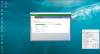
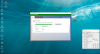 Last edited: Feb 29, 2016
 -
But your CPU has a heatspreader right?
However I still suspect the paste job on my CPU is a bit crappy. I know that the heatsinks come with pre-applied paste. It also should nto affect performance too much if there is too much paste. So I suspect that the heatsink isn't tightened enough. -
Yes desktop processors on latops have IHS. Maybe I will fix bare die later. I have only delid the processor. The first thing I do with a new computer is to apply new paste. Always Liquid Ultra. When you first must affix a new paste, so choose quality an do the job properly. I'd never been satisfied with the paste and the job done by any OEM. However, it is beneficial to become better acquainted with the laptop inside in a new computer.
-
Its the archilles heel of this laptop though. Repasting takes a lot of effort. So I will do it later. I know how the laptop is assembled etc. But it is still a crappy job to do. A lot of flexcables that are easily broken.
-
A lot of laptop models from any brand use idiotic design. If you want to clean fans and heatsink you have to dismantle half the laptop. And if you want new paste the whole laptop. But the job has to be done either by you or a tech shop. Send it in to support isn't a solution. You risk other problems.
-
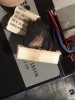
My m15 power cable is kinda burn.Attached Files:
-
-
LOL. The heavy use of more Power from battery controlled by Hybrid bios. I think the hybrid bios is the culprit. HaHa.
-
Yeah.
I was playing fall out 4 on Friday, and notes that the palm rest and keyboard was extremely hat. so hat that I can't even touch it.
So I decided to open it, and I find out that it was full of dost. And I noticed that the power cable is burned.Papusan likes this. -
So I am fairly happy to with my choice to buy this AW 15.. Yeah there have been some issues but in the long run I end up with a faster laptop for basically an even trade(if not making money). Scores to compare: Firestrike
P750ZM
http://www.3dmark.com/3dm/6184572
AW 15R2
http://www.3dmark.com/3dm/11019057
I will miss the awesome temps from the Batman, but there had to be a trade-off somewhere. -
Hello,
I live in India and just got a Alienware 15 R2 (DEC15 purchase from the US). The config is as below -
- Operating System: Windows 10 Pro 64-bit English
- 16GB Dual Channel DDR4 at 2133MHz (8GBx2)
- NVIDIA® GeForce® GTX 970M with 3GB GDDR5
- Killer N1535 Wireless Driver
- 1TB 7200RPM SATA 6Gb/s
- Killer 1535 802.11ac 2x2 WiFi and
- Bluetooth 4.1
- Intel® Core™ i7-6700HQ (Quad-Core, 6MB Cache, up to 3.5GHz w/ Turbo Boost)
- 15.6 inch UHD (3840 x 2160) IGZO IPS AntiGlare 300-nits
Can anyone please confirm if this has the touch-screen capability? I tried to check but it doesn't seem to be there. This is a matt screen, is 4K / UHD..
Also, I checked the device manager and it doesn't have a touch screen mentioned under the HID Devices category (which I believe should if the touch-screen is present).
I am also getting a hard time adjusting the scaling etc on the screen. The text of dialogs and popups in windows is all blurry (for example the list of h/w in the device manager is very hard to read!)
I even installed the " http://windows10_dpi_blurry_fix.xpexplorer.com/" fix, but no luck..
Appreciate any help on the above two things please!
Thanks,
Chetan -
No touchscreen on these new models, all touchscreen versions have a glass digitizer on top the the panel but the R2's don't have a touch option (apart from some strange signature model in the Microsoft store).
Can't help with the scaling I'm afraid as I have the FHD model, there are a number of guys here who do have the 4K that can pitch in though.
Congrats on the purchase
-
Scaling is still a problem child on Win. It's one of the reasons that many people still swear to use and purchase full hd.
-
I ended up returning my 4k model for the FHD model for this reason, the scaling everywhere except for the start menu and desktop icons seemed problematic.
-
For scaling you only hsould select 100%, 150% or 200%. Steps between those become blurry.
-
Thanks sirleeofroy!
This is sad indeed. I hope I can continue on this setup though, other than some white bleed (on bootup) the screen looks awesome.
Please do share any leads (if anyone can) on the same! -
Thanks rinnehrinneh, this is good. I will try this when I go back home to the new machine. Also, can anyone advice if the machine needs de-bloating or it is optimal out of the box as it is? Any post set-up optimisation to advise?
Thanks again for the support guys. -
I wouldn't say the machine runs optimally out of the box. You'll find most, if not all people here did a clean install as soon as they got their machine (me included) and found it far more stable once complete. You can use the Media creation tool from Microsoft to create a Windows 10 USB installer and then get the Alienware software from the Dell site.
Oh and get as many drivers from their respective manufacturers as possible, all of the Dell drivers are way out of date... -
Ok. Not trying to pester much but -
1. should I just take the iso for the windows 10 pro off the ms servers and reinstall? Or
2. should I completely nuke the hdd and get rid of the recovery partition and then free partition and start off clean?
3. Any direct / manufacturer driver links that can be shared?
Also,
4. I have a nagging doubt about the screen bleed on this one. Not able to decide if it is actually a big deal? Want to know the best way to photograph the bleeds (ie should i set the background as black, on what whiteness level and so on) and share so you guys can advise if I should be worried.
Thanks & much appreciated as always!
Sent from my SM-N9005 using Tapatalk -
Yep, you can create both a bootable USB stick or just download the ISO to burn yourself using the Media Creation tool ( https://www.microsoft.com/en-gb/software-download/windows10).
I would entirely nuke all partitions and start completely fresh, in my opinion, you're really not going to need the recovery partition. If you really need to go back to stock then you can get a recovery ISO from the Dell website.
Nvidia driver - http://www.nvidia.co.uk/download/driverResults.aspx/99356/en-uk
Killer Driver - http://www.killernetworking.com/support/driver-downloads
Intel Chipset - https://downloadcenter.intel.com/download/20775/Intel-Chipset-Device-Software-INF-Update-Utility- (Not sure if you actually need that, I always install out of habit. it won't install anything you don't need so no harm done)
Everything else updates quite nicely on its own but if I remember anything else I'll et you know!
Regarding your screen, the way I see it is these days, you're very lucky if you get an IPS panel WITHOUT any bleed. IPS is known to have bleed and is very common, how bad it is depends on whether you could get it exchanged or not. I know that a fair amount of bleed is deemed acceptable by manufacturers.
I hope that's useful
Ckhurana likes this. -
I didnt had screen bleed on any alienware laptop, so or i am extremely lucky or it isnt as common.
-
That is quite useful. Many thanks!
Sounds just like my weekend project!
I am guessing windows would automatically update the registration /activation post the installation. Yes?
So question is how do I realistically check the level of bleed. Any specific settings on which to compare this?
@rinneh, sir you are lucky if yours is actually perfect!
Sent from my SM-N9005 using Tapatalk -
Yeah, Windows will pick up your embedded product key and activate straight away.
Not really sure how to "measure" the bleed but I would guess it would involve setting the laptop with a black screen in a dark room and take a picture. You will probably need to set the camera manually for a wide aperture and play with the exposure time. 1-2 seconds should be enough. you should get a decent picture of the bleed. To be fair, you can probably take a picture of it in the light if its that bad! -
Oki let me do that tomorrow and share the same. Will await the prognosis from the other end then. Thanks!
Sent from my SM-N9005 using Tapatalk -
Does anyone use this laptop to edit RED 6k footage? With the 980gb 8gbvram? If so would love to know your thoughts. Also would love to know how the Amplifer does
-
Hello,
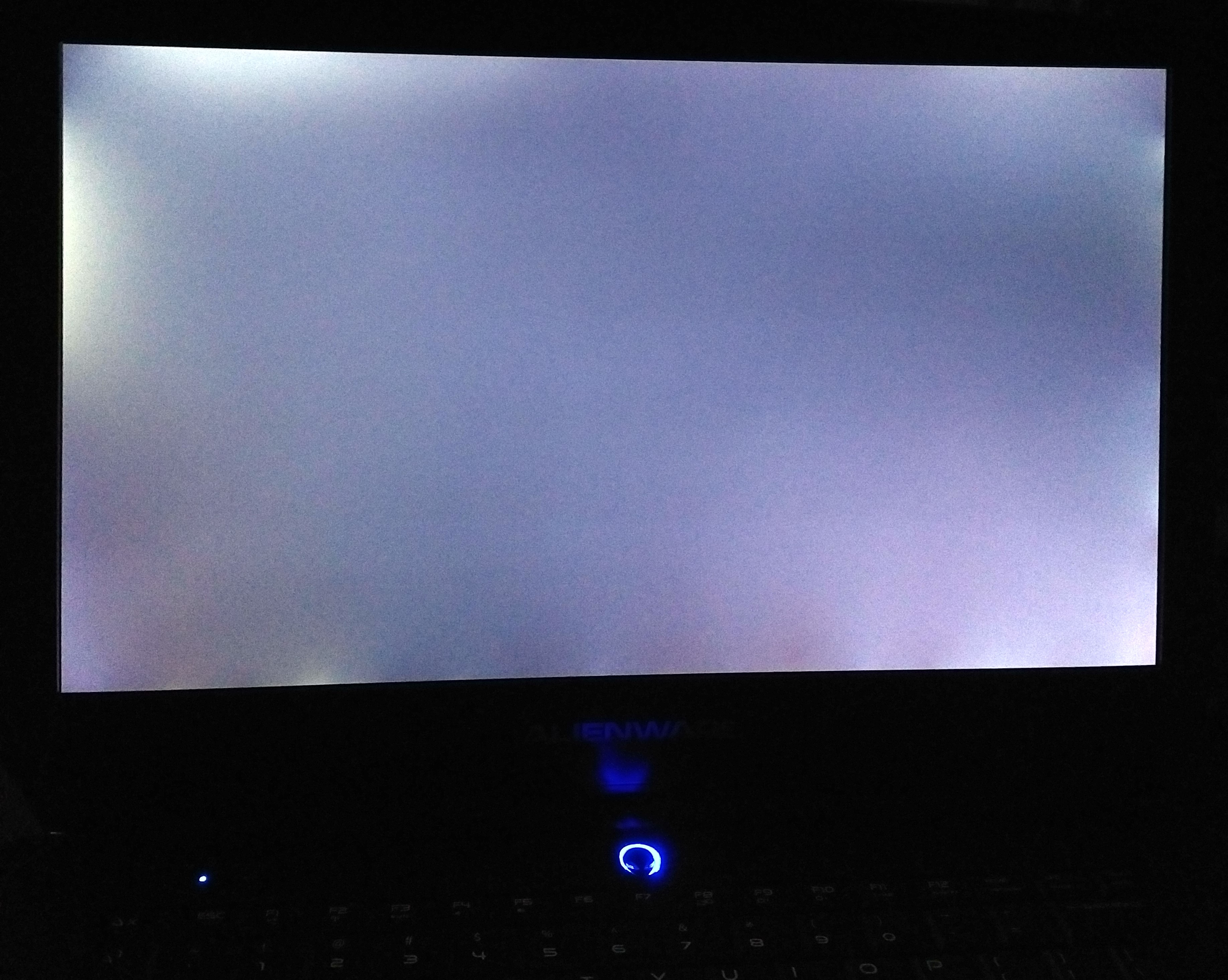
Attaching two pics with black background, one with MIN brightness and one with max.
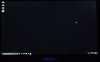

Do let me know what you think
*Excuse the jittery shot!
thanks,
Chetan -
It is hard to take a photo of lightbleed because the camera messes up the exposure when taking a photo of a screen but I do notice some annoying bleed on the bottom and the upper right corner which I wouldnt want to see myself personally.
-
Updated and still a problem the light works fine with an external mouse but when i use the touch pad the led does not turn on its very annoying maybe its a touchpad driver problem? i have the newest driver for that. It happens when i use the touchpad. (The little led dot on the upper left of the keyboard) I have the 15r2.
Any fix would be great! Or if this has happens to anyone els let me know. -
Hmm... Thanks rinneh. Anyone else care to comment? The only thing with dell is you cannot be sure about the replacement. It could be better but possibly could be worse.
Should I call on the technical support and forward them the case? (i am not even sure if they would have the 4k replacement here in India!)
Sent from my SM-N9005 using TapatalkLast edited: Mar 5, 2016 -
That does look fairly excessive, even by IPS standards. I would raise it with Dell and see if you can get it replaced.
-
So, Ive been having a huge problem installing the latest cum update, KB3140743. I got an education key from my uni and it wouldnt upgrade because of this issue. As I havent really done too much to the system (and I wanted to change the profile locations, and default program installs, etc) I decided to wipe and reinstall. I deleted the data and formatted the data partitions, worked out to drive 0 part 3 and drive 1 part 2, the first two partitions were labeled and for recovery on the ssd, same with the 1tb drive, first partition was labeled recovery. Anyways, I have successfully reinstalled, but then I figured Id just restore factory image form the recvery partitions. Anyone know how to do this?
I tried downloading the image from dell, supposedly for my machine, and its missing everything. Its a basic install. Even the generic windows image I downloaded from Microsoft had all the drivers. Dell's did not.
How do I reinstall from my recovery partitions? -
Oh, ok, thanks sirleeofroy.
I have raised this via a mail to the tech-support@India athough frankly I do not have high hopes from them.
Also just so that I know, does the issue actually become annoying in normal day to day usage?
The reason I ask is in light of the fact that I use the laptop on a max of ~25-30% brightness at any given time. And the bleeding is mostly apparent at > 70% and is glaringly obvious and highest at 100%.
What do you say, sirleeofroy?
Well, I am just trying to mentally evaluate the worse case here, as I am unsure if Dell India would even be having a 4K screen for replacement. Can anyone from aroun these parts advise on this?
Thanks yet again!
ChetanLast edited: Mar 6, 2016 -
I had about the same light bleed, they replaced it in 3 or 4 days with on site support.
This photo was taken with a very high exposure and the photo is very true to life. The new panel one is much better, with a very slight amount of bleed now.Attached Files:
-
-
This is the earlier one I presume, in the image?
Only thing is if they will entertain me here in India. I have sent a mail. Let's see tomorrow.
Sent from my SM-N9005 using Tapatalk -
It depends on what you're doing I suppose. Also, it's subjective, what would annoy me might not annoy you so much. It would annoy me though!
I have a Dell U2713HM monitor for my desktop that has an annoying amount of bleed, particularly at the bottom right. For the most part I don't notice but when I have a dark screen (movies in particular) then it is quite apparent. It irks me but it other than the bleed, it is an awesome monitor (it was also pretty expensive at the time) so I've not replaced it. Yet....
I would push for a new panel though. -
Ok, here we go..I have raised this issue with DELL India. I have been asked to re-install the new driver versions for the GPU (Intel and nVidia). Then have to report back (as if that would affect the bleed!!)
Also, and interestingly, the Laptop bezel is having this as well -
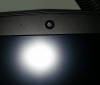
The camera is off-center!
Its OK to use it normally but becomes a major nag on full screen, more so, I don't know if it is loose or made that way, so could get worse.
Have sent them this pic as well. Dell really needs to up their act, quite a lot of QC issues there.
Let's see. -
Its stuck with adhesive between 2 plastic clips. I guess its not alligned correctly but can easily be fixed by yourself if you want to.
-
Yes I can fix it, let's see what dell does for the screen and then probably I will take the call.
I am just irritated on the way these people are not keeping up their commitment on quality wrt the kind of money they demand for their products.
Sad.
Sent from my SM-N9005 using Tapatalk -
Hello guys, does anyone knows if there is a way to prevent the battery from charging after a specified level (other than 100%) ? I'm looking into several brands for my new laptop but this is an important issue since most of today's batteries are internal (non-removable) and I use the laptop mostly on AC, so I want to keep the battery at about 40% charge all the time
-
There is a desktop mode battery charge function that can be found by right clicking on the battery icon in the taskbar (assuming you have the Dell on-screen app installed).
Courtesy of the Dell forum:
Desktop-mode battery charge helps extend a laptop’s battery pack life cycle. When enabled, desktop mode monitors the charge status of the laptop battery, and if it spends most of the time at 100% charge while connected to the power adapter, desktop mode will automatically adjust the charge levels of the battery. The adjustments include regularly allowing the battery to discharge, even while plugged in. The benefits help slow the reduction of charge capacity over time and may even decrease the need to purchase a replacement battery during the life of your laptop.
NOTE: If desktop mode is enabled, users will see battery charge vary between 50%–100% while the power adapter is connected. To ensure batteries are charged to 100%, disconnect and reconnect the power adapter and the battery will charge to 100%.einsteinchen and EasyJoe like this. -
Thanks, so if I got it right the application stops the charging automatically, but there is a way to do it manually ? I don't want to charge beyond 50%, that way, and keeping the laptop cool enough, the battery wear can be reduced below 10% a year, which is great.
Maybe the manufacturer does not want the battery to last too much, forcing the user to upgrade or replace it, but I haven't found any AW15's battery replacement online (just as an example) so the only way would be upgrading. In short, a trap.
I want to keep my laptop for 4-5 years (I'm ok with playing on low-medium settings), but I know from fact that at the 3rd year the battery will be practically dead (3 x 30% wear a year = 90% capacity loss) which is unacceptable to me. -
I think you can set it to 50% but I'm at work at the moment so can't check just now. When I get home in a few hours I'll check and post back, unless someone beats me to it.
-
In my opinion it is best just from time to time cycle it down to 50% yourself. I do this weekly.
-
I saw tons of those online already. You can find them with the part number 191YN
https://www.google.nl/search?q=191Y...60.372j0j4&sourceid=chrome&es_sm=122&ie=UTF-8 -
This is a great discussion. Maybe we should have this as a part of alienware practices to increase product life of something!
Sent from my SM-N9005 using Tapatalk -
Dell is bound by the laws of physics just as any other laptop brand, batteries die out. The thing is, alrger brand stend to have more replacement batteries on the market. For example, I can find a lot of Alienware batteries but for the Gigabyte gaming laptops it is a whole different story.
*OFFICIAL* Alienware 15 R1/R2 Owner's Lounge
Discussion in '2015+ Alienware 13 / 15 / 17' started by Mr. Fox, Dec 10, 2014.