Problems? See this thread at archive.org.
If you buy from Dell Outlet and have issues, can you return or replace?
-
Anyone else have a GPU issue mentioned here?
http://forum.notebookreview.com/thr...to-0-usage-in-game-help.807155/#post-10568737 -
Alienware replacing the unit think its a faulty Gpu. Anyone else had this issue?
-
Ever since installing that new bios my pc for example in overwatch after some time it starts to lag bad n drop to 30 to 20 fps, is anyone else having this issue?
-
I had this USB issue when I first got mine. I think it was a power saving setting on the USB hub in device manager. It doesn't do it anymore though.
Sent from my iPhone using Tapatalk -
I would downgrade and test again
-
what m2 slot supports 4 pcie lanes and do I need to buy a screw for my 960 evo? the description says it doesn't come with mounting supplies.
Last edited: Jul 22, 2017 -
-
I believe they all are m2 pcie 4x and you don't need anything but a screwdriver, just remove your base cover and you should have three M2x3 screws attached to each m2 bay.openglcg likes this.
-
check here first http://downloads.dell.com/published/pages/alienware-17-laptop.html
Still I would recommend downloading GPU and Tobii directly from nvidia and tobii portals -
Oh sweet that definitely works!!
-
Called dell on friday and they supposedly approved an exchange, hopefully the new one if get it wont be such a lemon. I was having severe stuttering in GRID autosport, something the 1060 AW13 runs perfectly. On top of all the other issues.
-
Question. Does the QHD screen for 17 still have the banding issue?
Sent from my iPhone using Tapatalk -
No. The new screen is revision 1.4... the old 1.0's had the issue.
-
Since when did they start selling the new screen?
Sent from my iPhone using Tapatalk -
So is there no way to install a non Dell Windows 10 on the 17 R4?
I have tried almost all combinations of TPM/SecureBoot/Legacy Boot - ON/OFF.
And no matter what i do, with no matter how many versions of Windows 10 (along with different image, all of which work file for my other systems), i get a -
Windows cannot install the required files. Blah Blah Blah error.
With the error code- 0x80070015.
Am i just dumb or is there some procedure/trick to install Stock Windows 10 on these systems?
Current HDD Config - 512GB SSD (Main Windows, all partitions deleted and recreated during Windows install), 1TB HDD ( Windows 10 came installed on this), 1 TB SSD. -
If there is no RAID, did you set SATA Operation to AHCI? If yes, also try to disconnect 1TB HDD during installation, and connect it back after.
-
No RAID.
Sata set to AHCI. -
I did reinstall clean Win10 on AW17R4 without troubles though, even I didn't have to disconnect the HDD (boot partition was properly created on SSD even with mounted HDD).
Might be something with the USB stick? -
Tried 3 different sticks, with a different combinations of UEFI Only , CSM Only, UEFI + CSM , MBR, GPT.
I have not tried yet with the HDD disconnected, will give that a shot.Vasudev likes this. -
Did you try classic Windows Media Creation tool to make a USB? Like here: http://www.thewindowsclub.com/windows-10-media-creation-tool-create-installation-media-upgrade
-
Nope haven't tried that yet. Never had any issues with using Rufus, until now. Unless Alienwares / Dells , need something specific.
-
Use Microsoft's tool, I have installed 10 from the Microsoft download tool multiple times without issue.bloodhawk likes this.
-
Aite, will give that shot.
-
Hey guys, I FINALLY took the plunge on the AW 17R4 from Dell outlet
i7-6820HK Processor
NVIDIA GeForce GTX 1070 8GB
4k Screen
16 GB 2400 Mhz RAM
128 Gb M.2 SSD + 1 TB mech. drive (planning to upgrade to Samsung evo 256 GB NVME)
99 Whr battery
1535 killer wifi
Price before tax is $1565. I expect to get 10% back from Ebates.
Did i do ok? Fingers crossed i won't have the heat issues. I got the GTX 1070 in hopes to avoid the heating and throttling issues, but if i do i'll figure out how to repaste it.
Final question, is the i7-6820HK better than the 7700HQ? I couldn't make up my mind. -
6820HK is a better CPU. But you will see more uneven temps and near throttling temps. No need to worry do a repaste and repad OR send it to @iunlock if you're in the US.
-
You mean the spoiler?
-
3dmark scores and spoilers, yes... How did you create the spoiler?
-
Use these tags:
Code:[spoiler] -----Your content must be pasted here--- [/spoiler]
Falkentyne likes this. -
Hey does anyone have any info on the power output of both the USB 3.0 ports?
I'm trying to charge my iPad but sometimes it won't charge at all. Anyway to get more power out of these things? -
You need to connect to thunder icon on USB for power share, I always use that port for quick charge. Other USB ports are slow to charge.
-
I'm assuming i'd void the warranty if i do a repaste?
btw that's a sick configuration you got there Vasudev likes this.
 -
Never. No warranty void after repaste. Don't break anything during repaste. If you have accidental protection protection, then they will cover it.zeinoonm likes this.
-
None of the two regular USB ports have a thunder icon.
I think the one on the left has a tiny battery symbol though, beside the SuperSpeed logo.Vasudev likes this. -
you may void it if you repaste with LM though? I'm sure I've read that AW guys have said LM could void it but not using normal pastes
I may be wrong if so i apologizes
-
Hmmm that's a conundrum. What's so special about liquid metal that it voids the warranty?
I guess when I receive the laptop I'll run some tests and record the Temps. What do you guys use? -
I think its that with LM it's fully conductive and IF applied without the proper care can wreck a board / chip easily it only takes a tiny tiny amount to cause havoc plus if the LM has been on a while its very hard to remove all traces of it in case of RMA
However if done right its the best no question, most re-pasters end up going that way, But I've had very good satisfactory results using Grizzly kyronaught it gets the job done and non conductive.
just received a 17r4 from outlet with a 1070 and 7820 getting 80 - 86 c max across the cpu cores after an hour of wildands which is not too bad, I'm on fence about whether to re paste this one. -
Mid 80s is not bad under stress. That's encouraging. I will be receiving the 6820HK. Hopefully I won't have issues either.
Did you get a refurbished unit? How was the external looks? Any marks on it? I hesitated a lot before ordering a refurb, it's a lot of $ in savings -
My refurb is like new they nearly always are , if there is any marks they are usually sold as "scratch and dent"
I recently bought a scratch and dent inspiron for the other half to use as work comp and was near perfect just a 2mm mark on the bottom of the unit
yours should be like new
Just managed a -.145 undervolt temps now 69 - 73 quite pleased with that, -.155 crashes the pc straight away though so i think 145 is my limit
Lots of testing to do yet to get it right thoughzeinoonm likes this. -
Just bought my new r4 thought I would revisit forum as I stopped after the consent wining on the M18 forum nice to see this forum is better managed lots of good info
will pop in more oftendayanacelis likes this. -
I believe that alienware has over stocking problem as i was able to get 600 dollars in free upgrades thru chat
dayanacelis likes this. -
sweet, how much did you get yours for? Was it brand new or Dell OutletLast edited: Jul 25, 2017
-
any thoughts on the new BIOS from AW, the one from 7/21 ?
-
not sure i loaded it onto my new r4 yesterday only because the Tobi and the Hello camera stopped working so i updated it and they are now working not sure if that was the fix or not ?
-
I will point out an issue with the Graphics amp and the R4's with G-sync screens
You cant use the AGA to boost graphics on the laptop screen it will only output to an external monitor or at least thats my experience -
My take so far (summary - very sad after my dream machine is in tatters)
I have pined for Alienware laptops for over a decade .. and finally took the plunge this year. This post is meant to be information to others who may be looking to take the plunge.
1. Bought in April 2017. 6820hk, GTX1080, 32gb, 512GB pcie, 1TB HDD, QHD gsync. All well (Witcher 3 at Ultra at QHD with no problem). Only issues: Keyboard space bar didn't work fully (only middle when you press hard); and speakers stopped working.
2. I had bought Dell Premier support - so called them. After initial debugging - Dell technician came.
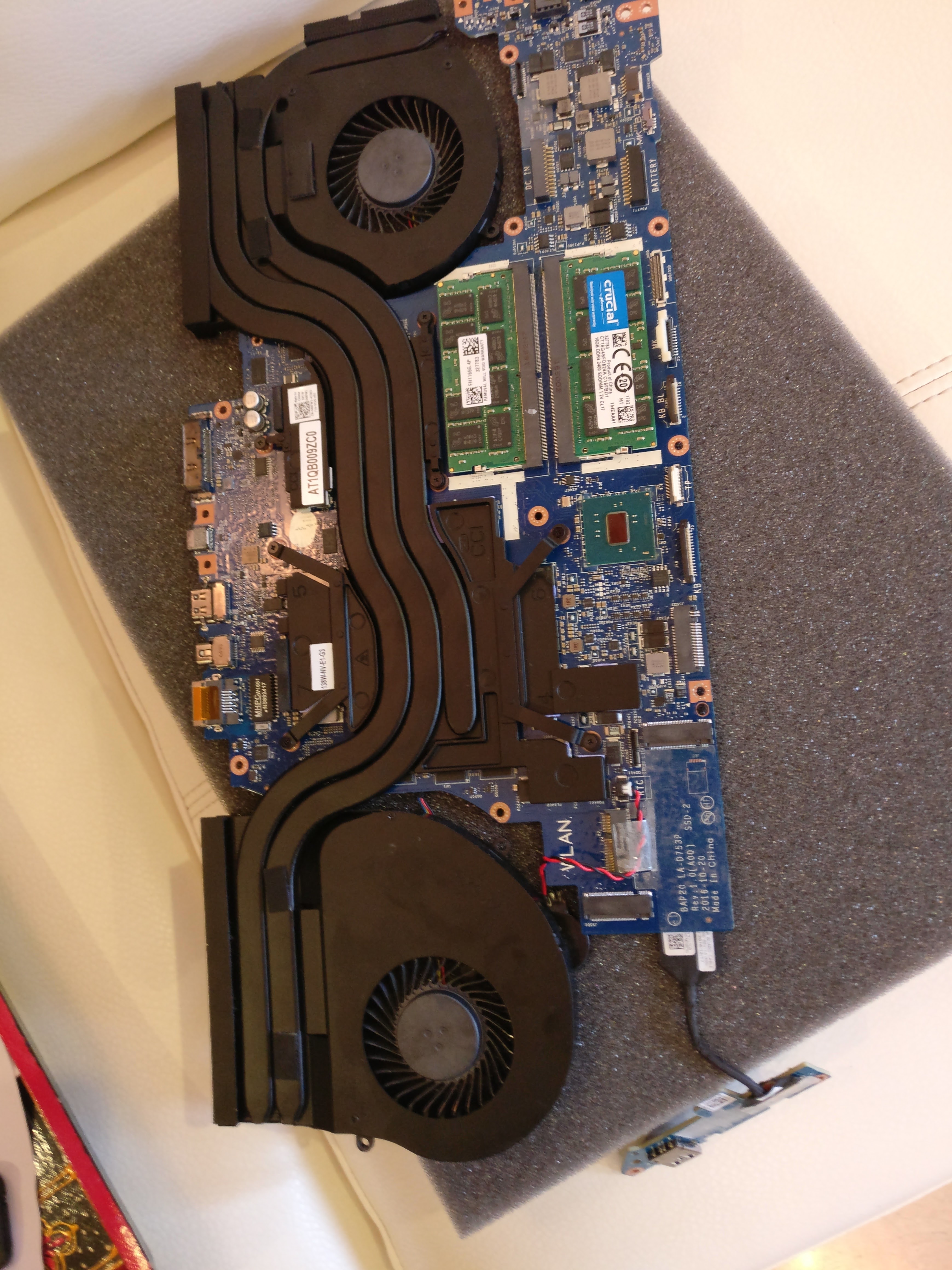
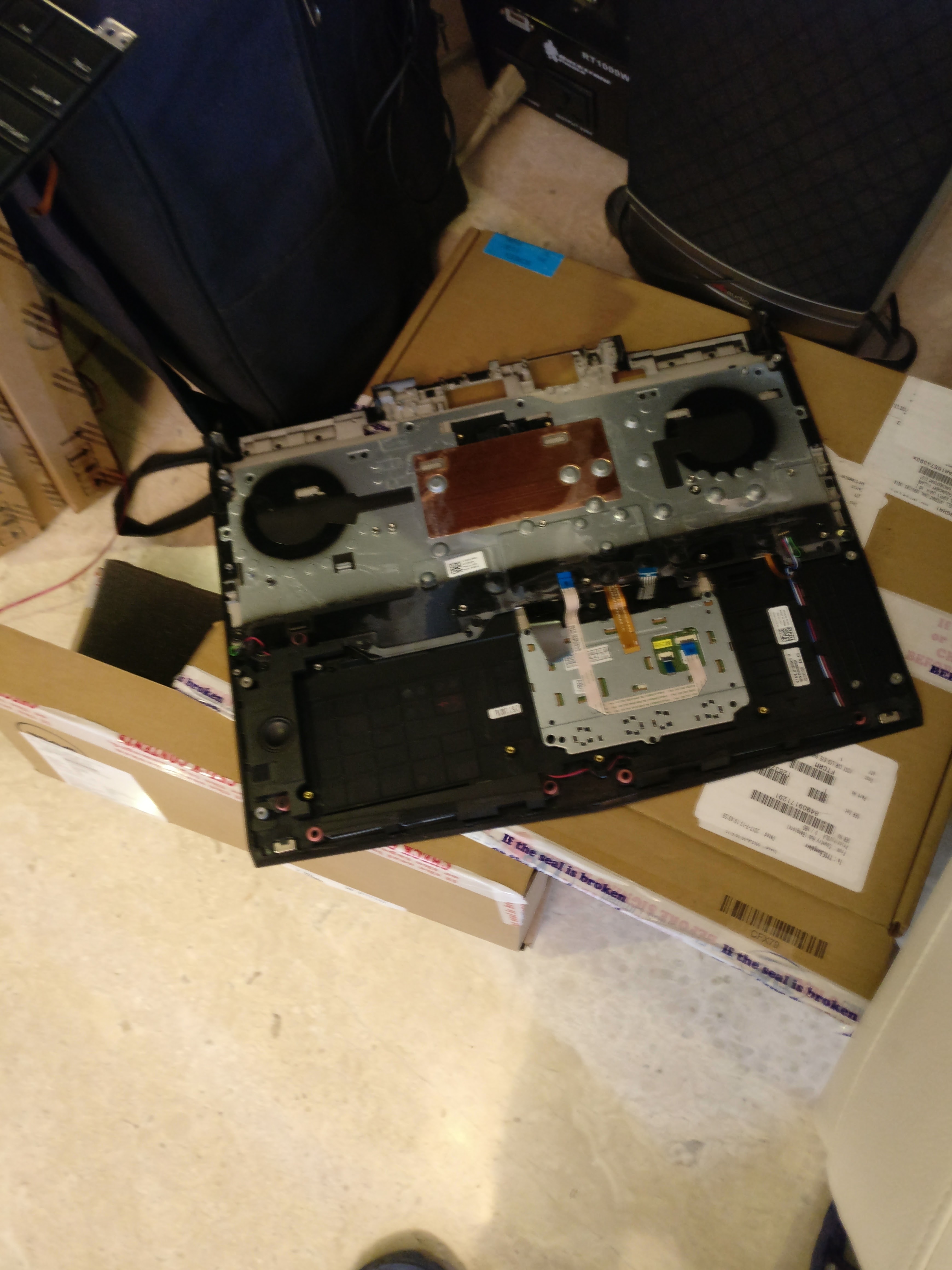
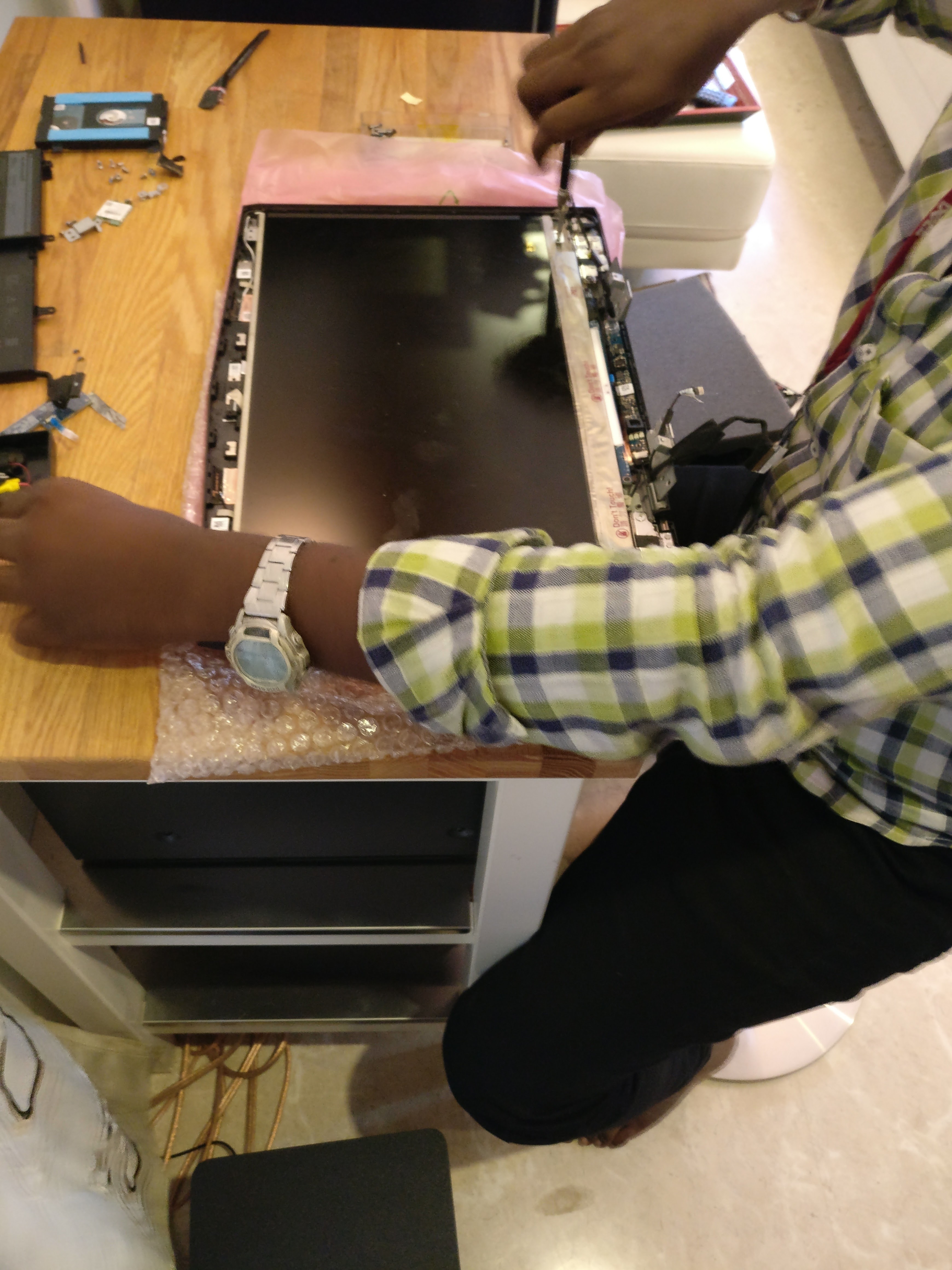
3. In first visit, he removed the entire bottom panel, HDDs, wifi, HDD cover between bottom panel and motherboard, back case, motherboard, battery, some 'firewall' between keyboard and motherboard. Finally, he reached the keyboard. There would be approx 30-40 screws by now lying outside, and a lot of cables were unplugged.
3.1 He realized that they had sent the wrong keyboard (keyboard has only two parts - the leftmost macro keys, and the rest). So he swapped speakers, and put it all together.
3.2 In the process - he broke part of the wifi card wire (tiny delicate thing that somehow connects to wifi card .. not surprised it broke)
3.3 Tech orders new parts (wifi card, top panel, keyboard), and goes. Time spend - ~2 hours
4. 2-3 weeks later - another tech comes.
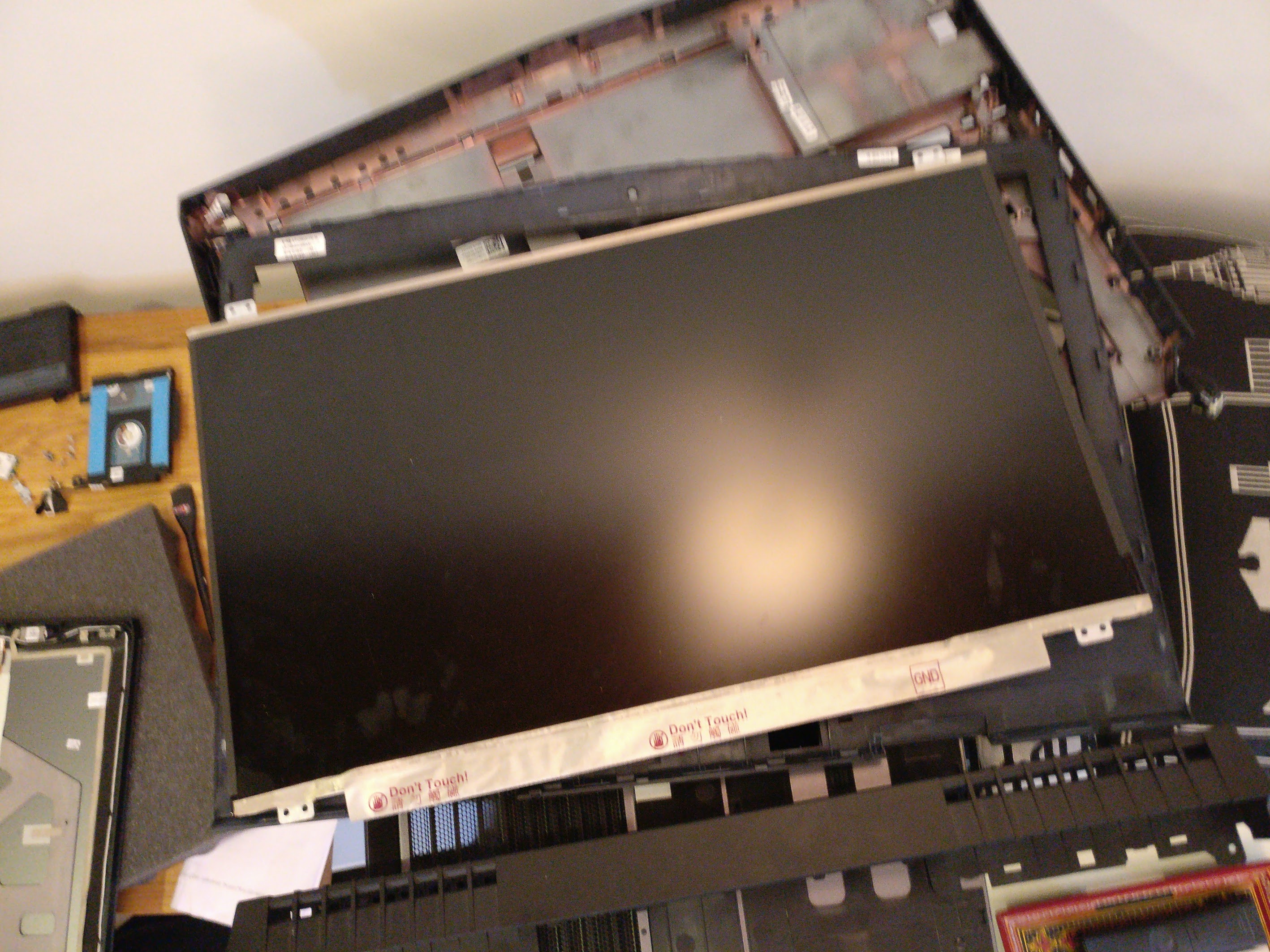
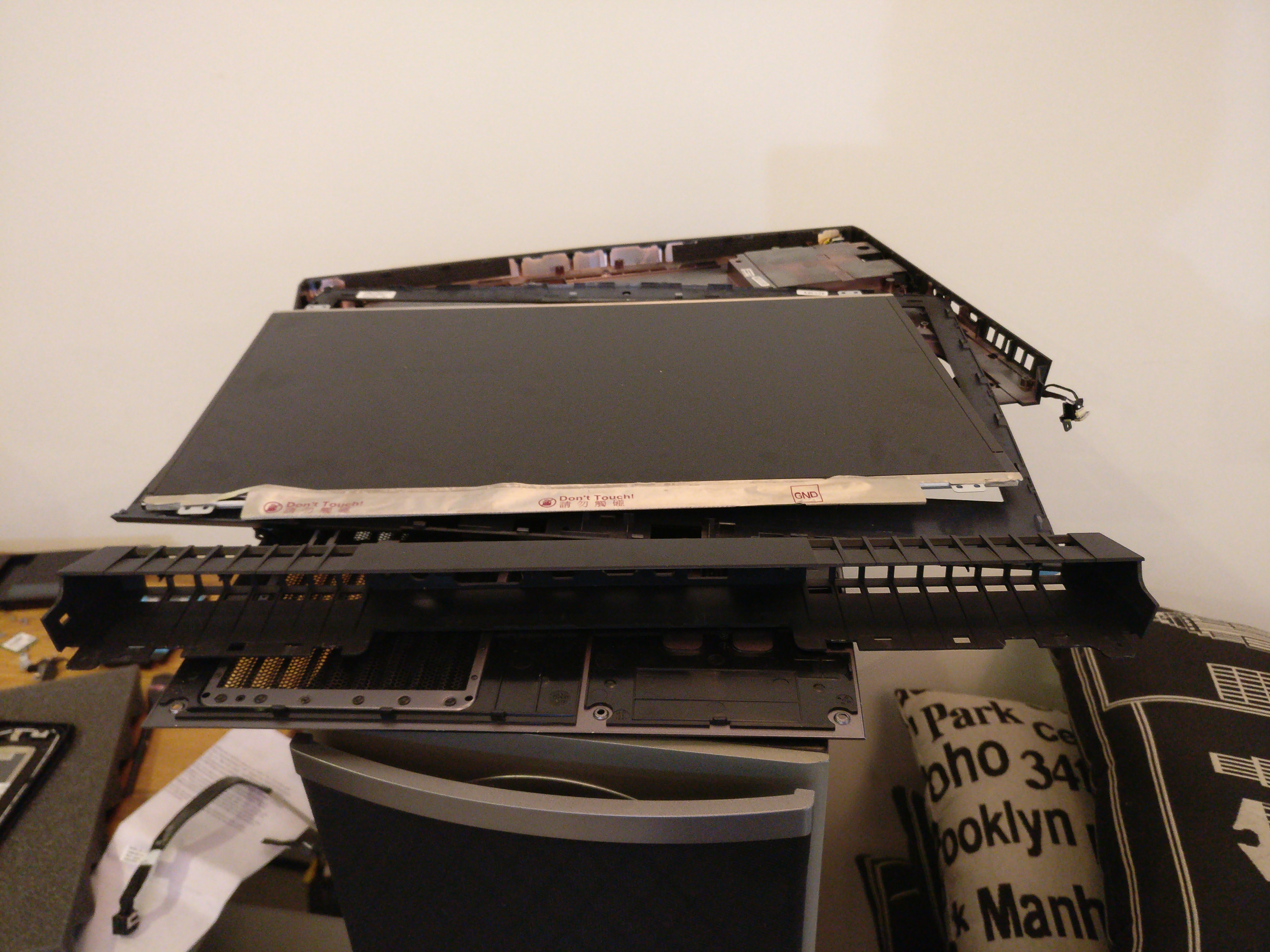
4.1 Tech takes apart all items mentioned above (#3), and also disconnects LCD, unscrews hinges, disconnects the LCD, removes tobii, webcam (which is pasted to the panel). Alll this is done because the wifi wire mentioned above cannot be replaced - so the entire top panel has to be changed(!). Total screws probably 50.
4.2 He replaces the keyboard.
4.3 Assembles all LCD panel pieces.
4.4 Assembles entire system back - but finds wifi wire is short. So he disassembles entire system - calls people at Dell for help, and after not getting a clear answer - just 'pulls' the wire and fits it to wifi card.
4.5 He reassembled the system - now they space key works. But the speakers stop working (headphone still works though). So he disassembles the system two-three more times, does something, and reassembles it. But now neither the sound card nor the speaker work. Now the motherboard need replacing. Time spent ~4 hours
5 .. 10: Multiple calls and escalations to Dell. My Alienware has wires jutting out of back; things shut down time to time and I have stopped using it for fear or something else going wrong. Dell has assigned 'senior advisors' but all they do is say sorry - they are waiting on parts. I did ask for a replacement but it is not in policy.
Overall - happy for those of you for whom it works. But beware if you expect reliability or continued use in case of repairs. I just don't believe how @#$! this system design is internally - it is moronic to take apart a motherboard to change a space key. I have owned Dell Latitudes since 2001 (Dell D810 ) - and just assumed that this Alienware will be built to the same standards. That is not the case.
Attaching some photos of my baby (laptop) in pieces.Attached Files:
Last edited: Jul 26, 2017 -
*OFFICIAL* Alienware 17 R4 Owner's Lounge
Discussion in '2015+ Alienware 13 / 15 / 17' started by katalin_2003, Oct 24, 2016.