Problems? See this thread at archive.org.
So I received my 17R4 from the Dell outlet...... I can see the banding issues on the screen but only on certain colours (mainly the darker colours).. Also the temps are really high, I ran the Heaven Valley Benchmark and the GTX 1080 was reaching 91 Degrees and CPU hit 98 Degrees.
I know a repaste could improve the temps but surely the GPU shouldn't be hitting that high, also what can I do about the screen?
Any help would be great
-
-
I'm sorry to hear that. Those temps are for sure high. You can play the warranty game and try to get it fixed until maybe it stops overheating or they give you a replacement. Also yeah repasting is your best option. In my experience the better job that you do repasting the better the results. My first repastes were using arctic silver 5 and did not see much gain over stock (although mine was in 70s stock). When I finally committed to doing a good repaste I used kryonaut and also replaced the thermal pads as described in iunlock's repaste guide and temps dropped about 5c. You can go farther than that and use liquid metal and try to rebalance the heatsink on the cpu.
You can also blow out the fans with compressed air, get a laptop cooler, and undervolt untill you find a low stable voltage offset. Doing those 3 things is really easy and should let you drop a few deg. -
How can a almost new notebook have dust in fans/grills?
Vasudev likes this.
-
Dirty house?
-
It's from the dell outlet.
-
Yeah I know. And you state that they push out refurbished Laptops fully of dust? And you have to clean it inside aka disassemble the whole machine before use? If so, What a deal!!Last edited: Nov 9, 2017Pete Light, openglcg and Vasudev like this.
-
Refurbished seems to be a joke any more. Not just for Dell, but in general. It almost seems like "refurbished" is a one-word euphemism that means "a used product for sale by a vendor rather than a private party" instead of what it is supposed to mean. I think some of these refurbished computer sellers push the power button and if it turns on and looks OK at a glance, they box it up and sell it as "refurbished" and hope it lasts long enough to get past the 30, 60 or 90 day warranty.Pete Light, IXVIXXII, Falkentyne and 3 others like this.
-
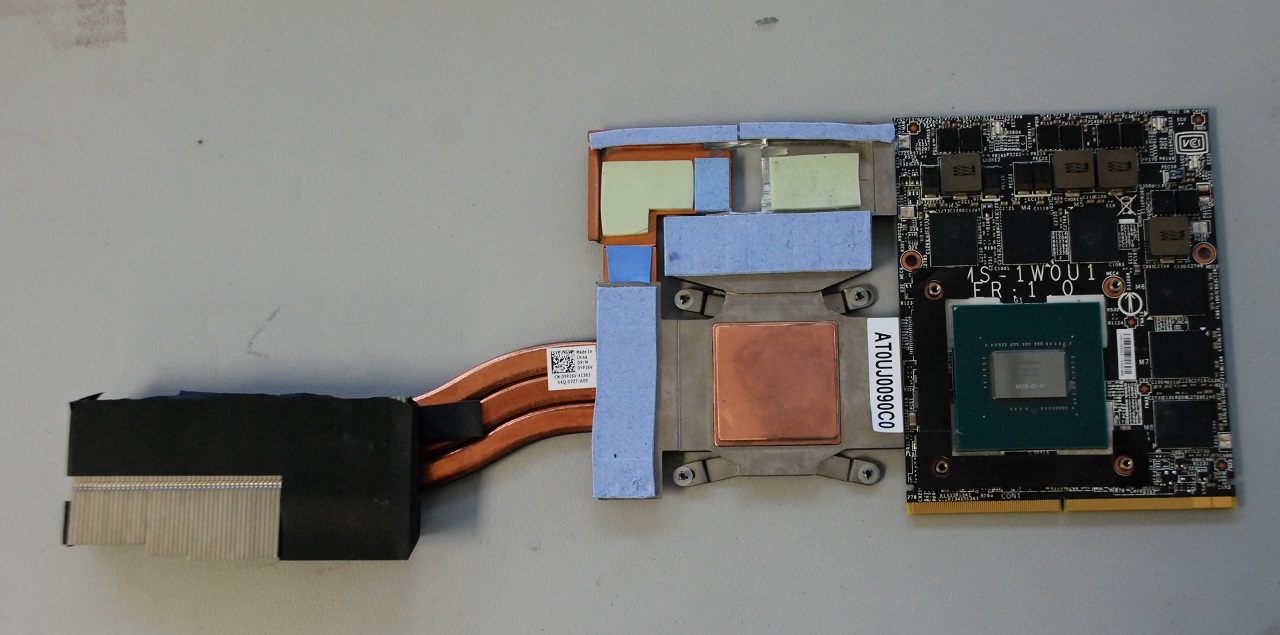
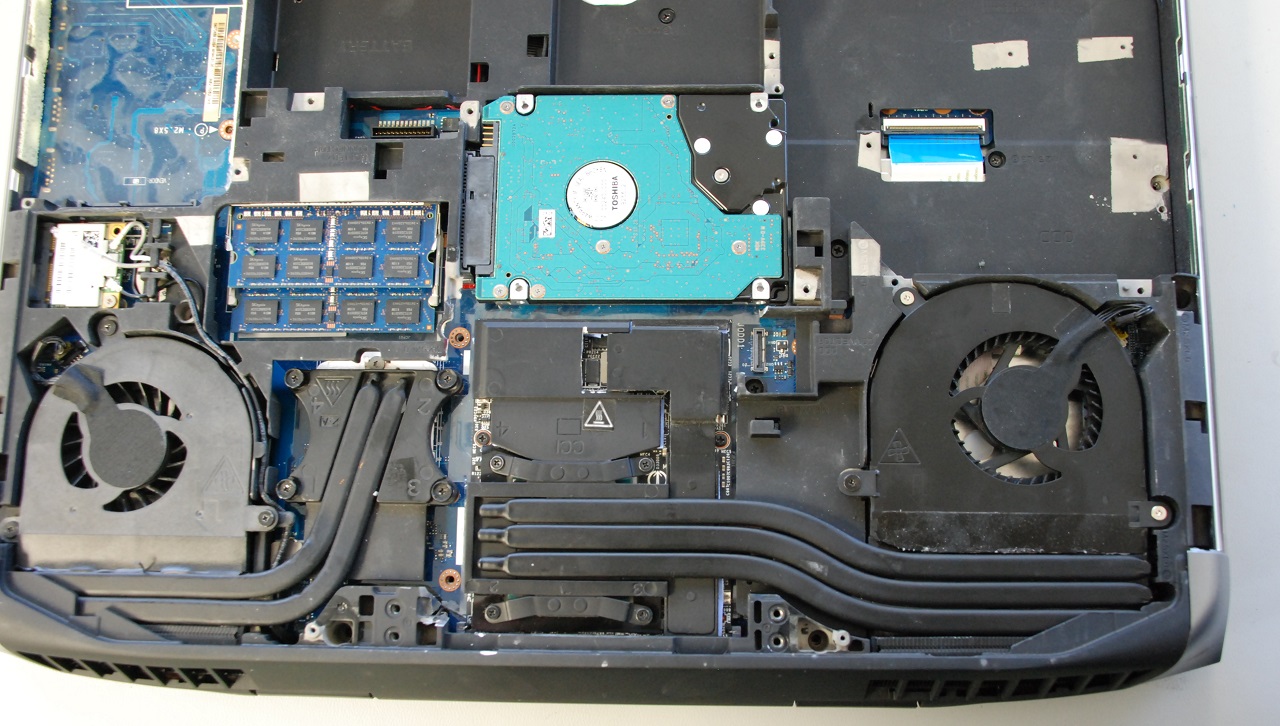
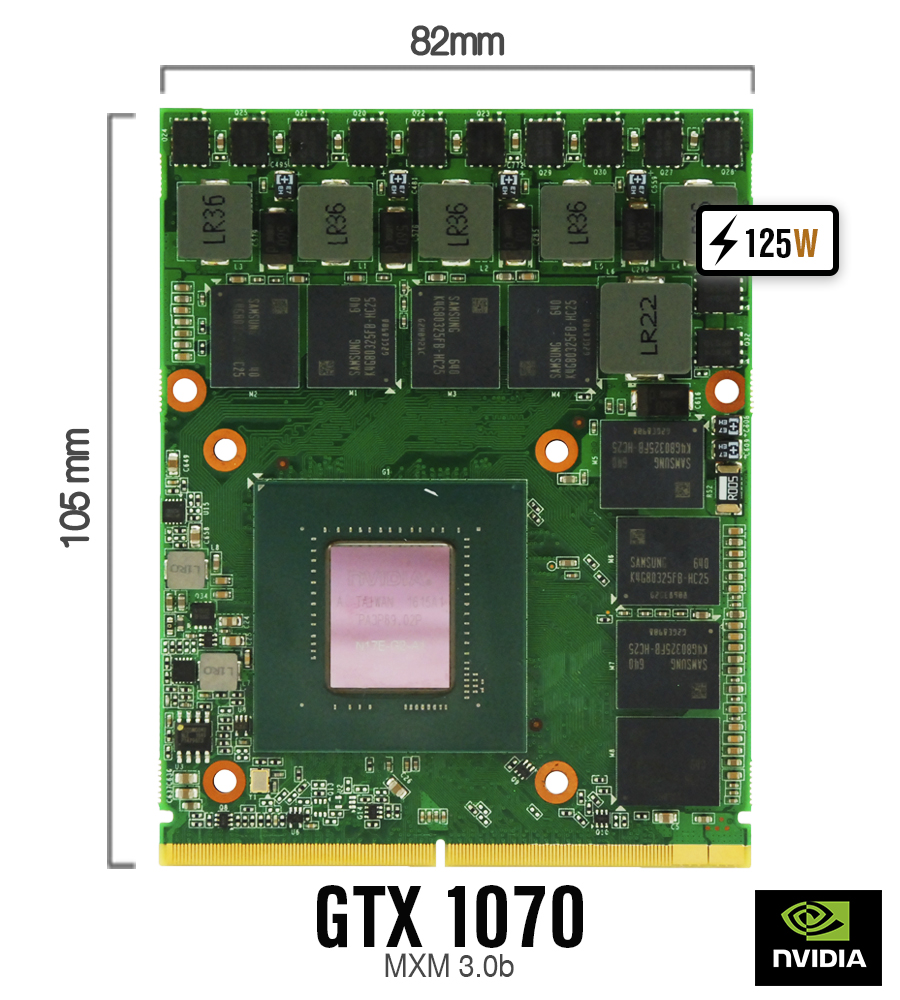
Here are some pics of our standard size 82x105mm MXM3 GTX 1060 installed. No need to modify VGA heatsink. It runs stable. We are still having some issues with our standard size 82x105mm GTX 1070 working in AW 17 - it seems like GPU is draining too much power. The same card works fine in most of Clevo older models.
Attached Files:
-
-
Wich PSU does it currently support,
Could a alienware 17 r1 with a I7-4940MX and a 1070 (330w PSU) still be OC'ed ? -
330W AC Adapter is OK for OC'ed 1070 and 4940MX. You can also use AW Edition of our 780W AC Adapter - see pics below.
Attached Files:
-
-
Hello everybody,
I've owned my Alienware R4 17 for about two months, and it's one of the best thing technology can offer at the moment. But like anything that is too amazing it might have some flaws, which this device had, which where very high temps, but its understandable since it has a full gtx 1080 and a i7 K series... after reppasting with liquid metal I was able to OC the cpu up to 4.6 no issue but I had to use Alienware OC Controls Software which worked but it forced the fans to always remain at low 2300rpm even if the laptop was in idle.. I couldn't use the bios to OC because it will also keep the fan running non stop if I set the power limit 1 over 45w, and using Intel XTU was useless because the bios didn't allow it to control the power limits 1 & 2.. I felt frustrated because I don't like having to hear the fan running all the time even when reading articles online...
So to the point. To solve the fan profile issue when overclocking Go to the Bios and go to turn on CPU performance mode, then go to overclocking level and pick "customization" then set both power limit 1 to "0" and power limit 2 to "0"
by doing that, the bios won't over-write any power limits and will let you "finally" control it using XTU! and what even better is that NO MATTER HOW HIGH YOU SET THE POWER LIMITS, THE FANS WILL IDLE WHEN THE LAPTOP IS NOT UNDER LOAD, AND ALSO THE FAN PROFILE WILL BE EVEN BETTER "QUIETER" IF ON WINDOWS' POWER PLAN YOU SET CPU COOLING TO PASSIVE..
I'm very happy that I've found the solution because I was frustrated with the fan noise, but now this laptop is the best thing ever! I hope this help youVasudev, alexnvidia and openglcg like this. -
Question for the group since I was not sure where to post.
Sudden got Throttle Stop Error - Cpu not supported out of no where. First time I have had this error and really don't want to lose all my settings please help.
Thanks -
Copy your current ini files to somewhere safe and start with newer one. If it worked, then manually copy each entries like in old ini line by line.
-
Why can't people do as they normally do with importent data? Make a backup?
Vistar Shook and Vasudev like this.
-
Is throttlestop able to control PL1 & 2 like XTU? i find throttlestop not able to control PL1&2 under TPL Package Power Limits. No matter what i set, it will not reflect the changes when monitored with hwinfo. only XTU is able to control PL1&2. correct me if i'm wrong @unclewebbVasudev likes this.
-
Can you adopt PL1&2 when you run Xtu and put in ThrottleStop TPL window? Then disable XTU services and instead run TS?
alexnvidia and Vasudev like this. -
thanks for the reply. let me see if i understand what you are saying. so what you are suggesting is i run XTU at startup first to set the PL1&2 and then run Throttlestop later with the set PL1&2 limit? i know how to run XTU on startup silently, but dont see how i can disable XTU services automatically after that. honestly i dont really like XTU. i find it very persistent and difficult to remove.
-
On what bios where you ? What you're describing, could already be achieved true XTU. XTU manipulates your bios values, if your bios values cannot be manipulated there is something wrong with your bios (maybe reflash your bios or use another version of XTU. XTU itself is very buggy with settings sometimes not sticking)
By putting your cooling policy on passive, your actually saying to windows, to throttle down your cpu before turning on your fan. That because you want your laptop to be passive cooled (with cool air from the room you're within) and with active, windows tells the fan to spool up before letting the cpu downlock if necessary. So if things start to get hot and your cpu fan hasn't start turning, it will soon up the fan till 100% and if that still not enough, then it I'll start to downlock your cpu.
By putting it on passive your limiting your performance.
Idling your fans is also not something you want to do, cause of the reaction speed of the fans. If it takes to long for your fans to react (for example when starting a cpu benchmark) it will only throttle the first few minutes cause the fan had to ramp up, and start to cool your heatsink as for when it runs at 2100 rpm (almost not audible) your fans already have a momentum, only thing it has to do is increase that momentum to create more airflow.
Gaming laptops aren't meant for quit gaming, especially the machines that are getting thinner and thinner (I'm looking at you alienware razor and gigabyte).
Quit gaming could be done one a desktop replacement with 3 fans (minimum) and a good binned cpu.
Not on the thin chassis we currently have (even with LM your fans could ramp up to 4500 gpu/4200 cpu rpm fan speed) check if you can overclock from within the bios. For example my core #0 til #3 are set at 44 my powerlimit at
92000 and core voltage offset is 150, but even if I turn the offset down, I can still run 4.4. 4.5 starts to sip some real juice.
Search for the XTU service windows start when starting up, then remove that. You could also remove the registry key of XTU when deleted. Also do you remove your profiles when deleting XTU ?
just tested it, and youre right. it throttlestop powerlimit 1 and 2 won't stick. only XTULast edited by a moderator: Nov 11, 2017alexnvidia and Vasudev like this. -
Amazing. Ultra settings on both QHD and 4K are fine.
QHD is 95-140 and 4K is 55+
I run at 4.3 GHz for the CPU and a custom undervolt with overclock on the GPU
Sent from my SM-G935F using Tapatalk -
What version of ThrottleStop are you using? Download ThrottleStop 8.50 from TechPowerUp. Make sure you were not using the cracked version that was recommended by a smart guy on TechPowerUp. His crack was not as good as he thought it was.
@alexnvidia - If ThrottleStop is not letting you adjust your power limits then do not use it. If Intel XTU is working for you then use that instead.Rei Fukai, Vasudev, Papusan and 1 other person like this. -
Question for you all regarding the WiFi connectivity on my Alienware 17 / GTX1070 / 6700 machine ... for the past week, suddenly, I cannot connect to any WiFi network ... using USB tethering works fine but it sucks battery and so I've always preferred WiFi ... I actually *can* connect but it says "connected with no internet access" ... ??
My machine has the Killer Wireless 1435 adapter ....
I can't think of anything major that might have changed so any troubleshooting tips would be appreciated. I have several older full system images that I can restore too via Macrium Reflect but I'd rather try and hack it first ...
Thanks!
Joel
PS: coming up on 1 year of ownership this Nov 17! Still solid as a rock (other than this new WiFi thing ... which, I know from experience is just a random softz thing) ,... ;-) ... -
Pete Light, when you say custom undervolt with overclock on the GPU, you mean flattening the voltage curve in AB, right? what settings do you use? I want to try it on my machine and see how it goes, like at what voltage and frequency you flatten the curve. Thanks.
-
how did you achieve a undervolt on the GPU ? MSI afterburner is not playing nice with me should i download a beta ? currently on the latest stable release and voltage control is unlocked.
-
actually i very much prefer to use throttlestop. i started out using XTU but changed to throttlestop and have been using throttlestop since. even without proper PL1&2 control, i am still using throttlestop and rather not use XTU at the moment. the reason i'm referring it to you is because i wanted to know if i'm doing anything wrong with the PL1&2 settings, since you are the author of this awesome software. if there is a way, it would be great. keep up the good work!Vistar Shook likes this.
-
are u able to control PL1&2 with throttlestop?Vistar Shook likes this.
-
Hey folks. Its been a while and I decided to check in after having my problem return....
I'm the guy that has had stuttering issues on all 3 of his 17 R4's / motherboards. This last one solved the issue in ME:A, but it is back when playing Destiny 2. After 15-20 minutes the GPU goes to 0% and the game locks up for 2 seconds, repeating about every 10-15 seconds. It apparently has to go with the GPU temp hitting 68C. The second it hits 68C it locks up. I've repeated the problem outside of Destiny 2 using Furmark as well.
I've locked the CPU at 32x multiplier with a -100mV undervolt to help. The CPU is cool, never gets above 70C. I've also tried a -100 core/-200 on memory - which helps delay it hitting 68C for a while longer.
My understanding is the GPU should be easily able to go into the high 70s without issue. So is this a voltage issue, a hardware issue, or a cooling issue (perhaps on the regulators I read about?).
Going for a 4th replacement is dicey because I do use this computer primarily for work, and can't handle a month without it while Dell figures out what the hell they are doing.gunbolt likes this. -
I am getting slow boot times due to the bios taking a LONG time. Today it took over 2 minutes from when I pushed the power button to when the computer showed my bios password prompt. This is only every couple of boots that this happens but it used to be less frequent and you know what that means. Any help would be greatly appreciated.
-
I just set them in the BIOS to fixed values and then they appear in TPL in TS as those values. Solid as a rock. I don't even have XTU anymore. Just set everything to 0 but the PL1 and 2 in BIOS and use Throttlestop for everything else.
BUT! Be aware everytime you have a crash you should reload defaults in BIOS first then save, reboot and unlock CPU performance mode again
Where are you based? It's pad placement being poor on VRMs mate for sure.
Rather than just underclocking the GPU you should also undervolt it. It's the voltage that's causing the extra power and therefore heat on the power delivery MOSFETs and VRMs (which aren't properly cooled by your pads and heatsink)
Sent from my SM-G935F using TapatalkLast edited by a moderator: Nov 13, 2017 -
There is an entire thread dedicated to this issue. you can find it here
http://forum.notebookreview.com/thr...gtx1080-in-game-random-stutter-freeze.804499/ -
I do not have the Killer software installed ... I remember having issues with it but might try that as a solution ...
Installing the Killer Suite software/driver solved the no Wifi issue ... thanks for the tip ...
JoelLast edited by a moderator: Nov 13, 2017Pete Light likes this. -
When and what do you all think about an update or upgrade from alienware
You guys have any clue as to what would be next redesign or just update
I Would love to see more USB ports or hdmi input maybe even a card reader would be nice
I have an older aw17r1 and love that thing so many ports never overheats don't know why alienware got rid of the design so quick
My 17r4 overheats pretty quick playing assassin's Creed origins or rise of tomb raider it is some what better after I repasted but still not 100%
My aw17r1 doesn't reach 75c playing either game -
EDIT: re installed the Alienware command center and it fixed it....
Question regarding macros ...
I only use one or two of the left hand macro keys but they have become pretty essential; lately, the macros no longer play when I hit the associated macro key; this just happened sort of "out of the blue." In AlienFX/TactX set up ... the macros still show as being defined correctly but they simply won't play when I hit the corresponding left hand macro key.
Is there an FN key somewhere that disables the macro keys? That's all I can think as the software seems to still be correctly installed.
Thanks,
JoelLast edited: Nov 14, 2017Vasudev likes this. -
You did realise there are 3 modes to those macro keys on the left didn't you. I.e. you may have defined it for one mode but it's actually in another. Each mode has a unique colour and is changed using the top left macro key
Sent from my SM-G935F using Tapatalk -
Yeah .. I knew that but thanks ... I think the softz just got screwed up somewhere along the way and re installing fixed everything ...Vasudev likes this.
-
So what’s the deal with the new 7820 R4’s are they decent or still running hot with various strange issues? I’ve been considering the new Asus G703 Chimera vs a loaded up R4
-
My replacement needed repasted if that helps at all
But my cousin has the G703 and he likes my 17r4 better said the build quality just seems to feel better
His 703 doesn't run real cold either when he is playing cod ww2 for an hour or soVasudev likes this. -
It seems to be luck of the draw for some people. Lots don't have problems and others have had multiple problem machines. Not sure what other various strange issues you are refering to though. The Killer wirless cards are a mixed bag of results with some not having problems and others swapping them out as fast as they can get it out of the system. As long as you run Killers newest drivers or just remove all the killer software they seem to operate just fine.
The QHD screens were fixed back in March so I have no heard anyone complain about any screen problems in awhile, even the light bleed complaints seem to have gone done on the 4k screens.
Heat is still the biggest culprit and I think a lot of that is attributed to the people putting them togehter not knowing what they are doing, and the heatsink manufacturer's who are pumping out the heatsinks with poor QC but again, not everyone sees these issues. -
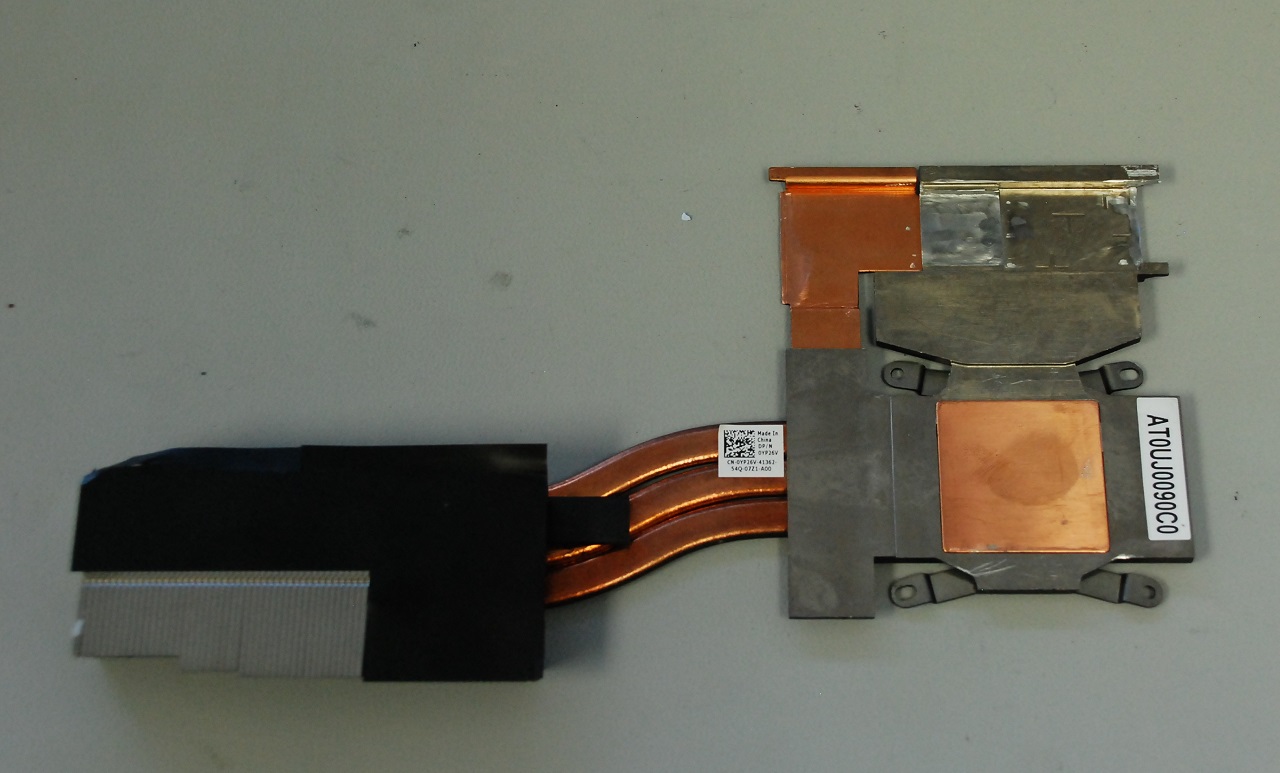
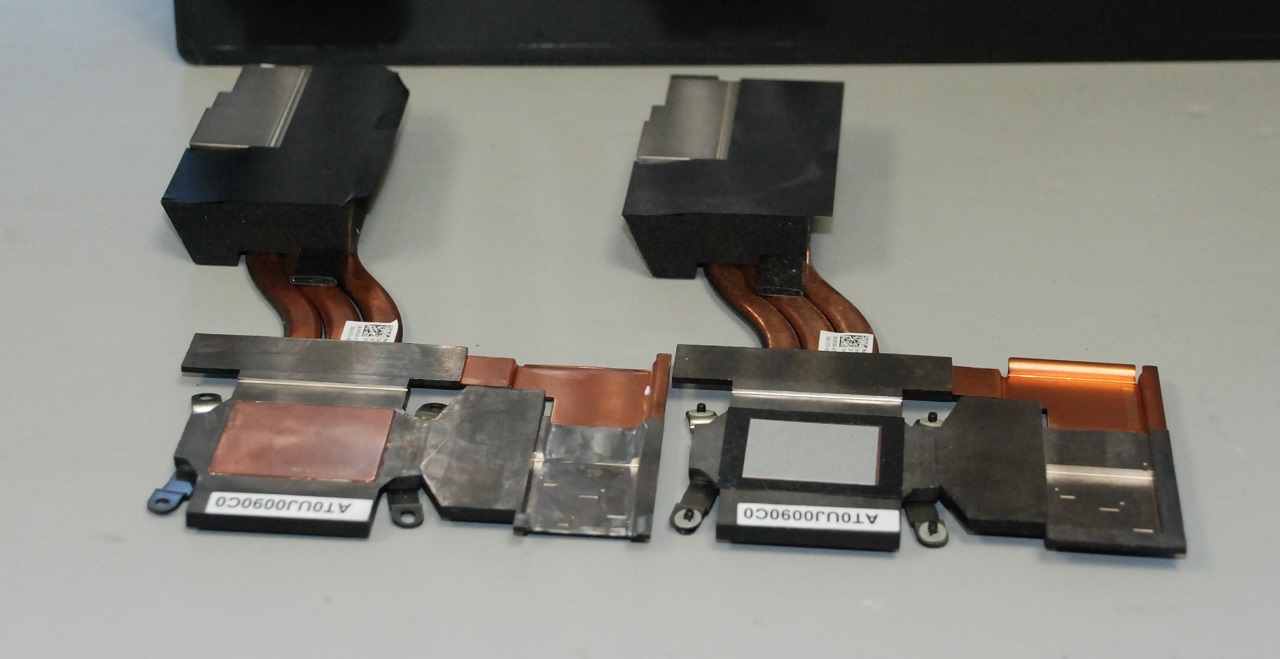
Here are some pics of modified VGA heatsink for our GTX 1070 MXM3 82x105mm card.
Attached Files:
Vistar Shook and Vasudev like this. -
-
To add, from the last 10 or so machines I've seen, the ratio is still at about 7 to 10. Therefore, about 30% ran pretty warm stock, whole the majority ran just fine, stock.
::iunlock::Maineiac12, openglcg, Vasudev and 1 other person like this. -
Just wanted to poke my head in and say that, if you have any issues with our product, we're here to help. We're a tiny, gamer-oriented team, and almost everything support-related goes to me and, if I can't fix it, it goes to our QA head, who has a hand in programming the software, and speaks directly with the driver and software programmers. I've been expanding our KB exponentially and my response time to support tickets has been less than 24 hours on business days.
We're here when you need us! Wait, that's someone else's slogan...
-- Anthony with Killer Networking -
Do you want to OC? If not then you'll much more likely be fine with a 7820HK R4. If you do want to OC to 4 GHz and above then you'll likely need a repaste. Cheers
Sent from my SM-G935F using TapatalkMogRules and Vistar Shook like this. -
Awesome! I love seeing reps online personally helping out our community!
Thank you!
Pete Light, Vasudev and Killer_Networking like this. -
I appreciate the effort, but unfortunately the general opinion of Killer is it's unreliable and has terrible drivers riddled with errors. I think it's going to be really hard to change that perception, most people just swap it to an Intel 8 series card without a second thought.Vasudev likes this.
-
I won't argue that it's not easy. However, you might be surprised to know that we have quite a few fans, too.
For my part, all I can do is offer the best support I can, and badger the heck out of the QA team when something needs to be fixed.
-- Anthony with Killer NetworkingPete Light, Vistar Shook, Vasudev and 2 others like this. -
Thanks for your support. I've worked on a ton of systems ranging from brands A through Z and the issues with the killer cards are as follows:
* The solder points are very weak and break off easily. (I've never had once issue with Intel cards.)
* The software suite is very bloaty and quite frankly extremely cancerous. It does not do any justice to the computer.
.
If Killer could improve on quality control and release very simple isolated drivers to keep it bare bones as possible, it would be one step in the right direction.
(During an install I usually uncheck all of the useless bloat and proceed with just the main drivers to get it working, however, even doing this isn't as clean as Intel.)
At this point, it is a very tall order for Killer to come close to Intel's performance and simplicity.
The Killer suite is a huge culprit and really Kills the cards all together.
I have extracted so many broken pins and now with a bunch of dead killer cards laying around, most of which were brand new cards, now with a missing pin due to the weak solder points.
Please hound the team over there and let them know of these things to help improve the product.
Thank you.
::iunlock::Pete Light, Vistar Shook and Vasudev like this. -
So... what’s the verdict on the Windows 10 fall creator update?
Mine was auto downloaded but I’ve been snoozing the install every 3 days... -
Yes Killer Suite was junk esp. Killer Network Manager was crap, everyone will vouch for that. Now, Killer Sniper driver or Killer Control Center is very good and I have zero issues for past 4 months.
Solder points are weak. That's the reason I use your method of using a plastic scribe tool to dislodge it. Thank you @iunlock
maybe you need to try their beta driver that reduces DPC latency on speeds over 100Mbps.iunlock, Vistar Shook and Killer_Networking like this. -
Great attitude, I must say!
lmfao, true thoughiunlock and Killer_Networking like this. -
The latest Killer Control Center currently uses under 200 MB of RAM and, in most systems, registers minimal CPU load. It's not bloaty at all, in its current form.
As far as weak solder points go, the antenna leads are intended to be removed with a tool. If you use a tool and pull straight up, they shouldn't break. We have a bit more information on that on our KB; search our faq for 'antenna leads'.
We have a driver-only installer and a .INF package available for download on our website - should our users prefer that route. It doesn't get any cleaner than installing a .INF from Device Manager yourself.
-- Anthony with Killer NetworkingLast edited by a moderator: Nov 16, 2017openglcg, pathfindercod, Vistar Shook and 2 others like this.
*OFFICIAL* Alienware 17 R4 Owner's Lounge
Discussion in '2015+ Alienware 13 / 15 / 17' started by katalin_2003, Oct 24, 2016.