 Problems? See this thread at archive.org.
Ugh...that sucks man....maybe it was tossed around during transport...I would like to believe that they did not ship it from the factory without testing and seeing that.
Call up support and request a replacement...I wouldn't accept a repair on a machine that didn't work out of the box, but a repair would get it up and running faster IF it is truly just the display.
Sorry for the crappy luck
EDIT: I missed the bought today part....if you bought it in store, can you return it for another one?
-
I ordered it online in another country. I'll try tomorrow to call the store and ask for a replacement.
MogRules likes this.
-
Good luck friend, I hope you get it sorted out quickly.
-
To those who celebrate it, just wanted to wish my Alienware fam a happy Thanksgiving. I'm thankful for this community and hope you guys have a great time with your families.
Pete Light, Vasudev and pathfindercod like this. -
Thank you, same to you and yours!
-
Hi guys.
I have a slightly unusual request to someone with AWR4. Can you please run Intel's tool named MEInfo (it's signed by Intel and completely trustworthy, can be downloaded here http://www.station-drivers.com/inde...tory&Itemid=352&func=fileinfo&id=2730&lang=en) and post its output? More precisely, I'm interested in lines "Verified boot" and "Enforcement policy".
It's portable utility so you can just download archive, unpack it somewhere, check Intel's digital signature for MEInfoWin64.exe and then open admin command line in the same folder and type MEInfoWin64.exe.
You will help a lot with my research of actual condition of Dell's low level and boot protection.
Thanks! -
About using the OC CONTROL App ... I would like to know how to put the OC options I use from the BIOS in the OC CONTROL app ... the OC options in the Bios are different from the OC Control options. Do you understand what I say?
I have these options in the BIOS.
![[IMG]](images/storyImages/blcxLVll.jpg)
And these options in the OC Control app
![[IMG]](images/storyImages/HAH3id4l.jpg)
-
you can create your own profile if you want to OC higher than the factory given OC. but the PL1&2 adjustment is not available and it's always set to 92W as soon as you enable OC from the app. what you can do is enable OC from the app then use TS to manipulate the OC frequency per core basis.
-
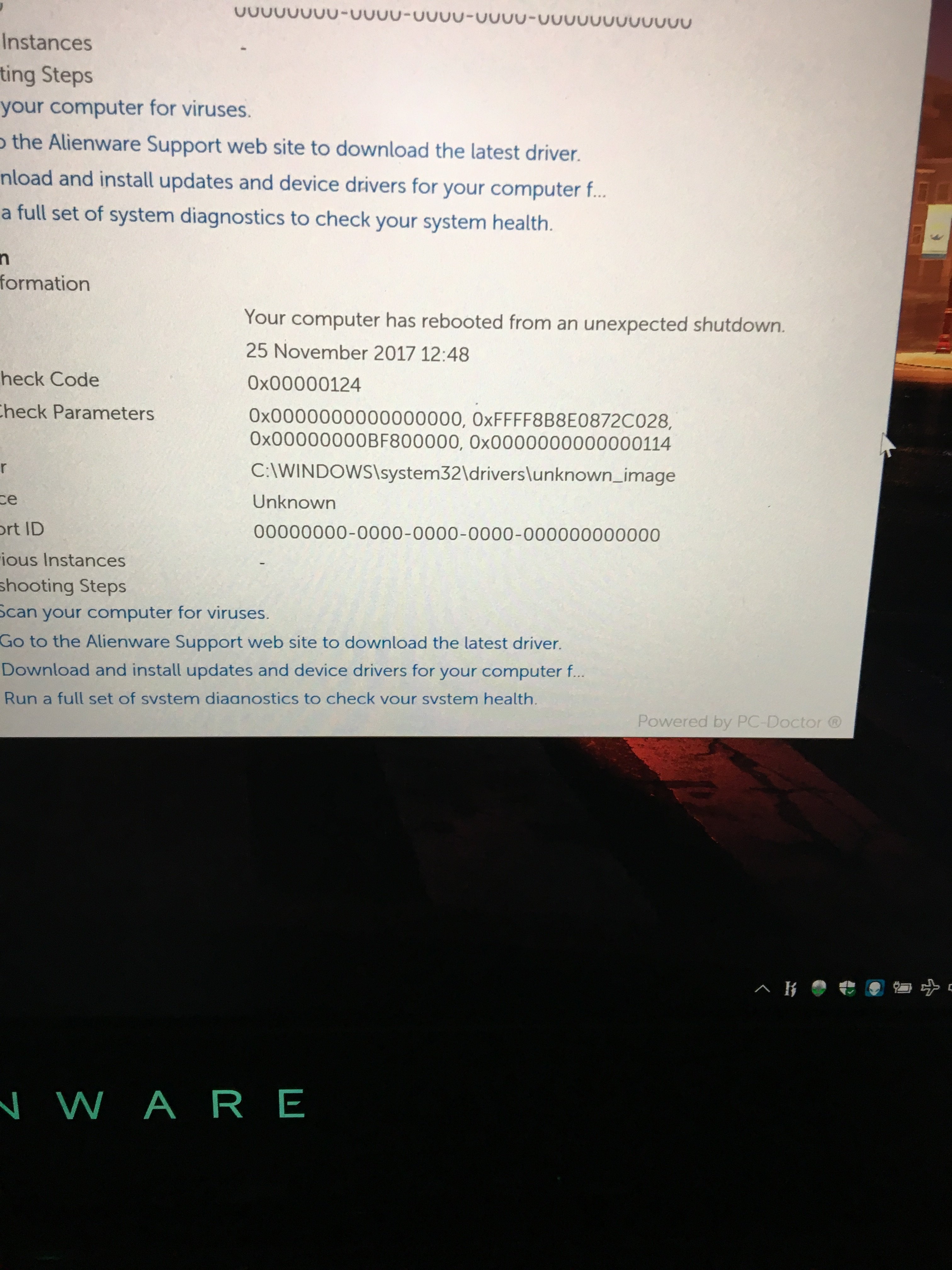
I'm having issues with a blue screen error attached on an refurb 4k 7820hk gysnc 1080 any idea what it is? Seems to be related to cpu (00000124 error code).
I undervolted -120 but I think it's causing issues in fact any undervolting on this 7820hk and it doesn't seem to like it (hangs running xtu benchmark even at -50). Unlike my other non gysnc 4k a17r4 which undervolts no issues (-135)...
Does anyone that has had issues with undervolting had this specific blue screen error code?
Bios 1.2.0 made the issues worse so I've gone back to bios 1.1.9.Attached Files:
-
-
So, I prefer to do it from the BIOS... What would be the OC frequency that you should use? 1.25, 1.35 or?
-
on what speeds do you have your cpu set. Maybe you've undervolted too much, making your cpu unstable.
cpu's are not made equal, so their performane (undervolting, overclocking etc) will vary from chip to chip. a handmade engine for a car has an advertises amount of HP, but because it's build by hand. the real HP can differ from engine to engine. that's why they target a amount of HP.
a nissan gtr 35 is handbuilt, and is one example where you can have the exact same car (maybe even build by the same person) but still differ in HPVasudev likes this. -
I'm on stockclocks. I know they are not made equally however this cpu seems very sensitive to any undervolt and I'm more concerned if it's something else causing the error, but I'd appreciate anyone who has undervolted to much confirming if they get the bsd error i posted on my previous post... (00000124)... temps are fine, happens when under load in games.
-
Possible problem fix...
1.) Lost in the silicon lottery (reduce undervoltage, clocks or make ready for replacement MB).
2.) Change to better thermal paste + prep TRIPOD for lower temp (lower temp will - can allow for lower voltage.
3.) Clean fans+grills for lower temp (see point 2).
4.) Uninstall corrupt driver (if a newly installed driver is the culprit).
5.) Re-install Windows, if this is the culprit.
But point 1. seems be the easiest fix.
If his 7820hk can't handle even -50mv, I would say this chips is near the very bottom of the silicon lottery. Stock or slightly oc'd up to 43/44x doesn't matter.Vasudev likes this. -
Yeah, on inspection no need for point 3. The temps are fine for stock paste cpu cores diff are within 4c and 78c max temp after 15 mins gaming. Gpu 1080 max 72c again for stock I'm happy with these temps. I'm hoping it's a driver issue but dells website indicates 00000124 is cpu issue so yeah maybe replacement mb needed but I'd like to fix it given temps are good and I prob get them down abit with a repaste ...
I'm not fully convinced it's the undervolting that's causing it at the mo.Last edited: Nov 26, 2017 -
Hi fellas, I want to ask about something that happens when I run a stress with Prime95 or another stress test. In HWinfo sometimes, the core ratio drops (only for less than 1 millisecond and very rarely) from 43x to 41x or 39x,then goes back immediately up to 43x. The drop is infima because the average is still 43x. But I wonder if this is normal or I have something wrong in the configuration. Or perhaps the sensitivity of HWinfo is too high because with other monitoring software I do not see it reflected.
Pass all OCCT tests without any problem and the temperature never exceeds 79 degrees with room temperature at 30 degrees. After 2 hour running does not give any error. I would like to know if these drops are normal or I need to check some particular configuration.
Can someone help me with this? I appreciate any tip!!!
My laptop is Alienware 17r4 7820hk + repasted with Grizzly Conductunat and Fujipoly 11 W/mk
![[IMG]](images/storyImages/FGSuNjWh.png)
I use OC settings from the BIOS (v1.2.0)
And this is my HWinfo settings...
![[IMG]](images/storyImages/7sfIlCXl.png)
-
Blue Screen Error code 0x00000124 - is more common due unstable overclock than faulty hardware. Too low core voltage (see undervolt or not put enough)is main culprit for Blue Screen!!
In fact, Hwinfo64's default polling frequency is very slow to react. But it will still show correct info if your hardware work as intended. For more correct info or huting for problems, rather use ThrottleStop's own tools for monitoring showed in the pict. If you don't know how to use it... Search up info in the ThrottleStop guide.
Edit. Try a second time, but this time with Fan Performance Mode Enabled in bios.Last edited: Nov 26, 2017Vasudev likes this. -
In fact, the system works perfectly, never hangs or gives blue screen. Even with 44x. All I see are those falls. Even more, the intel xtu score is +1400 points. And the system is very fast. You say that the Core extra voltage is very low? Also probe with Core Extra with 150 and 200 but do the same.
I will follow your advice and use TS and enable Fan performance mode. Any other advice?Last edited: Nov 26, 2017 -
with the Fan Performance Mode Enabled is the same at the beginning, then it stays 43x
-
with TS?
-
yup.
-
no me deja
I can not change that option ...
![[IMG]](images/storyImages/kKueEHRh.png)
-
you have to choose the FIVR control: "CPU Cache" first. BEFORE going any further, are you also using XTU?? You need to set everything back to default with XTU and remove the program from your system. COMPLETELY. The programs do not play nicely, and TS is better.
Reboot and THEN start using TS.
Set both the CPU Core and CPU Cache to -80mv.
You can monkey with the cache ratio in two DIFFERENT spots... Both should be left at the default of 39. Good starting points, and you 'may' be able to do better.
I have a 7820hk and 2666MHz memory. I am stable at all cores @42x, but get over 91C with the stock paste job. LM should help with this.Last edited: Nov 26, 2017 -
Increased cashe ratio will stop the clocks from droping down?
-
Needing 1.32v just for 4.3 ghz is VERY VERY VERY BAD. I can't do AVX At 4.5 ghz (4.4 is fine for AVX, 4.3 for FMA3), but I only need 1.175v for 4.5 ghz.
I don't think you need 1.32v for 4.3 ghz. I can probably do 4.2 ghz at 1.08v.
Are you sure you can't lower the voltage?Rei Fukai likes this. -
You read it wrong:
the minimum i need is 1.32 for 4.4.
I run my cpu on 4.4 daily. And you should know that not chips are created equal. The PC chips are also binned, whereas with the stock mobile CPU's are not. So you can lose heavily on mobile side and win alot faster on PC side (cause of the binned cpu you can get) I can run and game on 4.3 with a -50mv , but it's not fast enough hence the 4.4 daily drive. And to get to 4.4 the minimum I need is 1.3 v(for it to crash when benching) and stable (for me) is at 1.32 v that's pretty normal for a 7820hk.Last edited: Nov 27, 2017 -
That's normal? :/
Wow.....
My 7820hk needs 1.05v for 4.2 ghz, is fully stable at 4.5 ghz 1175mv (100% game stable) on everything EXCEPT 8 thread AVX, stable on AVX at 4.4 ghz (1175mv), and FMA3 4.3 ghz (1175v).
In your screenshot, you were showing 1.32v at 4.3 ghz, not 4.4 ghz.Vasudev likes this. -
As I said, not chips are created equal.
And at what post are you talking about. I've posted multiple shots of my cpu speeds and temps. And multiple of 4.3 and 4.4 even one on 4.5 and 4.6Vistar Shook likes this. -
Keeping the cache ratio at the default will allow for the maximum amount undervolting while remaining stable.
Increasing it with the intention of addition performance, is either negligible or futile.Vistar Shook likes this. -
@Falkentyne have probably seen @QuillP's pict's of his clocks and voltage. But +1.32v for 4.3/4.4GHz is awful for Kaby. And can't be the <normal> for 7820hk either as it's binned for unlocking. Even 1.2v would be awful.
See post above.
Cashe is 3 bin lower vs. Cores with max OC ratio to 83 (default). No need for keeping cashe in sync with the cores. In fact you get lower temp with cashe in sync with base clock.Last edited: Nov 27, 2017 -
Attached Files:
-
-
It seems the Cinebench R15 is tested with 4.0/4.1GHz. And not with your 4.3/4.4GHz clocks as the other pictures.
Cinebench with 4.3GHz
Vistar Shook likes this. -
I've never benchmarked at 4.1 ghz cause that was never a goal for me. That score is cinebench on 4.4ghz, just after I got my new mobo.
Someone else on hwbot scored 858 at 4380MHZ i7-7820HK.
https://hwbot.org/submission/3570130_bruno_cinebench___r15_core_i7_7820hk_858_cb/
You're comparing a desktop chip against a mobile.Last edited: Nov 27, 2017Vistar Shook likes this. -
1.) There is ZERO, I say zero difference in IPC between desktop or BGA chips ( Kaby lake microarchitecture)... In same way it is for Skylake, Hotwell microarchitecture osv.
2) That Cinebench score you showed with 4.4ghz is crippled. More like from +4.0GHz as in the pict below. Or as stated 4.0/4.1GHz.
4.0GHz
![[IMG]](images/storyImages/OfHfoJz.png)
Edit. See also [email protected]
http://hwbot.org/submission/3480798_iunlock_cinebench___r15_core_i7_7820hk_967_cb
![[IMG]](images/storyImages/1797444.jpg)
(Cinebench R15 - 967cb) Still low for 4.4GHz but you should clearly see your score don't match 4.4GHz.
Last edited: Nov 27, 2017 -
You clearly don't know what you're talking about. my chip runs max at 4389 and not exactly 4400. Same goes for 4289 and 4489. It never boosts exactly to the number I set it, and hwinfo can back me up
If it ran in 4.0/4.1, how do you explain. 722 at 4280. if my ran at 4.0/4.1 it should be well below 700. How can it be that mine is still 900 ? I bet that if I can get it stable at 4400 it will produce the same numbers. I can show you my average cpu speeds and it jumps between 4387 and 4389. If I show you my cinebench of 4.5 the numbers won't match the others cause the speeds are never the same though the cinebench rendering.
https://hwbot.org/submission/3640477_silversoul_cinebench___r15_core_i7_7820hk_722_cb -
Please listen... Intel don't make special silicon for BGA chips. They are exactly same silicon as for the desktop chips. Maybe @Falkentyne who have exactly same unlocked 7820hk as you can help you to finally understand how IPC works. Or maybe @Phoenixcan help you out.
I know you can't get pure clean numbers as 4.4GHz instead of 4.389GHz (but 11 MHz less clock speed shouldn't matter for your bench scores). It's the BCLK or bus clock who can't run exactly 100MHz. With <normal> firmware you can put it a bit above 100.00MHz for cleaner clock numbers.
See fully locked down [email protected] all 4 cores
https://hwbot.org/submission/3708620_redxfire_cinebench___r15_core_i7_7700hq_750_cb
![[IMG]](images/storyImages/1935952.jpg)
Old unlocked Skylake... [email protected]
https://hwbot.org/submission/3640477_silversoul_cinebench___r15_core_i7_7820hk_722_cb
![[IMG]](images/storyImages/1615738.jpg)
Fully locked down Skylake... [email protected]
http://hwbot.org/submission/3242043_gofspar_cinebench___r15_core_i7_6700hq_699_cb
![[IMG]](images/storyImages/1653912.jpg) Last edited: Nov 27, 2017Vistar Shook and Falkentyne like this.
Last edited: Nov 27, 2017Vistar Shook and Falkentyne like this. -
Ok look people.
1) 4.5 ghz
2) 4.7 ghz
3) 4.8 ghz (no its not stable i cbb pouring 1.3v into a BGAbook right now)
Any more questions?raz8020, Vistar Shook and Papusan like this. -
You forgot to run @Rei Fukai's Clock Speed in Cinebench R15 aka 4.4GHz or as he said, I clearly don't understand this... 4.389 +rep
Vistar Shook and Falkentyne like this.
-
The fact that you say that the bga is the same as desktop (and desktop chips can be binned) already proves my points we where talking about voltage at appropriate speeds and you've turned it around and it went to my cb point's something that was not even the matter. The score I got verses the scores people get is completely normal.
https://siliconlottery.com
No special chip right. -
@Papusan maybe you couldn't understand that i cannot lock my speed, and therefore keeps jumping around a few MHZ. ] hence i made a picture. those are my clocks when doing a cinebench r15 test.
as you can see my speeds starts high goes down back up, goes down back up, and that the whole benchmark (even while gaming) does it perform less ? no.
in cpu-z i'm almost on par with a 7700k but never wil be cause of the better chips desktop has
do note that i'm posting those values with an unbalanced heatsink, and the top half of the cpu that's not being cooled properly atm. today the k5 pro that you pointed me to) should arrive.
in the beginning (with this mobo) i could hit 4.6 stable, now 4.5 barely works (thermal throttle) i'm still having problems with the vrm gaps on the cpu. you can see my posts yourself (and pictures of my mobo with the current gap)Attached Files:
Last edited: Nov 28, 2017 -
-
All chips from Intel aka silicon is binned!! F.eks 7820hk is binned better than 7820HQ and so on.
More like this list.
1) 7700K
2) 7700
3) 7920HQ (failed 7700 bins)
3) 7820HK (failed 7920HQ bins)
4) 7820HQ
5) 7820EQ
6) 7700HQ (Failed completatly - Trash tier bin).
7) Etc
Jumping around a few MHz from 4.389 doesn't mean your scores should be on level with 4.0/4.1GHz. From your own pictures, I can't see clocks aka multi drop below 4.386GHz. Put up 4.1-4.2 or 4.3GHz instead and test again. You should gain higher scores than what you have showed here. And monitor with
Edit.
![[IMG]](images/storyImages/nMefq7H.png) Last edited: Nov 28, 2017Vistar Shook, temp00876 and Vasudev like this.
Last edited: Nov 28, 2017Vistar Shook, temp00876 and Vasudev like this. -
ofcoarse all chips are binned, but look at the list. you're 6700K would stand on top just like how the 7700k IS on top. doesn't that mean that your cpu is much better then the ones that get made in to a 7820/6820. the binned chips use less V and are more stable etc so they would perform alot better then some uncherry picked binned chips. cause that's where the difference is. when you buy a chip that is already pure, and then cherry picked gets !! so tested against a bunch of other cpu's where i have mobo from the shelve.
901 is the highest I got with this chip, changing from 4.4 to 4.3 will not yield higher scores only lower. it behaves the same at all speeds, it does not lock to a certain speed. that's why i can't get to the logic of lowering my speeds will gain higher clocks. else everyone would be downclocking not overclocking.
@Papusan the only thing that's different than last time is my cpu frequency, windows version and bios (1.0.9.). at the time that i got 901, i was still on creators update, now i'm running the latest fall update (and bios).
@Falkentyne what bios do you have, and what windows version ? if you and papusan say it's to low, it has to do with my windows, or my bios. cause those are the only things that changed over time.Attached Files:
Last edited by a moderator: Nov 28, 2017 -
-
I got 903 on the 7820HK running at 4.1, so this is line with what papusan mentioned. If I try to run higher, the scores go lower because it reaches limits of my machines of 60W, since there is no option to increase it in the Bios, I tried with XTU but keeps resetting to 60W....probably not your issue though, since mine is not an Alienware.Last edited: Nov 28, 2017
-
Ok enough thread crapping but this is a render pass at *4.9 ghz* on a 7820HK
Vasudev likes this. -
i tried it again, and everytime i do it at 4.4 it keeps getting worse, nowhere rear your score. if i lower my clockspeed, the points go down with it. i suspect bios, or windows itself (fall creators update)Vasudev and Vistar Shook like this.
-
There is no difference between the different Win 10 builds. I expect no big changes in Dell's firmware either.
Put up pict of all your settings in XTU. And tell what load voltage you have with full benchmarks as wPRIME and Cinebench. Post pict with Hwinfo as setup in previous post.Vasudev and Vistar Shook like this. -
I do not oc with XTU. Settings won't stick in windows FCU. When using XTU doing it from the biosVasudev likes this.
-
Guys please help me, what BIOS to flush to have the lowest speed fan curves possible. I just cant stand noise under while gaming, while temperatures are under 60C. I want higher temps around 80, but less noise. I've struggled a lot with HWinfo and still can not make it to work while minimized. So I want to try downgrading BIOS to get quieter, may be it will satisfy me, now I have the latest one.
-
Hello
I have bought the alineware r4 17" 1070GTX and 7700HQ and it had problems with the heat
The CPU was reaching 95-97c and GPU 75c while playing BF1 on ultra at 1080p
CPU even reached 100c and throttled
I send it for repairs and got it back.
Not much have changed
here are the screens from hwinfo after running heaven benchmark
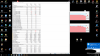
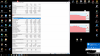
As you can see before the undervolt CPU max temp was 93.
Also there big difference between the core0 and core1 or core4
Alienware are telling me that if the average temperature is below the 90c then its ok
Is it true? It's the average temps that matter or the max temps?
Then I have undervolted the CPU with Intel XTU app and here are the results after running heaven
I am very worried
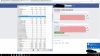
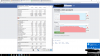
I have seen some videos on youtube and posts on forums with the same alienware laptops but with 1060gtx gpu and their CPU and GPU run a lot cooler then mine
So its about the card? I mean its the GPU heating up the CPU cause they have 1 heatsink and 1060GTX has less power so has lower temps so it runs cooler?
I made a correct conclusion ?
Even if my conclusion is correct I am still worried cause I have seen people with exactly same specs and their laptops run much cooler then mine
As you already noticed that after the undervolt the temps are quite good, but I am not confident about it =(
Any thoughts ?Last edited: Nov 29, 2017 -
Settings don't stick with TS either?
Read... TRIPOD FIX
*OFFICIAL* Alienware 17 R4 Owner's Lounge
Discussion in '2015+ Alienware 13 / 15 / 17' started by katalin_2003, Oct 24, 2016.




-preview.png)
-preview.png)
-preview.png)
-preview.png)
-preview.png)
-preview.png)
-preview.png)


