Problems? See this thread at archive.org.
when you plug in the AGA, in the device manager do you see the AGA?
-
We will see if he reply back on this
 Or prefer closing the door for further replies in the thread.
Re: Area-51m R2 processor upgrade on Alienware.Docsteel, jclausius, Mr. Fox and 1 other person like this. -
Just got one of these off Ebay for $75.00 "open box/new" ... they sell for something stoopid, like $299.00 on Amazon and Newegg and the like. Supposedly designed specifically for the Area51m R1/R2; I think the rubber, horizontal stand offs on the back of the Area51m fit into those notches at the back of the cooler, assuring proper fan alignment with the intake mesh on the bottom of the laptop. At $75 it's not much more than my current Cooler Master U3 and I need an extra cooler for the house, anyway. I don't expect much but it looks cool LOL ... has software based, automatic fan control that increases/decreases speed of the fans depending on laptop workload/heat. Also has a manual mode. Interesting cooler ..
Giryriz Smart Laptop Cooler
![[IMG]](images/storyImages/s-l1600.jpg) DreDre, Papusan and zacwhite15 like this.
DreDre, Papusan and zacwhite15 like this. -
can you share the link again? i tried clicking on it and it says that i can't view it because i didn't place the order.
-
got it off amazon for $75.00 ...
Giryriz Smart Laptop Cooler Cooling Pad for Alienware Area-51M
...
![[IMG]](images/storyImages/A6AH_1_20200322678804459.jpg)
-
Im not sure what the AGA is called in Device Manager but there is no additional graphics adaptor... any advice?
the USB ports on the AGA do work when connected though. -
What does it say under device manager under display adapters? Does it list one as Microsoft basic display adapter or something like that? If so, simply go to your Windows Updates and click check for updates and it will load to correct driver. Restart your laptop after that and should be good to go.
-
unfortunately only the intel HD and the 2080 super. The GPU in the AGA is getting power but I don’t feel like its being picked up during boot
-
Is replacing the panel a difficult process on a a-51m r2? I currently have the 4k panel and would like to switch it to the 300hz panel; are the connections the same? Long story short my old 17 r4 (gtx 1080, 7820hk 120hz qhd) kicked the bucket glad I bought the 4 year warranty and dell replaced it with a 51m r2 (4k 60hz, rtx 2080 super). As much as I like the 4k panel I play a lot of overwatch and fast paced games and would love the be able to swap the panels out if possible. Any tips or suggestions would be greatly appreciated. I do see complete top assembly's on ebay but none of the sellers can provide me with specs or the part number from the actual panel.
-
as far as i know its pretty straight forward as long as you know what your doing. the bezel should just be held on by some clips and POSSIBLY double sided tape, knowing dell. then you just remove the screws, detach the eDP cable and swap out the panel. personally i haven't done it on the R2 but i've done it on other lappys.
EDIT: depending on how it goes for @Asdesas i may be swapping out my panel for the one he linked earlier. -
you have tried the 2 keys to switch to the graphics amplifier fn + f1?
-
So another interesting issue... when running on battery only the GPU can use around 50w of power but the CPU is capping out at 7w maximum. so its basically running at 800mhz and making the whole laptop trash to use... I have messed around with power profiles and I just cannot get the thing to have a higher power allowance on battery.
Can anyone else comment on if this is unusual behavior? -
Yeah I have and they do nothing :-( Should I see the AGA in AWCC or something?
-
normally when you press fn + f1 the pc must restart and switch to the graphics amplifier and you can see it in the device manager
-
Great deal on the R4 replacement!
And hope you get the panel swap done ... A51m R2 is much more fun at high refresh on a quality 1080p IPS imho. My particular 1080p IPS on my R2 is 360hz and just absolutely perfect in regards to brightness, etc. and zero bleed of any kind. My R2 is a 10700K/RTX2070 Super and I play very happily at home on my external 1440p monitor ... nearly as good of frames as at 1080p ... I went for the 3 year extended warranty and might add a year so hopefully it will last that long... -
Just wanted to provide an update: Crucial Ballistix DDR4-3200 isn't stable @ 3200 MHz on my Area-51M R2 (Firmware 1.7.0). I noticed that the cursor and keyboard would stutter intermittently, and experienced some crashes in games, where switching down to 2933 MHz (with faster timings) resolved all of these issues.
As Dell does indicate that there are restrictions on speed/amount of RAM, I'm guessing that the motherboard isn't able to drive DDR4 XMP speeds above 2933 MHz reliably at a quantity of 64 GB of RAM. Given that the timings at 2933 are faster than at 3200, I don't really expect much performance loss (on average).
Additionally, I know others have run 4x NVMe drives and used RAID, I just wanted to share my anecdotal experience—I purchased 4x WD Blue SN550 NVMe drives for $99 each, and decided to use software raid 0 (Striping) via Windows Storage Spaces, as opposed to the built-in firmware's RAID. I wasn't sure how this would perform and wanted to experiment.
I do recognize the risk of data loss if either drive should fail, but I'm not really worried about a drive failure, and I'm using these two drives purely for game storage. I also wanted to experiment in an effort to improve this drive's base sequential read speed (rated at 2400 MB/s), but wasn't sure what kind of performance I'd get from the 51M R2, based on it's controllers and their actual speeds back to the CPU.
Anyway, on a disk rated for 2400 MB/s read, CrystalDiskMark indicated an average 2075 MB/s sequential read and 1940 MB/s sequential write, but when striped in software, those figures improved to 3375 MB/s sequential read and 3005 MB/s sequential write.
I'm pretty happy with the improvement. And, as a bonus, striping preserves the full space of each disk that's striped—so not only does sequential r/w performance inrease by 50% or more on average, but you maintain the full storage space (2x 1 TB drives become represented as a single 2 TB drive.)
Single SN550:
https://imgur.com/M7ioWcQ
Striped SN550 via Windows Storage Spaces:
https://imgur.com/zufZGp3
-
So I borrowed an old R7 260x and slapped it in the AGA and behold it detects and installs just fine. Swapping over to the 5700xt however bings no joy. What I do notice now on the 5700xt is that under device manager -> system devices there is an entry titles 'PCI Express Upstream Switch Port' with a Code 31 (cannot load drivers) against it.
This device has the device ID for an AMD 'Navi 10 XL Upstream Port of PCI Express Switch'... I feel like im getting closer. -
knowing dell, the reason its not working is because its not on their "whitelist" of approved hardware.
-
Yeah, I am doubtful what I will do going forward if I need another laptop. For the most part, sans the staining on the palm rest that finally occured on my R1 I have liked the laptop mostly. OTOH, the BS from Dell is just getting too deep. I highly dislike the Sager designs, it seems none of them are really very good these days at a time when they really should be quite good... the only saving grace of the R1/R2 designs is its easier to open and repaste, fairly quiet fans for the components, modify and clean. That's literally it.
Laptops are really just in the realm of phones now, 2-3 year propositions, you don't fix them generally, you just replace them. Sad really. -
Few months with mine and things are still pretty much perfect ... my brother wasn't so lucky. He just ordered an identical A51mR2 to mine and got it in yesterday; like me, he ordered a "scratch and dent" from the Dell Outlet. Mine happens to look/perform like a brand new machine. Not a single imperfection that I could/can find. But his has a big scratch on the screen and even a small puncture of sorts. LOL ... needless to say he is sending it back. Also, with both power bricks plugged in, his machine only reported a single 330 and errored out at boot as it does when one runs just a single 330w brick. Teh suxor for sure. Hope mine runs 4+ years like my R4 17 did (just sold it for $800 on ebay). Really want to re pad but can't find any reliable sources for R2 pad heights for all pads.
Docsteel likes this. -
@cheddle
I know there's been a lot of headache in getting the AGA to work with newer GPUs (RTX 3000 and RX 6000); a lot of people have found resolution with Nvidia GPUs by using the latest drivers from Nvidia, which solved the resource conflict issue they were having. However, some are still having problems with "Code 12" and "Code 31" issues, where they connect the AGA but their GPU isn't showing up in the Device Manager—they see a device error for a PCI(e) Device (Root Complex) or for the GPU itself.
I had the same problem (Code 12) with the Area 51M R2 I just bought.
In trying to find resolution, I found this: https://docs.microsoft.com/en-us/tr...nt/error-attach-pci-express-expansion-chassis
In my instance, 200 fixes the Device Manager issues. Notably, here are the steps I followed to fix it:
- Connect the AGA with the GPU inserted and power on (as normal), encountering the error state (Code 12 or 31 in Device Manager)
- Open the Registry (via RegEdit.exe) and make the change cited in the article linked above, again using 200
- Reboot
- Upon reloading Windows, the Device Manager had detected my 6900 XT, but had a new device present which required drivers—either run Windows Updates or install the latest Intel chipset drivers via their Chipset INF package
- Reboot
- Voila, the PCIe Root Complex bridge(s) are enumerated properly, as is the 6900 XT, and working properly.
Between this change (and Nvidia's updated drivers), I believe all GPUs are compatible with all models of Alienware systems with AGA ports now, and I've reached out to others on reddit who expressed issues here: https://www.reddit.com/r/Alienware/...xploring_adding_unofficial/gy4vb14/?context=3 to try to (hopefully) help them (and see how many people these fixes will work for.)alaskajoel, cheddle, chewbakaats58 and 1 other person like this. -
Thank you, I will give that a try once I have a bit of time to throw at it.
Meanwhile I still am struggling with performance while on battery. the CPU is absolutley choked to death! TDP is limited harshly, the GPU can pull up to around 50w. If I disable the GPU the CPU can pull around 13w maximum and with the GPU enabled it can pull around 7w maximum.
I have tried BIOS 1.7.0 and 1.6.0 - Dell support have very little idea other than it 'shouldnt run at 800mhz when on battery'.
Could someone with a m51 R2 please confirm this behavior?
power profile is as follows:
-
This worked Thank you! Absolutley amazing work you are doing! I really hope the AGA is able to help out in a generation or two when the 2080 super really isnt cutting it
alaskajoel, Normimb and Justin Shidell like this.
-
i benched mine and monitored the CPU wattage with TS and it topped out at 40W on the CPU while on battery. something might be mechanically wrong with your system. -
Try FIVR settings in Throttlestop -> enable overclock -> and see if you can set a manual core speed higher than 800mhz. I pulled my AC power connectors and went to battery and my machine auto downclocked to 2.8ghz. I typically run an all core 5.0ghz overclock when on AC power ... and I use Throttlestop to manage my overclock and have OC disabled in Alienware bios. Overclocking with Throttlestop is handy as I can set up a 3.8ghz profile for daily office use and a 5.0ghz profile for gaming/rendering purposes. I just right click the TS icon in the tray and select whatever profile I want.
Also, I've found throttlestop can do strange things some times ... try completely uninstalling throttlestop, set your default config in Alienware Command Center to Full Power/High Power ... then reboot and try battery power again. You can always re install throttlestop if that experiment proves to yield the same 800mhz results ...
~s1rrah -
Got the Giryriz Smart Laptop cooler in today and have done some gaming temp tests with it versus the Cooler Master U3; long story short, the Giryriz cooler, though imminently loud at full speed (loud loud), completely destroys the Cooler Master U3. Even at 50%, and a good deal more quiet, the U3 is no comparison. I honestly didn't expect such a difference.
The Giryriz cooler is designed specifically for the Area51m R1/R2 laptops and has horizontal slats at the back which align with the A51m R2's rubber standoffs on the bottom of the chassis; this assures perfect alignment of the cooler fans with the intake mesh ports on the bottom of the A51m and also secures the laptop, preventing it from sliding.
For a quick test, I ran a 3 loops of the Metro Exodus Benchmark; the settings I used for the benchmark are visible in the below screen shots. Exodus is still one of the most demanding games GPU wise, even today and even though the U3 cooler test shows a bit of throttling? When I actually play the game, my temps never exceed 85C. Odd that the benchmark should see it hit the throttle point. With the Giryriz A51m cooler, it didn't even come close to throttling with the same benchmark settings. Here's the numbers...
Cooler Master U3 : Area51m R2 - 5ghz all core overclock - RTX2070 Super (stock)
...
Giryriz A51m Laptop Cooler : Area51m R2 - 5ghz all core overclock - RTX2070 Super (stock)
The CPU package temps show a 20C drop in temps with the Giryriz cooler ... and general core temps are much lower as well. Damned impressive with one caveat ... or two, really: noise and price.
At 100% fan speed the Giryriz is a jet engine ... I game with headphones, specifically, active noise canceling headphones so I can't hear the fans at all but if your using the laptop speakers or even a desktop speaker set, you will most likely be bugged a bit. Good thing is that even at 50% fan speed, the performance is still a good deal better than the U3 and the fan noise becomes a good bit more manageable. Another neato feature of the Giryriz cooler is that it's powered by an AC adapter and also interfaces with the computer via proprietary software and a USB cable. It can be set to auto manage fan speeds depending on the CPU load with 9 steps ranging from 1% CPU load to 80%+ CPU load and this works quite well to keep the noise down when the system is not too taxed.
Here is a video I shot with my mobile phone while running the benchmark with the Giryriz cooler at max fan speed; it's much louder in person ... I think my phone auto adjusted the sound or something. At least it's not a high pitched fan noise .. more like a loud "white noise":
This Giryriz cooler, for whatever reason is simply STOOPID expensive just about everywhere you can find it ... from Amazon to Newegg to various import sites ... $299 man ... even more at some sites. IMHO ... it's not worth that and you'd be better off sticking with a U3 and some volt modding and repasting. I just so happened to find a dude on Ebay who took my best offer of $75.00 and so I just got lucky and will keep/use it as my main cooler at the office (where I use the Area51 95% of the time). Cooler Master U3 will go to the house for my occasional use there.
No doubt that the Giryriz works well, though ... I was quite astonished at the difference.
~s1rrah
Last edited: May 24, 2021PLANTONE, DreDre, Vistar Shook and 6 others like this. -
Are you comparing it with U3 with the stock small 5v fans?Vistar Shook likes this.
-
I an concerned that there might be... what processor do you have?
being that my cpu is the locked 10700 I can’t actually do much with throttle stop. I actually had to go back to a fairly old version if XTU in order to be able to de-volt the cpu.
Ill try removing throttle stop all together but I am fairly sure this problem was present before I installed it. -
i've got the i7-10700 in mine.
-
Yes. I've seen the fan controller/3x120mm fan mod and am tempted to do that with my U3 ... but this Giryriz beast ... well I can't describe it. I did a little phone recording of it running at full speed and will get that on Youtube and post it here in a bit. The fans are SERIOUSLY fast ... 5000rpm I believe. They will open you up if you accidently get a finger in one. LOL ... as an active noise canceling headphone user, the cooler works for me and I dig the auto software control as well ... but I've honestly never heard anything so loud at full speeds ... always wanted to try one but the cost was prohibitive, of course. Couldn't pass up the $75.00 option ...
-
Mine also downclocks to 0.8ghz on battery.
Looks like it might be due to the gpu pulling so much power though? Looking at open hardware monitor the cpu was pulling 8w and the graphics card over 55w.
Once i set the nvidia card to adaptive in nvidia control panel it then gave the cpu 2.8ghz and graphics card dropped to 30w draw. (Note i use lively wallpaper which is like wallpaper engine and gives a moving wallpaper i had to stop this from running for the power draw of the gpu to drop so it may be you have something similar keeping the gpu in a high power draw state?)
Also the percentage of battery greatly affects the amount of watts you can draw. I keep my battery at 60% charge so can only pull around 50-60w.
The final thing to check is are you actually stressing the cpu when measuring it? Obviously your power plan sets the minimum to 5% which would be about 0.8ghz when idling. (I know it's a kind of stupid question but thought i'd cover as much troubleshooting i can for you).Last edited: May 24, 2021cheddle likes this. -
Thanks for checking, sorry to see yours is also bottlenecked.... even with the GPU disabled the most the CPU will pull is 13w. GPU idle or at max load will still see the CPU draw around the 7-8w mark.
My battery is set to 'primarily AC' in BIOS and ive tried from fully charged down to around 50% with no change in clock behaviour.
definitely loaded up, stressing using either R20 or CPU-z. -
What BIOS version are you using?
-
1.7.0
-
Thanks. I am trying to feed as much info into support as I possibly can - it could be that when configured with a 2080super the CPU simply gets bugger all wattage regardless of if the GPU is actually enabled or not.
-
I'm also on 1.7.0
-
Re: Bios ... I'm on 1.3.0 and have zero issues. Not going to flash newer at this point and certain others with much A51m R2 experience have recommended staying at 1.3 as well...
DreDre likes this. -
Holy crap...I am tempted, but not for that price. Seems like they just assume people will pay out the nose for it because they own an Alienware.
-
Stalk ebay ... you might find the random one cheap like I did. It's a whole other level of cooler...
-
the 1.6.0 bios is the most stable for me, the 1.7.0 bios I noticed small freeze when using some program and also I find that my cpu heats more! I'm back on 1.6.0
-
Sorry, I've been gone a while. Per the block diagram, the dGPU gets x8 CPU lanes and the remaing x8 CPU lanes are assigned x4 to the AGA and x4 to the Titan Ridge/Alpine Ridge thunderbolt controller.
Even though the AGA gets CPU PCIe lanes, the USB ports on the AGA are not via the CPU. These are tunneled via the caldera connector to the single USB 3.0 controller on the PCH and share space on the DMI bus. It's very easy to overwelm these 5gbps USB ports, so I usually recommend you connect any high bandwidth USB devices to the thunderbolt /Type-C port where the Titan Ridge/Alpine Ridge controller provides a separate 10gbps controller.
The PCIe setup on the 51m is one of the reasons I love this platform so much. I can have a total of 4 GPUs attached without a single one of them touching the DMI bus (which is already under significant pressure when just one modern NVMe drive is being used to its fullest.)c69k, cheddle, Papusan and 1 other person like this. -
I might have inquired about this before so sorry if doubled ...
Has anybody published an accurate and complete diagram of thermal pad heights for the R2? I'm concerned about longevity on this machine and want to repad everything with at least Thermalright 12.8 W/mK pads which are nearly as good as the Fujipoly's and easier to work with from what I've read.
I've found various "sketches" about showing some pad heights around the GPU but I'm looking for a complete heatsink diagram showing all pad heights. Worst comes to worse, I'm just going to order some 0.5mm/1.0mm/1.5mm/3.0mm pads and painstakingly measure the stock pads one by one with mm calipers and then replace them as I go. If I do this, then expect a very detailed diagram chronicling each pad placement and height.
Also, if one mistakenly uses a pad a bit too thick, when using the squishy variety of pads and not the stiffer Fujipolys, would this hurt anything?
Lastly, would the pad heights be the same between my 10700K/2070 Super heatsink assembly and the 10900K/2080 Super heatsink assembly?
Thanks in advance.
~s1rrahzacwhite15 likes this. -
Thanks for confirming, ill pull my core x out and connect it to the 51m R2 in the near future to check bandwidth.
The DMI interface is probably the weakest part of the 9th and 10th gen intel platforms, they improved core counts rapidly gen on gen to compete with AMD but otherwise didnt do much else... I am pleased to see their newer mobile chips and desktop chips address this with higher bandwidth DMI and/or thunderbolt on CPU directly.
If the thunderbolt controller on the 51m R2 truley does bypass the PCH/DMI then it holds a signifigant advantage over desktop based 9th/10th gen thunderbolt implementations as in my experience these always go through the chipset and external cards refuse to work in a CPU connected PCIe slot. -
@Melvin Rousseau
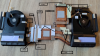
The source image for the below is from NBR user Melvin Rousseau's measurements posted here. Thanks, Melvin ...
Now all I need are the heights of the pads around the CPU; I plan on tearing down and measuring myself but thought I'd fish for the info here before doing so in order to expedite the ordering of the new pads.
Can anybody provide the heights of the pads with the question marks?
Thanks in advance...
~s1rrah
Justin Shidell and c69k like this. -
Recently bought a similar type of unit from bestbuy open box. it was missing screws, there were stripped screws and it had random bluescreens. luckily bestbuy took care of me and replaced it with a brand new in box retail shelf unit. honestly above and beyond considering i only payed 1500$ for it.
something interesting i noticed is that nvidia improved their thunderbolt egpu functionality since i used it with my old ROG g752vt with a 970m. with that computer, if you plugged in an egpu you had to use an external screen with it. it couldn't run the egpu to the internal screen. i just tested with my desktop 2070 SUPER card in an egpu enclosure and the video feed from it passed through to my internal screen. i have the internal 2070 Super so there isn't much point but its a cool comparison and if i get a 3070 when the prices inevitably crash, it'll be interesting to see if that trend continues.
however, to whomever said the thunderbolt port lanes come off the cpu. you're wrong, hardwareinfo reports them as coming off the PCH. -
I saved this from one of the posts a while back. Can't remember who posted so can't give credit and haven't verified for myself.
[Edit] Now that I compare the pics, the floors look similar, was this from you?Attached Files:
c69k likes this. -
-
Awesome ... I'm hoping that's accurate ... I'm going to double check with digital calipers just in case but thanks man ... and yeah, that's from @Melvin Rousseau 's post I reference above ... I had the same images together in photoshop and they are identical. Excellent information ... now just need to source the pads. Think I'm going to delidd and relid with a Rockit copper IHS as well during this next tear down ...
~s1rrahLast edited: May 26, 2021 -
Nevermind ... delete this ... didn't print right.
Last edited: May 26, 2021 -
Ghetto A51-m laptop sun shade I made today while working at the shop (in the ghetto LOL) ... worked like a magic trick!
Gonna tape up the seams and spray paint some gang tags on the outside of it LOL ...c69k likes this. -
@s1rrah lmfao that is ghetto AF. But whatever gets the job done.
Sent from my SM-G986U using Tapatalk
*OFFICIAL* Alienware Area-51M R2 Owner's Lounge
Discussion in '2015+ Alienware 13 / 15 / 17' started by Spartan@HIDevolution, May 9, 2020.