 Problems? See this thread at archive.org.
-
I forget who made the comparison, but faster speed is definitely and proven, better for gaming. However slower, but better timings, was faster for like, server bs/rendering.
-
Well in gaming there is more noticeable FPS increases. I wasn't saying you made the wrong choice though. Even I myself use a HyperX 2400Mhz CL14 stick because in the past, faster timings was better. But I since combined that 1x16GB stick with the Dell 8GB 2666Mhz stick, which results in the crappiest timings and speed ever. Its showing a DRAM frequency of 1064Mhz and timings are 15, 15, 15, 35, 374, 2T. But you know what, it works fine for my use. But I do wish I knew slower timings 2666Mhz was better than faster timings 2400Mhz 3 years ago.
I don't think its economical to even buy 2666Mhz RAM in 2020 with it being the max for laptops for so long. The 51m can use faster RAM, so its only a matter of time before new laptops start using faster SODIMM sticks -
It's possible you've repasted so much and cleaned the heatsink so much, that it could be slightly warped/unaligned and causing those crazy temp differences. It can't be anything else, besides maybe Cinebench being unreliable and stressing that core too much and it isn't that. I really think you should try using a copper shim on your CPU + GPU. And then ofc you should also increase thermal pad sizes too.
I mean it shouldn't even be your problem if you bought it that bad, but if you can't get a return/refund, I suggest the shim. I know the heatsink isn't perfect, you made good points about its flaws, but they aren't all as terrible as yours, which is why I suggest trying a shim if you have no choiceLast edited: Feb 10, 2020MogRules likes this. -
My m15 had also very bad temps out of the box. After few tweaks I was able to use the full performance without any temp-issues.
FarCry 5 15 minutes (out of the box)
and FarCry 5 30 minutes after some tweaks (LM, UV, mods etc.)
What I exactly did, you'll find in the link (translated via google). Maybe it helps you, maybe not.
- Link1 -
- Link2 - -
The shim doesn't affect the laptop negatively when it is already flawed by design, it helps it achieve that full contact and even temperature spread. All of my cores are within 2-3C when gaming for hours. 73, 73, 75, 74, 72, 72 (while using AGA, its about 80s evenly when not using AGA). Of course, mine is the 8750H. But I am using a copper shim, keep in mind and no notebook cooler. I feel like you should just get a refund, buy a used Alienware laptop and then spend the money saved on extended warranty. If there is problems, they will send someone to your house with the replacement part.I mean, sure you can spend money and use resources on building a replacement heatsink, but why do all that when Gigabyte Aero also perform extremely well for their size?
Someone on this forum that frequently used AW laptops, got a Gigabyte Aero and made it run crazy cool, by simply doing any kind of undervolting and repasting/mods you can do to a AW as well.
@Sk0b0ld you should consider adding those two links to your signature if you want, they're very informative for anyone. I learned a lot from seeing your guides -
Could be a loose screw.
-
Kryonaut also works extremely well compared to LM. His techniques and mods used LM, but you don't have to use LM.
Also, what that video shows me, is its even harder for LM to destroy aluminum than I thought -
Mercury ain't neither Gallium or Galistan. Very long time since this metal was used as component in liquid metal. Todays Liquid metal used as thermal paste isn't bad for the health as long you don't eat it. And yeah, none of the liquid metal should be used on Aluminium parts. Old knowledge.
-
Warped/uneven heatsink = Phobya Nano Grease Extreme or ICD.c69k likes this.
-
But if you use said pastes correctly, its extremely likely your laptop won't reach such high temps. Of course, it depends on each persons skill of applying pastes, some can do it much better than others, some can make the temps worse. But like Papusan said, those pastes do very well with uneven heatsinks. Which you 100% have. It isn't Windows 10 and isn't Cinebench causing the uneven core temps, it is the heatsink.
If you are really considering making a custom heatsink, I def suggest buying a 2$ shim and some 15$ paste. -
With Dell’s amazing heatsink quality you haven’t much other choices. Just stick to reality and that’s what you got. Or try out a new heatsink. Up to you.c69k likes this.
-
That means the heatsink isn't making good contact with that area of the CPU. If you use a recommended paste or recommended paste + copper shims, you have a very high chance of evening out your core temps AND lowering them dramatically. You honestly just seem like you want to hate Dell and that is perfectly OK given their heatsinks have been problematic for years. But there are ways to fix it and you are ignoring them
-
When did you buy it? When it was released for sale, last week or last months? With the latter you should have seen all the overheating flaws pop up with the model since launch. Aka why buy it if you know about the flaws? I expect people do their due dilligence before they throw out their hard earned money on things that cost more than a couple hundred bucks. I do.
m15, temperature 100°C, thermal throttling
Coffee Lake temperature concerns -
Thanks for your feedback, but i think my links are not so important.
Mercury and Lm (Galinstan) are completely different materials... ok, @Papusan has already replied.
Mercury has btw very bad W/mK and it's toxic. Sorry, found this chart only in german from wikipedia.
Ok and where exactly? Sorry, but it looks like you've absolutely no idea what LM really is.
I tested LM on different heatsinks and on different materials. -Test-
The only thing what you get is a discoloration on copper, which has no disadvantages in cooling performance.c69k and illuMinniti like this. -
This laptop works marvelously for me UVed and after Phobya repaste, just saying.c69k likes this.
-
Comparing Dell to Apple is wrong, because of all the sales, cashback websites, gift card websites, you can get Alienware for very cheap. And honestly, you probably get about double the performance for half the price, vs a Apple device. Maybe you mean to compare it to MSI, ASUS, Gigabyte? But they all have the same exact hardware, just different cases and HSF. They all have pretty high temps too.
https://www.notebookcheck.net/Alien...x-Q-Laptop-Review.374921.0.html#toc-emissions
You can look at laptops and compare temps, noise, performance on this website. But I'll save you the trouble and say you should pretty much buy your laptop based on the tech support and look of the laptop (size, weight, colors, lighting features, tobi). Dell afaik, are the only company that offers extended warranties as high has 4-5 years too. When I got mine, it was 4. But now You can get up to 5 years. Others stop at 2 years, maybe 3 max.
In Sk0B0lds guides he has techniques for preventing the electrically conductive paste from damaging anything. They are cheap and effective. Kaptan tape was like 7$ and I bought 1000g of cheap thermal paste off amazon for 14$, to have around for when needing to repaste anything with LM -
I don't think anyone on this forum needs tech support. I was just making a general statement for anyone, that considering the laptops are pretty much identical the only differences left are visual and tech support lol. And I don't need tech support either, but you know what is cool, if you have accidental damage and your laptop gets damaged they take 1-2 days to bring the part to you and fix it or they might just give you a different laptop altogether. But I am done commenting on the subject
-
You've owned a Alienware for 20 days js. Have you dealt with other tech support like ASUS? With a bunch of combined deals, I got my 15R3 for about 1200$ with 4 years of accidental damage included in that price. And now I have a m15 because of it. Not only that, but I have 1 year of accidental damage left and I also plan to extend it for 4-5 years for another 1k$ more. Why? Because you'd have to be crazy to think that is a bad deal and that they are a bad company.
-
I had same issues with my first heatsink (C-2), even with LM. I contacted the support and showed them the temps. They sent me a new heatsink (BL-2). The new one works way better without huge core-differences. One reason for the core-differences are the incorrect thickness of the thermal pads. Especially on the m15 heatsink, which is attached with springs. That's why I take K5-Pro in some places.
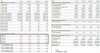
CB R20 (out of the box)
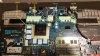
Repad
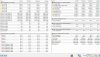
FarCry 5 with new hs (LM)
without UV, flat on table
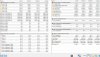
FarCry 5 with new HS
CPU + GPU UV (LM)
on U3-cooler
edit, nobody forces you to use LM. -
See this is your actual problem. You refuse to accept a HSF replacement because technically it is 'used'. They are trying to help you out and fix this situation but you just keep repeating the same stuff here and its very likely doing the same to them, which is why they referred you to eBay. They even gave the option of a refund. You literally do not want to fix the problem. You just want to complain about it. Like Sk0b0ld said, he too got a replacement and check out his temps. I too got a replacement and mine are 80s across the board +- 1-3C. There is nothing wrong with a replacement. Not everything is perfect out of the box. I am not taking part in this silly conversation anymore because it is going nowhere despite literally everyone giving you recommendations and you saying the same responses back, word for word while ignoring facts.
Also, that fogginess you seen on that heatsink pic is EXACTLY what Sk0b0ld told you is normal and doesn't negatively affect anything. And if you would look at his guides instead of repeating the same thing over and over, you would see he has lots of experience and has modded many laptops -
Try once again. New person from support will maybe come to another soulution for you. Same should he here below... Don't accept one answer.
Alienware Support is telling me to buy a new computer to solve a solution.
So I have one of the original M15 R2 Lunar Light models that is becoming stained brownish orange no matter how much I keep my hands clean and try to clean the computer. I had been contacting alienware support in the months after I bought the computer and they told me to wait until January/February to call back and they would have a solution then. I called today and they told me that they would not be repairing the issue and that it was not covered by my warranty so the only solution was to buy a new computer as the manufacturing process had been changed to correct the issue.jc_denton likes this. -
No, sorry, but I posted benchmark results with UV many times earlier here.
-
What you want compare when your logs are not correct? Start and end your log during the benchmark. All your Min-values are from idle.
compare mine and your min values

I did two CB runs. First run:
CB R20 without uv
Avg-Core ratio = 37x
Avg-CPU Power = 79,57w
CB-points: 2866
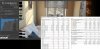
and second run:
CB R20 with UV -165mV
Avg-Core ratio = 39x
Avg-CPU Power = 64,24w
CB-points: 3075
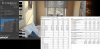
-
Just ordered the M15 R1 with i7-9750H and 2070 Max-Q from the recent deal they had ($1500 after tax). Are the thermals on the CPU better than the previous i7? Thank you everyone for this thread! Super excited to get my new M15 (still being processed with expected delivery in 1 month). I'll definitely run some benchmarks initially to see where I am before I ultimately undervolt and repaste.
etern4l likes this. -
It's a faster CPU with higher voltage, so they should be a bit higher temps than 8750H. But that doesn't mean they will be terrible. Some people will say otherwise. Some people get unlucky. At the end of the day with a little effort (repaste + undervolt) you shouldn't be hitting any temp limits on the CPU or GPU. The PCH though, you can attach a little heatsink to help keep that from causing any problems. I used to get stuttering in games every so often and noticed the PCH hitting a specific temp. After I used thermal adhesive to attach a heatsink that hasn't happened.
Just save yourself some time and go right to about -120.0mV on CPU and Cache.
On my 2070 Max-Q I have 1515Core straight across every voltage and +300Mem, its 100% stable. It pretty much has equal performance to stock 2070 Max-Q performance, maybe slightly less, but way cooler and less power draw. But if you want to overclock the 2070 I haven't tried that, I use my 2080 if needed.Last edited: Feb 14, 2020Hazed_N_Confused likes this. -
I've heard this idea is stupid and useless ;-)
-
Haha yeah, def isn't either of those. If anyone questions it, if they force their PCH to around 92C, I guarantee it will cause stutters and throttle. My PCH pretty much never goes above 68-80C now, depending on the game/program.Donald@Paladin44 likes this.
*OFFICIAL* Alienware m15 Owner's Lounge
Discussion in '2015+ Alienware 13 / 15 / 17' started by ssj92, Oct 25, 2018.


