 Problems? See this thread at archive.org.
Alienware Area-51m Drivers 21-May-2020
Intel Chipset Driver updated to v10.1.18019.8144
Intel Serial IO Driver updated to v30.100.1947.3
Intel Rapid Storage Technology v17.8.0.1065
Intel Management Engine Driver updated to v2007.14.0.1488
Intel Thunderbolt Controller Driver updated to v1.41.823.0
Intel Integrated Solution Driver updated to v3.10.100.4122
Intel HID Event Filter Driver updated to v2.2.1.379
Tobii Eye Tracking Driver updated to v4.48.0.3651
nVIDIA Graphics Driver updated to v442.94
Realtek Audio Driver updated to v6.0.8928.1
Killer E3000 Ethernet Driver updated to v10.039.212.2020
After you download the ZIP file and before you unzip it, make sure it is not blocked by right clicking on it, go to Properties, then see at the bottom if it says "this file came from another computer and might be blocked..." click the UNBLOCK button then hit APPLY followed by OK! To prevent Windows from blocking downloaded files automatically, make sure you read this guide:
"Are you sure you want to run this file?" [Yes or No]
The drivers are organized in numbered folders with the correct installation order.
Please restart after every driver install even if you were not prompted because some drivers will fail to install if there are any other pending operations (ie. had the Intel HID Event Filter Driver fail to install once because I didn't reboot, the driver package was installed but the actual device in Device Manager was not updated)
-
Last edited: May 21, 2020
-
Which laptop is the top dog right now for the best performance at 17"? Is there a website that compares all laptops like this? I only see some laptop comparisons, not a comprehensive list where you can filter things by year, processor, etc. That would be nice. I ask because I remember seeing 51m R1 at the top of so many benchmarks.
-
Hey Bro - page doesn't exist error
Fire Tiger and Spartan@HIDevolution like this. -
My situation... refurbed i9900k 2080 64GB and 1tb nvme drive. Paid 3670 cad (roughly 2600 USD). Running 1.8.1 w/ 180 vbios.
Adjusting the fans to full causes a physical vibration that pulsates through my left wrist. Fan is clear of dust/obstruction- when I spin it with my finger I see it wobbles even at low speeds. This imbalance or bad bearing is causing this problem. While gaming in balance mode the issue is not present or barely noticeable. Peak temps after 3 hrs of warzone CPU 86 and GPU 76 (only power throttle).
The fan issue warrants a full refund and I still have the ability to do so within the next two weeks. If I go the R2 route I won't be able to afford the top specs like I got here so keep that in mind. 10700k and 2080S is what I would prefer if going R2 route. I am debating trying to sell this locally to see what kind of offers I get to offset the cost of the R2. I have seen fans being sold on ebay part number BSM1012MD, but don't know if they are the same fans or even if the ones embedded in the 2080 heatsink are replaceable. I seen a pic previously posted in the forum displaying an R2 heatsink with the fans out. Not saying I'm going this route but its a worst case scenario thing. After 2 weeks I still have 11 months of repair or replace, maybe wait till I know they have some refurbed R2s in stock then do a repair. I doubt they do the hardware repairs themselves (maybe I'm wrong though).
I'm going to try contacting DELL and see if there's anything they can do (about the heatsink) and maybe push for a discount on the R2. Orders are starting June 9th... realistically when will someone actually receive it? Are preorders starting before this?Last edited: May 21, 2020G46VW likes this. -
check now I just updated it again with a new IRST Driver and new Killer E3000 driverpathfindercod and Fire Tiger like this.
-
I notice the 51M is not available for sale anymore on my countrys Dell page. I guess the R2 is approaching fast... ;-)
-
I asked this previously, is anyone currently using there Area-51m with the valve index without issues? If you are can you post your setup and cords used.
Last edited: May 21, 2020 -
Latest LAN/WLAN/Bluetooth Drivers 21-May-20
Killer E2X Ethernet Driver v9.0.0.50
Killer E2K Ethernet Driver v10.038.1118.2019
Killer E3000 Ethernet Driver v10.039.212.2020
Killer E3100 Ethernet Driver v1.0.0.13
Killer 1550/1650/Intel WLAN Drivers v21.90.3
Killer 1202 WLAN Driver v10.0.0.355
Killer 1435-1535 WLAN Driver v12.0.0.938
Killer 1525 WLAN Driver v12.0.0.448
Intel Wireless Bluetooth Driver v21.90.2
Realtek LAN Driver v10.35.510.2019 -
I do. If I need performance I can drop to 1080. For those of us who have to do more than game with a "laptop" (which may be less true for the 51m model) the more finely rendered text and font pitches are welcome. I appreciate that there is a choice - so both kinds of buyers can still enjoy the machine. The only thing that might have been a bit more helpful would have been 120hz 4K, because less pixel lag is helpful. But realistically the increased color gamut is useful, the contrast is superb vs all other options short of OLED, and the brightness is great if you are ever either outside or lucky enough to work in front of a large sunny window. Don't take this wrong. 4K isn't everyone's cup of tea. But it does have a value for some users. I'm one.lestat2k7 likes this.
-
Thanks for your input! Am thinking maybe I keep the R1 (it's Dark Side of the Moon). Not sure if you or anyone knows but is there a chance that the R2 will be upgradeable to next gen (RTX 3080) GPU, or is it likely to have same constraints as R1? I guess I could add RTX 3080 down the track via a graphics amplifier? What about 10th gen intel - likely to be upgradeable to 11th+gen? Also - I'm not a hardcore gamer - new to the scene basically - am I going to notice the difference between R1 RAM speed and the higher speed options that are likely to be available with R2?
-
Dell made clear that the upgrades for the GPU are of the same generation, so I wouldn't count on the R2 getting an RTX 3000 upgrade.
Same with the CPU, Dell should release a BIOS update to support 11th Gen. Likely not happening.
RAM speeds do give a difference, but something people forget is about latency (you can run 2400 CL14 memories on the R1, and that's about 2666 or faster memory performance) . However, in the grand scheme of things, not such a huge difference on the Intel platform.
Enviado desde mi HTC One M9 mediante Tapatalkjclausius and pathfindercod like this. -
Thanks again. I realise that without new benchmarks this is purely speculation but do you think I'd be looking at around 10% performance increase with R2 over R1 - faster ram, GTX super, 10th gen intel?
Also do you have any thoughts about whether I'd be able to use a RTX 3000 series via the graphics amplifier further down the line, or would the i7-9700 be a bottleneck?
Thanks again for your help with my questions! -
Expect major changes so none can upgrade to newer MB in same way as Dell did for the thin line http://forum.notebookreview.com/thr...r2-owners-lounge.829502/page-47#post-11016261
-
Thanks for posting this. I have a few questions, do you think something like this would work instead of having to go through all those steps, https://www.adata.com/upload/downloadfile/Datasheet_XPG Hunter DDR4 SO-DIMM_v1.0.3.pdf, its made by aDATA or does it have to be the specific part number etc... They sell these on many sites in Europe, like here https://www.alternate.co.uk/ADATA/SO-DIMM-16-GB-DDR4-3000-RAM/html/product/1611698. Also, if these would work, would I have to do a bios reflash to get a second module to work correctly at the rated speeds? What steps did you take to reflash the bios? Thanks.Fire Tiger likes this.
-
the latest bios, which was recently released (1.10.x) for the R1 address the support for AGA to recognize newer GPU.
-
-
No guarantee that the ram kit have B-Die as Umar claims is needed.
Here is a tool to see if mem kit skus has it B-Die Finderjc_denton, raz8020 and Fire Tiger like this. -
thanksfully i didnt spend 250$ on it today on ebay from italy lol...well then which are we looking for?Fire Tiger likes this.
-
I think our only option is to follow the steps that @Macaiden outlined in his post you quoted.
http://forum.notebookreview.com/thr...-owners-lounge.826831/page-2155#post-11015092G46VW likes this. -
Quick question in regards to undervolting with Throttlestop. Under the FIVR control do you need to set the Offset Voltage on both the CPU Core & CPU Cache...or is it just the CPU Core? Additionally, I noticed the IccMax for both the CPU Core and CPU Cache were different when unlocking the Adjustable Voltage...the CPU Core is set to 225.00 A and CPU Cache is set to 20.00 A. Should these be the same or different?
-
You need change offset voltage for both Core and Cashe. Regarding Amps, this doesn’t matter.
Edit. See also @unclewebb’s post http://forum.notebookreview.com/threads/the-throttlestop-guide.531329/page-1153#post-11016130Last edited: May 22, 2020 -
What would be your suggestion for iccMax, should it be set to the max for both (255.75) ?
-
-
A very general way of looking at it.
If you undervolt the cpu and gpu you can stay under 330 ( these bricks can do 350+)
180, 70 watts for cpu in gaming. ( -140mv)
Thats 250 watts. Plenty left for the rest.
I too wonder if anyone has figured out a mod to get full gpu power on one 330w brick. -
I have 660 Watts of Power lol .....Spartan@HIDevolution likes this.
-
I fix it for you
 This model doesn't function as an Clevo laptop.
Last edited: May 22, 2020jclausius, raz8020, Fire Tiger and 2 others like this.
This model doesn't function as an Clevo laptop.
Last edited: May 22, 2020jclausius, raz8020, Fire Tiger and 2 others like this. -
Who needs two bricks anyway?
I can do 5.2Ghz 8 cores and powermodded & OC'd 1080 on a single 330W brick
raz8020, Fire Tiger, Darkhan and 2 others like this. -
-
can anyone confirm if its bios 1.8.1 that has XMP support for memory or is it 1.9.3?
-
It's the same bios only with fixed bugs from 1.8.1
-
Got my system back.. installed hwinfo64.. No fan icon.. So weird!! Its there on my r3 but not on this one. Any clues?Fire Tiger likes this.
-
You need to uncheck the EC Support option in the HWInfo settings.
-
@Spartan
@Helifax
@Lopt
@Vanya
@LoneSyndal
@Fire Tiger
@Rei Fukai
@knibbler
@others
Now I have the solution to use one 330W-psu with full (gpu-)power
How-To:
- Buy the emulator (https://www.ebay.de/usr/mihai1965?_trksid=p2047675.l2559)
- Solder plus from the power jack to the other power jack (all small plus/red cables)
- Solder ground and plus from emulator to the power jackets ground and plus, where you put the 330W in
- Solder the yellow cable from emulator to the brown cable at power jacket, where you put the 180W in (usually, then not more...)
Your Area 51m recognizes 510W (330W psu + 180W emulator).
Use this settings or similar settings (use a maximum of 0,9v for GPU/2080 and 100W for CPU).
Important: Use not stock settings (without undervolting) with only one 330w-psu!
P.S. You can also use a 330W-Emulator and use a smaller (with thinner cable) 240W psu...but then CPU and GPU have to be limited even more (for example: 0,7-0,75v / approx. 100-130w maximum in games for gpu and approx. 60-70W maximum for CPU), but that shouldn't be interesting for most people.Last edited: Feb 5, 2021LoneSyndal, Helifax, Vanya and 6 others like this. -
How do you find out if RAMs write protected or not?
-
I tried the HyperX HX429S17IBK2/32 2933MHz, now I got the options in AWCC but I can't change the Speed only CL, any ideas except editing the RAM itself?
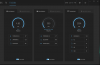
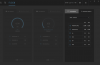
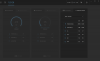
 Fire Tiger likes this.
 -
I have the HyperX HX426S15IB2K2/32 2666Mhz and I don't even get that menuFire Tiger likes this.
-
Works only with the 2933mhz version, I tested it with the 2666mhz version before and with the ADATA Hunter 3000mhz kitFire Tiger and uugui shi like this.
-
What BIOS are you on? I am thinking about upgrading to 32gb hence my question earlier about writeable RAM. Was thinking on getting 32gh HyperX at 2933mhz to replace my current 2666mhz. Then was going to attempt the Thaiphoon Burner process that @Macaiden shared.
-
BIOS 1.10
I don’t have a DDR4 board to modify the RAM atm.Fire Tiger likes this. -
Is it safe to downgrade latest R1 motherboard to 1.5.1 bios ? I’m on 1.9.1 I’d like to try 1.5.1
ive heard people bricking the motherboards, wonder if someone can share insight on thisFire Tiger likes this. -
Do you know if the HyperX RAM is write protected or not?
-
I tested 1.5 without problems, R1 from April 20
i don’t know if it’s protected or not, I can’t test it with the software without a compatible board.Last edited: May 23, 2020Fire Tiger likes this. -
you can. There are steps provided. Search the forum.
-
Bricking motherboards only happens to people with newer boards (except for this one unlucky d00d on these forum who bricked his laptop even on the first gen motherboard). I have the first batch of Area-51m and I've downgraded to BIOS 1.3.2 more than 15 times in the last 2 months testing different versions. I still find 1.3.2 best for CPU performance and 1.5.0 is what you want as it's very safe and doesn't have the GPU throttling issues of later BIOS. It's
1.5.0 not 1.5.1
-
Hey @Spartan
I'm getting my new area 51m next week
Can you please explain the steps of downgrading to bios 1.5 ?
If you dont mind , just don't want to brick my brand new laptop
Do you go right away down to 1.5 or so you downgrade bios by bios until you reach 1.5?
Thanks -
You downgrade straight to the BIOS that you want. No need to go back one by one.
See:
Force downgrade Alienware Area-51m Bios (or any Alienware) to locked lower versions
PS: The USB Flash Disk must be formatted as FAT not FAT32
Area-51m BIOS / VBIOS Collection (mirrors)
Here is what I recommend:
a) Uninstall Alienware Update AKA Dell Update and Dell SupportAssist otherwise they will keep nagging you to update your BIOS.
b) Flash the BIOS using the Recovery USB which you created using the guide I showed you earlier.
c) Immediately head into BIOS and make sure you disable Firmware Capsule Updates in the Security tab otherwise Windows will immediately upgrade your BIOS!
d) Once you're back in Windows, reflash the same 1.5.0 BIOS again but in Windows, I had to do that last time as I was getting weird behavior (I can't remember what exactly but once you have flashed 1.5.0 in recovery mode, you will be able to flash 1.5.0 again through Windows since you're not technically downgrading anymore you are just reinstalling the same BIOS) so do that to ensure the BIOS is 100% flashed correctly.
e) The moment the BIOS is flashed, go back into BIOS and load setup defaults then save and exit (from the last tab in the BIOS)
f) Now enter BIOS again, set your battery from Adaptive to Custom and tell it to start charge at 50% and stop charge at 90%. This will ensure the battery is never over charged and will thus prolong its life.
g) In the 2nd tab in the BIOS, I recommend turning OFF Power Share as that will drain your battery if your laptop had a USB device that needs power overnight (such as an external HDD or Game Pad)
h) While you're in the BIOS, ensure that Firmware Capsule updates are OFFVasudev, DreDre, jc_denton and 1 other person like this. -
Thank you very much @Spartan for all the explanation!
Doesn't sound that hard explained that way
Which vbios do you recommend for the rtx 2080?
Cannot wait to getting my laptop !! -
Well that depends on your CPU. For example, if you were not so lucky like me in the Silicon Lottery and your CPU overheats even with a thermal paste change, then it's best to stick to the 180W VBIOS 1.5.0; since the heatsink is shared, less heat from the GPU will slightly improve the heat on the CPU as well. BUT, if your CPU temps were good, then I'd use the 200W VBIOS. The performance difference is only about 150 3DMarks in Fire Strike so not that big of a risk. I'd use the 180W VBIOS for a start, it's very easy to switch between them anyway.
PS: Make sure, to unblock every file you download otherwise you will brick your motherboard! To see how to unblock downloaded files and to even prevent Windows from blocking downloaded files, see this guide, it's very easy:
"Are you sure you want to run this file?" [Yes or No] -
I have a delided a 9900k with conductonaut which runs very cool so I think it will handle both .
What about the 190 w ?
And for the 200 w , does it matter which version of the 3 you take ?Fire Tiger likes this. -
I have never tried the 190W VBIOS. This is the one I use: RTX2080_200W_VBIOS_v1.0.0.3
Be brave, be like Spartan![[IMG]](images/storyImages/dkhLNPB.gif)
*OFFICIAL* Alienware Area-51M R1 Owner's Lounge
Discussion in '2015+ Alienware 13 / 15 / 17' started by ssj92, Jan 8, 2019.
![[IMG]](images/storyImages/BTGtDRD.gif)


