Problems? See this thread at archive.org.
R2 will be thermally capped at 75 I reckon, the early R1 with 87C limit is only for good reviews.
-
-
So far no throttling since I successfully went through this.
Appreciate the continued assistance this board provides. You guys are awesome. Despite my childish outburst. Normimb, Docsteel, Spartan@HIDevolution and 2 others like this.
 -
Be smart...be like Spartan...
![[IMG]](images/storyImages/y0H0dMj.gif) Fire Tiger, pan0phobik and Docsteel like this.
Fire Tiger, pan0phobik and Docsteel like this. -
I seem to have a "good" white shell, thankfully. That being said, if you are unlucky, then yeah the black shell or covers is the only way to go.
-
Fire Strike with nVIDIA Drivers 446.14
![[IMG]](images/storyImages/Fire-Strike-446-14.png)
Fire Strike with nVIDIA Drivers 442.23 (official Dell Drivers for the Area-51m)
![[IMG]](images/storyImages/Fire-Strike-442-23.png)
Don't bother with the new driversFire Tiger likes this. -
Windows 10 - 2004 available now! Using media creation tool.
-
-
Wouldn't this just be within margin of error? I never get the same results from one test to the other.Lopt, Helifax and Spartan@HIDevolution like this.
-
True, the difference is not big
-
Fire Strike with
Well, I'm not getting such results. Here are mine and two of their latest drivers :
Note that I'm running BIOS 1.6.2 and 200W VBIOS and 79°C as my GPU max temp.
Benchmarks were done with the Full Fan profile and with the same CPU and GPU frequency/voltage
445.87 (second-last drivers)
446.14 (latest) :
Helifax, Fire Tiger and Spartan@HIDevolution like this. -
guys, can anyone tell me why my rtx 2080 is working with x4 lanes? I uninstalled the Nvidia drivers with the DDU and reinstalled the latest but still says x4.
Attached Files:
-
-
have you taken it apart to repaste it? If so did you remove the connection cable from the gpu to the motherboard?
-
If you mean the two ribbon cables then yes but I am sure I plugged them back correctly and I got the screws tight
-
I'll be using my windows 10 pro retail key (that I used on my 51m) for my new desktop, but curious if I should download W10 Home or the Pro version on a USB? Will the Pro version be usable until i can call Microsoft to activate it?
Edit: Nevermind it looks like the only option is Windows 10, so I guess this covers Pro and what not.Last edited: May 27, 2020 -
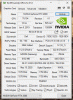
I was curious to run GPU-Z and I see my PCI-e is running at 8x (should it be 16x?). The machine has never been taken apart, I get 21,839 for a fire stike score, should I be concerned?
Last edited: May 27, 2020 -
-
thank you for your response, I guess I just assumed it should be running at 16x...... I guess it keeps 8x for external AGA, and 8x for internal.alaskajoel likes this.
-
I just disassembled the laptop again,I reseated the gpu ribbon cables and I still have x4 on gpu-z. any suggestions?
Attached Files:
-
-
They're pretty fragile. The one people have had this issue with is the two cables (the ones that are gold underneath and don't have pins, forget the name of them) that attach to the DGFF card, not the actual power cable going to the card.
Did you check those cables?
Edit: You can probably find them on Aliexpress or eBay pretty cheap. But this same issue has happened to a few people throughout this sub. -
Yes, I checked these cables, they don't seem to have any damage, maybe I have to check them under a microscope to see if there are any bend pins.
I found them on aliexpress https://www.aliexpress.com/item/400...earchweb0_0,searchweb201602_,searchweb201603_
but they are pretty expensive for what it is. -
Ahh, yikes. Don't remember them being so much. May want to contact support and see if they can just send you the cables to replace yourself if possible.
-
My warranty expired a month ago, so I don't think they gonna sell me these parts cheaper than aliexpress
I'll try to examine them with the microscope first to see if there are any bent pins to repair and if this will not work then I'll order a new pair from Aliexpress. -
I know that but they can politely request that threads can be closed. It’s up to the mods if they are willing to follow such request or not. Not that I say this was the reason for the thread lock down.
I mean the topic ( Worlds most) Upgradeable should be the main questions.
Helifax, raz8020, Rei Fukai and 1 other person like this. -
Yikes. Get that warranty back up. I'm sure you can still extend it, especially if it didn't expire too long ago.
-
Hi all,
I just hooked up an external BenQ 2350 IPS monitor via mini DP onto vga connection on monitor......it's a 60hz monitor......
Screen mirror fine but when you click on "manage notifications" bottom right corner the screen in that area went Blue and yellow off color?????
I clicked open and close multiple time but as I type this it has gone away?
Is the external monitor alright to be hooked up or not????
Edit: it's back? and I can't "snip" to screen shot it as it closes??
Edit2: Is it normal for the laptop screen to not sleep when second monitor attached?
Can't get chrome running on lappie when on second monitor but can play witcher 3 on lappie?Last edited: May 28, 2020 -
yea, damn, I never get warranty's with my electronics but with this I did, just not upfront, monthly.
-
I don't recall how the numbers fall, but the monthly is not a bad idea personally, its peace of mind for something if you depend on it.
Yeah just double checked mine, should be 8 no question...Last edited by a moderator: May 28, 2020G46VW likes this. -
Many other manufactures drop all 16x lanes to the GPU. Frankly, there is very little benefit to doing so--even 4x is enough for most mobile GPUs.
Thankfully, Alienware makes better use of those dedicated GPU lanes:
8x for the internal dGPU
4x for the Alienware graphics amplifier
4x for thunderbolt 3MogRules, Helifax, pathfindercod and 1 other person like this. -
Are the fans embedded in the heat sink replaceable or do you have to replace the whole heatsink if one is having an issue?
Fire Tiger likes this. -
No they're their own component and can be replaced.Docsteel, Pass_00 and pathfindercod like this.
-
Good Ideia!!
Mine is with the palm rest dirty too... I already tryed a lot of things... =/ -
Yeah! The Lunar White version looks soooo damn good, doesn't it? Almost to put in in a show case and never touch it!
Owning 3 Alienware laptops - the first being a 2011 m15x in Lunar Red, I always loved the "black interior" and the soft rubber touch on the magnesium chassis!
It still kicks "compute power" to this day and it is in flawless condition (no scratches, new battery, some of the stickers faded and I got them removed, but the chassis is in top shape!)
Really amazing piece of hardware!
![[IMG]](images/storyImages/Alienware-M14x-1.jpg)
Then I have the 2013 Alienware m17 (with Nvidia 3D Vision display) in perfect condition (new battery, no scratches, original stickers still in place, etc):
![[IMG]](images/storyImages/Alienware_2D00_17_2D00_Back_2D00_Lid_2D00_Fade_2D00_1200_5F00_4B1639C0.jpg)
And now I bought the new Area 51m in "Dark Side of the Moon" version (Pic I found online - not mine ) :
![[IMG]](images/storyImages/alienware_area_51m_review_thumb1200_4-3.jpg)
So.. the trend here: NEVER EVER GO FOR APPLE WHITE stuff! It doesn't last Always Choose "The Dark Side of the Force"! Here is where the UNLIMITED POWER EXISTS ^_^
(Hope you fund this post a bit funny at least ^_^).
Cheers!
PS: If anyone fancy real pics/videos of all the three "alien babies" I am happy to show Alienware FTW ^_^
Last edited: May 28, 2020 -
Man that Dark Side 51M with white or light blue lighting selected for the trim is probably the most beautiful gaming laptop of all time.
-
Thanks a lot. I believe I seen a set online for 110us. I have a bearing shot on my cpu side that causes a physical vibration. Nice to know it’s an easy fix. Much appreciated.Fire Tiger likes this.
-
Yeah great machine, I think I still one of those around my house somewhere. Still works too, those were tanks though they needed Throttlestop to do their best. The R3 was awesome.
-
So a question about the Chi Mei model monitor. Its supposed to have g-sync right? I know before repair the option was there... Hmmm
-
A black microfiber rubbed off color on my original palm rest the same way. The lunar white paint is porous, color from anything will get into it and never come out. Magic eraser, alchohol, etc, nothing removes it. Sorry bud.
I replaced my palm rest via warranty and wrapped it in a skin since.Spartan@HIDevolution likes this. -
White IS the color for this device, and that is why I ordered it this way. This IMO is the best looking laptop ever made, a great welcomed departure from the ricer laptops from other brands (MSI, Aorus, Asus, Acer etc). Simple and yet very effective lines, with just the best RGB lighting integration... a masterpiece in design. I honestly would put it in a frame and hang it in the wall.
White is not a problem so far you use the right paint, which Dell clearly did not use. Some people are just tired of living in the dark side and just want something different.
My palm rest was also replaced, I know that this cannot be cleaned. But why should I skin my laptop if I just like it how it is?Virale and Fire Tiger like this. -
In the end its just a matter of personal taste. After so many black laptops, I took the chance on white and so far I seem to be in luck with it, no discoloration or staining. I think it was Mr. Fox or Papusan that theorized the recycled plastic is an issue, potentially with impurities that are in some cases leading to stains. It's worth noting, black is NOT immune to staining either, there have been reports of even problems with that. I don't think the white is the issue, its just some defect in the materials they used.Biker Gremling likes this.
-
My Monitor has a different model.
I think the replacement panel is different and doesn't have the GSYNC option?
Cheers -
Awesome thanks! Kind of figured. Welp back on the horn with dell to get the right panel..Helifax and Fire Tiger like this.
-
I prefer the Dark Side too... but when i bought mine, i paid 500 USD less in the white lunar....
Just because this i bought the white...
Helifax likes this. -
Macrium Reflect Rescue Media v7.2.4952
This is the full version. Supports RAID and backing up/restoring to dissimilar hardware.
You can create a bootable USB out of the ISO using RUFUS!
Don't forget to unblock the ISO before using it by right clicking on it then choosing Properties!
@Mr. Fox @Papusan @ssj92 @iunlock @Fire Tiger @etern4l @bloodhawk -
I know man, frankly it’s unacceptable. I loved my 51m bare lunar light. Looks sick! Sad I had to wrap it.
Had I noticed something stain it and not come off in the first month of use, I would have returned it, knowing it was going to be a pain in the ass to be “afraid to even touch it” because without the skin, I would literally be afraid to put my palms on it or rest my mouse/mousepad/headphones. Effing stupid.jclausius and Biker Gremling like this. -
Im on bios 1.3.2 and had my 51m since feb 19 an since being forced to upgrade command centre I was stuck on gpu 75c. I followed the above however my cpu underclock doesent work.
What does 5. check on profile do? If I check the box I don’t get the overclock options, I have to uncheck it to make sure I get the options to overclock an move the temp to 84c
Clearly dell are now trying to force the gpu thermal throttle via command centre now not just the recent bios.Last edited: May 30, 2020 -
I hope mods will forgive the sort of double post, but I'm wondering if diskpart/clean is essential when doing a clean install as outlined in Spartans guide to Clean Install of Windows 10. I posted a couple specific questions over on that thread.
10% battery drain this morning, by the way. I can't believe Tech Support doesn't acknowledge this as a problem. Now it's almost everyday instead of only a couple times a week. I'm determined to fix it. -
step 5 is essential to unlock the GPU Thermal throttling point in the Alienware Command Center. I do that and am able to undervolt the CPU just fine
![[IMG]](images/storyImages/Fb7lR5u.png)
![[IMG]](images/storyImages/jVLxtZI.png)
After I test/save for the undervolt then th GPU temp limit increase saving them to the same profile name (in this case, I called it 4.9 GHz), then I select that profile in the main tab to make sure that's the active profile and the undervolt/GPU temp increase are in place.
![[IMG]](images/storyImages/B1WcJJB.png)
I am on BIOS 1.3.2 and on the latest Alienware Command Center and OC Controls.c69k likes this. -
I am able to undervolt the cpu an lower the core clock in command centre as you show in the image, however despite selecting the newly created profile, hwinfo reports all CPU’s running at 4.5 rather then 4.2, gpu temp does reach 81c so is not locked at 75c
But after about an hour the gpu temp resets its self to 75c and was locked again. I think as I was connected to the internet either command centre updated again or I don’t know ? I will try it all again but might be worth cross checking your cpu is actually running at a lower speed you set in command centre using HWINFO ... -
lower speed? What? I am not running or even wanting to downclock my CPU! Undervolting is giving it slightly less voltage than the default voltage set by Intel to lower the temps not running the CPU at a lower speed. That's called "downclocking" completely different thing.MogRules likes this.
-
I’m downclocking slightly an undervolting, but the downclock doesn’t work an I’m not sure the undervolting is working either despite what command centre reports ..
*OFFICIAL* Alienware Area-51M R1 Owner's Lounge
Discussion in '2015+ Alienware 13 / 15 / 17' started by ssj92, Jan 8, 2019.