Problems? See this thread at archive.org.
hi guys
i was looking for a calibration file for my AW25" monitor and i found this
http://forum.notebookreview.com/thr...ur-laptop-monitor-intel-intel-optimus.802167/
i was skeptical before trying it, but now i am AMAZED !!!
i am running my display at 90hz without 0 issues, and the change is highly noticeable. like day and night
i am not going to post you the steps because there is the link explaining everything.
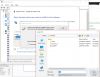
*for those who have the message that say your system is not compatible. go to device manager and right clic on the intel display driver and manually upgrade the driver for the driver included on the .rar
link of the driver that do you have to use : https://www.mediafire.com/file/ztnanb4hz201818/Overclock+Files.zip
video tutorial:
proof:
![[IMG]](images/storyImages/11u98xt.jpg)
![[IMG]](images/storyImages/2evxa0z.jpg)
![[IMG]](images/storyImages/14kd3z7.jpg)
![[IMG]](images/storyImages/1zptc77.jpg)
also dont forget to try steps by steps. for example starting with 65hz, then 70hz ... etc and see how far you can go. for me the best stable is 90hz and i am perfect with that. your display could have more or less hz than mine.
just for reference, my pc is an alienware 15 R1 with 1080p display. monitor ID: SDC4C48
-
The SDC4C48 is an excellent panel, one of the best 1080P panels out there. great results!VICKYGAMEBOY, Vasudev and judal57 like this.
-
-
try it, is easy and 0 risk
you can try it, is really easy.Vasudev likes this. -
I have a 15" 120Hz TN laptop panel, can it overclock further?
-
@judal57 I got strange bands(On mountains in witcher3) & flickers at startup just using 65Hz, what does it mean?
-
that your display cant go higher. or you need to modify the another values on the oc utility. read the article that i have post, maybe do you need to change the another values
-
@Vasudev do you have to use the driver i have post
-
I didn't see that. Let me download that and let you know.
-
i tried, but i couldn't, the display has to pass through the iGPU no matter what i did, the only external monitor i have is a TV so it's not a great alternative, but even that i couldn't OC
-
You need to add Custom Hertz on TV using CRU. Connect to your TV and add 65Hz and reboot, Control Hz and resolution using Nvidia control panel.
-
So for my internal display i gotta find the new display driver, install iy, then with CRU i create a profile with increased refresh rate, reboot, go to intel control panel and select the new profile and test with that?
-
-
for you could be too little, but that is 5 more images each second. in gaming that is an advantageVasudev likes this.
-
Not really enough to have vsync off without tearing so it's pretty pointless.i was hoping for at least 75
-
in my case i dont have g-sync. but i have 90hz. it depends on the panelVasudev likes this.
-
I miss the 120 hz panel on my old M17x R4

It was amazingVasudev likes this. -
Even I can do only 65Hz.
I managed to get fake Gsync like feature using nvidia inspector. Enable Adaptive vertical screen refresh.Maleko48 and abdullah_mag like this. -
that's not my point, i wanted to have a high enough refresh rate for tearing to become barely noticeable without vsync to begin with, which is the holy grail for twitch games.
but thanks for the tip i'll try it, could you share a bit more info about this nvidia inspector setting (vsync setting, smooth afr behavior.....etc) -
@Vasudev are you sure you are using the Driver i posted ??? the mediafire .rar
-
I was busy with work, making BGAs. Download is complete. I could do only 75Hz but my GPU couldn't max out FPS at stock clocks.Maleko48 likes this.
-
I had Optimus switching issues on 45xx or 46xx drivers of Intel. I'll try it once more and get back to you.abdullah_mag likes this.
-
hold on, do i need to be using the drivers you posted specifically??, wouldn't that cause a problem with skylake and kabylake processors (and their iGPUs), if it even installs?
-
the drivers i posted work for 4th generation to 7 generation intel processorsMaleko48 and abdullah_mag like this.
-
hmmmm, i used the latest OEM driver when i tried my overclock, gonna try yours when i get home.
Is there any particular reason for your specific drivers or will any driver that allows overclocking do the trick? -
your display model is LTN173HL01-202 (1080p panel) like the 17 R3 isn't it?
-
Mine is LG Philips [LGD04B9]
-
oh, do you think i'll get different results if i used judal57's drivers instead of my latest OEM ones?
side note: i have an old toshiba qosmio that i use for word processing at work, i just OC'ed to 100hz up from 60hz, it's only an HD panel though; Update: it managed 120hz, but anything above 90hz shows incorrect colors.Last edited: Mar 25, 2018Vasudev likes this. -
I can't say for sure. I think Intel corrected Custom res support on 47xx and upwards Intel drivers and OEM driver is newer than that. I'm on 49xx driver.
-
what do you mean by "corrected"?
if you mean "reenabled" then how come judal57's drivers (46xx) has that enabled? -
Intel crippled custom resolution thing in their driver and someone discovered it. It always says Bandwidth Exceeded message.
-
@abdullah_mag the driver i posted are better in terms of OC capability because (someone) not me. modify that driver and improved it to OC displays
Vasudev likes this. -
I'll post the results of screen OC on Friday/Saturday since I'm working.judal57 likes this.
-
Seems like this is not possible for Crystalwell 4th Gen CPU's?
Am I correct? -
is the same, in fact your cpu die is better because it have more surface area. is like a square
edit: sorry i thought we were talking about repaste... hahahah but sure you can OC your displayLast edited: Apr 4, 2018 -
Tried to install your drivers but it said I did not pass the minimum requirement and checked my CPU codename is not stated in the installation requirement. Do I need to manually install it using device manager and which folder to install? both sound and graphics or graphics foldet only?
TIA. -
try official driver and OC your display.
-
Nope, cant boot after I restarted, just black screen. Manage to boot using system restore and afraid to happen again. Just updated the system using windows auto update and o'clocked display but after shutting down can't boot anymore.
-
What are the risks of overclocking a display? Shorter panel life? Permanent damages?
-
Overclocking your display to run at a higher refresh rate is safe, easy (as you will see below), and higher refresh rate displays are almost always preferred by people who have used them. This is why:
- Higher refresh rates reduce input lag
- Going from 60hz to 90hz reduces the frame reading delay by 31% (16ms -> 11ms).
- In fact, increasing the display refresh rate is one of the best ways to reduce input lag (citation).
- It increases smoothness of motion
- Try switching your laptop panel between 30hz and 60hz (which is the default refresh rate on most laptops). The same idea applies when you move beyond 60hz.
- Improvements are most noticeable during movement. Examples include turning the camera in games, moving the mouse around on the desktop, scrolling through web pages, and - surprisingly - videos & film. It will not be noticeable for static content (eg, a still picture).
- Try switching your laptop panel between 30hz and 60hz (which is the default refresh rate on most laptops). The same idea applies when you move beyond 60hz.
- It improves task performance & user comfort
- Example Videos
- 60hz vs 120hz - demo of the latency & smoothness benefits, exaggerated.
- Refresh rate demo - basic concepts about high refresh rates
- 60hz vs 120hz - real world example, note how the lower refresh rate monitor lags behind in displaying the cursor position on the desktop while skipping half the frames. Also note how far behind the 60hz monitor is in games when the camera is moved rapidly (around 1:20).
- Higher refresh rates reduce input lag
-
Use official or stock Intel drivers.
-
I have an AW17R4 with QHD , 120Hz monitor.
I managed to have everything run, but whatever other refresh rate I try to put (I tried 125 and 130) will lose smoothness.
Any idea? -
-
we have the same model, could share what u did? i have difficulty in installing the drivers.
TIA. -
do you have to manually install the driver. go to device manager and right clic on intel hd driver/ update driver/select from folder/navigate to the folder where do you have the driver uncompressed, that is allVasudev likes this.
-
Tried already but it says my driver is already updated. I believe I need this driver for it is modded for optimum display manipulation but seems somewhere is wrong. Was thinking rolling back my driver to stock then install yours is my last option.
-
you have to manually force the install as i mentioned before.Vasudev likes this.
-
Click on igdlh64.inf
Attached Files:
judal57 likes this. -
Overclocking 60hz display (successful)
Discussion in '2015+ Alienware 13 / 15 / 17' started by judal57, Mar 16, 2018.