 Problems? See this thread at archive.org.
If it's showing 32GB unallocated space, then you can. Just right click the primary, extend volume, and done.
Here's a video I made of Crysis 3:
-
-
Yeah i think the same thing but i can't :/
Or better...i can't with the windows manager, because it told me that the unallocated spaces isn't in the right of the primary partition. Between primary partition and the unallocated space there is the 8gb recovery partition.
Is a crazy thing... -
A fresh install of Windows is probably the only solution.
-
yeah..it's the best solution.
mmm..for now, i don't need space, 140gb free is ok, maybe in the future i will do it.
By the way the alienware is a monster i've the 4900 with a gtx780m.
Is incredible how a "little" gpu have that power. Is comparable with a gtx770 desktop (more or less..the gtx770 desktop is more powerful i think)
Uhm..a random question that i never get answered...i get for my alienware a razer deathadder 2013. I put the polling rate at 1000hz (lol, cpu is so powerful, the difference is so little)...for you, it's ok or is so, so useless? (I've got the 120hz display too) -
My new 3D Mark 11 score, having used EVGA to overclock GPU Core +140mhz, Memory clock + 60mhz, and increasing voltage to 1.050 volts.
NVIDIA GeForce GTX 780M video card benchmark result - Intel(R) Core(TM) i7-4900MQ CPU @ 2.80GHz,Alienware 068R5X -
Hey guys. I've had my Alienware 17 for a few weeks now and its great. I decided to get a nice 7.1 headset to enjoy my gaming time. I ended up getting a Plantronics Gamecom 780 after reading some favorable reviews on Amazon. After I order it I was going through a few more reviews and noticed that people were having problems with a USB 3.0 connection. It would cause intermittent static during play. My question is are there any USB 2.0 ports on our computers? If not, do I have any other options to 'downgrade' a port through software so that I don't have any issues using this headset. Thanks everyone.
-
That's a nice score. Mine was exactly 7,500 out of the box... I'll have to give overclocking a shot.
No, there are not any USB 2.0 ports, but I'm pretty sure all of the ports are backward compatible with USB 2.0. Have you tried installing/reinstalling the USB host drivers?
http://forum.notebookreview.com/ali...14-17-18-usb-2-0-3-0-devices-not-working.html
By the way, I previously had the same headset and experienced no issues with it. :thumbsup: -
Is Intel Rapid Start what the 32gb partition is in disk management? I have the same as you (8gb recovery and 32gb primary partition at the end). If you don't use hibernate but only sleep does Rapid Start even provide any benefits or is it just wasted space?
-
hi! mmm...is a strange thing my friend.
Intel rapid start works only with sleeping. With default configuration, after 120minutes of sleeping, intel rapid start turn on and system goes into s4 suspension mode.
So, less battery draining and the same speed of wake of the normal windows sleep.
The only problem, for me, is that intel rapid start doesn't work you tested it? it works?
My problem is that after 120 minutes, system wakes up, and it turn off instantly remaining in sleeping mode. Sooooometimes it works...but is strange. Sometimes works, and sometimes not. I tried all, probably (in my opinion) is a bug of the m17xr5 bios.
For the benefits i don't know...for now, i've 140gb of free space in ssd and i keep it (if i solve the problem...) in the future, i will see.
The sure thing is that with intel rapid start you combine the zero-energy-drain of hibernation with the wake speed of sleeping. But is a minimal benefit imho, 'cause system boots in 4 seconds lol. -
I have the raid 0 7200rpm configuration in mine, and it boots in roughly 4 seconds as well. Quite impressive.
@J.Dre: Have you had any BSODs yet? I seem to be getting them increasingly as times goes on (I have had 3 in the last 2 hours) -- they all seem to be nvidia related. They happened with the stock drivers, they happened with 327.23, and they are still happening with 331.40 beta. And I can't seem to find a pattern. I've had them while playing games, while web browsing, while using other apps. I've been doing clean driver installs each time.
I guess I might try removing my razer mouse drivers and logitech G13 drivers, to see if that makes a difference. Otherwise I'm kinda stumped. -
awesome
i've a 256gb ssd and a western digital 750gb...the ssd is awesome, but the hdd too! I love wd black series
the bad thing is the noise, but in an alienware m17x is not a problem i think with games and fan speed.
For bsods, i can't help you..for me it's all ok, with stock driver, 327 and 331. -
If you use the HDD only for data (photos, videos etc) just use the energy settings to set the HDD inactive after 1 minute if not in use and it will stay silent.
-
Nope, no BSOD's here.
-
yes, correct, I use that configuration.
I use it just for music, and for some games that i play occasionally. -
Here's another quick video, for those of you awaiting the arrival of your systems:
Looks amazing on the 120Hz screen.
Last edited by a moderator: May 12, 2015 -
Canceled my order... haha I need the money else where for an AR15 purchase... gonna go all out for the build and figured, I already have an Alienware, I can just upgrade what needs to be upgraded for now.
Sorry guys!
-
looks amazing j.dre...
i've 4900@780, but i don't try any new games, just company of heroes 2 and looks sooooo awesome! A little problem with maximum configuration (ultra detail), just 40 fps with the snow...but with coh2 i think is normal.
Do you play with 3d activated or just 120hz@2d? -
Just 120Hz. I don't use the 3D at all, and probably never will. The only thing I may use it for is 3D movies, assuming I buy any. It's still cool to have the capability, though.
-
cool! me too, probably tomorrow i will test 3d just for...a test. is impossible to do a "progaming" with 3d on i think
btw, 3d capable and hdmi in/out is so cool for the future.
-
I get similar results with those settings on the Tomb Raider benchmark. Turning off TressFX gives me another 20 fps. Really prefer 55 fps and average looking hair to having 35 and pretty hair
Last edited by a moderator: May 12, 2015
-
Hello everyone,
I am new to the forum. I ordered an Alienware 17 online on the UK website on 25/9, EDD 24/10. It is still "in production". I hope it gets shipped soon because I cant wait to have it on my hands
I emailed a sales rep 7 days ago when it was still on "pre-production" and she told me it was waiting for parts but she didnt tell me what parts. The day after that it moved to the "in production" step.
Today I called them and an automated system told me it has been assembled but the online order status still shows "in production".
I guess I will have to continue having patience...
These are my specs:
4900
780m
32gb
750gb + 256ssd
120hz 3d -
guys..tomorrow is the day of windows 8.1! What do you think? I can just update? I have some doubts with the driver...
scy0846 likes this. -
WE need to make a thread for AlienFX sharing
-
You should be able to, if you already have 8.
-
Thanks for the reply J. Dre. I sent in the question to Plantronics the same time I posted here and this is the reply I got:
Thank you for contacting Plantronics tech support.
Unfortunately we don't have a work around for the issues with usb 3.0. It seems to be a power issue as it causes a hum with our headsets. We don't currently have a headset that will work well with a 3.0 usb.
Thank you,
Graham
I haven't actually received the headset yet so I can't say for sure if I'll have the buzzing sound or not but I'll let you guys know. If I DO get it I'll be very disappointed. I've ready so many good things about this headset (especially for the price). I really don't want to hit the market again. :\ So you say you had no issues with the 780 on your USB 3.0 ports then? -
No, no issues. I used that headset on both the M17x R4 and the AW 17, then sold them and bought the Logitech G930's (because they're wireless) and I'm still having a good experience.
-
So how is the fan noise on the new 17inch? My MSI GT-60 sounds like a blow dryer with that one fan design. It works and all but I'll be damned if I don't have to use headphones if i want to use the turbo cooling feature.
-
In my opinion the fan system is very good. In idle, fan stops and i can hear only the hdd. With a minimum cpu/gpu charge, is very quiet, with company of heroes 2 system becomes loud but not so much! Gpu fan remains quiet, cpu fan..is very udible. But for me, it's ok, also when turbo boost is activated.
The only cases when the m17xr5 become sooo loud, is when cpu remains 100% for long time. -
It's the Alienware 17 -- there is no "M17x R5."
And it's not quiet during gameplay, but it isn't as loud as other laptops. The AW 17 has a superior cooling system compared to most other 17" laptops. Every gaming laptop is going to be somewhat noisy...rinku777 likes this. -
If Dell were to spend a few pennies more on a CPU fan as efficient as the GPU fan and three-pipe CPU heatsink for the 17, the cooling would be much better and quieter.
In fact, add $100 to the price and put in ExpressCard, USB 2.0/eSATA, LVDS cable retaining screws, more magnesium, and the cooling improvements I typed above. Remove some lighting to save money. If it still costs too much, use a plastic exterior with a sturdier metal or carbon polymer frame. -
I agree with you here, especially for those of us who ordered the Extreme Edition CPU. There is definitely enough room for 3-pipe's, but it will need a custom one because it is much shorter to that of the AW 18's heat sink.
They should offer an overclocked package that provides users with these things (at minimum): 1) a custom fan profile, 2) a premium 3-pipe heat sink, and 3) premium thermal paste on both the CPU & GPU, and 4) premium thermal padding -- a new BIOS is a given for anyone who orders an Extreme Edition CPU. But, companies are all about cutting costs these days...
-
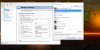
Has anyone found a reliable way of monitoring actual CPU clock speeds on the 4 series?
I've tried CoreTemp and HWInfo, and both are showing my CPU basically redlining at close 4GHZ 100% of the time (I have the 4900 factory OC). I'm not sure whether or not to believe them.
HWMonitor doesn't show much more than battery details.
-
I agree 100%. Regarding the thermal paste, I'm pretty confident that I have a really bad paste job on my factory OC CPU (I've heard they use those ceramic pads... how could they get it wrong with those?).
I ran an OCCT test on it earlier and had to abort because after about 2 minutes the CPU spiked at 100C. The CPU fan was working really hard in vain I guess that explains why my CPU fan cuts in and out pretty loudly during non-intensive use.
Was kinda leaving it to see if it would settle down during the last week (plus I've been pretty busy) while I waited for email confirmation from Dell Australia that I wouldn't void my warranty if I repasted it myself... and if I would then whether or not they could send a tech to do it... I might have to finally call them... even though I'd much prefer to have these things in writing.
And, still chasing the cause of random nvidia related BSODs. I'm really surprised that I haven't gotten angrier by now. -
EDIT: The post I was responding to here was deleted so this made no sense anymore.
Moving right along... -
I honestly can't hear the fans operating while gaming or doing anything really, granted I am a little hard of hearing, my girlfriend and my friend can't hear the fans either and they have better hearing than I do. 99% of the time, your either going to have your speakers or headphones working so you won't hear them, at least I wouldn't think you would. Now when I tried a Toshiba Qosmio, that was a different story, even I with my hard of hearing could hear the whine of that fan. The AW 17 has a really nice cooling system.
-
Okay, so, I just re-pasted my CPU with IC Diamond (literally 10 minutes ago) and the temperatures are 17C - 19C less at load, and approximately 5C-7C less at idle. The fans barely kicked on during the Windows Experience Index test, and before the re-paste I was seeing 91C to 93C
but
now I'm seeing the
maximum temperature at 74C. The factory paste job seemed to be decent, but I'm going to blame both: the type of paste and the paste-job this time around.
I'm about to run 3DMark 11 to see how it handles that. I'll update this post later.
--- UPDATE ---
Temperatures During 3DMark 11:
- Before: 93C
- After: 79C
-
I also re-paste my GPU and CPU with arctic silver 5 and had extreme temperature difference 15C-18C
Do you know a good CPU benchmark? -
what?? 20C?
what they used like thermal paste? a little spread of concrete?
by the way, for sheisticles: intel software doesn't work with 4th series of i7...i personally used just cpu-z or the task manager. -
Hey Guys and Gals,
I need to ask a big favor. Anyone who's received their Alienware 17 in the last 2 weeks with a 3D screen, would you be able to provide me with your order # (via pm preferrably)? I'm told it's not possible that anyone with a 3D screen received orders and pointing them to this thread was useless as they basically said that third party review websites are not reliable.....
-
I am thinking of using AS5 as well as I have had great success with it in the past, just using the pea method. And I already have a fair bit of it at home.
I looked at their website at the instructions page for the first time and they recommend the line method for haswell cpus. Would that be difficult to achieve on a mobile chip? Also they recommend 'tinting' (using a credit card to work a smudge of AS5 into both surfaces before applying the paste). I've never heard of that before. What method did you use?
Also they say the curing time is like 200 hours -- so if that's the case your temps should improve slightly over time. I've never really noticed this myself, in the past. -
I used the line method, and always have -- has yet to fail me. For GPU's I use the cross method. It is possible that temperatures get better over time, I can see that, but not by much...
-
No but I placed an order with a 3D screen today if it helps
-
So, they're saying your order is delayed because of the screen?
-
They've been telling me, for the last 2 or 3 weeks, that my order is being delayed due to a part shortage. The part they are saying that is out of stock is a hinge cover for the 3D screen. When I said that all kinds of people here have been receiving orders and how could they be, they asked for specific order numbers......
Thanks, but no. This wouldn't help me....
ZOG was kind enough to give me his, but he cancelled his order, so they are just going to come up with a BS excuse to refute that one. I need solid order numbers from those that have received their laptops over the last 2 or 3 weeks or if their laptop has shipped this week......this way I can, once and for all, dispute what they are saying.
When I told them that I didn't believe there was a part shortage and pointed them here, they basically said you can't believe everything you read and they need order numbers to confirm. Not only that, they acted all offensive and chastised me for even suggesting such a thing. -
Dell finally started my exchange today. I got a new order number and it shows it's in production with a edd of 11-4-13.
One thing I noticed is my first 17 wich I still have at home wich don't work came with a 125 volt power cable and a 240w power supply. The new computer they are sending me shows it coming with a 110 volt power cord and a 180 w power supply. What's up with that .
I was thinking of just keeping my old power supply and cord and sending the new one back or should I stick with the new one that comes with the new computer. Only reason I ask is because I was wondering if my old power supply could of had anything to do with my computer dying. It still lights up fine and always did . -
Do what I did - keep the 240W and place it permanently at your desk, and carry around the 180W for when you need to charge on the go! As far as I can tell Dell only cares about the laptop when processing warranty exchanges...
-
Man, I really need to do the repaste, but never did it before. Installing my own SSD made me feel like a tech-savy hero
How difficult / scary would you guys say it is to repaste?
-
Yep, keep the 240W supply, that wouldn't have caused your previous failure I'm sure.
-
The GPU or CPU, or both?
It is pretty easy. It took me like 10 minutes to do the CPU, most of which was cleaning the Dell paste off. That stuff is like cement... Just be careful and take your time. If you become overwhelmed, take a five minute break, there's no need to rush it and accidentally bend or break something.
I actually plan to re-paste the GPU today or tomorrow. I don't have a good camera anymore, I'm actually planning to get one, though... I'd make a video for ya, but can't.
Just read through the manual, it's easy! -
Wouldn't it be possible to just call Dell support and have one of their premium, next-business-day guys come over and repaste it? If you're seeing temperatures about 10-20 degrees too high I'd reckon it should qualify as a reason to use their support.
*OFFICIAL* Alienware 17 Ranger (2013) Owner's Lounge Thread
Discussion in 'Alienware 17 and M17x' started by Mr. Fox, Jun 12, 2013.


