 Problems? See this thread at archive.org.
Why I went for it
Has anyone got a good link for hwinfo64 I've read a lot about it on here and want to make sure everything runs okay. Can't remember where the thread is though!
-
-
Ah, it's OK, you're welcome, it didn't take me that long to type - one of the benefits of touch typing: so was just typing as I was thinking.
-
Nice machine - enjoy! You've used google before right?!
HWiNFO, HWiNFO32/64 - Download -
Anyone have an idea where I can find a HDD caddy to replace my optical drive ? Looking to put an ssd in there. I've tried looking around online and can't find anything. It's for the new m17
-
Just wondered if there was 'good' site to download it from. Call me paranoid
Edit: Just found a mirror dl, all good. -
Haha, yep, that link I gave you was the official website I think.
-
Hi all,
Thought I would report in:
You are not being paranoid greatgulah: managed to get my brand new AW 17 soiled with some malware whilst attempting to transfer my music files using my iphone and some 3rd party software - I was trying to avoid paying but should really have paid more attention to what I was doing rather than just trusting the sites that google came up with. Have now sorted the problem out thanks to some other free malware software that I found.... via google
I have not done any benchmarking yet, I am using a monitoring program (can't remember the name as at work, GPUZ would not work for me - kept crashing) that so far has shown temps maxing out in the mid 70's for my GPU only. I did put on NVIDIA Inspector once and checked out the overclocking side just to see what it looked like - I set the GPU max temp to 85 - Will this be a permanent change that I have made having run N inspector just the once or would it default to normal settings having since restarted?
Also I have been getting much worse FPS on Bioshock 3 since I put on the latest NV drivers - To make it playable I have scaled everything right back which seems wrong some how. I guess I need to do some benchmark tests as I don't have anything other than playing experience to go on rather than actual FPS whilst gaming. On Ultra on the Bioshock 3 Benchmark test it was about 7 fps.
I have put on Call of Duty Modern Warfare 2 and just freaked out at how clear and beautiful everything looked - after the scene where you race down a mountain on a snowmobile I jumped up and had to walk around the lounge a bit to calm down whilst being ridiculed by my wife who was trying to watch TV- totally immersed.
Skyrim was a bit weird: second time it ran it did not find the dedicated GPU and put all my settings to low, when I put them on Ultra it ran fine, so it must be using the 780.
Fn F5 forced a restart and some very blocky looking windows icons - urgh - won't be doing that again.
I like the lit keyboard, but the Alienware logo has been put on black as it's too bright at the bottom of the screen. Build quality seems excellent otherwise.
240w power supply, correct details on the case so no problem there. I am however like at least one other person on here unable to run the macro software properly to set my user programmable keys to up and down vol: if anyone knows of a solution please let me know: I have tried searching the forum but can't find the relevant posts.
Anyway: at work so better go....
Please help with the points/questions above if you can ---- Thanks!greatgulah likes this. -
Ive just watched a couple of the AW17 tear down videos on the official Alienware you tube channel and they have one for optical drive replacement;
Alienware 17 Optical Drive Replacement
Looking at it (although I maybe wrong) it seems as though the bracket is designed to hold a 2.5" HDD without any extra caddy. I cant say for definate as i've not bothered to pull out the drive in mine but it looks like it from the video. Can anyone confirm? -
I see what you mean. Looks like if I just remove the optical drive a 2.5inch ssd might fit in it's place. I would like confirmation before I open up my 17. Any know for sure ?
-
So I called alienware support regarding my question about if a special bracket is needed to install an ssd in the optical drive bay. The answer was yes. Alienware is sending me the bracket for free! Got a sweet deal on a 256GB ssd. Now I can install it without having to remove any other drives !
-
Yeah the old paranoia now I'm back on PC is kicking in. Exactly what I meant by good didn't want malware or crap, most websites are easy to sus, expect you to click away with out thinking and then you get aload of crap on your drive.
I've installed hwinfo64 and Msi afterburner following Mr Fox's lovely guide. Updated windows but not to 8.1. Updated the gfx driver to the new 331.82. Hopefully be able to test it on lotro and see what she is running before I install battlefield 4. Love the Razer death adder I got and love the lighting FX.
Idling at around 48 on a desk few degrees higher when it was lying in my bed so desk and a new chair are in order! See what I get later with some game runnjng! -
-
Happy Thanksgiving to you Too! - we don't have Thanksgiving here in the UK or in NZ where I grew up - and I think this is a great pity - The history behind thanksgiving is really interesting and the sentiment behind this holiday is something we could all use - we don't know how lucky we are most of the time. I used to work in Accident and Emergency and I often left work feeling really lucky - I had my health etc, where as some unfortunate person had just had their health or even life taken away from them.
And of course bringing it back to this forum topic, I am really thankful that I'm in a position to drop the best part of £2K on a laptop
SteveMonk likes this. -
Dumb question which i'm pretty sure I know the answer too; is it possible to partition an msata drive and set up to cache 2 independent non-raid0 drives?
Im 99.99999999% certain its impossible but worth asking as i'm about to get an msata for caching and i'd buy a 128gb rather than a 64gb if it works. As for using independent drives rather than being linked in raid0, I don't like having no data redundancy. I shoot and edit a lot of photographs and having to back up data to an external drive every night rather than once or twice a week is a ball ache and having the freedom to caddy up a drive to recover data after a windows fail makes more sense for me personally. -
Nah, looks like you only turn it on once: Chipset Software — Intel® Smart Response Technology User Guide
-
Thats what I thought, thanks.
Ordered a 64gb Plextor M5M in the end, it was a toss up between that and the Crucial m4, m500 and Intel 525. But to be honest there seems to be very little between them anyway. I'm looking forward to taking my AW17 apart to fit it when it arrives -
Anyone else here noticing some "screen glow" around the edges of their screen? I've started to notice it with black backgrounds. The screen still looks excellent, but there seems to be some glow on dark backgrounds, which isn't that big of a deal, but can be a little annoying from time to time.
I've done some reading and have learned that screen glow is common on IPS panels. Can anyone else provide me with a little more information on this? Thanks in advance.
-
Haven't noticed it on mine
For those who repasted their CPU/GPU on their alienwares. I want to ask on the method you used with repasting if you use IC diamond?
I'm currently using Tuniq TX-4 which requires that you spread it first since it's a really thick paste. It's been great but I find that temperature degradation on the TX-4 takes just 2 months. With that, I want to try IC diamond since I have heard good reviews on it. -
There are probably more than a dozen pages of discussion related to re-pasting in this thread. I suggest using the search function below the "likes" counter, in the corner above. You can also focus the search by using keywords inside of quotes. I do remember posting a lot myself about re-pasting, including pictures showing my method.archerarchie likes this.
-
I started noticing this on mine as well, though I wasn't too concerned with it as my replacement will be here soon.
-
Ok. Thanks J.Dre
-
so...I was in the process of installing my sdd in my optical drive bay using the bracket that AW sent me...turns out the optical drive does not use a standard sized sata connection like the one harddrives use. this is a little annoying but again AW is sending me the proper cable for free! Go Alienware!
-
Hi,
I want to order the alienware 17 but just confused about the hdd slots as its quite simple on the m18x I have, so would really appreciate your help.
I heard there are 4 hdd slots. From what I understood the configuration is like this
2 bays are normal sata 3 connections
1 bay is the msata sata 3 connection
And the last bay is the blu ray player which can be replaced with an hdd
Please correct me if I'm wrong.... also do all of them support sata 3
And I couldn't find the msata port in the owners manual for some reason..do they not install the msata port if the cache drives not ordered
Thanks -
You're correct. There are two standard 7mm bays, one mSATA slot, and the optional ODD HDD caddy -- all of which operate at SATA III (6Gb/s).
-
This is just an update for anyone else buying an AW17 w/ a gtx 770m. It seems the 180 watt power adaptor is what comes standard even though on Dell's own support pages it says that it should come with a 240 watt. I spoke to Alienware before buying and they said that the 180 watt listing on the order page was a typo and it would come with 240. After buying I called to check and they insisted that 180 was the right one and it would ship with that. I told them what I was told before buying and then they agreed to ship the 240 watt adaptor, but at a much later date. The laptop has shipped, but without the adaptor, that's reaching about 5 days later. -
Looks like the people who are buying the 770M version of the A17 really need to push and make sure they're getting the 240W adapter. You'll be alright for 5 days though with the 180W, do you get to keep the 180W too, or do you have to send that back to them?
-
Happened to me bud their website still isn't sorted they cancelled mg first order because if it.
Had me a good sesh on bf4 last night. What temperatures would you expect to see I was getting high 80's/low 90's. Is that too high? Anyone she'd some light? Never monitored before but want to check as I've read factory pastes are mixed bit I've never done that either! -
I see a max of 77 on my 780m and that's after about 2 hours of bf4 with an overclock. 80-90 is too high
-
So do you reckon a repaste might be good. What do you play on. As I'm abit worried the fans were blocked alittle on my desk. What does yours idle at? Mine sits at around 50.
-
I play with all settings maxed out. also a cooling pad or even just something to lift the rear is recommended. It makes a difference. My idles around 45 when the clock is at 850mhz, sometimes it'll down clock itself to 135mhz which causes it to idle at 30-35. I would recommend a repaste. I'm stilling using the factory paste as it seems to be good. To give you an idea, I ran firestrike 4 times yesterday with 300mhz overclock on the core and 900mhz on the ram. My max temp was 80.
-
Warmer temperatures are common on BF4. Low 80's on the 780M is not concerning, it's just a little warmer than ideal. When you start to get above 85 and hit the 90's, then that's concerning, and you should re-paste. As for the CPU, 85C~90C on BF4 is not concerning, but anything above 90C is when you should re-paste.
I'm having a case of Déjà vu. This has been discussed at least three times already in this thread. You guys should really search for answers.
-
Ill see what it's like with the back lifted more. I've ordered some new paste and cleaner so if not ill repaste? Any guides for the new 17 to get to the GPU will be a first time :S
Edit: ill search
-
I don't believe there is a tutorial for that, yet. But, the Alienware manual for the AW 17 is VERY well made and is very easy to follow.
Try searching for that.
-
I don't think they're shipping any adaptor with it at all. It seems weird but in the final order sheet in the place where it should list an adaptor it says 'not included'. I would call them up and ask what's going on but they had to cancel and delay my order once already just to get the 240 watt. I don't want to mess around anymore. There's definitely a 240 watt adaptor coming. If I have to wait a few more days it's ok. In any event I'm in India, a friend is bringing this for me in a couple of weeks so its not like I'm going to be sitting with my new AW17 for 5 days tearing my hair out not being able to use it
Robbo99999 likes this. -
The 180W adapter will be fine for the 770M. Your machine shouldn't draw more than 160W, at stock clocks, let alone 180W. But if they're going to send you the 240W adapter, I'd take it. If you do decide to install an unlocked vBIOS and do some overclocking, it will come in handy, but you'll never need 240W for the 770M.
-
@greatgulah : Yeah they cancelled mine too but they created a new one instantly which had the 240 watt adaptor as another purchase in the same order as the laptop.
I wish Alienware had been clear about this. The only reason I freaked when I saw that the 180 was shipping was because on the Alienware support page it says that the 770m has to come with a 240 watt and if it doesn't then there are a whole bunch of problems that can happen. If they had just explained it from the start saying that the 180 watt is fine, don't worry about it the support page is outdated or whatever, the only benefit from the 240 watt is charging your laptop while gaming and you know, that's a paid upgrade, take the 180 its all good then I would have been fine. But they didn't. When I called them before buying they said 180 was a typo, that it would ship with the 240 watt.
Anyway, they're giving the 240 at no extra cost. -
Well, if you think about it, the 770M is only 10W more than the 765M, and the 765M comes with the 180W adapter. The CPU's are all the same for the AW 17, so nothing else draws more power except the GPU, at this point. So, technically, the 180W adapter will suffice. But, I'm glad they're sending you the 240W adapter. It may come in handy later on if you decide to upgrade your GPU or CPU, or both. :thumbsup:
-
Yep, that's right, you only need 240W for the 770M if you overvolt & overclock & want to game & charge your battery all at the same time.
-
Propped the back end up and I'm seeing 80/82 highest much better. The paste is on order anyway.
-
Hi everyone!!
this is a great place where to share my fresh new arrival: an AW 17. I boguht it for nearly 2799 swiss francs here @ digitech: https://www.digitec.ch/?param=toppreise&wert=287111
I've already mounted 2 x Samsung 840 EVO 1 TB SSD, and i'm waiting for the Panasonic BD-RE UJ-265. I also bought a notebook cooler, just because i know my-self, i'll use it a lot @ work during launch pause (COOLERMASTER NotePal X3)....
Here some ss of my setup...
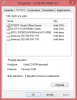
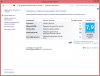
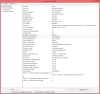
-
Nice! What do you want 1TB of SSD for? Pretty unusual to need all that, but not unusual to WANT all that!
-
More the better I always say..prices are going way down on SSD's.

-
Thanks for your info J.Dre....
Just cant decide weather to buy the AW17 or AW18 as cant tell by reviews which one has a better display. Does the display still stays on 120Hz when not watching 3d content (does it really matter tho?), also do you know if the 120Hz TN panel on the 17 has better or more vibrant colors than the IPS panel on Alienware 18 when watching a movie or a clip? Also would really appreciate if you could comment on the speakers as they do rock on the M18x..... Actually im not a gamer so GPUS don't matter much to me but what does matter is the display and the speakers to watch movies, and office work is a lot easier with bigger screen (17 or 18), and the num pad... Plus the laptop looks cool...
Thanks -
The AW 17 3D Bundle and AW 18 screen's are very similar, except the fact that the AW 18's screen is not 3D capable and it does not run at 120Hz. They both have anti-glare TrueLife technology, and both share a similar NIT. The 120Hz screen on the AW 17 can be adjusted to a lower Hz (110, 100, 60). It will be set to 60Hz out of the box, but can be changed to 120Hz through the NVIDIA control panel.
-
Hey guys, quick question for those who have it. The screen is matte or glossy on all of them? I have a M17x R1 from...2009. I am updating and am considering it now. Could you guys just give me your personal opinions on the 17?
-
I just scored a AW 17 from Amazon during their Black Monday deals for $1314
This should serve me well, although I much prefer the Trulife screen but for $1314 with 12 months no interest, I couldn't resist.
Amazon.com: Alienware ALW17-4682sLV 17-Inch Laptop (Silver): Computers & Accessories
Intel Core i7-4700MQ Processor, 3.4 GHz
8 GB DIMM
750 GB 7200 rpm Hard Drive
17-Inch Screen, Nvidia GeForce GTX 765M
Windows 8 -
They're all matte now, except the 120Hz 3D bundle. It comes with a matte screen that has a glossy touch to it, but not nearly as glossy as the previous generation.
-
I ordered my alienware 17 in June and it said it came with the 240 watt power supply. When I got it it did have the 240 watt power supply. Mine has the 770m also . My computer completely went dead after 2 days and had to get a complete replacement wich wasn't a problem . And the order was exactly the same . It also said it comes with the 240 watt supply. But when I received it it only had the 180watt supply. So I kept the 240 and sent the 180 back. I think there just trying to get away with sending something of lesser value to try to save Money until someone complains and then they send the Right one . But you are right it does clearly say in the order that it comes with the 240 watt at least when I got both of mine. One came with it and on didn't . Go figure . At least I got the choice of wich one I wanted to keep not them.
-
Well i love to keep installed all my fav games in one SSD, and i use the other to temporary donwload BD ISO movies, than burn'em into BD-50...
-
Well, it's only money, but a nice cheaper, slower-RPM 1TB spinner would suffice as a temporary hold for your ISO images...you could also keep quite a few transcoded movies on the 1TB for viewing on the notebook in 1080p!
*OFFICIAL* Alienware 17 Ranger (2013) Owner's Lounge Thread
Discussion in 'Alienware 17 and M17x' started by Mr. Fox, Jun 12, 2013.


