 Problems? See this thread at archive.org.
I never even knew that there were situations where laptops would have drive size limits? I always just thought that if it physically fit, and the interface was compatible, then it's going to work?
-
-
Hi, I believe Robbo is correct re size limits.
What I suggest is you get an mSATA SSD and install windows to it (having changed the boot order in the bios). It's a fair bit more dismantling than the drive bays but you can leave your existing RAID setup in place as a data drive. Depending on the size you get you can even set part of the SSD to caching the HDD Raid array - as I read it
Chipset Software — Intel® Smart Response Technology User Guide
Good luck. -
That would be good advice MickyD, but he has an R3 and it doesn't have an mSATA slot! Good advice for the R4 though I think!
-
Doh!I had one and never noticed
Sry for the bad info! -
Hello everyone, I need help regarding NVIDIA driver installation (Graphics driver could not found specific graphics card) can any one help me to modify INF? The card is dell GTX460m with hardware ID PCI\VEN_10DE&DEV_0DD1&SUBSYS_05511028 seem out of luck even I try to insert into the modified INF.
Current OS Windows 8.1
The image shows the GPU is identified as "Microsoft Basic Display Adapter"
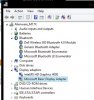
any help is much appreciated -
Hi, you could try the inf posted with the driver here: LaptopVideo2Go: Drivers
Always worked for when this error happens.... -
I already tried but no luck...
-
Thanks for the help MickyD1234, I already tried but no luck -
Sucks. You could try a PM to J95 (hope he does not mind!). I've seen him fixing these with inf's he modifies.
Silly question probably but just to confirm, you do replace an existing one and get the overwrite warning?
If the machine was sold with that GPU it might just need an initial install of the dell released version? - But I guess you've tried that as well.....
Edit: You did get the separate driver-linked inf as it's not in the driver download? -
Yes I replace the inf files (modifed) and warning as well.
The machine comes with 6990m before and sold 2 weeks back with M17xR3, I'm using R4 version with GTX460m while waiting for 7970m.
Yes and already tried both Windows 8 and 7 (64 bit).. no luck. -
Oh well, I thought you sounded like you know what you are doing but had to ask.
maybe j95 will jump in if he's watching.... -
Actually, there were times where computers in general had size limits (back in the day, a very long while back). As well, there are times in the here and now where certain devices will have issues with flash memory that is beyond a certain size. And SSDs are just gigantic flash memory banks, no? That's why I asked...I'm trying to preempt any possible issues.
But thanks for an answer nonetheless! -
Hi
Have decided on Alienware, but as I go through the configurations at the Dell site, the only way to get a 256GB SSD hard drive in my price range, I have to get the "4th Gen Intel® Core™ i7-4900MQ processor (Overclocked) (8MB Cache, up to 4.0GHz w/ Turbo Boost)"
Does this processor come 'overclocked" from Dell. If I want overclocking, it would be something I'd like to adjust myself if it is actually needed for my application, not something I want forced on the chip. If I don't need overclocking I'd rather not 'push' the chip if not needed.
Should I be concerned about this.
Thanks
Peter -
Hi, I wouldn't worry about it. I've not seen one but I'm sure all dell do is use the preset OC options Intel offer in the BIOS. On mine there is three levels of OC and it adjusts more than just clock speeds.
You'll be able to drop it down if you want I would expect
-
You could try using Display Driver Uninstaller, to remove all remnants of previous AMD & NVidia drivers. Then reinstall the latest NVidia driver using a modified inf. Maybe your problems are being caused my remnants of the AMD driver, or previous corrupt versions of NVidia drivers. Here's the link to a download for Display Driver Uninstaller:
Display Driver Uninstaller Download version 12.4 -
Has anyone played Titanfall yet? It's a great game, very fast & furious, graphics look great, quite addictive! Wow, that uses a lot of VRAM & RAM - on mine it used 3GB of VRAM, and 4GB of system RAM, which is more than any game I've ever seen by a long shot! (That is with textures at 'Insane' though). Runs really smooth, fun game!
-
Single beep of death
Motherboard failure, had the repair guy out today to replace the motherboard. New board he had the plastic shielding was burned pretty good.
He ordered another board, should be here tomorrow.
Hoping that when I put in the new board, I can just plug in my raid drives and not loose my data. All signs point to yes, but still crossing my fingers I dont loose it all. -
Hope it will be fine. Data should be fine hopefully, just double check the BIOS settings before you boot up!
-
I got the computer to boot last night after like 15 tries.. plugged it into the network and started pushing all my files to the server.
15 hours and it wasnt done when I got up in the morning
Guess If I loose everything, I will have most things backed up. -
So, anyone thinking of coughing up for the 880m?
-
I'm not buying a new GPU for a while, but if I was in the market to buy one soon I wouldn't buy an 880M. They're just an overclocked 780M for an increased price. Also, high end mobile Maxwell chips might be here soon, some say the Summer, but I think right at the end of this year. So, I'd wait till those new high end chips kick in.
-
Yeah, totally agree. maybe those Maxwell chips will coincide nicely with the next generation of M17x? It might finally tempt me away from my beautiful R4 to the boring, slab looking, el-cheapo new ones!
More just asking to see if anyone is planning to go for it
-
Yeah, it's not a bad choice if you want to buy one right now, rather than waiting at all, and also if you're not too concerned about your cash, it is the fastest mobile card out there at the moment afterall so it's not a bad choice for those buyers.
I think that would be a good moment in time for you to upgrade - high end Maxwell chips should really blow Kepler out of the water, especially if they will be 20nm! -
Got my alien fixed
Its a cyclops now, but she works. (one of the grill lights is out)
I told him not to worry about it, I plan to take it all apart tonight anyways to repaste and do some cleaning. So I will plug the light back in.
Also, on the topic of the new 880ms, anyone know of a place to find a 880m that works with out machines? -
You could buy an 880M off ebay from upgrade monkey. I don't know if anyone has installed one in an R3 yet though, and sometimes there are peculiarities with some cards being incompatible - like the 770M, that didn't seem to be fully compatible with the R3 (The 780M and 680M are compatible though, with caveats).
-
New motherboard has some issues
First off the intel card was not showing up. fn f7 = 8 beeps on start up... sigh... 6 or 7 tries later she boots and the intel card is there... ok.... try to play a game, no sound.. hmmm... the 3di card is now gone. Rang up dell, they are sending me a box to send in the machine. After screwing around for about 2 hours I finally got the 3di card to show up.
Now everything works just fine (except for my left grill light)
So, now I have a box on the way to ship it back to dell, but since I have most things sorted Im not sure if I should even send it in.
Your thoughts?
But I got to play a bunch of titanfall, maxed out res, the fans are near silent... this computer handles it like a champ. -
Well looks like my r3 is going to be my backup machine now. Seems like the battery finally won't hold a charge, and the power supply is on the way out as well. Rather than fix it I'm just gonna buy a smaller 13" sager and use that and my desktop I think for now. Hope I'll have the money in the future to fix it all up though.
-
Well, it served you well, and folded many GB of data, RIP R3!
-
got a new 780 ti to bench anyway.
-
Sigh.... 3di card is gone again.... time to put her in the box dell sent me and ship it off for repairs.
-
NICE! It would be good to see some numbers from it.
Sorry to hear about that, hopefully it'll get better soon. -
I have faith its in good hands. Just hoping they dont "total" it out and offer me a new 17, I'm not a fan of the new design.
Also I dont like the new 17s lack of hdds... I dj so I need as much space as possible. -
I hear you, fingers crossed then!
-
Its sitting in the begin repair process, was sitting there as of 4:00 yesterday... its got a est time of getting back to me of today though.... hoping its already in a box on its way
I cant take gaming on the m14x.... its too thick for how small it is...
-
Hey guys, got my new R4 a week ago. Put in an Intel 240gig SSD and runs like a beast compared to my almost four year old R2.
Question, is there a way to keep it from booting into the intergraded graphics all the time? When it does I have to press FN+F5 then reboot. Kinda gets annoying after a while. Much appreciated -
In the BIOS is there an option to disable integrated graphics (IGP), and then enable Primary Graphics Card (PEG) as default? (On the R3 there is such an option, but I'm using an unlocked modified BIOS, so can't quite remember if that was an option in the stock BIOS or not).
-
My baby is on its way back!
New motherboard, speakers, palm rest, keyboard bezel, and new lcd
Hoping this random snow storm doesnt delay fedex -
-
No problem, glad it helped you!
-
AWESOME! Let us know when you get it!
-
Got it back..... its even more broken than before
LCD looks terrible, yellow and strobing, wifi says connected but nothing connects and it keeps telling me a i have certificate errors.
Steam wont start, origin wont start, the 2nd hdd caddy is missing... but they did put in a new wifi card (I took mine out)
Track pad only works at the windows logon screen.
I did a full resintall and the problems are still there...
calling now for some more repairs. -
Got a few problems fixed. Now its just the lcd, track pad and"Alienware" under the lcd that don't work right
-
Why bother doing anything to it, sounds like it's completely messed up, they need to sort it out themselves, I find it almost impossible to believe they sent it to you in that state - surely they would have QA'd it before sending back to you!
-
Meh, People make mistakes... I much more forgiving than most mainly because I deal with the pissed off people at the dealership I work at.
They are sending out another motherboard(number 5), palm rest(3), lcd(3), cable(3), and the missing hdd caddy.
(numbers after part is how many times its been swapped out)
Should be around early next week.
When I plug in a external lcd, the colors look great. When using the built in lcd anything that was white, is yellow and flickers.
I will just plug it into a external screen for now.
The touch pad wont work with a mouse plugged in, unless I select the option to not turn off touchpad when external mouse is plugged in.... if I set it to dissabled when mouse is plugged in, it wont turn on, even when I unplug the mouse from the computer. Kind of a pain to always have to manually turn it on or off in the settings (fn- f12 just turns the lights for it on)
The "alienware" under the screen not a huge deal, I will figure that out when I replace the lcd.... my guess is they just didnt plug it back in when they replaced the lcd.
EDIT
Well the alienware logo on the lcd is not just a bad connection
Also I think this new motherboard is borked also... or is borked my gpu...
device manager shows gtx680m, the bios just says nvidia gtx, and it wont switch to the 680 for me to play any games
That combined with my 650ti roasting to the point of no longer working.... made my weekend full of not gaming... -
Never mind, got it working
-
Tech is on his way with a 10 lbs box of parts to put in my computer
Fingers crossed that it all works right after these repairs.... Really dont want to keep gaming on my m14x during lunch breaks... Though it is helping me love my m14x more
-
Good luck man. Sounds like you've had a nightmare.
I had my MB and GPU (again!) replaced yesterday and after he finished the 'alienware' logo is no longer lit.
He traced it to a bad connector, tried to fix it and then ordered a new cable. I watched him throughout and he was not clumsy or heavy handed. Upshot, another service call tomorrow. At least it's working good right now - fingers crossed
-
Heading back to the depot
LCD looks great, motherboard works, but I get black screen when booting with the 680m plugged in.
Unplug the 680 and it works great.
EDIT: I sent a request in to one of the alienware reps to get some upgrades since tech support has been unable to repair my computer after 4 times (5th going out now) and nearly a month.
Do you guys think its too much to ask for a bluetooth module and a 120hz screen?
Those are the 2 things I could not get on the outlet model I got. -
Talking about black screens, has anyone experienced this while gaming, screen goes black and sound in loop? (AMD 7970m graphics, alienware m17xr4)
Updated all drivers, integrated, amd and sound blaster recon. read all google trying to find solution for it, nothing helps. Read other post on NBR, but best solution they have is send back under waranty (doesn't apply to me though). So wondering what you guys think. Last resort would be flash bios a11 to unlocked and maybe disable intel hd graphics (currently bios a12). Funny enough playing same game with integrated card game does not crash.
OCCT doesn't show any problems with my amd card. Can anyone else suggest program to test my amd card.
Thanks for the input in advance everyone -
After 5 failed attempts to fix my computer, they are sending me a replacement. H hoping for another r4, but would be super excited for a 18
*OFFICIAL* Alienware M17x R3/R4 Owner's Lounge Thread
Discussion in 'Alienware 17 and M17x' started by katalin_2003, May 4, 2012.


