 Problems? See this thread at archive.org.
No way I have found I'm afraid. Even disconnecting the 120hz panel and hooking up a VGA connection to an external monitor and it fails POST. I think it's one of those laptop things. The POST MUST detect and pass a panel before booting?
The intel is not only disabled it is hardwired out of the system by using a different port on the MB. Totally invisible to the system.
The IRST firmware screen before POST must have 120hz microcode as well since the 120hz display is native. Meaning it cannot sync to a 60hz signal without driver assistance. Both IRST and POST are driverless tests, the minimum specification of the in-built microcode driver is SVGA (800x600) @ 60hz. Dell spent a lot of time trying to get around this. They had to design the MB specifically for a native 120hz panel. If only there was a multi-sync panel available there would be no issue....
No upgrade from Dell I'm sorry to say. The 580m was the top GPU for the R3 so they will not help. But the good news is that a 680m (huge upgrade!) will go straight into the machine and just work. Because we do not have optimus or all the junk it entails there is no need for a modified BIOS to turn off the iGPU. You will loose 3D though (120hz works fine) as only card models supplied with a model are supported in the BIOS.
Robbo's already mentioned the possibility of a replacement, check out the thread link in my sig
Edit: About the warranty. You could do what I did. I got Dell to replace my 675m and then I got a 680m AND heatsink. If I have a problem that needs warranty I just put back the 675m assembly complete - no messing with pads or paste
Good luck.
-
-
I'm really sorry, but I'm kind of a beginner when it comes to hardware issues. I didn't quite get what you meant in this paragraph. What's microcode? The IRST firmware screen you mentioned appeared on the external display that maxes out at 60Hz. If it's a 120Hz signal, how could it display it? Moreover, when this happened, the 580m was unplugged and sitting on my table.
Could it be the motherboard? Even as I type this out, I'm realizing that my problems seem WAY too random. Very little predictability. -
Good questions, but did you not just try disconnecting the internal screen cables anyway like you mentioned and then running it off an external monitor? If that didn't work, then you don't have any other options apart from trying what I suggested right? (At least in terms of getting it to boot with your existing GPU without resorting to just sending it into Dell on warranty). Actually, why don't you just remove the hard drive & send it into Dell for repair - MickyD mentioned you don't need to have to send in the hard drive with the system. (Because the only real issue is that you don't want to send your 'critical data' into Dell). (Hook up your removed drive in a cheap external USB 2.0 caddy & connect it to any other PC to access your data).TheMak likes this.
-
The firmware will be dual sync (dunno how that works but guess it offers both?) so that it can work with either 60hz or 120hz. The firmware on the intel GPU is 60hz only and the panel is 120hz only, Grrr.
When a piece of PC hardware is designed it needs to conform to a bunch of specifications so that PC hardware test (POST) can verify the device is at the very least operative. If the device has video output then it needs microcode (read software-on-chip) that meets the minimum spec. Basically a simple low spec VGA driver is on-board every GPU card. I mentioned the specs in my last post and NV cards have been 120hz 'bootable' for a very long time - to use their 3D.
If Intel made their CPU code 120hz then there would not be a problem. An AMD card is the same so you can't use one of them - but they may have updated their microcode in recent times?
It's a confusing subject at the best of times and coming from hardcore desktop building I could not get my head around what was going on - basically though, just because something works fine on a desktop does not mean that the laptop OEM has not locked the machine down - for various good reasons.
I tried everything to get to the iGPU working before I discovered the limitations - ended up bricking my machine and had to reflash the BIOS.
If you did go for a 680m the 3D may work but requires more money. I say 'may' since I've only seen two people that tried it and the success rate was 50%. That is to plug in a USB 3D emitter from a Nvidia 3D kit into the machine and reinstall the driver. Now the hardware is seen and the 3D installs - or so I hope!
For the problem I'd stick to Robbo's advice. It does sound like a poor connection and even ambient temperature can have a bearing. Get some IPA or medical injection site swabs and use them to clean the edge connector and some canned air to blow out the slot. Give it a little (a little!) wiggle when you put it back in.
If that does not help then getting dell involved when you are back in Murica should be straightforward enough. The MB could be at fault, the last time I had my GPU replaced by dell they sent a new MB as well (and panel) so basically a new machine!
Good luck. -
Quick update. I had the 580m outside since last night. I cleaned the port as instructed and also the contacts on the card. As I was very lightly running the tip of a flat screwdriver along the port where the card plugs in, I noticed a small pice fell away, looked like some compacted dust. Also, I saw a couple of very small sparks as the tip of the screwdriver touched the contacts of the port.
So I powered it up after putting both hard disks back into it and it came on like nothing ever happened!!!!! I'm going to backup my stuff but I'm afraid to shut it down or even reassemble it completely. -
Alright. Update 2.
Shutdown and restart complete. Date reads 2009 but that's to be expected since I pulled the CMOS battery yesterday. Apart from that everything seems fine. Can someone suggest some diagnostic tests for me to check if everything is indeed working as it should?
Thanks A LOT EVERYONE!!!! I never knew these forums and users could help me so much. Muchos gracias and much respect!!! -
Great, sounds like it's fixed! I wouldn't advise running a screwdriver along the port though (that's where a can of compressed air would have probably removed that debris). Those sparks were probably capacitors discharging to earth via you, and could have taken a different path and fried something - memory chips are very sensitive to spurious voltage. You might have dodged a bullet on that one
Hope it all goes back together OK...TheMak likes this. -
I don't think I'm completely in the clear yet. After I set the bios clock to the right time, I selected exit and save changes so instead of restarting it just died. Then when I tried to power up, the keyboard lights flashed for a second before the whole thing just automatically powered off. This happened a couple of times after which I did a power drain. Now it's working again. Still, I managed to get my data off the drives so now I'm much more at ease.
-
You're very welcome, all part of the AW community.
F12 at boot and select the diagnostic boot. This will test out almost everything.
Edit: The power down can happen when bios settings are mismatched and it wants a cold start, so it might be just a passing issue due to the reset - fingers crossed.TheMak likes this. -
I think I should share some interesting info about my problem. First off, I think the 580m is dying in some way. I'll tell you why.
I tried to get the laptop to sleep and it did. But when I tried to wake it up by pressing the power button, the lights flashed on and off immediately. Then when I tried to restart it, nothing happened. I did a power drain and still nothing. My original problem had returned.
Instead of freaking out, I got a single strand of very fine copper wire and wrapped it around the screwdriver. Then I grounded that wire and ran the tip of the screwdriver across the port of the 580m. Guess what?
No sparks, but when I reconnected the graphics card and started it up, it came on like there was nothing wrong. I think some kind of charge is accumulating on some of the capacitors in the graphics area of the laptop. Something that should normally discharge but for some reason isn't discharging. Anyways, it's a lot easier to be cool and composed when all your critical data is out of the system.
Going to run the F12 check. I'll post what I come up with on my thread which is aptly titled "Help my M17X R3 is dead/dying" -
Yeah, the 580 could very easily be the problem but it could also be the MXM slot, the bit you run the screwdriver over. I try a better clean of it with some alcohol (IPA) and use a brush like the ones that come with electric razors on it first. Now you have your data getting dell involved is easier - and they will probably go for a MB and GPU if you explain that every time you remove it and power drain it starts fine for a while.
Don't think I'm in that thread so I'll hunt it down tomorrow.
Good luck. -
Yup, same thing happened again. Problem returned and went away after I discharged the port. I also noticed something else too - bent pins. I hadn't noticed this before because I was too freaked out to think and observe rationally, but a couple of the pins in the graphics card slot are looking bent and touching each other. I straightened those out very carefully and am hoping it clears up the issue.
Anyways, problem is under control now. -
Excellent. Always see things clearer after getting past that panic of a machine that just beeps at you or turns off straight away when it is the sole repository of important stuff
.
If you do get dell involved please post results - always good to hear how they are doing
-
Anyone know how to enable the msata drive on the R4? I currently have 3 drives installed and active. One 256GB SSD, one 500GB 7200RPM HDD, and one 750GB hybrid drive. The msata is a 256GB card, but even when connected I can't see it in windows explorer at all.
UPDATE: Never mind everyone. I just went to the windows disk manager and formatted the msata. Showing up just fine. -
Just a quick note out there for anyone that calibrates their displays. I think there's a likelihood that one of the later NVidia drivers within the last 3 months may have changed your screen calibration. I calibrate my screen every 3 months, and usually the values are the same & it doesn't need re-calibration, but checking it today the gamma was way off: 2.5 rather than the target 2.2. After the re-calibration today it looks a lot better. Yep, so if you calibrate, check your calibrations folks if you're on NVidia. (I did nearly brick my GPU a few weeks ago, and had to clear the CMOS and re-flash the correct vBIOS, along with completely cleaning out all traces of NVidia drivers, so there's a possibility that that had had thrown off the screen calibration, but I don't know for sure - I suspect some kind of change in the latest NVidia drivers were the cause though). I'd be interested to hear from any of you folks if your screen calibration has been thrown off by any NVidia drivers recently.
-
Temp looks good for you??
![[IMG]](images/storyImages/y6ujyres.jpg)
Envoyé de mon iPhone en utilisant Tapatalk -
That GPU temp of 75c is at the top of it's operating range. A few more C and it will throttle (78c). I have had four 675's (well two 580m's and two 675m's - exactly the same card!). With a new heatsink complete with all the pads from dell the temps never went above 68c and even then only rarely in some games.
Try a clean out. Just open it up, remove the fans (all easy enough, check out your owners manual) and use a can of compressed air to blow out all the cra*
Good luck. -
Lol Kkk .....FUN for a laptop Who just came back from DELL Tech and still under garanty ... They say they changed my system board to fix the crash problem....
Not sure about that yet so... See again now![[IMG]](images/storyImages/he4u7u4y.jpg)
Envoyé de mon iPhone en utilisant Tapatalk -
There's the cause of a crash right there! it's pretty clear there is a problem with the cooling . Probably Dell just put your GPU assembly on a new MB and thought it was fixed. Poor QA since I'm sure that running the benchmark that dell are using currently (Heaven 4) it would overheat very quickly. You got a bad repair I'm afraid. That pic should show them they need to try harder
.
Since it's such a poor GPU anyway (seen far too many cra* out) you should try to get dell to replace the card and heatsink. They should come out to you as long as the warranty is on-site in your country - it is in most locations!
Good luck. -
Hey thanks man ! Spend TOO much time with them now .so i just buy a"cooling pad" that i buy at walmart. So next time i'll buy japaneese or korean stuff instead of dell
Envoyé de mon iPhone en utilisant Tapatalk -
I doubt that will save you at +80c. It should be a quick call, the GPU is overheating so it's a simple diagnosis and replacement. They may even send you the parts if you feel confident doing it yourself - they sometimes do this. My last 675 and heatsink replacement took a single 15 min call. Don't bother with anything you have tried or history just that it is overheating and shutting down. Get the guy's email address and send him the pic. What country are you in? They should come to you to fix it.
-
Hi guys!
Anybody know smthing about the release time of the next high-end gpu based on Maxwell for AW???
The 870/880m now is just kepler and I'm dont happy with them, both of them based on gtx 670 desktop verison (correct me if I'm wrong). -
Keep a tabs on this thread:
http://forum.notebookreview.com/gam...e-yourself-new-maxwell-cards-incoming-23.html
Nobody knows, but I think some form of mobile high end 28nm Maxwell card will hit just before Christmas.ngotiendat likes this. -
oh, and 1 more thing, I had found that in dell website the aw 17 have an option gtx 860m 2GB is that maxwell?
-
Just read up on this. AnandTech | NVIDIAâs GeForce 800M Lineup for Laptops and Battery Boost
Maybe the graph showing two lists for the same card number has mis-titled the 860 options? GT and GTX maybe? Boy do NV know how to confuse with their naming conventions!
Anyone know?ngotiendat likes this. -
Or you could post the same question in the thread that I linked you before. There's probably someone in that thread that is a bit more familiar than me with Maxwell/Kepler variants. (There is definitely a Kepler & a Maxwell 860M, and I have a suspicion that the MXM module version of the 860M is Kepler only - hence Kepler in Alienware, but that might be old information from me).
-
Been busy overclock my 3840QM to the max.
Found out I could use the reference clock to bypass the TDP (max usage) of intel...
How this works I don't know really.
The thing I know now my TurboBoost = 60watts and normal boost is @ 48 - 49 watts.
How I did this was getting my reference clock to 107MHZ, I was kinda a hard road to get their.
It's like the TDP max scales with the reference clock, can someone confirm this?
I did a lot of benchmarks, I also have a increase in every benchmark program I run.
You can change the multiplier, change the TDP, or whatever you can find that unlocked or whatever.
Nothing works as hard as this reference clock.
If you use the reference clock with the multipliers you can archieve some sick extra muscle.
My throttestop times:
Overclock with reference@100mhz: 7.8 sec with 8 threads.
Overclock with reference@107mhz: 7.1 sec
My settings now are:
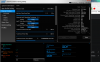
Some additional voltage also, but this is because my last multiplier was unstable and I really wanted to be above the 4,2ghz
Hope this helps some people.
Senshin -
Someone see this before ? Second time that i got this problem.....
https://vimeo.com/104277725![[IMG]](images/storyImages/5c91cceae79ba9ca749461e9b5a24586.jpg)
Envoyé de mon iPhone en utilisant Tapatalk -
What do you think caused it?! Isn't your laptop in warranty still like you posted before? Why not provide a bit of background on what's happened since you posted on the last page?
-
Just an FYI man, the Bclk is the sledgehammer of overclockng. Everything gets boosted making it almost impossible to know just which component has given-up when it fails. You are overclocking the memory, northbridge/southbridge (chipset), PCi bus, as well as the CPU. On desktops you can access these components individually when overclocking and avoid bclock, maybe 1 or 2mhz above reference. Not much else you can do on a laptop though and 107 is a very good number IMO.
HTH
Robbo99999 likes this. -
Yeah, I second that, that's why I've avoided BCLK overclocking, I overclocked it a little, but just to bring it up from the 98.xMhz reported figure to a cool round 100Mhz. It's supposed to be 100Mhz as standard, but for some reason almost all manufacturers seem to ship the FSB as 98.x rather than the 100Mhz it's supposed to be: 100Mhz means that my CPU & memory clocks now get reported as they're supposed to be: 2600Mhz for the CPU and 1866Mhz as the memory - I just like to see the round numbers!
MickyD1234 likes this. -
Yep same problem than the last time and yep.. Lucky me still under garanty for 1 month.. Last time they told me that they changed the system board.. But... I d'ont know why they say that because i can proof that they don't change the board. BUT they don't want to explain and the laptop work well for the last month till yesterday when i'm playing PAYDAY for an hour then... I don't know the problem but i'll ship them tomorrow ....UNHAPPY
![[IMG]](images/storyImages/d7e4654cfb93e57ef7b9b207296e9058.jpg)
Envoyé de mon iPhone en utilisant Tapatalk -
My turn for describing bizarre behaviour! First, I have to admit I don't have a standard system - see sig! Just now my laptop wouldn't restart after shutting down - 6 beeps! I had to remove the battery & long press the power button in order to restart. (this was after trying different restart options - was about to resort to removing the CMOS battery). Anyone know what the deal was with that? 6 beeps and a seemingly random/meaningless startup error (no problem previous). Restarting fine now after removing the battery that one time. BizarreQ!
-
Never seen that one! According to the table ( Alienware Beep Codes Table - Alienware Forum - Alienware Club - Dell Community) it GPU related. Go figure, really?? I would start with a clean of the edge connector. Even a fingerprint over time can cause variations that are temperature dependent.
Good luck man
-
Thanks for the info, if it happens again I'll do as you suggest.
-
Hopefully they'll manage to fix it this time.
-
Hi All,
I'm still seeing some weird stuff on the UK AW site. The 880m is no longer advertised on the top model banner and I selected this model and one model down to see what I could get. I managed to configure both models identically (with the 880m) but, look at the price differential, AND selecting the 120hz monitor results in an 'incompatibility' on the expensive one. The plot thickens over this 880 debacle...




Same CPU. Spidey sense is going crazy Did I miss something?
Thanks guys
-
I've experience using Dell config options, and sometimes you can get better deals for the same specced systems by selecting different starting configurations & upgrading them - I managed to get a good deal doing this when I helped my Dad buy a laptop back in 2011. So nothing new there really in terms of the price difference you describe. But, it's weird that the 120Hz is incompatible on the expensive one, but selectable on the cheaper one - I don't know what that 'means'.
-
Maybe they forgot to cause the 'error' on the earlier one? Why they don't 'banner' the 880m now is (IMO) simply that this card already has such a bad rep it's not a selling point!
Why they no longer advertise the 3D 120hz anywhere is more worrying. I hope it's just an incompatibility or problems (that they do not want to acknowledge and kill sales) with the 880m and not that this display is going away. If that's the case then I go too. Not going to downgrade for better/newer hardware
.
Robbo99999 likes this. -
Hey, anyone else seen this GAME 24 | LONDON | GeForce ?
We can see where their focus is right now, it may be just a Shield promo but the list of contents sounds promising, maybe Maxwell at last! -
Yes, a lot of people are thinking this is going to be where they announce Maxwell details. Haha, just looked at the link you provided and one of the things they say at the event is "PARTY ON INTO THE NIGHT WITH OUR RESIDENT DJ" - now I bet that would just be a one sided sausage fest!
-
Thanks. Haha, for sure. Free beer though, might be one of those nights you NEVER want to remember
-
Haha, that was funny! I did notice the free beer though!MickyD1234 likes this.
-
Just checking in and saying hi. Been pretty busy the last couple of months and haven't really been around. Buying another laptop to play around with while I'm away from home so I'm gonna try to be a bit more active around here.
MickyD1234 likes this. -
Hi! How's it going with the 780ti, are you thinking about 980, or I reckon would be smarter to buy another 780ti cheap when prices really reduce with Maxwell launch? What laptop are you thinking of?bigtonyman likes this.
-
780 ti is going strong and plays pretty much all the games I can throw at it maxed out @1400p. I'm away from home for another 13 weeks so I can't play with my baby, but I plan on selling pretty much all my current components and upgrading to haswell-E plus a 980 if I can swing the money. We shall see though. I also plan on buying an aorus x3 plus to replace my m17x for on the go, but we shall see.
-
Cool, surprised you wouldn't go the 780ti sli option - it's more performance than your new 980 will be! The aorus, I've heard of those, is that 860M Maxwell?
-
I've always preferred the single card option just because it runs cooler and also doesn't have the driver problems that SLI brings to the table. I also got someone already lined up to buy it too. and the only reason I'm going with the aorus instead of waiting for that new alienware 13 is that this machine is pretty much the best its going to get for the time being. Its super thin, but somehow they still managed to squeeze in an 870m. Not sure how they managed it, but it seems like the perfect on the go gaming machine.
-
Cool, that makes sense with your 980 then. If I was you I'd wait until the 970M is put in the Auros before you buy it - if they can put in a power hungry and 'hot' 870M Kepler, then they'll be able to get a 970M Maxwell in there - and it's about 70% more performance too from leaked benchmarks. These new high end Maxwell cards are being put into some notebooks for October.
*OFFICIAL* Alienware M17x R3/R4 Owner's Lounge Thread
Discussion in 'Alienware 17 and M17x' started by katalin_2003, May 4, 2012.


