 Problems? See this thread at archive.org.
Hey Bigtonyman, i found a fix which i have to thank you for. I didn't install it haha.
Now the HDD is alive and kicking.
On the other hand, i dont know if the msata is still active and caching the mechanical hdd, or maybe i have to mess around with the settings some more...
-
-
Glad you got it fixed in that regard. I'm not familiar with the msata caching process so I'm afraid I can't be of much help there.
-
Is the SSD running at SATA III speeds (~6Gb/s) while installed with AHCI?
-
This is how it should be! Once you select a cache drive in RST it will disappear as it is used by the raid driver to cache files from the OS disk. If your OS is on an SSd then just change it in IRST back to a separate drive.
It will use the cache drive for every disc access until it fills up then it will prioritise them on the amount of access'. I.E. boot files will always stay there.
Link for more info: Chipsets — Intel® Smart Response Technology User Guide -
Caching does not work with AHCI, only RAID.
-
Anyone have any suggestions?
-
Yay. I had success removing whatever it was that was under my keyboard. It was slightly smaller than the top of one of the keys. And it was indeed the reason why the bottom of my 6 key was so dim in the first picture I posted.
Now I just have to get in touch with dell and get my screen fixed and hopefully nothing else comes up. Should I call 1-800-ALIENWARE? -
you could do that or you can PM one of the Alienware reps and they will take care of you.
-
Hi everyone, is there any way to activate overdrive by ccc in the r4 with 7970m?, I had in the m18x with 6990m cfx, and I cannot install the option here.
-
Hi! Does anyone do a recovery factory on a new ssd for m17x? My ssd is samsung 830 series.
-
Got the wifes laptop in yesterday and man this thing is sweet. I am not sure the hybrid drive was worth it or not yet and I dont even see that drive as far as looking in "my computer". But this runs faster than the desktop it seems. Granted the vid card isnt quite as good but thats ok too lol. Cant wait to get mine in today
-
is there a Bluetooth installed in m17xr4 from the start? got the laptop with Intel 2230 wi-fi, installed killer 1103... is there a way to check it? tnx
-
I believe the intel 2230 has Bluetooth installed. So as long as your radio is on, Bluetooth should be enabled also (as long as drivers are installed.)
http://www.intel.com/content/www/us/en/wireless-products/centrino-wireless-n-2230.html -
To my understanding since you installed killer card you don't have Bluetooth to get it back you need to put back the Intel card
Sent From My Rooted E3D -
QFT.
I didn't read the entire post. -
From the research I have done, pretty sure there is a separate bluetooth module that should be in the system regardless of the wireless card you have. Here's some info from earlier in the thread:
Question:
Hey Guys,
Just did a clean install and it looks like I'm missing BCM20702A0 driver under Other Devices, Any idea what that is???
Answer:
Broadcom Bluetooth,
My guess is that it is the Dell Wireless 380 Bluetooth Module if you have the M17x R4. The driver can be found here: http://www.dell.com/support/drivers/...en&cs=19&s=dhs -
A lot of wireless cards come with Bluetooth. Like the intel ones. The killer ones do not have it already but if you order from Dell directly the systems come default with the killer card and they add a 4.0 Bluetooth. That is why people are able to have it still but since yours was default intel card it's built into the card so you would have to put the card back for Bluetooth.
-
I think I heard that the bluetooth module is built right into the mobo under the palm rest somewhere. Don't really know for sure though.
-
How do I get the HDMI out to work on the laptop? I plugged in the 23" LED HDMI monitor we had with out desktops and cant get it to show up at all.
-
hit the FN display to cycle through the available display types?
-
Should just be plug and play. Once plugged it, go to ccc (if you're using amd GPU) and see if it detects your monitor. Also make sure you have it plugged into hdmi out and not hdmi in. Hdmi out is on the opposite side of the laptop than the optical drive.
-
I tried hitting FN F6 to do that but nothing shows up on any setting. I know the cable is fine cause it was hooked up to my HDTV and to my phone for video from Google Play.
Would legnth of cable have anything to do with it? The cable is I believe 10ft long. Granted it did worth with my phone so I would think the GPU on the laptop was more powerful to push the length. -
Its plugged into the correct side. We have Nvidia 660m video cards. Sadly thought it doesnt auto detect when plugged in.
-
When you right click the desktop and change resolution, does the laptop see it?
-
No the laptop does not see it
-
Hmm. I don't think there is an option to enable/disable in bios. The only thing I can think of is to try on both integrated and discrete graphics, then try upgrading or downgrading drivers. If not, maybe defective.
-
I have tried both. After I tried the first time I disabled the intergrated card to just use the Nvidia card. Im using the version 302. something or other nvidia drivers made for the 680m. So should be the most up to date ones
-
I recently updated to the newest bios and have been playing with Msi afterburner. Unfortunately I'm not seeing a very high spike in 3dmark06 scores. At stock clocks I'm between 21000-21700. With the core clock to maxed 135 I think and mem clock +200 my scores went to about 21992. How can I get this higher? How much further can I push the mem speed?
Also. Do I gotta do anything in the bios? -
Has it ever worked?
-
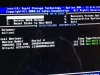
Hi guys! Does anyone know how to disable the intel rapid storage technology on boot screen? I always have to wait 2-3s to see the Alienware screen before my m17x boots the OS.
-
Have you tried using 3dmark vantage or 3dmark 11? those might reflect better scores as you change clock speeds.
-
Dont know if its ever worked we just got her laptop yesterday and just tried hooking it to the monitor today
-
so FN+F6 doesn't do anything huh? have you tried any other computers with this display?
-
That looks like RAID is enabled instead of AHCI.
-
FN+F6 brings up the menu to duplicate and such but it doesnt put anything on the other monitor. Yes this monitor use to be hooked to the desktop that we gave to one of the kids when she got her laptop. Used a different HDMI cable though as the 550ti has a mini output to standard input and the laptop needs a standard to standard.
-
Also, we got the 32gb cache hybrid drive deal. How can you tell its there? Only one drive shows up when we look in my computer
-
There's always dell tech support. It's probably something simple. Sorry I couldn't help.
-
I did switch AHCI in Bios already.
-
Its ok at least yall tried. Thanks for that.
-
To verify that caching is enabled, you can launch Intel Rapid Storage Technology, and click on Accelerate at the top. It should show that the 500GB drive is being accelerated by the 32GB cache drive. It won't show up in Explorer.
Hm, I dunno...haven't gotten my hands on mine yet.
-
Howdy Everyone,
I have had my M17x for two weeks tomorrow, and due to graduate school I have not really had a chance to "play" with my new laptop. However tonight, I had the opportunity to listen to some music through headphones on this machine, and all I can say is WOW!! The sound quality coming out of this laptop is the best I have ever heard coming from a mobile platform. I have always had high-quality sound cards for my desktops, but normally accepted just 'Ok' sound on my laptops. I still do not know if the Sound Blaster Recon 3Di is an actual sound "card" or just a fancy motherboard based CODEC that uses the CPU like most laptop qudio cards. It has also crossed my mind that it could be a 3rd-party installable software based CODEC as they have offered these "software" Sound Blasters for awhile (Dell has offered them several times over the years). In the end it doesn't matter, because it sounds AWESOME! This by far is my favority upgrade from my M15x so far (with the touch pad being a close second )
Thanks!
Rich S.
-
What's the best way to control fan speed ? I
Sent From My Rooted E3D -
hwinfo64
-
Meh I have it set up for sensors only for this http://forum.notebookreview.com/showthread.php?t=655138 looks like its time to edit so ini files hahaha
Sent From My Rooted E3D -
should be a fan button right in the middle at the bottom of the sensors page if I remember correctly. Just go there and you can manually adjust fan speeds, or setup a table of your own.
Caution: Use at your own risk, may cause damage to your system if not used correctly. -
Oh ok will check in the morning haha
Sent From My Rooted E3D -
I'm still looking for a solution. Does anyone can help?
-
Not sure its possible to disable. Haven't really haven't looked at it since I was running in AHCI though.
-
there's another thread confirming a creative sound blaster chip on the R4 mobos...
just got my R4 today... what a sexy beast... W O W is right!
-
Congrats on the New machine and hopefully I'll get to hear how much better the r4 sounds one day.
*OFFICIAL* Alienware M17x R3/R4 Owner's Lounge Thread
Discussion in 'Alienware 17 and M17x' started by katalin_2003, May 4, 2012.


