 Problems? See this thread at archive.org.
nope its just plug and play. There are some settings on the PS3 that make it a tad better, not sure about xbox though. Is there a display setting or something similar in the xbox dashboard?
-
Yes there is. Changed the settings and such and it seems to still flicker. Just not too noticeable when I turn up the brightness. Switched between multiple HDMI cables and the quality seems the same, albeit iffy.
-
I've played Nazi Zombies (BO 1 and BO 2) and they both worked fine for me. Colors are more natural than my 6+year old HP HDTV lol.
-
So there's no flickering at all?
-
so I spent almost the whole day putting in my new mSATA SSD in and then proceed to do a fresh windows install. Everything works great now its as if I'm using a brand new computer

-
Congrats dude!! Wish I had an mSATA slot in my r3.
-
Not at all..... Have you tried reinstalling the Alienware software+Nvidia software from scratch? See if that helps remedy the problem? Sorry as I'm honetsly still new at the M17x's interface, but it doesn't hurt to try
-
Was it hard to install your msata in your lap-top ? I ordered one for my lap-top and was wondering if you had
any problems installing it. -
Now that mSATA's getting a little bit more popular, i might jump the wagon and get one too for more HDD space lol.
-
nope, just time consuming as you have to tear apart pretty much all there is to tear out of your M17x R4 to get to the slot.
-
I did reinstall Alienware software and reinstall AMD drivers and softwares etc. Yeah, I have and AMD HD 7970M GPU. I tried in windows 8, whuch I installed from a different laptop. I'll try the HDMI input while using WIndows 7 and see if there are any improvements.
And installing mSATA drives aren't that difficult. Just time consuming. And remember to snap everything back to place, like the hinges or the meda buttons.
Does anyone know the spec differences between the webcams of r3 vs r4 and also if the webcam of the m18x r2 would fit inside an m17x r4? -
Try it in Win 7 and let me know..... So far I'm not a fan of AMD, once again
Great performance but they're soo glitchy IMO.
I have a friend who JUST purchased a HD7770 for his desktop and it has already started to take a dump on him everytime he watches youtube/hulu....
I have the gtx680m, if that makes any difference to you. -
the cameras are the same I think. At least I didnt notice anything different, both are 2.1MP.
I'm rocking a AMD RADEON 7970M and its working great for me, especially with the 12.11 line of drivers recently. -
Oddly enough, the HDMI input when used with Windows 7 works almost flawlessly. No flickers at all.
I then went back to Windows 8 and the flickering is back. So what seems to be the problem?
Also I can't seem to get the alien head on the lid to stay lit when I close the lid. I set the power option to "do nothing" when the lid is close. I disassembled the screen to make sure I have an led module there and sure enough I do. And lastly, how do I get the AlienFX to turn off when I close the lid? It seems to stay on anyways. -
Hi, the alienhead on the lid is powered by the display backlight, unlike other models that had a separate (and configurable) alienhead. When you close the lid, the display goes off and the alienhead with it. You cannot set the display to stay on with the lid closed.
I don't believe there is any way for the alienFX to auto 'off' either. I right click and select 'go dark' if I want to leave it running at night
-
I read that some r3s have a separate led module for the alienhead and it will stay on so long as the laptop is on and not in sleep or hibernate. I would assume it would be the same the current r4s.
-
there weren't any R3 that can do that, both R3 and R4 have the same layout and everything its impossible to do that.
-
My only guess is that Win 8 drivers are a little off or something. The biggest thing I haven't enjoyed about Win 8 is driver support and function support, so stay tuned as there might be an update for win 8 w/ the R4
-
what do you mean? I'm using it right now and other than the OSD not displaying properly, everything else is great. And back in October Dell already released a batch of new drivers for Windows 8.
-
Well i doubt other forum members would just lie about this. They even had a thread specifically discussing this issue. I even opened up the display assembly just to make sure.
Does anyone know if there are any drivers/applications that pertains to the HDMIs, specifically for the HDMI input? -
My R3 was the same and when I asked here I was informed about the unit being powered by the display backlight. It is a seperate unit on the panel but dell seem have decided to have dropped the ability to have control over it.
I think Long2905 was referring to the alienhead problem not the HDMI which IS a known issue that I have no idea on
-
I uninstalled 8 due to the drivers not being "Robust"...
There were too many nagging little issues.
I'll go back to 8 once the driver support gets better
Case in point, my gig Ethernet card would only go to 100Mb full, not 1 Gb full as I need it to do on our network... -
yeah i was talking about the alienware head on the back of the display. I fortunately enough havent encounter a problem with either HDMI ports.
-
Hey guys has anyone had this black screen issue. I've searched the other threads but the problems on the other threads are not like mine. Basically I will be playing around on the computer web browsing or playing some games, then I'll close the lid and come back around 20-30 mins later and the laptop is unresponsive. All the lighting is still on but I can't do anything and I have to force restart the laptop. I don't wanna keep doing that cause it could cause damage to the internals I have reinstalled the graphics drivers and done a diagnostics test through pressing f12 at boot up. Nothing seems to fix it.
Hopefully someone else has had this problem and it's a quick fix
Sorry for the long post
Thanks in advance
Sent from my GT-I9300 using Tapatalk 2 -
What did you set your power options to when you close the lid? "do nothing"? or "sleep"/"hibernate"?
-
Its set It to Do nothing and I've deleted the hibernation file
Sent from my GT-I9300 using Tapatalk 2 -
Does it become unresponsive right after you close the lid and open it again? Or after half an hour or so? Were there any windows up when you close the lid, or were you at the desktop when you close it?
Did it started recently, a while after you recieve the laptop? Could be something you've installed if that were the case. -
Are you having problems with HDMI input at all? Maybe you can shed some insight for scope since he's having problems on Win8
Are you on Windows 7? It's a sleep problem for Windows 7, disable sleep altogether, disable HDD shut off (as that damages your laptop HDD anyways), u can leave monitor shutoff on. I believe that's about it and your problems should go away. This is a known problem, and I don't know what is the cuase, it happened often on my XPS L702x, and since i figured out the first time, i've since disabled anything sleep-related on all systems. -
Thanks that makes sense I'll try that when I get home hopefully that fixes it.
When you say disable sleep I've got it set to sleep when I press the power button should I set that to do nothing as well
Sent from my GT-I9300 using Tapatalk 2 -
I'm using it to play on my ps3 quite frequently.
You know which port is HDMI input right? I was once mistaken between the two and keep trying on the left side of the system when I should have plugged in on the right side. I don't know, just make sure all your graphics drivers are up to date and check on "listen to this device" for the HDMI input in the sound setting to be able to hear anything from that line. -
its unresposive usually if i leave the laptop idle for a bit 10 mins or so i thought it might have been something that i have install in the past few days so i uninstalled them and still the problem is there.
ive checked in the advance options setting and my had drive is set to sleep never.
i also have done a static discharge.
looks like i might have to respawn again this would be the second time makes me regret buying this laptop
thanks again in advance guys -
THAT shouldn't affect anything. Only close lid-sleep and idle-sleep affects the system, it's a Win 7 thing, not a hardware issue. I honestly have no idea why, but it IS hardware related somehow.
Ohh no, it's not me with the problem, it's the user above with the flickering problems
Everything works A-OKAY for my system. I play 360 on this system often... at least once a week since we bring the 360 to a remote place and dont have TV access there.
Dont forget to set Idle sleep to NEVER too..... it's teh fact that keyboard and mouse cannot wake up the system. -
I did not mistake which HDMI is which as I said before the input works in Windows 7 flawlessly. Windows 8 is where I have problems with. Audio is fine, however the video flickers ever so slightly. It's nothing too bad, but I prefer no flickers at all if anything.
-
Anyone have Windows 8 running with a 3630qm and gtx 680m? I am having issues with audio output through the hdmi port? The video shows but there is no audio outputted. Under control panel sound devices hdmi out does not show, however if I use the display port with a hdmi adaptor it detects the hdmi and will output video and audio at the same time, and will usually utilise the nvidia card, but without the adapter I get no audio? I don't think I can see it under devices. Any ideas? Running latest beta/normal drivers for the intel and nvidia GPUs.
-
I got the audio to work with the HDMI input on my system by going to the Sound Blaster control panel and enable audio for HDMI input by checking "listen to this device" or whatever after clicking that cog symbol. Sorry, I'm current not on my laptop so I can't be too specific.
For the output, it might be in the control panel also. -
Yep i've set all of that and set everything else to do nothing when I press the power button or close the lid.
I guess I'll just wait for dell to come and see if they can fix it was just hoping maybe someone else might of had the same issue.
Thank's again everyone for your help
I'll put an update if I figure it out or after dell come past
Sent from my GT-I9300 using Tapatalk 2 -
Does anyone's alienhead logo stay on when their r4's are in sleep mode, or just the lid closed while the system is still on?
-
Not mine I think a few posts back it was explained that it's the lcd that lights up the alienhead
Edit: http://forum.notebookreview.com/showthread.php?t=701099
There's the thread I found
Sent from my GT-I9300 using Tapatalk 2 -
Luckilly my hdmi input works without an issue,
For the hdmi out audio I think its an issue with the intel hd 4000 drivers not creating a device for hdmi audio output. Not such a big problem since everything else works fine, picture shows just no audio device is created/shown (doe snot show up under sound devices in sound control panel. I'll play around with the drivers when I can. -
Hi guys!
I just got my new R4, it's amazing, but I want to make sure the battery is fine, so how do I stop the laptop's battery from charging after it reaches 100%? -
Are you joking?
Take out the charger :| -
Hi, congrats!
According to dell you don't need to be concerned about overcharging as the R4/R3 has circuitry that stops charging when the battery reaches 100%. Just see how long you get on battery and post your spec to see if it compares well.
-
Another option is to take out your battery when your plugged in if it worries you
Sent from my GT-I9300 using Tapatalk 2 -
Keep us updated!
![[IMG]](images/storyImages/mra104.jpg)
This is what my system looks like, I believe you're missing Nvidia HDMI drivers, as Intel doesn't output the audio last I checked
Try reinstalling Nvidia drivers, as this has been the same with me when i received the gtx575m and gtx 680m (3d).
Dont fret over longevity of your battery. Alienware battery's are insanely accurate and so far I've seen 0% wear rate on them. It's been good to me since day 1
Your laptop, as all laptops, are smart enough to shut itself off when battery is 100% charged, so dont feel like you need to put in any extra work. This system in particular (the R4's for what i know from reading quite a few pages back) has an auto-shutoff system build onto the system, so once 100% is detected it completely disconnects from battery system to prevent overcharging.
I think you read him wrong. He doesn't want to discharge the battery, he wants to charge it and find a way to completely disable charging to prevent overcharging.
-
Ran 3dmark 11 on the newest drivers, got 6156, not bad
But the thing that concerns me is the fan speed. In the GPU tests the fans went beyond loud and were going full blast.
Is this normal? -
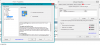
Thanks for the help, had a look, since mine is not the 3d model and running windows 8 with UEFI + fast/secure boot, the audio should be cmoing from the HD 4000 driver. The only port which is directly connected to the nvidia card is the displayport which will allow a displayport to hdmi adapter and will play audio through it too.
-
Correct me if I'm wrong but dont most electronics these days prevent the battery from over charging?
Also, about the alienhead on the lid. I did a check and it does have a PCB board for the led but it does not stay on when I close the lid. How can I making it light up otherwise? -
Yeah I saw all that circuitry. I think it's probably the same module used on all the AW laptops but they didn't bother to hook it into the AleinFX system so it just turns on and off with the display. I wouldn't be surprised if it was capable of different colors as seen on some models, early R3 adverts from dell showed it in red Shame
-
Some members with r3s said the light stays on no matter what so long as the system is still on. It should be the same on r4s should it not?
-
My R3 was he same as this one (turns off with the display) so maybe they had problems and changed it during the R3 run - or just went with a cheaper module??
*OFFICIAL* Alienware M17x R3/R4 Owner's Lounge Thread
Discussion in 'Alienware 17 and M17x' started by katalin_2003, May 4, 2012.


