 Problems? See this thread at archive.org.
lol, you've got the choices laid out correctly. The only other thing to consider is that by switching to AHIC your original installation will no longer work so to roll back you'd need to change the mode back as well as the boot order. By just putting in the SSD, changing the boot order and installing windows your original cached installation will be untouched and working.
Don't fall into the trap of benchmark numbers. I spent many hours fixing my R3 to use sata3 and not sata2 because it benchmarked worse that numbers I had seen, In actual use the speed gained was not worth my time at all. Of course if benchmarking is your thing then AHCI will remove the milliseconds overhead the RAID bios introduces.
Not sure if I said it here (I'm running 3 threads on similar questions) but the only difference I saw on an SSD between sata2 and sata3 was around 2 seconds on win load. I'm sure it would make more of a difference on a HDD.
-
-
Hmmm. I just assumed if you plugged in a SATA 3 drive into a system that supported SATA 3 (and a bay that had that connection) it would automatically run at SATA 3. How do you even know what it is running?
-
Quick question before my M17x-R4 gets here.
What's the full procedure to disable optimus, run JUST on the GTX 680 with no trace of the Intel video?
I think it's like hold down function plus some other key...or something. But I'm not sure what, nor when to enter it.
My understanding is this works with Dell's regular BIOS, not anything hacked or beta or anything like that. -
Yup, the problem occurs when the raid driver is trying to combine drives. They must be identical speeds or it will slow down to the lowest drive in the array (as in you adding an msata drive (sata2) to an existing ssd raid array).
I just look in IRST at the drives, it tells you what mode the access is in (6gb=sata3):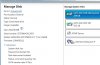
-
Interestingly enough, I just downloaded HWiNFO64 and it shows the 64GB mSata drive controller as SATA 6Gb/s. But being mSATA I assume it is still slower in speed than a SATA 6?
But what I'm hearing you say is that, unless I set up an array with the new 840 Pro, it shouldn't matter what the cache drive is running at?
I also need to figure out if this is actually set up as a cache drive ....
EDIT: IRST shows it at a SATA transfer rate of 3 Gb/s - I suppose that would make sense if it is connected with the HDD which is also set at SATA 3 Gb/s? But where does it show "this SSD is set up as a cache drive for this HDD?" -
1. Yep, that makes sense. The chipset supports up to 6 sata3 drives but as this is also used for the fast USB ports (USB3.0) they take 4 of the available ports leaving only 2 so dell chose to put the msata port at sata 2 (3gb/s)
Don't know about what HwInfo is reporting though - strange??
If it is correctly set up you will not see any drive letter for it and it will show under accelerate (well it is supposed to I've not used it yet). Check this doc out to see where it should be: Chipset Software — Intel® Smart Response Technology User Guide
It should also show up on the boot screen I believe... -
Tbh with my optimus enabled 680m I have no issues. But to completely disable it you need a modded/unlocked bios from techinferno. But tbh see how it runs with optimus, I have no issues GPU switching is smooth and get a decent battery life of 4-5 hours on optimus.
-
I have to wonder what is wrong with just disabling the intel card in device manager? Not having it I can't test
Nice to hear it's working well for you - shame so many people have issues
-
Just got my M17X R4. Initial impressions - Wow, it's huge! Way bigger than my previous 15" laptops. Kinda heavy too, but not too bad.
But once you fire this thing on and I was on the desktop in literally 10 seconds, it's unbelievable. This laptop is way too nice for me. Easily one of the nicest pieces of technology I've ever owned. -
Great to hear, welcome aboard
Yup, a full 2 inches bigger (lol) but you do get a separate number pad and some heavy duty components. I see it as more of a desktop replacement rather than a portable rig - I have smaller machines for OTR use.
-
Yeah, I'm just using mine as a desktop replacement, not really looking to take it anywhere. It's too big for that I think. But for hours of gaming while laying in bed (lol), oh yes, it's just perfect
.
-
Gotta agree, that's where I am now, nifty little bed lap-desk or the Targus lappad, and I'm set - sweet!
-
I need to get a lap-desk, I'm currently using a firm pillow, lol.
First test, fully modded Morrowind Overhaul. I tried playing this mod on my Toshiba Satellite, and while it was playable, certain spots dipped to 12-13 FPS and it got choppy. I'm hoping the 7970m will handle things a bit better
-
Just make sure you don't block the fan intakes - it'll overheat in a heartbeat when pushed! I use this ( Targus Notebook Laptop Chill Mat Cooling Stand Fan Up to 17" AWE55US Fanii | eBay) before I got the mini-desk, nice soft comfortable underside and it adds some extra cooling
Not familiar with that game but you should have no problems
-
Just a second recommendation on that Targus chill mat. It is what kept my M1710 alive for the last few years (the M1710 was constantly overheating without it.)
-
I'll check out that chill mat. Right now I'm using the top of a tray that you put food on while watching television, lol. It's actually working perfectly.
Is updating to 13.1 ccc drivers guaranteed better performance for the 7970m? I've only tested one game but I didn't have any problems. Guess I should update anyway though, huh? -
I leave Enduro off, so I only noticed a 10% increase in 3DMark11 scores when I upgraded to 13.1. 13.2 Beta 7 is about the same.
Should I get the 3630qm or 3740qm for my replacement m17x? I got an excellent deal, so budget is not an issue. (The 680m would still be too pricey.) -
Thanks. I left Enduro on, but I set the game I'm playing to high performance under catalyst control. So far it's been working fine, but if I can get 10% or more increase, I will definitely update. Thanks.
-
Sadly, I got no performance boost playing Morrowind with 13.1
-
Anyone else interested in Seagate's new SSHDs that are replacing their Momentus XT series? The largest capacity is 1 TB w/8GB SSD cache priced at $99 but they are going to be 5400 RPM instead of 7200 RPM. Seagate claims ~40% performance increase compared to the Momentus XT.
I may well replace the 500 GB HDD I have with this and still keep the 64 GB mSATA to accelerate this new SSHD- that way be as close to SSD anyone can get
-
Interesting. An SSD cache on an SSD cache, not sure that will be good but if you try one let me know.
-
thats quite good. I might replace my seagate 750GB for that. Do you know if its the normal 9.5" height or 12.6?
-
according to AnandTech the laptop variants will be 9.5". I might have to pick one of these up to replace my aging 320gb secondary drive.
Seagate Announces New Laptop and Desktop SSHDs (Solid State Hybrid Drives) -
Are both the HD ports/slots on the R4 SATA3/SATA6Gb/s? Just want to make sure that the empty slot I'm putting my new 840 Pro into is SATA6Gb/s (the system came with a 750 GB HDD + mSATA 64 GB SSD cache drive.)
-
Yup I believe they fixed the issue that plagued the r3 so you should be good to go.
-
Any idea why my 1080p looks washed out and ugly when I output the HDMI to it? The laptop looks crisp and beautiful but the screen looks terrible. The TV is about 7 years old but it's still 1080p. Is it time to upgrade to a better television or what?
-
I just bought a new m17x with a 3740qm, 7970m, Killer 1103, a two-year limited warranty with accidental damage coverage, and 1080p screen for $1800 (with 5% cash back and NBD shipping). I can't find a .gif good enough to express my sentiments. I hope I don't regret going with Windows 8.
Patience is good. -
Hi guys.
Thought I'd let you know of what happened with my mate's machine (Dell Outlet sent him the wrong GPU > 660M instead of 675M). All started a bit strange for him as he phoned through to tech support who asked a few questions before forwarding him on to some other department who said they'd send a tech out the next day and replace the 660 with the correct GPU (675). For some reason, he was then palmed off to someone else at customer care and he went back to square one. He told the guy what he had just discussed but the operator couldn't do anything about that and he wanted proof of the wrong GPU, so could he send on a screenshot. He obliged but was told that he would have to wait as the operator needed to talk with various departments. The wait became a week.
Four days later, he got a call back saying they'd be in touch after the weekend with an answer. All he wanted was the correct GPU to be installed, which was a greenlight with the first operator he spoke to. Anyway, he got a call Monday saying they could get a replacement system but he'd have to wait or get a full refund. He asked for the GPU to be replaced and that's all he wanted in the first place but was told no. He's now using the laptop and he needs it for work purposes so couldn't afford to send it back to Dell since the operator didn't know how long he'd have to wait for a replacement system. Therefore, the operator consequently agreed to a 10% refund if he kept the 660M. That's what he's decided on and will likely buy a new GPU next year.
Sorry for verbiage but just wanted to let everyone know that Dell really weren't flexible at all and I find it ridiculous that they didn't do the simplest and quickest thing of all and simply replace the wrong GPU for the correct one. Was he shafted or do you think the 10% was satisfactory? -
IMO he was totally shafted. That sucks, what horrible customer service. Sorry to hear about that.. embarrassing on Dell's part. They really don't care about their reputation being in the sh*tter apparently, definitely not doing anything to try prove otherwise.
-
I think that is the best you could expect. If it was a BTO machine that arrived with the wrong part then they would probably just get the correct part. In this case it's an outlet machine already built. Someone got the spec wrong when they advertised it. Usual procedure, full refund or a discount and you get what they sent.
-
Has anyone tried to replace the LCD cover with non-reflective glass?
-
Yes, both HDD slots are SATA3.
Which video card do you have?
I've been through something similar with optimus, just had to reinstall the intel HD 4000 driver straight from intel's website. -
7970m. The picture looks really dark and not too good. My TV handles other HD things fine. Xbox looks great, movies, television, all look good. It's just that HDMI connection looks terrible. I tried messing with the picture settings on the TV but it doesn't really help too much. Turning up the brightness doesn't solve anything, just makes it look worse.
-
Does dropping the resolution down make any difference? I had an older TV that did not cope well with high resolutions. The x-box will be 720p.
-
I didn't try lowering the resolution, but tomorrow when I mess with it more I will try that. Thing is, it handles 1080p television programming really well. The pictures looks nice, crisp, vivid. I don't know. Maybe my expectations are too high. After comparing the screen on my m17x to the LCD TV, I think the laptop screen looks so much better. And the colors and stuff don't translate well at all. Areas that I can clearly see and look nice on the laptop are so dark you can't see anything on the television.
-
Any chance your tv is a plasma one? I have issues trying to get a colour balance that is similar from the lcd to the tv usually. Any plasma tv i've used has issues trying to get the exact same colour. usually watchin films its ok, you might want to look up the 'gamma' settings for your tv I assume it just might be calibrated wrong.
You change the gamma settings per display in the windows control panel somewhere, just search it should come up. -
Don't know the exact resolution of 1080p TV but the one I had did 1080 TV fine but the highest PC resolution it could handle was 1280x(lower number, can't remember). Also can you try a different TV, at a friends maybe? If it's the same then you know you are chasing a PC problem...
-
I'll try another TV which was purchased last year. Both the TV I tried it on and the TV I'm about to try are LCD screens.
-
Last thing to try (see if you can track down the specs for the TV, it should state the maximum PC resolution), I get a great picture at 1920x1080 on my new 3D LCD TV, the first one that actually looks good
-
You should also check for settings like your TV's "wide" mode (Usually options like wide, full, zoom, wide zoom, etc..) as well as the overscan/underscan properties set in your AMD catalyst.
-
Yeah, never got a good picture with plasma. I think it's because it has a slower decay (why they can get burnt-in) which smooths out slower things like films but gets in the way when a fast refresh is needed for crispness.
-
Does anybody else have the problem of intermittent sata freezes. I think this issue is actually closely related to the intermittent USB disconnection problem.
They only happen on moderate to heavy transfers. I've only tested it with SSDs, since I don't have a hard drive in my laptop anymore. Even on continuous moderate to heavy SSD usage, the freezes are not frequent, one to a few per hour, but when they happen and you happen to notice them, then the sata transfer rate drops one step, from 6 Gbps to 3 Gbps, and then to 1.5 Gbps to stay there on subsequent freezes. The sata transfer rate can be seen in the Intel RST application. Interestingly, when you put the system to standby (sleep), and wake it up again, all ports are reset to their maximum transfer speeds, that is, 6 Gbps for port 0 and 1, and 3 Gbps for ports 3 (msata), 4 (optical) and 5 (e-sata).
The freezes take from half a second to roughly 10 seconds. During a freeze the Windows Resource Monitor shows the drive as 100% active time, with 0 data throughput and 0 queue length.
I've tried everything,
1. I've checked the laptop using the hardware check from BIOS.
2. I've checked the laptop using the checkup on the Dell drivers web site, in Internet Explorer. No errors either, not even with all sata ports already in 1.5 Gbps, and not even an error when a freeze actually occurred during testing, as seen in the Resource Monitor.
3. A fresh install of Windows 7, using all the recommended drivers of the Dell drivers page, installed in the recommended order.
4. I've bought a Windows 8 Pro license, following again recommended driver guidelines.
5. I've tried all newest drivers for everything, from Intel, Nvidia, etc.
6. I've tried all versions of the chipset, RST, Intel mgt engine drivers.
7. I've tried all BIOS versions, in combination with the recommended drivers and with all newest drivers and some in between versions. I've loaded the bios defaults after updating the bios.
7. I've installed the chipset drivers with "setup -overall" to make sure all drivers of that version are actually installed. Closely inspecting the version numbers in the device manager.
8. Not installing the Intel RST driver, and using the chipset sata driver instead.
9. Trying everything in both AHCI and RAID BIOS settings. (No differences at all).
10. I've learned that with all newest versions of the drivers (chipset 9.3.0.1026, irst 11.7) it's impossible to complete a checkdisk with a bad sector check without a freeze (checkdisk /r/f/x/b). The freezes are frequent for sata as well as usb. With the newest Intel drivers for chipset, sata and usb it's impossible to use any USB3 drive, I have 5 different brands. They disconnect on average every 10 seconds, when writing data to them.
11. I've learned that with an old beta of the Intel RST 12.0 driver, the sata transfer rate does NOT drop down, which would be a plus. The sata ports however often stay frozen when a freeze occurs, which is not a plus to put it mildly.
12. I've learned that with all the Dell recommended drivers installed, the issue is minimized, but not solved. On average I get one to 3 or 4 sata freezes per hour, on somewhat heavy continuous usage, such as 3D rendering, video rendering (After Effects), music rendering (Cubase 6.5 and 7 (and VSL VE Pro) with virtual instruments), and several games.
13. The sata freezes occur on all sata ports, that is, on all drives in my signature, three different brands on internal sata (2x6G, 1x3G), an msata one (3G), and on the e-sata port (3G). This cannot be a flaky hardware connector issue. How could 3 separate internal sata connectors, an msata connector and an e-sata connector all exhibit the same flaky connection behaviour?
14. All temperatures are normal, SSD temps below 50 C, CPU below 70, no other problems.
15. When maximizing transfers on all SSDs simulaneously, they will freeze faster and thus more often, when also including the Windows system drive (msata), the system will lock-up with a high chance of ending in a blue screen.
16. When taking the SSDs out of the laptop and installing them in my two desktop systems (Z68 and Z77), and running the same checks exhaustively and on all drives simultaneously, not a single error or freeze occurred, the drives are flawless.
First I thought the issues were actually caused by bugs in the software I use, but when I realized it's occurring in all these disparate applications and they don't occur using the same applications on my desktop system, I thought it must be some flaky driver on the laptop. Now that I've tried everything, I think it might be the hardware, hopefully only my specific laptop, and not a systematic flaw of the Intel chipset.
Then again... Why is the version history of the Intel RST driver such a mess? In the past month, this is what happened to the driver:
11.6.0.1030, A00 3/11/2013 7:45:48 AM
11.7.0.1013, A02 2/26/2013 2:45:08 AM
11.6.0.1030, X05 2/8/2013 3:21:24 AM
11.0.0.1032, X00 2/8/2013 3:21:24 AM
11.6.0.1030, A02 1/2/2013 4:35:22 AM
This messy back and forth moving between driver versions leads me to believe there is something very very wrong here. Wasn't the massive recall of chipsets by Intel about the Sata circuits? Wasn't this an issue that would occur after some time of usage? Is this a prelude to a massive recall of the HM77 chipset? I hope not.
Does anybody else experience these problems? -
I had almost exactly the same problem with my R3, frequent pauses during file copies and everything would become 'busy' during the pauses. The only strange thing was that I was unable to do a system restore - it told me that the registry was not accessible. I ran some rootkit detectors and one of then came back with 'locked regisrty settings' and advised a complete wipedown and replace the boot sector. I just got a new drive and re-installed. All was fine after that.
I know it's grabbing at straws but it does sound the same. -
OK, FINALLY got my M17x and got back from business travel! Ready to set things up, move things from my old M1710 and make this my main computer!
Question - I'm about to install my 840 pro to go with the 750 GB HDD and 64 GB cache drive (once I fix what looks like a screw up from Dell in not actually setting up the 64 GB mSata SSD as a cache drive!) I'll install Windows 7 on the new 840 Pro (512 GB) partition it to leave some OP room, then I will want to put most stuff on the new SSD boot drive. I assume I'll need to somehow move all the drivers and Alienware software from the 750 HDD to the SSD - what is the most effective way to move everything from the HDD to the new SSD? (I'll keep the HDD installed and use it as a storage drive.)
Thanks -
Do a clean install if possible, that way you won't need a cloning kit which will require more time and cash.
Anyone else saw the news from Corsair and their new 3000MHz RAM? :wub: -
All the drivers will be installed on the new drive when you install windows. For the AW software just install fresh ('my dell downloads'). What is OP, not familiar with that phrase??
-
OP = overprovisioning, fancy word for setting aside some reserved unused space for the SSD, which supposedly sustains performance.
Gotcha on the install. It's a bear getting things moved over, but can't wait until its done. -
Sounds strange, Never heard of it. Looks liike I need to do some research.
Bear in mind that when you install AlienRespawn it will detect that you do not have a 'factory' partition and offer to create one - you decide on the size. Make sure you are happy with thee windows install and decide the point that you want the rollback to be at when you run it.
-
Yeah if you go to the Hardware/SSD threads in the forum here you'll see heated arguments on whether the free space just needs to be left open, or whether you need to partition it, how much is required, etc. It'll give you a headache. ;
Just put the 840 Pro in (this machine is a joy to open - my M1710 required you to literally removed the LCD screen from the body of the computer and take off the top of the computer, etc. to get to anything) and am installing Windows as we speak (took a day off to finally get my M17x running!)
EDIT: Decided to remove the existing HDD before installing Windows on the SSD because, with my luck I'd end up screwing up the existing HDD somehow. Love that the M17x makes it so easy to get to the drive and do that (though the plastic pull tab broke as I tried to remove the HDD.) -
Hmm. Took out the HDD that came with the M17x (just to make sure I didn't accidentally format it) and installed Windows 7 from the Windows 7 CD that came with the system. Install went fine, apparently.
However, it appears to have not installed any drivers. Once I rebooted after the install the only icons in the systray are the battery, speaker volume, battery, and a network icon that says no connections available (even though the wireless is running well, so I take that to mean that the wireless card isn't running. Device manager confirms the only video adapter is "standard VGA".
So - how do I get all of the drivers for the hardware installed? I thought those would automatically install with the Windows 7 install??? VERY disappointed right now!
Thanks
*OFFICIAL* Alienware M17x R3/R4 Owner's Lounge Thread
Discussion in 'Alienware 17 and M17x' started by katalin_2003, May 4, 2012.


