Problems? See this thread at archive.org.
If dell are true to form then you will loose 3D. It is 'certified' in the BIOS and dell only have cards sold with the machine in the list. A very easy fix for them but they do not want to add anything in they do not 'authorise'
A Vbios fix might come along but AFAIK the 680m/R3 users are still stuffed with 3D
-
-
Yup pretty much. If you want to keep 3D you are going to have to keep the 680m. A bunch of different people have tried looking through the bios and trying to make it work with the R3, but no dice so far.
-
Thought I'd mention it here, Metro Last Light has a nice feature for AW owners. Best implementation of alienfx so far. Move in and out of shadows and your keyboard glows at the level of light you're in. Great in the dark with 3D!
-
Hi all,
AMD's Catalyst Uninstall Utility (I suspect--it's likelier than the 13.4 WHQL) broke my ability to change power plans on Windows 8. Has anyone had that problem?
A link: Official AMD Uninstallation Utility! - Guru3D.com Forums
Otherwise, the laptop runs well.
Edit: Never mind. Dell didn't offer compensation for anything. -
hi all ,
can anyone tell me if the bios A11 is the latest one for R4 ? -
I am wondering. Is it normal for the m17x to be creaky. I know in some areas when I pick it up with one hand per say and carry it or put it down and the weight shifts it makes creaking sounds. Does anyone else's do this or should I take up Dells offer for a new one?
-
That's the AMD tool that broke my power plan, I had to do a clean install after searching for hours for solution.
I was using win 8 and I had some problems with CCC host application which made Chrome stay unconnect to the internet while FF and IE was still ok.
I used that tool to remove AMD drivers and installed the lastest beta and found my power plan missing. I got this twice and had to do clean install twice.
Too tired of those above, I went back to win 7 and had no problem. May be I would stay here until win 8 SP1 update. -
Hey, I'm having some artifacts showing up on the right side of my screen. The odd part is it only shows up while browsing with firefox. And only on certain website(s). But this only happens if I only have the 7970M running. If I have both GPUs (Intel HD4000) enabled then there are no artifacts on the screen.
-
Same here, some black squares while browsing. Having this since latest official 13.x driver installed.
-
Try turning off hardware acceleration (options, general). FF is causing a hang on mine with that selected
-
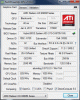
Hello all. My 6990m from my M17x R3 failed last week after 1 year of use. I went with my laptop in service and they've changed my graphics card to another amd 6990m. Casually i opened gpu-z and i saw that the frequencyes are diferent...the old 6990m had gpu clock 740 and memory 900 and the new card has 825 mhz with 1000mhz and it presents itself more cooler in games 65-70 (75-78 old card) Celcius and 52-54(60 old card) in idle.Is this a revision or something? i do not understand, the guy from service said it;s the same card. My left warranty is only 1 year and i'm scared not to burn it again. I'm only gaming casually (dota 2 and starcraft 2) and render 3d models in Lumion and Artlantis.
-
For the people that use Alien Autopsy, has the UI changed for you guys (color scheme, basic layout, etc...) Mine is all generic looking and stuff. It shows the information as normal though.
-
Quick little question. Is there some kind of mouse gesture that allows you to quickly zip the pointer around the screen? I am finding that quite by accident, if I let a second finger touch the trackpad, and release one of my fingers, the cursor can zip from one side of the screen to the other.
It happens in all directions though, and correlates with where my fingers rest on the trackpad. Trouble is I am doing it subconsciously as my hand relaxes and finding the cursor jumping all over the place.
If I use the trackpad as intended, with either one finger, of two for scrolling, it always works flawlessly. It is just when I am touching and untouching with two fingers while gaming that I am noticing this weird thing going on, and it's a bit annoying. Thanks. -
Don't know about gestures but how about about Fn-F12 to turn it off when you are gaming maybe?
-
Sadly I can't as I'm using the trackpad for gaming when I'm in the bedroom. Only slow paced stuff, but never the less I use the trackpad.
Because they are slow paced games though, is the reason my fingers are resting against the trackpad (still getting used to it being off centre from my old laptop).
I think it is something to do with the deadzone part along the side and bottom. I was hoping that could be switched back to just being a normal part of the trackpad but it doesn't seem as though it can be. I have scrolling switched off via those segments though.
It isn't the end of the world. It just catches me out when suddenly I don't know where the cursor is for a second. -
Thought that might be the case, I also got annoyed by accidentally touching the pad so I got a wireless mouse along with a lap table (perfect width!) for use in bed, and turn off the trackpad. Not so convenient but functional
I've seen a lot of people complain about the trackpad not being central, but it is! It's central to the keyboard so it is in the place it should be for your thumbs. Most laptops do not have a separate numberpad which causes the keyboard to be left justified and not central
-
Comment and question:
Loving my M17x R4! But I have noticed after only a short time the paint above the keyboard has a couple of spots where it has come off, as if someone took a pin and poked holes in it. Since it just sits on my lap or a desk 100% of the time, not sure why that is happening.
What do you use to monitor heat and the like? I ran HWInfo but for some reason it does not show the temp on my GPU. -
Hi man, No idea about the spots.
I just use MSIafterburner or EVGA PrecisionX to monitor frame rates and GPU temp since I'm only interested in those while I am gaming. Both use the same OSD and can even tie into HWInfo to show stats from there in-game if you want CPU info
-
Anyone else having trouble with the latest May 23rd (320.18) drivers? I seem to get blank screens when installing it, giving it another try as we speak....... (gtx680m).
-
Hey man, long time
Check this out: lot of blank screen issues post 314.22
https://forums.geforce.com/default/...ay-driver-feedback-thread-released-5-23-13-/1
Edit: And the 680m/3D AW's seem particularly prone... -
almost everyone with 680M(R3/R4) with 3d displays are having this problem since 320.xx have come
320.14
https://forums.geforce.com/default/...hread-released-5-13-13-/post/3809245/#3809245
320.18
https://forums.geforce.com/default/...hread-released-5-23-13-/post/3816123/#3816123 -
Interested in what lap table that might be actually. I've been looking around for something suitable to use while I'm sat in bed so that I can still use a mouse. I'm using an upside down tea tray at the minute, which I thought was huge, but barely fits the laptop on never mind anything else
-
Yikes!!!! That totally bites I thought these systems+drivers were like..... problem free.
Thanks for the welcome I've been busy with life lately
job, car bills, wifey, have all caught up on me lately, I get maybe 5 minutes a day of internet time, and in that time I usually just pass out and go to bed lol!
Wow, just read up here and there on the topic, I for one am a lazy fool..... I know strength in numbers gets these problems resolved, but I'm too lazy to register for another forum LOL! I'd like to thank you two, and anyone else on NBR here that's contributing to the movement with this blank screen, as the BETA drivers did the exact same thing to me while the 314 drivers were released.
I'll be checking back and forth every couple weeks and see if there's any progress def keep us 3d owners up to date!
-
I just got a cheap bed-breakfast table from the local charity store. 22" wide, perfect. Very basic wood, with folding legs and no lip around the edges. I also use the Targus lap pad and a CD box (for the mouse) sometimes. The lap pad has a nice soft underside and easily moves with the laptop as a single unit. Not the prettiest but functional!
Attached Files:
-
-
I see that the 680m is out of stock in the UK and the 120hz panel has been removed from the builder worldwide. I contacted dell but just got 'temporarily out of stock, check back in a couple of weeks'.
Running down stocks for the R5 release maybe. I hope they have a better 120hz panel in mind, a multi-sync would solve all the problems with the iGPU (and allow AMD owners to use a 120hz panel)!
-
We shall see, the sneak peak shows a very different system than any alienware I've seen before, but we won't won't know for sure till june 10th.
-
Yeah, let's hope they have invested and not just cut costs as in the last couple releases
-
680M for Dell AU seems to be out as well, expect delays of a couple of weeks Dell says
-
I hate being out of date.... I feel broke when new releases (like the R5) take reign
-
+1 I want a quality unit not one with better performance but a step back in build quality.
-
hey ppl, i got a question,
i am having my motherboard replaced for the 6th time, is there any way i can ask dell to replace my whole laptop? i am tired of this!!! i heard they had a policy that if the same part goes corrupt 3-4 times you can get the system replaced
and ya 1 more,
i had bought the alienware in july, and had to do 2 factory restore, so what happened was, that both times my warranty, mcaffe everything reset itself, so now my warranty reads october or something [ alienaware down right now, have 2 replace mother board ] instead of july, so should i tell them or should i enjoy my warranty till october
-
6 times! What you been doing to it?
As I understand it, and I had my R3 replaced with this one, after 3 call-outs the engineer can escalate for consideration for a replacement. There is no onus on dell to do this but often it's cheaper just to replace and refurb your one for resale, instead of keep replacing parts.
After I had a bunch of problems I just said that like you I was getting fed up with this and just wanted a working machine. Can I get a replacement? The guy said that he would check, he did and and said it was approved. He then checked the outlet for the same model/specs, there wasn't one so he said I'd be contacted to arrange a new R4. Got the call next day asking me to confirm the spec, was all OK so it got ordered and delivered.
If they do offer a replacement it can be a refurb but must be the same or better spec. Waranty should be transfered for remaining period.
HTH. -
Guys,
Whilst I was trying to clean the dust off the metal parts surrounding the speakers on my R4, I ended up scratching it badly. Worst part is that I kept on cleaning even after it started and ended up loosing the shine from the pretty thing.
I was careful to use a cleaning cloth made of cotton, but still it happened somehow.
Is there anything which can be done?
It's just 3 months old. I'm very much disappointed. -
so if i ask them to replace it after the r5 releases. i get r5??

hell sorry i didn't mean 6 times, i meant its my 5th mother board [ if thats any different -_- ]
1st time, when i was playing lol and bf my laptop kept restarting, so they changed the mother board,
but then my keyboard wont work so they changed my mother board again and my keyboard, then 1 day i was playing tomb raider, i had installed the nvidia beta drivers, [ i don't remember which 1] and my windows kept crashing so when i downgraded it, my windows was running slowly, the animations were really slow, even switching b/w start and desktop [windows 8] was really slow, and when i was playing tomb raider there was a *putt* and my laptop shut down and didnt start, so they replaced my mother board, but then my led wont work so now they are gonna change the led and the mother board so this will be my 5th motherboard. All in all this will be my 5th mother board, 2nd led, 2nd keyboard, 2nd heat sink. Yup there u have it.
am i eligible for a new R5!!! and will they check my bill? if they do then my warranty will last till july if they dont then till october
[ pls dont for the sake of my health and happiness ]
-
Wow, that is a saga, sorry for your pain!
First thing is to check the waranty. Dell will go with their records not the bill. All you need to so is search dell's drivers and downloads using your service tag. There will be a warranty tab and you can see the dates.
As for what you get, if they accept a replacement is in order, it is luck of the draw. It can also depend on what country you are in as to whether you get new or refurb. The US and Canada have high volumes and are more likely to have one (used) available in your spec. Very small volume countries (like eastern european) often ask you to wait while they send for refurb parts from dell international. Local laws also have a bearing (lemon laws) and dell do vary the warranty. For example US/CA customers have the right to renew their complete care (accidental damage) before the existing one expires written into the warranty terms and conditions. In the UK it is specifically excluded! P'd me off when I went to renew!
I had an R3 and my last complete failure occured just after the R4 had come out. Since they could not find a suitable R3 I got a new R4. This was about 2 weeks after the R4 had come out. I've also seen R2 owners get new R4's, and one got an M18x on the basis of having a dual GPU build originally, although I think this was just plain lucky since a single top GPU R4 will outperform any SLi/Crosfire cards available at the time of the R2.
Roll the dice, ask nicely ( basically begged) and see what they offer. Let us know how it goes
-
lol!
dell has a very good support in india, but dell doesnt promote alienware that much and all alienwares have a prefixed specification but all of them are ordered from us, so if theres no r4 SELLING in the us , no stock in india so if they release the r 5 and even though r4 is available in us i think i ahould get r5 if it says so in alienware india.
-
Yeah, my support here is based in India and I find them excellent.
All AW laptops come from a single factory in China, they change parts like keyboard, and other parts that might not be available as spares in the country of destination. It's down to exactly what they offer in the country of purchase as to what is offered for replacement. A machine built for the US would have the wrong keyboard and power plug (unless India uses US layout?). They can only offer 'same or better' based on the warranty T's and C's. I'm sure they won't offer a new R4 after the R5 is released, they won't be being made and only BTO is available for new AW laptops. It just might be a 'used' R4 if there is one in India (check your outlet store). Them having a 'fixed' config in India means that the chances of there being one around that matches your config more possible.
Good luck
-
i will sue them if they give me a used laptop and no india doesnt use US layout.
*Sigh* when will E3 come. Any news on nvidia 3d vision 3? -
hey
i thought i would get a ssd for my sytem, and just for fun i decided to try my specs on the alienware site and it said that a combination of SSD, WINDOWS 8 PRO and 3D is not possible is that true?
then what do i do? can i stuff in a ssd?
-
The only combination that is not possible is an AMD video card and 3D (120hz display). I have seen problems with the builder complaining that the lid cover is wrong when selecting the 120hz display but it can be fixed later in the selection process.
I'm wondering if this is to do with the 120hz display being out-of-stock. I tried recently to build a 3D model and saw that the 120hz display was not there. I contacted dell to be told they were out of stock for the UK. I tried the US and it was the same (then again they are all built in the same factory!) and another user in AU also noted it was missing/out-of-stock. I think it was in this thread a few days ago.
The builder does sometimes have these weird issues
Putting in an SSD has no bearing on the existing hardware or software, if a HD works then an SSD will work just the same.
Good Luck. -
Hello, I have a question about my warranty and installing a SSD. I just bought a 256gb 840 pro for my laptop but my m17x stock configuration is 500gb + 500gb (1tb) raid0. If I remove one of the 500gb's, do I need to keep it somewhere safe for warranty purposes? I heard I need to hold on to it and put it back in if I want my laptop to get serviced by Dell if anything goes wrong. I hope this isn't the case since I would prefer to get rid of the old 500 HDD drive. >.>
-
yes, the warranty is only valid on the configuration you got from dell
but changing hdds is easy task ehh? why worry, pop the old one back in and you are good to go
you could also use it as a backup drive with OS installed in case something gets messed up in other hdd -
Hi, normally you do need to put parts replaced back in for warranty service, BUT it would be a picky engineer if the problem you were calling about was diagnosed as being caused by the new SSD (and spot it if the problem is clearly not drive related). If you send a machine into dell for repair it does not need to have any drive in it - to protect your data they have to use their own when testing it.
Personally I'd play safe and keep it but see what others say... -
Eh, I don't have the computer yet and I've never touched the innards of a computer. This is my first big investment I've made in years so I'm upgrading my PC before even getting it. I'm actually more concerned about breaking it so I don't want to play the swapping game with it.
Hmm, I didn't know Dell operates on their own drive during servicing. That surely gives me relief. Thanks! -
Better keep it somewhere just in case.
As for the drive upgrade, I would recommend the following:
Remove both hard drives (destroy the RAID and format before removing them to avoid any possible conflicts later)
Install the SSD
Go to the BIOS and switch SATA operation from RAID to AHCI
Load the OS on the SSD
Install the storage 500gb drive that you will keep in the laptop
Windows tends to create the System Reserve Partition in the storage drive when there's one available, that's why it's better to have it out of the laptop until you finish loading the OS.
Removing the hard drives on the Alienware M17x R3 & R4
If you encounter any problems during the process don't hesitate to ask. -
Thats great +rep. You have an inside line Drixenol!
There are many ways to do these things, myself I would not destroy the raid or format the drives, simply remove them and follow all the other instructions. If it goes badly you get to turn raid back on in the BIOS and put the drives back in to return the machine to original. Make sure you note which drive comes from which slot though or it will never work. When you come to put in the data drive you can use disk manager to prepare it for use. -
Hey Luis, I really appreciate the in-depth explanation. I assume you are suggesting that I should create a USB or media recovery disk with AlienRespawn before formatting both stock 500 hard drives. So I format the HD's on another computer? Also, what is wrong with loading the OS on the SSD and the storage 500gb drive at the same time? I thought a "System Reserve Partition" is a good thing.
Perhaps you meant I should do a clean install, since I recall someone else having the exact config as my laptop doing the same thing to install a SSD.
I kinda see what you mean. So are you suggesting I should just simply remove both HD's and install a factory image onto the SSD and THEN place one of the HD's in the storage slot? I'll take it as a much simpler way that's reverse-able. But, I thought two completely different drives can't be raid-ed?
I mean the simplest way, but most wasteful way, I can see to do this is merely to remove both hard drives and merely install a clean copy onto the SSD. Doing so, I don't need to format either hard drives, but unfortunately I won't have a spare 500gig caddy HD for storage. Perhaps, I could format the HD's on another laptop to clean them and insert them in later for storage. This might sound really dumb but I'm a bit noobish at PC's so please bear with me. I've only recently developed an interest in PC hardware. -
Quick question. My machine popped up a notice in the system tray that there was an update for the Nvidia card, but I believe I read somewhere it was best to go through Dells website to check for driver updates instead?
I must also mention that my machine is new and has been working fine out of the box so I hadn't updated any drivers yet, so no one go expecting a new driver update that they may have missed
-
Yes. You're right about different drive types cannot be RAID'd but you won't be using RAID. You turn it off before installing the new SSD, then if all OK just put in one of the original drives and format it - you might need to use disk manager to place a partition on it first as it will be strangely formatted (as part of a raid pair).
i know it's very confusing so ask away if I'm not clear
As long as you turn off raid in the BIOS (don't change any RAID settings anywhere else) it will 'see' the drives installed as individual units as you add them.
HTH -
DO NOT USE! See : https://forums.geforce.com/default/...ay-driver-feedback-thread-released-5-23-13-/1 for 33 pages of problems - it's the worst driver NV have released for a long time
680m/3D AW's are getting real messed up...
*OFFICIAL* Alienware M17x R3/R4 Owner's Lounge Thread
Discussion in 'Alienware 17 and M17x' started by katalin_2003, May 4, 2012.