 Problems? See this thread at archive.org.
do you know what the range is? Just curious. And I suppose it you need to stream blueray movies to the tv while playing games this would be perfect!
-
-
I'm looking at getting a SSD for windows 7 and to put league of legends/music on it, i really want to get it for as cheap as possible.
I'm more interested in the boot time as i already have a large 7200rpm. Any recommendations on a decent one that is rapid boot time for price -
840 pro from samsung is one of the fastest drives available. I'm sure you would be happy with almost any SATA III SSD though, they are all super fast.
-
Yeah, pretty much any ssd will be fast.
In my htpc I put a 32gb msata drive (only had windows on it) Boot time from off to using the internet was 9 seconds
Alternatly you can go with a caching drive. Then it will put the programs you use the most on it by itself.
I have one in my m14xr2 and it boots just a hair slower than my m11xr1 with a crucial m4 128gb ssd. -
I have tried everything from scratch several times ..
I tried my cousin's 6870m on it and it worked like a charm ..
my 6990m behaved just like mine on his r3
shows in bios ,
shows on device manager with yellow exclamation mark reporting :
"Windows cannot verify the digital signature for the drivers required for this device. A recent hardware or software change might have installed a file that is signed incorrectly or damaged, or that might be malicious software from an unknown source. (Code 52)"
whatever driver I tried it always had frozen my system with blank white screen, specifically when "installing display driver" on whatever catalyst
I really appreciate any help
-
http://forum.notebookreview.com/alienware-m17x/721374-my-6990m-dead.html#post9233370
I was informed by this post that my card is dead
-
Did you try re-seating the card in the laptop, might just be a dodgy connection?
-
Just received delivery of a Spyder4Pro, which is used to calibrate screens. Wow, such a difference, everything looked blue and harsh before & I didn't know it. The difference is like night & day after calibration. I had tried doing it manually before, but could never get it right, but the results with the Spyder4Pro were great. All the greys used to have a blue tinge, now everything looks real! I'd recommend it as an investment to those that spend hours a day using their screens. Seems easier on the eyes too. Not cheap at a little over £100, but it lasts years. I'm not into photography, but I can certainly see how it would benefit those that are. I think it's crazy that manufacturers don't calibrate the screens more accurately when they ship them.
EDIT: There are other calibration tools available! I don't work for SpyderPro! -
tried repasting and everything
even another 6870m card worked ok on mine -
Well, I guess if you've tried everything it's knackered! The only things I can think of are:
1) Are the BIOS settings OK. Maybe reset them to defaults. Probably not this.
2) vBIOS. Are you using a stock vBIOS. Maybe try using the original vBIOS. Probably not this.
3) Graphics Drivers: Uninstall all Graphics Drivers, run CCleaner to remove traces of old drivers. Reinstall AMD drivers. Maybe this.
4) Reseat Graphics Card. Maybe this.
5) If you've tried all of that, maybe your card has got a hardware problem, and needs replacing.
Can't think of anything else. -
I posted this in a separate thread but I thought it might be wise to post here as well.
Here's my situation. Over the past year my Alienware has had 2 issues with the power supply. The computer started running very slowly and I was getting severe lag in games, etc. Finally I figured out that I had to plug the adapter into another socket because it wasn't getting enough power for some reason. Okay, it fixed the problem and the laptop ran fine. I moved to a new residence and the problem happened again just recently, so I did the trick again, plugged it into a new outlet and it was back to normal. Now, I'm getting a slight dip in overall performance. My computer boots up ever so slightly slower, and my scores in 3dmark11 have dropped 600 points. I'm guessing this is another power supply issue, however, the trick isn't working this time to fix it. I tried multiple new outlets and I still get the performance hits. Any ideas? Do I need to purchase a new power adapter? Please help! Thanks!
Edit - Turns out I just needed to roll back drivers to something that gave me better performance. Solved! Currently using 13.1 whql and things are looking smooth. -
To all modding gurus
can we put the 3 heatpipe copper pipes for the cpu in R4?
for non extreme cpus
how much of a benefit\improvement is it? -
Hey there guys! Running into a bit of trouble again but this time with the Command Center. While my keyboard does light up I can't seem to change the theme in the software...nor does the Fn+f11 button work for me while others do. The Command Center says that my device cannot be detected. It was working just fine a couple of days ago but now it just stopped...already tried repairing/re-installing the software and its still a no-go...Any help on this matter will be very appreciated!
Sent from my SGH-T889 using Tapatalk 2 -
Don't think this is possible without some serious modding and I don't think the gains would really be worth it.
-
tried all that , and no luck ..
it is seen on the bios ok and on windows device manager ..
but it freezes when installing the driver
heard of the oven thingy but no clue or guide for doing it ..?
buying a new card and shipping it to Egypt with customs and everything costs more than the laptop itself
PLEASE HELP -
I was on the Dell site checking for updated drivers for my computer using my Service Tag and I noticed that there was no BIOS update available so I checked under all R4's and found BIOS update Voyager A12. I am using A09 so I was wondering what on earth is Voyager 12 and what computers use it?
-
A12 BIOS is for the R4, should see it in the description somewhere. I am running it without any issues.
-
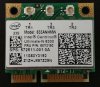
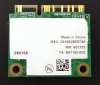
I'm having trouble trying to install intel n6300 wifi card. I keep on getting error code in device manager. Something along the lines of Operation failed to start, etc. I installed it on a different laptop just to make sure it wasn't just the card, and sure enough it works just fine on my nephew's hp. Both are running windows 8 x64. What I did is uninstall the atheros drivers for my other wifi card, killer n1103. The official bigfoot drivers are buggy and bloated in my opinion. I then removed it and installed the intel card. I tried different drivers from intel's, but have the same error. The file names are:
Wireless_16.1.1_De64.exe
Wireless_16.1.1_e64.exe
Intel My WiFi Dashboard_15.6.0_64.exe
Here are the pics of the intel wifi card:
-
Hi, sorry to hear that your card is still not working. I really don't know if the GPU bake option will work or not, but I have heard about it before, in fact I heard about it a number of years ago from here:
GPU Bake again ....... - News - LaptopVideo2Go Forums
There's instructions on that link on how to bake your card, so good luck with it if you do choose to do that. It may not work, and you may just melt your GPU, but I suppose if it's broken now anyway you may not have much to lose. Let us know how it goes if you do the baking!
EDIT: In the instructions he bakes it with the heatsink still attached, but that's because it's soldered onto the board. For you, remove the heatsink & pads from the card before you bake the card, don't bake the heatsink or pads!
-
thank you so much for your support ..
but before doing this .. is there anyway I can be DEFINITELY sure that the card is dead ??
it is just weird to see it's full details on device manager and it shows up on bios !!! -
thank you so much for your support ..
but before doing this .. is there anyway I can be DEFINITELY sure that the card is dead ??
it is just weird to see it's full details on device manager and it shows up on bios !!! -
That's OK, you're welcome. I really don't know if the card is dead or not, but I gave you all my suggestions earlier, so if none of that is working, then it does seem like a hardware problem with the card. If you've googled your problem extensively, and still don't have any ideas, then I suppose there is the bake option, but of course it's really up to you. Let us know how it goes though, because GPU baking does have a kind of exciting ring to it!
-
yea it sounds pretty much dead to me as well unless your installing the wrong drivers or something like that.
-
That is interesting. I wonder why the A12 isn't showing up when I use my service tag? I will ask Mr Dell and see if he can explain
-
Can anyone help me install an intel 6300 wifi card. Keep getting error 10 in device manager, even after cmos battery reset.
-
Hi, I don't know much about wireless cards at all, so this might be a long shot. If you're replacing a previous card, did you uninstall the previous drivers before installing the new card? If you didn't uninstall them, then perhaps uninstall the drivers & reinstall them.
-
Yeah i did that. It was a generic driver that Microsoft automatically installs for my current card. It's the killer n 1103. I uninstall that driver, then replace it with the intel card. I then install the drivers from intel's website, version 16.1.1.
-
have you tried putting in the old card just to see if the slot and attennas still work properly?
-
You mean my current card that I'm using? I have two cards. The killer n 1103 and the intel n 6300. I am currently using the killer one right now. I want to switch because of connection issues. And yes both of them work. The killer one works on my R4, and the intel one works on the HP, but it does not work on my R4.
-
hmm that is strange. Only other real issue I can think of off the top of my head is the antenna configuration is different between the two cards and need to be plugged in differently, (different color coding), but idk.
-
But that wouldn't prevent the card from being installed and functioning would it? I just wouldn't get a signal at the worst if the antennas were incorrectly connected or not connected at all.
-
Also I have a new issue that just arose yesterday. My right mouse button on the touch pad doesn't seem to be working. It seems to be a software issue because I got it to work for a few seconds after booting up and logging in. I prefer not to reinstall the drivers as that might lose my settings. The right mouse button works with the mouse I have though and the 2 finger right click works also.
Edit: NVM i got it to workreborn2003 likes this. -
Yea not sure what the problem is if every thing is connected properly. Only other way I can think of to check it is to try it on a fresh install of windows maybe? Just a thought.
-
Has anyone tried the new Rome II Total War with a M17xR4 with the AMD HD7970M card?
I realise there are some issues with the game but I can only get top of about 40fps and this isn't even with the Ultra settings.
I am using Catalyst 13.4 with driver version 12.104-130328a-156635C-ATI. Is this currently the best for the 7970M on the M17xR4? I have disabled Enduro. -
Has anyone tried the Catylst 13.10 on the M17xR4 yet?
I will give it a go, from reading is it ok to install over top of 13.4?
AMD Catalystreborn2003 likes this. -
I think I might have that drive installed i'm not sure. As to Rome II I've been experiencing some stutter as well. Just gonna wait for either a driver update or a game patch to fix the problem.
reborn2003 likes this. -
Hello guys, I just purchased my M17X R4, I didn't get my hands on it yet, but I'm looking for ways to keep it cool, safe and clean.
I already bought a sleeve, a bag, a keyboard cover, and a cooling pad. Do you think getting some port plugs to keep the ports protected from dusts is a good idea?
Silicone Waterproof Dustproof Plug for Dell Alienware M18x M17x R3 R4 | eBay
I saw this, but it feels like it is over-priced, do you think it is worth it ?
Any tips on keeping the notebook clean and well-performing will be very much appreciated.
Have a nice day
reborn2003 likes this. -
The port plugs probably aren't that necessary in my opinion. I've had my laptop for 1.5yrs, and I've never cleaned the dust out of the ports, looking at the ports now there is some dust in there, but not much, I'd probably be able to get rid of it by using a compressed can of air on it. I'd recommend you buy some cans of compressed air, which you will be able to use every few months to clean the dust out of the heatsinks & fans. (Don't use a vacuum cleaner, I'm pretty sure I fried my RAM with the static from the vacuum cleaner one time!). Auslogics DiskDefrag for quick & efficient defrag of hard drives. CCleaner for clearing out the accumulated junk files & registry every few months.
Good idea with the cooling pad, which one did you get?reborn2003, bigtonyman and MickyD1234 like this. -
Thank you for taking time to answer my question. I got the coolermaster notepal U3 as a result of a hardcore research on the internet. It has a price tag of around 30$. And it is the most efficient as far as I'm concerned (due to its movable and adjustable and quiet fans).
Just a couple more questions. Why would I have to buy cans of compressed air? Can't I just open the chassis and clean the fans manually? Also my alienware will come with 250gb SSD, I heard that I don't have to do diskdefrag etc. I'm not really sure but that's what I heard.reborn2003 and Robbo99999 like this. -
Nice choice with the U3, I always contemplate buying a cooler but never buy one (I don't have any issues with temps tbh)
Air will get into the fins and bits where you cant get to (a lot of hidden pits and areas where dust will build up). Plus you wouldn't be directly touching the heatsink reducing damage/contamination. They are cheap enough but save you heaps of trouble and effort.
The SSD you will have should be fine, windows (8 maybe 7, not 100% sure) will be able to automatically. you don't need to 'defrag' but it will send a TRIM command to properly delete blocks which had data essentially. This should be all automated, but you can manually send a TRIM command if needs be.ShagraX likes this. -
The point that I don't get is how can I get rid of the dust by pushing them inside the laptop Also, my laptop will come with windows8 , my friend received the laptop in America and he will bring it to me, when I get the laptop I would like to make a fresh restart and do everything from the very scratch, on my own. I have never used an alienware before, I believe it won't make any difference to search around the Internet to find out how to make a clean start (out of factory) without the laptop in my hand.
-
You don't use the air from the outside. Just remove the base, pop the fans (optional) and blow through the heat exchanger from the inside. They do clog quite quickly if you do a lot of gaming...bigtonyman likes this.
-
I have those port plugs on my m11x. Love them. Keeps lint balls and random other things from getting in the ports.
-
How do you people get your idle temps so low, even without a cooling pad/stand? My GPU idles around mid to high 50C (around 55-59C). My CPU is slightly lower, around 53-55C. I've seen people having it as low as 50C and 38C with a cooling pad. I did repaste both CPU and GPU with MX-4, but that only slightly help. Of course I wasn't expecting a huge difference just by repasting. Room temp is around 75-78F, btw.
-
you can run your fans at full speed and can easily hit those temps on idle.
-
Hey there guys! Just got an SSD and a new Intel 7260ac Wi-Fi adapter so I have a couple of questions regarding their installation.
1) How would I go about installing Windows on the SSD when in RAID0 (as per my understanding RAID0 shows only one disk as it merges the space).
2) I am upgrading the wireless card from a Killer 1103 (3x3) to a Intel 7260ac (2x2) so do I need any additional things to make it work?
I am fairly new to this and my knowledge in how RAID setups work isn't that good either so input would be appreciated!
Thanks!
Sent from my SGH-T889 using Tapatalk 2 -
to run RAID 0 you need two identically sized drives. Don't try to RAID an SSD and a platter hard drive. I don't wanna know what would happen
as to the wireless card, all you have to do is pop the bottom cover off, then the keyboard bezel, then the keyboard itself and you should be able to access the wireless card. Make sure you connect the right antennas to the right spots on the card, and you should be good to go.
Hope this helps!!!minhajmsd likes this. -
Also don't forget to uninstall the wifi drivers. Either have the drivers already downloaded from Intel or use just Windows generic drivers. I heard the newer 7260 only works with Windows 8, although I dont know how relevant that info is nowadays.minhajmsd likes this.
-
Oh thanks a lot guys! That helps me out a lot!
@scope92 Yea I was worried about that as well so I took a look at the 7260AC thread on here. Thankfully Intel has released the drivers.
Sent from my SGH-T889 using Tapatalk 2 -
So I have another quick question; my current setup is a 750gb HD and a 32gb mSATA(used as caching). While I will use the new SSD as my primary drive I would still like to use the mSATA as a caching drive for the regulard HD...any ideas of how I would go about doing that?
Sent from my SGH-T889 using Tapatalk 2
*OFFICIAL* Alienware M17x R3/R4 Owner's Lounge Thread
Discussion in 'Alienware 17 and M17x' started by katalin_2003, May 4, 2012.


