 Problems? See this thread at archive.org.
Should i use ThrottleStop on my R4? I heard it can increase performance in CPU heavy games.
-
Not sure if you get the same benefits from an ivy bridge processor with throttlestop that you get from the early sandy bridge and first gen i7 systems. I could be wrong though.
-
This might work for you, it's what I've done, but as Bigtony said - I'm not sure if it will work on the R4. I guess there's no harm in trying. Here you go:
http://forum.notebookreview.com/ali...-2960xm-cpus-m17x-r3-without-modded-bios.html
By the way, don't try flashing the BIOS files described in that thread: they're for the R3, but you may already have similar BIOS options in your own existing BIOS.bigtonyman likes this. -
it's too much hassle, i'll skip that.
But is there anyway i can override my CPU fan, i think it;s not blowing right, my GPU fan blows very good and gpu stays below 70c all the time. -
if you are going to override one fan, you have to override all of them.

-
Damn that sucks, then i'll just repaste it later.
Btw, i've noticed the M17x R4 doesn't have a sub, i am absolutely sure the Nebula Red has one?
When i had that one, the sound was so good, it has decent bass and underneath was a round vent like a sub grill.
Or am i going crazy? -
I think you're going crazy man. The m17x line has never had a sub.
-
Yes, it can be quite a complicated & laborious process for some to follow those instructions in that thread I linked you, and you're probably already getting enough CPU performance in games for it not to be the limiting factor anyway.
If you're concerned about your CPU fan not kicking up to it's max levels then you can use a program called HWInfo to view fan RPM, and also to set fan RPM. You can determine your maximum fan RPM by manually setting the highest fan RPM you can, and then checking in the 'Sensors' section to view the actual RPM. Then, when you game, with fan control restored to standard 'laptop EC control' (with HWInfo monitoring your rpm's in the background), then you can go back to HWinfo and see what your maximum measured fan rpm was during gaming. If it's well below the 100% fan level that you previously determined, and you're not happy with the CPU temperatures, then you can think about what you can do to bring down temperatures: manually raise fan rpm in HWInfo / repaste CPU / laptop cooler / heatsink c-clip retention mods / using compressed air to blow dust out of heatsinks. (Don't use a vacuum cleaner - I fried my RAM once with the static doing that!).bigtonyman likes this. -
I tried HWInfo, i couldn't change it, only the GPU fan i could change.
How much does a 120hz 3D monitor costs for the M17x R4? I couldn't find any on Ebay Europe, i'm sure they are available outside Europe but it would cost me way to much. -
M17x r4 question.
The touchpad, when I am using one hand and double click the touchpad area to drag a window... or when I'm scrolling that way... (instead of clicking the left touchpad mouse button) when I release it and then try to move again... it stays locked and drags the window annoyingly across the screen. Surely there is an option to have this stop when I release/remove my finger from the touchpad so when I start moving again the window I was dragging doesn't get dragged again? -
What about MSI Afterburner?
-
im looking at getting windows 8 for my M17X R4 will i need a special copy to have it work properly or will any work fine. thanks!
-
any should work just fine as long as you have the proper product key.
-
We usually don't provide the key in the machine. It's on the BIOS, embedded. Windows 8 will read it while loading but it needs the OEM disc.
-
Bump!
Also, is online video from sites like this: DaClips - Just watch it!
always going to be fuzzy on 1920x1080 or 1600x900 resolutions? Yet watchable on others? -
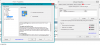
Do you have Synaptic drivers and software installed? Go to mouse properties and click on the device settings tab. Highlight the touchpad device then click on settings under it. There should be a new window that will pop up. Go under "Tapping" and click on "Tap and Drag". Uncheck "Locking Drags" option. Hopefully that's what you're looking for.
 MogRules likes this.
 -
could be that the site is not really sending you true 1080p video, so thats why it appears fuzzy. idk for sure though. -
Thanks guys! I managed to figure everything out.
That said though, is Amazon the best place to resell an R4? -
You could try ebay as well. Idk how all that works though.
Just wanted to also say I probably won't be around on NBR as much anymore as I have a new desktop build about to start so my r3 is being relegated to being my portable gaming rig till I get the money to replace it next summer with something more portable. Was a fun ride and learned a lot of interesting stuff!!
-
Anyone got problems running Call of Duty Ghosts on max settings? The game keeps freezing in-game randomly. It's stable when running on a lower setting though. I am using AMD CCC ver. 13.11 beta 9.2 and I am not overclocked when playing this game.
-
I installed 8 - and now 8.1 - on my R4. No issues.
-
You'll be missed man! Enjoy your new project
-
Sorry to hear that bigtonyman, I enjoyed reading your posts, and learned a thing or two from them too! Yep, enjoy building that desktop - would be interesting to hear how that goes!
-
Thanks guys!! I'll post some pics once everything comes in and I get it all put together. Can't wait to play around with a 780 ti.
long2905, j95 and Robbo99999 like this.
-
Hi guys,
I have a Alienware M17x R3 AMD 6870M and I plan to upgrade my video card to a AMD 7970M.
Specs:
Intel Core i7-2630QM 2.0GHz (2.8GHz Turbo Mode) with 6MB of Cache
8GB DDR3 1333MHz Memory
17.3-inch 1600x900 WLED Display
AMD Radeon HD 6870M 1GB GDDR5 Graphics Card
Windows 8 64bit
At the moment this is the one I found on ebay but I need your advice if it will work with my Laptop? Promotion Alienware AMD HD DELL 7970M 2GB GDDR5 -for M15x, M17x ,M18x ,upgrade | eBay
Not sure where else to get the video card and I am based in the UK.
Is there anything I need to know before hand before upgrading? I guess I have to flash the bios, it's the latest from the Dell site A12 not sure if this is going to be fine? Where else apart from eBay can I get this card?
Thanks for your help
Rich -
This guide should get you all setup with what you need to do.
[GUIDE] Installing and Overclocking the AMD Mobility 7970 in the M17x R3,an illustrated guidelong2905 and Robbo99999 like this. -
I can't seem to remember, but for the people using Sound Blaster Trustudio. Is there a reason why the cinema option is blank, as you can click it, but it just gives you a black screen?
-
Hey Guys, quick question, the 780m does fit in the r4 etc. but are the 7970m and 780m brackets the same? I wish to upgrade but the entire set is to expensive on ebay.
Thanks. -
It works in the R3, don't see why it wouldn't in the R4. If I had a 7970M though, like you, then I'd just wait for the next generation of cards. The 7970M is a fine card, not a world away from a 780M, unless you count flashing a modified VBIOS to the 780M and overclocking it by a long way (but that's luck of the draw, sometimes they don't overclock much at all). I'd wait for Maxwell (hopefully would be compatible with R4 when they come around). They'll probably be twice as fast as the 780M when they come out.
-
I'm starting to get the feeling no one is buying one day used alienware m17x r4's on amazon.
-
Why does the latest Windows 8.1 audio driver from the Dell site not contain the Creative Control Panel for the m17x R4? :/
-
That's creative licensed software so you need to log into 'my dell downloads' to see the packaged software. You can also get an update directly from Creative
-
Why do you say that ?
-
Hi ppl
Haven't been around in a while
Now decide to do a small upgrade on my r3 from a vertex2 ssd to a vector sata3
My questions is wich port is the sata3 o or 1 ?
I'm still running a8 bios -
Port 1 is the SATA 3 port. As an aside, you can use the latest version of the BIOS (A12) and still retain SATA 3 if you use "svl7's modified A12 BIOS with SATA III tweak", which is found on Tech Inferno forums. Amoungst the standard Dell issued BIOS versions, I think A08 was the last one that retained SATA 3 capability, Dell disabled it on the later BIOS versions.
Also, have you thought about upgrading your GPU rather than your SSD? (Most people don't notice real world benefits from upgrading their SSD to a faster SSD). That would give you best bang for buck for gaming performance, if gaming performance is your thing.bigtonyman likes this. -
Just seen the 770M on ebay for just 300 euro, is it better then 7970M? Spec wise, the 7970M seems much better.
But atm i'm itching to go Green Team. -
How easy would be to upgrade? mine is a 6990m 2gb
-
The 770m overclocked can reach 680m speeds which about where the 7970m is performance wise as well. It would be more of a sidegrade more than anything else.
it's not hard to do at all if you get the a12 unlocked bios and disable the igpu.
Robbo99999 likes this. -
If you flash a modified VBIOS to it that frees up the +135Mhz limit, and are happy passing a bit more voltage through it, then it will be as good or maybe 15% faster than a 7970M. SVL7 at Tech Inferno for the modified VBIOS
Involves moving around the pads on the heatsink to match the chips on the new card, would have to repaste the GPU core too. Not sure if 6990M heatsink is compatible with the Kepler GPU's, but if I had to place a bet, I would say it's possible. You would need to find out if the X-bracket that you have on your card right now is compatible with your new card - mostly related to the height of the posts of the X-bracket which determine how close the heatsink sits against the GPU core. -
Is that safe to do? then i might do it.
What if i get the 770M, do i need a different heatsink or can i just replace the card and use the current one?
Edit: I also bought a tube of Arctic Silver 5, i want to repaste both my CPU and GPU, but i don't have any cleaning stuff at home, can i just use a wet cloth to clean the old paste?
Or would that damage the chip? -
where would i get A12 bios ? is that safe ( touble free ) to do? i still running A8 bios because i want to use my sata 3 port for my new SSD vector that will arrive tomorrow
-
i just got quoted 290 euro, with X bracket.. and with the correct vbios (stock dell, i dont need more than +135)
this includes shipping from US to Holland..
i think its a good deall....
first wait for dell, if they send me a replacement gtx675m.. if they leavbe me hangin again, i will get that 770m...
anybody knows if this work trouble free on a 120hz version? (got bios a14, stock newest dell) -
Overvolting is more dangerous than just overclocking, because it can reduce the lifespan of the GPU. However, with these laptop chips, the cores are just copies of the desktop versions, and they accept up to 1.175V (the desktop version that is!). I'm not suggesting 1.175V, I wouldn't & don't go higher than 1.05V. A stock 780M has a 1V operating level, so it's not far off that. I think it's safe if you keep temperatures in check. Mine don't go over 65 degC, but you want to keep it below 85 degC I think.
I upgraded mine using my existing heatsink (from the GTX 560M), moved the pads around and bought some additional 1mm padding to fit the chips on the board, used AS5 on the core. Oh, and I removed the black tape on the heatsink core contact surface, because that would have impinged on the 670MX core. There's a procedure to follow with the system BIOS in order to carry out the installation, and you lose Optimus. You can google "680M, M17xR3" in the notebook forums to find a thread that contains some of the information on installing a 680M our laptops - the same principles apply. With the 7xx series cards in the M17xR3 there is a strange work around you have to do at installation in order to get sound to work, but it's fairly straight forward, that's on the NBR forums too somewhere.
If you have the 560M heatsink & X-bracket, then it should be compatible with the 770M based on my experiences with the 670MX (it's almost the same card). If you're using a different heatsink & X-bracket, then I'm not sure if it would work. The X-bracket posts determine the height at which the heatsink contacts the GPU core, so important to have the right X-bracket to get a good contact.
If you're quite logical, patient, and mechanically minded, then you should be OK at the installation if you do all the research first.
(I'd recommend the Arctic Cleaning Kit for removing old paste, but I think iso-propyl alcohol is OK too - not sure on spelling or name of that last bit! I wouldn't bother re-pasting until you've got the right gear.) -
Pop to the local pharmacy and get some injection site swabs, there may be free ones available as well (for junkies!). These contain IPA, leave no residue, and are cheap! Never use water. IP Alcohol is the preferred solvent.
-
Have a google for "A12 BIOS with Sata III tweak, Tech Inferno". It's made by a prominent user associated with Tech Inferno Forums - svl7 is his name. I'm using his A12 BIOS, and I'm also using his modified VBIOS for my GPU. If it's safe or not is ultimately your judgement call, but I think it is, it's all done with good intentions in my eyes. I think if it started doing dodgy things to laptops, then there would be an uproar on the forums, the reputation would plumment, and the files would probably be removed from the forums. I've yet to hear anything bad about those mods I spoke of.
If you install a GPU that was not a purchasable option with your laptop at point of manufacture, then 3D will be broken, but you'll still get the 120Hz goodness - i.e. 120 fps display possiblity. 3D Vision will no longer work though.
You also need to change settings in the system BIOS in order to install a 770M in an R4 - the ability to disable intel graphics & just run of the dedicated GPU. Don't know if that's an option in the stock R4 BIOS - you would need to check that, and then possibly find a modified system BIOS if not. -
No need for a BIOS change to disable the iGPU on a 120hz model. It should just work (without 3D as you said). The iGPU is already wired out of the system.
Robbo99999 likes this.
-
thats the whole problem (or not)
i dont care about the 3d gimmick.. i never used it (wel.. maybe 10 minutes in bf3.. but thats it)
but the 3d panel 120hz are connected with eDP connectors, not LVDS.. the hd4000 in my cpu cant run this screen..
i didnt have optimus to start with, because the igpu cant drive the screen..
this is my only concern.. can a 770 power an eDP connected 120hz screen (samsung sec5044 panel) -
Haha, you're right of course! This is my last post of the night - I'm too tired!! That's my excuse anyway!MickyD1234 likes this.
-
thats the whole problem (or not)
i dont care about the 3d gimmick.. i never used it (wel.. maybe 10 minutes in bf3.. but thats it)
but the 3d panel 120hz are connected with eDP connectors, not LVDS.. the hd4000 in my cpu cant run this screen..
i didnt have optimus to start with, because the igpu cant drive the screen..
this is my only concern.. can a 770 power an eDP connected 120hz screen (samsung sec5044 panel)
so if i understand right,.
i can get a DELL gtx770m, put it in, and it works? -
From what I read all NV cards can drive a 120hz display. They have to be able to so 3D can be added and all NV cards support 3D
Edit: 'yes' to your last post as far as I can tell without actually doing it
*OFFICIAL* Alienware M17x R3/R4 Owner's Lounge Thread
Discussion in 'Alienware 17 and M17x' started by katalin_2003, May 4, 2012.


