Problems? See this thread at archive.org.
@dookie: WHERE is your review??
-
-
I'll try to run those in a bit. Are the programs free?
I don't have access to those games. I can borrow Crysis from a buddy of mine though, and will try to asap. For the time being, I'll video with my camera, Dolphin emulator, which is very CPU intensive. It'll give you an idea of what kinda power the CPU has.
What does that mean?
My guy told me that I will need to unscrew my nameplate and put it on my new one, as the replacement will not come with one.
So sad so sad, I know. I hope it comes though on 4/1, cuz dell order status page says "Information Temporarily Unavailable" for the EDD part; over the phone it's the same.
Have been very busy. Real quick, type me an outline of what to cover, and what to take photos of. I'll make one just for you tonight
-
Hey actually i have a question do any of you use thepiratebay? I understand there will be viruses... but I wouldnt use it heavily just for a few things does anyone have advice on it?
-
I don't know about thepiratebay but if its virus central then it would be best to stray from that idea. Besides with a machine like this why settle for anything less than original?
Dookie, i was wondering if you knew anything about creating a Flash drive of your System. I have heard of people doing it just in case their system gets insanely messed up just never figured it would actually work. -
Nope, sorry I have no idea. I'm the wrong guy to ask
Also, for your viewing pleasure, I am currently uploading a video of Dolphin on the R3. It'll be ready in like 15minutes or so.
I'm gonna do a quick video of SC2 right now too. Stay tuned for that. Also, if anyone wants to provide me a quick outline or list of things to cover in a review, and what photos to take, please do so Thx!
-
You may want to start off with what Configuration you opted for. I don't know the officials but i would guess covering the Quality of the screen, keyboard and touch-pad. Also the start up time. If you chose 3d how it looks runs and what it does to your battery life. Or if you opted for the ati then i would also say what you get out of your battery. The feel of the new soft touch wouldn't hurt. Volume of the fans on startup during passive use and during aggressive gameplay. Probably want to throw in the ease of Driver Installation weather it be Difficult or easy to understand. Load times of Games movies or online videos (even though that might have more to do with your Internet Connection) Sound Quality of the Speakers. Cover any hardware issues you might have. Or comment about the Hardware being to your liking. You can tell uss about the Portablility and the Power cord. What applications you have found that run smooth. As for Pictures i would suggest a shot of both sides with the ports visible. The back, the lid and the front (both open and closed)
and i guess end with an overall summary about your honest opinion on the laptop itself. Of course you would want to pretty it up compared to what i ahve written here. -
Haven't heard of it. I do use Parrot Bay in some drinks though. Can be pretty tasty. LOL
-
First off Check out this thread for pics and info. Then if you have more questions go ahead and ask dookie. This thread has a ton of info and pics.
Enjoy
http://forum.notebookreview.com/alienware-m17x/559824-m17x-show-time-pics.html
This is what I was looking for before I just posted this thread. Couldn't find it until right after I posted!!!
https://picasaweb.google.com/ekouroptev/M17xR3?authkey=Gv1sRgCIiCiLab7N70qAE#
That is a link from inside of the show time pics thread that has (I think) all of the pics you asked for and more! -
Don't use it but I know what it is, and as a friendly recommendation because of what it is I wouldn't bring it up on open boards as that topic is VERY against forum rules Stay away from them as any of the sites like that are riddled with viruses.
-
OGOD. Didn't think I had to do this, but...
Please folks, don't be breaking any forum rules in this thread, pleaseeee. That means please dont be talking about piracy here... And thx Dane for being the enforcer
**A note for y'all, I'm typing my review right now, and it'll be posted before I go to bed.** Thx Florick for the long list I'll be going off Dane's Impressions as well
Be back in a bit.
Also, the video with Dolphin running is up on YT. -
Review added to the OP of this thread.
Its getting late, and I didnt have time to add photos, or do the benchmarks, so Ill try to get to them tomorrow. Sorry. Please take the time to read and comment on my review, however, and let me know what else I should cover. Thanks for your support! -
lol no problem man just tried to give as much info as i could think of.
-
Job very well done mate, excellent review
I'll rep you once more as soon as I can
-
Great review, repped ya.
-
great review
waiting some benches and some serious games like Crysis or GTAIV
Also could you share your Rating on Windows Experience Index ?
Thanks! -
Do you guys mean great review as in the product looks to be very promising? Or do you mean well-written? Cuz this was done at night right before bed, and I'm by far no writer, nor an expert on computer stuff
Will try to borrow Crysis from a buddy of mine asap. GTAIV is very cpu dependent, so I think SC2 on EXTREME/max-everything, or Dolphin emulator gives you an idea that the 2720 is good stuff.
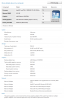
WEI score. Please see attached.Attached Files:
-
-
very nice review dookie. I called the number you gave me and am much happier with that than the website.
-
Both really, not too technical and addresses all questions one might have about the laptop.
The product is also great, but that i already knew
-
Great review dookie. Kept me occupied a bit longer during my wait. lol
Plus 1 -
HyperX memory set to XMP profile 2 will get you to 7.9.
Any SSD such as a OCZ Vertex 2 ($209) can get you to over 7 (I have a Patriot Inferno 100GB which also uses SF-1200 controller and I get 7.5). I would expect to get even higher once I upgrade to Vertex 3.
I highly recommend sticking with the cheapest HD config from Alienware and buying aftermarket SSD unless you don't want to do a clean install since you won't be able to respawn into the SSD...Attached Files:
-
-
Your specs right there say 1920x1200...How is that possible?
-
External monitor. Sorry for the confusion...
-
Also, you can see that the 2720 and 2820 have the same score. I think since this is a log scale, a different of .1 is about 25% increase. So, obviously 2820 isn't 25% faster than 2720.
-
Some people just like the best
-
When you said the monitor was C+/B-, did you mean when displaying HDMI in, or in general?
-
wow, these results are huge, looking forward for mine to arrive
-
It was the review. We already know we like the product otherwise we wouldn't be buying it but you helped us understand a little bit more about it.
-
I haven't taken it to class, as I havent started school yet But yes, I expect that it'll last me through a lecture no problem.
Regarding the ram upgrade, I think I'm okay. I'm not terribly impatient, but if it truly IS just the HDD, then I wouldn't mind upgrading it one day.
What's a good cheaper (sub $100 if possible) SSD?
I didn't say C+/B-, did I? HDMI-in is bad, not the R3. It's a neat feature, but I wish it was higher quality like when we use the display for regular computing, cuz this thing is bright/clear/vivid.
I'm glad that this helps folks understand it. I was hoping that it would help the average-joe in understanding the capabilities of this lappy. Just wanted to do my part to contribute to the community that aided me for so long in my search for a lappy.
-
So umm.. real quick.. what do I do with these programs: 3D mark Vantage and 3D mark 11? (they're both dling atm)
Also, what else should I try before I return this thing? It seems like all I've been doing is watching news, Whose Line Is It Anyway?, and reading forums. No time for gaming lolz. -
LOL nothing for hours on here and then this thread blows up with posts. lol.
-
Not sure if it's cuz I'm running BFBC2's updater, or cuz it's the room temperature (it's roughly 80something right now), but according to CPUID Hwmonitor, all 4 cores are around 68-72C, and the cpu fan (left side) has been on since I started updating. It runs strong for a long time, and then quiets down for a while, but continuously runs. Should I be worried?
Also, finished dling 3d mark vantage. What do I do with it?
EDIT: it's not loud, but its like a regular computer fan, and is very audible. I guess medium-speed? Why is it blowing constantly now though? Is it cuz of the 80something room temps? Cuz it doesn't seem like I'm doing anything hardcore right now. -
Well I would guess that the higher room temps with the computer just running is enough to get the fan going to cool it down. The temps you posted don't seem to be that high. The POS I'm using right now the cores are running temps of 76/73 *C. I'm not doing anything more than typing on this thread. I have multiple webpages open but everything else is minimized. Few tabs on each on opened but they shouldn't be requiring any extra stress and my cpu is around 30% at the moment while the Ram is @ 57% steady.
Plus like you said the fan is about a medium. If was over heating it would be a faster pace and constantly on while you were doing next to nothing. I think it's fine. Just a combo of ambient temps and been been running for a bit. -
According to my desktop gadget and task manager, CPU is at a constant 28%usage, and ram is at 49% usage. The fan remains on, sorta like an old school laptop where the fan is always on. It's not loud, but it's also not quiet like before.
-
The fans will never stop dookie while the system is on. They will idle at a low speed.
-
Instead of spending your money on upgrading your M17xR3 for school you should save up for something like this:
YouTube - Office Casual: How Office works on a touch screen -
^ Great product but extremely overpriced unfortunately.
Especially since Office *ISN'T* included. -
Wanna try watching a movie on IGP on about 50% brightness and wireless on? Just to test how much battery you can get from that situation?
-
I only see Silver and Bronze medals in the background...I only take my advice from WINNERS!
-
Actually. It turned off/went to silent mode when I woke up this morning. BFBC2 finally finished dling the update, and then I closed the updater window. Then the medium speed fan went to silent/off. I guess the updater uses the cpu enough for the fan to kick in. Also, when I switch to the IGP (I've been on the GPU since last nite), the gpu fan turns off too. This thing switching thing is pretty impressive, and the cooling system is even better! I almost feel like I have the power to control the cooling by being able to switch gpus !
I don't have enough time to sit for that long unfortunately lolz. I can try it on Friday though, when I take this thing to work (I'll be offsite). Tonight I'll try BFBC2 since the update finished, and will hopefully grab Crysis from my buddy this weekend, too. -
I CANNOT WAIT TO SEE SOME VIDEOS FROM BBFC2 or CRYSIS
-
dookie plz give me a little run through of the easiest way to set up the dolphin emulator. where to get my roms nd such. it would be a great help to me!
-
i only emulate n64 and older systems. i need help with the dolphin
-
+1 in Rep for this nice review dookie11. I liked that you said everything like you experienced it instead of that boring reviewer style where everything is written the same. I only have to wait 1 month more until i can buy this baby. This review made this whole waiting time a whole lot worse lol
-
Sorry Also, glad you enjoyed the review. I tried to "keep it real" as much as possible. Hope it helps in your purchasing decision (whether R3 or not R3).
Google it. And piracy talk is straight up illegal. Talk of emulators is not.
You can dl the current version of dolphin from their homepage. That's the one that I use, with stock settings. There's actually a wiki/wikia page that explains specific settings for games. If you can't find it, my bad, cuz I might be talking about pcsx2. Hmmmmm.. -
Just added another video to the YT page for your viewing pleasure.
EDIT: A follow-up video also uploaded with the gpu on
-
Hey dookie man. Are you still experiencing the backlight to sometimes blink? Or dim? When using the intel gpu?
-
Hey Typecast man Nah, I don't have it anymore since I disabled it through the intel program thingy. If you flip back a few pages in this thread, you can find it. It was sort of a set it and forget it kinda thing, sorry.
Oh yeah (I'm typing out my thoughts at the same time heheh), you go to Control Panel, and go to the Intel thing. And in Advanced Mode, go to the Power tab on the left side. At the top, click the drop down for On Battery. At the bottom now you'll see Power Conservation Features. Untick the Display Power Saving technology. At first I was confused, cuz I mistook the word "Display" as a verb rather than a noun. LOLZ.
Are you experiencing the dimming too? Isn't it frustrating?? LOLZ
EDIT: Also, can't believe I've got 3k+ posts and 20 rep power. Nub forever though Spreading rep is fun, cuz you hope to get some rep in return
-
Anyone have rift i just downloaded it from steam and im having issues? only took 5 hours ha
-
Pm jywang. He jus tposted a video on yt, and may be able to help you. Also, you should probably post questions like those in a more visited thread, like the gaming videos thread, or even the owner's lounge. I don't even think this thread gets that much trafffic
m17x R3 - dookie11's thoughts :)
Discussion in 'Alienware 17 and M17x' started by ECKS, Mar 26, 2011.