Problems? See this thread at archive.org.
Hey guys,
i just bought an Alienware second hand from someone specs are
i7 4800MQ
16 gig of ram
780m sli
i am using MR. Fox modded drivers 344.75
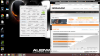
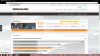
but my benchmark seems to fail so hard. Seems like driver failing ? Please any advice
much appreciated
-
Attached Files:
Last edited: May 30, 2015 -
-
results without sli..
whats going on
Attached Files:
-
-
I don't know what to say really, but these are my 344.75 Benchmarks with the stock settings in nVIDIA Control Panel and NO OVERCLOCKING. This is without modding the driver though, just 344.75 downloaded from nVIDIA, system specs are in the sig:
![[IMG]](images/storyImages/2gxk7z7.jpg)
-
if i'm getting 5k with 1 card and 3k with SLI then my sli is the problem correct ?
-
Indeed as the score for a single card sounds fine. Wait till Mr. Fox sees this and replies. Meanwhile, have you tried the 345.20 driver? it's the best for the 780GTX
If you do want to install it, make sure you use Display Driver Uninstaller to uninstall the previous driver first and don't use any mods, just install it normally -
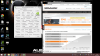
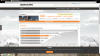
These are with the 345.20 drivers
please someone tell me what can cause this :/Attached Files:
-
-
Strange, since when did you notice this starting to happen?? could it be a bad SLI cable?
-
Ive bought this computer 2 days ago, had it in the mail yesterday.
i just ran Unigine Heaven benchmark on ultra running 1 x 780m = MAX 75C
but when i run 2x 780m it goes fast up to 90C and everything starts to stutter.
pfff
Spartan@HIDevolution likes this. -
maybe the thermal paste has dried up since these AW18 if available for sale are usually old units that haven't been sold yet which may or may not cause extreme throttling during the benchmark.
Also please ensure you are running BIOS A09, don't install the latest A10 as it has problems with the fans not kicking in quickly after the thermal threshold has been reached.
After installing the BIOS, open the back panel of your laptop, disconnect the main battery cable, then slide the top cover to remove it and disconnect the CMOS battery for 10 mins then connect the cables again.
now start your laptop, if it doesn't start, it's normal, it may beep 3 times then you just have to shut it down by holding the power button for 5 seconds and power it on again then immediately enter BIOS by pressing F2 on startup. Then go to the last tab and load setup defaults then save and exit, then try again -
It is probably throttling really bad. Possibly thermal throttling, and with those insane 90°C temps it is definitely going to throttle itself to keep from burning up.
It also looks like you are running a stock vBIOS, which is also going to give poor performance even after you fix the thermal issues. Stock NVIDIA Kepler vBIOSes are typically really horrible performers. -
results with svl7 Nvidia 'Kepler' GPUs - modified VBIOS files
Attached Files:
-
-
So, what action did you take to correct the thermal throttling? Using a modded vBIOS is going to be of little or no value if the GPUs are overheating.
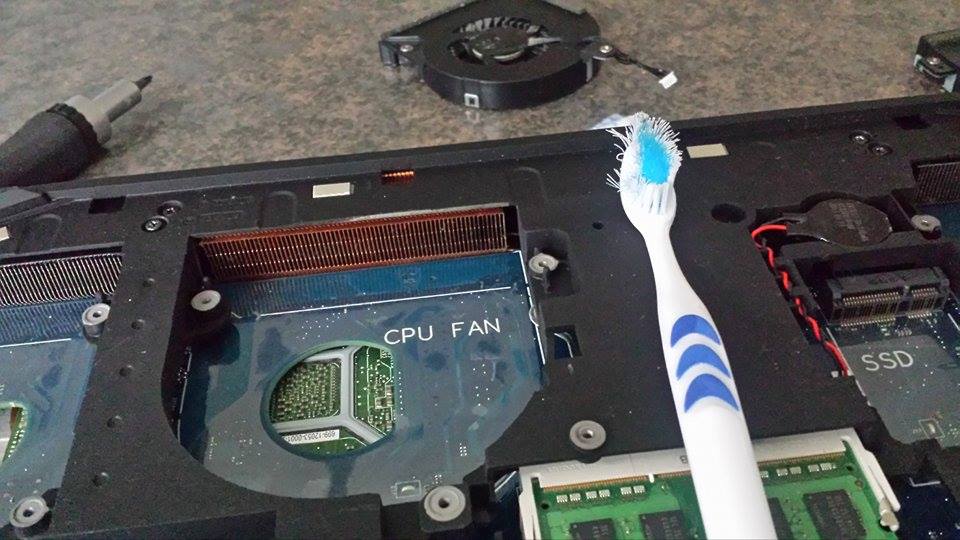
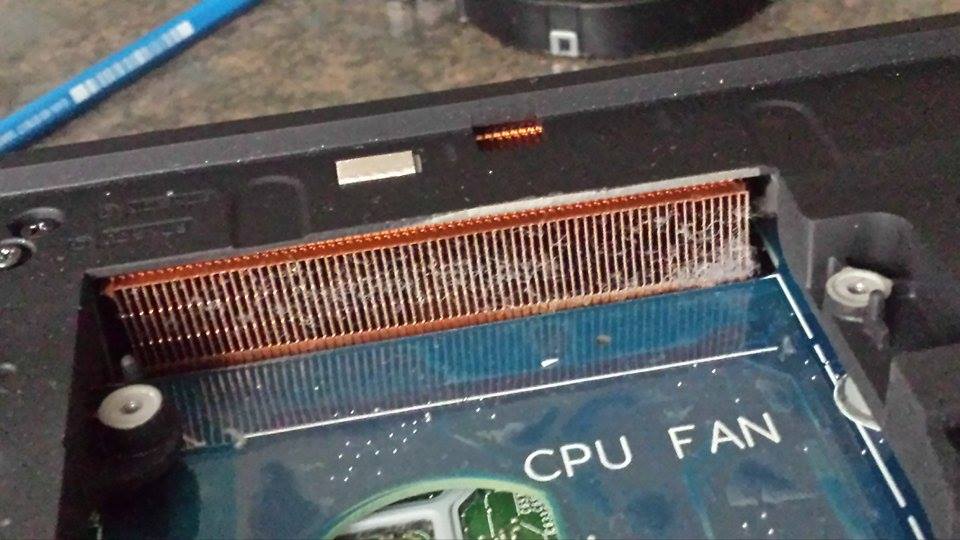
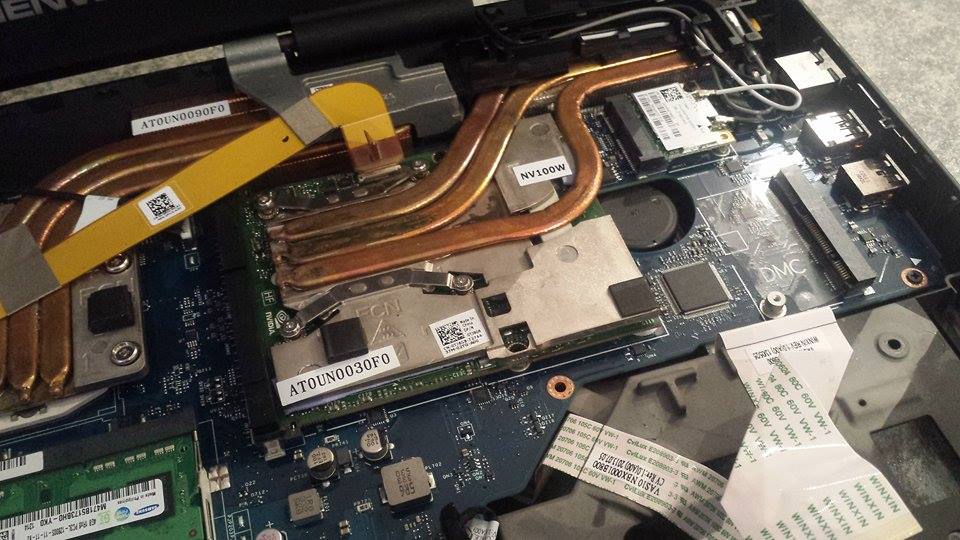
First step is to pull the bottom cover, take the fans screws out (don't need to disconnect the wires) and gently lift them out of their "pockets" in the chassis and flop them over to the side. This will expose the heat sink radiators. Thoroughly clean the radiators and fans using a vacuum cleaner or compressed air. Hold the fan blades still, as letting them rev up to high RPM can damage the fans. If the crap is really caked on and isn't coming off with a vacuum cleaner or compressed air, use a soft bristled paint brush or an old tooth brush to dislodge the crusty crud, but be gentle so you do not bend up the radiator fins. Put the fans back in and check your temps. If it is still getting too hot and thermal throttling, time for repaste.
Most of the time a good cleaning is all that one needs to do. Having the heat sink radiators plugged up with lint and dust is a major cause of CPU and GPU overheating and throttling. Depending on where and how you use the machine, cleaning every 30 to 90 days should be a normal routine to maintain peak performance. If you live in an environment with pet dander, lots of dust or cigarette smoke they can get clogged very rapidly. The change in results after a simple 10 minute cleaning like this can be truly phenomenal if the radiators are packed with crud.
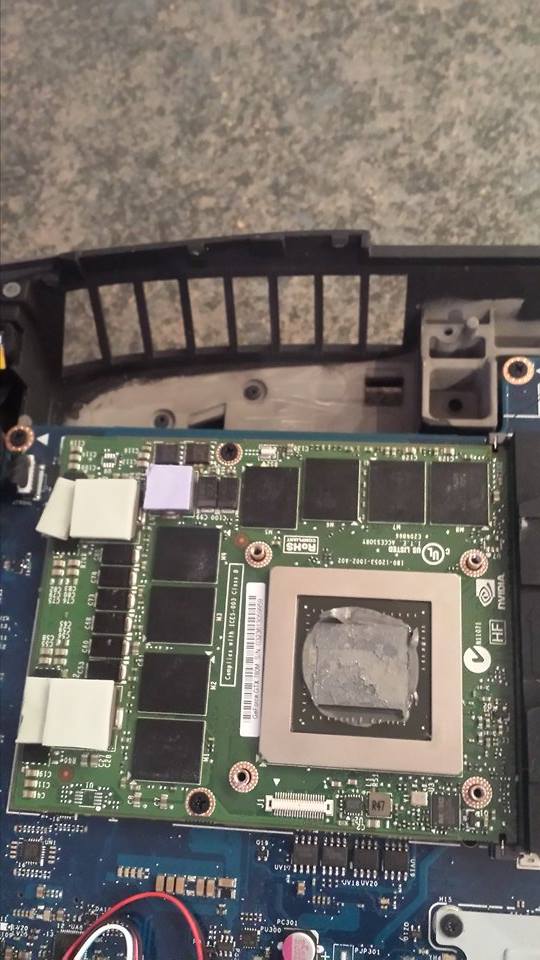
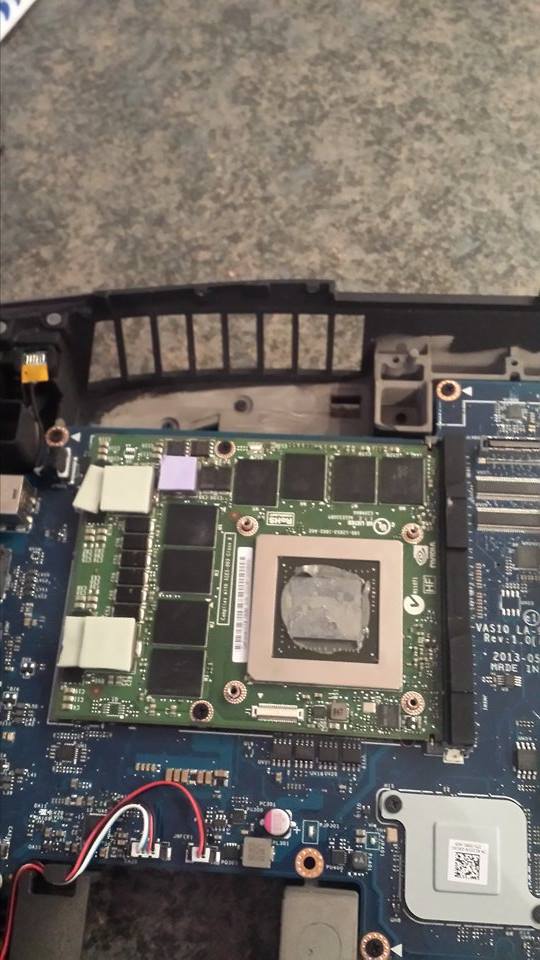
If you have not already done this, chances are pretty good the person that owned it before never did it. You might be appalled at how dirty the inside may be. If it is interesting or scary, please post a photo to show us the mess you find. I have seen examples of heat sink radiators that were totally plugged where no air at all could pass through them. -
ITS FIXXED !!!!!!!!!!!!!!
Ive searched on Youtube How to open this baby up and step by step i did it in 2 hours MAX i think..
reseated the card's and the SLI cable and cleaned everything up although there wasn't much dust at all.
SCORE IN SLI IS BEAST NOW !!!
Attached Files:
Spartan@HIDevolution likes this. -
-
Big thanks to you MR FOX
Attached Files:
Spartan@HIDevolution likes this. -
-
good job! congrats
-
Matrix did you flashed your cards already with the modded vbios ?
I seem to get more graphic points as you in firestrike.. dont know if thats vbios related..Spartan@HIDevolution likes this. -
1) I just did and got an increase by 150 Marks
2) My nVIDIA Control Panel settings are on stock (meaning quality) if I want to bump my score up, I can easily set all the texture rending and stuff to high performance and get more score
3) I am on Windows 8 which gives me -300 points so I will format today and go back to Windows 7 for better scores and post back, please stand by -
I have a problem with performance!! I've got two gtx 780m and I can't get even 40 fps in max settings in titanfall!!! I know an Asus laptop can get a full 60 fps with only one gtx780m on max settings!!!! I have almost given up on getting any good results on my Alienware!!
-
Have you cleaned fans / heatsink? Check temperature. If it is too high, start with cleaning.
-
I have recently opened it and cleaned everything and repasted, so I'm getting an pretty low temperatures!! Everything is below 80c
-
What driver are you using? I would recommend uninstalling the old one with Display Driver Uninstaller... Install 359.06 and then let us know
Papusan likes this.
-
Or even Mr. Fox modded 345.20. It is known that he complained about severe throttling issues due to crappy NGreedia Drivers.
Gesendet von meinem LG-H955 mit TapatalkPapusan likes this. -
id highly recommend using liquid metal if you're going to go with the trouble of repasting, did you make sure all the pads are seated/spaced correctly on the heatsink? btw i think that's the first time i've seen someone take the heatsinks off while the GPU was still inserted...im not a fan of that method at all
i would highly recommend he uses Mr Fox's 345.20 drivers for troubleshooting...i had severe throttling issues with other drivers on 780m SLI, although that was on an m18xr1 -
I don't think my problem is overheating, but when I play titan fall on max settings (except for having ambient inclusion disabled otherwise my fps are around 40 ) I get 60 fps only using one GPU!!
When I turn on SLI mode, my fps drop to around 55 to 40 with my temperatures being under 65C, and with ambient inclusion on it says I get 60 to 100 to 120 and my screen feels like it flickers, and my temperature are in the 90C!!! I really do not know what's wrong!!!
When I get back home I'll try to install Mr Fox's 345.20 driver!! Can I get this driver off Nividea? And I also heard, that to get good performance on your alienware 18 you need to use a modded bios, is this true? And if so where can I get it? -
So I have tried to update to Mr Fox's driver, but I'm not sure if the mood is working? I installed first the nividia 345.20 driver, and that worked, because my nividia panel says I'm using that driver!! After that I extracted the mod files to where my nividia drivers were located!! Should it be working?
-
Hello !!
After about 10 minutes of gaming i am experiencing fps dops from 60fps to 20fps constantly my max temps are around 85C on the main gpu and 81C on the secondary which i think is not that bad for a laptop . when using one card i get stable fps overall and max temp remains the same . One time the psu shut off but it hasnt happened again . Im guessing it might be the psu but i want to know what do you guys think.
Thank you !! -
Is it on the Alienware? Did you just start using sli or did this problem just happen? What is your psu wattage?
-
is the same alienware as my sig m18x r2 , my psu is the 330w delta , before this i had gtx 675m sli and i never experienced this problem but one of the gtx 675 cards died so i decided to upgrade to gtx 780m sli . i get good frame rates but the after a while i start getting fps drops periodically .
-
Yeah sounds like it could be the psu as it should normally be strong enough.
-
Run gpu-z. Go to sensors tab. Watch at PerfCap Reason.
-
im pretty sure my mr fox drivers came already modded together with the driver in a large zip file, im sure someone will provide link if you need it
TheVortx likes this. -
Extracting the files after the driver is installed doesn't do anything whatsoever. Right now you are just using stock drivers. Now that all of the modded files are extracted and the original files overwritten by modded files, run the driver setup program and reinstall the drivers.TheVortx likes this.
-
Are you using fairly recent drivers? If so, 780M SLI is going to run like crap in an Alienware thanks to NVIDIA's cancer drivers.
Try this if you haven't already: Mr. Fox's GeForce 345.20 Desktop Driver Mod for Alienware and Clevo Mobile GPUs
NVIDIA doesn't care and I think it is safe to say they're never going to fix it. I'm pretty sure they did it on purpose to create the appearance of a wider performance gap to make 980M seem better than it actually is. Between their worthless overclock-blocking cancer drivers and throttlemaster driver crap, they might as well just release drivers that brick every GPU that isn't based on Maxwell. It is interesting that Alienware seems to be the brand most affected, so maybe they paid NVIDIA to screw things up to help them sell new laptops. Whatever the case may be, NVIDIA has to be a pretty slimy outfit to leave their stuff broken for so long.
The million dollar question is, how much longer until they do the same thing with drivers to kill 980M performance and make the next newest GPU seem better. This is what I call "digital genocide" because they are systematically killing their own.
TheVortx likes this. -
Where is this driver setup program? Is it with the modded files? Do I just Jun the modded files? I think SLI doesn't work with Titan fall, because when I installed the new NVIDIA driver I could get 60 fps with full settings apart from one setting!! Though my past I put on my GPU isn't good, because after awhile it starts to stutter!! I think it's through over heating!! With SLI I get around 50 fps with lower gpu settings!!!
-
@TheVortx - Download the stock driver package. Unzip it using 7-zip or WinRAR to a folder (anywhere you want to keep it). Download the modded files. Unzip them into the Display.Driver folder in the package you unzipped. When asked about overwriting files with the same name, do it. If you are not prompted about replacing those files then you are not putting them into the same folder as the original files. You want to replace the original files with the modded ones. Then, after you have done those things, run Setup.exe to the install the driver.
TheVortx likes this. -
I will give it a go now, and I'll let you know how it goes!!! Thanks so much for helping me out, I really appreciate it!! Just wondering, when I was using EVGA precision 16 even when I wasn't amping anything, my windows platform started to glitch up!!! I had to reinstall windows to fix my computer!! Do you know why this would happen!!Mr. Fox likes this.
-
You're lucky that your screen did not get messed up by EVGA Precision X. I would recommend uninstalling it if you have not already done so.TheVortx likes this.
-
I uninstalled it recently, and now my laptop is working fine!! So I did what you said, and I installed your NVIDIA driver, and I'm very sure it worked, because it asked me for permission to install unsigned drivers!! So I put my computer in sli mode, and tested titan fall, but my fps had not improved!! I was going from 60 down to 40 depending on what I was looking at!! And that was with the same gaming settings that I had before with my last driver!! I haven't checked one gpu by it self yet, and I'll check it out when I get home!! I'm thinking maybe I need to change some NVIDIA control panel settings!! I have it on force alternating at the moment, otherwise I get flashing lights in the game!!
-
Ah, that's important information, bro. You may have a bad SLI bridge cable. The flashing is frequently an indication of that. If you have forced AFR1 or AFR2 in the wrong scenario it will cause a severe performance hit.TheVortx likes this.
-
So should my SLI work fine without using force alternating frames? Should the lights in the game not flash when using the nividia setting?
I have very severe flashing lights that why I use it!!! -
So I tested my computer with 1 gpu, and it can do 60 fps with max on all settings except for ambient occlusion!! But then my temperatures get to high and I get stuttering!! I can only use my gpu on pretty low settings to keep my temperatures low!! Also, titan fall wasn't made for SLI mode, maybe that's why it doesn't work well!!
-
There is no reason for your GPUs to get hot at stock clock speeds and voltage. Either the machine needs cleaning internally (clogged heat sink radiators), needs new thermal paste, isn't breathing well, fans are not running correctly, or the machine is being used in an excessively hot environment where overheating is inevitable. If it gets too hot and throttles, you need to fix that. Ignoring it long term can be harmful to GPUs. On a short term basis, it causes horrible performance and malfunction.TheVortx and Rengsey R. H. Jr. like this.
-
Thanks Mr Fox, for the help!!! I had cleaned it only a couple of weeks ago and repasted it, though not with liquid ultra!! So I don't know why it isn't working!! It's started to stuff up in fl studio now!! When ever I try to load my songs, the CPU usage goes to 100 % and fl studio keeps freezing!! Sometimes when I turn on my computer it doesn't start up, and it's come up with the blue screen saying there is an error (rarely).
-
hello i did a test with sli disabled and i got the same problem , according to gpu z is power supply throttling . i have another 330w psu but it shuts down when using sli , i tested the laptop with that psu in single card mode and throttling was gone . guess i have to purchase a couple of new 330 adapters to keep them in stock just in case. i will further test the laptop in single card mode using two extra 240w that i have lying around and see what happensLast edited: Mar 7, 2016
-
That's very odd...330W PSU rarely fail, if ever. Are you sure you're not running on power saver or balanced mode instead of high performance? If your green light is on the PSU when you're running the stress tests, it shouldn't be a PSU issue.
-
actually i forgot to mention the 330w led is red , i have another 330w adapter but as i said before it shuts down when using sli but in single card mode the led remains green and i dont get throttling at all. As you can see both adapters have issues .
adapter 1 : does not work in sli (shuts down), in single card mode works fine (no throttling)
adapter 2: works in single card mode , dual card mode , but brick is throttling down constantly (gpuz)
fyi i purchased adapter 2 after experiencing shut down issues with adapter 1 but it seems adapter 2 is faulty as well.
at this point i would rather pay for a double 330w power adapter , anyone? -
I guess you have 2 faulty adapters then, gotta buy from a reputable eBay guy
-
I have been doing a bit of research, and I came across if you have too much thermal paste, your computer temperatures will be high, and the person who applied the the thermal paste before applied a lot, so I have just bought some more liquid ultra, which I will apply when I receive it!! I let you know how it goes!! Also my music program has too many plugins running at the same time, that's why it stuffed up!!
-
I have never seen a 330W adapter with a red light, has anyone else?
Usually it's green, and if there's a issue it turns off, not red - Stupid question but are you sure you have the correct adapter, what is the P/N.
I'm also completely underwhelmed by liquid ultra, especially if it's that yellow thermal paste, it's crap.
If you want something that will last and reduce temps and is NOT impossible to use then try Artic silver 5 (Grey paste, not the two part stuff) of IC diamond (A bit harder to use)
Everyone's got their opinions about how to apply it, some use dots in the middle.
I prefer to put a small amount either in the middle or at one end, then use an old laminated plastic card to smooth it out from one side to the other, sort of like finishing off a concrete slab, you get a consistant spread this way and wont miss any part of the GPU surface (Like you can when you use the "drop in the middle and sandwich together method) -
Liquid Ultra is the best. It's not yellow. It's liquid metal (gallium) and nothing works better. It is the only stuff I will even consider using on my overclocked CPUs any more. It's silver and looks like mercury from a broken thermometer.
Alienware 18 780m sli horrible benchmark
Discussion in 'Alienware 18 and M18x' started by Trulyfatal, May 30, 2015.