 Problems? See this thread at archive.org.
Now comes with an unlocked BIOS finally and a factor 200 MHz. Overclock!
Download MEH please and unleash your Alienware 18 out of its prison
-
-
Love the new easy OC Level 1 setting, now my 4810MQ is running @ 4GHz without Intel XTU or Throttle Stop

![[IMG]](images/storyImages/4b07c915fa.jpg)
![[IMG]](images/storyImages/4f76c5e0d7.png)
Ignore the CPU-Z incorrectly reporting my CPU as a 4900MQ here is what it really is:
![[IMG]](images/storyImages/b2bc6494b9.png)
My WEI Score for the CPU went up by 0.1 up from 7.7 to 7.8:
![[IMG]](images/storyImages/5b09959e60.png) Papusan likes this.
Papusan likes this. -
By the way, what does Update Microcode 0x306C3 Rev.1C. mean? What does a CPU microcode update do exactly?
Papusan likes this. -
CPU-Z is wrong, same with PassMark it detects my CPU as a 4900MQ (I wish that was the case LOL)
Here's what my CPU really is:
Papusan likes this. -
i have 4910mq im gonna update now and see whats the dif and u know how to overclock the 4910 to 40 40 41 42 ? or something like that just from the bios and no XTU ? thnx
reborn2003 and Ferris23 like this. -
No need for Intel XTU, no need for Throttle Stop, just go into BIOS after installing it, then load optimized defaults, then change back any settings you may want to change ( I strongly advice you disable USB Emulation to stop the BIOS from checking for a boot sector on the external flash or USB drive which will slow your boot process) then go to performnace at the bottom of the 2nd tab in the BIOS
1) Change Overclocking to Enable
2) Change Extreme Edition to BIOS
3) Change Extreme Edition core limits to: OC LV 1
4) Change our memory frequency to a fixed speed that matches your actual memory just to prevent any FSB overclock to also overclock your RAM which may or may not cause stability issues
save and exit and enjoy your screaming 4910MQ probably will reach to 4.1 GHz. or maybe 4.2 GHz.Papusan, reborn2003 and bumbo2 like this. -
it is on ov lv 1 39 39 40 41 but i want more
so should i just change to 40 40 41 42 or should i change the (new frequency in 10 khz increments) ? -
First try for a day with the default OC level 1 if your system is stable try a bit morePapusan and reborn2003 like this.
-
The new bios can not increase core current limit and processor current limit that I want !
-
The updated microcode is just CPU information for the motherboard. It can be anything from a small fix or change for a current cpu or information to support a new cpu.
-
I want to see what M.R Fox and Jonnk said about this new Bios!
-
I thought Mr. Fox would be on this like a wild coyote but he's late to the party
Papusan likes this.
-
So far I've got it on OC Lvl 1, and no freezing or BSOD. Before this new bios if I tried to use this setting it would instantly cause a BSOD upon restart if I didn't use XTU. My level seemingly goes from 4.0 to 4.3. It seems to be cycling between the lowest core 4.0 to the highest core 4.3. So far so good.
Ferris23 likes this. -
Did they finally unlock the BIOS or no?
-
So I downloaded the new bios and I have installed. All seems well so far.
I went into BIOS and enabled OC LV 1
my multipliers increased so I now I am
39x
38x
37x
37x -
When I manually overclocked my CPU to 4GHz before this BIOS 4 GHz was not very stable as I sometimes got many explorer.exe random crashes but now with the factory OC Level 1 overclock to 4GHz it's stable as a rock! Seems like they adjusted the settings perfectly! I feel like I just bought a new laptop!
Papusan likes this. -
is there actually any physical difference between the 4800mq and 4810mq? Wondering if I can use those same BIOS settings as you and get the same results
Ferris23 likes this. -
The 4810MQ is just 100MHz. faster but when I had a 4800MQ the max stable OC I could achieve was 3.9GHz.
Try man, nothing can go wrong, worst case scenario is you will get freezes or BSODs which you may then downclock to a 39 multiplier. Try and post your results pleasePapusan likes this. -
-
My WEI Score for the CPU went up by 0.1 up from 7.7 to 7.8 but when I did the OC o 4GHz manually myself before which wasn't stable, the WEI didn't improve at all so this is really great!
Papusan likes this. -
Have you tested the processor with Cinebench 11.5 and Wprime1024 and checked whether the processor is stable and not Throttle? I prefer Xtu when I have more adjustment possibilities and gives a better result(My wei cpu score is 8.5). It looks like Dell has increased voltages of Vcore too much in this overclocking profile and then the processors are unnecessarily hot under benchmark tests for people.Ferris23 likes this.
-
4800MQ and 4810MQ have a maximum OC of +400MHz, hardware locked. The 4810MQ's +100MHz core OC means it can reach 4GHz whereas the 4800MQ can only reach 3.9GHzgschneider and Ferris23 like this.
-
-
That explains why I was never able to achieve a stable 4GHz OC with my previous 4800MQ.
I just wanted to touch the 4GHz mark and thanks to this 4810MQ and the new BIOS now it's possible
Papusan likes this. -
lol i hear every one talking about they can now reach 4ghz but i have to ask this.. how are the temps? did they fix the fan tables? do they ramp up on time?
some one run the wprime @1024 x8cores and see what the temps are then.. -
Hey guys , i don't know about if the fan tables have been changed. Honestly i haven't heard them kick in during benchmarks, but I was able to choose overclock 3 which i honestly did as a joke because all it did ebfore was give me blue screens. So far, it has been running everything to compeletion and higher scores!! .. and my temps are max at 84 degrees on the highest core. I believe overclock 3 has one core at 45 multi as its highest and seriously, this is the first time i have been able to see my 4930MX run and feel actually fast. Keeping fingers crossed that it remains working well.
Does anyone else's fans all kick in to superhigh gear when flashing your bios? why can't the fans do that when we run benchmarks?reborn2003 and D2 Ultima like this. -
My fans kick in all the time when I am gaming or running a CPU intensive appPapusan likes this.
-
I believe the fans don't hit their maximum RPM (or not high enough at low enough temps), and they need to do so to combat OCing, is what he meant to say.
-
I just tried setting all cores to 40 as they were core 1 = 40 and others were 39 then did a stress test, temps never exceeded 75C
Papusan likes this. -
I ran OC lvl 1 and tried cinebench but it just shuts down my computer after a few seconds in on the benchmark. The fans doesnt even speed up. Is there a way to make the fans more responsive because they delay too much on the temperatures :S
-
Idle temps I am getting a difference of a few degrees now at 48c
I did a quick Benchmark on Intel XTU
Max Freq. 3.79Ghz
Highest Temp. 89c
Score 713 marks
This was with OC LV 1 -
You should use Hwinfo64 its built-in fan control. Start and run the fan manually in the hwinfo64 during benchmark testing. All who intend to use the overclocking profile should fix a much better thermal grease on its processor, then this to high voltages of the processor makes a high heat (heat kills a standard thermal grease in a very short time). Dell is still not managed and fix the fan profile, then the fans will not have time to speed up and due to the rapid increase in the wattage of your processor. When you overclock the processor uses a much higher watts during testing. Dell's technicians have also increased the actual voltage on the Vcore too much during this overclocking profile, it is no wonder that the processor gets very hot. I also highly recommend that one also tests its overclocking with Wprime 1024 (8 threads) and to test the stability and how hot the processor gets. (Follow the temperature and wattage careful in Hwinfo64)
Ferris23 likes this.
-
It does not help with overclocking profile from Dell's technicians, if they fail and fix the fan profile they have on their Alienware laptops. They are all wrapped up in that The laptops shall be very quiet during use. But everyone should understand that cooling (noise) is most important criterion for a laptop used for gaming and heavy use. It is certain that many fail to implement bencmark tests due to rapid increase in heat (fans too late to speed up the pace and don't hit their maximum RPM) and the laptop just shuts down. Dell risking many complain that their laptop fails and implement a simple benchmark test as Wprime 1024 and Cinebench 11.5 (Another nice benchmark test is 3DMark vantage that push the processor much more than an simple 3dmark firestrike test). The result be not certainly better if Dell's technicians come home to people and applying a new standard thermal grease ( very poor application of this). Most people can certainly run a 3DMark and 3dmark11 test, but not heavier benchmark tests.

-
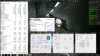
Yeah, the fan profiles still suck. And, so does Haswell. Pulls an "efficient" 140W and leaves nothing for the 780M SLI to run with using a wimpy 330W AC adapter.
 Gunnar Snellman and papusan like this.
 -
Is there a new heatsink Dell has announce, along with those new soft overclock on their i7 processors?
Keeping your components cool under full load, all Alienware laptops feature full-throttle thermals that utilize copper D6 heat pipes that pull thermal energy away from the processor and blow it out from the back of the system through copper fins for maximum cooling efficiency. This highly efficient cooling system enables the overclocked Intel Core i7’s to run at maximum performance without throttling or overheating. All of that extra speed requires an adequate AC adapter that can fuel that much power, and Alienware’s power adapters are more than up to the task, providing clean power with more than enough juice to drive even the most intense gaming sessions without compromise.
“We always prioritize performance first and foremost with every product that we develop.” Said Frank Azor, General Manager of Alienware. “Our engineers worked hard to optimize every last ounce of performance without sacrificing the quality and stability that users expect from every Alienware product.”Mr. Fox likes this. -
Well, surprise, surprise. I'm sorry, Mr. Azor is just flat-out wrong. That's clearly not an accurate statement. To be accurate, the Alienware 18 with 780M SLI would require a dual AC adapter setup like Clevo or it would have a 600W or larger AC adapter.
I'm not going to say he lied because I don't think he is a bad person. I think they must define performance as "good for stock" and did not take overclocking into consideration. At least we see eye-to-eye on build quality. It's terribly unfortunate the engineering of the Alienware 18 was so woefully inadequate where power-handling is concerned. It could have been completely awesome with a little more effort on their part. -
Whatever would a better and more intense heat sink in pure copper, have been much better with my application of Liquid Ultra. The temperature would surely have gone down by 5-8 degrees Celsius although I have used the sad fan profile from Dell. My guess is that the temperature has been even better with a good fan profile and the fans had gone on the speed they are designed for (10-15 degrees decrease)
-
-
The latest promo for overclocked processors from Dell is really pathetic. They are too late with and advertise their Alienware laptops with the new gtx980m gpu that other manufacturers have already done. This is the only thing they came up with.
-
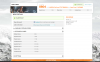
Using their new overclock profiles with A10 I was able to get my 3dmark (Firestrike) score to go up alittle. Its over 8K now. Are there any settings in windows or Nvidia Control panel to boost the score higher? MY GPU is clocked at 1010mhz/ mem at stock speed. After switching to A10 my score went up a couple hundred points. Do things running like antivirus software , ect. slow anything down during the benchmarks?
NVIDIA GeForce GTX 780M video card benchmark result - Intel Core i7-4930MX,Alienware 01W2J2
-
I updated to this and I get total crash (power loss then reboot) or blue screen even at a low clock or base clock setting. When using lvl 1 overclock the blue screen was presented after about 15 min of youtube just like always so I honestly feel its worse in my experience.
-
atleast you get a blue screen. Look at my other post on the page of what youtube does to my laptop. lol.
-
Thats funny because mine makes that same sound. Doesn't look like that but after I clocked down on A09 it stopped until I tried this new bios again.
-
That's not as a result of OCing though. You should really try a registry clean or something. I already said to try it in firefox or some other browser and see if it happens there.
-
Antivirus software etc. should turn off when running benchmark tests. Use Autoruns.exe to turn off unnecessary startup processes in Windows.
-
Regarding Haswell's efficiency, I think someone once said it's more efficient at idle (LOL) and maybe under certain loads at stock. Overclocked however and it becomes ridiculous power hog. The desktop 8-core 5960X can draw over 300W when overclocked to 4.5GHz. That's just insane.
-
I recommend turning off adaptive voltage and either adjust voltage itself under the tab core voltage mode in the new bios. It is the to high voltages of the processor that Dell technicians have given processor under the new overclocking profile that is the main problem. A too high voltage = heat
-
By going up from 4x3.9ghz and overclock up to the 4x4.4ghz = doubled the wattage of a Laptop processor I7-4930mx.
Alienware 18 BIOS A10
Discussion in 'Alienware 18 and M18x' started by Spartan@HIDevolution, Oct 9, 2014.


