 Problems? See this thread at archive.org.
Useful info Mr Fox, good that you bottomed out the connection between CPU frequency/load vs GPU throttling. Encouraging that for real world gaming it's not an issue because like you said you don't generally need an extremely overclocked CPU, but will still be great if any work arounds/solutions are found to it. This problem has only been affecting Alienwares though right? Perhaps when Dell release a 980M vBIOS then we'll be able to use it and it will sort this issue.
-
-
With OC'd 980Ms and going above 60fps, you WOULD need an overclocked CPU.Mr. Fox likes this.
-
Yeah, for the 120Hz crowd it's not an ideal situation at the moment.
-
I'll leave this right here. I guess our friends at NVIDIA and Micro$haft don't like us using the brute force approach to CPU overclocking. First time ever using ThrottleStop to make the CPU run harder starts messing with the GPU. Really strange, but I do think that NVIDIA BatteryBoost poo-poo-cah-cah <del>Ultrabook</del> Jokebook trash has something to do with it.
You can do it, but if you try using the big hammer approach (like I always have in the past with ThrottleStop and XTU) it backfires... real bad. -
The real question is: does this happen in a Clevo? Ethrem WILL be the only person we know who can test this for us. He's got a 4940MX and will have two 980Ms and can check with the stock vBIOS.
If it does, then the whole vBIOS on the whole is just broke. Of course the modded vBIOS that'll eventually come out will help, but I don't get why it needs this in the first place. Like... why make high end parts if users are not supposed to use it to their full potential? -
Just did some testing with running bf4 using only 4 cores and ht off and stock clocks. Also set game to run 1080P@60 hz - 3.7 ghz. Game is holding a steady plus 90 fps. And bouncing between 90 to 120.
So no over clocked cpu needed to play above 60fps in that game. -
Yeah... BF4 is a weird game. I've seen reports of a 4.5GHz dual core Pentium G3258 CPU holding 60fps+ at ultra preset on single GPUs at 1080p in that game. I have however run into CPU bottlenecks in Crysis 3 on these 780Ms if I set it to ultra, but only in one area in the SP so far. I can go back and repeat it, however.
I guess I should say that it's still only a few games that would need likely need it.
Anyway, if you OC some more, would you keep closer to 120 though? Even if you need turn off MSAA. I've been trying to get that game to sit at 125fps constant without being on low for ages, and it just doesn't seem to want to. Hell, I tried OCing my 780Ms today to see if it'd work better. I got the same FPS as normal but average util went from 55-65% to 45-52% on the GPUs. I will never understand that game; I've just resigned to the fact that I'll need a stronger GPU before that game will sit at 125 for me XD. -
That is the plan, we can only tweak values, i don't believe anyone in here is an engineer by any stretch of the imagination. So until we get our hands on the vBios that dell creates we are SOL.
Also the throttling i receive after shutting down my PC could be directly related to the fact i have my CPU OC at x40 across all cores? i guess i could try to drop them back to stock and find out what happens.Robbo99999 likes this. -
I just have a 4810 with my 2-980's in my 9377. I haven't seen any throttling at all with the small overclocks. I am not a great overclocker, am looking for a good deal on a 4940 though and learning a little more on the overpacking side. I've always just bought the fasted I could and let it run at stock and was happy. I'm looking to "expand".
-
If you get a 4930MX or 4940MX, let us know if you get any throttling at the higher clocks (above 4GHz). Also, if heat is an issue, you may wish to get the P370EM CPU and Slave GPU heatsinks, as they cool the GPU a bit less but cool the CPU a good bit more (and 980Ms are chilly anyway)
-
That would have a lot to do with the desktop card being ran at the time, i would think.
If it is one spot in a game, chances are it's not a bottle neck but a "game slow down" section.
Example. Vantage. First part of the tunnel as you enter and just before you get to the speed boat. No matter how many cards or over clocks or cpu's you have. It will always drop to 60 to 80 fps no matter what. I had 4 980's and it still dropped to 80 from like 700 fps passing that section.
My guess is it's something to do with the coding.
Remember, I'm not running 780M's im running 980M's And if you turn off motion, change your AA and lower your field of view, this should gain the added boost you are looking for. Unless you already did this? -
ok guys been reading this thread and took the plunge with my aw 18 4940mx 980sli (clevo cards) windows 8.1 i have the cards installed and booted up I went to laptopvideotogo got my inf and driver, i looked in the inf and it does say windows 8.1 in it. but i get the driver is for a different version of windows error when trying to install drivers i did the driver signing disable thing also. any help would be so awesome.
Mr. Fox likes this. -
R9 280x is the general card they call, and not using Mantle either.
It's some maps. I have a feeling that some of the maps render the water map entirely under the game and even though you can't see it, it causes problems. I didn't make the connection until someone revived me once and I ended up under the map, in water (though glitched), and was able to swim out and continue the battle. Maps without water like Golmud Railway don't give me as bad performance, even in 32 v 32.
I never get above 80% util on my cards constantly in that game unless I bump resolution scale and ultra the game. If I run it at 200% scale and ultra preset I never go below 95% util, but of course that's with ~38-56 fps XD. It might be the game coding, because I DO never drop below 60. Also, interesting fact I found out: that game runs like butts and stutters like crazy if you're NOT using at least dual channel configurations for your memory. Really odd.
And I know you're running 980Ms, I was asking because I want 980Ms at some point haha. Also, I keep most things on "low" or "off" including AA. I keep textures (quality & filtering), mesh quality and terrain quality on max so I can see people well, then everything else gets nuked. No DoF either and I hate the post processing motion blur thing. I do want a decent FoV though. -
Use this driver instead [ LINK]. It works really well for me on the M18xR1 and Alienware 18 with 780M SLI and the M18xR2 with 980M SLI. Several 880M SLI owners say it's working well for them also.
Unless Ethrem tries doing some serious CPU overclocking it probably won't be a question that gets answered accurately about the Clevos with laptop CPUs. I suspect it won't happen on the P570WM3 because the 4930K doesn't have the same kind of power saving garbage technology as a mobile CPU. I think Windows Setup probably also does a few things differently on power tables with a desktop CPU. When already know for sure that Windows 8 screws things up with mobile CPU power tables no matter what GPU you are using. -
Mr Fox i could kiss you right now i am up and running that driver worked thank you very much!!!!!!Mr. Fox likes this.
-
-
I guess I missed this achievement with someone getting a pair of 980m GPU's up and running in the AW18, do you have a link to share? BTW Congrats on the R2 score and the purchase. I but I will be looking for a pair myself or jumping ship to the MSI GT80 so any info is very helpful.Mr. Fox likes this.
-
OMG, don't do that MSI thing. I think you'll regret it. It has BGA filth and should be boycotted, not to mention the fact that you will NEVER realize satisfactory performance with any HQ processors. These are weak jokebook CPUs. I have used several machines lately with those HQ turds and they are a massive disappointment. Since they are welded to the mobo, you're stuck with a pile of trash for as long as you own it.
The 18 functionality was validated by louis1978uk and documented a little more clearly at Tech|Inferno than it is here. If you're not going to stick with an Alienware 18 or M18xR2, I would encourage you to regard nothing else as a viable option except for a dual-GPU Clevo model. The rest of the laptops OEMs are producing pure garbage. -
We will see, they keep mentioning extreme edition so it may be a first BGA extreme edition along with a plug that looks like it may work with the clevo power box for dual 330W PSUs.
I don't care if they solder an extreme edition CPU. -
99% sure it is MSIs marketing department that call the 4980HQ Extreme...
-
Mr.Fox, i have a question:
Desktop 970/980 user with SLI config are experiencing (me too) Vcore discrepancies with SLI cards. Usually the "slave" card run with much lower Vcore values while in SLI compared to the master card. The same really low voltage card, if used as single card will bump the vcore as expected. The issue is happening only with SLI enabled. A band aid for the problem untill now has been running the master card about 25Mhz faster core frequency than the slave. By doing so both cards Vcore will almost match.
Does the mobile version of 970/980 suffer from the same behavior?
thanks in advanceMr. Fox likes this. -
So depressing... guess I won't be owning an Alienware 18 after all.
Mr. Fox likes this. -
How is this for depressing?

I haven't even flashed mine yet and it's a holy terror, LOL. You have to manage the CPU rather than just let it rip like we are used to doing. It seems that Maxwell has some silly secret ingredient that monitors system power load and throttles the GPUs when it perceives the load is "too high." (I am guessing for people with wimpy gaming jokebooks that are likely to catch on fire.)
pathfindercod and Peter like this. -
Mr.Fox is your new little two beasts wont throttle contently at CPU 4.6? I said to you in beginning 980ms performance almost double compare to 680ms .
Mr. Fox likes this. -
Nope, they do not throttle at all, at any CPU clock speed if you manage the CPU behavior to keep it from telling the 980M's to do something stupid, LOL. Above 3.9GHz with ThrottleStop turned on they throttle. With ThrottleStop turned off they don't even throttle at 4.7GHz.
![[IMG]](images/storyImages/0491cfc171bb7b43658413948f77c177b659340f.png) Ashtrix and pathfindercod like this.
Ashtrix and pathfindercod like this. -
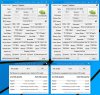
I have not noticed that yet. I normally don't pay attention to ASIC values, but the rumors I have heard are that seems to have a stronger correlation with Maxwell than it has in the past. Whether it is true or not I do not know, but Maxwell absolutely behaves much differently than Kepler or Fermi did. In some ways better, in others not so much. I think I got pretty lucky on mine if ASIC means anything. My 780M cards are both in the 68% range.
 reborn2003 and pathfindercod like this.
 -
Yep. Mine did this as well.
My desktop 980's all 4 had different voltages when running in sli.
Running my 980's in my M18XR2 gave different readings
And so does my Clevo. -
That's good to know. And yeah I have the same problem too, ASIC is 74.6% on one and 66.1% on the other. So far from what I've seen ASIC plays a role but there's no definitive correlation. The OC delta needed to make the cards match volts also differs for everyone.
-
So far it is a windows 8 only game with the 990's?
-
Does killing the boost feature using the modified vBIOS have any impact on this behaviour?
-
Soooo it appears if you OC your CPU you will receive throttling this is confirmed in the M17X R4, i justed test it (i shut off the PC, turned back on etc). The GPU still acts weird tho in 3D Mark. For example when i run a custom run in firestrike graphics test 1 only, the FPS stays between 25-35 but MSI is reporting full boost.... But if i run the "whole" test, it runs at full potential... .
@Fox,
To save me some time what is the max OC you can apply before the GPU starts to throttle? i assume x39 across all cores? I am currently just running stock CPU clocks. -
When i was monitoring it with MSI AB it appears to happen regardless of the boost (not fully confirmed since i would have to mod the bios to be sure), but killing the boost feature seems to be counterproductive (i could mod the TDP to what the boost would be...). I am running a vBios i modded (+151 core and +400 mem) currently and at stock CPU clocks there is no GPU throttling.
-
Here is what I have found using the stock vBIOS. I am running the max core overclock and voltage the stock BIOS allows and there is no throttling under the right circumstances. Here are the circumstances:
- Never any GPU throttling with the CPU at 3.9GHz with or without ThrottleStop being turned on. (For those with laptops using non-XM CPUs that are not overclocked, I anticipate there will be no 980M throttling at all.)
- No GPU throttling at any CPU overclock with ThrottleStop turned OFF. It can be running and you can still use it to set your profiles for a variety of overclocks on the fly, but switch it from OFF to ON and the 980M throttles like crazy above 3.9GHz. With ThrottleStop turned ON the 980M throttles super bad (single or SLI) with the CPU overclocked.
- Using ThrottleStop overclock profiles and hotkey support, I can bench at 4.7GHz GPU throttle free and use the hotkey support to toggle ThrottleStop ON during the Physics and Combined tests in 3DMark 11 and Fire Strike works great.
Note: dynamic or "adaptive" behavior is normal with a stock NVIDIA vBIOS. By "no throttle" I mean the GPU(s) are holding stock 3D GPU clock speeds and/or reaching full GPU Boost clock speeds, but not dropping lower than the 1038MHz base 3D clock speed. To eliminate GPU Boost (and dynamic/adaptive erratic clock swings) requires a modified vBIOS. I am still using the stock vBIOS for the time being because flashing Maxwell vBIOS is a big hassle and I am busy with other things relating to the Christmas holidays for the time being.reborn2003, Ashtrix, pathfindercod and 2 others like this. -
The modded vBIOS for Kepler (and I THINK the one John was using for Maxwell; I could be wrong) disables the boost clock feature. So for example my GPU-Z on 780Ms read "850 core" and "850 boost". I was wondering if that had worked to kill the throttling at high CPU multipliers, but then I forgot to ask if it even did that due to his desktop CPU. *sigh* I need to think before I ask questions haha.
I need someone on the mobile scene with a high-clocked CPU using throttlestop or something and the modified vBIOSes for SLI 980Ms (it *MUST* be SLI) and see if it keeps the clocks.Mr. Fox likes this. -
Brother Fox is doing better than I was at this. He was able to get to 4.6 and 4.7 ghz. I was struggling at 4.3 LOL
This run was throttling. Ran at 4.3 ghz 1138/1453 boost around 1220.
Generic VGA video card benchmark result - Intel Core i7-3940XM,Alienware M18xR2reborn2003, Mr. Fox, D2 Ultima and 1 other person like this. -
Heaven and Valley, no GPU overclock with stock vBIOS... you can compare these to your best overclocked 680M and 780M scores and it becomes immediately obvious what performance potential exists with a modded vBIOS and crazy overclocking.
It probably deserves to be mentioned that anyone thinking of 980M SLI upgrade needs to be aware of (or remember, if they have forgotten,) how 680M and 780M behaved with a stock vBIOS. There is no question that 980M is a big leap in performance, but it's going to have similar undesirable behavior unless you use a modded vBIOS. NVIDIA thinks it is a good idea for their mobile GPUs to not run at constant full-bore boost clock when playing games or running benchmarks and they are staying true to form. I haven't ever met one of their customers that agrees with them, but they don't care what customers think.![[IMG]](images/storyImages/DFvd0xL.png)
![[IMG]](images/storyImages/off9deV.jpg)
Actually, it doesn't appear many (if any) of the major hardware or software tech companies (Micro$haft, Intel, NVIDIA, AMD and the computer OEMs) care what their customers think any more, especially if they are performance enthusiasts and/or laptop owners. We are an inconvenient necessity that only exists to help them make more money, LOL.
Exept for when my traditional CPU overclock techniques were creating problems with it, I have not seen my 980M SLI drop below the 1038MHz base core clock, or the +135 offset base core clock. It is holding those clock speeds just fine. However, it does not run at full boost clock 100% of the time when gaming or benching, but neither did my 680M or 780M cards with a stock vBIOS. I did, in fact, see 680M and 780M dip below their base 3D core clock for no explainable reason using a stock vBIOS, so in this regard it seems 980M is doing better than 680M or 780M did in the stock vBIOS bad behavior department. Long story short, GPU Boost has NEVER worked correctly and it is a marketing gimmick that may as well not exist if you want to see static clock speeds. I like static clock speeds for GPU and CPU, which is one reason I like running my CPU with c-states disabled. I also prefer a stick shift over an automatic transmission in a high performance automobile.
I have been using ThrottleStop for CPU overclocking for a very long time... to the point that I find it hard to imagine life without it. With 980M, it is still extremely valuable to me for overclock profiles and other features, but turning it ON does something extremely detrimental to 980M behavior (single or SLI) and causes it to throttle like crazy, with dips way down to 2D idle desktop P8 level clock speed. Please note ThrottleStop is running, available and usable for profile switching. I am still using it in exactly the same manner as before, but using it in the OFF mode.reborn2003, johnksss, D2 Ultima and 2 others like this. -
OK, here is a visual example of what I mean by "no throttling" with 980M SLI on my M18xR2. This is bone stock vBIOS with no overclock and CPU 47x4 with ThrottleStop in the OFF mode.
Nice temps, too. I have Liquid Ultra on the CPU and Gelid GC Extreme on the video cards. This benchmark is 1440p, not 1080p.
<iframe width='1280' height="720" src="//www.youtube.com/embed/5Ew8yWNng1E?rel=0" frameborder='0' allowfullscreen=""></iframe>Last edited by a moderator: May 6, 2015reborn2003, johnksss, pathfindercod and 1 other person like this. -
I will work on a vBios now and check if it works. As for the the non XM chips the throttling will still occur in the R4, i am not sure why it occurs in the R4 no matter what, but it does so i will try one last thing with the bios to see if it fix that issue for now. For some reason if the issue is going to return it always happens after the machine has been powered down for a long period of time. I tried to test it last night by powering it down for 5min or so and then check to see if the throttling returned, but it would not. So it is hit or miss on the length of time, but it is guaranteed to return for us R4 users regardless.
Also when you run the Cards in SLi the behavior is much different for some reason. An exmaple is if i run my card with Optimus... R4 version of dual GPUs or whatever you wanna call it seems to behave exactly like SLi cards in the 18x R2, no throttling...
UPDATE------------------------------------------------
Ok, so i created a vBios that matches the Boost, what i mean by this is the the boost clocks never exceed TDP so Boost never kicks in per say. I was throttling all morning until i applied this mod vbios which remedied the issue on the spot... Now i am still not 100% confident until a overnight shutdown, but the only other way to remedy the throttling for the day was to wipe, clean, and reinstall the driver over again, i never did this before applying the modded vBios i just created and applied, throttling was gone as mentioned "on the spot" upon just a reboot of the system to apply the new bios settings.
 CPU x43 all cores
UPDATE-------------------------------------------------
If you apply a OC to the XM chips above stock the throttling will return upon a shutdown and reboot, i would recommend throttle stop as Fox mentioned for benchmarking.Last edited: Dec 23, 2014reborn2003, Mr. Fox and TBoneSan like this. -
could some one upload the 84.04.22.00.12 vbios version stock or moded?

-
Mr Fox, you got your upgrade kit from Hidevolution right? How was their service etc? Also, could you put me in touch with someone there? I'm planning on getting the 970M upgrade kit.Last edited by a moderator: May 6, 2015
-
I don't normally give a lot of details about this sort of thing in a public forum.
Send a PM to Ted@HIDevolution if you have questions, or give them a jingle. I spoke to him on the phone several times... very nice fellow. He responded to my messages here at NBR quickly as well. I got my GPUs somewhere else because I am an extremely impatient person and did not want to wait 24-48 hours longer for a stock shipment to arrive. So, I have a warranty that is 25% (90 days versus 1 year) of what I would have received from HIDevolution.reborn2003 likes this. -
I'm actually talking to ted over on ebay. I thought he was the guy you talked to... Let's see how it goes.. Eurocom are offering me a lower price from the looks of it but support wise, in your opinion who provides a better service?
Also Mr Fox: How do you know if Windows is installed in UEFI mode which I believe is the requirement for the 18x R2 or 17x R4? I'm not too sure about this in BIOS... I have Windows 8.1 installed which should be a UEFI install right?reborn2003 likes this. -
Can't say because I have nothing to base a comparison on. Ted seems like a great guy on the phone. I do not have any connections at Eurocom, otherwise I might already own a Panther 5 with 980M SLI instead of an M18xR2 with 980M SLI. I wish I did, but I'm really glad I saved $3,000 by upgrading my R2 compared to the price of a new maxed out Panther 5, LOL.
reborn2003 likes this. -
Mr Fox,
Ted is a great guy! I'm probably getting my from hidevolution.. Just need to check if Scan or Schenker can sell me the card itself although it's probably going to be a no..
Last thing Mr Fox,
I've attached 2 pictures showing my boot menu.. I've disabled legacy and it seems now I'm purely using UEFI.. Will this be fine for the 970M? I heard it works UEFI only.. I have Windows 8.1 installed...
https://www.dropbox.com/s/qwug4o6jn7843jz/DSC_0033.JPG?dl=0
https://www.dropbox.com/s/xjv44ofoe22x8p4/DSC_0034.JPG?dl=0reborn2003 and Mr. Fox like this. -
Yes, you're good to go with BIOS settings. You may end up needing to do a clean install of Windows after the GPU change. Peter and I both had really bad throttling until we reinstalled Windows. Not sure if something with registry settings from the old drivers was a causing us problems or what. DDU all by itself wasn't quite enough to straighten it out. Don't do it if you don't need to, but don't be surprised if you end up wanting to.
The new Maxwell GPUs are really powerful, but I am not very pleased, in fact more than mildly ticked off, about the vBIOS's Satanic hooks into the system BIOS through UEFI and the ungodly influence Windows seems to wield on the Maxwell GPU. The beauty of Legacy BIOS is freedom and component isolation... glorious hackability and insecurity is always something I can appreciate and exploit for personal gain. With security comes compromise and sacrifice Legacy does not require. Gee, thanks Micro$haft... next time please use some lubricant. -
And Mr Fox, the installation method is as follows:
Keep the GPU in optimus mode and erase all AMD and Intel GPU drivers.
Remove GPU etc and replace with new GPU.
Reboot, install Intel drivers and then modded NVIDIA drivers.
I was wondering if your desktop driver mod works with the 970/980M in Alienwares or will I still have to mod drivers. Sorry to trouble you
-
Ted is very responsive, the warranty is nice, but i was let down by how his techs handled my order. Regardless shipping was packed well and the card was flawless.
reborn2003 likes this. -
Follow my post i made, i explained most of this if i remember correctly. As for keeping the GPU in Optimus it does not matter. You can run it either way with the R4. When you place in the new card just make sure you have your bios configured correctly as you posted earlier, hell you can even do it with. SG>intel AUTO, UEFI legacy rom ENABLED, then change the settings once it fires up. The most important part is ensuring you have UEFI enabled at all times with out without legacy rom. What you will run into is driver compatibility issues. So once you fire it up in any fashion simply just switch to PEG>intel DISABLED>UEFI legacy rom DISABLED or ENABLED does not matter, this is just a preference for boot times.
For flashing your card this is a whole different story tho, and that bridge can be crossed when you feel comfortable, ill be glad to help since the R4 reacts differently then the 18x R2reborn2003 and TomJGX like this.
Aw m18x R2 Dual 980m SLI upgrade!!
Discussion in 'Alienware 18 and M18x' started by Peter, Nov 12, 2014.


![[IMG]](images/storyImages/OAl7Wi8.jpg)


![[IMG]](http://i.imgur.com/DFvd0xL.png)
![[IMG]](http://i.imgur.com/off9deV.jpg)

