 Problems? See this thread at archive.org.
Yes you should not need to disable the cards any more.
-
-
As long as you are running stock clocks, the 330W AC adapter should be fine. You won't be able to do much overclocking, but for gaming you don't really need to. The 980M stock is already clocked near max stable core overclock for 780M already.
That new version of NVFLASH that works in UEFI without Legacy/CSM support is wonderful. It will certainly make upgrading the M18xR2 and Alienware 18 to 980M SLI less of a cluster. Having to tear down for flashing totally sucked and was a truly miserable experience. This being fixed makes me want to try again.
I still disable the GPUs in Device Manager before flashing. I had a couple of hiccups with the P570WM by not disabling them. Everything turned out perfect, but you don't want any hiccups when flashing firmware. The extra 2 or 3 seconds of effort to disable/re-enable each GPU gives me a little more peace of mind since DOS flashing is not possible. -
*shakes fist at lack of DOS flashing*
Honestly.Mr. Fox likes this. -
Do it Mr Fox! Come back to the M18x R2 Team I am getting a super good deal on a pair of 980ms with one of my friends. Im getting mines this weekend. the upgrade ALMOST seems as easy as the 780m sli upgrade with the flashing of slv7.. just a few extra steps -
Guys,
What kind of thermal paste did you guys used for ur 980ms?
I'm debating whether to use liquid ultra stuff or ICdimond paste -
I bought icd7 and its performing pretty well, with full fans running(gotta use hwinfo) the max temp when under load is around 66ish, and idle temp is around 35.
-
I'm upgrading my cards today! Wish me luck...
-
-
Im gonna go all in and gonna use the liquid ultra metal paste. Hope it goes well
Mr. Fox likes this. -
If you use my guide let me know if there is anything you see I should update or explaining better.
GOOD LUCK!!!!
-
quick question... why do i need a windows 8 usb bootable drive? cant i just just the windows dvd and boot from it?
-
Probably so. Go ahead and try it... nothing to lose by trying, right?
-
Okay
I am having some serious issues. When I booted from the dvd drive, before the windows installation said that there was no Hardrive to install Windows on. I went to the bios and I see all my Hardrive there.
I restarted the laptop, then pressed the eject to eject the then boom laptop shut off now it doesn't power on. Dead. What should I do...i tried the unplugging and disconnecting battery and hold power button for 30 secs nothing. -
That sounds like a hardware problem to me. I'm wondering if your liquid ultra has leaked onto parts of your CPU it shouldn't be in contact with?! I know you said you used it on your GPUs, did you use it on your CPU? (or leaked onto your motherboard somewhere & shorted)
So, when you say it's dead, does that mean that you get no lights & no post screen & no noise & no nothing when you hit the power button? Is there a light on your PSU? (But should run off battery even if PSU dead) -
There is not need for a windows 8 bootable usb, I used the DVD just fine.
If the Liquid Ultra has been applied as instructed there should be no reason to assume it has shorted something out.
Try holding the FN key and then hold the power button (hold both) until you get into hardware diagnostics run though the diagnostics and then try rebooting from the DVD again. If you were booting from the DVD when you ejected it that would be why it shut down like it did. Dont forget you need to convert your disk to a GPT partition before you can install windows in uefi mode -
Actually I used regular thermal paste cause I didn't have enough of liquid ultra.
When I say dead, I mean dead... No light no fans no beeps. Dead.
What shall I do? -
Right, well that's a hardware problem surely. I asked you if your PSU had it's light on, and if your battery is functional & charged? Could you try running it with one or the other or both GPUs removed to see if it turns on boots, which would rule out some kind of a short created by the GPUs perhaps? (Think you need a modified BIOS to boot with both GPUs removed though - so you can activate the iGPU). But, given that it's not even entering post I think the motherboard or CPU is dead and would need to be replaced. Maybe even try running it with one of the hard drives removed or a different hard drive installed (you said the drive went 'missing') - perhaps they're shorted or something. I do think it's your motherboard or CPU though.Last edited: May 16, 2015
-
A couple of other users ran into the same thing with the drives not being visible. This part of what is going on is probably user error rather than a hardware problem. Put Intel RST F6 drivers on a USB flash drive and during Windows Setup choose the option to select drivers. Point Windows Setup to the USB flash drive. It will see the drives after it has a RAID0 driver that works correctly.
Not sure why it is dead now. That is something different. Hopefully, you left the machine disassembled until you had everything up and running. Pull the GPUs and see if it is still dead. With the GPUs removed the motherboard will automatically switch to Intel HD graphics if it will power up. If it is still dead after removing the GPUs, then you may have a MOSFET that went caput or something like that. Does the AC adapter light stay turned on while it is plugged in, or does the light go out? -
Thanks guys for all the help.
Yes, the power brick light is on, and my battery fully charged. I'm gonna disssasable and removing the cards hope that works. I'm ruling out the cpu because I didn't even touch it. I didn't even repaste the cpu or even take the heatsinks off.
About the raid drivers, I think you got it Mr fox that's what's going on. Once I get this thing to boot I will download the raid drivers I belive I gotta download the Zip files not the .exe version.
Let me mess with this a little. Luckily I got a spare motherboard incase this one doesn't come back to life.
Let me know if u guys think of other suggestions.Last edited: May 16, 2015Robbo99999 and Mr. Fox like this. -
Sorry for the dumb question Once i get it to boot.... How do i convert my disk to GPT partition? I no longer have windows installed i Only have a retail copy of windows 8 64 bit DVD disk. i got raid setup ssd in my laptop. sorry if this was covered already.
-
This is for Win 7:
I had to do this when I transferred my SSD from my R2 into my desktop. In hindsight I really wish I simply purchased another SSD as now my R2's boot-disk is a 7200 RPM HDD and it is noticeably slower and less responsive. I only saved maybe $200, which I will have to spend anyway when will upgrade to a single 980M:
http://www.sevenforums.com/tutorials/26193-convert-mbr-disk-gpt-disk.html
Planned upgrades:
Single 980M
Crucial MX100 512GB SSD (best bang for the buck)
Windows 10 (fingers crossed 980M works just as it does on Win 8) -
Going back to a HDD is really hard after working off an SSD for any length of time.
-
Okay guys I fixed my dead laptop lol
now I am having a different issue... seems like im on a roll with problems here.
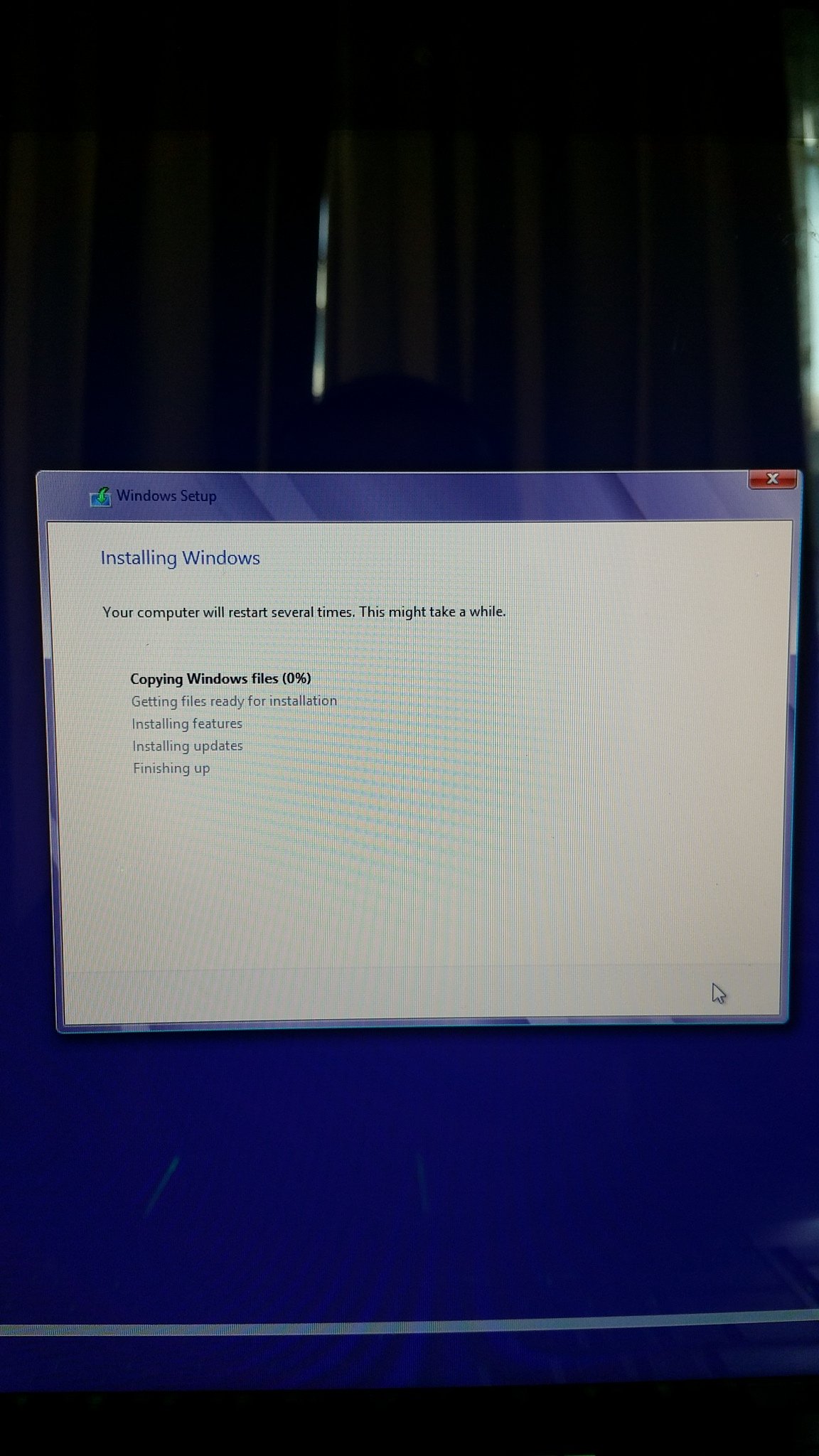
During windows installation, is taking forever on copying windows files.... its stuck @ 0% and i dont hear the dvd rom spinning...
any ideas? I tried restarting the process several times with no luck.Attached Files:
-
-
Nevermind guys i spoke a little too sooon. Installed windows and updating drivers at the moment. cant wait to flash these 980ms.
Is there a guide on how to flash the 980ms with the new version of nvflash? -
Guys when i try to unzip files for the nvflash is asking me for a password.. im i doing something wrong
-
Any help on how to flash my cards?
-
@Juang1985
If you got the vbios/nvflash from prema you will need to check his website for the password. (should stated on the home page, his site is called premamod)
Flashing premas vbios is really easy, 1. Just make sure you have no nvidia drivers installed 2. disable the card/s in device manager 3. then run modme.bat and modme2.bat answering "y" when asked 4. re-enable cards in device manager and install drivers.
How did you get the laptop to boot again?Juang1985 likes this. -
Wierd.. I know. I unplugged the Hardrive and the widi card and plug the Hardrive back in and it started.
I can't find the password. I don't see anything on perma website. Can someone upload an unlocked nvflash file and a vbios unlocked? -
Okay so I tried permamod.com and biosmods.wordpress.com and none of them work. it says wrong password for both nvflas file and 980m oc vbios. can someone help me
-
Can figure out the password for the nvflash and vbios.
Ive been playing with the stock vbios. the cards run super fast and everything looks amazing, but as soon as I exit EVERY single game ive tried my entire computer crashes. so I can play for 1 hour all good and fast but when I exit the game it crashes and gotta hard restart my computer. -
Thats a really strange case, did you overclock your card?
-
Juang,
I'm using winrar and I just used the " premamod.com" with out quotes to unlock the file. Make you are using this file.
Good luck!Last edited: May 17, 2015 -
Did you install the stock nivida drivers? If so you will need to use DDU to delete them and install the custom ones. I'm glad your up and running for the most part! Also are you OC anything CPU/Memory?
-
I am having tons of system reboots, but I am thinking this is because of a temperature issue. Do you think this is a real? Or just an error from the sensor?
Stock clocks with veeeeery low voltage increment.
![[IMG]](images/storyImages/znqIoir.png)
3DMark 11 loop mode on. (I've got those numbers after second pass.)
Can anyone verify those numbers? Run 3DMark 11 in loop mode (windowed mode to be able to see HWInfo readings) I would like to compare with yours.
Thanks pplLast edited: May 17, 2015 -
OMG this is so annoying... I cant access the dam files to flash my vbios. neither the vbios or the flash it says corrupted or wrong password. I tried downloading the file several times and is not working.
Can someone just upload the files unlocked for me please?
-
I just downloaded Prema 1.1 vbios and I've decompressed it without an issue. Check winrar version. I am using 5.01 64 bit version
-
premamod.com is the password for prema's (public) files
-
I got WinRAR 5.1 and now I uninstalled it and installed WinRAR 4.0 and same results.... not sure whats going on. can you upload the files thru here?
-
No one is allowed to do so (AFAIK), it is Prema's work sorry. If you send a PM to him maybe he can send it to you without password.
About my problem (stock voltage 1.068 same problem)
![[IMG]](images/storyImages/FcuWXby.png)
-
Also I am noticing that left side of the keyboard is quite warmer than right side. Can be this caused by VRMs or MOSFET touching with more pression the heatsink?
Last edited: May 17, 2015 -
inoticed that too Nikos.
But I keep getting hard crashes after I exit a game. keep in mind I haven't been able to flash my vbios with the modded ones so I am not overclocking whatsoever.
I tried disabling SLI and the crash doesn't happen. it only happens when sli is enable. I can play for hours and have no problem using SLI but when I exit the game I get a hard crash regardless of the game. crisis, battlefield 4-battlefield hardline- even counter strike.
u guys think it could be a hardware issue? I tried older drivers and the same thing is happening. Wonder if this would be fixed once I do the Vbios mod -
Did any of you experience this type of crashes BEFORE they flashed with the modded VBIOS??
that would make me feel so much better. I am starting to think it could be a hardware problem with one of the cards. whats strange about is is, that I can game all I want while using SLI with good temps and zero problems with frame rates, but as soon as I exit the game I get a hard crash.
hopefully you pros can help me with this. the temperatures never exceeded 76c while gaming -
-
Does anyone know how to fix this or mitigate something like this?
![[IMG]](images/storyImages/UZdNCdP.png)
I've tried uninstalling or desabling some devices but non of that seems to fix that :S -
LOL. Your name is responsible for 99% of all dyslexia on this forum.TomJGX, @tomX, Papusan and 1 other person like this.
-
Some DPC Latency testing programs are good at verifying a problem, but do nothing to help identify the cause. Use this program instead, and it may help you identify the cause.
http://www.resplendence.com/latencymon
See if the problem is gone without HWiNFO64 running. If it is, go into the HWiNFO64 settings and be sure all EC support options are disabled. Any third-party programs that trying to connect with the Compal EC can cause misbehavior.Ashtrix likes this. -
im trying to flash the cards and this screen is been on for a while. am I doing something wrong?
-
@Juang1985 - looks like you are using the wrong version of NVFLASH for pure UEFI support. Did you disable the GPUs in Device Manager?
Open Task Manager and kill NVFLASH if it is still sitting there doing nothing.
Try this version (attached) and see what happens. Be sure to save a copy of your original vBIOS before flashing. Go ahead and disable the GPUs in Device Manager before flashing even though it is not supposed to be required with the attached version. Re-enable them and reboot after flashing.
If @Prema has not released the special vBIOS mod that [Nikos] is using, you will probably have really bad throttling problems. You may need to go back to the original vBIOS and wait for the new mod to go public, so it is a good idea to save the original stock vBIOS for that reason alone.
Attached Files:
-
-
You dind't follow the instructions and downloaded the NVFLASH for Alienware.
Please read the Alienware part at the end, right before the downloads:
https://biosmods.wordpress.com/mxm-vbios/
Aw m18x R2 Dual 980m SLI upgrade!!
Discussion in 'Alienware 18 and M18x' started by Peter, Nov 12, 2014.


![[Nikos]](images/avatars/[Nikos])

