 Problems? See this thread at archive.org.
Hello fellow Alienwareres,
I just wanted to share my first impressions about the way my M18x R2 (680m SLI) performs with Crysis 3. I installed it last night and as of now I haven't been able to max out all the graphics settings. When I do the game vsyncs at 30 fps and it's choppy and stutters in certain places. With vsync off it's just a stutter/lag feast. However, after some tinkering with the settings and overclocking the GPUs to a bit over 1000Mhz I was able to play at solid 60 fps using the conf showed below.
Any thoughts or settings you'd like to share? How is your beast performing with this game, and what settings are you using?



-
Interesting. I am expecting my retail version to land soon. Release date in the UK is 22nd. Preordered for grand total of £10, either way I'll be a happy chappie.
-
With my laptop and 7970 Xfire, I've maxed out all settings to very high escept for AA is set at MSAA 2X (both SMAA options have bad jagged edges). Plays nice and smooth - I can only surmise that Nvidia needs a new driver, but I have yet to test it on my 670 SLI desktop.
-
I had the MP Beta and did not see low frame rates. It looked awesome and typically was 75 FPS and higher. Have you tried different settings in NVIDIA Control Panel with a profile for Crysis 3? The latest driver is specifically for Crysis 3, so I sort of doubt it is a driver issue... could be, but not as likely as having something set incorrectly.
-
I haven't thought about it, actually. Thanks Fox, I'll give it a shot.
-
Be sure to try Alternate frame rendering 1 or 2 in the event that the "NVIDIA recommended" SLI rendering mode is not ideal. This can make a huge difference in performance. I no longer have Crysis 3 MP open beta installed because it quit connecting to servers, so I cannot test it and tell you what worked best for me.
-
So, I tried all three options (frame rendering 1, 2 and nvidia recommended, which I think is 2) but to no avail. Unless I lower down some settings the cards struggles--with all maxed out it varies between 59 and 45 with visible stutter. I can play Crysis 2 all maxed out Vsync with no lag. I'm using the latest drivers, which are supposed to increase Cry 3 performance already. I need to think of what I'm missing here.
Also interesting that if I use GeForce Experience Beta to set optimal settings only texture resolution and game effects will be Very High, while the other settings range between high, medium, and low. -
mmm same as Mr.Fox I was playing MP beta and all settings maxed out except MSAA (no need). Always over 70 FPS.
Same system.
Are you ocing also the vram?
I'm waiting to test the final version of the game but I don't think it would run worse than the beta. -
The game runs between 40fps-60fps on my m18x r1 setup with sli 580m's (though it mostly stays around 55-60). I have all the settings on High and FXAA turned on. I turned the motion blur stuff off as that seems to be more annoying than anything. I wish I could max the game out on Very High but will have to wait until I get 680m's.
Rafix73..with your setup you should be able to run it at very high with no problems. Make sure both of your cards are running at full strength in sli once in game using a software monitor program (I use evga x). In the beta I was having it only utilizing one of the video cards, but after a profile fix sent to me by Fox it fixed it. Though the new drivers released seem to take care of it as well. -
My copy landed this morning. Installed from disc and it's just patching - 40% of 1,405.98mb........god my ISP sucks....40 mins left
 - still, can't wait to see this sucker play at 2560x1600
EDIT: well, it's completed - can't play the sodding thing until tomorrow as the Europe release date is 00.01 on 22nd Feb.
-
Chewbakaats58. If you take a look at the screenshots I posted on top of the page you'll notice that I'm already using xvga, which I use to monitor the cards and to overclock them--they are indeed working in pair with no apparent issues. I also used SLI visual indicator to make sure both were running. In addition, I tried to play with single GPU and to see the difference: fps dive to 25 and below. With SLI active and even with vsync off I never get around 70 and stay there, unless I look up at the sky, then it reaches 80 etc, but as soon as I look around fps dive and in many places gets choppy. Can you tell me what profile Fox sent you please?
Nikos, I tried overclocking the vram as well but give or take, I get same result: in game it ranges from 60 to 35 with evident stutter. Even when it around 55/60 it's a bit choppy. If I set graphics as I showed in my first post all is smooth. Note that I can max out other demanding games with no issues. Before installing Crysis 3, and considering how well the system has been performing--even with Crysis 2--I believed I wouldn't have any problem. I'm still sure I'm missing something here...
----------------------------------
EDIT: So, I've been around Crytek official forum and it appears that several 600 series card owners are having issues with Crysis 3: fps drops, stutter, and general gpu under-performing. Most of them concurred that they didn't have such problem with the beta multi-player version. It seems that the game does need further optimization -
the stuttering is not only in crysis but other games aswell. guess we have to wait on nvidia for a new driver
-
So, here's a little update. I almost completely took rid of the stutter by using D3DOverrider. I started the program and added Crysis3.exe. Then, I forced vsync and triple buffering ON. In crysis I also turned vsync ON, since only using the one forced by the program will produce some tearing. I maxed all out aside from Shading and Shadows, which I set to LOW. Motion blur is set on MEDIUM and I'm using FXAA becasue I like having some antialiasing. With those setting I can enjoy a smoother and more eyecandy experience than the settings I had been using and showed on my opening post. In EVGA Precision X I set core clock to +270 (1020Mhz in game) and memory to +200. Interesting to notice that even if SLI is active and working (there's no throttle that I notice) both cards are never used more than 65%--usually it stays around 55/60%. I think that's the hint that the game needs further optimization. As I mentioned in my post above, several 6xx users are experiencing performance drops with this game, issues they didn't have with the beta version.
Note: Win 8 user need to start 3d3overrider in Windows 7 compatible mode from its options. -
Hi, can I ask you what drivers you are using? Just dusting off my 7970 xfire for C3, and haven't updated them for probably 5 or 6 months.
-
With CCC 13.2 beta I'm getting 70-120 fps @ 1920x1200 with fxaa enable very thing elsed is maxed except for motion blur which is set to low
MSAA x8 drops it to 35-60fps -
Im I the only one that needs to play with everything on low/medium with AA disable in order to get fps above 30?
Using the latest driver, 314.07 with SLi enabled.
3840QM
32GB RAM
3X256GB SSD in Raid0
680M SLi. -
No, you're not the only one. If you read the posts above you'll notice that as far as I know for direct experience with the game and for what I have heard around so far 6xx series cards don't perform optimally yet. On the other hand, the game runs well with AMD cards.
Take a look at the various posts in this thread and try the few tricks and settings suggested. As well, if you haven't already you might want to flash your cards with a new vbios, overclock them, and apply one of the settings I suggest in a post above. You should be at least able to play with all maxed out, aside from shadows and shadowing, and have some motion blur and FXAA on.
In case you don't know how to flash, or have never tried it before, let me know and I'll point you to the right direction.
I guess that this time around nVdia "it's NOT meant to be played" :-D -
Off-topic - but whoa, where'd you manage to get it that cheap
-
Haha - well, was kind of a thing where I used someone's staff discount to order online from a big UK retailer, had some online voucher codes and bingo. £31.99 became just over £10.
-
Thanks for your reply. I was kinda frustrated when I first started up and show like 9-10 FPS with all on max and had to go all the way down to low/medium settings to have over 30 FPS.
I have read about flashing the card as nvidia has "locked" the OC ability but if it takes more then how you flash you BIOS (one click easy stuff) then I dont really know. -
Running everything on very high creates some choppy gameplay but everything on high it runs like a dream.
specs in sig running 13.2 Beta 6. -
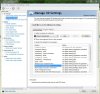
Arotished, if you're getting 9/10 with all maxed out and 30 with MEDIUM settings, not only do you need SLI is enabled in the system through nvidia control panel, but you also want to make sure SLI is working in Crysis. Do you have/are you using MSI Afterburner? or evga Precision X? If not, you may want to install one of them and in the OSD options of the program check gpu power, temps, and power used for both cards. In so doing you'll see exactly how much (or little) your gpus are doing and if both are being used in game. If you think that's too much hassle just go to nvidia control panel and enable SHOW MUTLI-GPU VISUAL INDICATOR under 3D Settings. This way you'll see if both cards are actually utilized in game. As Fox pointed out in an earlier post, make sure you have loaded the Crysis3.exe into "Manage 3D Settings" section. There you want to try the few options listed under Multi-GPU rendering mode and see if that improves performances.
Flashing the cards is quite simple, it requires a few very easy steps. If you're interested send a PM and I'll show you what you need and the steps you need to take.
P.S. could you post your detailed rig signature? That always makes life easier to those who try to help, thanks. -
So I finally got my M18x up and running and Crysis 3 installed, and it's running pretty well on stock performance. I've got everything set on max except for 2xMSAA, framerates mostly around 60 with vsync and occasional drops into the 45ish area. The only real problem I've encountered is utilization plummets during cutscenes to around 50% for some reason, killing framerates in the process. Anyone else experiencing this?
I'm going to flash the vbios and start overclocking. Haven't even run any benchmarks yet, but the gpus seem to be running cool and strong so far. Going to try out FC3 as well to see how this baby handles it
-
Funny, I got the opposite problem. During the cut scenes, if I max all out with shadows and shadowing also set to very high, fps spikes up to 60 and stays there, no matter how busy the cut scene is until it ends, then I experience the famous drops to 45ish and lower-ish with visible lag. If I set all settings as per those tricks and tips we've shared on this thread then I get a stable 55/60 and cut scene indeed get a bit stuttery.
I'm also glad you want to overclock the gpus. That way you're going to unlock their true potential and you're going to see and feel the difference
And congrats for your new AlienBeastware :thumbsup: -
Thanks man, I've been into benchmarking for a while; I can't resist overclocking my laptops. It's one of the main reasons I went with the m18x, its excellent cooling and 680ms make it perfect for a heavy oc
-
What is your fps?
-
I haven't got any problem running everything on high/ultra in FC3 with full AA (except post processing) and have good FPS, worse with C3...much worse. I got around 10500 3Dmark11 score.
-
I've only finished the first level of Crysis 3, I'm beginning to wonder if performance will get worse as I go along... not sure why the Nvidia crowd is having so many problems while AMD isn't, usually the other way around lol.
-
Yeah, driver issue is/was a AMD thing but since you are seeing the AMD logo when you start up C3, might be the reason for what we are seeing.
Any, I didnt last 10 min in the game. Worked my way from the bay with 22-30 FPS with everything on LOW/MEDIUM (below 10 with everything on High/Very High) with no AA to inside the building where you make your first kill. Inside the FPS dropped even more and then I just closed the game down, was kinda disappointing.
After I took a 3Dmark test to see if I got any unusually low score but ended at 10500 which is kinda a good score.
Hopefully nVidia will release a fix for this in their next driver in about 2-3 months time. -
Probably won't take NVIDIA 2 or 3 months if the cause is a driver issue. If they remain true to form, probably 30 days or less until it's fixed. But, if the game needs a Crytek patch to fix an issue with the game itself, then it certainly may take 2 or 3 months. 314.07 was supposed to have fixed things, but apparently did not. I'm actually surprised not only by NVIDIA not having an excellent driver at release, as they normally do, but also surprised that EA released it without more refinement. I'd expect better performance for both brands that what it sounds like you guys are seeing. Crysis titles have always been pretty demanding, though. EA’s recommended GeForce GPU for Crysis 3 is a GeForce GTX 560 or higher. For the Hi-Performance PC Specification, EA recommends GeForce GTX 680. Even with a GTX 680, the expected frame rate is in the neighborhood of 40 FPS with very high settings and 4xAA, per NVIDIA.
-
Yes, Fox. It's all quite surprising and a bit disappointing, although I concur that the Crysis series has always been very taxing and demanding. I have a friend who got a nice desktop rig with a GTX 690 and told me he was quite disappointed as well. His fps fluctuate between 70 and 30 with considerable lag when it happens. He mentioned that even with vsync on there's some sort of micro stuttering and the action never feels fluid and smooth.
In regards of us 680m owners I'd like to recap that as of now I'm playing with constant 60 fps and very smoothly for most of the time by doing the following:
+250 core clock.
+250 memory clock.
Loaded profile in nVdia control panel with all left to nVdia default.
Use evga precision x ver.4 for overclocking and monitoring.
Use 3D3overrider with vsync and triple buffering on.
Set vsync on in the game settings too. I don't know why using both 3d3overrider and the one in game gives a smoother experience. Using only one of them it stutters.
Set the graphics to very high aside from shadows and shadowing, which I keep to low.
Set motion blur to medium.
Antialiasing FXAA.
Last but not least, I'm using hwinfo64 for fan profile to keep all cool and nice.
Sent from my iPad using Tapatalk HD -
What really made the difference there.. Shadows is a major fps slasher and in my humble opinion does not add too much to the experience. On my CFX setup I overclock to 950/1400 and set shadows to medium. That gives me just about constant 60fps as well.
-
I'm uploading some crappy 30 second long videos to youtube rafix, as requested
Framerates really took a dive while recording though, as soon as I hit f9 it was an instant drop of around 10 fps. -
man i hope this is all just a driver issue...ive done all of the above but still experience extreme dips in gpu usage (roughly 40% per card) and fps (from vsynched 60 to low 30s) when there are a lot of AI or stuff going on in the screen. when looking away from any enemy AI or rain on the first level i get a solid 60 but as soon as i turn towards them the above happens. tried with alternate frame rendering 1 and 2, same thing if not worse, tried with single gpu and SAME THING! its like the gpu refuses to go above 80% when using single gpu when looking at AI and refuses to go above 40% per card when on SLI!!! i have a 3940xm oc to 4.3 so i really dont think its cpu related. this is so freakin fustrating!!!!
-
Aside from gpu usage, what kind of CPU usage do you see? Today I was very high usage of my 3740qm.. even up to the 90 percents?
-
the most i saw was upwards in the high 60%
-
Yes, you can really see the difference with Shadows on and off. I guess it's just optimization? After all, after all the high res and dx11 patches Crysis 2 had some heavy shadowing active (it's still cryengine 3) and the 680m's didn't have much trouble handling it. I agree that in the end they don't really add much to the visual experience. To me what matters the most for eyecandy is having object, game effects, and particles (and possibly water too) set to very high. The rest doesn't really add much. I believe that aside from poor performance, which as we understand is due to not yet mature game optimization, the fact that we know we could play this game flawlessly and we don't yet bother us the most. We know our cards can handle this game and then some, and it's a shame that they are held back by some technical aspect that's out of our control
Thanks a lot failwheeldrive I imagined that recording would affect performance. Did you apply some overclock?
Sorry for being redundant but have you also tried this?
+250 core clock.
+250 memory clock.
Loaded profile in nVdia control panel with all left to nVdia default.
Use evga precision x ver.4 for overclocking and monitoring.
Use 3D3overrider with vsync and triple buffering on.
Set vsync on in the game settings too. I don't know why using both 3d3overrider and the one in game gives a smoother experience. Using only one of them it stutters.
Set the graphics to very high aside from shadows and shadowing, which I keep to low.
Set motion blur to medium.
Antialiasing FXAA.
Last but not least, I'm using hwinfo64 for fan profile to keep all cool and nice.
I found it very interesting that the cards never seem to be used above 60% even in heavy loaded and busy scenes. As well, it's interesting that if you turn on shadows and shadowing you see the core clock staying fixed to the overclocked value set before, with cards load near/above 90% and with evident stutter. With shadow and shadowing off stays constant around 60fps with core going down to -100/200 (it's no throttle because there's no lag or choppiness in that case) and load again below 60%. I noticed something else. I realized that those blue object mission markers are really taxing for some reason. I can set all to very high and sweep around smoothly, but as soon as the object marker appear the stutter feast begins. I wonder if there's a way to disable them--they're annoying anyway and it's not like we need them (Quake and Doom didn't have them, and I liked more being on my own and not told what to do all the time). -
Don't let it bug you too much if you can help it. This is something that our AMD brothers can relate to. The 7970M is a wicked GPU that sometimes struggles with things that it should excel at. It's less common to find a game that NVIDIA GPUs don't do better with, but nothing is ever perfect.
-
yeah ive tried everything, but when i oc +250 core +250 mem the display driver and game crashes every time. temps are fine too within 60s. highest OC i was able to get without crashing was +190 core. any type of OC on the vram causes extremely horrible performance making gpu usage drop to 20%-30% per card on SLI mode. no fps difference between OC and stock speeds but max fps on non v-sync mode is higher but fps caps @ 25-35 when facing enemy AI, no difference in fps between CPU at stock speeds and OC of 4.4 ghz on all 4 corres. funny thing is on all low the max fps i get with 680m SLI is about 45fps when facing AI, and on my other alienware with single 6990m and i7 2630 i get 50-60 fps on all low with a SINGLE CARD!
-
Sorry to hear those settings aren't helping you much. Keep tinkering and try various combinations of what's been suggested so far. That's how I got mine "working-ish." Since every system is different, a slightly different configuration or combination may allow you a breakthrough. Arm yourself with patience and keep trying--you have nothing to lose by trying right? I'm positive we will see the light soon, we always do here
Yes, as Mr. Fox reminded us, there's no perfection, and I agree with him. In the digital/technological world so many things have to be lined-up to perfection in order to work as we would expect them to; sometimes they just don't and need further work/development, etc. Although it's true that as nvidia owners we've enjoyed a long time without trouble it's a given that sometimes things won't work for us too. I'm glad that the AMD owners for once got a break, and they can enjoy game right away. As for us, we just have to be patience, a next driver or a patch will fix this soon enough, since I'm aware that Crytek now knows about nvidia 6xx's series struggle with this game. -
EA and Crytek have an incentive to fix this. They want it to sell and be successful. It's not a multi-GPU optimization issue this time, so it will affect a ton of customers and I suspect they don't want that to happen. Depending on what the underlying issue is, if it requires a game patch it may end up being of benefit both AMD and NVIDIA owners.
-
I was able to squeeze out 13500 3Dmark11 points that was even stable at 1080p ending with 5000 points. Tried crysis 3 again, still the same ....
Thought Alien Colonial Marines was a big dissapointing game, but this takes the cake. Different is that there is still hope for C3
-
amen to that hope a patch/driver fixes this soon...until then i guess im just gonna have to stick with single gpu on low lol
-
Yes, I wouldn't be worrying too much. As we have often seen with most games poor-performance issues will be addressed and fixed. More than a game Crysis 3 is an event, and EA and Crytek will want to keep everyone happy and buying it.
I have also Alien Colonial Marines and there's no comparison with Crysis 3. It's a Dx9 game for starter, and textures are quite low/poor detailed even maxing all out. I like the game lighting and flares though it's not at all a demanding game, the 680m eats stuff like that for breakfast.
As for Crysis 3, we are at a standpoint: the fact that the game is amazing and looks great makes us want to play it, even if suffering through it because of its under-performance. In my opinion I think it's best to wait. A game like this deserves to be enjoyed at its best
-
#44 rafix73
Do you mind telling me which vbios are you using?
I've got the svl7 's vbios without voltage mod, I'm able to achieve 980Mhz/2400Mhz and no problem, but you can hit 1000mhz@core...
Also your signature claim that your running the 3920XM @ 4.5, is that frecuency for 24/7 use?
If so, could you tell me your BIOS settings?
Thank you
-
I am also having an annoying issue with my M18x R1 upgraded to gtx680m Dell.
Im using the latest vBios from svl7 NO overvolt.
When theres alot of AI or grass or waterfalls in crysis 3 i throttle down to 20fps. I get this in borderlands 2 also when there is alot of action going on.
I have tried everything and i dont think its thermal throttling since i can play dead space 3 and it runs at 79-80c at most. And throttling in Crysis 3 occurs at around 73c and gpu usage can be up to 97% then BAM it dips to 40% usage for maybe 5 seconds and then back up.
i tried all kinds of vbioses and drivers and settings and it must be something in the R1 BIOS that does this because it isnt officialy supporting the gtx680m right? I am at a total loss here :/
No other games have this so far. -
No, it's not your M18x R1. The system M18x R1 system BIOS supports 7970M and 680M just fine. It's an issue with Crysis 3 and Borderlands 2... possibly video drivers, but also likely that a game patch might be needed. The fact that no other games do it points to the games and/or driver, not your system configuration.
-
Well, CryTek sold the game to me so 1-0 to CryTek. I bought a computer with an nvidia card so 1-0 to nvidia also. Its Diablo 3 all over again...... but at least Blizzard was quick trying to fix the problem and was communicating with the users from their website often.
Hope some updates next week but I don't think we will see an driver update from nnidia or a coding patch from CryTek, we will probably see many patches but that will be more game related stuff.
Since the game works we just have to stfu
-
It was only released in retail form 5 days ago. It would have been nice for it to be perfect on release day for NVIDIA owners, but that doesn't happen all the time. Maybe we are spoiled by the fact that we are used to a good gaming experience most of the time, but our friends with CrossFire have to experience kind of thing this a lot more frequently than we do. It will probably get fixed soon. I hope so, anyway. Thankfully, I am a cheapskate and have not purchased it yet. And, I will not buy it before I see evidence that it is working correctly.
The Crysis games have been my absolute favorite games of all time, but I won't buy most games until the price drops to $20. I suspect they will have plenty of time to fix it before I am ready to drop $20 on it.
-
So you are not gonna play it before Crysis 4 is around the corner?
I think more and more games are getting released before they ever should see the day of light and we just accept it...
M18x and Crysis 3 Performance Thread
Discussion in 'Alienware 18 and M18x' started by Rafix, Feb 20, 2013.


![[Nikos]](images/avatars/[Nikos])


