 Problems? See this thread at archive.org.
Hi All-
I have an alienware 18; just purchased 8 weeks ago and here's some concerns I'm noticing so far:
I'm running into an issue where I try to play Call of Duty: Ghosts and each time I play multiplayer in the middle of the game I automatically leave the game and try to join another multiplayer game. I think it has to do with this laptop and lag spikes maybe? Is anyone else having this issue and if so how did you remediate the problem? Please note I already disabled WMM in the Broadcom. Is there something else I might need to do?
I might as well throw this in here as well. When I tilt my monitor it sometimes goes black. I think its probably a loose cable in the monitor....although ever so annoying. Finally, it sounds like people are also seeing quite a bit of finger print marks on the palm rest? I tried using a hand wipe but it does seem to work well. Wish it was the same palm rest as the m18x r2 (although I'm not missing the keys that fell off every few months lol).
Hope you all are doing well!
Regards,
Jason
-
Been away for a while. Any news on a fix for Haswell underperforming? Getting really irritated at this point that my 4930MX can't sustain clock speed in pretty much any demanding game/benchmark.
reborn2003 likes this. -
I think you can come back in about 3 months' time and see if A04 BIOS is released.

They probably know the problem, but Haswell runs hot and unless they beef up the cooling and come up with some solution, there's not much alternative.reborn2003 and TBoneSan like this. -
Fan tables need to be fixed, just like m1730, how many gpu's did m1730 had to replace due to messed up fan tables, I personally had 6 replaced before dell released a09 and then replacement program to replace 8800m's with 9800m.
-
Hi gang,
with the messed up fantables, how hot do the 780's get when playing a demanding game like crysis 3. Just curious, still on the r1 but starting to do my homework on it's successor. -
hello, I wanted to share with you the fact that I have decided after months of saving my money and indecision about which model to buy and where.
I made the payment on Friday x:
M18x, 4900mq, dual 780m, 4x4gb 1600MHz, 750gb 7200rpm + mSATA 64gb, win 8 64 bit , 2 years premium express guarantie
also a STRIKE 7 kayboard and a Cyborg MMO7 mouseelectrosoft and Mr. Fox like this. -
Hello everyone, i would like to thank you all for sharing useful info on aw18, i bought the beast with specs 4900mq - 16gb ram - samsung 840 evo 250gb - 780m sli
Am happy and am not at the same time, it has nice lighting, cool shape, very fast and i love it, however, the sli problem is killing me as i tried to search the internet for a solution and i couldnt find any
Hoping you guys can help me, also i hope its not hardware defect as i dont want to return it back to us cuz i live in middle east
The problem: when i enable sli i get random artifacts and flickering (disappears and gets back from time to time), i tried different drivers but no luck, also i tried to dissemble it to reseat the sli cable also no go.
If there is any or possible suggestion plz give it to me, thx guys -
You should check out the benchmarking thread and see Mr Fox's performance he's extracted from the AW18. You guys still have plenty to work with the way things are now.
Here is a link to his score. -
I wonder what's the ambient temp that the benchmark was run at.
-
He'd done a repaste and I believe no AC. Probably cooler US temps around now.
-
Anyone can help guys, am using windows 8 and A03 bios
Also now it seems i dont get artifacts only, black screen then it crashes the system when running unigine heaven 4, i dont have a problem when sli disabled... -
I read over at T|I that someone removed his bezel to fix the problem with backlight bleed.
Although mine is fine, if I turn off the light, I will notice the uneven backlight at the corners when the screen is black. So I removed the bezel and messed with it a bit. The bezel can actually be removed even when the screen is not detached from the body. There are a few screws which one can loosen or tighten.
View attachment 105720AirJordan likes this. -
I didn't realize it could be taken off without a full dismantle. Did removing the bezel and loosening screws eliminate the small backlight bleed you were noticing?
-
Somewhat. It's not completely gone but under unless there's a black background I won't notice it.
-
I ordered the m18 on Friday and today they informed me that they have received the payment and that they shipped i ordered it from digitec.ch .
I live in Switzerland and from February at now i inform me and compare prices.
I had thought to buy from the states that i have already seen simply by comparing the different prices between the various sites is off a huge difference but then shipping and customs carried or led me to convince me to buy here.
but I have another problem in the sense that from the website brand-4900mq i7 3.8 ghz .... and on the U.S. site 4GHz with turbo boost so who knows what I will become homeCloudfire likes this. -
Just curious, do the angled lines on the back of the lid light up white from the screen's backlight even when Alien FX is turned off? I hadn't really payed attention before but just after removing my display today and putting it back in I noticed that those lines are always lit up unless the display is turned off. The alien head isn't affected by the backlight so I cannot tell if this is intentional or if I somehow moved something that was blocking the light from getting through previously.
-
No those are separate lights. The Alien head doesn't seem to use the light from the display backlight, like what Apple and (some) MSI do.
-
I suppose it doesn't look too bad, just a little odd that the lines are all that light up. I had thought that the whole system went dark when Alien FX was turned off, but I never really checked since the lid is almost always facing a wall while the screen is on.
-
With the AlienFX off, all lights go off. You can even turn off the notification lights and the power button light. So it's indeed go dark.
-
Well yes, everything does go dark apart from those two lines on the lid which stay on because of the backlight. I had thought that even those went off as well but I just discovered today that they stay lit up as long as the screen is on. I was just wondering if this was normal or if they are actually supposed to go completely dark as well.
-
Hmm mine goes dark. Everything, including those 2 lines you mentioned.
-
Hrm that's strange. I might have to try pulling my display out again to try and see what's going on. I didn't even completely remove the display, just the bezel which allowed me to remove all of the screws and tilt the screen forward slightly while trying to alleviate the backlight bleeding on the screen.
-
You could try that. Also you can try reinstalling the command center and try again.
-
+1 to reinstalling command center. I had a similar problem (with the lights around the base) and a reinstall cleared up.
-
Well it seems that the backlight is bleeding through to the lines on the lid because there is no black tape covering the blue light board connectors. The alien head has black tape over it which is blocking the light from getting through, making it so only Alien FX lights will light it up. I looked at the manual though and the light board connectors for the lines do not have black tape over them in the picture provided, which matches up with mine, so it seems like something else may be going on. Should I just stick some electrical tape over the blue boards to block the light? It doesn't really make sense why I would have to do that if this is how everyone's systems are.
When I pull the LCD with the backlight still on away from the lid, the lines lose their brightness. This seems strictly confined to the backlight and not the Alien FX command center causing this issue.
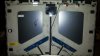
Edit: I can't get the image to import properly but it works if it's right-clicked and opened in a new tab. -
Congrats man. I know you will be very happy with it.
You can overclock that 4900MQ yourself to 4GHz btw. -
My alienware 18 is arriving from USA in 12 days.
My relatives in US are bringing it for me.
The 18 is not available in India
And the 17 with a 770m and 16 gigs ram costs Rs 200,000 (3300 USD) which is absolutely ridiculous.
Anyways I'm too damn excited
I've been waiting for quite a lot of time. Gonna be a massive upgrade to my 2008 assembled pc.
Being a huge investment I would want it to last for a few years. Ive bought the base config for now as Indian currency is pretty screwed up.
I wanna know if you would recommend buying a cooling pad for this giant. Thanks
Sent from my HTC Desire X using Tapatalk -
I don't think you need to worry about a cooling pad with the base config AW 18. Not that much heat is generated, and what there is is handled well with the built in cooling system.
That would be the i7-4700 and dual 765's, right?reborn2003 likes this. -
Right lancorp
Sent from my HTC Desire X using Tapatalkreborn2003 likes this. -
Price for alienwares is better in India right now compared to past. The only issue I see is. No aw18 on Indian website, so even though warranty will be there, parts might cause issues down the line. And buying in India automatically gives accidental care.reborn2003 likes this.
-
I had enquired about the pricing of alienware 17 in India few months ago and it was ridiculous.
I think paying 50-70% extra for accidental damage protection isn't worth.
I would rather buy an upgrade or even a one way ticket to USA
Sent from my HTC Desire X using Tapatalkreborn2003 likes this. -
It pays to be patient. Amazon had during their BF deals an AW 17 with 765m on sale for $1413 and I cancelled the order after thinking hard if I could deal with not having a Trulife screen.
Amazon had listed an AW 18 with 770m SLI in like new condition for $1672.65 and I could not pass up on that deal. I was also able to lock in on a 12 month no interest financing as well.
Amazon.com: Alienware ALW18-6490sLV 18.4-Inch Gaming Laptop: Computers & Accessories
Alienware ALW18-6490sLV 18.4-Inch Gaming Laptop
Intel i7-4700MQ 2.4 GHz
8 GB DIMM
750 GB 7200 rpm Hard Drive
18.4-Inch Screen, Dual NVIDIA GeForce GTX 770M
Windows 7 Home Premium 64-bitreborn2003, Cloudfire, Mr. Fox and 2 others like this. -
anybody else have problem installing Command Center 3.5 update
App_NT_AWCC305014_W8_W7_W81_Setup_2HCGC_ZPE
had to roll back to
App_NT_AWCC30270_W8_W7_Setup_471W0_ZPE
its been out since the 2ndreborn2003 likes this. -
Hello, first post.
Been reading a lot of posts in here and I have just ordered the basic Alienware 18 with 80gb Cashing SSD and Win7 Ultimate. Delivery is scheduled for 27th at the moment. Looking forward to getting over the Christmas Hangover in style!!
Just wanted to say hello.reborn2003, Mr. Fox, steviejones133 and 2 others like this. -
Hi mate - always good to see someone from around my neck of the woods in the forum, congrats on your new order - with a bit of luck, she'll land before Christmas.reborn2003 likes this.
-
Thanks mate, no doubt I will have loads of reading and searching to do once I get it haha.
reborn2003 likes this. -
Nice to have you on our community. If you need any technical support issues resolved let me know directly.reborn2003 likes this.
-
Thanks, I will do.
Actually, you couldn't give Santa a boot up the backside could you? Hohoho.reborn2003 likes this. -
hi will someone tell me please how to format my m18 to install win 7 ,, i have a msata 80gb and 750gb hd
reborn2003 likes this. -
Here is how.
Can't do much. lol
If the order gets delayed let me know and I'll probably be able to do something then
reborn2003 and SOS4DELL like this. -
For the price you paid for that base model you could have gotten a m18x r2 with a 7970m or a gtx 680 which both outperform the gtx 765m by A LOT. But if you like paying more for less performance thats cool wit me.
-
After a cursory check, I failed to find any new R2's that had a gtx 680 for anything like what I paid for my basic AW18.reborn2003 likes this. -
NVIDIA Maxwell GeForce 800M Mobility Lineup Launches in February 2014 - GeForce GTX 880M To Lead The Pack
TIME TO UPGRADE TO 880M FROM MY 6990M its been SO MANY YEARS OH YEAH, or i go for R290M mmmmm?reborn2003, Mr. Fox and steviejones133 like this. -
Hey guys, I've been reading your comments and I'm planning to get an Alienware 18, this should be my very first "gaming laptop", I've only had desktops and mid-range laptops/ultrabooks so far, but now I need something powerful and mobile (gaming / work), so I guess this is my best bet.
Anyway, I will go with 780m SLI, 16gb DDR3L, but I want your opinion on whether should I get a 4800MQ or a 4900MQ (oc'ed to 4.0ghz) to fully take advantage of those 780M in SLI.. I heard there's some cpu throttling due to thermal issues, so, is it really worth it to get a 4900? For that money I can get an mSATA 256gb as a boot drive.
Also, talking about mSATA, anyone knows what brand is it or is there a benchmark somewhere? Maybe I can get better speeds by getting a 250 Samsung EVO or 256 Pro SSD on eBay, what do you think?Mr. Fox likes this. -
Has anyone been able to boot a live Linux USB or DVD with the InSydeH20 A02?
Mr. Fox likes this. -
Choosing R290M (if it actually materializes) is going to be a huge risk and a leap of faith for AMD fanboys. Although it shouldn't be too difficult to improve upon the lousiness of 7970M, it should be interesting to see if it overheats as badly as the desktop part. If it does it will be worthless as a mobile GPU and may end up having a shorter lifespan than the already failure prone 7970M. Even if 880M turns out to be a 780M rebrand with double the vRAM (8GB versus 4GB) it will be a winner in terms of performance, features and reliability.
Yes, get the 4900MQ versus the 4800MQ. All Haswell processors (mobile and desktop) are plagued with thermal management and erratic performance issues, but 4900MQ is better than 4800MQ and 4930MX is better than either one of them.
The mSATA are Liteon and Samsung, but it is random luck (you don't get the option of choosing). For HDD caching it really make no difference what it is as long as it functions at average mSATA SSD speeds. Unless you derive a great deal of joy from looking at SSD speed test results you are not going to "feel" any difference between one or the other in normal everyday use. The speed differences among good SSD drives can be measured but they are not particularly perceivable in normal daily use. I think folks burn way to many calories caring about this when it doesn't really matter. Any SATA3 6.0GB/s SSD is going to provide a performance experience that far exceeds what you get with a HDD and you can't feel the difference between them for the most part. The same is true of spending beaucoups of money on high speed RAM. You can measure it, but you can't really feel any difference between 1600 and 1866 or 1866 and 2133 in normal daily use.
The EVO SSD drives are only fast because of memory caching software (Rapid also works on the Pro series now) and not due to anything special about the EVO SSD hardware. In fact, without caching the EVO SSD are not particularly special and you can use the same kind of memory caching scheme with any brand of SSD ( see this example). I would recommend the Samsung Pro versus EVO. Choose an SSD that uses high quality MLC flash memory.
You might not be able to do that with UEFI enabled in the BIOS. It could depend on how your BIOS is configured. Remember, we're dealing with a Micro$oft Mafia mandate that creates a command and control monopoly designed to exclude anything other than a Microsoft OS in the Windows 8 or newer flavor. If the Linux Live disk fails to boot you can try booting using Legacy... not Legacy Option ROM, but actual Legacy mode without UEFI as shown in the image below.
![[IMG]](images/storyImages/eTKaSZLl.jpg)
-
Alright! I was kinda afraid I wouldn't see any performance improvement by upgrading to 4900, as maybe it would actually throttle more than the lower 4800 since it's an oc'ed version, but I'll take your word on that, I know you have a lot of experience on that area
I also know there isn't much difference between SSD's speed wise, well, at least that we can actually notice on everyday tasks, they are all insanely fast if we compare them to a regular HDD, but u know, if I have the option to get something better (even if only on benchmarks) for the same money, I guess it wouldn't be a bad idea, right? The Pro seems way more reliable than any other and it comes with a 5 years warranty, so I guess that's the way to go.
Talking about warranty, seems like most people here got the extended enhanced warranty.. But, if I take care of it and don't mess around overclocking it to crazy speeds, I think it should last for at least a couple of years without breaking down right? I still have a Dell Inspiron 1300 and it's ticking like the first day, never had any issue and it was purchased 8 years ago, or are Alienwares specially prone to fail after a while? I seen so many people here who had to use the warranty that I don't know what to think..Mr. Fox likes this. -
prema told me 880m is a rebrand of k5100m which is same as 780m but different clock and 8gb of vram instead. with 8gb memory clock can't go as high as 4gb (same reason for ddr memory i guess). AMD's driver catching way up in both smoothness game play as well as crossfire performance on their desktop lineup theres a decent chance mobile gets the same as most driver are similar. the volcanic series was a huge boost except it runs super hot and thats bad for notebooks but then again this is AW system cooling
i think either way, its win for us consumer if both side got good cards, i wouldn't want to pay 700-800$ for single 880m on ebay now.. lol
everything else aside that 8GB vram seems overkill unless you do multiple monitor gaming, im gonna need to grab some easy to carry/pack monitors with external power source like battery packs or some sort and team it with my alienware! -
mr. fox knows his stuff, follow his lead and it can't go wrong.
for SSD, i'd go samsung pro for 5 year warranty. it is overall a very fast SSD and MLC is more reliable than TLCnicksalad likes this. -
Yeah, I've seen his achievements lol.. crazy stuff.
Btw, any suggestion on the extended warranty part? I might need to add I'm in a country with no official service center, so, the warranty might get real tricky, I tried asking different reps and I got mixed answers. One told me I would need to ship the laptop to a nearby country with an official service center (I can already imagine shipping fees, customs fees, etc). Other told me I could get it repaired locally, and gave me some numbers to call, it turns out those numbers were from a local "authorized dealer", but they won't receive it if it wasn't purchased from them... also this rep told me 3 years enhanced warranty comes with international warranty, so 1 year basic warranty doesn't? Or he was just trying to sell me the 3 years?Mr. Fox likes this.
*OFFICIAL* Alienware 18 Owner's Lounge Thread
Discussion in 'Alienware 18 and M18x' started by Mr. Fox, Jun 12, 2013.


![[IMG]](http://i.imgur.com/eTKaSZL.jpg)
