 Problems? See this thread at archive.org.
I was adjusting the screws again for get rid of the backlight bleed on the bottom left corner on the display, while the laptop was on.
Might have shorted one of the logo lighting board, and the cable that goes from the "ALIENWARE" logo board to the mainboard was burnt. Luckily nothing else was broken. At least it didnt go up in flame. Now I have to wait for parts to be dispatched.
I can still change the FX lighting theme though, so seems like the mainboard should be fine. Or so I hope.
I still can't figure out what I did exactly that shorted out the thing. When I disconnected the cable, seems like there was something inside the socket, so maybe some metal dust got in there. Or it could be an underlying fault.
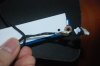
-
I used a combination of following to add 2 more msata ssd's to aw18.
Laptop Mini PCIe to USB 2 0 Card with 2 Cable Notebook Mpcie Port Adapter | eBay
USB Micro SATA Cable Mini PCIe mSATA 3x5 SSD to Micro SATA Adapter | eBay -
Is the WIHD slot mini PCIe? Can I just plug in a mSATA directly to the WIDH slot?
-
Firstly, apologies if i'm airing this in the wrong forum. This is a chronological sequence of woe after purchasing my exceptional product. Firstly, my unit lasted exactly 10 days before becoming a brick. No joke, it refused to boot windows from the hard-drive, and after some bios and general investigation, it was deemed that both my motherboard controller and hard-drive was defective. Great start. I asked for a replacement unit to be sent to me, via a very kind telephonist called Rajit. I was also promised he would contact me in 48 hours. 72 hours later, no phonecall. so i contacted them. A few "hurry" e-mails were sent by very polite customer service agents to the relevant department. Progress is being made! For all you Alienophiles, i'd purchased a top of the range alienware 18, with 4930mx CPU, dual 780m graphics cards, 32 gig ram, 256 mSATA and 1tb standard hard-drive. After much caterwauling i was re-contacted by dell, who offered me an inferior system (They no longer stocked my CPU, but offered a 4900mq instead) and they were sorry for the problems it has caused. They would, however offer me £350 of store credit, if i spent it there and then. Poor, considering the downgrade would of saved me £300 anyway. The consultant then said i could spend the money on 1) a monitor 2) a mouse or 3) a bag. Who buys an Alienware laptop without buying a bag and a mouse beforehand? and is a monitor handy for such a system? i think not. I obviously refused, and asked for a replacement system of the same spec. One that worked. So, here i am, numerous phonecalls later with no remedy to my quandary. I was told that i was a victim of my own buying power, because "if you'd bought a lesser specced system, we could of upgraded a part to compensate" . So, in other words, because i had bought the best system, i'm actually being penalised. I am here, typing ineffectually on my phone, lamenting my loss. Worst still, my fully boxed Alienbrick is sitting in the corner of my room mocking me. This is not how a customer should be treated.
-
Well, firstly, I sympathize with your experience....I myself have had a few issues with Dell in the past.
Secondly, I'm assuming you are in the UK??? - just saying as the UK website does not have the availability to order an 18 with a 4930mx right now, the US site still has this option. Unfortunately, stocking issues are different across regions - sometimes the UK market will not have stock when the US does and vice-versa. I know you'll be thinking....hang on, these machines are all built at the same place....China....but that is the way things roll. Chances are that the UK are just out of stock of the 4930mx right now and might not have any lead time as to when they will have stock.
As for replacement machines, the golden rule to remember is that Dell should operate on a "like for like or better" system - unfortunate for you that better is not an option, having the top configuration in the first place. I totally agree that offering a £300 rebate is not good enough as the machine would be £300 cheaper anyway. If you would be happy with a 4900mq instead, I'd be arguing for more than what has been offered...if you would not be happy with a lesser CPU, maybe you can wait until the MX is back in stock and argue for some compensation for the wait.....after all, it isn't your fault that Dell do not have the parts.
Maybe instead of a replacement machine you could see if Dell had the parts for it to be fixed 'on-site' at home.....it may well be the case that they would have all the required parts including the CPU available by the technical support channels.
It is really bad timing, parts-wise......I would not accept a lower spec machine, personally - regardless of gestures. £350 that you HAVE to then spend with Dell is not really compensation as they are winning and you are losing out. There are escalation channels available, I imagine that you may have reached Dell Executive Resolution Team by now......if not, you can escalate to them by emailing Mr. Dell (actually, it will just get you to the Exec Team whilst Mr. Dell suns himself on some beach somewhere LOL) and you can do so by emailing: michael_dell AT dell.com or michael AT dell.com
Either of those will get you to the Exec Team. Keep us posted. Keep your chin up.
Oh, and you'll be surprised how an external monitor comes in handy with these beasts - good fun gaming at 2560x1600 on a 30" UltraSharp monitor - trust me, I know Yeti575 likes this.
 -
It happens to the best of 'em. I remember my first M18xR1 doing its then notorious thermal shutdown on me 1 hour after unpacking it.
Anwyay, regarding no upgradable part to compensate, would not the 880M's be at least a symbolic upgrade - assuming they're out yet.. which they may not be. -
Hello AW experts
I want to order a new AW 18, its also my first AW Notebook.
I read this thread a bit and got a question....
is it right to buy a new now or should i wait a while ... heard that a new version came.
Thx for answers
and best regards
Max -
Sorry for the slow reply. I don't know if you got your AW 18 yet; however, I was able to procure the less than $3675 price due to a couple of reasons:
1. I do not pay sales tax in Oregon.
2. I had a 15% off coupon during that mystery coupon event.
However, considering I paid $3250 for the XPS m1710 in 2006, $4650 for the M17xR2 in 2010, I think I got a great deal.
-
theres no point of testing it, it is limited by intel's chipset DMI and only way of getting pcie 3.0 is directly from the CPU and as per Meaker he mentioned more routing of pcie lanes will increase cost on mobo so an unlikely event to happen, only for desktop, not for laptop. even if theres a chipset (server or high end desktop chipset) DMI still running at 2.0 x 4 lanes which is 2GT/s and is shared by all other stuff (ethernet, wifi, usb bandwidth, esata, external display etc) and with HM87 3 SSDs in raid 0 you're getting 1500 to 1600MB/s max, same in my m18x R2. see my signature for the mod, got total of 7 SSDs in raid but DMI is bottlenecking overall performance so it's kinda pointless now.
why running couple hundred MB/s storage device off usb 2.0 at reduced speed? imo having WIHD power msata + 2.5 SSD would only work because SSD running at such a slow speed. my S3700 SSD uses up 5 amps easily at reduced speed.. I don't own a AW18 but it is likely WIHD uses usb lane instead of pcie lane let alone sata lane. if intel RST doesn't show have unused sata ports then those mini pcie are likely with usb or pcie lane so no msata SSD will fit but will not work.
also from the picture Mr. Fox shows, we can probably fit 3 SSDs at 7mm or 5mm for sure or mix, that caddy had space in between and its meant for 9.5mm and thinner.
anyway all of this is still pointless unless people would use 6gbps ssata port for HDD, if all used for SSD DMI will just bottleneck the bridge between chipset and cpu. until sata express come out, likely won't see DMI 3.0 until 2016 cause intel SUCKS -
Yes both msata's are bottlenecked right now. But I am not using either of these for speed. Both have multiple partitions and all are bootable with different tools
Yes both are limited by USB 2.0 speed but that is still faster than a mech hdd or an external USB
I believe mpcie is available on wihd slot but the mpcie to dual sata cards I was able to get, were Doa, so didn't even got the chance to try them properly, I did had custom sata cables with odd to power ready for 2x 2.5" and 1 msata ssd ready, even had a custom odd design ready for 3d print
-
if your USB adapter to pcie worked in that slot, your mpcie to dual sata cards will not work, so it is probably not DOA, have you tried that in your wifi slot? it should probably work if not DOA. mini pcie runs on total of 5 types I think but never combined, usb, pci, sata and two more I donno what they are, not very commonly used.
-
Let me put it this way, mpcie to dual sata adapter did not work in WIHD slot in AW18/M17xR4/M18xR1/M18xR2, hence we concluded it was faulty.
With my research on WIHD (DCM) SLOT, its based on mpcie with display port on extended card and has usb as well as mcpie available. -
My question was still not answered yet, so can I just plug in a mSATA drive into the WIHD slot directly, and will it work? Thanks.
If not, I guess I will have to sell my Intel 525 240GB and get the Samsung EVO 1TB mSATA eventually... -
donno, some are compatible some aren't. I personally believe it is unlikely for Dell to go through trouble making them compatible. from what vs3074 said he used USB card (bridge) so it clearly runs on USB lane and will likely only be compatible with devices that runs on USB lane, so no msata SSD in that case will not work.
let me correct something, WIHD in m18x R2 runs on USB lane and ONLY USB, for M17x R3 its USB and PCI. so it will not work. different powering, different data lane it fits but just not compatible. try the same raid card in the m18xR2 wifi slot, which should work. I have a mpcie to dual sata port card but is not a raid which worked.
see link http://forum.notebookreview.com/alienware-18-m18x/747108-m18x-r1-r2-mpcie-storage-dmc-wifi-mod.html -
In AW18, DMC slot is half height so msata (full size) will not even fit, but afaik, msata will only work in DMC slot on M14xR2 and AW14, not on AW18.
Ok I didnt knew that, card has long gone now, might try it in future though. I did check your mod, but to be honest, i am satisfied right now with WIHD slot, if anything I might just increase size of msata ssd's and replace ODD with a SSD. I dont think i will do any other mod on AW18. Its running all good, just the way I like it, except overclocking and locked bios. -
it is good for just storage indeed, if you wanted you could do some usb storage device driver mod in windows and raid your two msata that runs on usb 2.0 together to boost the speed! that aside its almost not worth modding because again intel sucks and I won't bother to buy another laptop until sata express come out which removes the DMI 2.0 bottleneck. unless of course some kind of beast came out with dual screen, 20 inch, 3 way SLI/CFX, 6-8 core cpu etc etc..
-
Actually there's something that fulfills your requirements, and that's a desktop.
You can even have 30inch screen, 4 way SLI/CFX, 15 cores CPU. -
well, in a mobile version and desktop chipset is still DMI 2.0, so thats a no go for me.. only way around it is server chipset with dual socket and QPI, still is DMI 2.0 but got little extra SAS from PCI 3.0 to chipset which solves bottleneck problem from storage.
-
Hello guys. I'm having some problems with Intel 6300 Wi-Fi. I cant connect on N standard. I'm connecting mostly 54Mbps which is G or little less. I'm having latest intel drivers and Windows 8.1 Pro. I dont know where to enable N standard. My download speed is around 2MB/s and it should be around 2.9MB/s. I have 25Mbit download speed. Do you maybe know solution?
-
Awesome chain of events. Go to pick up GF from work, come back and my AW 18 is in sleep mode. Try to wake it up, no dice, black screen with sound in the background. Switch to Internal Graphics and its a white flashing screen that transfers into white lines that bleed towards the keyboard. Only giving me glimpses of the desktop.
So I phone Dell and they say they need to replace the Motherboard and both 780M's, this was on the 6th. I check on my service call on monday and find that my service call was status : Cancelled. So I call back and they resend the parts.
Technician comes out today, spends 3 hours replacing the Mobo and Video Cards. Go to boot up and its the same issue, black screen no video but I can still hear windows loading up. At least it fixed my internal graphics so I can use it on the 4600 like I am right now.
I phone Dell back, and they are just going to send out another mobo and video cards instead of replacing this lemon. I hope this isnt the norm for this laptop in the future. -
Have you tried Fn + F9?
-
Hi guys,
I just did a query on DELL website and the A05 System BIOS version for AW18 is available for download. Release date 3/13/2014. Has anyone seen this too? -
I am looking right now and there is no A05. I logged in to the Brazil support page in case it shows up there and it does not. I only see A04.
Did you download it while you had the opportunity to do so?
If you can still see A05, please provide a link for it. -
Where's the link where one can see the BIOS files now?
They changed the website again. It doesn't show me any BIOS files now. I put in my Service tag, then clicked on the "Get drivers and downloads" at the 4th row, selecting BIOS in the Operating System box showed nothing. Selecting MS Windows 8.1 64 bits also doesn't show the BIOS.
Nevermind, I found the A05 BIOS. From talking to the people at some shops in Singapore when I was there, I found out the Alienware 18 was actually launched there in April last year. So it's actually faster in Singapore than in US. So knowing that, I went to the SG support website. Just change the country to Singapore when you're on the Dell website. It's a bit wonky, and certain link/redirect works differently when you select different country.
Weird, it works fine when I select Dell M'sia too. Only the US one is not working properly. I went to Dell Brazil, and it still shows A04 there.
The A05 is indeed out. I am gonna download it. Maybe I will wait until Mr. Fox flashes it first. If all is good then I will continue on.
EDIT: OK nevermind. They took the A05 down and put A04 back up again. I didn't download it in time was too occupied posting this.

-
I went to Dell Puerto Rico again, and it shows A05, as soon as I click on the Download file, it will give me error, and brings me back to the previous page, where it shows up as A04 again.
It's likely the A05 will be pushed to all Dell websites soon enough.
I managed to see the changelog though.
306C3 is the CPU ID for mobile Haswell I think. Not sure why, perhaps it's just to fix some CPU bugs for Haswell. Can someone identify CPU 306C3 & 40661? So if 306C3 is the general CPU ID for Haswell, then 40661 could be the next gen CPU, since they added the microcode. Broadwell anyone? I think it could be out of the oven, and the OEMs should have prelim engineering samples for testing now. It takes about half a year to ramp up the yield, so it sounds about right with the release date of Broadwell this late Q3/early Q4.
I don't like the sound of "SLI license key", although I am not sure what it does.
The "Desktop mode battery charge" function, ie charging the battery between 50% and 100%, has never worked for me, maybe this fixes that.Mr. Fox likes this. -
Very strange, something is wrong with DELL page. Sometimes when entering AW18 page it shows the A04 BIOS version and other times it shows the A05. I tried several times just now. When on A05 I click “download file” and it shows the message "Sorry, the requested file could not be downloaded. An internal error occurred. Please try again later".
I think we must wait and try it later again. If anyone have success please tell us. -
I also don't like how that sounds. Hopefully it is a typo and they meant SLIC, not SLI. Link: SLIC what is it ? Since it is referring to a "license key" I suspect that is what it is. *crosses fingers*
-
At the top, the GTX 880M carries on from the successful GTX 780M, using a fully enabled GK104 chip with 1536 cores. The difference is that thanks to improvements in yields and other refinements, the GTX 880M will launch with a base clock of 954MHz, which is a pretty significant 20% bump over the 797MHz base clock of the GTX 780M. Otherwise, the only real change will be support for Battery Boost. This is really the only chip where we won’t see any major performance improvement relative to the 700M part – we get a theoretical 20% shader performance increase and that’s about it.
-
Mr. Fox, is there anyway I can fix Windows Task Manager reading 4930MX having a max speed of 2.1 GHz and showing wrong current speed of under 2.1 GHz even though it's doing over 3.0 GHz?
-
I just pulled the trigger due to a couple nice discounts and gift card bonuses along with an employee discount.
My rig will arrive on March 31st and I am very excited.
Specs are
I7-4800
16 GB RAM
Dual GTX-780's
I will probably add a boot SSD aftermarket...or apply my gift care rebate.
Barrold -
Very nice, congrats!!! Awesome machine..
-
installed new BIOS A05 no problems
-
I knew they were about to release the A05 download. I just installed and everything is OK. I will await experts testing to read their opinion about this version. I'm looking forward Mr Fox comments. Let's wait.
_________________________________________________________________________________________________________________________________
Alienware 18
i7-4930MX | 32GB DDR3 1600 Mhz Crucial | GTX 780M SLI | Samsung 840 EVO 512GB | Samsung mSATA PM841 512GB | WD 1TB HDD | Win 8 Pro -
Look in the A05 thread and you will find my comments.
-
Hey all!
Loooooooooooooong time lurker....and new M18 Owner!
I am currently an M18xR1 owner for the past 2 years. I was thinking of just doing an upgrade of the GPUs but started lurking in the forums and reading all the pros and cons (and yes I will vote for the things on IdeaStorm :thumbsup but I caught the sale Dell was having with the 880M SLI being offered in the 18 so I jumped on it. Actually ended up with about 22% off a fully spec'd rig (12% Dell, 10% Military). Well fully spec'd minus the ram since I have 32GB of Corsair waiting here
It was even cheaper than AAFES by...well alot and there are no models on the AAFES site now but even when there was the price difference was in Dells favor...by about half-a-grand!
Here is what I got:
Alienware 18
Intel Core i7-4930MX
Dual NVIDIA(R) GeForce(R) GTX 880M graphics with 16GB total (2x 8GB) GDDR5 - NVIDIA SLI(R) Enabled
16GB Dual Channel DDR3L at 1600MHz (Will replace with the 32 Gigs I got here)
256GB mSATA SSD Boot + 1TB 5400RPM SATA 6Gb/s (Will also replace the HDD with 2x 750HDD I have sitting here as well for a RAID 0)
Windows 7 Ultimate 64-bit, English
Slot-Loading Dual Layer Blu-ray Reader
Broadcom 4352 802.11 ac 2x2 and Bluetooth 4.0
3 Year Warrenty
My wife says the best way to celebrate now is to go to the gym....guess I should lol....
Oh and Fox, in-case you missed the other thread I post'd in just wanted to say thanks for the advice on waiting for the 880m to come out! (It's RogerWilco btw :hi2
-
Nice catch there, buddy.
-
I just had the weirdest incident with my AW18, I simply booted it up, just waiting on it to boot, lifted my head, I was looking at all these wierd colors it was going through, red, green blue, white, black. I powered it off, and then it started to boot properly into windows. It was running the A03 Bios, if that makes any difference.
Just curious, has anyone had this before?
I didnt really open up the system, just simply installed my SSD, and then windows, ran 3DMark Vantage, All was fine with the score and all. Played a few games, and this just happened today when I booted it up.
any clues as to what the issue may be? I Just remember on my m17xR2, it had blinking lights that would indicate which component was failing, I never saw the screen just going through different colors. -
Possibly a video driver screwup.
if your 3dvantage scores line up, it still all good. -
Has anyone been successful in buying following parts off dell/someone?
RJF2Y 2ND HDD Bracket for ODD bay
R64M2 2ND HDD FPC for ODD bay (SATA cable)
I have tried high and low but cannot find these, Even dell australia cannot source one for me
Mr. Fox likes this. -
You can use an ordinary ODD>HDD caddy like one or two others have. Use the bracket off of the ODD to attach the caddy to the chassis. The SATA connector for the ODD fits the conversion caddy. This shows as available on the Dell Spare Parts web site and the part numbers are correct. The one in my M18xR2 was about $9.00 or so.
Bracket: Alienware 18 Viking 4633 - RJF2Y, Dell Spare parts - order and info site
Cable: Alienware 18 Viking 4633 - R64M2, Dell Spare parts - order and info site
I could not but the mSATA bracket for the M18xR2 from Dell/Alienware because it was "not serviced" as a for-sale part. I bought it online from PCHub.com so that might be an option, too.
If all else fails try sending an email requesting the parts to [email protected] as they might be able to help secure them. -
I think ePSA pre boot system assessment started (diagnostic tool). Usually before it starts you'll see those colors and cpu/gpu fans will start to spin like crazy.
-
Thats the difference between 4900MQ and 4930MX?
Alienware in Norway dont offer it with 4930MX, only 4900MQ. I asked them why but they could not really answer me on it....like they never heard of 4930MX. -
So after trying to order an M18xr2 right before the new models were announced and getting stuck in a delay loop I cancelled that and waited and finally ordered my 18 with the 4900MQ, 32 GB ram, and dual 880M's. The new 18 ended up being at the same price the r2 would have been for a better machine.
One thing that still bothers me about dell is their communication. Ordered placed on the 24th showed processing so I just called to see what the problem was and there ended up being a problem with the credit card. Got it worked out in 5 minutes but if I wouldn't have called who knows how long it would have just sat there. -
So there is no real gain to get the 4930MX? (besides that its 3x the price?)
-
To update my story even after I spoke to the first rep and reapplied the credit card information and said everything was ok it was not. Apparently since a portion of the payment was through a dell preferred account I was suppose to speak to a member of the verification team to make sure I was the one who placed the order. I found out they tried to call my house twice on Tuesday approximately 7 minutes apart from each other and decided not to leave a message either time. So after getting transferred once and getting disconnected, transferred again to the wrong department, I was transferred a was able to get a hold of a rep who was able to get my order moved to production after being on hold about 20 minutes.
Moral of the story is stay on top of it and be persistent if it is stuck in the early stages of the order for an extended period of time.
As for going with the 4930MX I was going to but couldn't justify the $500.00 increase in price as I though at first I would be paying for the whole thing myself. Turns out my company is going to reimburse me for a portion. If I would have known that before I ordered I would have went with the 4930MX just to future proof a bit longer. Someone like Mr. Fox would probably be able to give a better difference between the two then I would. -
Yeah, isnt the only difference between 4900MQ and 4930MX 100Mhz increase`? There are no other hidden specification you should know about which also can justify the extra 500 dollars?
-
4930MX has everything unlocked. iGPU clock is unlocked, TDP is unlocked, voltage is unlocked. I can run my 4930MX at 3.4GHz using only 0.95V, whereas a 4700MQ running at the same frequency would need higher voltage. At the same time, I can now, with the latest ThrottleStop, run my 4930MX at 4.2GHz, using 1.17V. That voltage is still lower than the default voltage Dell has, which was 1.2V before getting lowered to 1.165V, and that's a voltage to run the CPU at stock clock.
It's not just about the performance, if you only care about it, then you prob should get the 4900MQ and save up the money. The maximum stable overclock for the 4930MX is not too far off from the max multiplier that you can set in the 4900MQ. And if I am not mistaken, using BIOS or setting the power limits directly in BIOS, the TDP of the 4900MQ can be raised much higher.
The fully unlocked CPU gives its users the ability to tweak almost every knob available. Not all knobs should be touched, as some will make the computer not boot, ie, bricking it.
More often that not you are at the mercy of silicon lottery. -
If only they could sell Alienware 18 laptops in Norway with 4930MX...
-
Dell norway has sold alienware 18 erlier with i7 4930mx. When thei start New alienware 18
(Google translate Earlier With i7-4930mx
-
Er du norsk ?
*OFFICIAL* Alienware 18 Owner's Lounge Thread
Discussion in 'Alienware 18 and M18x' started by Mr. Fox, Jun 12, 2013.


