 Problems? See this thread at archive.org.
If working on the 18 is anything like working on my 14 - which I imagine it is concerning palm rest removal - then you might well find that loosening the front two corners as opposed to the rear corners near the LCD means that you can get your thumbnail between the palm rest and the base and run it around the sides and front to loosen the clips - it's what I do with mine all the time and it pops off with very little effort required. As they say,, the first few times are always the most daunting!
-
-
fujitsu FSX 240gb SLC which parent company is supersspeed.
i got the old supersspeed from 2+ years ago 128gb in raid 0, now they upped the fw and page size to 16k from 8k. looking at sandforce, yes it is sandforce however paired with SLC is just win.
top CDM in photo is incompressible files at 1000MB.. crazy. I was only able to hit 55MB/s with two in raid 0 at 16kb stripe size at 100MB test file in CDM for incompressible, this new one able to do it single handily without any raid, imagine two of these together lol
View attachment 117929
just bought two of these bad boy and its waiting for delivery.. gotta pick it up tomorrow in the afternoon so i can raid 0 them -
Does anyone know what SSD the 512GB mSATA Dell sell with the AW18?
-
Not 100% sure, but I'd imagine it's a Samsung PM851......
-
Really? Well call me pleasantly surprised then. I feared LiteOn or PM841.
Hmmm, maybe I`ll keep it then
-
Well, I *think* that's what they would have used.....although, as you know, Dell use a variety of manufacturers for HDD/SSD, including LiteOn, Hynix, Samsung and Intel. Seems that Dell did use the 7mm PM841 when launched, but that might now be superseded or completely different. This is the info from the parts list, however, it does not give info on the 512gb mSata at all:
Hard Drives, Cables, Brackets
PXGTW HDD Bracket
FMJH7 HDD FPC cable
RJF2Y 2ND HDD Bracket for ODD bay
R64M2 2ND HDD FPC for ODD bay (SATA cable)
5K1VD HDD 1TB,S3,512E,KAHV-SSH
1KT1K HDD 1TB,S3,5.4K,2.5,512E,AQU-B
K8Y8C HDD 1TB,S3,5.4,2.5,512E
W6F0N HDD 750GB,S2,7.2,2.5,512E,MX375
WJH3D HDD 750GB,S2,7.2,2.5,512E,JET-C
2XFM1 SSD 512GB,S3,7MM,Liteon,M6S
HHCWG SSD 512GB,S3,7MM,Liteon,M3S-M
WKJR2 SSD 256GB,S3,7mm,Liteon,M3S-M
XFJWX SSD 256GB,S3,7mm,Liteon,M6S
64T7G SSD 256GB,S3,MCARD,Liteon,M3M-M
XXM30 SSD 256GB,S3,MCARD,Liteon,M6M
M5PCC SSD 256GB,S3,MCARD,Hynix,SH920
FFKNK SSD 256GB,S3,7mm,Samsung,PM841
XVN2P SSD 80GB,S3,MCARD,3.8MM,Intel 530
0PM10 SSD 64GB,S3,FULL,MCARD,PM830
8DWMT SSD 64GB,S3,MCARD,Liteon,L3M-M
5FCRV SSD 64GB,S3,MCARD,Hynix,SH920
H9R7V SSD 32GB,S3,MCARD,Liteon,L6M
92K2X SSD 32GB,S3,MCARD,Hynix,SH920
7C4P7 SSD 32GB,S3,FULL,MCARD,PM830 -
Liteon is certainly not a glamorous brand name, but as long as it works correctly, has respectable read/write performance, and doesn't fail prematurely, it's kind of irrelevant what brand SSD it is in the grand scheme of things. I love my Corsair Neutrons and my Samsung 840 EVO mSATA, but only because they perform well. I normally don't burn any calories thinking about what brand they are, I'm just glad they work well.
-
i want to buy an 880m sli rig i dont know if it is still good for the long run, any comments and suggestion?
-
I suggest you either wait for the Alienware refresh with 900M series or for the new AMD cards.
-
I finally have made my decision...
Purchased AW 18 with GTX 880M, 4810MQ, and a total of 16 GB RAM. Loving the looks of this laptop, except that one of the light strip under the speaker ( left speaker ) is dimmed and not as bright as the right speaker light...
How sad..
Last edited: Dec 11, 2014 -
Hey guys, quick question.
For a month now i have been hearing noise from one of the fans of my M18, i cleaned them, but there is still noise. I was wondering, does anyone know if i can oil them to quiet them down, and has anyone done it?
Or should i just ask for a replacement?
Thanks for the help
-
-
They will likely send you replacement fan(s). They are super easy to to access and install, even for someone with little technical skill.
reborn2003, Kade Storm and Zo0r7y like this. -
Yes, i know and ill do that then
Thanks a lot for the info!
/waiting in my tent for the GTX980M`s... -
Don't waste moneys on 880m. I have them in sli mode in my mx18 R2 they aren't worth the prices, wait for 980m.
Btw. Any one have mod for 344.75 WHQL nvidia drivers for 880m sli? I try find it on forum, but all what i found was links to TECH INFERNO and I havent possibilities to downlod them from there.
Thx -
I would put the hold on the 880Ms and wait around next year for whatever new mobile 900 machines it brings.
It is after all, just around the corner. -
The mod for the 344.75 WHQl can be found on the first page of this thread:
http://forum.notebookreview.com/alienware-18-m18x/765169-aw-m18x-r2-dual-980m-sli-upgrade.html -
Finally!!! Alienware M18x R2 with Dual 980M SLI
Here are some basic steps to upgrade Alienware M18x R2 to Dual 980M SLI successfully. At them moment this configuration only tested Windows 8 or 8.1, it will not work with Windows 7.
I have windows 7 and dual 880m
-
Alienware m18
4940mx
gtx 880m sli
finally some thing to look forward to . -
i have installed my os on the lite on ssd ., i have 2 other 1tb hdd instlled as well , i wanted to use the m sata for caching - how can i do this , do i hve to download a software to do it -
some help apprecaited -
Hi guys Happy New Year!
i was wandering about Display options for 18''
is only one possible right now
only
18.4" WLED FHD (1920 X 1080) TrueLife TN Display
is it possible to get IPS display what would be Dell Part Number ?
what about this one
Samsung LTM184HL01 18.4" WLED FHD TrueLife Display PLS 16:9 1080p
can i get some sort off matte display from dell ?
or its only rumors?
Or only i can self retrofit ?
Thanks an have grate year -
How many HDD slots are there for the Alienware 18? thanks..!
-
Got my order in! Don't care for 980s. Will be using Windows 7 Pro.
-
CES 2015
Alienware unleashes a pair of slimmed-down gaming laptops
"What's more, the company is discontinuing its massive 18-inch model, confirming that as far as gaming laptops go, there really is such a thing as too big." -
Dell just quoted me for warranty extension:
Dell Limited Hardware Warranty Plus In-Home Service After Remote Diagnosis (Expiration: 10/30/2018)
$417.60
Premium Phone Support (Expiration: 10/30/2018)
$263.14
Accidental Damage Service, Alienware Notebooks (Expiration: 10/30/2018)
$438.57
Total: $1,179.24Last edited: Jan 8, 2015Gunnar Snellman and papusan like this. -
Do not show off your service tag .. it is a securitiesGunnar Snellman likes this.
-
And from the same review......
"The 17-inch model is 25 percent thinner, at 1.36 inch thick, and 9 percent lighter, at 8.33 pounds"
So 25% thinner and 9% lighter - Are they for real - 9% lighter at the expense of a dedicated GPU, that's not a very good trade off (for a gaming rig)
Now it's just a standard laptop with fancy lights - So Sad
-
-
-
Trottled Bga cpu and gpu garbage don't need god cooling. Little wattage ��
-
Even less fancy lights, mind you. They removed the LED strips on the sides.
-
Anyone with experience in having 2 external monitors with an Alienware 18?
Got gtx 770m SLI.
Trying to have the main screen connected with DP to Mini Dp and running it on 120 HZ.
The offscreen connected with HDMI running on 60 hz.
I tried it and it worked fine but two cables just died after one day of using it both times when trying to start it up after a nights sleep.
Thanks, spG. -
Hi guys,
Has dell released any BIOS worth installing yet? If not, what's considered the best one for our beasts? -
Intel 7260 Wireless with Windows 8.1.
Im finding networks but cant connect. I get limited access. Any tips?
Bluetooth drivers cant install because it says wireless is disabled but both WLAN and bluetooth is enabled in Windows and in BIOS... -
Nevermind, found a fix.
Device manager. Locate the Wifi card. Properties. Advanced. Wireless mode. 802.11b worked for me. Will try 802.11g later. -
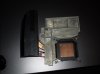
It seems the screws on my primary left heatsink for my AW18 are a bit too chunky to pair with the Nvidia Clevo issue backplate I have. I know I had a set of 4x screws for the backplate, but I must have misplaced or most likely lost them.
Does anyone have a spare set of 4 or know a better source than the $25 being charged on ebay from upgradeyourlaptop ($4.99+ $19.99 S&H what?)
I can offer a set of 4 AW screws in exchange if you need them.
Heatsink:
X-Bracket:
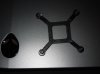
This is to install a K3100M.Mr. Fox likes this. -
Yup, the Clevo support plates takes really small screws. Call Ted @ HIDevolution, RJ Tech, PowerNotebooks or LPC-Digital. You can probably get them for $5 or $10 shipped. There are no screws anywhere in the Alienware chassis that are that small. Not sure why Clevo uses such tiny screws for this. Upgradeyourlaptop (Eurocom) is in Canada, so the postage is probably much higher. If you are in California, depending on where you live, you might find a Clevo reseller close enough to pick them up instead of having them sent by mail. HIDevolution and RJ Tech are both in California. PowerNotebooks and LPC are in Nevada.
electrosoft and DJWoX like this. -
Hi everyone on this board,
Finally I got an upgrade from my old M17x R1 to an AW 18... the laptop is stuck at customs at the moment, but I think I'll get it on hands this next week. I have a question.. Is there a spanish keyboard around for the AW 18? I couln't find one on eBay, I just found a spanish keyboard for the AW 17.. which leads to the next question.. does the AW 17 and the AW 18 use the same keyboard?Kade Storm likes this. -
The AW 17 and the AW 18 does not use the same keyboard .. You can only search for spanish keyboard on internet sale pages or try and ask Dell.
-
I'm not sure if it even exist a spanish keyboard for the AW 18... by the way, what the difference between the AW 17 and the AW 18 keyboard? they look the same to me...
-
Macro keys on Alienware 17 is positioned on the opposite side on the keyboard of Alienware 18.
-
So what's the hottest temps that are safe for GPU running an extended period of time?
-
Since the machine is not for sale in any Spanish speaking country, it may be hard to find that.
No more than 85C. -
Hi guys please help me, i purchase new system Alienware 18 with second spec's:
Core i7 4700MQ
16Gb Ram
880m Sli
and two hard drives: Toshiba MQ01ABD1 1TB in Raid0
So problem is i want install it Windows 8 on it and update him till 8.1 BUT !
When i first time boot my machine in UEFI mode and disable legacy device and leave only UEFI my system dosent see RAID massive and show in UEFI boot menu only my USB with Windows 8, then i download extra Intel Rapid Storage driver from intel web site, copy on extra USB and finaly i install on my Raid0 Windows 8 BUT!
When i boot system and chose PC name start problem such:
1: Windows each 10-15 min, somtime more often freez and and app like maps, antivirus and all kind of browesers stop respond on 30 sec, how you understand its absolutli annoing and disturbing things which not allowed even surf internet normally (i'm afraid talk about games
2: When i start search solution for those issues i find what some process in my Task Manager use 100% HDD each 5-10 min.
What i do:
I use a lot of tips and tricks which i can discover in google and youtube and all methodes even if they work for other people, compleatly dosent work for me.
I install all drivers, update all windows 8, update thrue the store til Windows 8.1 and also install all updates and that is dosent work.
I also disable in BITS, Superfetch, Windows search and etc. and that is dosent work for me i still have 100% hdd usage and my system still freez.
I also made some tricks with virtual memory calculation and some people solve his freezing problem with that methode but not me
I think mauby its some problem with UEFI HDD compability of my HDD and Alienware 18 ?\
I hope you can help, already 4 weeks i cant use my new laptop and im very suffer.
I use before that HDD on my previos m18x R2 and all work fine in legacy mode, i think problem in UEFI.
My laptop update till BIOS A10 and i also try Intel Rapid Storage driver from intel and also from dell and its dont make a sense.
If you tell me its problem with hdd, its not true, i check hdd with integrated Alienware diagnistic tool and with Victoria.
I test my memory as well and all fine, no issues with hardware, that is some strange problem with the soft.
ISO image of my Windows 8 was install it at others Alienware laptops before and all work fine, and image a clean not a repack.
PLEASE PEOPLE HELP! -
Finally got my new laptop,
Alienware 18, 880M SLI, i7 4910QM, 80 GB SSD + 1 TB HDD.. this is a huge improvement from my M17x R1, I'm pretty impressed with the overall performance, really a monster of a laptop.
My initial thoughts:
* I like the rubber palm rest, better than the hard plastic M17x paml rest.
* I like the programable keys on the keyboard, actually made one to be the eject dvd key
* I don't like the lack of dedicated media buttons or eject disc/disable wireless/volume buttons
* The screen isn't just good enough compared to the RGB LED from the R2/R1 plus I miss the bigger resolution
* I love the light on the touchpad
* I liked more the edge to edge screen, the new one looks more rugged
* I think I missing some ports, where are the eSATA, firewire, expresscard?
* I hate the fact that the power jack is in the side of the laptop, I liked better on the back of the laptop.
I really like this laptop, I hope this one stay with me for a long time, just as the M17x R1 did.
One more question, Can I take a key from an AW 17 keyboard and swap it with a key of the AW 18 keyboard?? still looking for a way to turn my keyboard in to a spanish keyboard... -
The macro keyboard is a separate assembly with separate cables and connectors. The "regular" keyboard is the same as the version for the 17.
I got a Spanish keyboard from an eBay dealer in the UK. It works fine, and replacing the English one is fairly easy. Unfortunately, there is no Latin American keyboard, so I had to "sort of" relearn to type.
It is beyond annoying to deal with Dell / Alienware for keyboard issues for those of us who prefer a different language layout. Nobody in sales can help, and the answer you get if you insist is that Dell does not sell them in the US. When I bought my 17, it sat unused for 6 months till I could get a keyboard online. I got the one for the 18 in advance of buying the computer, so it was better.
Now that the 18 has been abandoned and there are likely not going to be replacement parts available, I'm going for the MSI GT 80, which has a fully configurable keyboard and even comes with a keycap puller so you can replace keycaps however you want. For those who want to use alternate keyboards, Alienware has been a Nightmare for me.tyranus7 likes this. -
Is there no way to run this laptop with a dual 330W adapter?
-
Not with Alienwere 18 Viking. Only with AW 18r1 and AW18r2
-
Thanks for that answer, is better to have a spanish (spain) keyboard than having to deal with the US keyboard only. Do you know if the wifi card and the BT card is only one device? or are they two separate cards?
I need two Bluetooth devices one to be dedicated for the DS3 controller and leave the other one for data transfer.
PS: I love this laptop, I just played Batman Arkham Origin @Max graphic settings, the same with The Evil Within impresive graphicsLast edited: Feb 22, 2015Mr. Fox and Kade Storm like this. -
I've also joined the alienware 18 club.
*OFFICIAL* Alienware 18 Owner's Lounge Thread
Discussion in 'Alienware 18 and M18x' started by Mr. Fox, Jun 12, 2013.


