 Problems? See this thread at archive.org.
could someone with a i5-520 post their settings in TS? ive read this thread and the other TS thread. Ive even went online and did some googling on it. Im still not 100% on how this works or which settings is safe etc etc.
I would like to max perform anytime im plugged in. If im on battery, i want it to function as it would normally, saving battery when possible.
-
-
hi, this is my first post here
thank you unclewebb for the TS.
I've tried it with my i5 with 158 FSB (160 or higher always BSOD) and TDP/TDC 30/30. i'm pretty impressed with the summary
but when i'm playing game (GTAIV, BlackOps, ProEvolutionSoccer 2011) for about 15 min. and CPU hit about 85 degrees C, the multiplier decreased to 6 or 7 x.. and ruins the FPS.
normally it can get 12-13 in multiplier in CPU-Z..
what should i do? thanks for the help -
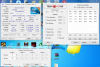
![[IMG]](images/storyImages/overheated.jpg)
Your laptop is using Chipset Clock Modulation throttling. This instantly kills performance when your laptop enables this throttling feature. On the right side of ThrottleStop in the table do you see the Chip column? That is supposed to always be at 100.0 but your screen shot is showing 50.0 which means your CPU's performance is being cut in half internally to 50% or less of its designed speed.
Other M11x-R2 users that are using ThrottleStop are not running this hot so there is a problem with your cooling. If it was my laptop, I'd pull it apart and reinstall the CPU and GPU heatsink with some new thermal paste, preferably some ICD 7.
Innovation Cooling Diamond "7 Carat" Thermal Compound
You could put an X in the Chipset Clock Mod box and set that to 100.0% and that might help but it will likely send your CPU temperature even higher. The smartest thing to do is to fix the actual problem which is a heatsink that was likely poorly installed at the factory. -
thanks for the fast and helpful reply,
yes i noticed that too.
if the possible reason is only the heatsink, I'd like to do it by myself.
can you teach me how to do it? image or video will be really appreciated
thanks uncle
-
If I owned an M11x-R2, I'd send you some pics.
I guess you'll have to head to YouTube and do some searching.
Alienware m11xR2 high speed modding
Try clicking on the GPU button in ThrottleStop to see what your maximum GPU temperature got up to while gaming. CPU throttling in Dell laptops is frequently triggered by high GPU temperatures. You'll have to ask Dell why they like to do this. I'll give you a hint. It's a simple and cheap way to control overall laptop heat even if it doesn't always address the actual problem. -
wow, i never thought i have to open all the parts including the keyboard and i have no experience opening a laptop before. but i don't like to contact dell or the service center (better saving my money) so i'd do it anyway. i'm really exited to do it hehe
yes my max GPU temp. reached 87C, i agree with you. after some browsing i know that dell laptops use 1 small pipe of heatsink for GPU & CPU. maybe that's the reason.
thanks , i'll tell you the result later -
Throttlestop doesn't work for me anymore on my i5. Installed new drivers for both GPU's and after that I can't get it to work anymore- I follow the guide and get no improvements turning it on or off. Also tried putting the TDP/TDC higher but nothing. I am not sure if it was working earlier when I tried earlier, because it took a while before it worked the first time. Something seems wrong. Does speedstep need to be off or something in BIOS?
Does someone know what might have happened? -
Kidio, check msconfig (press windows key + R and search 'msconfig')
On the boot tab, open up advanced
make sure number of processors is unchecked.
This should sort out your problem as its the only issue I know of which can negate the effects of TS (because it reduces you down to only 1 core and 2 threads)
Good luck and happy gaming
-
It was already unchecked. Anything I can do to check that everything is Ok or something?
-
Umm, can you take a snipping tool shot with TS on and its settings and post it in your next comment. Maybe include CPU-z running too. Then we can have a more indepth look
-
Ok, took a pic of that.
Attached Files:
-
-
Ok, your temps are fine and your running 4 threads. The only thing I can see is that you are not OC'ed in the bios. It has been reported by some guys here that TS is far less effective if you are not OC'ed. First upg to the latest ver of TS (2.99.9 - in unclewebb's sig) Then run TS bench. Change the TDP and TDC settings to 100 (it cant hurt) Then restart and try overclocking your FSB upto 150mhz in the bios (F2 on start up screen)
then try TS bench again. Let us know how you get on -
I downloaded the latest version of TS. Then I put TDP/TDC to 100 and ran TS bench 32m and got 88 seconds. Then I restarted and overclocked to 150mhz, and ran TS bench again and got 74 seconds. I also notice when I start the bench for 1 second it says 2.2ghz and 14x multiplier in CPU-Z, then it drops down to 1.3ghz and 8x multiplier for the rest of the bench.
-
what are your temps when running the bench?
-
58C while running bench. Says 1.3ghz and 150.34 x 8.3 with TS on with 100 TDP/TDC.
-
Bizarre, alright the last thing I can think of is to double check that both sidestep and turboboost are activated in bios. Hopefully that might just be it. If not then take a record of your log file and PM it over to Unclewebb. He might be able to help you out, as unfortunately that is where my very limited expertise runs out. :S
-
Hi, I just gave it a go aswell:
-
hi, as i promised, i post the thermal paste replacement report..
this was before, (gaming for 15 mins)
![[IMG]](images/storyImages/overheated.th.jpg)
this was when i opened my heat sink
![[IMG]](images/storyImages/p2303111215.th.jpg)
then i cleaned the fan and the old grease and replaced it with CoolerMaster HTK-002 (actually i wanted to buy AS5 or IC 7crt diamond, but it's difficult to find them here.. so i used that 3$ paste)
and this is right now, after gaming for almost 2 hour
![[IMG]](images/storyImages/aftermod.th.jpg)
i get about 20C cooler CPU, i'm satisfied with the result
emm.. what should i do to get higher FSB? a lot people get 166 FSB for ther i5 thx. -
Thanks for the follow up. My i5 (166MHz) with ThrottleStop regularly hits 84°C when gaming. I was not too worried, but seeing your results has motivated me to try some new thermal paste and clean the fan when I get a chance. Thanks!
I'll also report back after I am done.
Cheers,
Don -
Cant get TS to work..keeps throttling like crazy on my i5 520UM
-
was your CPU temperature fine?
-
Hmm I'm thinking about laying some artic silver on my m11xr2 i7 -
However I am curious to others temps when under load and also under TS -
I can run an average of between 82-89 under load, has never peaked above 91. Is this excessive or probably acceptable for this OC etc -
Cheers, Paul. -
I am running between 166-180Mhz but I never get higher than 70 degrees. It seems very high.
-
Yes, ambient was hot at the location I ran the tests last week and in the cooler environment this week it's only hitting 82. That still appears 10 degrees higher than yours though, although I'm sure it's well within the the threshold of the chip (I'll have to research that).
Cheers, Paul. -
Well I just stressed tested my CPU and it never went higher than 78. So Im sure if you are in a hotter climate it may get a bit higher. I wouldnt worry.
-
Aye, in Albuquerque earlier this week and had a few above average spring days (which means hitting above 80 for NM) -
Ran some tests yesterday and today back in the UK (London) and again had some glorious spring days! Should be back to grey and miserable for the weekend though.
Cheers, Paul. -
Hey unclewebb I wasn't having luck with wPrime but I did some tests using IntelBurnTest I am not sure if you are familiar with it but it is much better... Anyway if you look at the two images I have attached you can see that at Idle with minimum CPU load my clocks are at just under 3 GHz but when I run burn test (also in TS Bench) my core clocks drop down to 2.4 GHz... Why is this happening... I fiddled around with TS settings: clock mod, force tdp, enable/disabling features and this happens on each one with minimal differences... Anyway my question is just why is this happening? Going from multiplier x17 down to x14 when its on load? This happens no matter what BCLK set as well... Before I thought it was due to my BCLK set at 180 but that wasn't the case
-
It's Turboboost at work. The 17x multiplier is not the idle multiplier, it is the single core Turbo multiplier and will work as long as you load one core. You're getting the 14x multiplier not because you are loaded but because you have loaded 2 cores.
Since a single threaded workload will have a higher clockspeed, I suggest you use Prime95 with a single thread to test it. This single core instability has happened before with csufy. -
Can I not use IntelBurnTest and set to 1 thread to test? I found Prime95 hard to setup.. or at least it gives me problems
-
CPU-Z might be reporting close to 3 GHz when your CPU is idle but I don't see ThrottleStop reporting that because it's not true. CPU-Z reports a high multiplier at idle for consistent validation purposes but that does not accurately show you what a Core i CPU is doing internally.
A single thread of any benchmark should be enough to show you an average multiplier in the 14.0 to 17.0 range. Super pi mod is good enough for testing purposes.
Download Super PI Mod v1.5 | techPowerUp
If you use the Task Manager - Set Affinity... option, you can lock Super PI to a single thread of your CPU so it's not jumping around from thread to thread. This makes it easier to see the maximum multiplier. There will always be hundreds of background threads running on any Windows PC waking up the second core so you will never see the full 17.0 multiplier. As soon as a thread needs to be processed, it wakes up the second core which immediately reduces the maximum turbo multiplier to 14.0 and that reduces your average multiplier to less than 17.0. Don't bother looking at CPU-Z because the data it reports does not accurately show this.
This is the Intel spec for a Core i7-640UM so there is nothing that ThrottleStop can do to go beyond these limits set by Intel. If you had a different laptop with an Extreme CPU like the 920XM or 940XM, then you could use ThrottleStop to set the turbo power limits and turbo ratio limits to whatever you like but the turbo ratio limits are locked on the non-extreme CPUs.
If anyone is having throttling problems then at least post a log file somewhere like Free File Hosting Made Simple - MediaFire so someone can have a look at what the problem is. Sometimes what looks like throttling is just a misunderstanding. These UM CPUs have locked multipliers so there are limitations.
veetroh: Thanks for posting your results. It looks like the factory was very generous with the thermal paste they slapped on. Your temps look much better now. -
unclewebb, thanks for your excellent work. I’ve been searching and reading in this forum for weeks and benefitted a lot from your guys’ amazing ideas.
Finally my i5-520 UM is landing at 183 FSB stable using Setpll and TS is contributing a lot when the cpu is fully loaded with two cores. I’ve done Intelburn Max 20 times overnight on it successfully and the stock rams I have are from Hyundai Electronics 4Gx2.
I am thinking the rams are playing a key role in cpu overclocking since some guys got a lot of improvement after changing the rams. -
LuckRocks did some more testing and we found out that ThrottleStop and his CPU are both working as designed.
The maximum multiplier when both cores of a Core i5-520UM are active is only 12. He was expecting to see the 14 multiplier but that is only available when a single core is active. With 4 threads of Prime95 running, it's impossible to see any more than a maximum multiplier of 12.0. -
I would never void a warranty doing something like replacing stock manufacturing crap dumped goo with some thing like ARCTIC MX-2 (not that ArcticSilver5.. yesterdays paste.. lol) but if I did do such a thing.. I would imagine that these would be my before and after pics.. ALSO.. totally speculation.. but using a 160 overclock, the biggest difference that I would notice is that during the ThrottleStop 1024mb test, my fan NEVER went into high mode(that roaring loud change), as it would do now about halfway into the test.. since I haven't ever done anything I'm talking about..
..seriously though.. really cool that the fan never even went into high speed mode during the test.. that really makes this change in temp much more drastic than the numbers show.. and this is with literally no set up time for paste.. (theoretically of course.. if I was to do such a thing...)
Original
![[IMG]](images/storyImages/2nicnlt.jpg)
MX2
![[IMG]](images/storyImages/10ok5c1.jpg)
also dont worry about the numbers, i was using the computer the entire time durring the test.. -
@ DigDung: Very cool. You wouldn't happen to know, by chance, of any video tutorials of such would you, theoretically speaking of course.
-
Well, theoretically I would expect it to go something like this MX11 R1 vid..
YouTube - Alienware M11x Teardown **READ SAFETY PRECAUTIONS PRIOR TO REPLACING PARTS** (Official Video)
I'd say almost exactly.. Just pay attention to the cable connections and sort your screws into piles.. (maybe use a little clear double sided tape on top of a crappy sketch to keep track of screw locations if you need too)
the top power button pannel might be a bit tricky, just apply a little force to the space in between the screen and the button pannel in between the hinges to pop it loose..
maybe someday I may try all that.. when my warrenty expires..
-
cant give rep on the same post.. but good on you for your work there! Pretty impressive jump, I imagine there was something seriously wrong with your stock thermal paste to have that drastic of a change.. nice work though
-
Hey UW, I have seen a "problem" with my m11x R2 with i5, it has been like 4-5 times only, since I have it (6 months) but sometimes when I turn it on and got into the desktop, everything is very slow, like an old computer, and when I open TS, the multipler is 6, and is fixed at 6, I need to click Set Multipler (turbo) and then it goes to 10-12, and the laptops acts normally, do you know why?
-
If it happens randomly like once a month then it sounds like a random bug in the bios. This is the first I've heard of this issue in the M11x-R2. In the Control Panel - Power Options, are you using the High Performance profile? I recommend using that when using ThrottleStop.
-
Thanks Unclewebb, it looks like ThrottleStop running awesome on my M11xR2 i5. But are those temp of mine normal or little bit high? Because when I gaming, the fan's noise is too loud.
![[IMG]](images/storyImages/OiPhw.jpg)
-
I had been very interested in this thread moments after I ordered my new i7 m11x with 8GB RAM for around $900 after a ton of coupons. Seemed like a steal. I read through about 80 pages in this thread and when my m11x arrived I whet into it with a Throttlestop game plan.
After installing a few essential programs plus wPrime, and TS, I did a fresh restart of the system and went to work. I ran TS and wPrime benchmarks on my virgin system (1). Next, I did a restart and overclocked my CPU to 166Mz in BIOs and booted successfully into Windows where I ran the benchmarks again (2). The following table represents the various changes I made within TS to try and optimize and is sorted from best to worst based on the average benchmark scores. For me TS makes a huge difference, but as long as TDP and TDC are above 30 any other optimization attempts were minimal. I settled on 30/30/20. Thanks for the great app and I hope the raw data is of use.
# / OC / TDP(W) / TDC(A) / Force / TS / wPrime / AVG
14 / 166 / 30 / 30 / 20 / 38.330 / 24.088 / 31.209
10 / 166 / 30 / 30 / 20 / 38.396 / 24.075 / 31.236
8 / 166 / 30 / 30 / 10 / 38.409 / 24.079 / 31.244
3 / 166 / 30 / 30 / 16 / 38.409 / 24.109 / 31.259
5 / 166 / 30 / 30 / 8 / 38.464 / 24.088 / 31.276
13 / 166 / 30 / 30 / 30 / 38.453 / 24.101 / 31.277
7 / 166 / 20 / 20 / 10 / 38.470 / 24.125 / 31.298
12 / 166 / 30 / 30 / 10 / 38.510 / 24.092 / 31.301
11 / 166 / 30 / 30 / 5 / 38.643 / 24.081 / 31.362
4 / 166 / 100 / 100 / 16 / 38.691 / 24.190 / 31.441
6 / 166 / 100 / 100 / 6 / 38.753 / 24.193 / 31.473
2 / 166 / 11 / 11 / 16 / 42.059 / 29.434 / 35.747
9 / 166 / 10 / 10 / 20 / 45.777 / 32.057 / 38.917
1 / 133 / 11 / 11 / 16 / 48.577 / 32.512 / 40.545 -
Whose are some great improvements! Maybe if you used SetPLL you could get higher? That frequency is it running at?
-
@Hindenburg: Could you provide us more info about your temp (when benchmarking, when gaming, highest temp etc....) at 166/30/30/20?
-
abcxyz91: Your temperatures don't look too out of the ordinary. If you want to try and improve them you can disassemble your laptop and try redoing the thermal paste. You might get more feedback about what are normal temperatures if you create a new M11x-R2 temperature specific thread.
Hindenburg: Thanks for posting your results. -
Not sure what you mean my frequency. Id be interested in seeing how high my OC could go because my machine seems to be a beast. But frankly I mostly play Rift on it and get a consistent 30+ FPS on high with shadows turned off so my non-game time is spent maintaining rather than optimizing.
When benchmarking my temps never got above 50 and when gaming they never go above 60. I also always have it on a Cool Master (R9-NBS-4UAK) notebook pad I got from Amazon for $30 which I would highly recommend if you are running into heat problems.
Ive done a few more tests since my above post and have concluded that with TS my CPU benchmarks 23% faster than the out of the box specs (133) and 12% faster than a 166 OC without TS. -
Need help.
My TDP/TDC is set to 30/90 but I get only about 3 seconds of improvement on wPrime. Currently OC'ed to 156 FSB. -
Why not post some pics of ThrottleStop while wPrime is running and post some pics of your wPrime results with and without ThrottleStop running. Hard to figure out a problem without seeing some more information. You can upload images to www.imageshack.us and then post a thumbnail here.
-
Can the r3 run throttlestop?
-
ThrottleStop supports the R3 but the maximum TDP/TDC values are locked in the M11x-R3 so there will be no more Supercharging going on. Bus speed overclocking is also going to be very limited since the present Sandy Bridge chipsets quickly lose stability when you try to push them higher.
-
This may have been mentioned somewhere in the thread, but how do I get throttlestop to run at launch? I would assume if you reboot you need the program to restart to run as well?
I threw a shortcut to the .exe in the startup folder but it doesnt start it automatically when i reboot. -
If the Startup folder doesn't work then try using the Task Scheduler. Go to the second post in the ThrottleStop Guide thread for a tutorial on how to set this up. Follow that method exactly and it should work.
http://forum.notebookreview.com/6865107-post2.html
I'll add that link to the first post in this thread so it is easier to find.
How to Supercharge the M11x with Core i5/i7 UM CPUs
Discussion in 'Alienware M11x' started by unclewebb, Oct 11, 2010.


![[IMG]](http://img189.imageshack.us/i/overheated.jpg/)



![[IMG]](http://img713.imageshack.us/i/p2303111215.jpg/)
![[IMG]](http://img827.imageshack.us/i/aftermod.jpg/)


