 Problems? See this thread at archive.org.
I purchased the laptop 2 days ago, was always on windows 8.1 I installed windows 10 yesterday morning.. No drivers or anything and i went straight back to 8.1 but if from what I've read is true it makes no difference and its going to brick that EDID regardless. I'm prepping for those 8 beeps and have a new mobo at the ready as again from what I've read seems the only way to remove what ever winshite 10 installed.
-
-
I don´t know if it helps or not but i have looked the Display Info in my very old Notebook:
- MSI GX600
- Win7 only (never seen Win10 or install updates for Win10 update)
- Nvidia GeForce 8600GT with 280.26 drivers (latest working for this Notebook)
So i have 2 enterys in the regedit under Display.
1. DEFAULT_MONITOR with BAD_EDID 0000000000000000000000......
2. SEC3446 with good EDID 00ff4c.......
both enterys are even on ControlSet001 and ControlSet002.
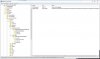
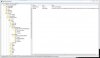
Perhaps is normal that we have a bad Edid and normal???? -
I don't have this DEFAULT_MONITOR on windows 8.1 nor BAD_EDID key. I even pasted a screenshot.
-
Have the Default_Monitor entry here, maybe it was the screen used before using actual graphics drivers?
ok just did it, like you said downloaded afuwin64 5.05.04 and just hit save
LINK
and it's day 2 without any problems hmm
Attached Files:
Last edited: Sep 24, 2015mrsweet1991 likes this. -
-
24 hours after having windows 10 and going back on 8.1 and a reboot and I'm still ok.
-
What laptop and setup do you have mate? and have you reverted back to Winshite 7/8 or are you just going for 10 and see if you replicate? I hope what ever thing you've dumped will help clarify things.. this thing is doing my head in. -
Ok so let me get this straight ... So now even with a new screen, all new bioses, NVrom flushinf, completely wiping the drive several times, reverting back to earlier versions of windows and using horrifically old driver; I am still in danger of killing the new screen
PC GAMER likes this. -
Just ran Battlefield 4 and it's working flawless with 1920 x 1080 at 60Hz.. if you can't change it maybe use the drivers I used? Mr Fox's 344.75?
-
I may need correcting but I think someone came up with the possibility of the program storing in the EEPROM which at the moment seems logical in the sense that it would explain why even a BIOS re-flash won't remove it. Someone also posted an FAQ with the something to do with the new feature in the BIOS security and it was designed so that even when it is wiped it remains.. I honestly don't get it but again seems relevant given the re-flashes and what not making no difference.
-
Simple answer is yes.
Mr Fox has reprogrammed his LCD close to half a dozen times now and it keeps re-bricking -
Yeah andrewsi2012 is right. We still don't know how the heck Windows 10 can still destroy display even on clean new hard drive and flashed bios,vbios,nvram and old driver. If you ever installed windows 10 it seems you are infected and your laptop is turning into zombie.
andrewsi2012 likes this. -
Clevo P771ZM, and i'm reusing W10 but couldn't replicate the issue yet. Only difference now is that i used clean install instead of upgrade, when the problem appeared.
-
Though I cannot prove it with hard known facts, I am still favouring the assumption that most Problems with WinGoofs (Cancer) 10 occurred while upgrading. Has anyone had a bricked Screen, non detecting hard drives, etc. etc., by initially installing a clean Cancer OS X?
Would be good to know, if there is a difference. -
Clean installed using a win10 pro I got from Dream Spark, I'm yet to receive an issue. Although given the amount of times Mr Fox tried and broke the LCD i couldn't imagine it being down to that. I should note I only had win10 for a few hours and didn't install any drivers, I reverted straight back to win8.1 with a clean install UEFI secure boot disabled
-
yeah and @Mr. Fox even have the issue now without CancerDos X afaik.
-
It was replicated with a fresh system (clear of 10) and winshite 8?
-
BIOS reflash, VBios reflash, EEPROM reflash, new SSD and Windows 7. Did I left out something?
Edit: "RootKit" (on Bios-Level) is the Magic Mushroom who inhabits (is infestating) Mr. Fox's rig now!
-
A rootkit lives in the BIOS but survives a BIOS re-flash and EEPROM =O we sound like people who wear tinfoil on our heads and just have a conspiracy for winshite lmao
-
Come on people its been 2 days I'm still waiting for you to fix it
I tell you though given we've gone from a LCD burning out to discovering it being the EDID AND finding out how to flash the EDID is some seriously clever stuff.. I struggle to even explain it to other people so Kudos to all those contributing
Can I just confirm that the above is correct that a fresh system clear of winshite 10 still replicated the EDID problem? I always thought Mr Fox ran winshite 8 and after having no symptoms went to 10 and it was only after 10 and Nvidia when it kicked in? -
Sure thing. Mind that the vbios is not innocent until proven otherwise; use nvflash (or GPU-Z) and make a backup. Upload that along with the original vbios and we can check whether nvidia piggybacked a vbios flash alongside the driver install.
To put it mildly ... Remember that even with bios and vbios exorcised the edid eeprom itself is still at risk. Making that thing write-protect would be akin to inoculation, whatever the (v)bios corruption may be doing. There's no need to de-solder the bios eeprom then, either.
Yes, so the change is not platform- or panel-specific. One time change X and another time there's change Y. Mostly it's the ' --- 5 --- 5 --- 5 --- 5 ---' , though searching that pattern (with wildcards) results in too many matches to narrow things down.
Maybe, but if it's the vbios then trouble will follow the MXM card.
The bios is the software stored on the eeprom. A flash ought to get rid of any changes to the bios code, except for maliciously formed rootkits (like Absolute's anti-theft technology). That would need ... censored ... think forum rules prohibit sharing that information ... suffice to say; it's possible to defeat it.
Yes, don't concern yourself with registry too much.
Thanks. Understand if you don't want to use the 'afudos option', but it's safe as long as you use the same rom you have flashed, whether Prema's or stock. That file would be more interesting, you see, since that'd clear (almost) all volatile sectors, showing where the permanent change took place (if any).
Anyway, the interesting thing about your system/bios is that Clevo doesn't seem to be a customer of Absolute, so there's no CompuTrace/LoJoack anywhere.
Of course, Redmond is still hard-coded in the bios:
![[IMG]](images/storyImages/Sb9sr.png)
It's a pointer to various certificates and certificate revocations, btw. Funny how they use unencrypted http for the connection ... in case anyone wants to block that dial-in, block these in your router:
Could place them in hosts file, but that may be too late to initialise and become effective ( more on PKI).Code:crl.microsoft.com/pki/ www.microsoft.com/pki/ www.microsoft.com/pkiops/crl/ www.microsoft.com/whdc/hcl/
Some of the certificates (crt) and revocations (crl, both dead links) themselves:
http://www.microsoft.com/pki/certs/MicCorThiParMarRoo_2010-10-05.crt
http://crl.microsoft.com/pki/crl/products/MicCorThiParMarRoo_2010-10-05.crl
http://crl.microsoft.com/pki/crl/products/MicRooCerAut_2010-06-23.cr
Doesn't appear to be much of an issue, as it's in every bios with Secure Boot, dormant or not. Bios compare with a post-10 system might show whether this section has been updated while (pre-) installing 10. -
@t456 - trying something new for giggles. I just pulled out the 780M cards and we're going to see how many days this bad boy might right on Intel HD Graphics and then plop those 780M cards back in set how many hours/minutes/seconds it takes to brick the LCD. It is 100% crystal clear that Micro$loth Windows 10 cancer that started the mess, but it might be NVIDIA putting the feces-flavored cherry on top.
ajc9988, jaybee83, andrewsi2012 and 2 others like this. -
Is this part of OEM activation? On the subject, if we suspect that the lingering reinfection is coming from some portion of the EEPROM that houses the BIOS, can't the entire EEPROM be wiped as part of the BIOS flash? Short of something like E-fuse, anything written to writable memory on the motherboard or a peripheral should be able to be overwritten again. I think this is the key piece now, find where the infection is and overwrite it.
Homer -
Yes, finding and overwriting the infection is key, but you also have to make sure whatever is doing the writing has been killed, exorcised and hamstrung. We think that nasty little critter was Windows 10 because that is the lowest common denominator in the equation. That's one reason why I am running without 780M cards for now. If the LCD does not get bricked with the 780M GPUs sitting on a shelf... 1+1=2. 2+2=4.
Maybe Windows 10 cancer is the root cause, but who can say how many chips have been forever corrupted or effectively destroyed by these Nazi bastards? If they can tattoo the BIOS with their venereal disease, they can do the same to the vBIOS and LCD chips. This is much like a Tom and Jerry cartoon.
Maybe we who have fallen prey to the LCD bricking fiasco can ultimately consider ourselves blessed. Think about how many infected Windows 10 Kool-Aid drinkers there may be that have no symptoms. Like digital herpes, infected, incurable, forever changed, and blissfully ignorant of their curse and unaware they are carriers and transmitters of the disease by simple virtue of their endorsement.PC GAMER, ajc9988 and andrewsi2012 like this. -
See https://www.blackhat.com/presentations/bh-usa-09/ORTEGA/BHUSA09-Ortega-DeactivateRootkit-PAPER.pdf for some thoughts on cleaning the nvram (even the stuff that normally stays). It's just OLD, and I'm not sure how to translate it to the recent bioses.
-
Mine was a clean install from a USB stick, I downloaded and created a bootable USB, no upgrading - Still bricked my 120Hz LCD but took a few days
Good news (So far) - The new 120Hz panel has not faulted (Yet!!!) It's been about 2-3 weeks now.
My GTX880 fried shortly after the panel, I've got a GTX780 in it now - I don't think win 10 had anything to do with the GPU frying, dam thing was hitting high 80's low 90's it before it blew -
Yuck!
In fairness, I think the ultimate goal of Windows 10 in this regard is less aimed at enthusiasts and more at users that just use the tool they bought and turn it over every 3 years or so, just like Apple users. Maybe MicroSoft should aim a certified clean version of Windows 10 at enthusiasts...
HomerTomJGX likes this. -
Doubt that will happen, Micro$haft is already trying to make windoze work on mutli platforms (tablets, phones and computers) to save cash and make more
Unfortunately we're a minority inside a minority......
Actually, that probably means everyone should be listening to us, that's how it works these days isn't it -
Using "fairness" and Micro$loth in the same sentence is kind of an oxymoron. They are the epitome of "unfair" and have only their self-serving interests in mind. Windows 10 is aimed toward helping them achieve their goal of command and control, having dominion over everyone and everything in the universe relating to computer technology, and blocking us from doing things our own way. It probably is reasonable to say they are aiming at ordinary consumers, because that's like shooting fish in a barrel for them. It probably is also fair to say they don't give a rat's butt about enthusiasts.
-
Running Intel HD Graphics now. 780M cards are in anti-static bags on a shelf in my closet. Starting off with a good EDID. The Intel HD IGFX are on i2c bus 2 (NVIDIA GPUs were bus 1).
Code:00 ff ff ff ff ff ff 00 4c a3 48 54 00 00 00 00 00 14 01 04 90 29 17 78 0a c8 95 9e 57 54 92 26 0f 50 54 00 00 00 01 01 01 01 01 01 01 01 01 01 01 01 01 01 01 01 29 36 80 a0 70 38 1f 40 18 10 25 00 99 e6 10 00 00 1a 1c 24 80 a0 70 38 1f 40 18 10 25 00 99 e6 10 00 00 1a 00 00 00 fc 00 4c 54 4e 31 38 34 48 54 30 32 53 30 31 00 00 00 fe 00 4d 72 2e 20 46 6f 78 27 73 20 6c 63 64 00 b8
-
Did you try to flash the vbios and re test?
-
Oh, it's still current alright; things change slowly in the low-level hardware world. CompuTrace is still with us, only it's V90.919 now, instead of V80.845 or V80.866 (ascii search your bios .bin/.rom for ' rpcnet').
If you're into horror stories, read this old, yet equally relevant guide:
Persistent BIOS Infection: The early bird catches the worm
Concerning 'old tech.'; recollect the iffy I2C bus we're using to (re-) flash the edid? It was designed in 1982 (by Philips) and is still around today (check HWiNFO -> Settings -> SMBus / I2C). Actually, that could be an angle too, if all effected systems have ran HWiNFO at least once prior to 8-beep. The lm-sensors tool has bricked displays as well, merely by semi-passively scanning the I2C bus. -
He's tried reflashing everything short of the EEPROM as far as I know. It's taken dozens of our laptops out of the game for months now. This is some pretty nasty cancer. You transplant the broken part and it just gets re-infected. All we know is that something corrupts the EDID of the display and that's what causes the 8 beeps. Any Alienware (Clevo too?) that touches Windows 10 is a time bomb.
-
I had to use HWiNFO to run the fan on my 780m. For some reason they wouldn't kick in till 90c. Used it before the brick, and after I fixed it the first time. It would be really interesting if that was a common denominator.
Edit: should have used multi-quote instead of two posts sorry
Edit 2: So let's say this corruption is stored on a certain part of the computer and infects everything else, could an infected part such as a RAM stick be put on a functional computer and infect it? Referring this to a cancer has got me thinking how messed up it would be if it really behave like one. Also, you wouldn't be able to part out your laptop if you gave up trying to fix it so that would double suck.Last edited: Sep 24, 2015PC GAMER likes this. -
Ok since I am now scared as hell cuz my warranty ends in 1 week and I am afraid to lose this screen again; Is there a way to keep checking the integrity of EDID on the current screen without the need of external hardware ?
PC GAMER likes this. -
I never have used that program (that I can recall) on my M18X R2. Just Win10 pro upgrade, dead LCD, then bought a new LCD and safe mode uninstalled 353.62 drivers and installed Mr. Fox's 345 drivers, dead LCD, bought a new LCD and then formatted drive to Win7 never booting into Win10 with that LCD and installed Mr Fox's 345 drivers, dead LCD after a cold reboot.
-
How long did it take mate? I'm not far off two days into it after having windows 10, given you've purchased new LCD's aren't you going to flash the EDID and get some money back as well?
-
Mine too I think, its not happened yet but I'm not the only one to survive more than a day. Also its bugging me because from a logical standpoint that program has to be stored somewhere, it would be great if we had say 6 laptops that haven't touched windows 10 and configure each system slightly different.. Note which ones get a corrupt EDID and narrow the search down, I was corrected previosly and was told the Bios is stored on the EEPROM so if someone says they have flashed the bios doesn't that mean the EEPROM?
-
This guy reprogrammed his EEPROM I think in this thread. Took it out, purchased a programming board to program the EEPROM (used a friends ROM as they had same BIOS) then flashed. Sounds like a nightmare
http://www.electro-tech-online.com/threads/bios-eeprom-programming.100774/ -
Yes, DDR has its own eeprom (on the I2C bus, as it happens ... ).
Sure; use the live Linux tools or DOS tools.
Good, it'd be shame if something so useful were to blame.
Heck, no. Did that twice already in order to get rid of Secure Boot(s). It's a fifteen minute thing, at most. As long as the eeprom is in a convenient location, of course. My laptop just needs bottom cover removed, which is held with clips and four screws. Permanently ditched those screws long ago, to boot, as it was too much effort screwing them back in each time .
ajc9988, PC GAMER and mrsweet1991 like this.
.
ajc9988, PC GAMER and mrsweet1991 like this. -
Also, there was a guy who identified the wire from the LCD and cut it which stopped anything from being written to the EDID .. I only read it a little but did that not solve it?
-
that was mr. fox
and no, unfortunately it didnt protect his display from bricking again...
Sent from my Nexus 5 using TapatalkTomJGX likes this. -
The first reboot after installing all Dell drivers, also including the Nvidia display driver.
And no, I won't be doing that. If Nvidia, Microsoft, or Dell won't fix or replace my laptop/screens due to their collective f@ck-ups, I will be taking all three to small claims court to get it taken care of. -
Hmm see we need to join the dots a little more, Mr Fox said pretty much what you did. Installed nvidia drivers and it either failed the install or completed but bricked afterwards. Mine however had winshite 10 all winshite updates but no drivers at all, I reverted to winshite 8.1 then installed nvidia drivers as I got fed up knowing its only a matter of time but 2 days in nearly and its had multiple restarts and a full shut down for a few hours and turned on and still working flawless. So although it may not help but I just wonder why some peoples die immediately after (you could assume the driver installed what ever causes the EDID corrupt) but why can I install them and survive until now?
And back to the point.. How on earth does that work? Can't write to EDID but still bricked it? Its just nuts, I'd be happy if we got to the point where we could just identify where the program is stored so I can buy a new motherboard or pair of GPUs but at the moment non of it is making sense.. Its being changed and its not making sense where it can live.
I do enjoy seeing Mr Fox and the guy T456 or something.. They're like super N3rds.. It reminds me of that series in the US Mr Robot haha I hope they fix it and I hope I have a terminator Alienware that stays strong until the fix comes about -
Sorry for the dumb question but how can I use the .img DOS version
-
So T456.. you seem to have gone above and beyond my mental capacity and terminology yet still haven't managed to crack it fully. Do you have a hinch yet of what may be causing it.. or maybe a new idea on the horizon you're going to try that you think may get you closer? I think you asked for a ROM from someone else to compare, did that disclose anything? it's 2 days in now and my sweet ass screen is probably on the brink bricked sad times. And also good work! it's great to see the enthusiasm and effort 'you and others' are putting in. -
Write the .img using win32 disk imager or something, mine threw up errors trying to extract it though.
Oh and although the DOS is a good and effective tool I think it's best for all of us to use the Linux method as that's what's going to read the EDID and also Flash the EDID once the LCD is bricked.. I guess like Mr Fox once you get used to it it's a superb tool to have at the ready on a live bootable USB -
Does this problem also effect alienware m18 with dual r9 290x gpus n crossfire
Sent from my SM-N900K using Tapatalk -
Ample theories, except too little data to go on.
Have only one infected 860M vbios (thanks to @syphear ), but not a stock version (non-flashed) to compare it to. Need this vbios, btw:
- GTX 860M (Kepler), Dell MXM, version 80.04.E8.00.0D
Yes, that should work. Just make sure to re-format the stick first ('quick' is fine), whether via the write-img program or before that. Applies to the Linux .img as well; otherwise a previously used boot loader may still be present.
Yes, sadly the DOS tools can only write to displays over VGA or HDMI.PC GAMER and mrsweet1991 like this. -
On the theory that more data is generally a good thing, I'll throw in what I have, for the little it may be worth. System is an Alienware m18x R2, screen died two weeks ago. Assumed at first it was the graphics cards, as those tend to go first in my experience, but swapping cards and falling back to the integrated graphics had no effect, which lead me here. Windows 10 was /not/ installed at the time of the failure, but the system was "fully ready" and the upgrade package had been downloaded and cheerily calling from the task bar for a couple of weeks or so - system was still on Win7 Ultimate SP1. I /may/ have installed an nVidia update the day of the crash; I am no longer certain. I do know for /certain/ I installed HwINFO that day, as I had observed for some time my primary graphics card was running in the 80-90C range and I wanted to try to knock that down (excess temps and lack of fan control having killed my m17x previously). Ran it for about 10 minutes, saw the graphics temp drop but the CPU temp rise, turned it off for further study later. No issues of any sort prior to shutting down as usual for the drive home. Went to turn it on that night, 8 beeps, you know the rest.
My apologies if this has already been covered, but I haven't yet seen it in my reading - has anyone found a way to get the system to boot with an external monitor, so it can at least A) be used and B) the internal monitor can be more easily debugged, or is a hotswap absolutely required (in which case, a new screen is at least temporarily required, which is a PITA given the /shocking/ shortage on the market right now). Not too nervous about running linux for repair purposes, I just hate to shell out $300 for a replacement screen I don't even need just to get the system to boot again and which won't even fix the problem. ><jaybee83, PC GAMER, Mr. Fox and 1 other person like this. -
Hopefully someone can donor that vbios.. but those people are probably not aware of this thread and are happily playing..
nearly 3 days in my EDID checksum is valid and all is going well.. reboots shutdows and what not. Some panels have been sent off by Mr Fox.. I take it they haven't discovered anything yet?
*** Windows 10 + NVIDIA WHQL Drivers are Killing Alienware and Clevo LCD Panels ***
Discussion in 'Alienware' started by Mr. Fox, Aug 1, 2015.


-preview.png)


