Problems? See this thread at archive.org.
Okaydokes. This is going to be resolved by a professional third party who's graciously going to test the QX9300 in a machine that does for sure 100% accepts quads.
-
-
Understood. I am glad it's getting sent to someone with a machine that actually supports the chip for testing. I honestly don't think that the Asus is compatible with it, hence the problem we are having right now.
And let's ALL keep in mind that I sent Forge several screen shots of the chip in action. We spent half an hour on the phone discussing the transaction. I deposited money in his Paypal account to show that I was serious about the transaction. I am FAR too lazy to have done all of that and then send out a chip I knew was dead. People who are trying to pull a fast one don't stick around either. I would have terminated my account and disappeared. -
I don't think the chip was purposely killed, if it's indeed dead.
I'm hoping it's just all a false alarm and that Element's computer Really Is Mortal. -
I also don't think it was intentionally sent DOA, but I also don't think the CPU still lives.
-
Fair enough. If it is indeed toast, Forge will get his X9100 back. Then I'll have an excuse to buy an OEM 9300.
-
Soviet's thoughts: It's a damn conspiracy I say! That two timing swindler EIement is just saying it's dead so he can keep the QX9300 and run away from NBR and leave Forge and TurbodTalon in the dust.
-
lol, im guessing EIement has shipped it out, or is he still testing it? feel bad for Talon, im sure it worked when he shipped it out...hopefully it works w/ forge and Talon doesn't lose some big bucks on a QX CPU.
-
Good theory. IF the chip is bad, I'll be asking Forge to send it back to me as a souvenir, and so I can slap it in one last time and hit the power button. Just for peace of mind. Plus, I'm a big fan of 'Trust, but Verify'.
-
That is a very good moral that I too live by.
-
CPU has been shipped, sending the shipping conf. # to all parties involved.
-
Received EIement's QX9300 today:
It's a ES version QGNG:
Installed on G71Gx-A1 that is known support QX9300 CPU:
Power up the unit, BIOS detected the CPU, even it's ES version it still reads QX9300 no problem:
System booted all the way to Windows without any problems:
Once again, the G51Vx-X1A does not support Quad Core, the CPU from theForge working fine.
-
glad to hear it =] well, that forge's CPU is working, not so much that the X1A doesn't support quads =P. Is it possible that I just don't have the microcodes for the QX9300, and that a Q9000 would work?
-
It's not your BIOS is missing microcode to QX9300, it's that the mainboard is missing the hardware to support quad core.
-
hm..then why did forge's post and mine didn't?
-
Good question, that only means BB's G51Vx and G51Vx-X1A uses different motherboard.
-
This is interesting. Looks like someone pulled a Heathkidd here.
-
Hoorah. Ken, thanks once again. An email awaits you.
-
Hey ken that was cool of you to verify for them. So if the X1A doesn't support the quad, I guess the X2A most likely doesn't either.
-
Thanks for the email Forge, I wasn't sure who should I send the QX9300 back to but now I know, I was thinking if I should keep it for myself.
Yes you are right most likely X2A does not support Quad Core as well, not only that, I have confirmed with Asus that the newer models if it came with Quad Core it only supports quad core, not even C2D is supported and if it came with C2D it does not support quad core, N61Vn for example, the A1 and A2 came with Q9000 and it does not support C2D and I've learned it the hard way even the specs came from the HQ in Taiwan says it supported, only to found out the mainboard of Quad Core and C2D are different. -
Most fascinating. I guess that voids all of our statements, including mine, saying that the XxA can upgrade to a quad or vice-versa. +1 rep for you, GenTechPC.
-
Woah. That's... retarded.
Good one, Asus.
Also, we know that there exists two Kens. One is the Ken who helps us bumbling laptop owners with his sheer awesome. The other is a COMPLETE CPU-NABBING MONSTER. -
Nice. Now I can buy some 4850s instead of a new CPU. Thanks for the verification, Ken.
-
haha wow...i cant downgrade/upgrade to a C2D even if i wanted to?
dam asus! man...i should've stuck with a desktop. -
Yes you can, G51Vx-A1's MB supports both dual core and quad core, it's just some other models such as N61Vn has diffrent mainboards that quad core only supports quad core and if the model came with dual core it will only support dual core.
-
I'm sorry for reviving an old thread. I read all topic but didn't find a clear answer.
I'm using the G60VX-RBBX05 at the moment, and wishing to upgrade to the faster QX9300. Will it be compatible or not?
On the official ROG page:
http://rog.asus.com/product.aspx?pcode=2009100616ae5325c25a4f92baf45#tabP
On specifications it says it supports quad q9000. -
no.. all best buy version don't support quads as far as i know... dual core is best...
-
^ are you serious sean473? there no mobile dual core that can out run a mobile I7 same goes desktops.
-
I don't think you read that right....he means that you can't put an Core 2 quad in an G60,the duo is the best you can put in it,obviously no i7 can be installed either.
-
Ah yes now that you put it in right context I get it lol
-
It's that kryptonite, man, I'm telling you.
-
Soviet's poisoned the water.
-
So if I have an Asus G51vx with the same mobo revision number I can upgrade to a quad proci?
-
The A1 is the only one currently able to support quads.
-
How do you know if you have an A1 or a different one? I have a G60Vx. Thanks, Robert
-
The use different mother board on the A1 and only the G51 or G60 that shipped with Q9000 Quad Core CPU can support quad core, if your laptop ship with Dual Core then it won't support Quad Core.
-
Are there dual core G51/G61 boards that support raid? or is safe to say that any G51/G61 board that has raid is also Quad compatible? I just got a refurbished G51VX-RX05 from new egg and was surprised to find that it has raid support on the bios.
-
GenTechPC I've been trying to reach you, I read the whole 14 page long post just to know more about asus g series and how upgradeable they are.
see here's the thing, I have a g71g-x1 and it came with a dual core 2 t9400 and I have not found any information on how compatible is it with quad cores.
as I 've read you've done some testing with qx9300 I wanted to know whether It will work or not with mine.
I read on this post that the latop you were testing on this processor was a g71gx-a1 from bb right?
well, mine is not from bestbuy it's from newegg and as far as I've read those quad processors are recommended for only g71g Q1 and Q2 versions but you have managed to make it work on a A1 so, should it work on mine? -
I tested it with G71Gx-A1, the NewEgg G71G-X1 should also support Quad Core CPU, as far as I know only the BB version does not support Quad Core because Asus put different mainboard on it.
G71G-Q1/Q2 are not the only models support Qaud Core CPUs, I remember forum member David also put a Q9000 CPU on his G71G-A1. -
I found this guy with a G71G-A2 who couldnt make it work
ASUSTeK Computer Inc.-Forum- ASUS G71G-A2 upgrade to QX9300
also this user other user has G71G-A1 and the same story, It wouldnt boot up with a q9000
Upgrading processor in my Asus G71G - A1 Notebook - CPUs - CPU-Components
maybe they got a previous version of bios I mean before 411?
cause they never seemed to write what version they had and besides 411 bios lists this following fixes.
Fixes:
1. Support Turbo Gear funtions with Q9000 CPU.
2. Fix logo sound appears too shortly if no TPM is detected.
3. Fix logo sound appears twice.
4. Set VID to 0.975V in PowerSaving mode.
5. Add CPU microcodes: M01106C220A, M04106C220A
6. Fix system hangs at post code 038h with Logitech illumination series keyboards.
7. Add TPM module. -
well Ken, I did more research and could not find any g71g - (something different from Q1, Q2 or Gx-A1) with a quad core installed.
the G71Gx I just saw it comes with a 260m gtx and mine comes with a 9800 gs videocard, not sure if it matters though.
so long time this laptop came out and still nobody has posted about it.
I think I'll go for something a bit safe and choose the x9100 instead of q9000 or even higher. -
I've confirmed with David that his G71G-A1 worked with Q9000 without any issues, simply plug-n-play.
I don't think NewEgg version will have different MB like BB version, but if you don't want to take risk then go for X9100. People bought W90Vp-X1 from NewEgg with T9600 Dual Core also successfully upgrade to X9300 without any problem. -
Hello Friends!
I've read all the post long!... Thanks all of you... I received a G51 a year ago, I really don't know where was bought, My uncle told me today that comes from Circuit City... I want to upgrade the processor to Q9000 or it is possible a better one...
I saw Ken is the master and maybe He, or someone else could help me with...
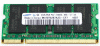
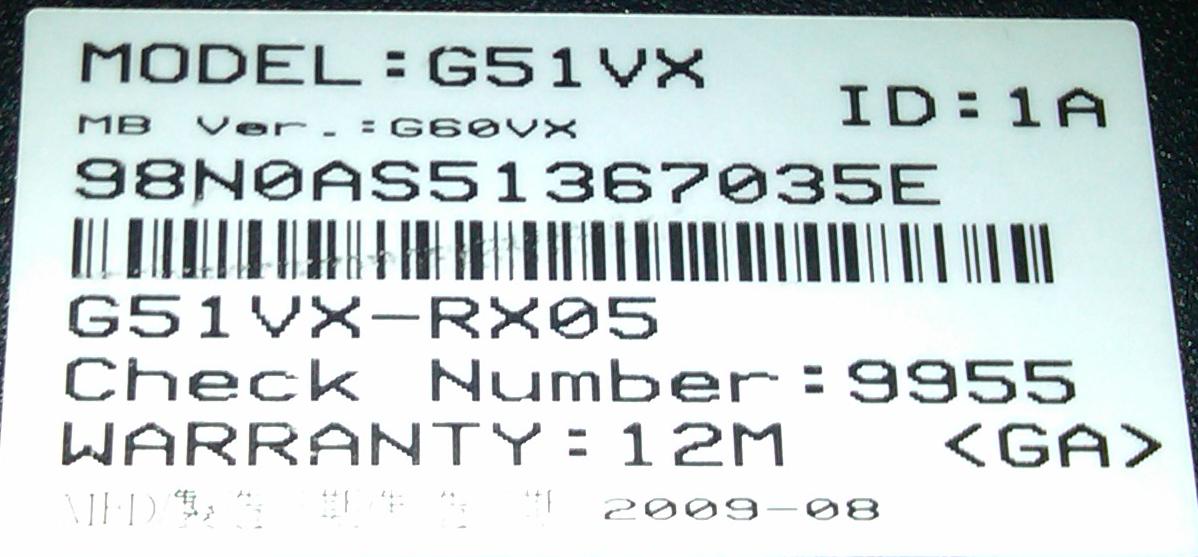
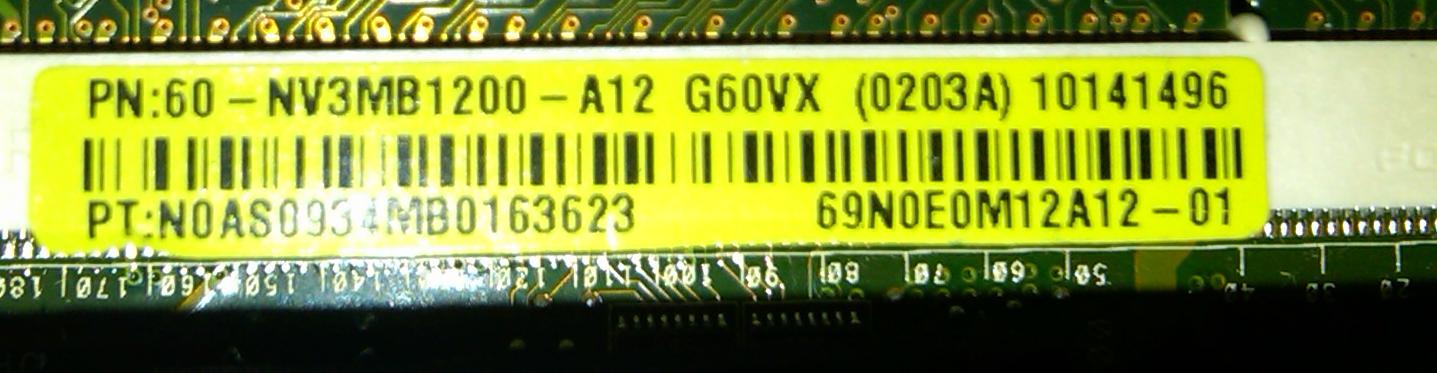
I attached the pictures about my computer... and the link to the processor I want... I don't want to buy something is not gonna work heheh you know... My question is: my computer is capable of Quad? and, could I update to 8GB of RAM with the memory in the picture?...
Intel Core 2 Quad Mobile Processor Q9000 2.0GHz 6MB - eBay (item 290502169830 end time Dec-19-10 00:32:03 PST)
Thanks for your help!Attached Files:
-
-
Looks like a BB model. The -rx05 gives it away. I'd say no quad for you, sorry.
-
What the shame... bad news... So, Im going to buy the X9100, according the post, the best one...
Thank You! -
And what about memory?.. does it support 8GB?...
Thank You! -
Okay I already made another post on this. You would think I would learn to read the sticky after all of these years. I have a G51Vx-X3A I purchased through newegg. I bought a Q9000 quad and wanted to upgrade. I have read all of the posts but I am still a little confused on what is supported by what. Seems like I have seen that it is supported and that it isn't. What is the final verdict? Will a G51Vx-X3A support a Q9000? Any help on this is very appreciated.
![[IMG]](images/storyImages/2011-02-02_19-19-32_927.jpg)
From laptop Last edited by a moderator: May 7, 2015 -
Well I tried the Q9000 and that didn't work. So I just want to make sure that a T9900 will work. I have the made a deal for one. My model is G51Vx-X3A BTW. Thanks, and this is a great thread, just wish I had found it sooner.
-
Ok, I know you guys seemed to have covered this before, but I was wondering if my G51vx would support a quad core. The thing is, is that I received it straight from ASUS, best buy was not anywhere in the mix. My motherboard says PN NV3MB1200 - A01 G60vx (0202A), and the laptop had the potential to come with the Q9000 instead, so would this support a Core 2 Quad such as the QX9300?
-
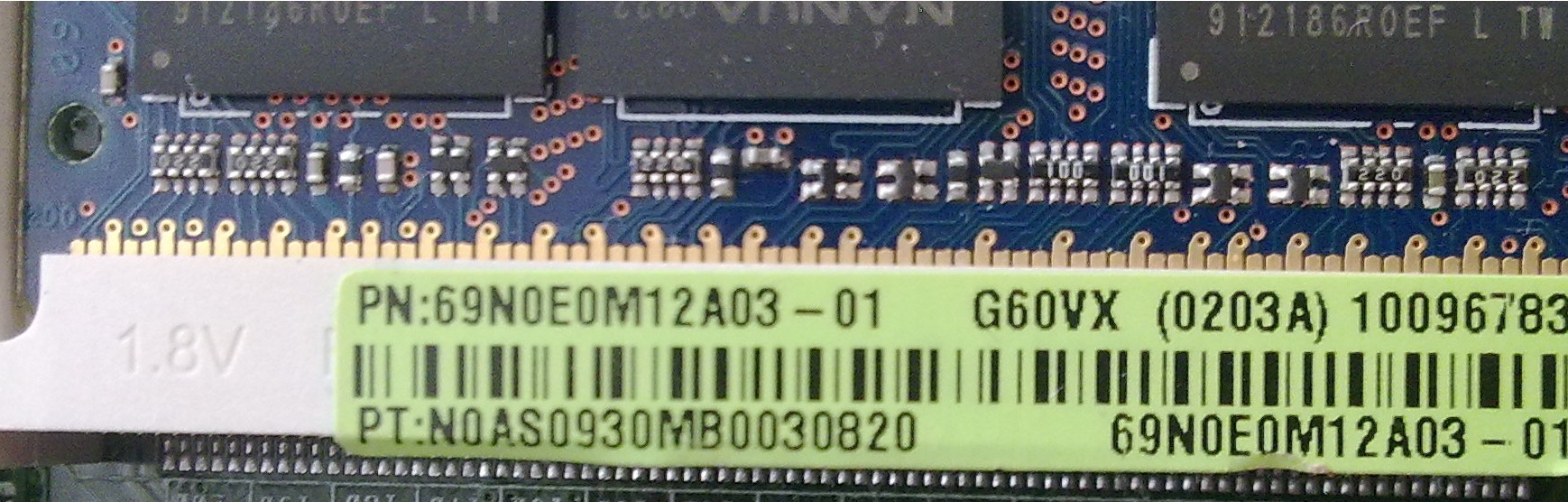
Hi i have been reading this thread and i wanted to ask if my mobo revision would support a quad core
TnxAttached Files:
-
-
hi got this question i heard that if the P/N of the motherboard ends with A12 i doesnt support a C2Q i have and g51vx -rx05 my motherboard version is: P/N:69N0EM12A02-01 G60VX(0203A) that means that it support an C2Q since it doesnt end with A12? thanks any answer or question would help me thanks
G51 and Quads: Final Verdict
Discussion in 'ASUS Gaming Notebook Forum' started by SoundOf1HandClapping, Jul 29, 2009.