 Problems? See this thread at archive.org.
I received a reply from Newmodeus. In the end they will refund me the price of the product (not shipping though). So I'm left to decide whether I order another one from hddcaddy or just use this one that sticks out a little bit.
For others who have ordered from hddcaddy, the fit is perfect?
-
Hey guys. So I am ordering one of these from NCIX in Canada. As far as I understand it does not come with a touchscreen. How is the quality of the display on this N550jk-DB71 model? You end up paying a little more (this is the model sold by every online store in Canada) but you get a 7200rpm HDD (will put into enclosure as a backup drive and swap for crucial mx100) and comes with 12gb RAM and 4GBvram standard.
Does anyone have experience with this particular model having issues or problems? Let me know what you think of it. Also how is the trackpad once it has been worn in? -
Here's my HDDcaddy.com enclosure in use. Almost 100% perfect

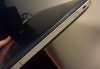
Edit: to clarify since the pic is crap and I can't take a better one now - seeing the laptop from a top view, the caddy doesn't stick out of the laptop, so the slight disadjustment you can see in the photo is just a vertical one. It's barely noticeable. -
Thanks for the picture.
Mine does stick out but just a little bit, probably like 1mm. I'll have to think if I prefer to order a new one from hddcaddy or stick with the one from newmodeus....
-
Has anyone been able to confirm whether or not Computer Upgrade King's N550JKs really have GDDR5 as advertised?
-
It better considering it's like 150 more than on amazon
-
As said Asus only show DDR3 as an option but I would call/email them to check.
hquser likes this. -
I'm really disappointed with the lack of options in the BIOS
it's pretty locked down
anyone found a way around the stock bios? -
Hi guy's
Can some one please send me the wallpaper that came with this laptop, because i formatted and don't save the wallpaper on the screen.
And you guy's have any problem with the touch pad? Because some time when i close the lid and then i open some times the touch pad stop working, and no push the F9 button nothing happens, i need to restart to start working again, and yes i already update the drive on the asus page.
Another question...how the battery remains 5 hours? Only use internet the battery life reaming 2,5 ~ 3 hours max, with asus power4gear power saving active. -
I personally believe there's no such a gDDR5 thing in asus N series, It can be a glitch in website.
-
I'd also like to know if there is any way around the official bios
-
Hi guy's
Can some one please send me the original wallpaper that came with this laptop, because i formatted and don't save the wallpaper on the screen.
And you guy's have any problem with the touch pad? Because some time when i close the lid and then i open some times the touch pad stop working, and no push the F9 button nothing happens, i need to restart to start working again, and yes i already update the drive on the asus page.
Another question...how the battery remains 5 hours? Only use internet the battery life reaming 2,5 ~ 3 hours max, with asus power4gear power saving active. -
Check with Svet at MSI forum, perhaps he can help.
-
Lack of options like what? I think I'm about to order this laptop next week.
-
There's nothing to worry about the bios, its a normal bios like any other laptop, this is not a desktop that have tons of options to overclock the system, i think that only the the gamers laptops with big coolers have extra options in bios like the g750, but in this n550JK you still can overclock the GPU with afterburner in + 135 the core easily completely stable and in my case +100 in the memory, and become a standard 860m. This is a good laptop for the price, my only complain is for the touchpad and the battery that in my case only works for 3 hours max in internet. Another good choice is the Lenovo Y50 in this price range
-
Got it a few days back.
First unit had a faulty optical drive caddy. Replaced it with another unit. The another had that really distinctive, crappy sound that made music unlistenable, even after tweaking with that SonicMaster Audio app. The third unit turned out to be... distinctive, crappy sounding, making music unlistenable. It's horrible. I never heard anything quite like it. I think my Nokia 6230 from like 10 years back sounded better, even though it was disgusting.
Apart from that, it's a great notebook, very fast, very responsive, great screen, etc.
Yet, If you're looking for not that horribly sounding notebook, I advise you to go for something else. -
In my opinion, it´s not a a horrible sound, the problem is that the speakers are bellow on the front on the notebook.....there are 4 speakers, the sound is loud for a notebook, but not so crispy and clear, you need to make a lot changes on the software, the olders asus notebooks has a better sound quality.
Would you, or someone please posts the original wallpaper that came with this notebook, i formatted and i can´t find on the internet. -
Anyone have any experience with this RAM?
Corsair Vengeance 16GB (2x8GB) DDR3L 1600MHz CL9 1.35v SODIMMs (CMSX16GX3M2B1600C9)
I only have the 8GB stick in my imported DS71T, so I really want to boost this up. BTW, CPU-Z said the speed was 799MHz. Is that because I only have 1 stick, or is it slow RAM?
I was too anxious to get my SSD running when I had the machine open, so I didn't get a chance to physically inspect the stick.
I'll be back later in the week to post more impressions. RIght now I'm having too much fun getting this into shape for my work week. I managed to save about $150 by ordering my DS71T (glossy, touch!) from B&H in the US, and they even saved on my duties etc with their handling option. HIGHLY recommended to anyone in Canada who wants to order hardware from the US.
BTW, I'm feeling 8.1 now. Especially with the touchscreen. This computer is a beast with the Evo 250 GB SSD, and looks even better on my new 27" BL2710PT @ 2560x1440. (Although I find myself reaching to touch the monitor once in a while....) -
This RAM has a more aggressive timing at CL9 but typical timing is rated at CL11 so it's hard to say whether it can stay stable during use or not.
Sometimes it takes more than one try as some ICs are less compatible and some are more compatible since they can be mixed by the memory manufacturer. -
That's the exact RAM I have in my laptop and it works great. And the reason it shows 799 (should be 800 but close enough) is because it's stepped on twice. Has a multiplier like CPU's so the effective speed is 799x2 or 1598 Mhz.
-
Hey, I'd love to help out with that, but I don't have any custom Asus wallpapers on my N550JK, only stock Windows wallpapers.
-
The wallpaper that i want is the standard that came in this laptop, when we turn on the laptop on the first time, is the same picture of the box i think, i guess there will be an asus theme on the wallpaper section of the windows theme.
-
I haven't formatted the old Windows 8 drive yet. Slapped it in an enclosure and pulled these out of the Windows directory. Hope it's what you're looking for.
https://drive.google.com/file/d/0B5BDvbovFYZsRmkwOGRLRkJfclE/edit?usp=sharing
https://drive.google.com/file/d/0B5BDvbovFYZsTmpOZXFqYXJzQjQ/edit?usp=sharing
https://drive.google.com/file/d/0B5BDvbovFYZsZHBteGc2OGFXdVE/edit?usp=sharing
https://drive.google.com/file/d/0B5BDvbovFYZseDBhYWZGYTRWZDQ/edit?usp=sharingKevin@GenTechPC likes this. -
Man, thanks a lot!!!!! That was exactly what i,m looking for. -
I think I was far too hyper when I was typing that post. When I was referring to the RAM stick that I have I meant the stock Whatever-Brand-It-Is RAM that came with the N550. I haven't actually purchased the Corsair yet.
So it's been performing fine for you? When I was looking for DDR3 L the prices were comparable, so I figured this was a better choice than the Value Select sticks I kept finding.
If there may be any issues with compatibility I would want to err on the side of caution and go with something trouble-free. Thanks for the advice! -
The performance difference between 11 and 9 is not very big at all.
-
You are welcome, feel free to let us know if you have further questions.
-
Thats what I thought, but the prices for the Corsair Vengeance are the same as Value RAM.
I also found Kingston Impact RAM @1866 for the same price. That higher speed isn't supported by the N550JK, is it? It would just run at 1600, correct? -
Right, it is IMC's default speed from the processor, any speeds higher than 1600MHz is considered overclocking, in which case no manufacturers wants to fully implement.
-
You are correct. Anything over 1600 is considered overclocked. You might be able to OC the laptop to get those speeds, but I wouldn't recommend it.
-
Hey Guys. Just bought one of these from NCIX in Canada as a first year engine engineering student. When I found out that the Canadian model didn't gave a touch screen, my immediate fear was that the display would be a cheap and terrible TN panel. Well the box came yesterday and the screen is a beautiful matte TN or IPS with excellent viewing angles (makes me think IPS) the keyboard is not a Canadian bilingual one (which is good) and the chassis is black which gives the keys some contrast.
While this model came with a hard drive, I expected it to perform faster than others because it was 7200rpm. It seems like things load very slowly still.
I am planning to purchase and do my first SSD install. I looked into both he tried and true Samsung EVO 840 and the up and coming Crucial mx100. While more expensive, the Samsung seems to be altogether faster and has better support. What does everyone think? Also should I be investing in either an enclosure for the old drive, or a HDD caddy? Which caddy is recommended for under $20?
Thanks a lot
Oh. And what is with ASUS' partition scheme? Will documents automatically go into the data partition or do I have to save them there?arkham likes this. -
I'm in Canada too, but I (and Tasslehoff) purchased the glossy/touchscreen DS71T model from the US. Entirely worth it for me, because I'm getting very used to the touchscreen and Win8.1, and the glossy display is incredible. It's unsuitable for bright, outdoor usage, but that's the price we pay. Your matte screen is an IPS screen, so you have the best of both worlds where light-sensitive use is paramount. Congrats on the new black model! I'm digging the silver for now, but who knows how it'll hold up in the long-term with regards to cosmetic wear & tear.
The US version comes with a 5400RPM 1TB model, so yours (750GB?) is going to be a lot faster. But, replace it with the SSD (as below) and get a cheap caddy to replace the optical drive for mass storage.
I and others have gone with the Samsung Evo 840 250GB. I can't speak for them but I'm blown away by the speed. Granted, this is my first SSD, so take that with a grain of salt. Overall the Samsung is the faster drive and is usually recommended over the Cruicial, but I think the latter is just a smidge more secure in terms of reliability. This is only what I've read in some reviews, but those same reviews still recommend the Evo overall.
Get a caddy. I haven't tried the one I bought, which you can find on Newegg (and CanadaComputers, where I bought it).
SilverStone TS08 9.5mm Height 2.5" SATA HDD/SSD Caddy for Laptop / 2.5" SSD/HDD Conversion Tray (White) - Newegg.ca
There's actually a review on the Newegg listing by a satisfied N550JK customer.
There's a 300/700 System/Other breakdown by default. I would just install the new SSD with a clean 8.1 installation (easy!) and deal with moving your documents/libraries/whatever over manually and retargetting them to the bigger drive later. Right now I'm just running with everything on the SSD until I install the HDD in the caddy.
Congrats, and good luck! -
Thanks. I wasn't too sure about an import order as far as warranty and exchange were concerned. Ended up being too much of a bother just to get a touch screen.
I just checked my hard drive and found it to be roughly 400/550 OS/data split with recovery and restore taking up the rest. Do installed programmes get automatically places in the first partition a d documents in the second?
I think I might prefer to do a clean install using a windows licence provided by my university. I'm a little worried about getting back the drivers and software such as ASUS feature utility, splendid, Power4gear, nvidia updates etc.
1 more question for this post. Is it better to do a clean installation on the HDD and then clone it onto the SSD or is there a way to clean install onto the SSD? Also what do you do with the recovery partitions. Is a new one created when you install windows. -
B&H has an option where they cover all taxes and duties so that there are NO suprises. I only paid HST and a total of about 5 extra bucks for duty/handling etc. In the end, even with the exchange rate, I saved about $100-175 bucks over buying a non-touch model here. ($1275-$1350.)
The warranty is for all of North America, including 1 year accidental damage.
Everything will be installed on the C/System partition. You can redirect the installs manually when you select "Custom" install where available.
If you're installing Windows 8.1 core (look for the file links in this thread), the key will be recognized and activated automatically. At least that's what happened with mine. Follow the advice in early posts. This is the link I used, I just downloaded the N550JK drivers instead of the N550JV drivers. Worked like a charm. (In this guide they used a bootable USB drive. I just burned a copy of the DVD, it was a lot easier.) Kudos to Tasslehoff who found that guide.
Don't clone it, do a fresh install. Harddrives store data differently than SSDs, and you'll have a better performing drive as a result of a clean install. I don't think there's a recovery partition on a clean install, but I think Windows 8.1 has a mini partition that contatains some vital info (Windows key?). I'm not clear on that, so you should do some research. -
arkham, let me know once you've installed the caddy, I may order that one as well form newegg given the great price and since the one I currently have sticks out about 1mm which I find a bit annoying. I hope that one doesn't have the same issue.
-
Any updates on the missing keystrokes issue? This is my laptop of choice at the moment, but I am pretty reluctant if there is a missing keystroke issue with it.
-
My key strokes are all there, but I haven't had the laptop for long and haven't typed THAT much on it. However so far so good...
-
Will do. I'm considering getting a 7200rpm 1TB hybrid drive instead, so I'm not sure when I'll actually make the swich. I'll definitely let you know here though.
-
can someone enlighten me about the combo audio port?
Is it possible to use headsets with 2 jacks (mic and headphones ) with this? I know I have to use a Y adapter..but then will I be able to use both mic and headphones at the same time?
headset I'm talking about is this..
New Siberia Navi V2 Full Size Stereo Gaming Headphone Headsets USB Jack 3 5mm | eBay
black version is 3.5mm with jacks...
or am I better off with a USB headset?
thanks in advance.. -
Yeah I briefly considered that as well but in the end I figured I'd put in the 4200rpm in the caddy and if I felt like changing it later, I would make it an external drive and buy whatever is good at that time.
-
You meant 5400RPM, right? They might be slow, but I don't think they're 4200RPM-slow.
-
Haha you're rigtht, I don't know why I was sure it was a 4200rpm, I guess I was really unimpressed by the speed of the stock HDD!
-
They make an adapter to split the Headphone/Mic jacks. It is just like the combo jacks used in smartphones nowadays. I use a Razer BlackShark Expert. It already has the headphone and mic combined into the same plug and it works great.
-
Thank you!
-
I am a little bit concerned about overheating while gaming . my laptop reach 83-90 C in room temperature of 33 C very easily while playing battle field 3.. but when I turn on the air conditioner the temp drop down to about 81-86 C and I think this is very high too . when idling>>temp is 47-53 C and it is very good idling temperature ...I wonder what is your temperatures under heavy gaming guys I want to know if I am the only one having those high temp so please every one share us your experience
-
There can be following factors:
1. Dust inside fans, preventing sufficient air flow.
2. Overclocking.
3. Poor surface to play on, (i.e. blocking of 2 fan vents on the bottom).
Solutions:
1. Clean your laptop's fans with the help of a brush or air blower.
2. Use 'ThrottleStop' Software to adjust CPU voltage and frequency to point just below which the game will start to lag.
Lowering CPU voltage reduces heat significantly and lowering frequency will stop unnecessary stress on CPU.
3. Always use flat and hard surface to put the laptop on while gaming, so that cooling system works efficiently.
Anyway, 83-90c temperature is pretty much normal at your current room temperature IF its Stable, Humidity also plays a big role. -
actually my device is new one so I don't think there is any possibility of dust build and it is on the table all the time so the vents are not blocked also I didn't overclock
I undervolt my cpu and disabled cpu turbo boost by adjust the cpu power to 99% from cpu power manager and that helped alot . now temp never exceeded 76 but where is the point to buy powerfull laptop then you limit its power???? it is just like if you buy mustang then you low down its power so you cant drift or drive fast .... I want to drift on this laptop man it has 2 cooling fans I dont know how this laptop can reach this high temperature with TWO fans
-
I understand your condition, Laptop fans do not posses the power which desktop ones does.
However, I think you can control the speed of Fan in this laptop.
I don't remember its Exact name of software but you can search in ASUS n550JV, thread. It's there.
Putting fans speed to max might low down the temperature.
You can also buy a Laptop pad for more air flow.
And... I don't see any point of caring about Turbo boost as long as you're getting satisfied results both in general use or in gaming. -
Undervolting CPU... Is there any tutorial how to do it and safe values for our laptop? I have never did things like that. Thanks in advance.
-
you dont need tutorial just download intel extreme tuning utility then try to downvolt your core volt (dynamic cpu voltage offset) untill your system crash ...if your system crash over volt one step to avoid crash and thats it ... my cpu undervolted (90 mv) any value higher will crash the system in my case ...
2014 Asus N550JK -DS71T quick mini review and opinion so far
Discussion in 'ASUS Reviews and Owners' Lounges' started by Benchmade 42, Apr 12, 2014.


