Problems? See this thread at archive.org.
Nah for me it was just Firefox 4, I don't use Windows Live Messenger and IE8 works just fine and always has. I just use Firefox 3.6 for most browsing and always have one IE8 window open for access to exchange webmail for work.
Tom
Noticed this recently myself, but I've seen it happen before on some sites. I think Gizmodo does it to me a lot depending on their ads. The only link I've found is particular flash animations/ads on some sites seem to cause it, that's the best I've been able to come up with.
Tom
-
I had this problem earlier in the thread. Firefox 4 is just a no-go - runs fine on my PC, but extremely laggy and crashy on the G73. Just one of those mysteries I suppose!
If you have the 3DE, the likelihood is that the nVidia driver is crashing Windows Live; usually it takes a few minutes for Messenger, while it's immediate for Mail. The only solution is to go to the nVidia Control Panel and disable stereoscopic 3D. I usually just keep it disabled and only enable it when I'm using 3D, seems like the simplest way until a future driver solves it. -
I'm using Windows 7 64 bit and Firefox 4 seems to have some problems with a 64 bit system . I had to go back to the last version 3 that was released . The beta 64bit version of Firefox has a lot of beta problems , for one Adobe Flash doesn't work at all , of course it doesn't work correctly with the 64bit version of IE either .
-
Thanks for all the answers people. I think I'll stick with Chrome and enjoy that until I hear about the issues being fixed, and by then I probably like Chrome so much that I won't change back.
@Robly. You are spot on with Windows Live and IE9. I disabled stereoscopic 3D and it works fine! Cheers! -
i am trying to install AVG (free) on my A1
it downloads & then opens a couple of windows & then the window closes and that's it!
it just disappears??
tried several times, tried after a reboot...
mark -
Are you...giving admin rights to the app when it requests? It's the fullscreen "pop-up" that you get when trying to run a system wide app that says something like
http://www.reed.edu/cis/help/images/vistaImages/uac_prompt.jpg
or like
http://victorhurdugaci.com/wp-content/uploads/2009/03/unidentified_uac.png -
what can i say, tried it again today & it is installing fine!
mark -
did anybody bought their g73sw from tigerdirect recently? no more sb issues?
ASUS G73SW-XT1 Laptop Computer - Intel Core i7-2630QM 2.0GHz, 8GB DDR3, 500GB HDD, Blu-ray/DVDRW, 17.3 Full HD, Windows 7 Home Premium 64-bit, Black, 2-Year Warranty / 1-Year Accidental Damage at TigerDirect.com -
Yeah i just bought this one a week ago from tigerdirect, ive had it for about 3 days now. Its got the revised edition sticker on this.
-
Just installed an Intel 6200 Wireless card in both the laptops in my signature and I get much better reception around the house now.
My latency went down quite a bit
-
Anybody know how to get the keyboard back light to turn on? I've tried Fn+F4. It blinks on when you boot the machine so I know it works. All the other Fn+F keys work fine.
-
For all those 3DE owners with Firefox 4 problems, I found the solution. The problem is also related to nvidia driver or Asus ATK driver. You have to disable 3D by pressing the 3d button at top left of the keyboard. Then suddenly Firefox 4 becomes super fast! I was puzzled by this too when I first installed Firefox 4, it was SO slow. Then I found my Guild Wars game in window mode had only 4fps with 3d enabled, it bacame normal after I pressed the 3d button. BTW, I installed the latest beta Nvidia driver 270.51 which comes with 3d vision controller driver, so you don't need to install the old 3d controller to make 3d work, and I think the new driver fixed Windows Live Messenger bug. The only drawback is the conflict with Asus ATK driver, hopefully it will get fixed soon.
-
I have the stock card, when I first loaded win7 on it I noticed pretty bad performance even after using the Asus drivers, however I found a site with updated drivers and honestly I have absolutely no latency or performance issues any longer, in fact it's very snappy even with torrents. I downloaded a 1.7Gig installation over wifi last night and it took less than 20 minutes, and this was from the internet over wifi!
Tom -
I saw on a spec sheet somewhere that the g73sw supported intel wireless display widi... im curious if anyone has tried this before dropping $100 on an adapter for my tv. lol.
-
So your wifi is Atheros AR9285, right? Could you tell me which driver version you are using? The stock driver on mine is 8.0.0.316.
-
Yes it's the Atheros AR9285. The driver I'm using that works awesome is 9.2.0.105.
Just for comparison, what latency were you seeing before and what do you see now? I'd love to do an apples to apples comparison, let me know what process you are using to test and I'll try to replicate with the stock Atheros and the updated drivers I'm using...
Tom -
Your best bet is to try reinstalling the ATK driver. You can get it from the Asus support site - here's the link:
ASUSTeK Computer Inc. -Support- Drivers and Download G73SW
I guess that most of the function keys still work because Windows supports them by default; when this happened to mine it was only the model-specific keys (keyboard brightness, 3D, etc.) that stopped working. -
is anyone else having problems with the usb3.0 - i downloaded the drivers from the asus website but my external usb 3.0 doesnt seem to work - it works if i put it in the usb2.0 jack ? i guess the external unit could be defective - but wondering if anyone else is having this problem ?
-
There are actually 2 USB drivers available on the Asus site, one for normal USB 2.0 and one very specifically for USB 3. Most folks here who have experienced issues with the USB 3 port didn't realize there was a separate driver just for that one port and were able to get it working by downloading the additional driver. Not sure if this is the case for you or not, but figured it was worth mentioning.
Tom -
Any chance you can post a link to the latest Atheros AR9285 driver?
My driver version is 8.0.0.238 so I assume there is a driver update out there but cannot find it. -
I did try those drivers before deciding to buy the intel 6200 card and it didn't make a difference for me.
I recently started playing Guildwars again and there was a ton a lag, the only way it would stop is if I was plugged into the router, now with the new card I don't have that problem anymore
The stock card is probably fine for most people.
My transfer speeds to my PS3 over wifi are also a lot faster. I used to transfer at around 30Mbps and now it's around 75Mbps for the same types of files.
That's the newest driver for your card
Drivers for Atheros AR9285 and Windows 7 -
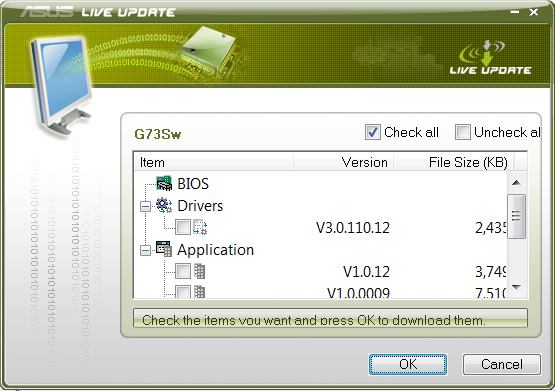
Hi guys, I got this prompt. Is it safe to do the download? What does it do?
Thanks!!!Attached Files:
-
-
Yup, it was the ATK driver. Thanks!
-
i tried it again and the usb3 software loads but it doesn't recognize the drive - i now think it is a problem with the external drive and not the usb 3 port - i will take the drive back to where i bought it and ask them to test it for me - thanks for your help
-
Huh? The link you provided shows a much newer driver than 8, even newer than the one I'm using. I chose .105 because I read of some folks using .113 having intermittent blue screen issues that went away when they reverted to .105. I'd try .113 and if you have problems let me know and I'll find a way to get you .105 or you can google it, I've found it a few places by googling the exact driver number and atheros.
Tom -
Hello Guys. Now i'm a proud owner of a G73SW customized and I can say... the best PC/notebook I've ever used!
But I'm having the webcam problem. The FPS is veery slow and the image is upside down.
Is there any fix? Mine is the VID_13D PID5122.
Also I'm my graphic performance isn't that good. I'm running Shift2 fullHD with everything at high with ~25fps and some slow downs.
I'm using the 270.51 driver already and did an clean install. What could I do to improve that? I've already overclocked the GPU (825/1652/1475).
Can I use the multimedia Fn keys to control foobar or only windows media center?
Tks -
this usb 3.0 port is still causing me problems - i exchanged the computer today for a new one - dropped in an intel 510 ssd and did a fresh install of windows and the usb 3.0 was working - but rebooted a few times due to installing some items and now it doesn't work - any suggestions ? i dont know what is going on ? - thanks, chris
-
I have the G73SW and not the 3DE version. WHen I first got it, I thought I read that it could ouput 3d to a 3d television despite the fact that it doesn't have a 3d screen itself. There was even a sticker on the laptop stating something to this effect. I never got around to trying it and I ended up swapping that specific laptop with a new "fixed" Sandy Bridge version through Asus. The sticker is not on the new model and I cannot find anything about this anywhere. Does anyone have an idea where I can get details on this?
-
I don't know, but i got the revised one and there is a stick about a "nVidia 3DTV Play". Might be something related to that.
-
That's the exact sticker I am talking about! IT was on my original g73SW but not on my revised version. I did a little digging and it is a product that should cost $39.99 from nvidia but is supposed to be included free with all G73SWs.
I cannot find it on my PC. CAn anyone check and see if this is something you have? Maybe it is just part of the drivers. -
On mine it has it on the G73S Series big sticker on the right side above the New Revision sticker, under the word Series it says DirectX11 and under that it says nvidia 3DTVPLAY. Not sure if you have a similar sticker or not.
Tom -
thanks chompy!
you have a lot more information than tigerdirect's own chat sales person. -
I have the same problem, but when I try to reinstall the ATK package I get an error. It says "this software is only for on an asus computer" And then I have to start an system recovery because everything goes mayhem.
Have the laptop for 2 days now and verry impressed. Read all about the problems and the necessary updates but with the ROG forum down it's a bit problematic to get everything up and running.
Frank -
You need to un-install the old ATK package first. Reboot. Install ATK package.
If ain't broken..... -
Hi guys, today I received the new replacement units for my two G73SW-A1 laptops.
I just unpacked the 1st unit and started it up, the windows native resolution is set at 1600x900 and cannot go higher!
I looked at the box and it says Screen 17'3 HD+LED
please don't tell me I didn't get full hd replacements for my laptops after all this trouble!! how do I check the screen resolution?
and how do I know which G73S variant I received? it's 1TB , 8 GBRam,has 3DTVPLAY sticker, came with mouse+bag+headphones. -
that is not right. what does the bottom of the nb say? g73sw-a1?
-
what is the nb?
I'm in the middle east, these replacements came from Asus Dubai, could they have other variant models with high end specs and lower screen specs?
the laptops are at the office and I left now, but I will take pics tomorrow and show you the labels, thanks for your help. -
nb = notebook
look at the bottom of the notebook and check if the version is the A1. -
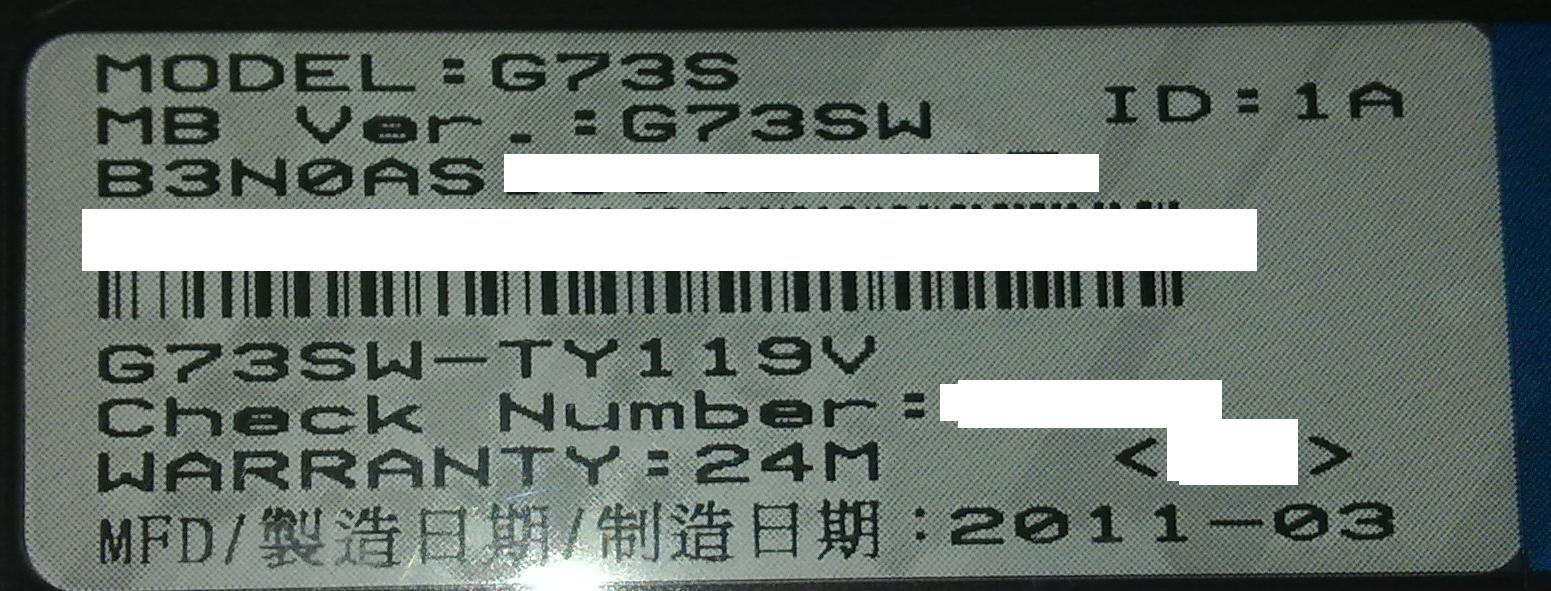
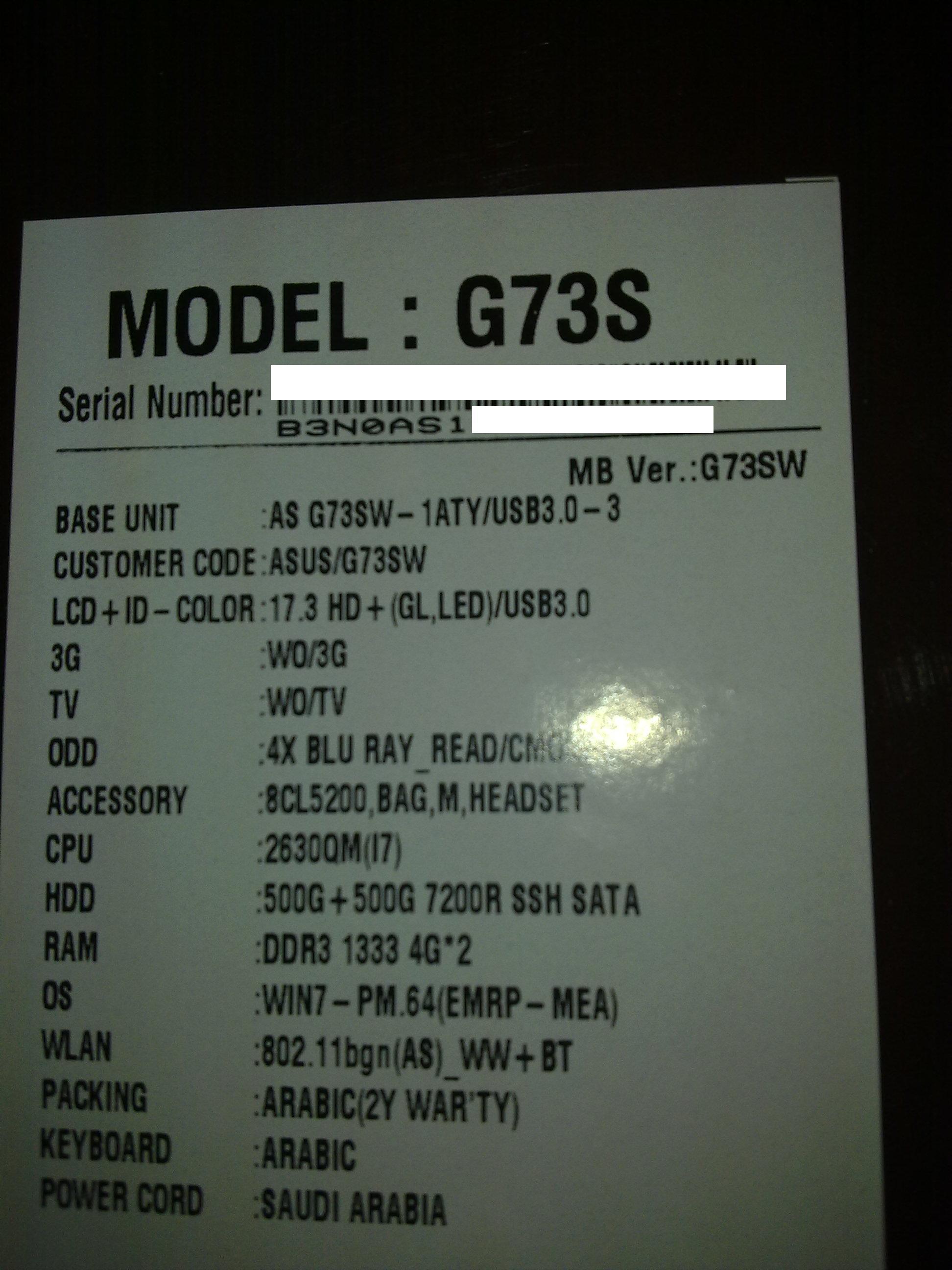
ok, I headed back to office and took pics, kindly tell me if this is in fact a non full hd model (both laptops are the same) , before I contact Asus again and start a new dilemma
-

Thanks there is light at the end of the tunnel!
Frank -
Yep, HD+ is 1600x900.
-
but based on my pics, which SW variant model did I get?
-
You got the G73SW- 1ATY
-
What you got, is boned...
-
Very true about the Dubai model being 1600x900. I was trying to get one from Dubai and found out as such.
-
hi! anyone else here having problems with dead pixels on the Hannstar HSD173PUW1 screen?
the first G73 i bought had one lit pixel and the replacement G73 had one colored pixel. i know one dead pixel is within the tolerance of this screen but for me it is unacceptable to stare at a white or colored dot on the screen while watching a blue-ray - especially if i bought a notebook in this price range.
i'm looking forward to get a second replacement G73 and wonder if it is likely for this type of screen to have one dead pixel?
if you would like to test your screen i found this and this very useful. -
Hello,
Can I use the media control keys on the keyboard to control foobar or only the media player center? -
Hi!
Question, the G73JW Full hd panel was known for lightbleeding issue on many comps..
Does G73SW full hd(non 3d) have the same screen? -
Well I'm a happy camper since today I got my lappie back from Asus Service. They exchanged the motherboard with a new revision mobo. Still reinstall stuff on it since this afternoon, but it's one thing I got off my mind
-
I don't know if they have the same screen, but my G73SW is perfect. The most amazing screen i've ever seen on a notebook.
ASUS G73SW Owners' Lounge
Discussion in 'ASUS Reviews and Owners' Lounges' started by Gooz, Jan 11, 2011.