Problems? See this thread at archive.org.
How about BIOS? There was one released back in Aug.
https://www.asus.com/us/Laptops/ROG-Zephyrus-S-GX531/HelpDesk_BIOS/
-
-
Latest installed - no changes. I have a strange feeling it might be a hardware issue with the right speakerKevin@GenTechPC likes this.
-
Have you tried reloading the OS as the last try? Gotta make sure whether the HW issue truly exists or not.Donald@Paladin44 likes this.
-
I'm going to be experimenting a screen swap to the first ever 15 inch 4k/120hz to this laptop as soon as the display panel arrives...
-
Hi, dude, don't know if you will ever reply to this since your post is 2 years old, but I am considering repasting my GX531GX (should be the same as this in terms of components placement) because i've been living with awful temps for almost a year now sice I bought it (we're talking 95 degress with peaks of 99 and even 100). I was considering going with liquid metal+thermal pads. Now I've never done a repaste but I really want to get it done. My doubt is, taking as reference image #6, do I have to apply the thermal pads on every "point" that has thermal paste on except for the CPU and GPU?
Also I see that on image #7 there is a combination of thermal pads+paste? I should not do the same right? -
If you're never done a repaste, don't start with liquid metal. Use something like Gelid GC Extreme or Thermal Grizzly Kryonaut. It's much easier to work with, lasts longer, and a misapplication will have far less risk of risk damaging your hardware.
-
That was my main doubt too. I've been watching a crazy ton of videos about liquid metal applications and repaste videos, mostly by Bob of all trades. The most fundamental thing I learned should be applying electric tape around the CPU/GPU and making sure to only use a drop of liquid so it doesn't spread beyond the die. Also, I have one old HP laptop, I was thinking of repasting it first as a test, if it turns on after the application and everything is well then I might think about doing it on mine, if it doesn't then I guess i will be using thermal paste
-
If you have a way to practice, that will certainly help. Not everyone has that luxury. Don't forget also that liquid metal will need to be checked and reapplied on more frequent basis.
-
Yep, that is a downside unfortunately. I would never want to take advantage of your availability here, but I notice that on image #6 there is like some cover on the two chips, like usually "the part around the die" is green, but here seems to be covered in some sort of tape. My doubt here is, when I'm going to apply the electrical tape, won't this then be elevated the same as the die, preventing to apply the correct pressure once the heatsink will be put in place ?
-
I can't really help you here as I don't own this laptop. Sorry.
-
Is just Asus own version of a plastic like protective shield that cover all resistors and capacitors. I was really impressed that Asus even care to have one unlike other laptops. It is easy to peel off if you want to remove it. It sits much lower than both the CPU and GPU die so no worries about how it could interfere with the heatsink.
I took them off when I Liquid Metal both the CPU and GPU just so the electrical tape can stick securely down onto the chip. If you want the best thermal results and can deal with a little more frequent maintenance, go Liquid Metal and you will never go back.
You can cut temps down as much as 20C or even more. This is one of the coolest overclocked laptops I have ever owned when done right in the thinnest laptops around is downright amazing. You are talking about GPU temps that never go pass 67C even when overclocked and CPU temps to never pass 75C with average temps of 65-70C during heaving gaming. -
The keyboard stopped after the last bios update.
Found a "solution"(link below), but there are some issues, like RGB not working properly, some keys with wrong functions, numpad not working.
The problem is related to the keyboard firmware.
Did someone solve it? Or you guys know any way to backup the firmware from a working laptop?
Ps: Already tried a clean install, chipset drivers, downgrade bios, etc.
https://rog.asus.com/forum/showthre...es-after-last-BIOS-update&p=802663#post802663 -
It's obvious that's why ASUS using conductonault in most of their new gaming devices like : ROG mothership, Zepy S7. they're definitely steers in the right direction. since i first tried with my old M17x R4 year ago, i've also applied LM to my GX502GW, Blade 15, Omen 17,never want to go back to TIM, excepted some of my devices with aluminium heat sink plate, even my little ultrabook Spectre vs 007 x360 of mine. because icelake are very bad with thermal, 99 centigrade just only running crystalDisk mark5 ! i thinks it's the reason they're carried the code name : ICELAKE. it's needs ice or liquid to cool down !Last edited: Jun 23, 2020
-
Happen to me when clean installed win10 with bigger drive, downloaded armoury crate from support site, doesn't works, not even show up, very frustrated. have to clone from the original drive in order for armoury to works. bad s.w support ASUS !
-
Ah sorry if I reply this late, i did not receive any notification. I decided to go with tim at the end. I was prompted to go with lm but i decided to test kryonaut first, and thank god i did so. Basically after one week of kryonaut the temps went back from a 82-86 degress @3.9 ghz to a 97-100@degrees with throttling. Wondering why, i found out it is a problem called pump out effect that is due to bad heatsink fit, basically the paste spreads out the die. If i went with lm and it had spread around by now the laptop would have been fried. I decided to go with icd7 for now, it’s thicker and should last definetely more. Unfortunately I still go over 90 degrees sometimes, and i am basically forced to cap the cpu at 3,6 ghz, but that’s definetely better than the original performance
-
Hello,
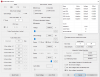
Anyone doing undervolting on this model, tell me if ThrottleStop is still working after updating the BIOS to v304?
On my system, the ThrottleStop's "Turbo Ratio Limit" has become disabled, and not able to change them anymore! Have attached a picture!
PS: am using ThrottleStop 9.2
Thanks in advance!Attached Files:
-
-
Yea, the latest BIOS disables undervolting. I accidentally updated, and am searching everywhere for a 303 bios to roll back - anyone have a good link for one? Cant even find the GX531GS on ASUS support site anymore!
ASUS ZEPHYRUS S GX531GS Owner’s Lounge
Discussion in 'ASUS Reviews and Owners' Lounges' started by LeoNivorous, Sep 27, 2018.