Problems? See this thread at archive.org.
Here is a link to U35JC real user, cept it is in Chinese...my apology for that, IM sure google can probably translate it. Also if you wish to see pictures, just click on the blue hyperlink (Its in chinese) but there are lots of them you should have no problem knowing what I'm talking about. Picture will be revealed upon clicking the link.
http://www.mobile01.com/topicdetail.php?f=233&t=1608364&last=20360308
PS: I read it, advertised 9 hours battery, real user review about half that. That's also why I said you should get UL30VT because optimus will activate dedicated graphic card when intel integrated can handle, as a result more battery is wasted wheras UL30VT you can keep it manually on integrated video.
-
-
I definitely want a light laptop and I would say I could stretch it from $800 to $850. I am trying to decide what is more important to me (battery life or performance). Will I be future proof with an i3 processor and better off? I wish I could sense how big a jump it is going from a Core 2 Duo to the i3. I honestly don't believe I do many resource intensive things. Will I notice a big difference between the Core 2 duo and the i3 even if I do not use any resource intensive programs? What about the i5 processor? The laptops I was originally trying to decide was between the HP DM4T (which has the i5) and the Asus UL30VT-A1.
The main advantage to me for the Asus UL30VT-A1 over other laptops (such as the HP dm4 or the other Asus laptops mentioned) is the battery life and weight. I don't know if not having a disc drive will bite me in the ***. Although, I am pretty sure it wouldn't be too big of an issue. I can't recall the last time I used the one in my desktop.
I am really sorry for all these questions, but this is a big purchase and I do not want any regrets. I REALLY appreciate everyone's input and willingness to aid me in my decision. Thank you. -
No worry bro, we've all been there thats why this forum exists. Spend the maximum you can, quality product will last you a long time. As for all the other facts you know plenty now, so its really up to u....
-
Also, I forgot to ask this. I am relatively new to laptops. This will be the first one I own. How long do laptops typically last?
-
As long as you take care of it, for many many years. But after usually 3-5 years you are ready to upgrade since by then a multitude of enhancements to graphics, power, storage, and battery life has occurred.
-
That's what I thought. Thanks!
-
If you are not going to be pushing the processor / doing intensive things, I don't think you're going to see a huge difference between the VT's 1.7GHz and even the full speed 2.26GHz of an i3-350M (what I have) or the 370M's 2.4GHz in regular Office-type apps. In other apps, yes the 4 threads (acting like 4 virtual cores) and a speed of 2.4 vs 1.7 will be seen.
In school, it'll be fast & I'd think that light-weight, portable & long-battery life would be the most important. And the VT does games well (as well as the 310M).
Of course, the VT sells over at XoticPC for $700. The U35Jc is listed for $820. Worth $120 difference? The battery life of the VT WAAAAY beats out the lesser hrs of the U35. But the U35 has the faster processor ... but you'll need to demand of it in order to see that difference, IMO.
Notebooks last easily 3-5 yrs though the battery usually begins to really give out by 2 1/2 yrs and will need replacement.
For those who leave their laptops on all day & all night, heat is very hard on a laptop & a laptop's HDD & components and can shorten the laptop's life.
Don't worry about the DVD drive. Go for portability. An external, slim, USB DVD drive goes for $40-50 on Amazon or Newegg and weighs nothing when you need a DVD drive. You can even get that later. -
On the same boat as the user above. Looking for that laptop for the upcoming school year. U35JC, UL30JT or UL30VT. Hows the JT's 330UM vs the JC's 370M? I definitely need this to be a lightweight laptop as I will be carrying it everyday to school and back home. To my knowledge the 30JT would be slimmer and lighter than the 35JC but is the difference drastic? As far as use goes, I surf the net and watch movies but gaming not so much (might in the future ex. Diablo 3). I don't mind spending the extra bit for the new JC and JT as this laptop will most likely be the one I will be using for years and years to come.
Sorry if this is a repeat of the above but just wanted to get a piece of mind. Thanks for any help! Cheers! -
double-post
-
I'd go for the U35JC over the JT. Faster processor, though in regular Office apps, not sure you'd see the difference. I'm still not clear if the JT will come with ASUS' Turbo33 as 1.2GHz is a lot slower. XoticPC lists ASUS Turbo. GenTechPC is silent in its list.
The best battery of the three is the VT. Much better than the JT. The JT's battery life is better than the JC.
Weight & thickness, they all three, in their specs, look to be about the same weight & thickness.
BTW, everyone, the 258.96 beta drivers are now out for Optimus.
... Nope. Forget this "update" for me. I just lost 400 points in 3DMark06!
-
Battery life does not have to be super long as I will be using it 5-6 hours under not much load. Just the regular word processing and surfing. Would you say that these laptops would qualify for a laptop that is light enough to carry everyday? Judging by 3.7lbs I would think that it is really light but just wanted to get some opinions.
-
In today's market, 3.7 lbs is light. That's almost the weight of my 10" ASUS netbook! Under an inch thick (0.98 inch) is thin.
You can get 3 lbs only if you go to something like the Sony Vaio Z and pay a whole lot more. -
I just ordered my U35jc. i'm hoping to get at least 5 hrs of good use of out it. i'll try to remember to report back on battery life and other specs =)
-
Let me know how it is, most likely going to pick up a U35JC also. Did you order from XoticPC? I live in Canada and I assume that it is cheaper to order online vs retail? Any site you guys recommend that is Canadian friendly? Thanks!
-
if you are not in a hurry, i'm sure ncix will carry it in the next month or so. i'm in vancouver, but i'm asking my dad to bring one in from taiwan. if you order from a US site, the problem will be trying to bring it across the border without being taxed. where do you live?
-
Weight and thickness is not the same. The VT and JT are under 1" and the JC is 1.2".
-
JR.com will have the U35JC-A1 for $800 if anyone is interested in the US
-
I also want to get a U35JC in Canada. Do you think it will be out before school starts in september(in canada)?
-
I think you're thinking of the U33JC which is 1.22" thick or the U30JC which is 1.2" thick.
The U35JC under discussion is listed over at GenTechPC here as being:
So its chassis is the same thickness as the UL30VT/JT (according to them, and that's what I was going from).
XoticPC lists the U35JC as thicker:
ASUS lists the dimensions of the U35JC on their product page here as:
2.46 cm converts to 0.97 inches.
It would seem that ASUS and GenTech agree and the U35JC is less than an inch thick.
BUT, GenTech & Xotic agreed on the weight at 3.74 lbs while ASUS says the weight is 1.9 kg, which is 4.19 lbs!
So clearly someone's wrong, I go over to the recent Polish review here.
Their HANDS-ON review say the dimensions of the U35JC are .... wait for it ... 322x234x32 mm. 32 mm is 1.26 inches. The thickest quote yet!! They say it's 1.7 kl which is 3.75 lbs ... that's three in agreement so we can at least know that's probably the weight.
So what's the correct thickness? At two against two, (1.2" or 0.97"), we can only know for sure once it is finally released. -
didnt know JR has U35JC on their site already... got a question tho, is an upgrade from SU7300 to the i3-370M worth the extra 100 bucks?
its pretty much the same as the UL30VT except for the processor and 210M vs 310M Gfx card which isnt a huge deal -
Back to School Promotion
It's a lottery. Lame. -
Im just completely speculating here.... I won't be surprised if U35JC is slightly thicker, afterall you do need a bit more space to dissipate heat from a full powered cpu and a 1 GB video card vs 10w SU7300 cpu in UL30VT and 512mb video card in UL30VT.......just a guess....
-
That does make sense. Perhaps why the U33Jc is as thick as the U30Jc, even though it has no ODD?
-
J&R carries the U35JC?! And at $800 too! I've been won over!
/swoons
This will be the perfect way to celebrate my successful returning of my bricked UL80JT
But I have to say the the U35JC, essentially being a U30JC sans optical drive (I'm attempting to forgo any mention of thickness here) is well worth the $800. A normal, non-ULV i3, a 5600mAh battery, and the 2 year/1year accidental waranty make this leagues better than Best Buy's $700 UL80J, and since the UL80VT is going for about $730 now, the $70 difference is justified. Pre-ording this baby now! Does anyone know if Bing cashback applies to preorders?
-
According to a polish review site the maximum battery life of UL30Jc model is 6hrs 45min, and about 4hrs on typical use. What's up with such low battery life for a 11hrs 30min laptop?
-
My friend's sony vaio tt has to have a thin cloth between the screen and the keyboard. He said because it's so thin that the keyboard can scratch the screen by a little pressure.
Is it the case with ul30 series ? -
An educated guess would point to possibly the OPTIMUS technology. Lots of web site with flash and video site with HD movie or even playing compressed MKV AVI those movie files can be handled effortlessly by the intel integrated video. But Optimus would detect it and switch the computer to dedicated video card when it did not need to resulting in higher power usage.
This is one of the reason, besides low power cpu, UL30VT can last so long because you can override the system and stay on integrated video.
We are seeing the same phenomenon for Alienware M11x. R1 with core 2 duo and manual graphic has higher battery life than R2 with optimus in some cases. -
not on my UL30VT
-
For anyone with Optimus, download that nifty Nvidia testing tool and post your results when watching video. Because in those lovely 4 hours I spent with a UL80J, the Nvidia GPU never turned on (according to the app), even when watching 1080p video. I tried both Youtube videos as well as vids on my harddrive, and it appeared that the Intel gpu was on the whole time!
-
That review is for the U35JC, NOT the UL30JT.
ASUS rates the UL30JT for 10 hrs and the U35JC for a (ridiculous) 11.5 hrs.
With the same battery and a stronger processor (i3-370M 2.4GHz) than the U30JC (i3-350M 2.26GHz), how could it possibly get more battery life than the U30JC?
Their 5600mAh battery lasted them, on max power saving, 387 min = 6 hr 27 min. No word if WiFi was on nor what they were doing with the laptop during that time. If they were on WiFi and had browsing going, 7 hrs would be normal for the U30JC, so the two laptops are close in battery life, as they should be. They don't say what "normal usage" is nor what brightness they were on nor if they did anything online that activated the NV GPU.
I wouldn't pay much attention to their tests. They are poorly and unclearly defined. -
The U35JC just popped onto my radar at that $800 price range. Is there any confirmation of battery life compared to the UL30VT? I would really prefer around 7+ hours. The UL30VT typically lasts around 10 hours under browsing/word applications correct?
Also, when is the U35JC releasing since it is just a pre-order right now on JR.com? What is the difference between the U30JC/U35JC/UL30JT?
Thanks! -
Hey Relentless715, here's a review of the U35JC from a polish site. The link puts it through google translate so quite readable and you will see that they have included a real life rating of the battery. Here is their review of the U35JC: Polish Review of U35JC (translated)
-
I was looking at that, but Quatro said its not very accurate? It looks like I am trying to decide on the U35JC and the UL30VT-A1. It looks like the U35JC is the UL30VT-A1 to the T except it has an i3 processor. Is this correct? I would love a perfectly accurate description of the battery life. If I can get 7 hours on the U35JC I will choose it over the UL30VT-A1. If I will only realistically get 4 hours, I may decide on the UL30VT-A1.
-
Sorry, I didn't mean to imply it wasn't accurate. I don't doubt their results but rather what they did to get them. It was unclear what testing they did and under what conditions. For example, what does max battery saving mean? What's typical use? Just the power saving mode? WiFi? No WiFi? Brightness level? Programs open? Any active browsing while they were doing that? Any sites that might have had flash and activated the NV GPU? etc.
Given the specs and the same 5600mAh battery, I would have said battery life should be comparable to the U30Jc (or perhaps a tad less due to CPU), not the UL30Vt or Jt. Office use and no WiFi gives me 8+ hrs. Active WiFi and light browsing at 50% brightness and no video gives me around 7+ hrs on my U30Jc. If I'm watching HULU (flash video) in HD and the NV GPU kicks in, that time jumps down to 4+ hrs or less.
GenTechPC thinks the U35Jc IS the UL30JT, except for the processor and no one's clear yet if the palm rest area is plastic or aluminum. For sure, the battery life will be no where near the VT's (ULV CPU vs full-speed CPU.)
● So if you want a full-sized, fast i-series processor ( 2.4GHz, 2 cores / 4 threads) and 7 hrs of battery, get the U35Jc.
● If you want to save $120, have longer battery life (12+ hrs) but a slower processor (o'ced 1.6GHz, 2 Cores / 2 threads), and then buy the UL30Vt.
● If you want good battery life (9 hrs) but a slower i-series ULV processor ( 1.6GHz o'ced, 2 cores / 4 threads), then buy the UL30Jt. -
I'm actually in Toronto. Planning on buying it in a month or so, so I guess I will buy it from NCIX instead or if anyones got any other sites that are in Canada let me know!
-
If I can squeeze 7 hours of battery out of the Asus U35JC than I may lean towards that. Is there are real proof of that? You seem to be judging it off your current U30JC. What is the difference between U35JC and U30JC?
-
You can hope over to GenTechPC and read their specs on the bottom of the list.
U35Jc specs
U30Jc specs
From what I remember:
U30: i3-350M (2.26GHz) U35: i3-370M (2.4GHz)
U30: 512MB VRAM U35: 1GB VRAM
U30: 320GB HDD U35: 500GB HDD
U30: ODD U35: None
Same battery (5600mAh 84W)
Same screen size
Specs-wise, I think the U35JC is closer to the U30Jc than the UL30Jt, so yes, I'm judging it off of my U30Jc.
But as soon as the U35Jc comes to market here, you'll see a number of quality reviews and you can go from those. Wait if you're not sure, but I can't see why the U35Jc should get worse battery life than the U30Jc.
Right now, I'm online (have been the whole time). I've been using battery and forgot to switch off of High Performance mode! Yet I'm not doing anything online to kick in my NV G,PU. My battery says 64% and 4 hr 06 min. At that rate, I would, from 100% get 6 hr 20 min. -
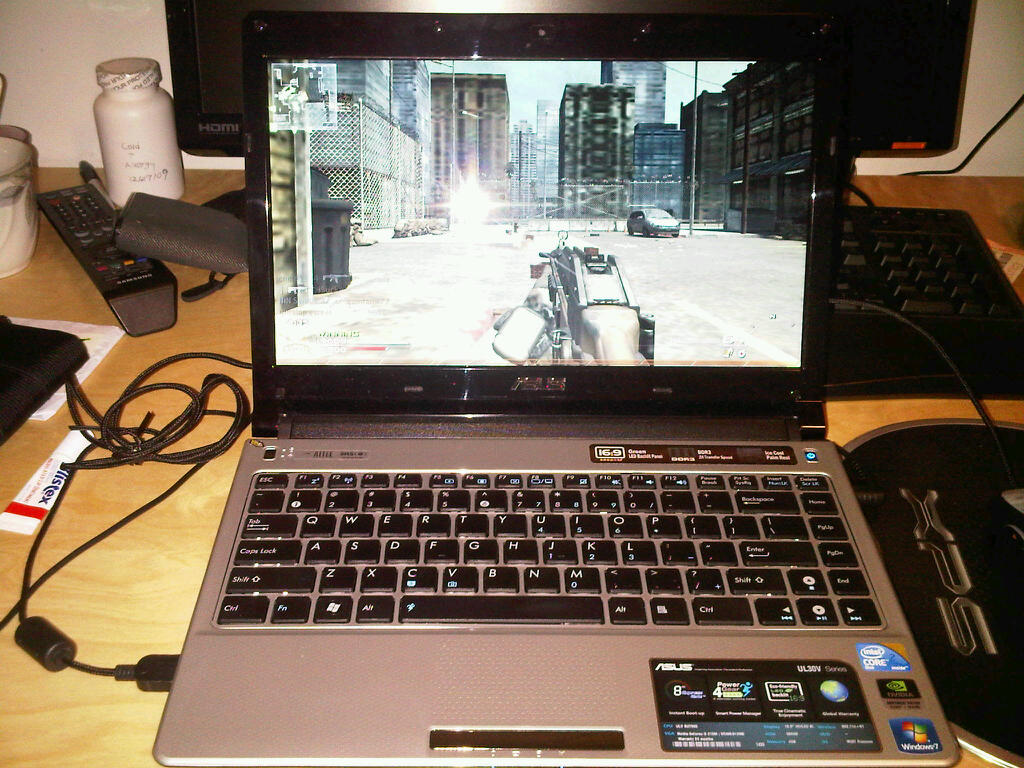
If you can squeeze 7 hours out of that or UL30JT, buy them, if you can't, UL30VT is perfectly good. Though with SU7300 and only 2 cores and 2 threads, I play MW2 at 1366 x 768 with all details low with very playable frame rate, no lag whatsoever
Attached Files:
-
-
Before my UL80JT fell at the hands of a bios update, I was having a lot of trouble playing TF2 (the only game I had tried at the time). I was getting 10-40fps on all resolutions, regardless of the detail settings. That was perhaps the most baffling part. Turning everything to high resulted in a barely noticeable fps drop (no more than 5-10 frames). I was thinking that since TF2 adds many new particle effects every update, and that the game itself is very CPU intensive, that perhaps the CULV i3 was the bottleneck. Of course, MW2 might be very well optimized in comparison, I can't say because the only Call of Duty game I've played is the first one
-
How much will the UL30JT go for when its released? Any confirmed price?
It looks like the U30JC is a bit out of my price range at $890 or so. The U35JC is still in the price range at $800 on JR.com. As is the UL30JT at a little over $800. Looks like it is down to the UL30VT or U35JC or UL30JT.
On the comment with the UL30VT and gaming. I don't really plan on gaming on the laptop. I do own PS3/360/Wii so that is enough for gaming. I don't know if its worth the $ to get an i series processor because I don't know if I would get the full use out of it you know? Im back to undecided
I was dead set on the UL30VT until someone mentioned its possible to get 7 hours of battery out of the U35JC.
-
I talked to a sales rep on the phone and he said they should be arriving next week. I'm not sure if this applies to the rest of the new Asus models.
-
I would like to clarify that i5-520UM in UL30JT can run on 2,4 GHz(one thread) thanks to joined powers of intel turbo boost and asus Turbo33(on four threads the maks is 2,2 GHz) And maks battery life i got was about 8 hours in battery saving mode.
-
Asus UL30JT-A1 13.3"/Core i3-330UM/NV G310M 1GB GDDR3/4GB DDR3/500GB/Win7HP64/Black: GenTech PC Store
On that site it says it is coming with an i3 though? -
The UL30JT being sold in Europe comes with the i5-520UM, the one about to go on sale here in the US comes with the i3-330UM.
-
my dad just informed me that my i5 u35jc has just arrived in taiwan. unfortunately i won't get my hands on it until sometime in late august, but i will ask him to test the battery life roughly sometime
-
The UL30JT is for sale/pre-order at GenTech & Xotic for $819 & free shipping. It should be released next week.
Relentless715, You asked my opinion on the UL30VT vs U35JC:
If an extra 3-4 hrs battery life is the most important (& saving about $100), get the UL30VT.
If processor speed of a full 2.4 GHz/ 4 thread (4 virtual cores) plus perhaps some aluminum in the upper casing and a loss of 3-4 hrs battery life (vs 1.7 GHz/ 2 thread C2D) is worth $100 extra to you, then go for the U35JC.
The UL30VT may drop in price once the UL30JT & U35Jc are actually released for sale in the US. -
I wonder why that is.
-
question for Quatro or anyone that knows, at what point can you observe the difference between the SU7300 on the VT and the i3-370M on U35JC? i assume it'll run about the same if all you do is web and write papers... for the gaming i assume the bottleneck for both system would probably be the GPU, 210M/310M are pretty similar... so running what kind of apps would show the difference? like photoshop, video editing? i dont have any experience with the Core2Duo or the Corei so I really dont know
-
Great question. Your points look true enough. Unfortunately, I don't have a good answer. I'm using the i3-350M 2.26GHz processor, and it is WAAAAAYY more than I need as I do Office apps, Windows Live Mail, Quicken accounts, web browsing, HULU & DVD movies, light photo editing .... and that's about it.
I don't run heavy apps like video editing, or serious Photoshop, etc. In web use & writing papers, not such a big difference. In games, 3dMark06 gives about 3400 to the UL30VT and 3700 to the U30JC (a bit higher for U35JC). So no big improvement there either.
I'm sure, for my use, I would have been just fine with the UL30VT running at 1.7GHz.
BTW, the latest CPU-Z 1.55 for 32 & 64-bit Windows is now available here. It's an installer so it will pick up whether you're using x32 or x64.
-
I think you will notice the difference when you are processing large excel spreadsheets of over 300 data points. personally, i'm going for the U35jc because it IS a newer laptop that was meant to counter acer's timeline x which suppose to get 6 hrs of battery life. i'm hoping that it does at least that. i have to use engineering softwares which can be calculation-intensive so i'd definitely appreciate the faster processing speed. aside from that, i just can't stand a computer that reacts slower than me, pet peeve
what's this cpu-z?
and fyi, i bought my i5, u35jc for $1050 USD (no sales tax in taiwan... or included already, not sure). that's with the RAM upgraded to 4gb from 2gb, neoprene laptop bag, laptop cooling pad (for my old laptop, i don't think this one will need it), a keyboard skin/protector, and a 8gb usb drive... oh and a free external dvd burner from asus (july promotion) soon to come
Asus UL30JT
Discussion in 'Asus' started by Hihi, Jan 9, 2010.