 Problems? See this thread at archive.org.
I've seen/used 1080p on sxps 16 - it's awesome. Icons' size can are adjustable in windows so are fonts' sizes - you may pick whatever you wish. 1080p is very best when doing lots of photography editing and is also great when being connected to FullHD TV-set - so no need to play with resolution up/down sizing when watching movies in FullHD
-
Honestly thinking about returning my XPS 15 once I get it.
As its a replacement would I be able to get a full refund, I was going to bring up the fact I was downright lied to about the backlit keyboard.
Also I'm looking at the envy instead, as I really like the idea of a 14 inch (XPS 14 not available in UK) How would a i5-450M and 1GB ATI Mobility Radeon HD 5650 fare compared to i7-740 and Nvidia 435 in relation to gaming? I know can't really compare the graphics as no benchmarks yet but surely they are going to be very similar, so more interested in CPU, also the lower native resolution on the envy will help on the gaming front.
Anyone else thinking of doing the same? -
Not at all. Going for the B+RG LED (or whatever they call it) 1080p screen, definitely wanted a quad core i7 without a doubt, 435m should be good, and it looks like Dell gave us a nice big touchpad on this one too.
-
Yeah mine coming is the 1080p but its a £170 upgrade ripoff that I was forced into in order to get the 15 as a replacement for my SXPS. And if I went for an envy I can get hold of one with the radiance screen.
-
The Envy 14's 5650 is undervolted, and underclocked. While it doesn't affect stock performance by a whole lot, it does severely limit overclocking, which on a laptop is almost crucial imo.
-
I was looking at getting a sxps 16, then i realized that the new xps 15 is the same size as the xspx 16, that and also the fact that I can no longer order a sxps with a 1080p.
I wonder if the chain stores carry any 15" at this res, it's more of a power user resolution than a consumer resolution.
Thanks for the input -
Well, when I get mine, IF I get mine. Grrr. I'll be doing nothing but putting it through it's paces the first 72 hours. I want to see how hot it gets.
I'll be happy to post those results along with ambient temps if anyone wants them. Though I specifically did not go with the quads because I think they will run too hot. -
My laptop for the last almost 7 years is 1920x1200 on a 15 inch, and I like it like that. Screen real estate is important to me.
I wish I could get 2560x1600 on a 17 inch. -
No way, got burned by two defective envys. I'm not sure about the Envy 14, but HP has major quality control issues with the Envy 17. Honestly, I would rather take a XPS 15 without a backlight keyboard than an HP Envy with one anyday.
-
With replacement laptops can you still get full refund if you contact dell within 7 days?
-
Both are worse by at least a decent amount on the HP.
Don't know what the respective resolutions are, but you can always run it at a lower resolution, or pick a lower resolution screen if you picked the highest one.. -
Guys,
Some of you may be familiar with my case history. I had returned an overheating and throttling 1645 1 & 1/2 months back. I had been told that I would be getting the new XPS 15 as a replacement.
Now, today morning I get a call from the DELL team that they are going to ship me an XPS 16. This will not have the same issues they say. The DELL guys was in such a hurry that he said they would be shipping the system in 5 days. I told him to wait and send me the config first, and then proceed with anything.
Now, I for one cannot find the DELL XPS 16 with an i7 on the DELL india site. This one has EXACTLY the same config (minus the 9 cell battery and the BDROM, EDIT: this one has a ATI 5730). I have a strong hunch these guys are trying to shaft me with a refurb system.
Anyone can guide me on this? I had my hope on getting the new XPS 15 sans the XPS 16 heat issues.
C -
^I'll suggest not to accept the SXPS 16 now. There is a chance that they may send a refrub SXPS 16, specially in India. Stick to the XPS 15 else ask them to give me issue free same laptop that I had bought from you

-
Thanks,
I have mailed them. Lets see what happens -
@ Ckhurana
Don't send them an email..Call them and give them an absolute firing.
They buckle very easily. Or, heres a tactic you can try.
Ask for a refund, not a replacement. Demand it.
You can choose between Dell store credit or a DD
Dell credit is credited to you instantly and you can just order the XPS 15. -
nizam1,
I had already mailed them an absolutely adjective ridden mail from the core of my heart. Lets wait for a day and then I will get vocal, to the best of my ability.
Anyways, thanks everyone for the support! -
You have to know that, in terms of any laptop company, emailing will do you absolutely no good. You will be lucky if they respond within the same week. The best solution is to call them ASAP.
-
Depends on who you email
-
Anyone know when we are going to see some benchmarks for the 435 with the i7?? Whats happened to this anandtech review then!
-
Mine has been shipped. When it arrives I can run:
3dmark 06, vantage
COH Benchmark
DOW2 Benchmark
Stalker Benchmark -
Lucky! I don't even know the status of my order as the tracking is screwed. I hope its normal due to it being put down as a system hardware configuration change. Anyone know anything about this?
-
I will actually receive mine tomorrow (hopefully) and if I get a chance (manchester derby is tomorrow also, Go United!), I will give you my thoughts on it
-
It will be up "sometime this week" according to the reviewer. The search title was a site error because they need to put in placeholders for reviews.
-
That will be awesome.
Did you get the 9-cell? If so can you make a comment on the battery life delivered by the 9-cell with the i7?
Also heat & noise commentary would be nice. -
Does the 9 cell stick out the back or the bottom on these new machines?
-
I would assume it does, same as SXPS, but obviously I haven't actually seen it.
-
Well, I'm sure it's one or the other, but I'd like to know which one. Bottom=bad, back=acceptable to me.
-
I think he was asking where it sticks out from. The answer is the bottom. It's shown in some of the pictures dell.ca has.
-
Yes sorry misread the question. MaxGhost speaks truth.
-
I can't find any such pictures (and I looked) so thanks for the info.
-
http://i.dell.com/images/global/products/314x314/xps14_6cell.jpg
http://i.dell.com/images/global/products/314x314/xps14_9cell.jpg
Comparison pictures.
They made the 9-cell picture narrow to fit the webpage, if you were wondering why it looks funny. -
Nice...thank you.
I hate that stick-out-the-bottom thing, and they often configure the 17 with only the 9 cell. They'll have to figure out how to change that if they want to sell me one (or even two) once the SB refresh comes out. -
Tbh I had it on my SXPS and I kind of liked it, better typing angle and kept the fan high. Not great on the lap but its more of a desktop replacement anyway.
-
I actually really like it, because it makes it slanted, more ergonomic, and lets the vents on the underside air out more, getting less hot.
-
Here's the 9 cell for the 14"
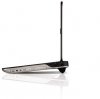
-
I hate it because:
- It's less ergonomic forcing you to bend your wrists backwards (I keep my regular keyboard tilted the other way for exactly this reason).
- It doesn't fit in a thin sleeve or carrying case.
- If pressure is put in the middle (such as by an over-excited little kid), it flexes the case and the stuff inside.
- The protrusion catches on things when you pack it or move it around.
- Two 6-cells last longer and are easier to pack than a single 9-cell. -
FALSE! - my studio xps 1640 fit in the nice sleeve with the 9cell battery attached dont see why this one wouldnt fit.
-
My sleeve is just over an inch thick. Even if it did squeeze in there, it would still have a big bump on the back, still be harder to pack and still have the other problems I mentioned.
They sell two batteries, they picture the 17 with the 6-cell, they ought to sell it with the 6-cell for those like me that want it. -
I bought my XPS 17 with a 6 cell, was it not available for you? (hmmm, maybe only available on the i5?)
Anyway, I hate the 9 cell sticking out, and it's why I went for the 6 cell. -
My XPS 15 was just delivered. I'm in the US, order was a replacement for a 1647. Config:
I7, 435m, 1080p, blu-ray, backlit kb -
It isn't currently on the US EPP site.
-
Like I said on the other topic, please enlighten us about the 1080p screen! Haven't read ANY review about it yet.
-
I most certainly will, won't be home for a few more hours, but I'll post an update tonight...and run some benchmarks on the 435m
-
Yesssss legend.
-
Have my XPS 15 coming on Thursday. I have been thinking about ordering an SSD for my new laptop BUT I just spoke with Dell customer services. They say that changing the HDD will void the warranty. So officially, putting in an SSD will invalidate it. Would they be able to tell? Especially if I hold on the hard drive and put it in if I need to send back etc? Or is there a seal that is broken by chaging?
Has anyone ever sent back a laptop to dell and had a different HDD in and got in any trouble or not had fixed? -
dell permits you to remove the hd before sending it back. atleast with an m1330 there was no way to tell.
-
That's a load of bull crap right there isn't it. If that's the case how the hell I'm a meant to fit a backlit keyboard which Dell should have rightfully installed in the first place and not lose my 3 years next day warranty cover with accidental damage which wasn't exactly cheap.
-
What do you mean? You think the customer service person was wrong? Or that it's stupid policy?
So it's actually ok to replace HDD? -
Sorry, as in its a stupid policy. I'm sure he is correct.
-
True. Think I might risk it and replace with an SSD and keep hold of the original Hard Disk (maybe use in a Home Theatre PC project). I don't think they will have any warranty void seals there, as I have had to change the HDD myself in a Dell laptop where Dell only sent me the HDD (albeit years ago, but if it was ok on other recent models hopefully it'll be fine now)
[NEWS] Studio XPS 15 and XPS 17 !!
Discussion in 'Dell XPS and Studio XPS' started by fr0x, Sep 14, 2010.


