Problems? See this thread at archive.org.
what does eveyone think to the rock sl8 with quad core cpu?
-
-
Is that a new clevo unit?
-
-
Way too expensive for me.
-
first i've heard of it. Nice.
-
but do you think it is better than the m1730?
-
Hey All,
I've got my Mic working perfectly.. I actually just needed to configure it.. One of those issues thats so stupid, that you dig to deep for thats right in front of you.. Well at least that makes me feel better lol.. An as far as that Clevo goes.. Man would i love that.. An i am sorry to say.. With a Quad Core Desktop CPU seeing how recent benchmarks were showing a CPU Bottleneck.. Its gonna walk of over our poor M1730's... BUT... Nothing will ever look as nice.. Thats gonna be real hard to top... -
Nice one, I actually considering ordering the quad core laptop. Though that one looks larger and bulkier than the M1730, must be the desktop components that resides in it that required sufficient cooling. I think Dell goes the right way, instead of "cheating" their way to performance over their competitors they use only notebook components as opposed to clevo/sager who uses mostly desktop components. So bulkier, now to my eyes that seems like they need sufficient cooling. The M1730 is bulky too, but not that large and the M1730 houses two 8800m GTX SLI too. So the only reason I can see is that it uses a quad core CPU that requires some cooling

-
Better is a very subjective term. I do think it will perform better then the XPS M1730, but you'll pay 25-50% more. That and Dell's customer service and warranty can't be beat.
Personally, I would still stick with my fully loaded XPS M1730 over any clevo unit atm. -
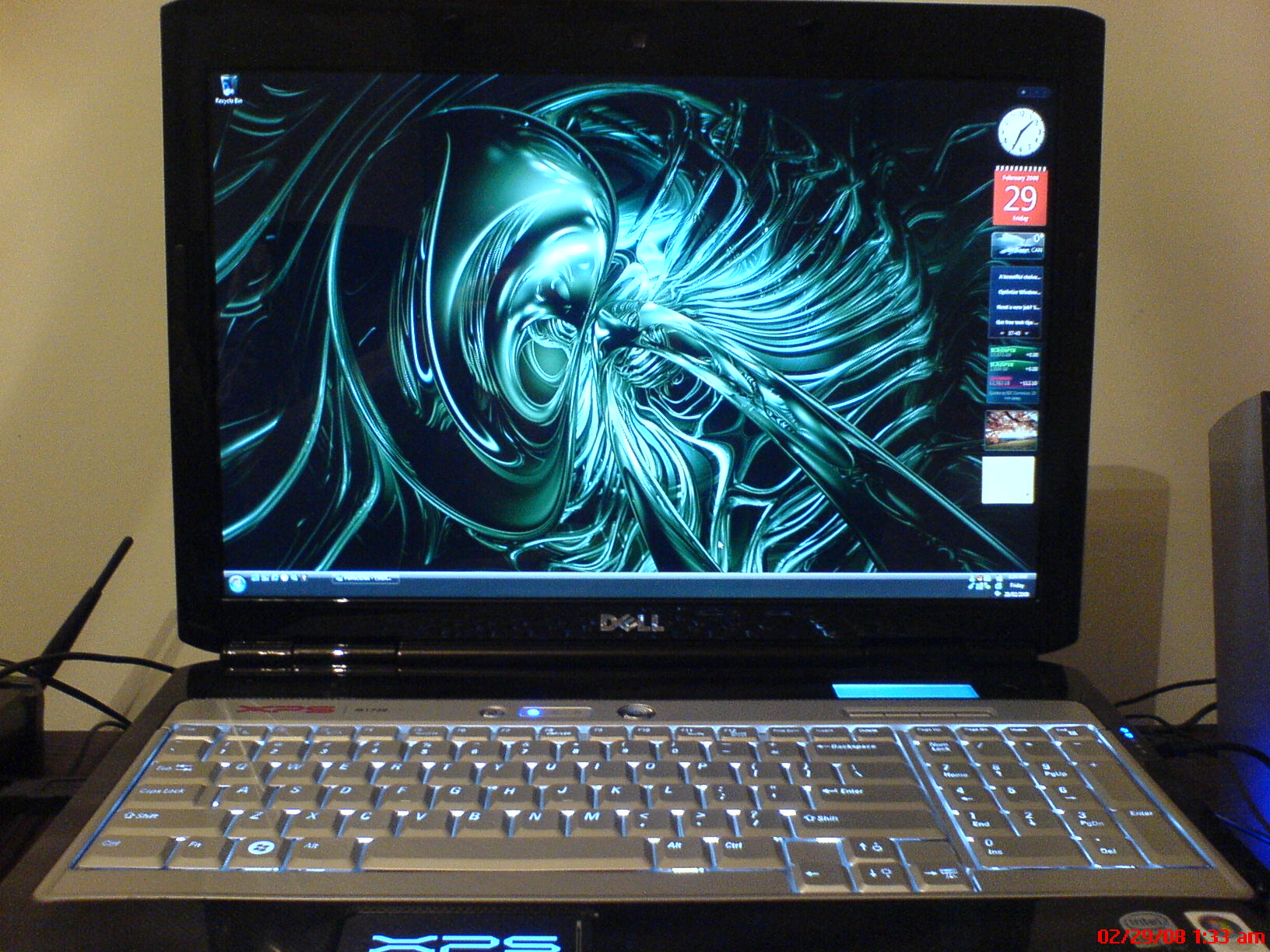
Took a few quick pics with my cell phone.
1-front view of laptop
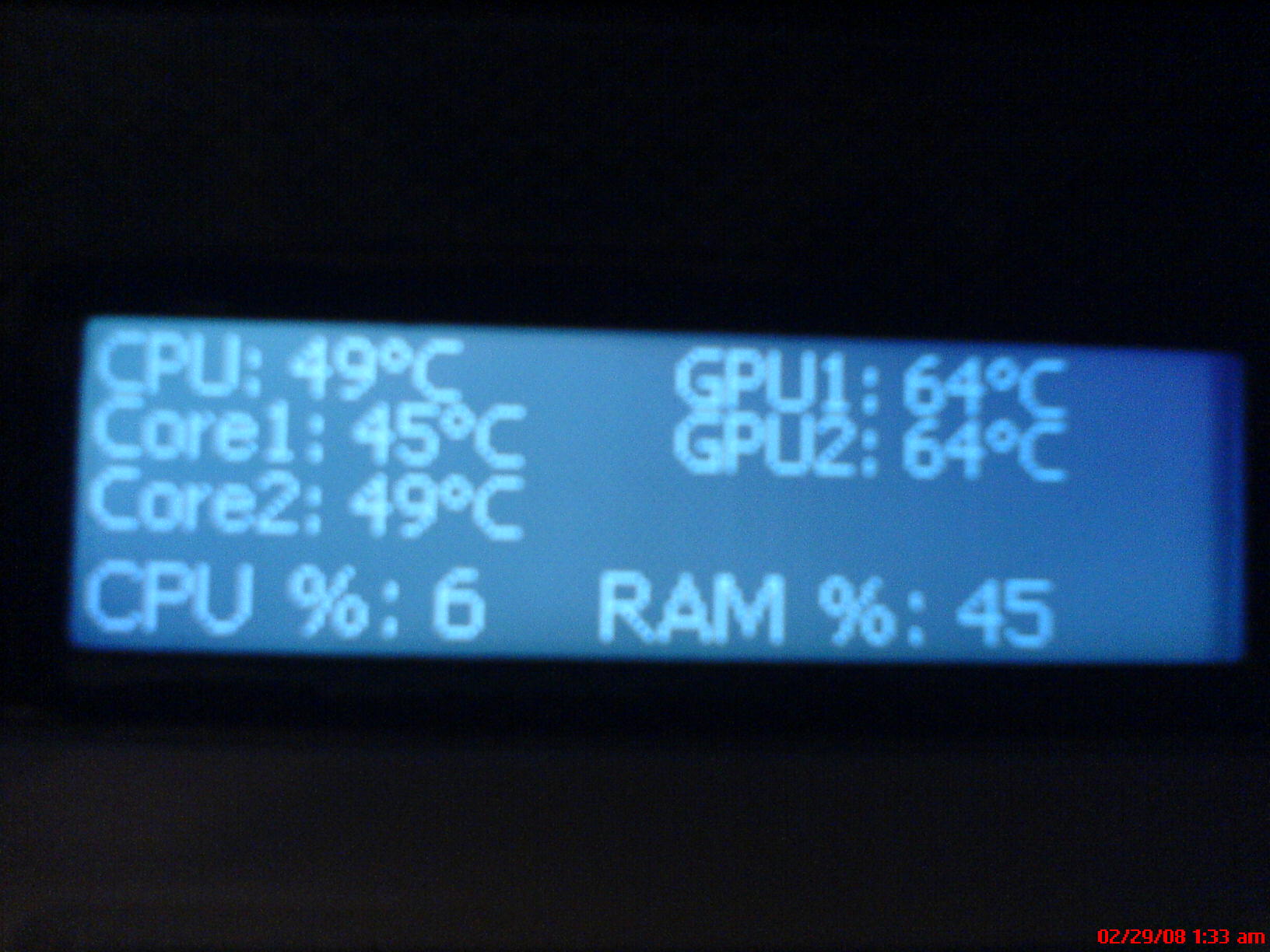
2-lcd view of what everest ultimate can display (fully progammable)
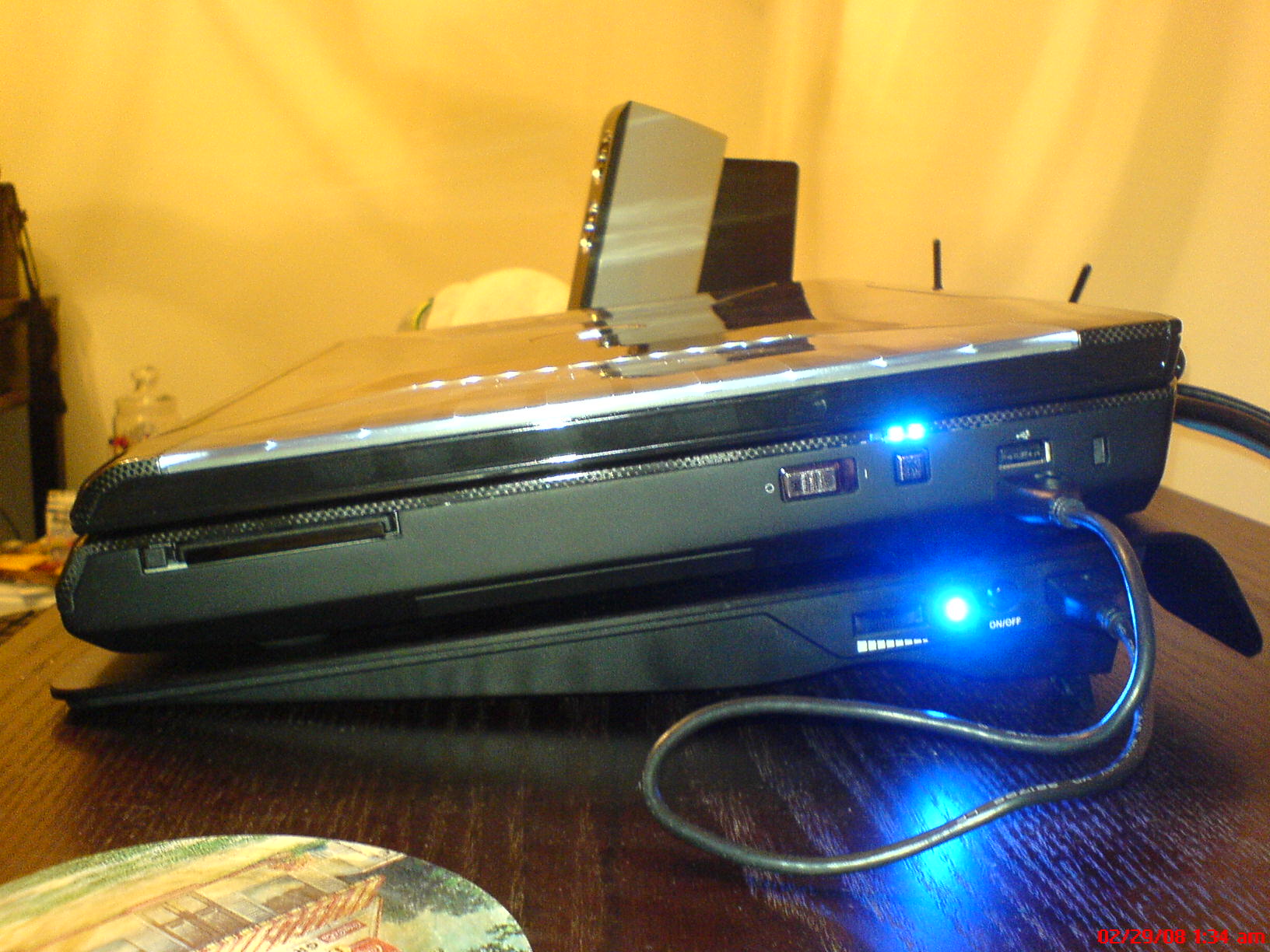
3-side view of notebook in normal position
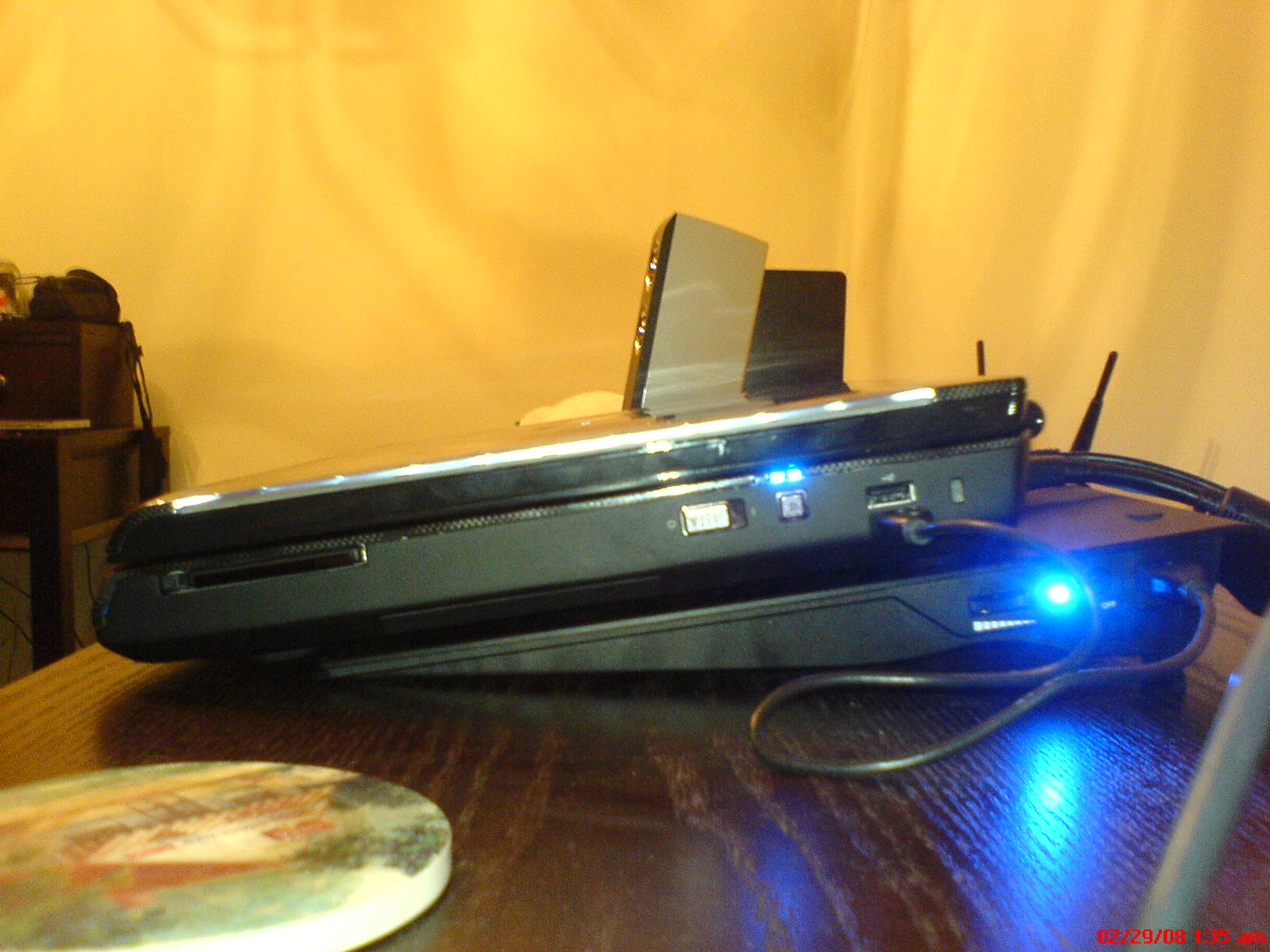
4-side view of notebook in optimal cooling position (offset)
edit: How do you make the photos come in full size rather then as an attachment?Attached Files:
-
-
Kermit... I love the stats on your G15 LCD screen.
Does that come standard with the G15 presets or did you made/download this? -
I don't agree...All laptop systems that employ desktop CPU become heat limited before they can exploit the performance! Due to Intel Speedstep technology, which reduces the performance to protect systems from heat, you won't get much benefit out of a desktop CPU in a laptop system. Even worse, your notebook is much more likely to develop heat related issues: clogged coolign system, sugglish performance, and eventually death of your system (read the many stories about burnt Clevo/Sager/Rock systems).
Without a larger thermal envelope, you can't get higher performance. Why do youthink Dell don't use the MXM standard? Those are not optimised for best placement on the board and do not allow for the most efficient cooling systems.
Dell put a lot of effort into design the XPS 1730 in order to ensure that it can sustain higher performance than competition.
MXM technology is cheap and upgradable, but the downside is suboptimal cooling and slower performance than custom-made GPU solutions.
Dell probably have the best thermal envelope in the 17" market with their XPS M1730.
Personally I strongly advise against going for unreliable overheating systems, especially since their garranty is miles away from what Dell can offer. -
It's a program called everest ultimate. There's an option within it to program your lcd.
-
No, the OS still needs the RAID drivers. With Vista they are easier to install since you just stick them on a USB drive. Once the OS has loaded and unpacked its installation files, and you are at the partitioning screen, you click 'Advanced Options' and then 'Install drivers', and then folow the prompts.
I think thats the correct RAID driver.
TBH I really dont think its a RAID issue.....
Cheers for the pics.
Everest Ultimate looks excellent. How much is it?? All I would want it for is the display on the LCD TBH, so I dont really want to pay too much for it!
I think the notebook in the best cooling position doesnt look too bad at all. It still covers most of the system, including the HDD's. I think thats how I would probably use it permanently.....what temps were you getting with no cooler, and with the laptop in the optimum position on the cooler again??
So, anyone know where I can pick up Everest for *cough* nothin *cough* .....
Oh and to make photos come in full size, rather then an attachment, you need to host the photo on webspace, somwhere like Photobucket etc, once you have the link to the photo you put the tags around it.
Remember to decrease the size of the photo though. Theres nothing worse then having massive photos on the main forum page, since it stretches the length of all posts on the page!! lol -
So where is the best place to get the drivers from? I looked on the Dell site but came up short.
-
To be honest I just used the RAID driver from the driver CD, since at that time the one online was the same version etc.
http://support.euro.dell.com/suppor...n&ServiceTag=&SystemID=XPS_1730&os=WLH&osl=EN
Expand 'SATA DRIVES'.
Download the bottom of the three, which is the Intel Matrix Storage driver.
Stick the files onto a USB drive, and you're ready! -
Hey guys,
Anyone know how easy it is to upgrade the CPU in the M1730?.
Thing is, I can get a great deal on one atm with the T9300, but I really want a X9000. As Dell are not offering it, I'm toying over purchasing the X9000 seperately and chucking one in.
So, is it a case of a couple of the panels off the back and removal of the heatsink - or laptop to pieces? -
The Sager 9260 does not overheat, it has a cooling system that can cope with a quad-core processor and two 8800 SLI cards. It works fine and does indeed perform better than 1730 in CPU-bound tasks, at the costs of being bulkier and heavier.
While I personally prefer a 1730, it does not mean that 9260 is a bad product or unreliable. -
after creating the attachment, link to it
<img src="http://forum.notebookreview.com/attachment.php?attachmentid=15733&d=1204268239" height='563' width='750'/>
Last edited by a moderator: May 6, 2015 -
Probably the hardest upgrade of them all. Involves stripping down the entire laptop.
Basic steps include:
1. Remove all screws from back of system.
2. Remove HDD
3. Remove RAM
4. Remove Optical drive
5. Remove Bluetooth if installed
6. Turn over, remove hinge.
7. Remove Keyboard.
8. Unplug all LCD connections.
9. Remove top lid of laptop (LCD Panel)
10. Remove LCD Display connector and Touchpad connector from mainboard.
11. Unscrew and remove top cover of laptop.
12. Remove graphics card
13. Remove PPU
15. Remove MediaCard reader
16. Remove wireless card
17. Remove any other item/cable connected to the mainboard.
18. Unscrew and remove mainboard
19. Unscrew 5 screws that hold the heatsink and heatpipe above CPU in place
20. Replace CPU
21. Reverse all the above
So as you can see, you need to completely strip down the laptop. Well this is Dell's way of doing it. Since I havent done it myself Im unsure of any shortcuts etc. For example, while installing the GPU card I took a few shortcuts since I didnt see why items needed to be removed, such as the RAM, HDD, etc even though Dell states they need to be removed.
Nevertheless I dont see any shortcuts with the CPU. Its a complete stripdown more or less. -
Yeh thats another easy way of doing it. I tend to use photobucket, since I know that if its an image I want to remove after a while I dont need to search for the post etc, I can just delet the pic.
Nevertheless, zerg's way of doing it is probably quicker since it doesnt involve a third party site.
-
Can anyone with a red/blue m1730 take an angled aerial photo (highish quality) of the laptop with the lid closed?
I would like to see what they look like in real life, I've seen the the white one in real life and it is not like the one on the site, same goes for the grey one I had that stood out much less than I thought it would.
I've decided I am going to reorder one at last now the UK has the T9500 shipping with the machine.
Thanks in advance to any of you who have one.
-
Thanks for that mate, +rep for you. Is that definately the only way to do it?, I'm quite confident I could do it - but it is whether I can be bothered with all the hassle
.
-
I can do this for you later.
I have both Blue and Grey - do you want a pic of both??
Im pretty sure thats the only way to get to it, but as I said, I havent performed it myself so Im not 100%.
Personally I dont understand why you need to remove the entire mainboard from the case. If it was me I would leave the mainboard in place, and just remove the PPU (since the heatsink pipe seems to go under or is shared with it) and then try to see if I could remove the fan/heatsink and CPU without having to remove the mainboard itself.
Not removing the mainboard means you dont have to remove all the bits n pieces like the connectors, Mediacard reader, RAM, and so on.....
Heres a pic I took of the inside when I installed my PPU:
See what I mean? It looks like you can remove the PPU and then remove the fan and heatsink to get to the processor. But, I think there may be screws on the UNDERSIDE of the mainboard that you need to take out to release the heatsink pipe.
The official way to do it is as I listed above, and I cant see why Dell would state you need to remove the mainboard etc for no reason...... -
Thanks for that again Ifti. Damn if I could change it without ripping it to pieces, I'd snap one up today and just purchase an X9000 seperately.
You mention Dell says the official way of doing it; is as you stated above - can I ask, did they tell you this over the phone or e-mail etc?
Cheers -
I had exactly the same problem with mine when it arrived brand new. Called Dell and was guided through reinstallation of Audio driver and both Chipset drivers. Then the mic worked.
-
If it was easier I would also be tempted to upgrade. But TBH Im really not too bothered. Im getting my cooler, and the CPU runs just as fast really. The difference in performance is minor.
I took a look through the service manual for the M1730 once. Then its just a matter of the experience of opening it up, which I have done a couple of times now.
I may still have the link to the service manual at home, if I have I'll post it up later
-
On another note I have some news - My Zalman cooler has arrived!!!!
Just phoned home and its waiting for me
Wanna get home now!
I may do a video of it if its any use to anyone? -
This was from pchm.
-
Cheers Ifti, I found the manual -
http://support.dell.com/support/edocs/systems/xpsm1730/en/sm/cpucool.htm#wp1084976
As you mention, it says to remove the main board
Interesting though, because it says you only need to remove 5 screws to remove the heatsink.
By looking at the picture, it looks like the 5 screws are all accessible from the top there - so why remove the board? - just for safety? -
Yeh thats the one.
Im pretty sure you can get away with not removing the board though. Everything is on top so shouldnt be too hard to get to. As I said, its just in case there is a screw or two that need to be removed from the bottom I think..... -
Arghh what to do
. It looks so simple if it is just that.
If it was a case of removal from the top, what would need removing then to get to it? -
If it was just removing from the top, you need to follow my video guide for upgrading the GPU. Once you have the system open to the stage where the insides are visible, you should be able to simply remove the PPU and then remove the fan and heatsink for the CPU....
In this case (which I personally think is more realistic then having to remove the entire board) the upgrade wouldnt be so hard at all.
Just remember to wipe the heatsink clean and apply your fresh coat of thermal paste etc! -
Cheers again, just watched your video's - good job btw
.
Only thing that concerns me is the cables with removing the LCD - are they really that fiddly?, you mention some of your cables weren't plugged in - something to do with the wireless?, would I have to remove those (config doesn't include the wireless N card, just the normal b/g).
I'll have a think about it over the weekend, got until the 5th to make a final decission. Thanks for all the help.
-
The cables to remove the LCD arent really too fiddly, you just need to take care not to pull on the cable itself, rather you need to pull on the actual plastic connector. The cables do seem a little fragile since they are so small.
The cables that were not plugged in are the extra wireless cards you can get. I didnt get these extra wireless cards, but if I did the cables are there to connect. -
Im thinking of buying the red and white M1730's - just so I have the full set of 4........
rofl! Im jus kiddin! lol -
Just ordered mine! Opted for the X9000 processor since I got a decent deal on it. Check my sig for the exact specs (should be fully updated). Set me back $3900 USD. Not a bad price, I say
-
Good afternoon guys...!
Well, the sad truth on my laptop order is as follows: DELL hasn't even started yet.
The Comfort Card company messed up and I finally put everything straight today.
They are very sorry and they will re-send a proper form I have to sign and send back.
As soon as they receive it, DELL will get a note from them and then they start the process.
So at the latest, DELL will actually come in action at the end of next week.
Good to read that DELL will mostly ship the machine (way) before the estimated date.
Mine is the 19th of March.
I move on the 14th of April so DELL damn well deliver it before that date!
Didn't config it with any exotic hardware (except for the new 8800's) so I suppose it will go all smoothly.
*Keeps fingers crossed* -
I think you are looking at around a 2-3 week wait from day of ordering to day of delivery.
The estimated dates are way out, and just gives them some extra time should anything fall out of stock. -
Ordered mine (in NL) on the 12th Feb and if I would have been at home yesterday I would have received it already. Dell estimated delivery date was 11th of March...
-
Gongratz! And your ETA is just 2 weeks away?! Waiting on your benchmarks...can't ait to see difference in performance between X9000 and X7900
-
@ ifti
Congrtz on your new cooler mate Too bad you sold your backpack already. I just wanted to know how heavy it is and if it will fit into the backpack. I will have to carry it with me in the airports a few times a year.
Oh, and of cause waiting on your review of it How quite and how efficient it really is.
Edit: nearly forgot. Everest is quite expensive. Will post here a link to the one i'm using soon (just need to upload it).
Edit 2: here we go http://www.megaupload.com/?d=WNU25XWG Enjoy
-
Lol @ Dell
Intel® Core™ 2 Extreme Processor X7900 (2.80 GHz, 800 MHz FSB, 4 MB L2-cache) [add £770.00 or £20/month1]
Yesterday it was 470 pounds so I'm guessing that will be the price for the x9000 once its up! -
Hi everyone...
Ordered my xps yesterday but didn't yet receive the order confirmation email,
Anyone knows how long to get the confirmation??? -
Took about a day to get mine.
-
@ kermit1979
I'm glad that you figured out what the problem is. Not gonna even try to install Media Direct, when I'll get my laptop
Did you run any test to see how non-Dell RAM performs and how cool it runs? -
Nice pics it seems to fit perfect on there like yall said
i like ur wallpaper
Dell is offering the X9000 but like ifti was saying it should be that hard of an upgrade because it looks like u can do it without removing the motherboard
the only thing is this may void your warrenty ud have to check that
USD? howd u get it that cheap i have the same specs maybe a few of the add ons more plus i have a 12% discount and its still 700 more than urs -
I would venture it's cause you have 2x200 gig HDs, whilst I only have 1. Also, I opted for only 2 gig of RAM vs 4 gig since Windows 32 bit doesn't use all 4 gigs. I'll just slap 3 gig after market down the road when I need to for less than the Dell RAM upgrades.
Also, it might be cause I'm so awesome!
I fully intend to run the 3DMark06 tests on it when I get it set up (after reformat, etc). Since I'm likely to be shy with my bank card for a while (hee hee), I'll just run the freeware version. Hope that's OK
-
Hey guys, Anandtech have put up a review of the M1730 with the X9000 here: http://www.anandtech.com/mobile/showdoc.aspx?i=3242&p=1
If you want to check it out. They also take it apart and mention CPU upgrading shouldn't be too difficult - which is good
-
Great review, thx for the link
-->*OFFICIAL: Dell XPS M1730 Owner's Lounge*<--
Discussion in 'Dell XPS and Studio XPS' started by J-Bytes, Sep 27, 2007.