Problems? See this thread at archive.org.
Brilliant, I'll try that tonight, cheers
When I reinstall my system, should I download all the drivers or should I just use the ones on the Dell Driver Disc (except graphics!)?
If you have done it correctly, you shouldnt see two drives etc, you should see the total drive space as one. For example, if you have two 200GB drives, you should just see one 400GB drive after RAID 0 is set up.
Its interesting how you didnt need to install the RAID driver when installing Windows though......I'll be trying it as soon as Dabs decide to bloody ship my drives!
-
Ok from enabling RAID I have got DECREASED performance and system instability. Before RAID my system didn't crash at all, playing games for hours.
However now it crashes in under 10 minutes when playing Armed Assault. I was testing FRAPs out and noticed that I was getting HIGHER FPS with SLI DISABLED. I tested both Supreme Commander and Armed Assault and was getting higher FPS with SLI disabled, wtf?
The 2 video drivers I tried were 169.28 then 169.25 (the same drivers i used pre RAID, ran good then).
I'm not sure what I should do now, I thought RAID was ment to be a gamers thing? Did I do something wong when i set it up? This is what I did step by step, maybe someone can spot something.
1. Enabled RAID in bios.
2. Rebooted and pressed ctrl-i and set up the 2 HDD's into a RAID 0 array.
3. Installed Windows Vista, partioning the drive C and D.
Why are there RAID drivers on the Dell cd if its inbuilt into the bios? Should I download latest Intel raid controller, reinstall Windows and do the 'load driver' and point it to a usb device with the latest intel raid controller?
I'll reinstall regardless, most likely disabling RAID, but would it be worth giving it one more shot like i said above?
Thanks.
Edit: Yeh It saw them as 1 HDD, 300GB. -
Hey what resolutions and detail settings are other m1730 owners able to get on crysis with the new 1.1 patch?
-
Im pretty sure you need to install the RAID controller drivers TBH.
The way Ive set up RAID in the past (on a desktop) was to enable it in the BIOs, but it also asked me which type of RAID I wanted in the BIOs. Then I had to install the RAID controller drivers before Windows began its installation, so that Windows could communicate with the RAID controller properly etc.
With the laptop, it seems like you can only enable the RAID controller in the BIOS - not set the type of RAID to use. The Ctrl+I utility in the POST screen then simply tells the controller which type of RAID you wish to use, so its more a 2 part process rather then being the 1 part all together like a desktop.
Once the controller knows how to act with the 2 disks, Windows also still needs to know, hence the reason for installing the drivers for Windows to communicate with the controller properly.
If I were you, I would reinstall and load the RAID controller drivers for Windows as well. RAID 0 is definately a performance improvement, no doubt about it, since its reading and writing data much quicker across 2 discs. In your situation, Windows is just using a default driver, which isnt communicating with your controller properly, hence the crashes etc.
Bear in mind, if you are using Windows XP, you need to press F6 at the beginning to install a third part RAID driver.
I believe that if you are using Windows Vista, there is no F6. When it gets to the 'create partition' area, there is another button to press where you can load drivers etc. I cant remember which button it is, but it should displaye don the screen.
Let me know how you get on
-
I have another question....
Can someone please post a screen shot, or write down exactly which settings they changed in the 'Manage 3D' section of the Nvidia Control Panel?
On a completely stock M1730, I got a 3DMark06 score of just over 7900. All I did was enable SLI.
When I changed a couple of the settings in the Manage 3D section in the Nvidia control panel, I suddenly got a 3DMark06 score of just over 8300!
Bear in mind this isusing stock dell display drivers at the mo. When I reinstall the system I'll stick newer drivers on.
I just need to know what the best settings for the Manage 3D section are?
Thanks in advance.... -
Ok will try now
Actually just thinking about it now. When i enabled RAID in bios and rebooted the first time today the computer overheated and shut down (it came on with a message saying it overheated). Now I was using this on my lap in bed so maybe the rug was blocking the fan intake. However For the past 2 days before I was playing Armed Assault in bed for a couple of hours at once without heat probs.
Sure it was probably a coincidence that it overheated as i enabled RAID. Im just hoping that it didn't damage the laptop (It was EXTREMELLY hot when it tuned itself off for some reason). I did manage to run 3d mark and the score was pretty much the same so its most likely nothing.
I'll reinstall with RAID and drivers way now, if the same thing happens then ill reinstall without RAID. And if its still the same then maybe I'll try sending it back for a replacement? hehe, one step at a time. Thanks for the replies.
Edit: To the above post I'd like to know to I get about 8250 - 8300 marks with later drivers. However I have a T7700 CPU so I guess that's normal.
-
I was expecting around 8100 with the stock Dell drivers TBH, so Im hoping it will go up with new drivers.
My HDDs have finally been dispatched!
When you reinstall the system, try it on a desk for a day or two if you can. Lets get round the RAID issue first, and you can look at the overheating issue later.....
You may not get a better 3DMark06 score with a RAID setup, since I thought 3DMark06 just tested the GPU and CPU performance, not the HDD??
If you go into the Windows Vista rating dialog, and run another test, you should see an increase in the HDD rating though.... -
Back to the best 'Manage 3D' settings, anyone??
-
Well I reinstalled now and did the load new RAID driver.
Supreme Commander (FA) seems to run slower than it used to pre RAID (Can't really be sure since i didn't use FRAPS and I'm paranoid now ).
Armed Assault is still weird. Tried 2 different maps, on one the SLI improvment was noticable, like ~20FPS to ~40FPS. However on another map it was fairly similiar, SLI got about 1FPS more but jerked a little more. And then it crashed to desktop.
I'm aware it is most likely the game itself though.
As for the HDD score, it gets a 5.9 in Vista rating so thats good.
Another annoying thing is when i change to or from SLI I have to restart the computer to get rid of the stuck nvidia panel screen and allow me to launch games. Pre RAID it was fine, could change from SLI and not need a reboot.
Tommorow I will format again and disable RAID. Be interesting to see if anything starts acting better etc.
Well, it was a learning experience
-
^^^
Let us know how it goes, you're putting me off of setting up RAID myself now! lol
Do you change the SLI settings very often? I would probably just switch it on and leave it TBH.
Also, where did you get the drivers that you used when installing Windows?? From the Dell CD? -
So I just got my replacement DELL 1730, my old one had the home key broken and the CD stopped working on the first one. I had the Samsung screen in it and It was a very nice screen, nice colors etc however at work I have alot of sunlight and when the sunlight came in I could barely see the monitor. Well I fired up this one today and I have the LG screen and it's 100 times better. I can see the screen perfectly with the sunlight shining on it and it a brighter screen all together. I have not tried out any gamming yet, but so far I'm WAY happier with the LG Screen.
-
Im pretty happy with the Sammy screen TBH, since where I work the sunlight isnt on the screen etc anyways. Its plenty bright enough for me.
Anyways, how have you optimized the SLI settings in 'Manage 3D'?? Im not sure on which options to change etc!
Hey Ozzo - before you reinstall again, it may be an idea to change your video drivers - maybe they are playing up? Which drivers were you using? -
I have not done any tweaking with the 3D settings but would also be interested if anyone has any info on that.
Thanks -
I tweaked just a few settings and managed to get an extra 350 marks in 3DMark06!!!
I changed the following....
Antialiasing - Transparency [Multisampling]
Force mipmaps [Bilinear]
Multi-display/mixed-GPU accel [Single Display performance mode]
SLI performance mode [Force alternate frame rendering 2]
Texture Filtering - Quality [Performance]
Im sure there are more though, but I dont know which ones I should and should not change! -
Go here www.tweakguides.com
-
^^^
Thats a tweak guide for games, whereas what I am looking for is just the general graphics tweaking in the Nvidia Control Panel. -
3DMark06 Test results so far.....
Completely stock M1730 - 7931
Stock M1730 with SLI enabled and some 3D settings tweaked - 8348
Drivers updated to Dell Performance 167.45 - 8896
Ive not installed the 169.45 drivers yet, but Im pretty happy with the stability of 167.45 so far. May try some games on it and see what I get....... -
If you'll look through the list of games on the left side on www.tweakguides.com it gives general graphics and display tweaks and nVidia Forceware tweaks section that tells you settings for best performance. I have used these sections before. Here are the links:
Graphics
Nvidia -
This is what I've been using.. and yes, the settings make a big difference !
http://forum.notebookreview.com/showthread.php?t=173512&page=148 -
Excellent, I'll try them out - thanks mate!
-
Greets XPS m1730 owners, just joined the club today (wohoo!).
My setup has the T7700 2,4GHz, 2GB RAM, 8700GT SLI setup.
I have an option to upgrade to the X7900 later as the prices here in Scandinavia are quite steep atm.
It's quite late here and I'm working late hours these days so I will start setting up the system tomorrow, just had the chance to fire it up today and play around a bit.
Was wondering if you fellow m1730 owners could point me a bit in the direction of driver choices & tweaking for my system, most of the recommendations I have found are based on the X7900 setup.
Will start off with removing all the usual bloatware, would you recommend to upgrade to all the latest Dell drivers (GPU, chipset etc..)? -
Im gonna be reinstalling my system to make 100% sure its clean.
After you have removed bloatware, the only driver you really need to update asap is the graphics driver. The Dell performance driver has given me a large increase in 3DMark06 and in performance overall (167.45), along with the tweaks you will find over the last 2 pages of this thread.
Im gonna stick with the 167.45 driver for now I think, since the system runs nice and stable, and I get good 3DMark06 scores.
Im gonna buy Gears of War and Company of Heros soon, and if they run well, which Im pretty sure they will, I'll be sticking to these drivers for now. I have no interest in Crysis etc, so dont need the extreme performance just yet, so can wait for Dell to bring out newer drivers I guess - whenever that may be.
For now - remove bloatware, update graphics driver, enable SLI, make the tweaks in the Manage 3D settings in Nvidia Control Panel, and you should be good to go. If you are heavy into gaming, you may want to look at the drivers on laptopvideo2go as well. But beware, if you ar elike me and have Blu-ray drive, then you are more limited with driver choice as not all of them will let you run a BD movie! -
Just checked out UT3, using 167.45 - all settings on max, and res at 1920x1200.
Ran as sweet as a nut, no frames dropped, no crashes, smooth as silk.
Impressed with the Dell 167.45 driver so far....... -
Usually I don't touch SLI, but since Arma (Armed Assault) was displaying some weird artifacts and crashing i was playing around with it seeing how much of a difference it made.
The first time i set up RAID i used the drivers from the Dell website to make sure I was up to date. And the second time i used the drivers from the cd to make sure it was stable, same result either way.
The video drivers i tried have been.
169.28
169.25 (I know these are really good as i used them pre raid)
169.09
They all gave the same result though
I'll install the Dell Video drivers now, if no good then I might try install XP and see how that goes (not that I want XP). And finally Ill put Vista on a no RAID set up. -
This new computer is alot of work LOL !
-
Well I tried the Dell performance drivers (167.45) and got a FPS improvement in Arma, was steadying at 60FPS which is good. Only prob is I then started a single player missions and got a heap of artifacts :/ I got a good 3d mark with the dell drivers though, 8500
Might just give going no RAID a go and see what happens then. Im fairly impressed with those Dell drivers... -
If you feel adventurous, try out the 169.25 driver (WHQL). Rather than run setup, however, you'd have to upgrade the driver manually from Device Manager and select the INF file from disk. The upgrade process will ask which card you have. After doing this for one card, reboot and repeat.
Since 169.25 is not a mobile driver, and since you want to preserve WHQL certificate validity, choose the 8800 GTX for both cards.
After upgrading and clearing out the prefetch directory, and restarting a couple times, everything should be good to go.
I have been running in this configuration for a week without any freeze-ups or crashes... and I'm getting 9918 3DMark06 with SLI and overclocking to 750/1500/800. I see others overclocking to 750/1500/850, but I'm a bit more conservative
-
Has anyone gone into the bios and enabled Performance setting for the hard drives? It's louder but anyone able to comment if it makes the system run faster?
Thanks -
Hi! This is my first post. I really wish I had discovered this forum before my M1730 got here today. This is my Christmas present from my husband so I can play my games!
I found this site via a search because I ordered 4GB of RAM and when I checked my computer information it only said 3.18 or something to that effect. After reading this site, I've been able to deduce that the remaining memory is only available on 64bit OS. Not sure if I should complain to Dell about this.
I plan to read the rest of the pages (currently on page 32 of 258), but forgive my lack of patience in wanting to get these questions out there now.
I was in my device manager since I was curious to see what screen I ended up with after reading some of the pages.
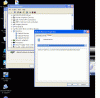
What I discovered is that there are 3 Default Monitors listed and 2 Display adapters. I'm assuming I can delete the extras and that they should all be the same? (Screenshot Attached)
Basics on my new laptop:
* Dell XPS M1730, Mobile Intel 2.8GHz,EX, 4MB, 800 FSB Merom w/the Blue in the lid, although I'm thinking maybe I should've gotten the red or gray.
* 4GB, DDR2, 667MHz 2 Dimm for XPS M1730
* NVIDIA SLI Dual GeForce 8700MGT with 512MB GDDR3 Memory
* 120G 7200RPM SATA Hard Drive Free Fall Sensor
* AGEIA PhysX Physics Accelerator
* WinXP
I would appreciate any information on whether my device manager should have all of these entries or if I should delete them.
Also, I've attached a screenshot of the monitor properties, can someone tell me which monitor I ended up with?
Thanks in advance,
AmyAttached Files:
-
-
I can't answer your questions but I was wondering how the performance was with Win XP?
-
Well, the laptop I was using is my laptop from work. It's a Dell Latitude D610 http://www.notebookreview.com/default.asp?newsID=2268. Compared to that, this machine is amazing so far. I've never used Vista so I really can't compare to Vista yet. The only thing I've managed to do in the last few hours since unpacking the box is install World of Warcraft. It's insane how beautiful it looks. I never realized that the water actually has depth, moves, and I can even see the mist rolling in. So far I like it. It is much heavier in my lap then the D610, but it's not burning up my thigh quite as much.
-
You'll want to enable SLI (from the nVidia control panel) and then configure 3D settings to get the full benefit of your dual graphics cards.
And... are you really using it on your lap? I haven't actually tried that yet LOL -
You are right about the 64bit OS and RAM issue - Dell won't sell home users 64bit - I don't blame them to avoid the support calls for new users to 64bit - it's just all a little different... not bad, just different. I like it on my desktop
As for your monitor - you need to change the dropdown from Device Instance ID to Hardware ID... then you can use the list PCHM listed a page or two back with the three different models... or paste the model - and one of us will reply
Welcome to the club
-
Reinstalled with RAID again and this time installed Vista SP1. I also got the 169.25 WHQL drivers, seems stable now. Ran 3d mark and only got 8000 points though :/
I'll try the Dell drivers again after another 3d mark run. Hopefully they'll be faser and stable. Thanks all. -
I was also impressed with the Dell drivers - I got a score of 8896 with them, which I was surprised about. As long as the games I want to get run well, I'll probably stick with it TBH.
Dissappointed about RAID though. I am gonna give it a try on the weekend, and I'll let you know how I get on....
Did you download the driver fromthe Nvidia site?? I did this and uninstalled my current drivers. I then extracted the setup file from Nvidia, went through the manual install etc, and it kept telling me the drivers for the device could not be found!
Hi and welcome.
Its not really Dell's fault. They gave you 4GB, whether you see it or not. Its the 32bit OS's fault since it cant see the entire 4GB.
Pretty much the same as mine but Im runnin Vista.
Ive also ordered new HDD - you must have the Seagate one if you have the free fall sensor. I got a Hitachi But I have 2 Seagates on their way
Let usknow how you get on with the Dell performance drivers!
-
Hi Zerg,
I am running the 169.25 but i didnt repeat the process? did i do wrong, am i running one card at 169.25 and the other at dell driver? -
You have 2 graphic cards in your M1730 hence two entries in Display adapters. I would leave these things the way they are.
-
Woah i didn't even read about how he did the driver. I just downloaded the drivers from nvidia website and went to laptop2video.com and downloaded the 169.25 .inf file to install normally.
Hmm, maybe i could try doing it zergs way and see if i get better performance. So far it has been 8500 with Dell 167.45 performance and 8000 with the 169.25.
I'm yet to try Arma again with the Dell drivers, so if it doesn't work properly ill try 169.25 again
As for RAID being at any fault... I guess it was just unlucky reinstalling video drivers or something. -
Hi,
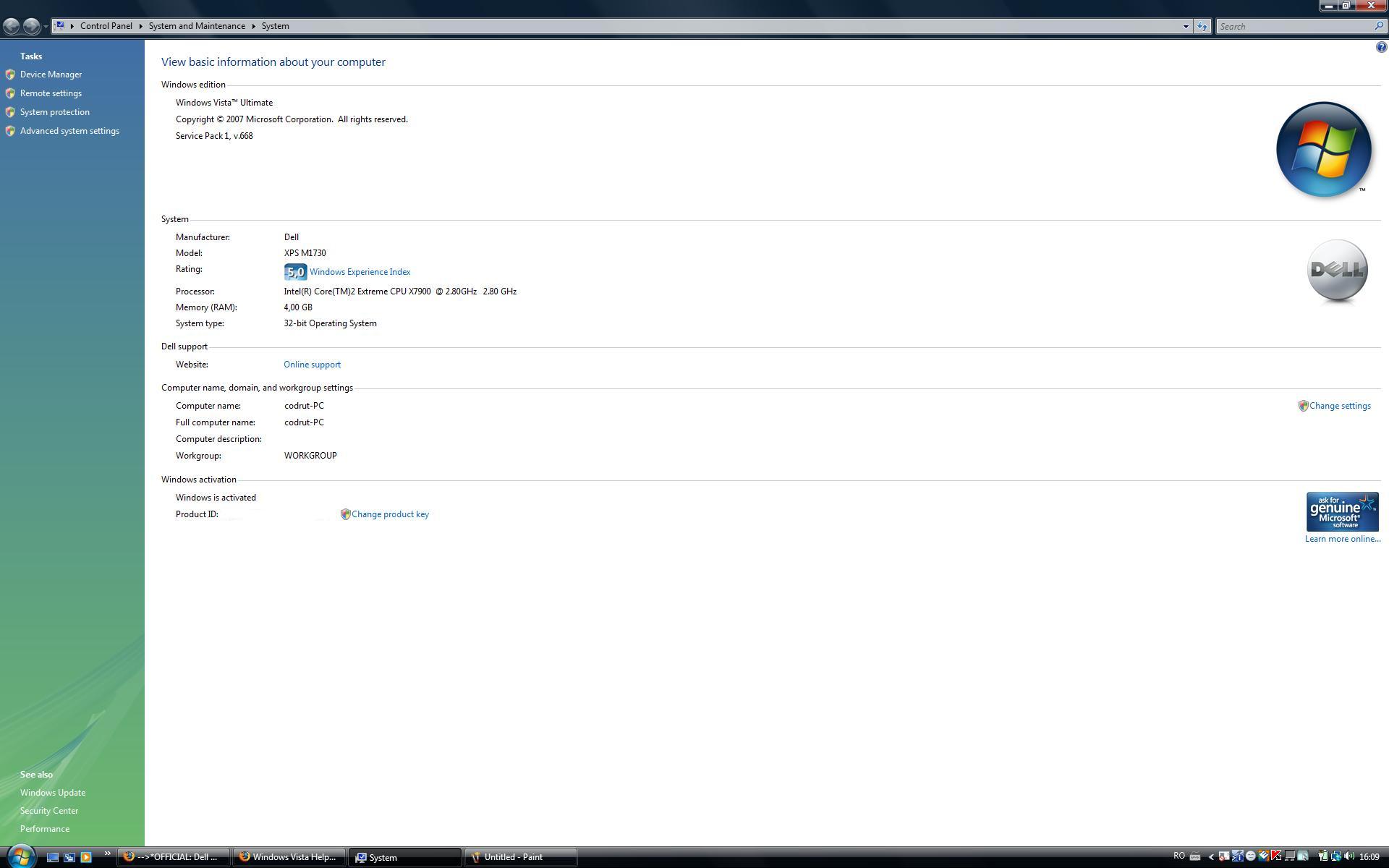
I also have a Dell XPS M1730 notebook and after I`ve installed windows vista sp 1 v.668 in system properties it says I have 4 GB RAM. Before installing sp 1 it was 3,2 GB.Attached Files:
-
-
Hi all, bit of plea here, I'm not too techie, but have a 1730 and want to be able to run COD4 at a fairly high resolution with no lag. I've got the 169.09 drivers from laptopvideo2go.com, but are theses the best/latest for gaming?
Can anyone please just give me a link for the best ones, and let me know where I should be looking - Dell / Nvidia / laptopvideo2go.com etc.
Thanks, I need to be playing! -
Ifti, I downloaded from laptopvideo2go (but did not use the modded inf)
-
take a look at your device manager. After I updated the display driver and rebooted, i showed one card at 8800 GTX and one at 8700M GT. I updated the second and now both are listed as 8800 GTX
-
Im waiting for the full release of Vista SP1 before I go ahead with it. I never like install Beta or RC stuff, just in case! lol
However, the question is - yes it shows 4GB RAM, but being a 32 bit OS, can it actually USE the entire 4GB.....
Try the performance drivers from Dell (167.45). These are very stable, and everything works. I was playing UT3 at max res and all high settings easily and smoothyl.
Alternatively try 169.25 from Laptopvideo2go. Rather then using the medded inf, just install manuall and choose the 8800GTX cards instead Long story, but it works
Oh right! I'll try them later!
Thanks! -
On another note - Just received my two HDDs!
Gonna go stick em in and play with RAID now!
I'll let you know how I get on! -
The display of 4GB is just cosmetic. If you visit your task manager, you'll see that not all 4GB are in play. The 4GB reported in system properties was done to indicate how much is installed... to avoid confusion. Of course, this causes confusion on the other end...
Anyway, Vista does not fix the 32bit/4GB situation... and neither does SP1. Even with DEP and PAE, the memory mapped PCI devices are not remapped above the 4GB address space.... Oh Well. Happy Days for the 64-bit folks!
With that said, my system has 3.25GB visible RAM from the 4GB installed, which is plenty... I don't think I've ever pushed beyond 2.5 even during heavy usage. -
Thanks ifti, I'll try the 167.45 drivers. I did try the 8800 card ones, but when I tried to install it said that I didn't have compatible hardware (or something like that).
I'll try the 167.45 anyhow, so thanks. -
Very true, even with 4GB on my D620, I dont think Ive ever even reached 2GB!
TBH mate, I like what I see so far with the 167.45 drivers. They have been tested with games like COD4 and UT3 3tc, and run smoothyl. No crashes or lockups etc either, and everything works.
I'll upload a video of UT3 running at max res in the next hour or so
-
Just realised - Dell dont provide the extra screws needed to put the second HDD into the caddy! The gits!
Luckily found 3 screws, which should be enough ..........
-
Thanks, I tried the 167.45 but my 3d2006 mark went from 8062 to 7000 odd, - maybe I should change back. COD4 is a bit laggy at 1024x768, which is a bit dissapointing.
-
couple of more short Q's:
- does anyone else experience light leakage at the bottom of the screen?
Especially anyone in Scandinavia or Europe, I have read here that the Samsung panels might have this problem but didn't think they were used over here. Can one check which panel one has in any easy way?
- Has anyone tested any automatic driver update tools for your XPS 1730, if so which and how did it go?
Am a bit unsure about installing chipset drivers etc.
-->*OFFICIAL: Dell XPS M1730 Owner's Lounge*<--
Discussion in 'Dell XPS and Studio XPS' started by J-Bytes, Sep 27, 2007.