 Problems? See this thread at archive.org.
Setup will only work once you rid the system of the Dell branded driver, most of us use DDU
-
I was so happy to score the tb15 with 180W ac adapter for only $80. Now i read about the new TB16 on Dell's site. What is the hardware difference between TB15 &TB16? I hope it does not mean remaining tb15 issues will not be addressed in bios, firmware or drivers.
TB16: http://www.dell.com/support/article/us/en/19/SLN301105
Sent from my SM-T810 using Tapatalk -
I doubt Dell will flog that dead horse, but if it is under warranty and you kick up a stink you will get the new model to replace it.
-
TB16, hehe, how original ;(
I'm looking forward for an official explanation from Dell. AFAIK TB15 sales were stopped silently and they've offered refund to complaining users. -
By the looks of it and the specs I would say that the tb16 is the next revision of tb15. Hoppfullt working this time. I'm waiting for a free upgrade...
The main difference I know of is that the tbxx support dual 4K monitors (if they actually functioning...) where as the wd15 only support dual Full HD.
The wd15 is more slim and therefore more acceptabel to have on the desk. Especially since the usb-c cable is fixed and cannot be replaced with a longer one if you would like to hide the dock under the desk. I would have preferred regular USB-c cable as connection between dock and laptop.
Sent from my iPad using Tapatalk -
Dell insist that you should install the latest BIOS when using a TB15 or WD15 dock. I am still on 01.02.00 and from what I've read it's probably best I stick with that unless I want to experience flicker on my 4K display. Is it essential to update the BIOS when using a dock or is it just a case of Dell thinking there will be less chance that you experience problems if the BIOS and all drivers are up to date?
pressing likes this. -
Do you have issues with the dock? I recall the WD15 was useless a couple of months ago - the USB connection was dropped now and then, and even when it was supposedly working the displays, ethernet and USB mouse/keyboard (wired) would disconnect periodically. Now it works with the airplane mode (75% wifi power doesn't seem enough). I'm not sure which update changed what, but I think the docks are likely to work better if you update. The latest BIOS update quotes an update of TB3. I am on the previous BIOS which did bring nasty brightness-flicker. It is okay after roll-back to Intel video driver .4331, although there may still be slight brightness flicker at tow brightness. Pay attention also to the black-levels posterization issue.
If you don't have issues in the dock, I don't see a point in upgrading BIOS, as long as there are known issues with it. -
Thanks for replying.
Haven't used either dock...yet. Only recently purchased the D3100 after reading about the problems users had been experiencing with their TB15 and because Dell discontinued it after many failed attempts, it would seem, to rectify said issues. Fingers-crossed their refund or replace it with a TB16.
Are the WD15 and D3100 docks, one and the same? -
I guess one shouldn't assume TB16 will miraculously solve everything. Especially if the wifi card happens to be causing some of the issues...
pressing likes this. -
Dell has given you the freedom to choose between: worse screen flicker and worse dock performance
You should! -
After all of the issues Dell had with their TB15, you'd think they would know better than to release the TB16 prior to extensive testing and once all bugs have been sorted out.
We can only hope... -
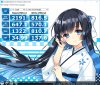
Just recieved my XPS 15 for the 3rd time after 2 returns. It seems that they chagned the SSD supplied to a PC300 SK Hynix. Noticed when copying files only produced a stable 500 Mbps as opposed to the 800+ Mbps of the old Toshiba one.
EDIT: I also found that the new producion model now ships with Killer Wireless-n/a/ac 1535 Wireless Network Adapter instead of the Broadcom one.
Double EDIT: For some reason the cooling system of my new machine is does not fare well vs. previous machines. Both of the old ones' CPUs are [~73C/~65C/~50C] under [stock/-125mv/-150mv 2.6GHz lock] under handbrake encoding (90-97% CPU usage). My new one goes up to [87C/75C/65C] under [stock/-150mv/-175mv 2.4GHz lock]. I guess a repaste is overdue, will do once throttled temps gets high enough to spin the fans lounder to annoy me while I sleep.
 Last edited: Dec 14, 2016
 -
Think I read at least one member mention that Dell have gone cheap (again!) and are now using slower/cheaper SSD's. Whilst maintaining same pricing!

-
RAM prices skyrocketed this autumn and SSD prices are following, unfortunately
-
Anyone know if dell sells the 84whr replacement battery for these things yet?
-
Phone up with a part number. It isn't something you can just buy off the spares page i'm afraid.
-
If thi helps (maybe OEM) http://www.shopbattery.ca/index.php...eyword=dell xps 15 9550&inc_subcat=0&sort=20a
-
New BIOS!
http://www.dell.com/support/home/us...-15-9550-laptop&languageCode=en&categoryId=BI
Comments on reddit indicate that the flicker is gone?!
https://www.reddit.com/r/Dell/comments/5jecb9/xps_15_9550_new_bios_fw_1218/pressing likes this. -
So far so good!
Damn, no excuse to push for a free upgrade again
pressing likes this. -
On my 9550 FHD, the new BIOS has made the lowest brightness setting "less bright". More comfortable for low-light environments. My other laptops still get significantly "less bright" but this was a step in the right direction.
-
after bios 1.20 they removed the lowest brightness as a so called fix making it brighter.
Sent from my SM-G920Fpressing likes this. -
Can someone confirm that the new BIOS upgrade works with the m.2 SSD updated from cache 32GB to NVMe Samsung 950 Pro in AHCI and with Samsung NVMe driver used as boot disk?
-
No but your a prime candidate to let us know!
Sent from my SM-G920Fsumsum likes this. -
I have that exact configuration and am waiting for you too to try it!
-
Edit: wanted this at end of thread. Will re-post
-
Greetings,
I will be a new member of the club. Expect to get the machine ~01/06/17. I have a couple of questions:
-does the machine support UASP? I will be purchasing a USB 3.1 Gen 2 ssd external enclosure that supports the protocol. It comes with a USB B (drive end) to A cable to support 3.0, but I can purchase a C to B cable to support 3.1 Gen 2. Don't want to buy if machine can't take advsntsge of the interface. I notice in specs that thunderbolt is supported, so perhaps I've answered my own question.
-the ssd will be a stock 512mb PCIe. Is performance reasonable or should I start saving for a 960 EVO? Some reviews say the performance is disappointing. But will I even notice?
For reference: core i7, 16gb ram, gtx960, 512gb ssd, 4k touch
Thank you in advance for your help and all the best of the season to you and yours.
Graham
PS Guess I was at the end. Virtual dope slaps welcome.pressing likes this. -
I wouldn't worry. Your specs are pretty good. And after 1 year, Dell yesterday finally worked out most of the glitches on the 9550.
You may be able to cancel your order now. Or return it within a short period after receipt.
The 9560 specs were leaked yesterday. The only significant change is the 1050 GPU. Otherwise the laptop seems virtually identical. Release is probably sometime Q1 2017 but nobody knows.
The 9560 downside is that Dell could take a long time to sort out bugs (but 9560 is similar to 9550 so I would not expect a year but who knows). Also potentially higher price (new model + RAM and SSD prices have skyrocketed this autumn and winter). -
Hey press,
Thanks for the heads heads up. I won't be playing a lot of games with this machine so I can live with the last generation gpu.
What I would like to know is if the machine supports USB attached SCSI. I don't want to buy an extra cable if it's of no value.
Graham -
Not sure. My USB ports are a bit quirky. And there are well documented issues with the Thunderbolt port & Dell's TB15. Your best bet is to search the forums here...
-
i received my TB16 from Dell and the old buggy TB15 is going back. Very stable and solid now.
Sent from my SM-T700 using Tapatalk -
Can you post a photo of the inside? Just a fan added or sth else? The same TB3 controller?
-
I would rather not open it since it is working fine. The issue is moot: just call dell premier support and they will get you a tb16 for free with a return label for the old tb15.
Sent from my Nexus 6P using Tapatalkpressing likes this. -
No need to disassemble.. According to the docs, it does have a fan:
http://downloads.dell.com/manuals/a...-thunderbolt-dock-tb16_user's guide_en-us.pdf (p32) -
As far as I know UASP support is built into Microsoft's USB driver since Windows 8, so it should work.
-
I don't have the TB15, am just curious, because of all the fuss with TB3. The complaints that it only works with half the advertised speed. And with the lack of 3rd-party alternatives...
Perhaps you can take a look with HWINFO64?
https://www.reddit.com/r/Dell/comments/5hl5i4/xps_15_9550_not_able_to_reach_40gbps_over_tb3/
http://plugable.com/thunderbolt-3/ -
Thanks XPS666
-
Am looking at getting the dock. I see discussion revolving around the TB16. I have 1 question: does the dock have a USB c pass through port?
Thanks -
It doesn't. And that's why it is useless for anyone needing Thunderbolt.
-
Based on _sem_'s links, there is a new detailed discussion of how Dell crippled the TB port. Worth a read if you consider using Thunderbolt. Consider lodging a complaint to Dell as a software patch MIGHT be able to fix the issue...
https://egpu.io/forums/pc-setup/xps-15-9550-not-able-to-reach-40gbps-over-tb3/paged/2/ -
I think these complains about 'crippled' TB port will go nowhere. People complain about 'limiting' PCIe traffic to 16Gbs but 40Gbs is only promised for TB3 port for all traffic flowing through it _combined_. Dell has no problem driving two 4k monitors@60, which is by itself is about 30Gbps - of bandwidth. I have two QHD monitors attached to it, one at 144Hz, one at 60Hz, which is about 23Gbps combined. Ie, Dell is not limiting it's thunderbolt at 16Gbps but specific type of traffic (everything but DP?) may be routed via pcie x2 bridge.
pressing likes this. -
It has an extra USB-C, not pass through, rather daisy chained. The USB-C at the laptop need to support both the dock and what is connected to the additional USB-C of it.
Sent from my iPhone using Tapatalkpressing likes this. -
Your reply is confusing and doesn't clearly give the information one needs. Fact is that there is no TB hub in this dock. If you need to use Thunderbolt 1, 2 or 3, then you will have to detach the dock and plug-in a USB-C to TB converter into the laptop. That sucks big time. A second fully supported USB-C port would have given full functionality to the dock.
pressing likes this. -
I use TB3 to have legacy interface ports on the Dell: TB 1 and 2, FireWire, ExpressCard, PCI Express. With none of my applications I would ever notice a difference between 20 and 40 GB/s. And complaining at Dell IS definitely wasted time. Sorry, got better things to do...
-
Dell doesnt care about supporting their laptop as long as they work on the surface level.
Right now with the yearly product refresh schedule, things are even worse off.
I had the terrible experience with their old Precision M4600 due to Firepro compatibility issue with its LCD panel. Firepro wont downclock, something with the refresh rate timing conflicts in first batches of Sharp panels.
Search my old posts here.
Dell just promised updates...promises ..promises...and then dead silence once they found out it was a hardware fault. I think Dell just pulled out the Firepro config from future sales...
Reason why Apple is highly favoured in terms of pro support. -
Now I am really confused. I did not read anything here about latest BIOS changes since Dell released 1.2.18, which claimed a TB dock fix and 'FFS Issue fixed'. Now version 1.2.18 is gone from Dell's websites, we are back to 1.2.16, dated 1st Dec, and the only fix left is the Thunderbolt dock one.
What is going on here? Big problem with 18 so Dell had to withdraw it? -
Probably to do with drives vanishing after the update.
-
Skylake processor only decode 4k HEVC 8bits, as HEVC should be normaly 10bits as the standard say, It will not. The discrete 960M could not do 4k decoding unfortunately...
It's a bit disapointing that a 4k laptop cannot read 4k video... -
You mean a CPU that doesn't have a decoder for it. It can still do it easily, CPU/power usage will just be higher than a 7 series.katalin_2003, Dannemand and Jean-Cyril like this.
-
It seems it's back on the website again: http://www.dell.com/support/home/us/en/04/Drivers/DriversDetails?driverId=KD0C7
The hash of the files (this one and the one of earlier) are the same though... -
At least now we get a meaningful list of fixes:
1.Fixed system may drop battery un-expected
2.Improve PCIE NVMe Stability
3.Fixed Panel flick issue
4.Fixed Microsoft Bitlocker issue
5.Improved the DELL ThunderBolt Dock Stability
6.Fixed ST Microelectronics Motion Sensor Driver shows disabled while spindle HDD +mSATA installedGoNz0 likes this.
Dell XPS 15 (Skylake) 9550 Owner's Lounge
Discussion in 'Dell XPS and Studio XPS' started by T2050, Oct 30, 2015.


