Problems? See this thread at archive.org.
https://www.amazon.com/dp/B01BIWMWVS/ref=twister_B0765JJK12?_encoding=UTF8&th=1
Also if i get two 8gb ram, which one am i suppose to buy on amazon?
There is one that is 182 dollars with 2 sticks of 8gb
There is one that is 176 dollars with 2 sticks of 8gb but it says single rank.
Im confused which one is better here?
-
Get the cheapest 2x 8GB Crucial kit, rank won't make any difference.
Even after you upgrade to 16GB, I would still reformat Windows if I were you, because with all those background programs open, your system is not running very efficiently at allAttached Files:
-
-
Hey all someone in another forum suggested i create a bookmark folder instead. Such as all those windows i use, sure i might have over 200 tabs total in say 10 windows but im not using all of them. he says just do a bookmark folder. He said chrome isn't supposed to be the way that im using it. Do you all agree?
I then asked this and looking for response to this.
I closed several of the tabs in a few of those chrome windows where there are like 50+ tabs.
I then put it in the bookmaker folder which is really nice. I did not know you could do this. I thought you could only bookmark and that was it. One question about this. Say i do several of this bookmark folders. Let say in one chrome window of mine there are about 25 tabs in one but then i deleted say 10 of them etc. Is there a way to do the one click open it up again and have those 10 tabs show on the same window as the 25 tab or not?
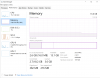
Also there is one other issue that i do not know if this is possible but now i think there is. Say i have 10 chrome windows on my computer. I want to move say the 5th chrome window to the first one. Does move it to where the first few chrome windows are certain ones. Can you do this or not? I always assumed this cannot be done but based on that bookmark thing you mentioned, i probably can? Also what you told me to do with the bookmark page because im obviously not looking at that many tabs at once but just want it there whenever i look, it made my memory drop from over 90 percent all the way to around 80 percent. I will also go and remove a few other tabs that i dont need and it will probably go down a bit more. But at how much percent memory would you say the computer is good with chrome and say other programs on? If your computer is always at 95 percent ram or around there, could that possibly cause damage to computer? Would something in the mid 80 percent memory usage when using the computer be fine? Because right now im guessing i might not need up upgrade my ram if my memory usage is going to be high mid 80 percent? Also whenever i open chrome and all these windows/tabs shows up, my cpu immediately goes up to 100 percent everytime. My memory would go from like 25 percent all thew way to 80 and then around 93 or so before i did the bookmark thing you suggested. -
Thunderbolt firmware update warning: users report wrecked HDMI output after installation on Dell support forum and Reddit, with 9550 and 9560
-
Sadly, I noticed this also. It will take another year to fix, like the flickering issue. I hope the DA200 adapter still works, can someone confirm this?
-
Issues with system had to have the display replaced about 4 months ago all the flickering and the touch response worked, but last week the laptop turned on then shut off right away now it's dead, Dell came out yesterday replaced mainboard, dc jack now it says plugged in but not charging so I had to call Dell again. They are supposed to be sending out the mainboard (again), the ac adapter and maybe the dc jack again hope this fixes it as the computer is less than a year old.
Is it possible that they can update the mainboard to the 9560 with the updated CPU? -
There is a thread of a guy who modified his 9550 to a 9560; there were a few unexpected curveballs he wrote about.
I would not expect Dell to make that modification. -
Okay I wasn't sure if the mainboard would fit into the 9550 without any modifications so I guess I will just wait until the Dell tech has the parts and hope for the best.
-
The Dell support guy came with a solution for downgrading:
http://en.community.dell.com/support-forums/laptop/f/3518/t/20026135 -
To clarify, Dell withdrew Thunderbolt firmware 4.26.03.001, A07
That link also shows how to rollback to A06.
Thanks Gix -
Update on my notebook:
Dell replaced the dc jack and the mainboard it now will start up but says plugged in but not charging, so the Dell tech came back and put the old dc jack in but same issue, so dell sent a new ac adapter and cord (which I already told them I tried another one I had) still same issue so I told them to send out another mainboard.
Emails back and forth with them asking me to try all sorts of different things to get it going, I already tried everything and also told them I know the difference between being on battery and plugged in (apparently they didn't think I knew).
Now they are pressuring me to send the notebook in when I paid for next business day onsite service I told them to send out the tech with another mainboard so hopefully they will do that today as it will be almost 2 weeks since it died.
Would you send it to the depot for repair? I am hesitant as I have heard too many horror stories of people getting their laptops back worse then when they sent it in. -
If you paid for next business day onsite service, tell them to install another mainboard onsite tomorrow or overnight you a replacement laptop.
-
I did tell them that I am not sending it in, I paid for onsite next business day warranty so they did agree to send out parts but I am still waiting for them to open a dispatch ticket. I sent another email last night asking for an ETA still waiting for an answer. This is getting to be a pain for an expensive laptop I expect better service.
pressing likes this. -
http://www.dell.com/support/home/us/en/04/drivers/driversdetails?driverId=PFJ08
http://www.dell.com/support/home/us/en/04/drivers/driversdetails?driverId=19Y3F
Any idea why two ME fixes, one in BIOS 1.6.1 and another in Intel Management Engine Components Installer? -
The IME Release was 28 Nov...
-
BIOS 1.61 fixed the Intel vulnerability according to the test program I downloaded.
-
I updated BIOS and IME and noticed no issues.
-
Does anybody have "Thunderbolt firmware 4.26.03.001, A07" downloaded? I know it has issues with HDMI and was removed for download from Dell site. But i want to test some things with this firmware. Will be very appreciated if somebody has it and can upload somewhere
-
This is what Dell has on the 9550 file archive:
2 "Intel(R) Thunderbolt(TM) 3 Firmware Update" (2nov & 7aug)
http://downloads.dell.com/published/pages/xps-15-9550-laptop.html -
I know that is was removed from Dell site. They are giving for now only v16 roms, and v26 was removed due to problems with HDMI (inverted colors on physical HDMI out when new A07 thunderbolt firmware is installed). Most probably it will return when they will fix issues.
But, maybe, somebody had luck to download this update when it was available and can upload somewhere - i want to test some things with new firmware, and i don't need HDMI for now as i'm using TB15 -
BIOS 1.6.1 fans run ~3500rpm (m.2 nvme ~ 45oC, RAM 45oC, PCH 64oC)
BIOS 1.2.25 fans run ~24xxrpm (m.2 nvme ~39oC, RAM 42oC, PCH 58oC)
Tips: After updating newest bios, you downgrade 1.2.25 bios version. Intel ME fixed and fans run slow
-
Hey, guys.
I have been having an issue where when I try to turn on the laptop the screen refuses to turn on and I have to sit there turning the laptop on and off until the screen finally decides it wants to work
Do you think updating the bios will help or make it worse or is there another fix? -
That sounds like a hardware issue. Nothing what can be fixed with a bios update.
-
Anyone mod heatsink for PCH?
-
Hello everyone, hope your are doing well ! I have a quick question, has anyone bought dell batteries from online retailers ? Are they of "trust" / reliable ?
I wish to grab a 97Whr battery for my 9550, but up until now after a few attempts, Dell support seems reluctant to provide me with one. (The only offer i have gotten so far is for a 84Whr battery.)
Thank you -
First of all, Dell recently issued a major battery recall on the 9550; check to see if your battery will be replaced for free.
As a general matter, rechargable batteries that come from unofficial suppliers or off brands on Amazon, eBay will have significantly less power than stated. So you likely will get stuck with a "Fake Dell" branded battery or an unbranded battery; similar junk. There are a few reliable resellers but you get what you pay for.
For example, your Amazon $30 battery labeled 84Whr really might be only 30Whr and be made from recycled batteries. So you would get several hours less of battery power. And the battery may have a reduced number of charging cycles.
The charging, protection, and reporting circuitry within the XPS battery is complex so getting that wrong can impact computer speed, battery charging, battery lifecycle, safety (overcharging & bulging can cause a large fire).
For the record, the 97Whr battery will work on the 9550 according to @GoNz0
http://forum.notebookreview.com/threads/xps-15-9550-battery-swap.783572/page-9#post-10462703 -
Thank you for your concern regarding cheap "counterfeit" batteries, I, obviously, am not considering "cheap" $30 batteries however there's a good chunk of retailers that offer so-called official Dell batteries for a normal ($120-ish) price. Which led me to think that, perhaps, they are genuine. (Again, not sure, hence my question!
 )
)
I am mentioning that kind of retailing websites: https://tinyurl.com/y8dzxvzf
Btw I wish to obtain the 97 whr battery solely for battery life purposes (no faulty battery or whatnot) and since Gonzo claimed it was compatible I was hoping to buy it straight from Dell however they have only offered me the 84whr and are unwilling to help me get the 97whr model. (Claiming it's out of stock) -
Well, that battery site claims they are not selling official Dell batteries:
"Disclaimer:
The batteries and adapters supplied by our Company are [replacement for] sold for use with certain products of computer manufacturers, and any reference to products or trademarks of such companies is purely for the purpose of identifying the computer manufacturers with which our products [are replacement for] may be used. Our Company and this Website are neither affiliated with, authorized by, licensed by, distributors for, nor related in any way to these computer manufacturers, nor are the products offered for sale through our Website manufactured by or sold with the authorization of the manufacturers of the computers with which our products [are replacement for] may be used."
The very fuzzy images look like official batteries but that is a bit suspect. Perhaps these are "night shift" batteries made in the "official" Chinese plant but sold via "unofficial" channels but I think that is more hopeful dreaming than anything.
Despite the disclaimer and fuzzy pictures, the site does have a lot of laptop battery information. Maybe the firm is well-rated on the forums.
Dell certainly has had some issues with the XPS batteries. Regardless, given today's level of online rechargable battery fraud, if you are looking for some level of confidence that you are getting a certain level of performance, OEM or a well-known supplier is the correct path. This general view is very well documented in the remote-controlled-cars forums.Smoath likes this. -
Indeed, I should have been more specific, I mis used "official" for "genuine quality controlled". (or official quality-like)
Given the information you are providing me with (about battery fraud)
Is there any well-known suppliers that I should know of ?
Thanks for your time, I appreciate it
-
I have bought an original DELL battery for an reasonable price on ebay from this shop http://stores.ebay.de/bill981101?_trksid=p2047675.l2563 ships from China
Smoath likes this. -
Does anybody have issues with 1.6.1 bios? Like extra time on boot (before Dell logo); problems with sleep/shutdown; inability to power-on immediately after force power-off (by long press of power button)
Also, looks like Intel ME disappeared from system
Also, flashing Bios doesn't work anymore - only works Bios recovery with re-flashing current or previous bios. Installing from exe doesn't work at all.
Very weird issues - but not sure if i'm alone, or this is common. -
I think recent BIOS updates caused fans to run faster when idle or just surfing the internet. Which I found irritating.
So I put some thermal pads between PCH and case bottom (3 x 1.5mm). They are the only thermal pads I have to the case bottom so that seems to be a decent heatsink.
PCH surfing web now is 32-34*C and fans are not whirring.
Also, I have a 1TB HDD in the 2.5" caddy and that would not stop spinning no matter what I did. I don't think you can completely "turn off" the HDD without removing the cable. So I took the whole HDD and cable out and the spinning noise is gone.
Now can hear the coil whine a bit more lol. But overall much quieter laptop now.
Also - is there a monitor which will show fan speed on this? I look through the grille to see fans are at 0 rpm and do a sound test... -
Don't know if this is relevant, but after updating both our machines to 1.61, one of them suddenly began taking forever to shutdown. Went crazy trying to figure out why one and not the other. Finally, I discovered by accident that the one machine had a USB-C to USB 3.0 adapter connected all the time. When I removed the adapter before shutting down, the machine shutdown normally and continues to do so.
Hope that helps. -
Had that problem on 1.61 where it got stuck on the normal blue screen with the white text "shutting down" (or whatever it says).
I finally just held the off button for a few seconds and no issues since. -
Also, when disassembling my 9550 yesterday I just pressed the two "speaker boxes" in and out a few times to see how the red rubber suspension worked. The rubber suspension was smooth and did not bottom out with moderate pressure.
I think that pressing exercise realigned the speaker boxes and now the left speaker does not distort [as much] at higher volumes.
I did not adjust the tightness of the screws and did not touch the actual drivers.Last edited: Jan 8, 2018Vasudev likes this. -
Hey all.
I had the message on my dell xps 9550 laptop that said to install windows updates. Its like a rectangle blue message box and it ask you if you want to remind you later, pick a later time or update it now. I delayed updating it for a long time and clicked on remind me later.So basically everyday i would get the same message and i click on remind me later. I then decided to go along with the updates and install it. When i did this, later on i went to click on start and shut down. However, my laptop does not shut down. Instead it restarts. Can someone tell me how i can fix this issue?I tried many times to shut down but it would not. It restarts everytime. Should i just hold the power button to shut it down that way?
There is another issue here. When i click shut down and it restarts, my wired internet connection which has a computer showing... it changes into an airplane and it shows airplane mode. Can someone tell me why it does this? It requires me to turn airplane mode off. Also it seems like i got bluetooth turned on by accident. How do i turn that off? So i tried to shut down computer and everytime i do it, it has message shutting down, but then it restarts. Then the computer wired connection shows an airplane and i have to turn airplane mode off and then it would show the computer for a wired connection.
But right now i want to know why i cannot turn my computer off.
Anyone have this issue with their dell xps 9550? I assume this issue is related to many windows 10 users? -
Dell 9550 is known for sometimes entering this undead state which appears functional but is not really. Do a hard reset (5 sec pwr button). Sometimes a BIS reflash (or reset) may be required to totally reset things.
Another question is how it got there. To me this was sometimes happening when trying to auto switch from Sleep to Hibernate after a time preset in advanced power profile options (Hibernate after). -
See my posts from Nov 9th onwards -
http://forum.notebookreview.com/thr...0-owners-lounge.783377/page-378#post-10629570
Sounds like you have performed an inline update to Fall Creators Update and encountered same subsequent issues as me. I had to fresh install FCU 1709 from scratch rather than update over the top. But most likely you will first have to restore your machine to a point pre-update or the issues will still be there even after fresh install.
- Restore machine to a point before the inline update was installed and where you can be certain the issues don't exist
- Do a complete fresh install again of FCU 1709 from USB stick using Rufus
- Confirmed issues are resolved
- Create a base clean image for backup/restore purposes
- Reinstall all your apps and restore files
- Create another image of fully loaded system, again for future restore purposes
-
Hi there. Well did we have to do this update or not? I did it because i thought well you had to do this update eventually to make your computer up to date.
So this is the fall creators update and it showed for every computer with windows 10? Or only certain computers? Or only dell xps 9550?
When you stay fresh install, im confused. You mean install everything again where you wipe out your computer?
So what should i do now?
Restore it to a point where i didn't do the update?
The other thing is this. After i did this update, i downloaded a program and had to install that program. So if i restore it, that means the program that i installed after this update.... i would have to reinstall it... is that correct or not? -
I like to mention that before i clicked shutdown...im pretty sure i might have clicked either sleep or hibernate by accident. Could this have caused this? I recalled i either clicked sleep/hibernate or shutdown and then the computer internet connection logo changed to an airplane. This was before it said shutting down... i believe... thought im not 100 percent sure.
But everytime i now click shut down, it does say shut down... but then it restarts. And then my computer internet logo that showed the wired connection shows airplane mode. So i have to turn airplane mode off so i could be connected to the internet.
My issue now is i installed an update to another program on my computer a bit after the update. So if i restore it to a point before i had this issue, that means that program that i updated... i would have to update it again or not? -
So is there a way to try to fix this without doing a restore point that i could try? Because i installed an update to a program i have on my computer not long after i did the windows 10 update. Thanks.
-
I like to mention this as well. Well i click shutdown... it shows shutting down but then it restarts. The thing however is it restarts almost automatically. Such as if i normally click start and then restart, it would restart but there would still be the dell windows screen showing. This does not i don't believe. So is there a big difference here?
-
I don't think it really restarts. Try a hard restart (hold down pwr button for 5 sec).
-
Anyone know why the Dell Mobile Connect App from the Windows Store is incompatible with our XPS-15?
Never mind, here's the answer. No love for us....
Available on new Dell consumer XPS, Inspiron, Vostro, and Alienware PC’s starting in January 2018. iOS 10 and above. Android 5 and above.Last edited: Jan 9, 2018 -
Hi guys, just got me the OWC Thunderbolt 3 dock for my 9550. Basically amazing product, all I/Os work flawlessly. I was astonished to see the Apple TB3 to TB2 adapter connected to the dock's TB3 output working instantly (it fails when connected directly to the 9550, as I reported earlier).
There is just one thing that does not work, and maybe someone knows why: the dock comes with a really fat power supply, for more than 100 Watts. Still the Dell can not be charged/powered via TB3 (USB-C). Maybe it is just that and one needs a true USB-C connection for power delivery? But why does it work this way with the Dell dock? -
I've been on the original BIOS I got my 9550 with (1.0.2 or something) since forever since all the subsequent BIOSes had reported problems in my configuration (dual boot Win10/Linux). I'd like to try the new 1.6.1 BIOS, but if it doesn't work, can I downgrade back to my current version?
-
USB PD compatibility is tricky sometimes, the two devices need to negotiate the voltage and current and this seems to fail sometimes even when they should be compatible. The 9550 is known to eat 60W @ 20V 3A from several 3rd parties, however this results in a restricted power mode. No 3rd party is expected to deliver the nominal 130W, because USB PD only reaches 100W, however TB16 and WD15 do go higher.
-
Yes, you can.
You just have to enable the BIOS downgrade option in the BIOS settings. -
I also noticed that my XPS 9550 is running hotter recently and I did a little investigation, which I posted on the Dell subredit: https://www.reddit.com/r/Dell/comments/7ostwg/xps_9550_not_going_into_idle_package_states/
Seems to me like it's a regression in recent BIOS versions. I am curious to see if anyone else can reproduce this behaviour?
Dell XPS 15 (Skylake) 9550 Owner's Lounge
Discussion in 'Dell XPS and Studio XPS' started by T2050, Oct 30, 2015.