 Problems? See this thread at archive.org.
Im new to this forum and hoping you all can give me a little help. I got a m1730 from a guy that works for dell and he built the laptop with all new parts but he dident have a few parts ( wifi card, bluetooth card, speakers, and audio card ) my questions are . Do i gotta have the audio card to make the speakers work or do they connect to the motherboard ? Were can i get the audio card? or just a part number would be great . My xps specs are intel core 2 duo t9500 2.60 ghz / 500 gb hard drive / 4 gig ram / gforce 9800 gtx 2gig video card. This computer is all new parts and was built on 10/20/10 and i watched him open up all the parts and install them. I downloaded all the divers and am running windows 7 32 bit. I just ran 3D mark 05 and my score was only 5600. I am kinda new with tweekin computers and have never over clocked anything. I have been told i should hit around 20k on 3D mark05 with this pc. im kind of disappointed with these results. If you have any advice for a newb please feel free to share them. thank you all in advance.
-
make sure SLI is enabled in Nvidia Control Panel
-
ya i have sli on in the nvidia control panel. Does 5600 on 3D mark 06 sound low for this laptop ?
-
Magnus - Any way to make a profile to make a really old game Call of Duty 2 run semi smoothly on this beast, I have tried to tweak my settings but failed miserably
 . The game is old but it is one of my favorite single player games (I am an old timer too
)
. The game is old but it is one of my favorite single player games (I am an old timer too
)
-
Your 5600 benchmark with 3DMark 06 is a little more than half what it should be. When I had an XPS M1730 I was running around 11,000 with 8800M GTX in SLi. From the description in your original post, I don't have a great deal of confidence in the way your machine was built. It seems like there are a number of missing components. Hopefully, you didn't pay much for it.
Attached Files:
-
-
@jesse.
I can take a look at Cod2. -
no luck with these
my m1730 can now read the two 8800m but it crashed on game menu with funny green dots
have no graphic driver installed at the moment
-
That sounds worryingly like a dying graphics card.....
-
Is this a single 9800 GTX?
-
I agree... this is a distinct possibility with the 8XXXM series. In my first M1730 the 8700 SLi graphics module lasted 6 months. In my second M1730 the 8800 SLi module failed within a year. I am so glad I purchased the 4-year Complete Care warranty! It has paid for itself many times over.
-
@mrmarkwalker
The chipset driver I use in Win XP and Vista 64 is the Intel 9.1.1.1019. -
no its a duel running in sli mode. it does great gaming but it only benchmarks at 5600 on 3dmark05. Not sure why its doing that.
-
Are you really gaming with no sound?!? Unless you're deaf or playing some sort of game where sound contributes little or nothing to the gaming experience, (i.e. solitaire, minesweeper or something equally lame,) that must be a very odd experience.
What kind of games are working great for you? -
This will be my last post in the 1730 forum. Thank you guys for all the information and advice. Special thanks to batboy, and thanks to teutonic (for posting this link that let me get my laptop for $500 cheaper http://forum.notebookreview.com/del...ficial-dell-xps-m1730-owners-lounge-1575.html )
I am leaving as I have just sold my XPS M1730 for parts due to a fried video card out of warranty. I am bitterly disappointed this has happened just over a year after purchase as I have really taken care of this machine (could not extend warranty as I have moved countries).
I believe the fatal flaw is the crazy bios cooling fan settings. Such a shame Dell has abandoned us rather than fix the thing which is killing our machines (they fixed it for studio 17 I understand). Even more of a slap in the face that they are now relaunching XPS a year later ><
So Long and Thanks for the Fish -
What is the correct driver to use for the integrated web cam? I have Windows 7 64bit. Thanks.
-
If they relaunch it will not only be a slap in the face, it will be proof that the people making the decisions are idiots. It'll be a cold day in hades before I would purchase another XPS system, and I am pretty sure that I would have a lot of company in taking that stance. Both of my M1730's were the most unreliable, problem-ridden computers I have seen in the past 20 years. Dell has provided good service and support while I was experiencing problems with their defective computers, but I would much prefer having no reason to use their service and support.
-
Intel chipset infinst911 1.1.30.0 v9.1.1.1025 an infinst911 1.1.26.0 v9.1.1.1019are same ..so doesnt matter which one for Beast >only diff feature an issue look in release notes of 9.1.1.1025..... thanks to Magnus make aware of chipset some time ago. broke 18k with 9.1.1.1019 on XP
Psyloid has a seperate infinst chipset link for win7 32 an seperate infinst link for win7 64 > there identical..........ive tried his 32bit infinst911 for Beast with win7 64 bit OS an same
if extract both an compare files tere same
Psyloid could ya kindly fix to 1 link for chipset infinst911..so not to cause unnecessary confusion please
infinst911 is universal.. for xp 32 or 64, vista 32 or 64 an win7 32 or 64 an other OS
Note: may need to update manually Drivers related to Chipset Infinst911 in device manager ... Here havnt needed yet to do manually for XP seems to run fine .exe
Beast XP pro SP3 Device manager after run infinst911.exe
could try disable Sli to see if score stays the same... idea is to see if SLI is actually working for benchy (or games)
possible SLI not work for benchy but works for some games ...good idea to try for games also, disable sli an see if get drop in fps
(use somthing like Fraps v3.2.3 to show fps during game play) or if have run game benchy with sli enable an disable if diff. -
my m1730 will run any game great that i put in it. No complaints at all with the graphics. runs the new batman perfect , along with fallout 3 and of course warcraft. ya it did suck playing games with no sound. i bought some usb speakers until i get all the other internals i need. i just ordered the speakers, bluetooth, and wifi card but im still trying to find a audio card for it. any suggestions on where to find the audio card ? im gonna disable sli and try it. also should i have physX on or off ? i have been told to disable physX also. what do you all think ?
-
i have some good news . I disable sli and 3Dmark05 hit 14,500 . then i enabled sli and hit 16,400. not sure why i only bench marked at 5600 last week but i did just upgrade directX9.0 to 10.1 could that have made the changes ?
Thank you all for all the help. Any ideas what i could do to get that number over 16,400 without over clocking ? just some tweeks ? -
Hey guys, I'm kinda new, but I've been reading the forums every so often.
I was wondering if the Dell Depot Repair service is worth it if my M1730 is out of warranty. $200 ehh?
My 8800mgtx have been making this weird clicking sound on one of the GPUs and sometimes i won't hear it but most of the times it sounds like the fan is trying to spin but it keeps clicking. I havent had any blue screens or any problems, it's just the noise and I also cleaned out everything but I'm probably going to disassemble the GPU and clean that.
Thanks in advance!
Man I can't believe the beast was so expensive back then and now you can get a Sager NP7280 xD -
Well, I think the issues I had a while back was with either the GPU or the mainboard, since now even when normally booting up, I get all these lines and colored pixels in red, green, blue, so...
I know I`ve asked this before, but wanted to double check for safety.
I have a RAID 0 system and when sending the unit to the service dept, I am planning to put my original HDD in it, will the RAID array stay as such if I put the hdds back as they were before? or will putting a new hdd in it mess up everything? Cause I got a whole lot of projects and sensitive data that I just can`t lose. -
Creative has a good Notebook sound card, you should check it out.
-
I've been using X-Fi Xtreme Audio Notebook for a couple of years now and no complaints. Sound quality is much better than the built in sound card.
-
Advice Request
My daughter uses our M1730 for playing Sims 3 and not a lot else! She booted it up 2 days ago it made it to the desktop, there was a noise and it died. Unplugging the power pack and then plugging it back in I noticed the blue light goes out. I researched the net and found that if I dismantled the unit and disconnect the Touchpad the blue light stays on when connected BUT it still won't boot up.
Does the M1730 have to have a working Touchpad to fire up as it's connected to the keyboard?
Is it likely the motherboard need replacing?
Is there another component likely to have failed?
Any help will be welcomed. I am in New Zealand with a UK purchased model outside of warranty by 18 months so I am more than happy to strip it down.
Thanks, Paul. -
I would fix the computer myself. It's easy and much less expensive. If you're not comfortable doing your own computer repair, then I suppose it might be "worth it". I don't trust Dell all that much.
What were you going to say about the Sager NP7280 xD? (You never finished the comment.) -
SLI problem
happened when install 32win7 260.99 on Hdrive '0' other HDrive '1' already had 64win7 260.89, NO RAID
(First before install 32win7 had Dells vista64 260.89 on HD '0'(No RAID) prob > resolution changing just after vista finish loading, even though was set to default 1920 x 1200).
when install 260.99 on 32win7 go to NCP an SLI option is not there...wth
Device manager shows one gpu card only, Hwmonitor shows one card but does show all 3 fans working
start to think dead card.....so install 197.16 32bit on 32win7 > same prob
reset bios to default , same
reseat SLI board , making sure all plug connections are plugged fully > same prob
wipe 32win7 an install dells vista64 OS disc then dells drivers an utilities disk to install chipset R153997, then instal nvidia old 185.85 reboots, go to NCP see SLI option is there > enable it ,reboot > open gpuz an shows sli disabled an only one card can select, go to Devicemanager see just one gpu.
so give up, do shutdown + turn off AC power brick @ power point an pull out AC plug from Beast
next day boot go to Device Manager an see 2 gpus + NCP shows SLI option set on enable... both gpus have 185.85
honestly havnt been drinking at all lol maybe should start because going crazy why?
1.maybe gpu driver issue
2.possible as newer gpu drivers keep rolling out become incompatible with this Beast because havnt updated gpu bios with dells recommended gpu bios for tint issue but also noticed says for compatibilty for firmware, BIOS, drivers , software
3.hope not to do with how update win7 manually with IPMx2 folder extracted from chipset Infinst911
4.maybe bad gpu download
5.worse, sign card going to die....not sure maybe somthing to do with when sli board heats up alot it expands opening a possible fracture cause prob an when cold contracts fix prob ...need to test this with vista
just gone to nvidia site... wth have 2 260.99 WHQL but latest with green icon(recommended) ..why would they do that? me used the one with no green icon
EDIT: booted again to vista64 185.85 get install software message then restart meassage > reboot now sli is disabled but good news is still see 2 gpus in Devicemanager> enabled sli an worked lol for how long
but which blue light??? if talking about the light on AC power Adapter an that noise was like a short loud crackling noise > be faulty power adapter but wouldnt explain why cant boot just on battery unless is flat...can ya test power adapter output with DMM ......
Tested me AC adapter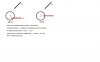
BASIC TWEAKS:
try diff gpu drivers
CP > System > Advanced system settings > performance settings > tick adjust for best performance > apply (solid color classic View)
disable 3rd party software + startup items, except keep everything enabled related to Nvidia.
Defrag Hdrive (never defrag if have SSD) watch out for defrag come on during benchy ( win7 ultimate set on schedule by default)
raise beast off table + heaps of room around beast for good airflow
NCP > Adjust image settings with preview > set to Performance by slide Tab all way to left > apply
3dm05 doesnt support PhysX so me usually disable it lol unless forget
save time Disable CPU test1 an 2 in 3DMk05, cpu tests never count to overall Score..
WARNING: Remember Disabling antvirus, dont forget to enable again when finished an other 3rd party software .
tried to match ya specs : 32win7, 197.16 stock J951N one card, X9000 > Bios set on 3.2 so to switch on all fans max speed but then set ThrottleStop to x13 (2.6ghz), 1.125v 3DMK05 = 15030
14500 is a great score ....sorry was only able to do one run because of sli prob, im not going back to win7 until
certian sli okay with vista -
noooo hikkoo i really hope its not a faulty card! have you still got warranty?
-
Sounds like a faulty card, same thing I`m experiencing ...
So any ideas on my RAID questions above?
-
plenty warranty ....never know might end up replace with new release XPS L701X 17.3" 1600x900 an single GT445m lol so can OC to the max .... then see if more reliable,,thats what they claim
@Eleron should be okay, but concern is what dell could do to ya rig... make sure give em working vista or XP OS on that Hdrive .
when get back test with that OS if Beast good or another OS hdrive if have, before put back RAID Hdrives an resetting Bios for RAID.
are ya able to get to Bios now? make note all BIOS settings or better take camera pics of important Bios settings with RAID Hdrives working in Beast
just dont mix up RAID Hdrives, go back in exactly same position in HDrive caddy holder, mark hdrives were go in caddy , if side caddy dont have 0 an 1 factory engravings then scratch mark on side of caddy..that way dell cant rub it off lol unless give new caddy because scratched.....
EDIT: when put single Hdrive no raid ya going to need set bios to default AHCI an there another bios setting to do ..enable Flash Cache Module, if giving them with 2 Hdrives raid then dont touch bios
get logged in an out prob an XPS Lounge last page keep vanishing
maybe me net or somthing to do with recent NBR updates
have to keep Refreshing to fix....weird -
Is possible to use two external monitors to display two different parts of desktop (without Matrox DualHead2Go etc.)? I can turn off monitor in notebook if necessary.
-
@hikkoo
Thanks for your reply, it is the power adapter blue light that goes off when plugged into the laptop. The battery shows full charge via it's own built-in leds. If I disconnect the touchpad then the power adapter light stays on but the laptop still won't boot from either mains or battery power.
Can a defective touchpad cause it not to boot?
Thanks -
I have 2 drives in RAID 0 with Xp on'em, I'm gonna give them the original, single hdd with Vista.
Basically, what you're saying is that I need not modify anything, right? Just take out the drives, label them properly, and replace them with the original one, then when I get back the system I can just put the RAID array back as before?
Sorry if I'm following abruptly, I had little sleep in the last couple of days. -
I am curious. Why are you sending this to the depot? Assuming that you have N.B.D. warranty, I am unable to understand why you would send the laptop to their depot.
-
Well, Dell doesn`t have a service depot here, in my country, so I need to send it to a third party warehouse first, then they`ll diagnose it, and then about 2 weeks `till I get the broken part, either mobo or GPUs.
-
So I assume, again, that you can't have an engineer come over to your place to fix the problem?
I ask because as you must already know, depot-stories on this forum rarely end on positive notes. People have been blatantly cheated with downgrades and smashed-up parts. So I'd say that you should document the cosmetic and overall condition of your laptop, which should also include photos, before sending it out for inspection. If they do pull something funny, then it is high-time you press for a proper system replacement. -
Yea, I know, it`s one of the reasons why I`m keeping my RAID array, can`t have them mess anything on it.
About blemishes and downgrades... these guys wouldn`t dare.
-
Heh. Well, you're one of the veterans of the XPS lounge. You've seen many of us come and go, and seen how our system replacements have been handled. I'd trust your judgement and knowledge, so best of luck.
-
In theory, pulling the drives out and putting them back in later should not be a problem. If your BIOS does not recognize the drives as part of the RAID0 membership when you put them back in, then you will have a big problem.
The old advice you've heard a bazillion times applies. Back it up to be safe. You can buy 500GB and 1TB USB drives at WalMart and Best Buy for $75 or less, so there's really no good excuse for not backing up data and saving partitions for disaster recovery. -
Well, yea, that would work, but then again, backing up 500 GB of space could be a real pain.
For the time being, I`m rather confused ... -
Got the GPU´s to work in SLI eleron? I can if you want provide my videobios as I said earlier but never did
-
@ Mr. Fox
Yeah I think I'll try and fix the issue with one my GPU fan.
And I was just saying how the m1730 was so expensive back then and now it's pretty cheap and you can get yourself a NP7280 right now for the same price of an M1730 that came out a few years back lol. -
Yes
so me tried this;;; disconnect AC plug off Beast > take out battery pack > press power button to drain system board > remove hinge panel very carefully (making sure screen open gently fully without forcing it about 135 degrees otherwise if only 90 degrees open ya cant remove panel. carful dont tilt fall over scratching lid me put towel under screen just in case > then remove keyboard > unplug Touchpad plug , the one in step:6 Ripfire Guide (in me sig) circled in red bot left corner close to Tpad, then put back everthing except connect Tpad > try to boot, no life in beast nothing heard or seen...woow!!!! dead as a door nail
(Note: made sure move Tpad plug to side onto that black matt(right of Tpad mobo connector) so exposed metal parts on plug do not touch anything, better me have put insulation tape around it.
so reconnect Tpad without disconnecting keyboard ribbon cable ,tilted up keyboard with 2 rubber erasers placed near mid an using 2 plastic trimming tools to help replug Tpad without damaging color wires on plug. very fiddly
try to boot nothing at all again except only 1 thing diff > Notice when plug AC adaptar to port on Beast an switch on @ power point , battery blue light comes on for about a sec (inbetween HD an wifi light), whereas with Tpad disconnected batt light never came on .......remove AC plug off beast took out battery pack, then left Battery out an only connect AC adapter an was able to boot up
During testing above when switching AC Adapter on @ power point that blue adapter light stayed on never went out an did test again same result
IMPORTANT: if ya never pulled out keyboard go to page 3 in Ripfire Guide what to be carful with black clip that locks ribbon cable so need to unlock first before removing ribbon otherwise may damage.
so does any blue lights on beast come on when switch AC adapter on @ power point??
then tried with keyboard not pushing u shaped clip down so not to lock in ribbon cable > plug in Ac plug an boots without me press power button, get erorr 2000-0411, loud beeps with all 3 lock lights on then stops then like music beeps with all 3 lock lights flashing in tune. both type of beeps keep cycling in order. left battery pack out during keyboard test...had prob to shutdown so exit error message to get to windows to shutdown ....so lock in ribbon cable (still no batt installed) get same error message an beeps again cant switch off, even holding down power button doesnt work so exit error message to get windows option to shutdown.
Have prob now with powerbutton not working at all....reset bios to default still not working ....can shutdown in windows option or turn off @ power point....only way can boot up is pull out battery pack, if battery pack installed impossible to boot,,,,,with no batt it boots as soon as turn on AC adapter @ power point lol keeps going to error message...crazy as
in windows when reboot using windows restart option > dont get error message 2000-0411(keyboard not detected an power board)....
running some boring as system Assessment test ..taking forever
also before run system test check devicemanager an one of me gpus gone walkabouts again... NCP sli option did dissappearing act lol me Beast can do magic tricks
going leave over night disconected ,,,,, see if fix both probs
dam..... got justcase2 the other day from EB, cant get chance even load it an looks like might never the way me beast is going
UPDATE:System Test results: 2000-0411 Fail > Keyboard not Detected
..............2000-0411 Fail > Power button board not detected
All other test results > Pass
still same prob with powerbutton.....only way to boot is with batt pack not installed > when switching on @ power point for AC Adapter causes automatically to boot to Code error 2000-0411 , to exit error > press N key twice then O key an loads vista, all keys on keyboard work fine in vista
so far only once shutdown by pressing powerbutton several times, then press once power button it boots up...but after that powerbutton dont work again........notice in the dark when pressing power button see very very faint light coming out of most keys......seems it wants to boot but cant.
media home button doesnt work either
tried reconnecting keyboard many times
removed 3v mobo batt for about 15mins ...no luck
UPDATE: Fixed Error 2000-0411 >> no battery pack installed + no AC plug connected + no keyboard installed + removed 3v mobo battery for about 10 hours, then install 3v battery + keyboard + Battery pack (didnt connect AC plug) Press power button an boots to screen message "RTC mode Fixed-Time date may be wrong............" then connect AC plug an power button works normally
Reason...possible remnants of error message lingering in memory chip on mobo an takes time to dissipate... removing 3v mobo batt for a certain time helps to clear it.
EDIT: removing 3v mobo batt will reset all settings in Bios to factory default settings, good idea to make notes of Bios settings before any thing goes wrong or remove 3V mobo batt
correct, nothing to modify ....Most important Bios settings an Hdrives go back exactly same position in caddy .
if U still have XP RAID 0 Hdrives installed an able get to Bios > make notes of the Bios settings U have now, espically the bios settings not set on Factory Default because dell may set differently,
real sorry eleron if cause u confusion ...stay cool, calm an collected is ya best weapon -
Sure, I`m willing to try that also.
Yea, you`re right. Basically, I`m backing up as much as I can, then I`ll remove the hdd`s, boot with the original one, replace them back with the RAID and then I`ll know what to expect... -
Does anyone know how to get rid of the static that shows up when you have headphones plugged in? It's not loud, but it still bugs me.
-
Un Gato, have you tried another set of headphones? Cheap headphones often have static. Are you hearing static with all sorts of audio (voice, music, games, Windows sounds, etc.) sources? My first suspicion would be the headphones rather than the computer, especially if there is no static coming from the laptop speakers when headphones are not plugged in.
-
It's been present over several sets of headphones, the headphones themselves are definitely not the problem. I think the speakers have the same static, but the moving parts of the computers are loud enough that it's difficult to distinguish it. The static does not change based on how loud I have set the volume, or even if it's muted. I really only notice it with headphones because they shut out all other sound.
-
Is your 1730 connected to a grounded outlet? -
Hey guys,
I've just started getting this kind of message:
Power Surge On Hub Port
A USB device has exceeded the power limits of its hub port.
Additionally 2 of my USB don't work anymore. Anyone know how to solve it??
SOLVED: Because uninstalling USB ports in device manager then rebooting is no of any help you have to do additional things. After u uninstall all USB devices from device manager switch off the beast. Disconnect power and remove battery. Wait several seconds and then turn it back on. -
Our houses wiring isn't grounded properly, but this was noticeable elsewhere where it was.
-
i think my 8800mgtx is dead, playing lf2 recently, game frozen, restart my m1730 but cant boot in to windows 7 (64bit). then i tired to boot in safe mode, i then uninstall the graphic driver, restart the machine and normal boot to windows 7, default vga intalled.
after this i tried to install driver to the 8800mgtx, and failed to boot in to windows 7, only works if i remove graphic drivers from my 8800mgtx in safe mode.
the situation is now i have no graphic driver installed, when i switch on the machine the dell logo will have flashy lines around.
does this mean my card is dead?
i am out of warranty now and is it possible for me to get a replacement of new card? and where can i get one?
thank you every one...
Dell XPS M1730 Owner's Lounge, *Part 3*
Discussion in 'Dell XPS and Studio XPS' started by BatBoy, Oct 6, 2009.


