Problems? See this thread at archive.org.
mmm,that didnt hapened to me, try reboot the system, and load the default settings and save without touch anything., and stay away from the temperature menus (wich are buggy sometimes, even just viewing them sometimes give issues)
-
-
In my first test i didn't changes in any setting, used all by default, only flashed A12 moded Bios that's all. Used HWiNFO64 to check temps.
Anyway i repeated same steps and got same temps and "delayed" machine. -
so, you didnt entered in BIOS SETUP (F2 key) and configured stuff.
thats weird, I only experienced something like that while messing with the temperatures menu, and to fix it, all I had was load SETUP defaults in BIOS, save changes, and reboot.
you can try that, and if you keep having issues, you can try to reflash, or going to the previous version wich worked for you.
anyone experiencing similar issues?aroint likes this. -
I entered on Bios to look new stuff but didn't touched any option just looked. Then i choosed "Exit & Discard changes". After that i turned off laptop (not restart). And so i turned on laptop, windows were loaded and i saw delay still happening. Checked temps, and reverted to moded A9. Checked temps again... and that's all... i'm on A9 now. I'll go to A12 and will try load setup defaults and will write you in some minutes.
capitankasar likes this. -
Well, i flashed A12, loaded windows and was all delayed again. Checked for temps doing same i told you in my first post about A12 moded Bios... and got same temps, volts and clocks.
After that i turned off my machine, turned on again and gone to Bios and looked at all options. After that i loaded default Bios settings and looked at options again to see any change. No changes on settings, were same before loaded default. As i said i didn't changed anything... i don't play with bios since i don't know what mean all that stuff
Weird thing... after loaded default Bios settings mi machine didn't ran delayed anymore. Now i'm in A12 and all runs pretty nice.
About temps after loaded default settings on Bios, nothing changed. i'm getting sames as my first A12 test.
Capitan i'm sure your moded A12 works nice like A9 and the others you moded. Your mods work for all people here and i guess the problem is my laptop. As you can see since my first post, my laptop do weird things like crash at low temps, and all things i told you.
My laptop were a brick and now works nice, and that's all i want, don't need to mess on bios, don't need do OC and i don't know how your mods solved my problems but i'm happy for it. So don't worrie for my tests i'm sure your mod works fine.
Thanks
capitankasar likes this. -
I have a problem with my second harddisk in my caddy. I enabled UEFI and installed Windows 8. Did all the updates and stuff. During installation I disconnected my caddy (because keeping it connected gave me issues last times when I installed Windows 7) Installed Windows 8 on my mijn drive (SSD). But in Windows I don't see my second harddrive in caddy when I connect it. I didn't have this problem with the original Bios. The drive doesn't show up in Disk Management but it is recognized in the Bios though. Is this caused by UEFI enabling? How can I fix it? I need UEFI to install OSX
I use the recommended bios for 525M -
maybe uefi enabling is the issue.
maybe dell disabled uefi since the uefi support in this bios may be a little incomplete there are some issues on it.
I had issues with the hdd caddy sometimes, for that, I recoonected it on windows (needed to remove 1 screw to let the bay be extracted easly)
after that, I did a chkdsk /f /r /v G:
(G: is my drive letter, yours probably will be different.)
after that, it was ok.
however, I dont think it is a issue with the modded bios itself, it may be related with enable uefi,
try doing what I suggested, extract the bay and recconect it while windows is there, the disk should appear in the device manager.
not sure about win8 or OSX, I just used windows 7x64 on this laptop -
That didn't work. But this worked:
Disable 2nd hdd in bios > boot Windows 8
Back to bios en enable 2nd hdd > boot to Windows 8 and there it is
capitankasar likes this. -
oh, you mean in the unlocked sata menus?
didnt tried that, thanks for the info
-
I followed this thread for 3 years now, but today I decided to give your BIOS a try. Mainly because the Intel HD3000 with an external Monitor (1920x1200) over miniDisplayPort is really weak today with Windows 8.1 and Firefox graphic hardware acceleration. I really like my l502x and I don't want to use the HDMI out for an external monitor. The fan is alwalys rotating then. I use this machine every day more than 8 hours for software development. So it's a production machine.
I flashed the "L502X_A12_540m_83_85_Unlocked_Menus_v6" prefered one for GTM540m. And set up your recommended settings. But "UEFI boot" causes graphical lags and a 10% CPU load because of the "desktop window manager". I turned UEFI boot off, and now graphic response is faster as with stock A12 BIOS now.
I noticed that the PCIe link speeds for all PCI Express busses are not at full speed (5 Gb/s).
My first impression is that this BIOS update in combination with the HD3000 seems to be the thing I was looking for. A more faster responsive system.
Is the second batch file "FLASH_the_original_bios.bat" for flashing the stock A12 BIOS? Is the stock A12 included? -
@HumpaLumpa
thanks for your analysis
didnt touched any PCIe settings, do this also happen with stock BIOS?
I'm testing the new v7 relase for the modded BIOS, it will include some more changes, including Intel VBIOS update to 2170 and also the latest CPU microcodes 0x29
yes, that file reverts to the stock/non modded A12 BIOS, it is included at the package , you can mouse right click the bat files, and click on edit to check what my script does
-
Ups, the PCIe busses are fine now. I analyzed them with HWiNFO too early after a reboot. They run with 2.5Gb/s now instead of 5Gb/s when system is idle.
Nice to see further improvements and updates from you. Your current v6 is a big improvement for me. Stops me from buying a new notebook.
Later this year I will look for a bigger external monitor, for the highest resolution the XPS15 miniDisplayPort can deliver. 4k would be nice but not possible. I should ask this in the general forum. And for a better i7 CPU with more virtualisation features for VirtualBox. I saw that you successfully swapped from i3 to i5.
If someone is looking for a real Dual Monitor system on the miniDisplayPort, I can recommend the current version of Matrox DualHead2Go Digital SE (D2G-DP2D-IF). It's affordable. With that thing you can at least use 2 Monitors with 1920x1080 each. This is 3840x1080 dpi in total. Someone on a german forum tested it on a l502x with Windows 7 and CentOS. Would be nice to see if someone can connect higher resolution monitors on it. Maybe 2x 2560x1440 dpi?
XPS 15 (l502x) / i7-2630QM / NVidia GT540m / B+RGLED 1920x1080 Display (AUO B156HW01) / RAM: 2x8GB Corsair Vengeance 1600MHz (CMSX16GX3M2A1600C10) / SSD: Samsung 830 / HDD: 1TB Samsung Spinpoint M8 / Intel WLAN 6230 & BT3.0+HS / DELL (Erricson) WWAN 5540+GPS -
glad to see someone enjoy my work that much
yeah, I upgraded the i3 to a i5, and really like the improvement, my next processor will be probably a used i7 2960xm extreme proccesor.
I noticed people got working extreme CPUs on a L702X, so there probably no issues on L502X (maybe just a extra ammount of heat .... hehe )
I really want to play with the modded bios and unlocked multipliers toghether, that would be the ultimate power unleashed
-
Hello. Tell me please, is it possible to increase the voltage for video card Nvidia GT 525m laptop Toshiba Satellite L755-A2W. Here is a screen settings by default.
http://forum.notebookreview.com/att...wnload-gpu-voltages-more-2222222222222222.png
Voltage too low, frequency too low. Usually TechPowerUp voltage above 0.9 is lying.
It turns out to disperse the maximum 510/1020/1098, then just turn off the laptop immediately. No overheating, reduce the heat video card 75 degrees Celsius.
Please tell me how to change the voltage?
Sorry for my English, I used Google translate.
Thank!Attached Files:
-
-
yup, it should be posible to increase the voltage, however not sure if the voltage is your issue,
in our case the stock core speed is 600 mhz for the 525m, your core speed is sightly slower for your 525m
also we have 900 mhz on memory
yours seems to be higher, try leaving the memory at lower speeds and then raise the core , wich sightly improve the fps usually.
also I cant see your screenshot ^^
and, if you want I give a check to your BIOS, plz, provide the BIOS update files you are using ^^
edit: oh, I can see it now
why not OC with MSI afterburner?
nvidia inspector didnt worked very well for me, I still use it for driver tweak some games, but not for OC -
Glad to know that there will be further updates to the modded bios \o/capitankasar likes this.
-
hehe, yeah, well, it isn't as much fast while relasing updates as before since we did most of the hacking already, and also there are lower activity at the bios-mods forums.
but yeah, there will be at least one more update hopefully
-
Good evening. Thanks for the answer!
I usually use MSI afterburner
Yes, it's true. If I reduce the memory speed, it is possible to add more core speed, but this does not increase the FPS. FPS on it
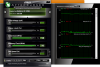
identical to that
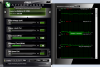
ie due to the fact that I diminish memory FPS drops. If I add the speed of the kernel, FPS returns to the standard amount.
You do not know what it could be wrong? If the voltage is correct, then changed the kernel itself?
Bios I could only find the executable file * exe
http://support1.toshiba-tro.de/tedd-files2/0/bios-20120907140632.zip
ASRock not able to get the bios from this file. -
your msi afterburner seems limited.
try this
HOW TO: Enable UNOFFICIAL overclocking mode in MSI AfterBurner - Guru3D.com Forums
hopefully you should be able to overclock over 600 mhz
relating FPS on core change, I noticed FPS improvement in many games.
you can also try other overclocking software like EVGA Precision
it could be also GPU related.
I accesed the BIOS file you sent me, and also checked the nvidia vbios file, it differs a little from the one from the L502X -
Hey man! First of, thank you very much for your incredible work helping out so many people! I hope you can help me with my problem too =)
I'm having the crashing with the buzzing sound while playing almost every game, for a long time now! For a while, I managed to "control" the problem by making underclock on my graphic card using MSI Afterburner, but lately I'm having to periodically decrease the clock, or the game crashs again, and this is compromising my game performance a lot!
In one of my attempts to find another solution, I read a comment referring to this post, and saying he could solve the problem using this moded bio, in conjunction with MSI afterburner.
I wonder if it is really possible, and if possible, what is the best Bios version for my problem, or even if there is another solution for this terrible problem. My laptop is the Dell XPS 15 L502X and my Graphic card is the GT540M.
thank you for the attention! -
@helih
hi and welcome to the forums. ^^
best bios version, GT540M and crashes?
I think you should try the latest A12 v6 version with the voltage settings 0.83v for 2D and 0.85v for 3D for the GT540M ^^ -
Hey, thanks!
Sorry for the noob question, but i can't find the download link for the A12 on the first page, just the Old versions, and the advanced versions, can you help me? -
the old versions are the older versions wich have usually no interest, I leaved them there for people who want them for some reason, but all others usually should pick them under advanced versions.
pick it under the advanced version and follow the flashing proccess detailed at the first post. -
I have installed the latest A12 modded BIOS on my l502x.
I am trying to boot a Live OS (Tails/Debian) via USB.
I know that the OS installed properly on the USB as it works with other computers.
But I cannot figured out how to get it to work on my l502x (which is my main lappy at the moment)
When I hit F12 and select USB, the screen goes black and then says "Operation System Not Found".
I have tried messing about with the boot options but to no avail.
Anyone else have similar issues with this laptop booting a Live OS from USB on the l502x ?
Anyone have a fix?
I have not tried to downgrad BIOS versions yet.
Thanks in advance. -
well, I have a bootable DOS usb drive wich works fine for me, I use it to flash quickly from there sometimes, I also use some times the UEFI boot with usb sticks, no issues yet.
try loading setup defaults, and place the usb sticks on top from the boot priority order.
also try putting the usb stick on the right usb, the one with esata combo.
it usually works better there, at least for recovery BIOS, it just works on that port. -
Nothing, yet, tried all sorts of combos of settings, different ports, defaults.
-
I am pretty much new to the forums and i have a request. I am unable to figure out how to send a private message so this is directed at the OP.
I have a Dell XPS L401X that was bricked during a bios update almost a year ago now. I could never track down a new Mobo with the same configuration i had.
Recently i found this thread and got to wondering if i could resurrect my computer using the Boot CD you had, but tailor it to my computers BIOS.
Upon Browsing the Recovery CD i noticed that the BIOS files are not .roms but instead .wph or .cap. Could a recovery CD be made for me with the Version A06 Bios here > Product Support | Dell US
Or could i be told how to extract the files in the formats needed for this CD to read ? -
@jsadler
not sure then, you can try using a live-cd instead, however I dont have any kind of issue with bootable usbs with this laptop, and it is a feature I usually use.
you can try reflash the bios , but probably will not help.
@SC S12
the problem is that the laptops and flashing methods looks different, also BIOSes seems differents AMI and Insyde BIOSes
this method would probably not work for you.
however, if you manage to find a total backup from the flash device of your lapopt from a working one, you may be able to recover using a programer like I descrived on the first post.
also keep in mind this topic is for the L502X, sometimes I ocasionall also help people with similar BIOSes, but this doesent seems the case. -
@jsadler are you booting it in UEFI or Legacy BIOS mode? I used many Linux distros on l502x and never installed through CD. Both UEFI and Legacy, but they need differently created ISO AFAIR.
-
@capitankasar
I found a new Intel ME firmware.
Can you look into it?
Serie 7.x -
both firmwares from that site are 5MB version, our laptop only uses the tiny 1,5MB version due flash limitations.
-
Good afternoon,
I'm Brazilian, so I'm using a translator, excuse me my horrible english.
Please can someone help me? I'm having crash with my video card gt525 notebook dell xps L502X. I've tried downloading the clock video card and was not successful. This driver I'm using is a beta version I tested, but the previous driver was the latest 344.11.
Screenshot by Lightshot
Screenshot by Lightshot -
@JFCM
usually the 0.85v/0.85v is the most stable for me in the gt525m anway 525m crashes are not as common as the 540m ones.
try installing the latest version modded version (v6) with the settings I recomended for the 525m and then check if situation improves.
anyway, are you using the HDMI port of the computer?
since the HDMI port only uses nvidia GPU, it usually create some troubles even for simple apps. -
capitankasar
Please could you give me the link to download?
Where do I find the settings?
I do not use HDMI.
Thank you for your attention. -
you can find the downloads at the first post.
yo can also use this link wich correspond to the specific version I talked
http://l502x.lag.re/L502X_A12_525m_85_85_Unlocked_Menus_v6.rar
download, extract and follow the flashing instructions from the first post. -
Hey dude, you seems to have a lot of knowledge of 540m
I bought my laptop in jan 2012, and after 2 years it started freezing while gaming, shutting down with power button is the only option.
Now i can game only on integrated graphics with low settings.
I read the whole bios thing you posted in the thread,
will installing modded bios will help with the freezing problem and can i revert back to original bios easily if problem does persists?
I have 540m gt and a12 bios with 8gb ram.
I have downloaded the modded bios(that recommended one for the 540m) for my a12 bios and just awaiting ur reply before i begin.
Plz reply asap. -
@w33
yeah, I think the 0.83/0.85v version for the 540m can help you, give it a try, preferible the v6 version, wich can be found at the first topic.
you can allways revert back to original bios, anyway, modded bios offers many other features original bios does not have.
this modded bios usually fix the problem for many people, in other cases it just improves the issue making a little underclock ALSO needed in adition to the modded bios, but lets hope yours get fixed without altering the frecuencies
you have all the flashing info at the first page
-
Does L502x have any device whitelisting in BIOS? Eg. works only with specific wireless cards? I'm thinking about exchange from Intel Centrino 1030 to Dell Wireless 1550 (AC+BT4.0+Mac compatible) and I'm not sure if it'll work.
-
@agalin
as far I know there are no issues while replacing the minipcie cards on the L502X
here you have also another related topic
http://forum.notebookreview.com/del...l-xps-15-l502x-replacement-wireless-card.htmlagalin likes this. -
@ capitankasar Can run Ram pc3-12800 ddr3 IN DELL XPS L502X
capitankasar likes this. -
@ahmedshiko
yeah, it should run without any issues.
some users even posted they had luck running 1866 mhz ram on their L502X
the max posible setup for the L502X would be probably 2 x 8 ddr3 modules = 16 GB ram
and support speeds up to 1866 mhz, however the ram speed may also be limited from the CPU. -
If you grab a i7 27XX CPU or a higher model you'll get official 32GB RAM support. From the CPU and memory controller side. Have no clue if the mainboard or bios will limit more than 16GB. Lower CPU models support a max of 16GB RAM.
I got a used i7 2760 CPU from ebay but took me some weeks. Will build it in during next week. It has 200MHz more of Intel GPU speed, 32GB RAM support and VTd support for virtualization.
ARK | Intel® Core⢠i7-2760QM Processor (6M Cache, up to 3.50 GHz)
Do I have to flash your bios again to get the latest Intel GPU vbios v2137? -
oh, didnt knew that, anyway, I didnt saw any 16Gb DDR Sodimm module yet, anyway it would be interesting to check if the motherboard have support for 16G modules.
if that is correct, the max memory would be 32G running at 1866 mhz, it would be nice, but also expensive ... 1866 mhz modules arent cheap and also 16 GB modules, when they got relased.
and yes, update the BIOS and you will get v2137 support
next BIOS relase will have the V2170 intel Vbios
-
Can we have an option to download the modded bios with the original Dell logo? Not saying that I don't like yours, its just that I might sell this laptop soon
-
well, if you are going to sell it, just restore the original BIOS the last day before send it to the new owner
as simple as running the other script included at the downloads ^^
just give a look at the older bios downloads, there are a HUGE amount of versions, by doing this, this would duplicate the number of versions
I would make only a single version, but since the laptop have several motherboard revision with different hardware (nvidia GPU) I need to set different voltages manually per each one. -
Hoping someone can help me out! Right i've got a L502x i7 with 6gb RAM Going to put more RAM in soon within the next couple of week. The only game i play is Football Manager and sometimes it slows down and sometime even crashes and says something about graphics
I did change some settings in Nvidia program before but i reinstalled windows and can't find them but i still got the problem just not as much. I'm just wondering would any of this bio flashing help me out? And which one should i flash to if i was too.
Also what is the max ram i can put in? I've read 8gb one place then 16gb (i think) on another.
Thanks for any help
Chris -
try put the windows power plan on max performance, close other apps including antivirus, put also the nvidia card on max performance on nvidia control panel, you can also overclock the GPU or keep the cpu speed high with throtle stop app.
consider also updating GPU drivers.
the max confirmed ram from some user is 16 gb (2x8Gb) (32 Gb using two 16 Gb modules is unconfirmed yet,plus they are really expensive)
however, if you want to add more ram, you can go to 16 gb ram 2x8 Gb at 1600 mhz or even 1866 mhz if you have some cash and you want more speed.
also be sure you installed all other drivers including intel ones.jacko_oafc likes this. -
Thanks for the quick reply. I have put my power plan on high performance (take it thats the same) How do you put the Nvidia card on max performace? Once you're in the Nvidia control panel click Manage 3D Settings then were do i go from there? How would i go about update the GPU drivers? Looked on the dell website for availble drivers&downloads but can't seem to find it on there.
WOW never knew ram was that much :O Think i'll go for the 2x8gb 1600 mhz will easily do me for what i want. -
to put the nvidia GPU on max performance, open the nvidia control panel, 3d config, and in global settings set the power setting to max performance, set also the other options to your desired options, you can also tweak the game itself, and ensure it run using the nvidia gpu and not intel graphics.
dell drivers are really out to date, dont look for updated there, just go to the nvidia site, and download the ones for yout gt5xx
as for the moment I have 2x4 Gb ram = 8Gb anyway, sometimes while using firefox and some video processing apps, I easly run out of memory, so I may upgreade to 16 Gb in future too.jacko_oafc likes this.
L502X modded bioses download (GPU voltages and more!)
Discussion in 'Dell XPS and Studio XPS' started by capitankasar, Dec 30, 2011.