 Problems? See this thread at archive.org.
Lol, considering you can't upgrade what does it matter at this point?
Wait till it comes out and then find out.
-
-
It doesn't really matter but I like to speculate about these things anyway

-
It doesn't really matter but I like to speculate about these things anyway
EDIT: well actually it could matter seeing as if i can only run it on low settings at a bad resolution, then I wouldn't get it for PC, although this is highly unlikely, some people have said that. -
been running this card overclocked for a few months now... it's a pretty decent card, overclocked it's not far off a 460m...
but then again a 460m doesn't compete with a desktop GTX 460. Realistically this will prob run battlefield 3 at 720p with most settings on high at a decent frame rate (30+) but you'll have to wait and find out. -
I wish my 550m could run BF3 on 1080p! I need to build a desktop.
-
Hey Uruha... did you overclock your 550m ??? and if u did on what speeds are you running it on?? i did overclock my 550m on xps 17 and with EVGA Precision i could turn up my core clock all the way to 760 .. with 3dmark 11 i am getting 1750 ...
-
Yes, but I only overclocked it to the 555m's speed since they are pretty identical. It seems to be completely stable. I dare not go any higher. I use MSI Afterburner and it only allows me to go up to 620/1240. How is it at 760?
-
I know with MSI it can only be overclocked till 620 max, but using EVGA Precision can have your core clock increased up to 760.. try it..i maxed out the core clock and the memory clock and tested it.. with 3mark11 i got 1750 and i also checked for stability by playing crysis 2 and Bad company 2.. the temps never crossed 70F... it was stable .. right now i have my core clock at 720 & memory clock at 950... its stable as hell.. i am playing crysis 2 and what not and it doesnt get overheated at all.. i use a cooler master u3 notebook cooler always.. ya i get the performance beyond the 555 card... though full overclocked 555 obviously will overperform 550... anyhow you should try it..let me know how it goes..
-
Has anybody any experience with crashing the GT555m on the L702x, if I even touch the memory the screen will go black within a minute of gameplay - whole system freezes up - manual reboot required -
I can go as high as 730/1460 if I leave the memory alone but i am getting around 70° peak temps when playing black ops, FULL settings>1080p>120Hz - have I got a dodgy card or mobo? Everybody seems to be able to squeeze loads of extra grunt with no issues or are there some of you without such good results? -
If you can only run it at a low resolution and settings then you will buy it for a console that will run it at a lower resolution and lower settings.
Well that makes perfect sense. -
Nice man. I wouldnt go past what Afterburner has as the limit just because it already seems pretty high to me. Clocking it to 555m speeds causes my card to hi 70C sometimes 71C. So i dont want to go any higher without a cooler. Which brings me to ask you; can I see pictures of ur XPS 17 with the Cooler in perhaps any 2 angles?
-
71C is nothing for a mobile GPU.
-
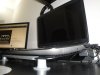
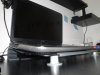
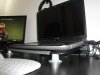
Laptop graphics card temps around 70C to 85C are fine.. You shouldn't reach around 90C which is the danger zone... so crank up all the core when u can and yes having a laptop cooler helps alot.. actually its must to have a laptop cooler if you are gaming..so i suggest you try out EVGA Precision to crank core up to 760...believe me its stable ...and the gt550m in dell xps 17 has 144 cores instead of standard 96... so overclocking this card is gonna be fine..don worry about your card being overheated..i play crysis 2 for hours and the max temps i get is 71C when its totally overclocked to max..so its perfectly stable... -
What's the general stable OC for the 128-bit DDR3 version?
-
Whatever the chip can do
-
been running the gt555m in the l702x overclocked at 740/940 now for a few months... gets about p1730 in 3dmark11 but I've taken to running games in 720p because I prefer the higher detail + frame rate over resolution.
seems temps have dropped somewhat using the new whql nvidia driver (280 something)
just wondering what settings most people use when O/Cing this card? and what seems to make more of a difference to performance when overclocking, the memory or core/shader?
cheers -
well i have gt550m in my l702x.. i overclocked max all the way to 760/1080 using EVGA Precision and i got p1750 in 3dmark11... but im sure ur gt555m can be overlocked more.. the temps i notice on my 550m don't exceed 71C..and also playing games is smooth ..so its very stable for me on gt550m..
Obviously the Core clock of the video card makes more difference when you overclock it.. the memory doesn't give u much of a performance at all.. -
Thank you for the pics! But does the XPS sit on it perfectly? It would bother me if it stuck out at all. And seeing as how the cooler is tilted I have the 9-cell, I am going to have a HUGE elevation! If I do get it I guess I will remove the battery or lift it like you did.
Meaker, I just don't want lots of heat to improve the longevity of my computer -
Its better to lift the cooler in front once the laptop is on it so that the laptop wont slide off and its better for ventilation... believe me it fits perfectly.. dude you cant find a better cooler for xps 17... this is the only cooler that will cover all ur air vents properly since you can place each one of the three fans below the three vents of the xps 17.. if you find a better cooler do let me know..
-
Hi Im new to OC just got my xps 17 and love it! I have some ?'s so here is my specs dell xps 17L702x
i7-2630QM-17.3" FHD (1080p)-1.0TB 500GB 7.2k HDD x 2-8gbRAM-GT 555M 3GB graphics with Optimus
Under my control panel it says Nvidia 268.30 graphics driver is that the best driver for my xps I ve read on here of others changing the drivers for better proformance what is the best driver out for my system?how do I OC it? -
I'll let someone else answer the driver question, but for information my driver is ver. 275.33
You can easily overclock your card by downloading MSI Afterburner, read/seacrh this thread for the best settings. -
Thanks did your xps come stock with ver. 275.33?
-
No, I downloaded it from nVida, I just looked and now the latest version is 280.26
If you plan on using the drivers from the nVida site then choose Custom Install ---> choose a clean install during installation, I received errors unless I did a clean install.
I'm not sure what the Dell approved driver version is right now, it can be downloaded from the support center.
If you just got your laptop then it came with the latest Dell approved drivers installed.
Regardless of the driver version you can still overclock it.
-
I'd recommend you download the latest drivers from NVIDIA (280.26 I think) first. After that get afterburner installed. Then increase clocks, benchmark, rinse, repeat. Or dial in 770mhz core, 1100mhz memory and see what happens. At least a few people me included have ended up at that speed.
-
Just updated my drivers to 280.26 and figured I'd share my results for those of you that are thinking of upgrading your drivers and haven't or for those who have already upgraded and want something to compare to.
AfterBurner Settings:
Core Clock: 760 MHz
Shader Clock: 1520 MHz
Memory Clock: 970 MHz
Here's the results:
3DMark06:
3DMark11:
Results
3DMark Vantage:
For comparison here's my previous results with 270.51 drivers. 270.51 Results
I just updated the 3DMark11 and will re-run that test to see if anything changes. They obviously didn't like the driver version in the first set of test results.
After updating the 3DMark11 software I got these Results. They're still not happy with the driver version but who cares! -
Now it seems like the fan kick on then off every 4 seconds what do I to fix?
-
nice - getting the same results with the new drivers, noticeably smoother with games like crysis2 and witcher2 also
...just wondering, when looking at 3dmark results it says I have 2x 667mhz 4gb memory and I thought the memory clock was running at 1333mhz, is it just worked out by adding the clock of each strip of mem together?
-
DDR=Double Data Rate. Thus memory running at 667 is 1333, and so on. It runs the memory at effectively DOUBLE the set clock speed.
-
d'oh :-/ learn something new everyday - ta!
-
I made repaste job on my xps i have coolermaster u3 constant runing,and instaled new nvidia driver.Overcloced with EVGA to 770core and 1080 memory.When i play crysis 2 on hardcore settings i get 20-25 fps and gpu reach 82-83C.Is it stable to play with this temperatur.I think to remove the mesh on the vent for more airflow and i expect some degree drop.
-
Those temps are okay. If you were up at 90C or more I'd be concerned, but 80-83C isn't uncommon with these chips. Heck, mine runs up in that range and I'm running stock and I repasted...(repaste didn't do much to improve the temps mind you, 1C at best).
-
Overclocking capability of GT 555 is very good, so read this thread closely and you will find more useful information. Unfortunately I can't say anything about Hp and Lenovo simply because this thread is related to DELL.
-
@ kroenen04
i own a 6770m oc 850/900 and after playing crysis 2 about an hr my gpu temps was abt 84c and gives avg of 43 fps at high settings and at max end setting it gives an avg of 17 fps ,without oc at 725/800 stock it gives an avg of 38 fps at high settings and ma temps was well below 80c... -
i want to overclock but what is the advised speeds i should use which are most stable? i will observe temps before and after but how much of a increase should i expect? whats a safe temp?
-
This is a good starting point, I think everyone agrees that this is a stable OC, you may be able to get more out of it, you'll have to watch temps and see what is stable for you.
AfterBurner Settings:
Core Clock: 760 MHz
Shader Clock: 1520 MHz
Memory Clock: 970 MHz
As for what to expect on temps before and after it's a hard one to answer since there's variables involved, like ambient temp, using a cooler or not ect. ect.
OC'd idle temps are 42 - 45 C and the highest temp I've seen is 81 C, I'm not a hardcore gamer and don't play 4 hours at a time either, maybe someone else will chime in with their temps. -
Thanks hatchett, using those settings i just did a overclock playing brink, normally i get 25fps on 1600x900 res with all settings maxed including AA, and temps are about 71c on gpu after 30mins (ive tested this before and it doesnt go any higher on brink if i were to play for 2 hours) with the overclock i get about 30-40fps and temp on same playing time was 74c so a 3c increase isnt bad.
I will test this over a longer period on other games but a very promising start! Btw im not using any coolers, stock paste and room temp is atleast 25c. -
I played Bad Company 2 with overclocked gpu for about an hour, and temperature did not exceed 72c. Settings I used:
Core Clock: 770 MHz
Shader Clock: 1540 MHz
Memory Clock: 1000 MHz
Also I tried to set memory clock to 1080 MHz as mention above by some users, but Battlefield crashed after 30 minutes of gameplay, so 1000 MHz works good at the moment. -
I'd like to see your temps running Crysis 2 @ FHD "Very High".
Both kroenen04 and I saw temps in the low 80's.
kroenen04's Crysis 2 Temps
Sounds like with max temps in the low 70's you guys aren't working the GPU very hard. -
Sorry, but I don't have any of Crysis, so I could check Metro 2033 instead. As I know Metro is still one of the 'heaviest' games on pc.
-
More demanding than crysis. And hatchett i have tested temps over a longer period of time and it hit 79c without overclock.
-
Can the same be said about the 550m? It seems like the same card, just slower.
-
550M is a totally different chip.
-
So I'm seeing alot of 14900 in 3DMark 06, with the GT555m on the L702x, but I'm not breaking 14,000 with the 750/1500/1000 settings.
how in the heck are you guys doing that??
I've been able to clock to 800/1600/1080, but even then only barely get over 14,000. -
What CPU? That will have some effect on the score. If you have a quad, then idk.
-
Its the 2720QM. 2.0ghz quad core
-
Hmm, should be more than plenty then. Interesting. I should run 3Dmark06 since everyone seems to like it, though I prefer Vantage and 3Dmark11...Also haven't overclocked this GPU yet, ought to give it a go I suppose. It's got enough power for me stock, but if I ever decide to start playing Crysis or something, I guess I might want it!
-
720QM was 2ghz IIRC, but the 2720QM is 2.2ghz up to 3.3ghz (single) and 3.0ghz (quad)
My ES 2720QM with it's 8mb cache and staying at 3ghz for up to 8 threads beats an OCed 920XM
-
You should be seeing results similar to mine, is this a 3D machine or do you have Optimus?
Post a link to your 3DMark06 & 3DMark11 results so we can compare them to other results. -
I am a bit confused, is it safe to keep playing games with overclocked GPU all the time if it's temperature does not exceed 73c ? I mean does it have some kind of duration it will last while it's overclocked, or? Since I got a 6-10 extra frames now, it's pretty hard to launch a game with not overclocked GPU
Settings:
Core Clock: 770 MHz
Shader Clock: 1540 MHz
Memory Clock: 1000 MHz -
what is that cpu i never heard for it
Overclocking the GT 555M card.:-)
Discussion in 'Dell XPS and Studio XPS' started by kroenen04, Mar 30, 2011.


