 Problems? See this thread at archive.org.
Was simple? Other than disassembling the laptop and replacing the hard drive, how did you reinstall or did you clone the laptop to the SSD? Also what else changes did you do to get it working?
-
It's not complicated but you need to reinstall if the SSD is much smaller than the original disk. That said you can try to clone the disk with the software that comes with the SSD, I have done it on the other PC going from 500 GB to a 250 GB partition and it worked with the Samsung software. I did not try on the Dell as I wanted a clean install.
You have to swap the drive, change your disks settings to AHCI in the bios if you want to use the 32 GB drive for storage (it's important to do it before actually installing the system otherwise the drivers will not be installed and the system will not boot when you change the setting).
Then get windows 8.1 on a USB flash drive, you don't need a license key as the system is recognized automatically. Delete the partitions on the 32GB drive and reformat it in NTFS.
Once windows is installed almost everything already works except the wifi that has a really crappy performance with the default drivers. Finally go on Dell website and reinstall the drivers.
Actually the performance of the combo flash and mechanical drive is quite good but once you used an SSD it's difficult to come back. -
Thanks, I am still trying to figure out if it's just a characteristic of these screens or if we were just unlucky.
-
Just read back a few few pages about someone wanting to add a secondary HDD to the system. My understanding is that the top tier spec comes with a 512gb msata card. With a 91whr battery which covers the area where the mechanical drive goes is that right?
Sent from my HTC One_M8 using Tapatalk -
correct. There is a 1TB mSata drive aftermarket.... -
Can somebody with the 1 TB harddisk can post the actual model or manufacture? I'm searching and searching but nowhere I can find the actual manufacturer.
Sorry: now I have it: It is the western digital blue WD10SPCX ! - can anyone confirm? -
I am not sure of the exact part number but it is a WD Blue for sure.
-
You are getting yourself too worried over this.
People in this thread have posted a huge range of different experience in regards to the coil whine. Some people's systems don't have it, others do. Again in my case for example, it was there initially but disappeared after a few days of usage with the occasional flare up. Some people can't hear it because the frequency is outside their hearing range. Some people have had it pop up later after using it for awhile, or the coil whine is only present when the battery is fully charged and pulled in, others only get it when the system is under load, some get it even if the system is idle.
Basically, a 15 minute check does not guarantee if they will find coil whine or not, this is something you're going to need to determine over a period of several days at a minimum under a variety of different usage conditions.
If the retailer you're purchasing the system from has a good return policy then you have nothing to worry about. -
What a company and what a "premium flagship":
Besides coil whine I was happy with my laptop.
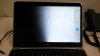
- Until last week Thursday my screen got suddenly (I was writing) a line of hot-pixels (see Photo)
- Dell send out an technican on monday; but equiped with the wrong panel
- Yesterday (tuesday) a new technican came with a right panel.
After 2 Minutes quickcheck of the panel he left. I was happy.
- after 1 hour of working I recognized a flickering on the left screen. first thought ok, did you saw it right?
Yes, there I saw it again! The flickering occures just from time to time, every 10-20 minutes maybe just for a second.
- Yesterday for 3 minutes 1/2 of the screen background light was down, then it came up again. I had the chance to make a photo from that.
Today: the first 1/2 of the day: no flickering. and now after approx 7 hours writing it comes back.
2 panels in short time? Or got something on my system got broken at the repair? Or is there another origin which may have caused the first and/or second display problem?
I do not know what to do, because besides the one photo it is hard to prove the flickering. Because it is just after >hour work and occures just for 1 second from time to time. .... and personaly I don't think that the second screen is broken but there may be problems with the graphics card/MB.
Has anyone an advice how to deal with dell?
- And it is even hard to get a normal Fax number here in germany for a real letter, where I describe the problem. ... I guess if they just replace the screen again, I can call them in some weeks again. ... But the proof of this defect is hard, because the service man would have to spend hours in front of my screen. .... if I simply wait and ignore this I'm afraight I will loose some of my position for reclaim.
.... I'm so sad and dissapointed... and afraigt to just burned a my money for a system with occasional flaws.
... I need the machine and I like it.... but I'm so under pressure with my thesis. I want a complete replacement, something is stinky and strange with my model.
So if anybody has experiences with law and rights. Or a real fax number to someone official office of warranty or experiences how to write a real hardcopy letter to dell germany I would be very happy for help! --> PM and then mail
images of first broken display (hot pixels, really defect independend of resolution/graphiccard) and second flickering display (faulty MB? or faulty replacement display?)

 Christian.D likes this.
 -
The coil noise is subjective but this is a functionnal problem, they have no choice but to try a second replacement. They can exchange the system as an alternative if they are willing to but they have no obligations to do so, it is up to you to insist on the phone. If they don't exchange it and they have to repair it again and again, at some point it will be more interesting for them to exchange it. Do not forget that you are entitled to a 2 years warranty right within the EU (even if you did not pay for it on the order, the only difference is that maybe you will have to send the system instead of having a technician coming).
-
explain they have now wasted 2 of your days waiting for a tech and soon to be a 3rd so you expect to be reimbursed for 3 days lost pay.
-
Has anyone cleaned and reapplied thermal paste on to the chips and noticed any other temperature decreases? Arctic Silver 5?
-
yes it helps prevent throttling, due to active thermal management it does not necessarily give a lower idle temp but does stop the fan kicking in so much, load temps are reduced a lot. I use ceramique over AS5 due to less curing time, AS5 needs 200 hours and is a bit dated due to that.
adlerhn likes this. -
Help! I have a large patch on the left hand rest from oil (I think) and it's driving my crazy! I tried some windex and simple green but I can't remove it! What should I do?
-
Thanks all people for the motivating words in my bad mood moment.
Now, Dell send out again a technican for exchanging a connector cable. I do not know which, but I hope this will definitly now fix my problems.
At the moment happy that dell reacts, but on the other hand still afraight that I have a faulty system. ... I hope my trouble are away then, I like my system and NEED it. -
You're being amazingly patient. If I were you I would have given up and demanded a full refund and get something else.
-
plus ceramique is non-conductive so if it gets on something it isn't going to cause issues!adlerhn likes this. -
Thanks for letting me know. I might do that, i'm still not sure if I want to keep it.
I read some other posts saying their touchpad/trackpad was glass material another material. My currently touchpad has a rubbery texture, is this for all the laptops? It gets quite uncomfortable to use when there is small bits of dust on the touchpad. -
Mine is rubbery
I have not seen the "Glass" one. -
thanks alot bro for all the guidance..but the thing is that i already returned a laptop which they exchanged just due to the antiglare problem which made alot of a hassle already....infact the retailer got worried this time that he should not order it for me because i told him that the problem is soo common among these laptops...but i just assured him to order and get it from me and check for half hour before sending it to me.....if there is a problem he could return it right away....but lets say if he gets no coil whine and sends it to me and after few days the coil whine starts to appear in my use it wud be pretty hard to return it...maybe he will take it back maybe not i m not sure...soo how much risk is there that the coil whine might be too loud on my system?i mean what do u think might be the percentage of people out there with horrible coil whine dell xps 15?is it worth to take the riskk???or should i just order a macbook pro instead i m getting both for almost same price.i dnt know how this retailer is selling the macbook pro top tier for the same price but he is....i have never used mac before and i m not one of those people who wants to buy apps...i want cracked apps....plus the macbook pro has just 2 usb ports and i need to attach a usb mouse and 2 external hards already...inact i m planning to buy a third ext hard of 4 tb coz dell xps 15 top tier has no additional space for a hard disk due to the bigger battery....plus the mac book pro has a smaller screen and i m a movie guy i prefer 16:9 not the 16:10 coz of those black bars on screen in movies of the 16:10 aspect ratio laptops...butt no doubt a mac is a mac and has better build for sure....but i have heard that the mac book pro has its problems too...macbook pro gets very hot with the 750 nividia card...i read alot of complaints and wifi issues as welll.......so from ur experience hearing my story properlyyy wht do u think i shud doooo......?????order a mac already or first let the dell xps come and see if it does have the coil whine?i m spending sooooooo much money for the first time on a laptop thatswhy i m concerned??do u think i might regret buying a macbook if i go in that direction?
-
After some months, I have finally found out the reason why Firefox was slow to scroll in some websites. Apparently it doesn't like using non-integers in the layout.css.devPixelsPerPx setting, which I had set to 1.75.
I don't know if it is a general problem, or a combination of this and using Linux, Cinnamon or some setting that I have.
If anyone else is having this issue, can you try it, and if that solves the lag, comment in the bug I have created? https://bugzilla.mozilla.org/show_bug.cgi?id=1007449 -
That's funny because when I got my laptop, I found Firefox scrolling to be terrible in Windows. It would stutter, and just not be smooth overall. In Linux I didn't have this problem. I'll try setting the PixelsPerPx setting to 1.75 and see what happens.
-
I tried setting it to 1.75 in about:config, but didn't notice any change to my scolling. It was still smooth. I'm using Kubuntu 14.04, Firefox 29.
adlerhn likes this. -
I have a 2nd replacement sat here, it has a glass trackpad, it is so much better than the rubber coated thing on the 1st.
-
Thanks someguy00. I'm using Ubuntu GNOME with Cinnamon, Firefox 29, kernel 3.14, bumblebee. Maybe there is something else in my system that causes non-integer zooms to be slow? I'll try with a different desktop environment.
Is anyone else using Firefox in Linux and a non-integer zoom getting slowdowns? -
On a separate note, yesterday I tried running Firefox using the Nvidia card (with optirun). And apart from the graphics-apps such as shadertoy.com being about 2x faster, it was SILENT. It's a pleasure not to hear the low-pitched whine of the iGPU (aka mechanical harddrive sound).
-
Just a question about drivers, im a guy who always likes to make sure im on the latest drivers of the hardware do you recommend installing the manufacturers hardware drivers or dells?
Like video card? Wireless? Have you noticed any bugs in things. -
Video card install nvidia, but wifi Dell are a newer even if Intel are reported as an more recent release the driver itself is older (and has a poor performance)
-
Ok, I'm officially curious about this rubber vs. glass touchpad thing. I got my XPS 15 back in November, but it feels a lot more like the rMBP's glass trackpad than, say, a Lenovo rubber trackpad, especially since I've seen people mention a noticeable texture on their rubber trackpads, whereas mine is totally smooth. Did your rubber trackpad have a grid of easily visible bumps like a Lenovo pad or was it more of a microtexture?
The only thing that puzzles me is that if these systems launched with rubber trackpads, I don't know how I would have the glass trackpad since last November wasn't long after the system launched, unless it got changed very quickly, or maybe only certain regions ever got rubber?
In any case, can anybody post detailed pictures? I assume nobody has both side by side, but if we can get one picture from an owner of each, I think it would be interesting to see (and add to the Wiki).
The only thing I wish were different is that the trackpad starts discoloring within a few HOURS of use. Yes I know it can be cleaned, but it's not really worth the effort if it discolors that quickly IMHO. If your new trackpad is more resilient to discoloration, I'd definitely be interested in getting that. If not, then I'll probably just stick to what I have.
The latest Intel GPU drivers won't install on this system unless you modify INF files (which might break the driver signature), so you'll need to use Dell's there. I'm running the latest NVIDIA GPU drivers and Intel Wifi and Bluetooth drivers without issues, though. I'm also running an older version of the Synaptics reference trackpad drivers. The newer reference drivers don't work on this system, but I'm also told that Dell's updated trackpad drivers improve things significantly over the original release (as does the touch screen firmware update). I just don't use my trackpad often enough to bother comparing the two. -
left is smooth, right is coated. both have just had a clean prior to the pic.
the old ones beyond cleaning now, as you can see it is scratched. the new ones come up like new again. not that it was that dirty anyway due to the lack of coating to come off.
The old ones had 5 weeks use.
https://www.flickr.com/photos/78176307@N02/14136450211/sizes/l -
Mine's glass, you can even see that the separator between the left and right button is set deep within (possibly behind) the glass.
It's very low friction, until you get dust or grit on it, when it becomes a pain in the ****. -
Interesting, thanks!! My laptop definitely has that divider line in the lower portion of the touchpad, and it looks like the coated one doesn't, unless that's just a trick of the light on that photo? In that case I guess I have the better trackpad.
-
Hi everybody; I'm really excited to be getting my XPS 15 next week!
I have two quick questions:
1) Is the 750m soldered onto the motherboard like MBP/ 502x preventing the swap?
2) 750m and overclocking - I have read many contradicting posts whether it voids or does not void warranty - anybody has any experience with this particular line? - Or is it the "just don't get caught if something breaks thing". If possible - any advice on that.
Just a note - I understand what kind of laptop I'm getting - I love the form factor, screen size, design, portability and basically everything else about XPS 15, just wish it was tiny bit more powerful in the graphics area (would gladly pay extra for the 765m/860m). I have considered GS60/new blade 14 - but the lack of extended international warranty (both - unless doing xotic or something like that), the design (GS60 - i need a professional looking machine) and price/availability (Razer) rendered these impossible for me.
Thank you for your help and time! -
So I decided to take out the 1TB HDD that came with my laptop and I want to use the Samsung 840 EVO 2.5" 500GB drive instead. I've installed it and put Windows 8.1 on it and the whole shabang. My only issue is that each time I switch over to the ACHI mode in the BIOS settings, the laptop won't start properly, how can I fix this error?
-
I'm pretty sure that it is soldered onto the motherboard. We had bluescreens because of a faulty 750m. The onsite support changed the whole mainboard.
-
trick of the light, i will try and take a pic with the flash later to see if that helps.
cpu and gpu are solder mount due to the ultra form factor so the only thing you can swaps the ram. -
Thank you gdir & Gonzo for the answers! Appreciate the confirmation.
Any word on overclocking the 750? -
You can forget overclocking, this laptop already overheats with the stock clocks. You have to keep in mind that it has a form factor that does not allow a good ventilation, it is clearly not made for that.
-
Strange - mine seems to be something between the two. I also have the lower divider marked on the trackpad. It's not as rubbery as rest of the surface of the laptop, but when I rub my fingernails along the trackpad, it's not as smooth as glass.
Separate question,the region which is the right-click area is much smaller than what is marked on the trackpad. Is that something that can be changed using software? I've searched on google and can't find anything. -
Yeah I can't touch the touchpad with my nails or it's like a chalkboard.
-
yes, that pretty much describes the trackpad on mine.
-
How about using a trackpad protector? Is anyone using it?
-
Ok new issue: wifi, its performance is really awful. If the reception is optimal then it's good but as soon as you move in another room it drops to 3-10 Mbit/s using a 5$ Chinese wifi mini stick I get 30 mbit at the same place and with my older 500$ laptop I got like 70 mbit/s...
-
The GPU is soldered onto the board, and overclocking will void your warranty for any issue that could reasonably have been caused by you overclocking the system (i.e. if you have a keyboard or display problem down the line, you'd still get warranty coverage for that). I'm not going to comment on the whole "Do it and just don't get caught" question since attempting to get warranty coverage for an issue that COULD have been caused by your overclocking would technically be fraud. But as others have said, I don't think there's much if any untapped thermal capacity to boost clock speeds. Unfortunately getting a Maxwell GPU probably isn't in the cards with this generation of the XPS 15, so if you wanted more graphics horsepower you'd probably be waiting until its successor. But then something faster will always be coming along later.
Switching SATA modes means Windows has to load a different type of storage driver (AHCI = AHCI driver; Smart Response = RAID controller driver), and that's not something that can be changed on an existing installation as far as I know. But unless you need to use that mSATA slot for another full-size drive, it's not a big deal. The 2.5" SATA connector works the same way in either setting.
Yep, I've noticed that too. I haven't found any way to do that, but if you do, definitely let me know since I wish I had a larger right-click area myself. -
I just wanted to connect my Nexus 4 today but after installing the drivers I get the annoying connect/disconnect bug... I can't find the solution in google but I know it was posted in this thread already. Anyone remembers it? :S
Thanks -
Bummer, I was really hoping that would be the visual differentiation between the two. In that case given that both are very smooth and the same color, it seems tough to tell by looking at the touchpad which version it is. I'm just more curious about mine than anything else at this point.
On my touchpad (that I think is glass based on feel....), it doesn't actually hurt like a chalkboard, but I guess I can see what you mean. And scratching it produces more of a "sand" sound. By comparison, scratching the trackpad on my Latitude E6430, which is definitely rubber, presents far less resistance and has a much more hollow sound to it.
So GoNz0, since you seem to have both, is the "chalkboard" sensation indicative of the rubber or glass trackpad? -
Yes it can be changed with an existing installation, you have to put it in Smart Response, boot windows, type a command for windows to boot in safe mode on next restart (don't remember the command, google it), restart and directly go in the bios, change to AHCI, boot in safe mode (windows will change the driver), type a command to remove safe mode on next start, reboot and voilà.
The right-click zone is correct on mine. -
Nice! Fyi, if your BIOS is in UEFI mode and your OS was installed in UEFI mode, you can get to the advanced startup menu by holding the Shift key when you click Restart.
And are you saying that if you click on your touchpad just barely to the right of the marked divider, you get a right-click? Are you running the Dell or Synaptics drivers, and which version? -
Easiest solution was to connect the phone to a USB hub instead. No idea why that works, but apparently it does. I just bought this baby: Anker USB 3.0 13-Port Hub + 5V 2.1A Smart Charging PortAnker | Support
XPS 15 (Haswell) Owner's Lounge
Discussion in 'Dell XPS and Studio XPS' started by mark_pozzi, Oct 23, 2013.


